

 100% Security Verified | No Subscription Required | No Malware

Travel vloggers and adventure creators know that compelling visuals make the difference between a good video and a viral one. With the Free Travel Creator LUT Bundle, you can instantly transform your raw footage into cinematic masterpieces that capture the spirit of every destination.
Designed for trip recaps, city guides, and journey films, these LUTs deliver consistent, film-inspired color grading across all your clips—no advanced editing skills required. Whether you're filming golden sunsets or bustling urban streets, this pack has the perfect look for your story.
In this article
Cityscape Chronicles
Neon Echo
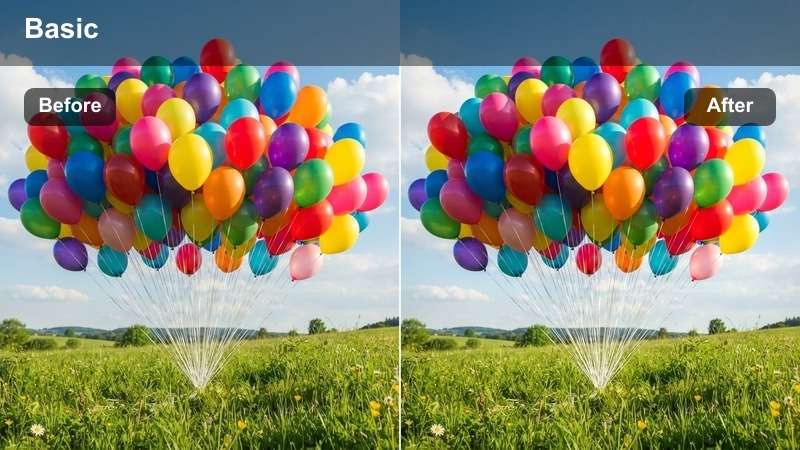
- Effect look: Vibrant neon highlights with deep urban shadows
- Best for: Nighttime cityscapes, street markets, urban exploration
- Editing tip: Use at 80% opacity to preserve natural skin tones in night shots
Neon Echo brings a bold, cinematic flair to nighttime city footage, enhancing the glow of neon signs and street lights while maintaining deep, rich shadows. This LUT is perfect for vloggers capturing the electric energy of cities after dark, adding a modern, stylized edge to your visuals.
In Filmora, apply Neon Echo to clips shot in low-light urban environments and reduce opacity to 80% for a balanced look. It works especially well with time-lapse sequences of busy intersections or drone shots over illuminated skylines, helping your content stand out with professional-grade color grading.
 secure download
 secure download secure download
 Metro Glow
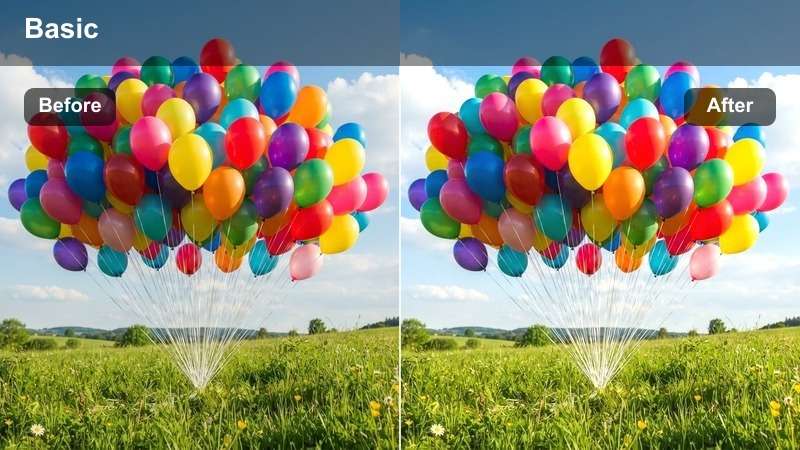
- Effect look: Warm amber tones with soft contrast
- Best for: Sunset city tours, rooftop views, golden hour walks
- Editing tip: Apply with a slight exposure boost to enhance warm highlights
Metro Glow enhances golden hour footage with rich amber tones and soft contrast, creating a warm and inviting atmosphere perfect for city vlogs filmed during sunrise or sunset. This LUT brings out the natural glow of urban landscapes bathed in low-angle sunlight.
In Filmora, pair Metro Glow with a slight exposure boost to make the most of warm highlights in rooftop shots or bridge crossings. It's ideal for travel creators wanting to evoke a nostalgic, romantic mood in their city adventures, especially when combined with slow pans or gentle zooms.
Concrete Soul
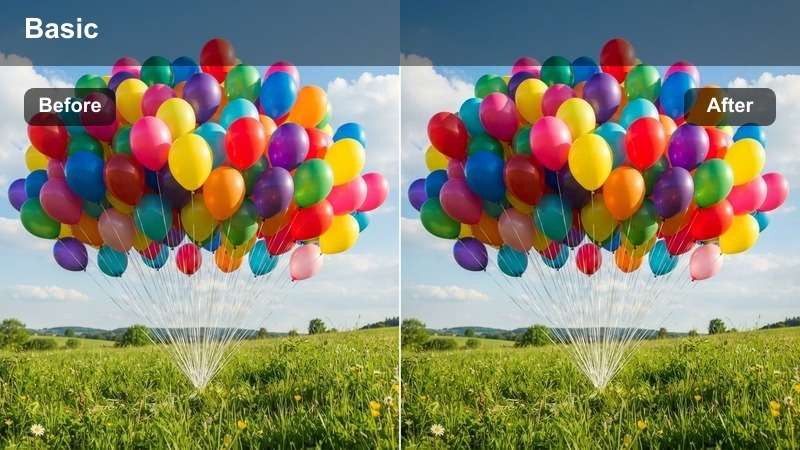
- Effect look: Desaturated base with subtle blue undertones
- Best for: Documentary-style city walks, rainy day footage, industrial zones
- Editing tip: Combine with a slight grain overlay for a cinematic documentary feel
Concrete Soul delivers a moody, introspective look with a desaturated base and cool blue undertones, ideal for storytelling that emphasizes emotion and atmosphere. This LUT works exceptionally well in overcast or rainy conditions, adding depth to gray skies and wet pavement.
In Filmora, layer a 10% film grain over Concrete Soul to enhance its documentary aesthetic. Use it during voiceover segments or reflective moments in your travel vlogs to create a cinematic, narrative-driven experience that draws viewers into the story.
Scenic Escapes
Alpine Haze
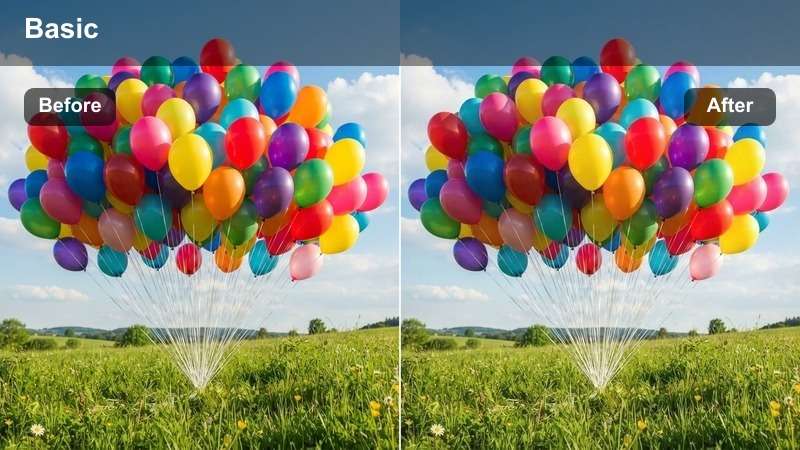
- Effect look: Cool blue-cyan tones with lifted blacks
- Best for: Mountain vistas, alpine lakes, glacier shots
- Editing tip: Use with a slight dehaze filter to increase clarity in foggy shots
Alpine Haze captures the crisp, refreshing essence of high-altitude environments with cool blue-cyan tones and lifted blacks that enhance detail in snowy and misty scenes. This LUT is perfect for drone or wide-angle shots of mountain ranges and glacial lakes.
In Filmora, apply Alpine Haze to footage shot in foggy or overcast mountain conditions and pair it with a subtle clarity boost to define ridgelines and textures. Reduce highlights slightly in snow-heavy scenes to avoid overexposure and maintain natural-looking whites.
Desert Aura
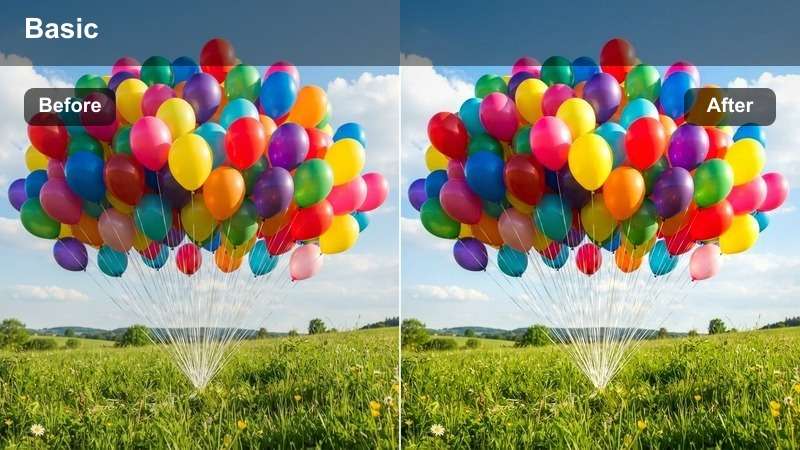
- Effect look: Warm orange-amber tones with enhanced contrast
- Best for: Desert dunes, canyon hikes, arid landscapes
- Editing tip: Apply with a radial filter to highlight the sun's position in wide shots
Desert Aura brings out the intense heat and dramatic contrasts of arid environments with warm orange-amber tones and deepened shadows. This LUT enhances the texture of sand, rock, and sky, making it ideal for time-lapses of desert sunsets or wide canyon panoramas.
In Filmora, use a radial filter centered on the sun to intensify the glow in wide desert shots. If sand appears too saturated, reduce overall saturation slightly to maintain realism while preserving the LUT's cinematic warmth and contrast.
Tropical Breeze
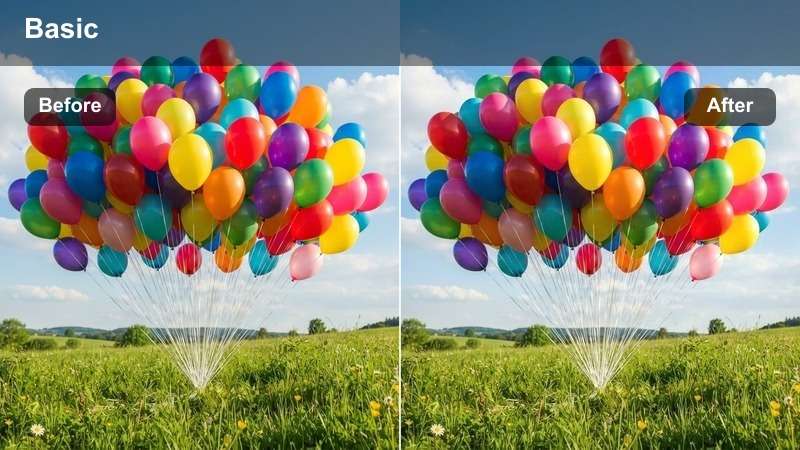
- Effect look: Bright turquoise and coral tones with soft highlights
- Best for: Beach scenes, island hopping, coastal drives
- Editing tip: Use with a slight tint toward teal in shadows for ocean consistency
Tropical Breeze enhances the vibrant colors of tropical destinations with bright turquoise waters and soft coral highlights, creating a refreshing and inviting look. This LUT is perfect for drone shots over lagoons, beach walks, or coastal drives under clear skies.
In Filmora, adjust the shadow tint toward teal to unify water tones across clips. Pair with slow zooms or glide movements to emphasize the vastness and beauty of tropical oceans, enhancing the immersive experience for your viewers.
Local Encounters
Heritage Tone
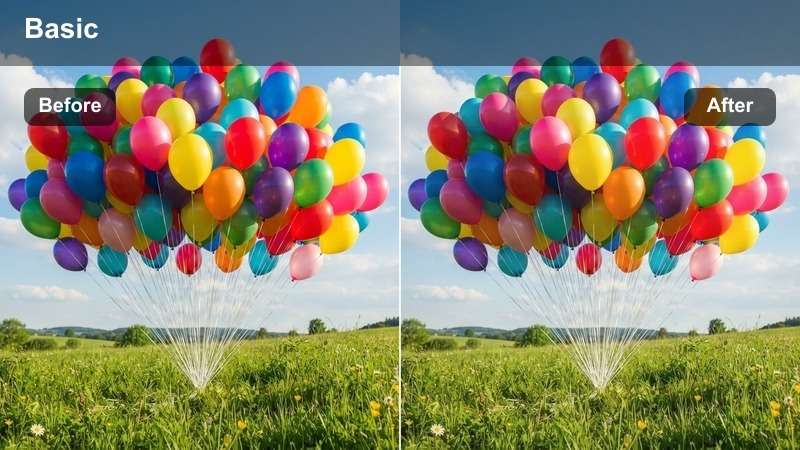
- Effect look: Earthy browns and ochres with soft contrast
- Best for: Historic sites, cultural festivals, traditional markets
- Editing tip: Use with a warm vignette to draw focus to central subjects
Heritage Tone adds warmth and authenticity to cultural storytelling with earthy browns and soft contrast that highlight traditional textiles, architecture, and artisan crafts. This LUT is ideal for footage shot in historic towns or during cultural celebrations.
In Filmora, use Heritage Tone with shallow depth of field to emphasize textures in artisan hands or woven fabrics. Avoid over-sharpening to maintain a natural, organic look that respects the authenticity of the scene.
Saffron Path
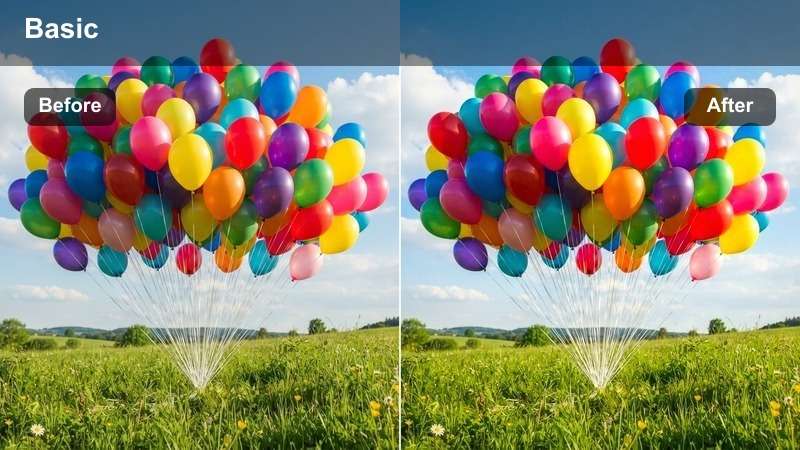
- Effect look: Rich golden-yellow tones with deepened shadows
- Best for: Temple visits, spiritual journeys, sunrise rituals
- Editing tip: Apply with a lens flare overlay for dramatic morning scenes
Saffron Path creates a spiritual and serene atmosphere with golden-yellow tones that mimic early morning sunlight filtering through ancient architecture. This LUT is perfect for capturing the reverence and beauty of sunrise ceremonies or temple visits.
In Filmora, layer a subtle lens flare when the sun appears in frame to enhance the dramatic effect. Use slow crossfades between clips to maintain a meditative mood that complements the visual warmth of the LUT.
Bazaar Pulse
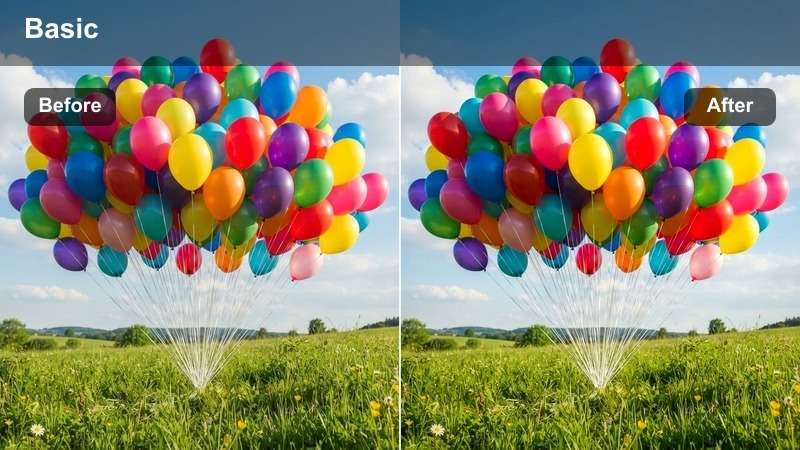
- Effect look: High saturation with vibrant reds and greens
- Best for: Busy markets, street food tours, festival crowds
- Editing tip: Use selective desaturation on skin tones to keep colors balanced
Bazaar Pulse injects energy and vibrancy into bustling cultural scenes with highly saturated reds, greens, and yellows that make spices, textiles, and food pop on screen. This LUT is ideal for dynamic tracking shots through crowded markets or festival parades.
In Filmora, use a mask to slightly desaturate skin tones and maintain natural appearances amid the bold colors. Pair with upbeat music to match the energetic visual style and create an immersive sensory experience for your audience.
Movement & Motion
Horizon Shift
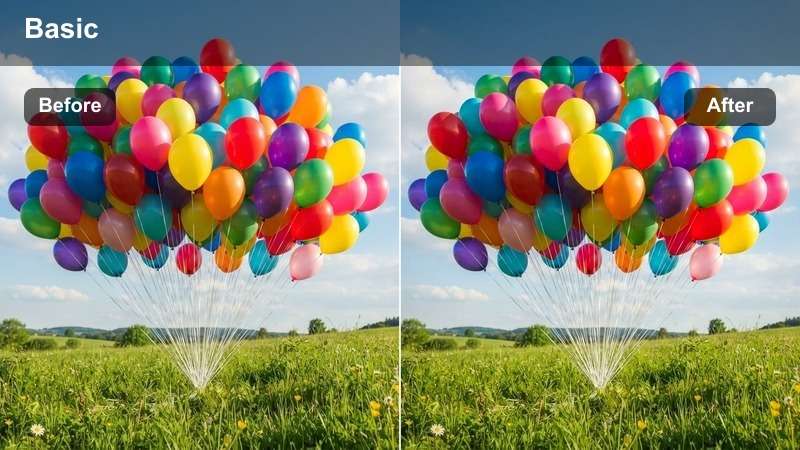
- Effect look: Smooth gradient transitions with balanced exposure
- Best for: Road trips, train journeys, cross-country drives
- Editing tip: Use with speed ramping to emphasize changing landscapes
Horizon Shift ensures smooth, natural-looking color transitions across long-distance travel footage, maintaining balanced exposure as lighting changes from day to night or across regions. This LUT is perfect for time-lapses taken from moving vehicles.
In Filmora, apply Horizon Shift with speed ramping to match the rhythm of movement—slowing down for scenic views and speeding up during transitions. Use wide-angle shots to emphasize the vastness of the journey and create a cinematic travelogue feel.
Drift Tone
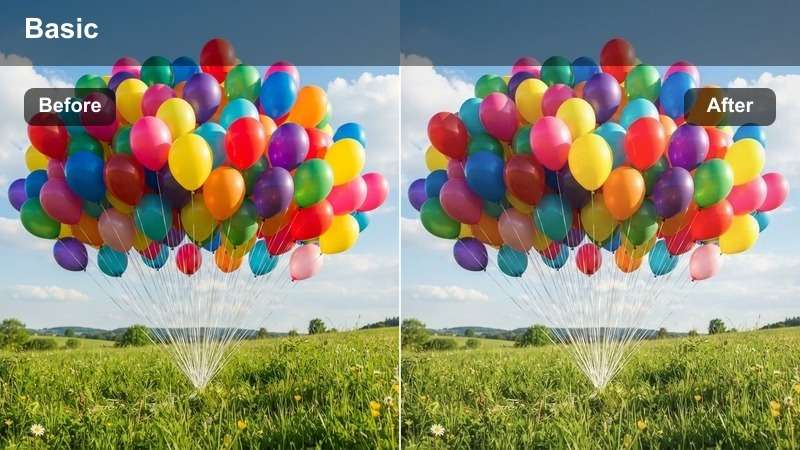
- Effect look: Soft pastel tones with minimal contrast
- Best for: Boat rides, ferry crossings, coastal drives
- Editing tip: Pair with slow-motion clips to enhance the dreamy effect
Drift Tone creates a calm, flowing aesthetic with soft pastel tones that evoke the gentle motion of water-based travel. This LUT is ideal for footage shot on ferries, sailboats, or along serene coastlines at dawn or dusk.
In Filmora, use 60fps footage slowed to 50% to enhance the dreamy effect of Drift Tone. Add a subtle motion blur to reinforce the sense of gentle movement and create a tranquil, meditative visual rhythm in your travel edits.
Nomad Fade
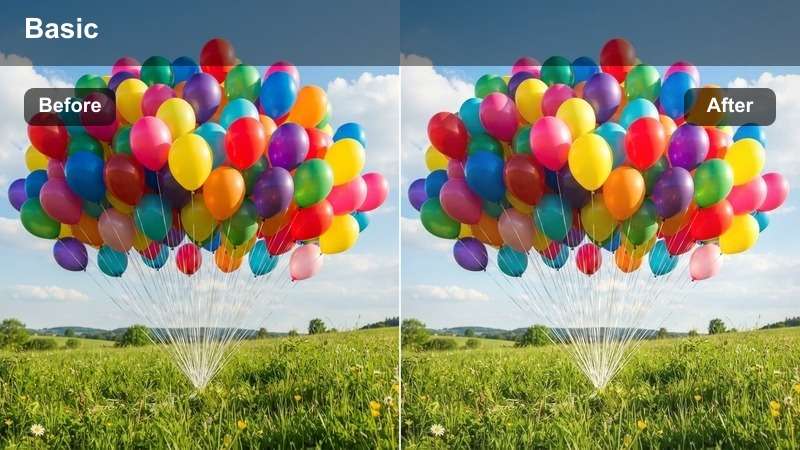
- Effect look: Gradual desaturation with warm undertones
- Best for: Trip recaps, montage endings, reflective moments
- Editing tip: Use as a final LUT in montages to unify diverse clips
Nomad Fade provides a gentle, emotional closure to travel videos with warm, fading tones that unify diverse clips into a cohesive narrative. This LUT is perfect for final montages that reflect on the journey and its memories.
In Filmora, apply Nomad Fade as the last LUT in your recap to create visual consistency across different locations and lighting conditions. Pair it with a heartfelt voiceover or ambient music to deliver a powerful emotional conclusion to your travel story.
Tips for Using Travel Creator Lut Download Filters in Filmora
- Use LUTs as a starting point, then fine-tune exposure and contrast for your specific footage.
- Apply different LUTs to day and night scenes, then use crossfades for smooth transitions.
- Save your favorite LUT combinations as presets for faster editing on future trips.
- Always shoot in flat color profile if possible to maximize LUT effectiveness.
- Adjust opacity to blend LUTs naturally with your original footage.
- Use masking to protect skin tones when applying high-saturation LUTs.
- Combine LUTs with Filmora's color correction tools for precise control.
- Preview LUTs in full screen to assess their impact on final output.
The Free Travel Creator LUT Bundle is your essential toolkit for turning raw travel footage into cinematic stories that captivate your audience.
From city guides to journey films, these filters help you express the mood, culture, and emotion of every destination with professional color grading in just one click.
secure download 