

 100% Security Verified | No Subscription Required | No Malware

Capturing the emotion and elegance of a wedding day requires more than just great footage—it demands the right color grading. Our free professional wedding film LUT bundle is designed specifically for wedding filmmakers and event studios looking to enhance ceremony highlights, reception moments, and romantic storytelling with cinematic precision.
These carefully crafted LUTs deliver consistent, film-like tones that evoke warmth, intimacy, and timeless beauty. Whether you're editing golden hour vows or candlelit receptions, this collection ensures your footage looks polished and emotionally resonant with minimal effort.
In this article
Ceremony Moments
Pure Vows
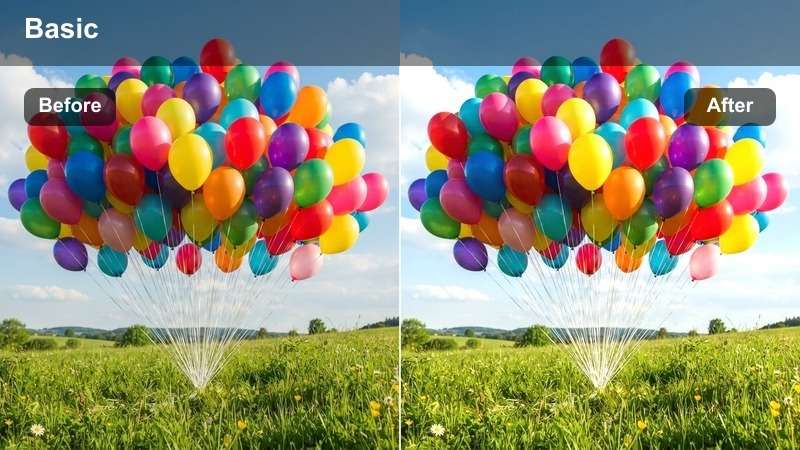
- Effect look: Soft filmic glow with warm highlights and gentle contrast
- Best for: Outdoor ceremonies, natural light vows
- Editing tip: Apply at 80% opacity and pair with slight exposure boost for airy clarity
Pure Vows delivers a soft, film-inspired glow that enhances natural lighting conditions commonly found during outdoor wedding ceremonies. The warm highlights and gentle contrast bring out the emotional warmth of the moment while maintaining skin tones that look natural and radiant.
In Filmora, apply this LUT to footage shot in midday sun to reduce harshness and create a more flattering look. Use it on vow exchanges and family reactions to unify the visual tone across different camera angles and lighting setups.
 secure download
 secure downloadsecure download
Sacred Light
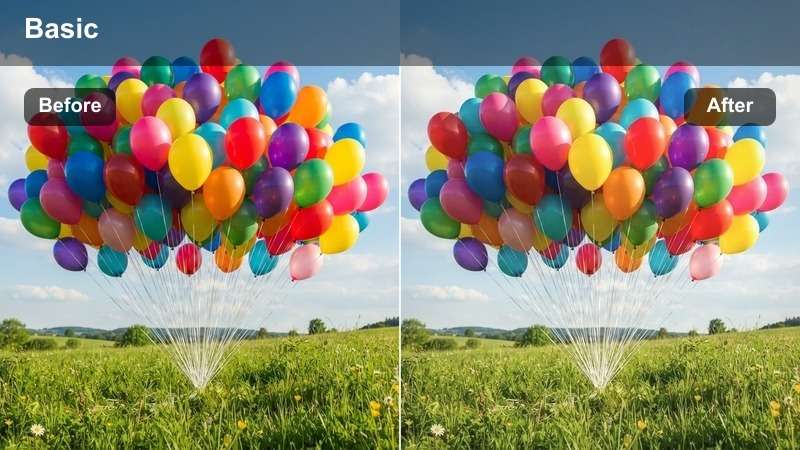
- Effect look: Subtle fade with lifted blacks and creamy midtones
- Best for: Church interiors, dimly lit chapels
- Editing tip: Boost shadows slightly after applying to reveal facial details
Sacred Light is tailored for indoor ceremonies where lighting can be inconsistent or low. The lifted blacks and creamy midtones help maintain visibility without sacrificing the solemn, intimate atmosphere of a chapel setting.
In Filmora, use this LUT when editing footage from churches or venues with stained glass lighting. It helps balance exposure and adds emotional depth, especially in scenes where facial expressions are key—like the first kiss or ring exchange.
Eternal Promise
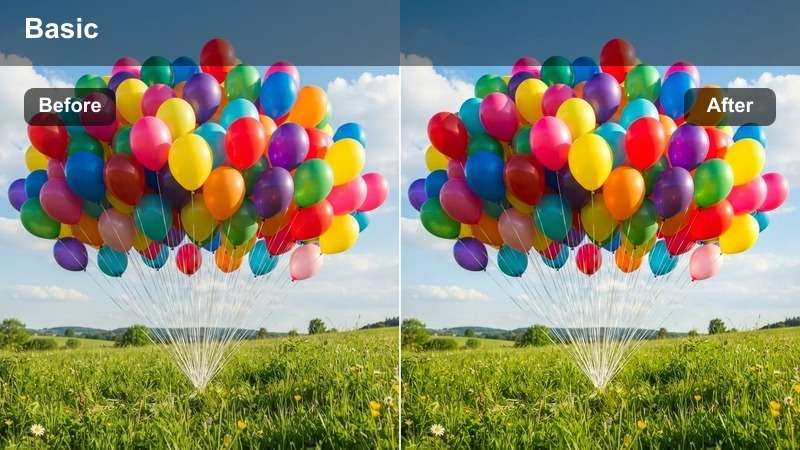
- Effect look: Rich contrast with deep shadows and golden highlights
- Best for: Sunset ceremonies, dramatic lighting
- Editing tip: Lower saturation slightly to maintain natural skin tones
Eternal Promise brings cinematic drama to twilight wedding moments, enhancing golden hour lighting with rich contrast and warm highlights. This LUT is ideal for creating a powerful visual impact during sunset vows or outdoor ring exchanges.
In Filmora, apply Eternal Promise to footage captured during the golden hour to emphasize the romantic glow of the setting sun. Use waveform monitoring to avoid clipping and preserve detail in bright sky areas while keeping skin tones natural.
Reception Elegance
Golden Dance
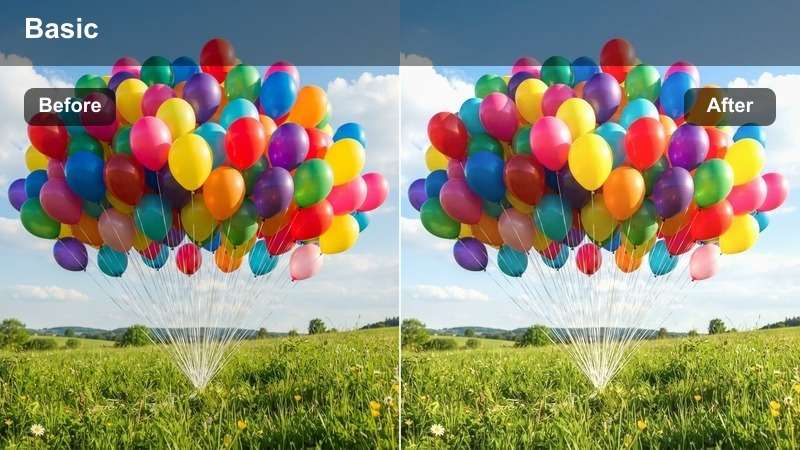
- Effect look: Warm amber tones with soft highlights and romantic glow
- Best for: First dance, candlelit dinners
- Editing tip: Use with slight sharpening to enhance fabric textures
Golden Dance enhances ambient lighting typically found during evening receptions, especially in ballrooms lit with string lights or candles. The warm amber tones create a romantic, inviting atmosphere that complements emotional moments like the first dance.
In Filmora, pair this LUT with slow-motion clips to heighten the emotional impact. Use it on close-ups of hands, dresses, and facial expressions to maintain a consistent, elegant look throughout the reception sequence.
Twilight Celebration
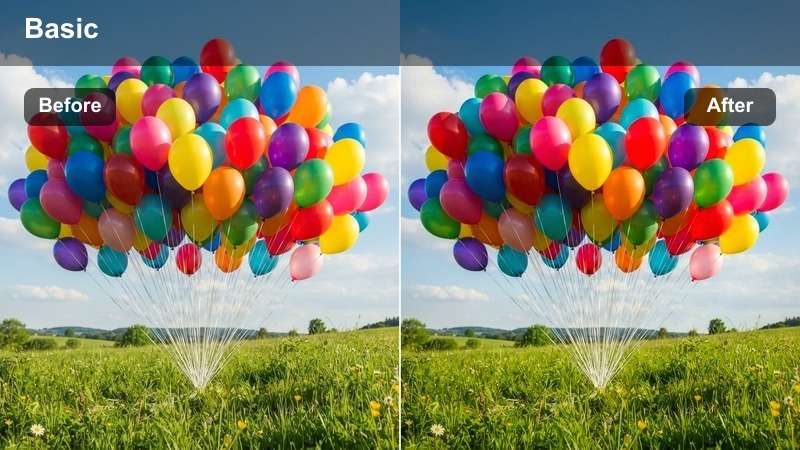
- Effect look: Cool shadows with warm skin tones and subtle teal undertones
- Best for: Evening receptions, outdoor parties
- Editing tip: Adjust color temperature to neutral before applying
Twilight Celebration balances mixed lighting conditions common in outdoor evening events. The cool shadows contrast beautifully with warm skin tones, creating a vibrant yet natural look that stands out without appearing overprocessed.
In Filmora, use this LUT when editing footage shot under string lights or ambient dusk lighting. Correct white balance first to avoid color casts, then apply selectively using tracking masks to keep skin tones consistent across moving subjects.
Sparkler Exit
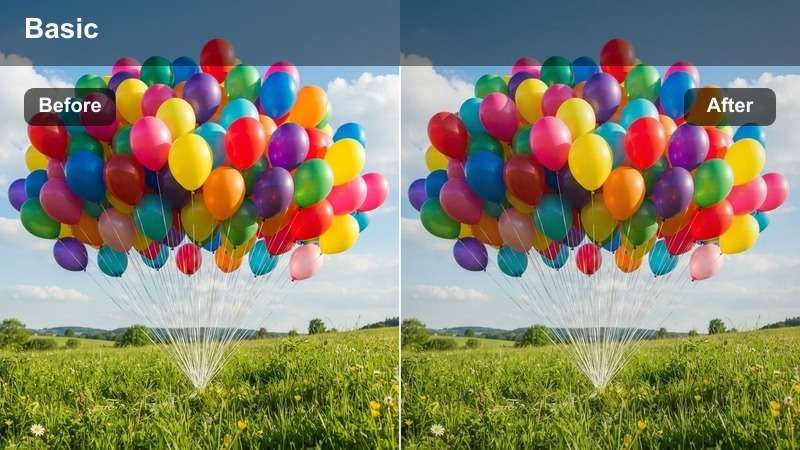
- Effect look: High contrast with vibrant highlights and darkened edges
- Best for: Sparkler exits, fireworks, night celebrations
- Editing tip: Increase highlight recovery to preserve sparkler detail
Sparkler Exit is designed to dramatize nighttime celebrations with bold contrast and luminous highlights. The darkened edges draw focus to the central action, making it perfect for sparkler tunnels, fireworks, or any dynamic night moment.
In Filmora, use highlight roll-off and recovery tools to prevent blown-out sparkler tips. Adding a touch of film grain enhances the analog feel, giving your night footage a cinematic texture that stands out in highlight reels.
Romantic Highlights
Soft Embrace
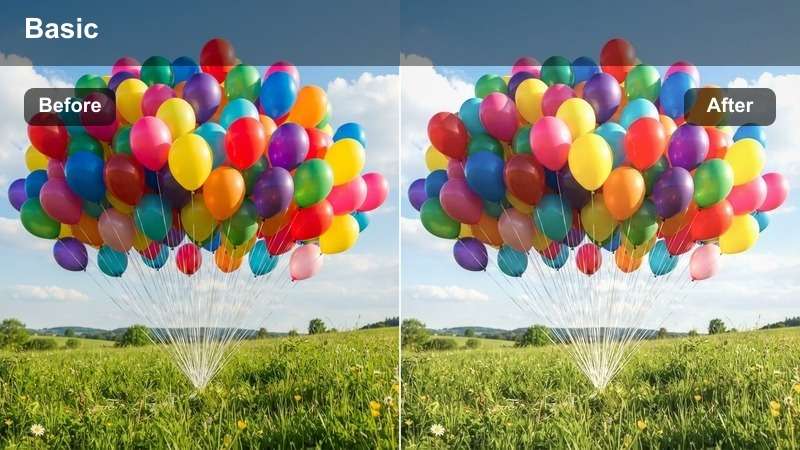
- Effect look: Pastel tones with desaturated greens and warm skin
- Best for: Couple portraits, quiet moments
- Editing tip: Reduce contrast slightly for dreamy softness
Soft Embrace creates a gentle, intimate mood ideal for private couple moments captured in gardens or soft daylight. The pastel tones and warm skin rendering evoke tenderness and romance without overwhelming the scene.
In Filmora, use this LUT for portrait-style shots where emotional connection is key. Pair it with shallow depth of field and subtle lens flare to enhance intimacy and draw focus to the couple's expressions.
Whispered Vows
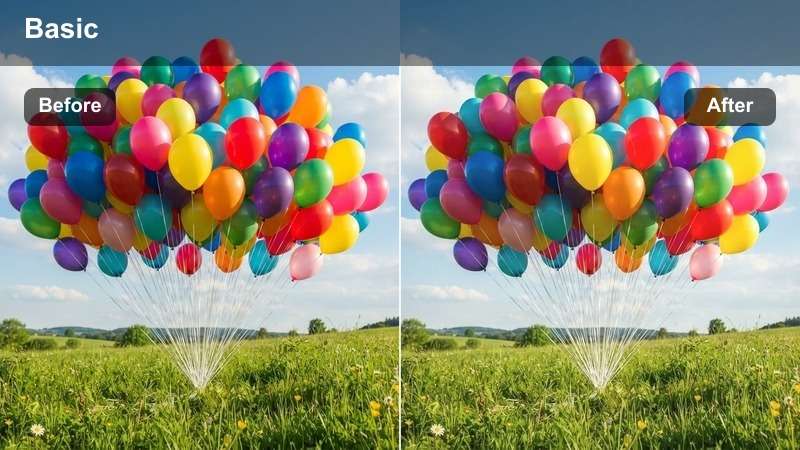
- Effect look: Muted tones with soft shadows and delicate highlights
- Best for: Close-up details, emotional reactions
- Editing tip: Apply to B-roll for tonal consistency
Whispered Vows excels at capturing subtle emotions and delicate wedding details. The muted tones and gentle contrast ensure that close-ups of hands, rings, or facial expressions feel authentic and emotionally resonant.
In Filmora, apply this LUT to B-roll footage like folded napkins, place settings, or quiet glances to maintain tonal consistency across your edit. Use clarity adjustments sparingly to preserve softness while keeping detail visible.
Morning After
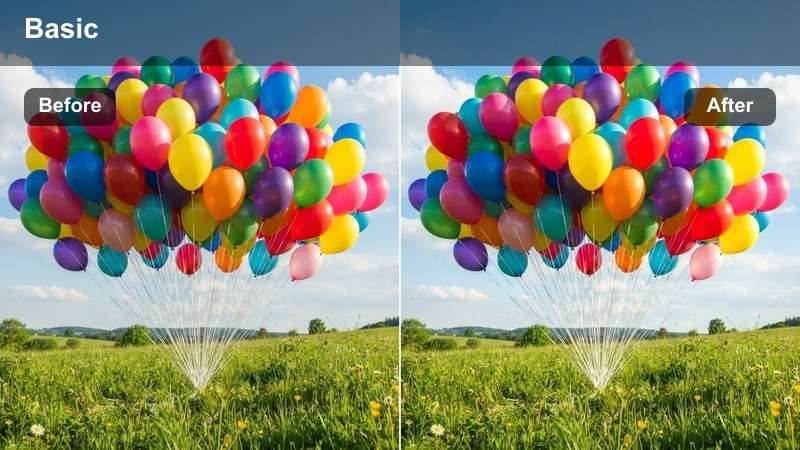
- Effect look: Cool base with soft warmth in highlights and clean whites
- Best for: Getting ready, morning light scenes
- Editing tip: Increase exposure slightly to enhance airy feel
Morning After delivers a fresh, clean aesthetic perfect for "getting ready" footage shot in natural morning light. The cool base with warm highlights mimics the soft quality of early sunlight filtering through windows.
In Filmora, use this LUT during golden morning hours to enhance the airy, optimistic mood of preparation scenes. Apply noise reduction if shooting in lower indoor light to keep the image clean and professional.
Cinematic Details
Delicate Focus
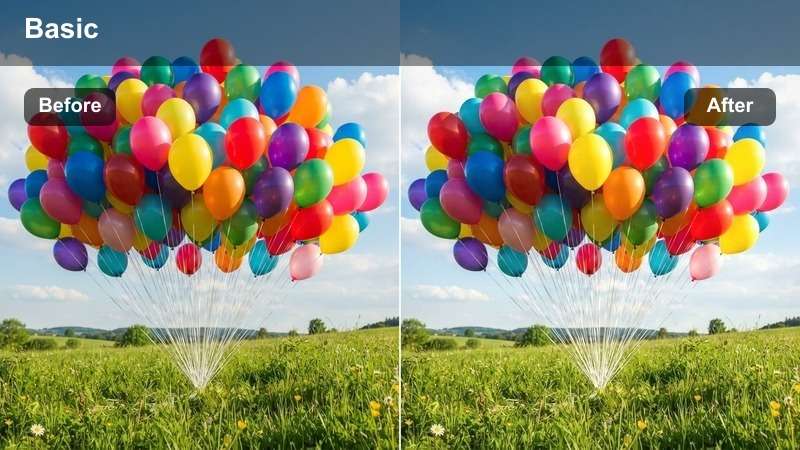
- Effect look: Slight vignette with soft focus and warm center
- Best for: Detail shots, rings, flowers
- Editing tip: Use with shallow depth of field for macro shots
Delicate Focus draws attention to symbolic elements like rings, bouquets, or handwritten notes with a warm, centered glow and subtle vignette. This LUT enhances visual storytelling by emphasizing meaningful details.
In Filmora, pair this preset with motion blur on panning shots to create smooth, cinematic transitions between details. Use selective application to highlight key props without overpowering the scene.
Timeless Memories
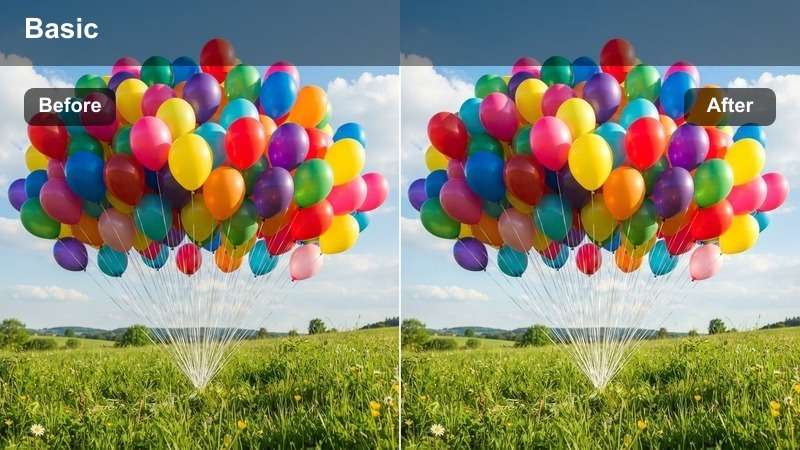
- Effect look: Classic film grain with balanced contrast and warm tones
- Best for: Montages, slow-motion clips
- Editing tip: Add light film grain for authentic analog feel
Timeless Memories brings a nostalgic, film-like quality to highlight reels and montages. The balanced contrast and warm tones, combined with optional film grain, create a vintage aesthetic that feels both modern and enduring.
In Filmora, use cross-dissolve transitions between clips graded with this LUT to create a smooth, emotional flow. Sync music beats with visual pacing to maximize impact during montage sequences.
Elegant Transitions
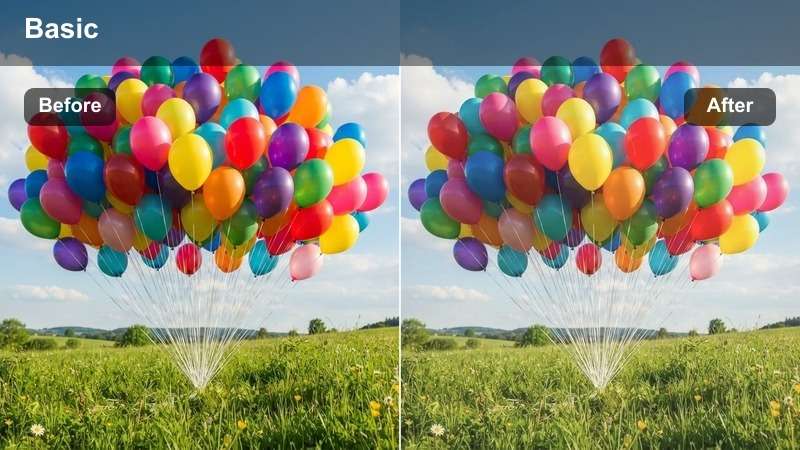
- Effect look: Smooth fade with neutral shadows and soft highlights
- Best for: Scene transitions, fade-ins/outs
- Editing tip: Use as a base grade before adding transitions
Elegant Transitions ensures seamless tonal flow between different parts of the wedding video, such as moving from ceremony to reception. The neutral shadows and soft highlights prevent jarring color shifts during cuts or fades.
In Filmora, apply this LUT as a base grade before adding transition effects. Match white balance across clips and use scopes to verify tonal alignment, ensuring a professional, cohesive final product.
Tips for Using Wedding Film Lut Download Filters in Filmora
- Always shoot in log profile for maximum color grading flexibility.
- Use scopes like waveform and vectorscope to maintain color accuracy.
- Layer LUTs with adjustment clips for scene-specific enhancements.
- Match ambient lighting temperature before applying any preset.
The free professional wedding film LUT bundle empowers wedding filmmakers and event studios to deliver cinematic, emotionally rich videos with ease.
From ceremony moments to reception highlights, these presets ensure consistent, romantic grading that elevates every frame.
secure download