

 100% Security Verified | No Subscription Required | No Malware


 ChatGPT
 Perplexity
 Gemini
 Claude
 Grok
Grok
Gradient color palettes instantly feel modern because they show motion and depth instead of a flat shade. By blending tones from light to dark or warm to cool, gradients communicate emotion: soft pastels feel calm and nostalgic, while neon contrasts feel energetic and bold. That is why gradients are everywhere in intros, app UIs, brand rebrands, and cinematic title cards.
For video creators, a well chosen gradient can tie together thumbnails, openers, lower thirds, and end screens so your channel looks consistent. Below are 15 ready to use gradient color palettes with HEX codes, designed for editors, designers, and Filmora users who want on brand, aesthetic gradient looks in just a few clicks.
In this article
Soft & Dreamy Gradient Color Palettes
Morning Haze Glow
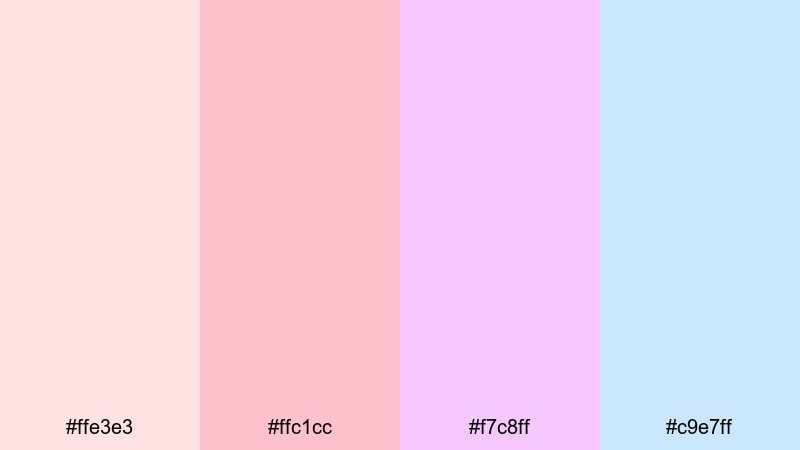
- HEX Codes: #ffe3e3, #ffc1cc, #f7c8ff, #c9e7ff
- Mood: Gentle, nostalgic, and airy like a quiet sunrise.
- Use for: Perfect for vlog openers, skincare content, and pastel lifestyle thumbnails.
Morning Haze Glow drifts from soft blush pink into lilac and pale sky blue, creating the feeling of early sunlight through thin curtains. It is calm and nostalgic, making your visuals feel comforting instead of loud.
Use this gradient as a background for vlog intros, subtle overlays on B roll, or end screens with minimal text. It works especially well for beauty, wellness, and lifestyle branding where you want viewers to feel safe, relaxed, and welcome from the first frame.
Pro Tip: Keep Your Soft Gradient Aesthetic Consistent In Filmora
Once you choose Morning Haze Glow as your signature look, keep it consistent across your whole edit. In Filmora, you can build a simple gradient background in your title cards, then reuse those colors for lower thirds, transition screens, and chapter markers.
Save this palette as a preset by reusing the same HEX codes in your text, shapes, and filters. That way your intro, talking head shots, and outro cards all share the same gentle pink to blue glow, giving your channel a cohesive pastel identity.
AI Color Palette
If you have a reference image that already uses this kind of pastel gradient, you can turn it into a look for your whole video. Filmora's AI Color Palette feature analyzes the colors in one clip or still frame and automatically applies that palette to the rest of your footage.
Drop in a screenshot with your Morning Haze Glow tones, use AI Color Palette to match the rest of your clips, and your B roll, talking shots, and overlays will all share the same soft, dreamy color language in just a few clicks.
 secure download

HSL, Color Wheels & Curves
To fine tune a pastel gradient like this, Filmora's color tools give you detailed control. Use HSL to soften saturated pinks, lift the luminance of blues, or nudge lilac tones towards a more cinematic lavender. Color wheels let you warm up the midtones for skin friendly beauty edits while keeping shadows cool and airy.
If you want a more filmic vibe, gently shape the RGB Curves: lift the blacks slightly for a faded look and pull down the highlights for a soft matte finish. You can explore more practical grading ideas using Filmora's color correction tools and then adapt them to your own gradient palette.
secure download1000+ Video Filters & 3D LUTs
Even with a pastel gradient, you might want to push your footage toward a specific style such as vintage film, glossy beauty, or dreamy vlog. Filmora's video filters and 3D LUTs make it easy to stylize your gradient while keeping it consistent from clip to clip.
Apply a soft focus or glow filter over your Morning Haze Glow backgrounds, or use a pastel friendly LUT that brightens skin tones without crushing your delicate blues and lilacs. Save your favorite combo as a preset to keep that same gradient driven mood across your whole channel.
secure downloadCotton Candy Drift
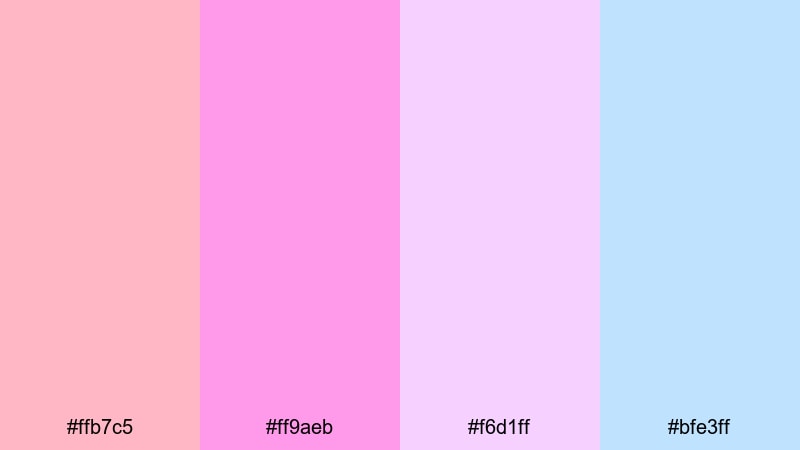
- HEX Codes: #ffb7c5, #ff9aeb, #f6d1ff, #bfe3ff
- Mood: Playful, sweet, and whimsical like fairground lights.
- Use for: Ideal for playful channel art, kids content, and fun promo graphics.
Cotton Candy Drift blends sugary pinks into violet and baby blue, feeling like carnival skies and cotton candy swirls. It is bright but still soft, perfect when you want fun without harsh contrast.
Use this gradient behind bold icons or characters in kids videos, or as a banner gradient for playful channels. It also works for animated titles, story highlights, and reels where you want a candy like, upbeat mood at first glance.
Blush Cloud Horizon
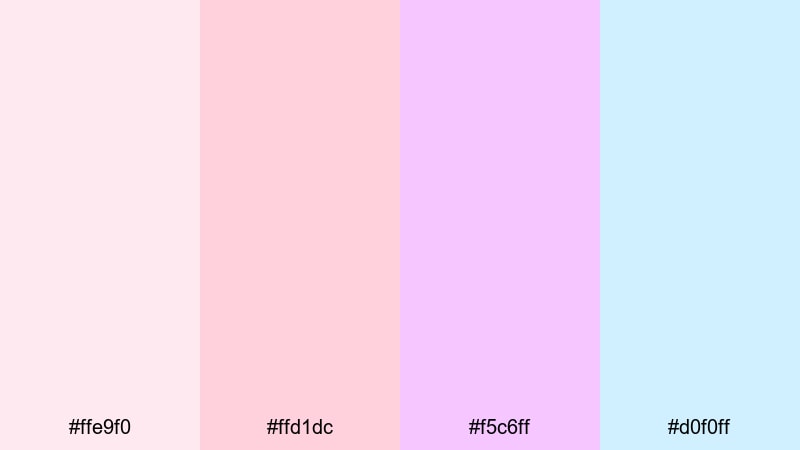
- HEX Codes: #ffe9f0, #ffd1dc, #f5c6ff, #d0f0ff
- Mood: Romantic, calming, and softly optimistic.
- Use for: Great for wedding highlight reels, romantic slideshows, and mood boards.
Blush Cloud Horizon moves through feather soft blush tones into lavender and pale blue, like clouds at golden hour. It feels romantic and hopeful, without being overly saturated.
Layer this gradient behind wedding titles, save the date animations, proposal recaps, or mood boards on social. In thumbnails, pair it with elegant serif fonts and minimal icons to suggest romance and gentle storytelling.
Peach Mist Daybreak
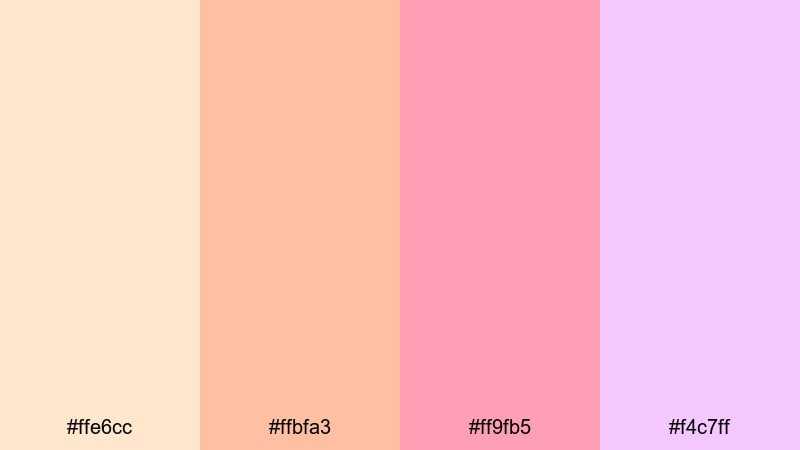
- HEX Codes: #ffe6cc, #ffbfa3, #ff9fb5, #f4c7ff
- Mood: Warm, hopeful, and lightly cinematic.
- Use for: Use for morning routine videos, cozy lifestyle edits, and gentle product promos.
Peach Mist Daybreak starts with creamy peach, moves into warm coral, and ends in a soft lilac glow. It feels like the first light of day, warm and optimistic but still low contrast.
It is ideal for morning routine edits, productivity montages, or cozy home tours. Use it as a gradient overlay at low opacity on your footage, or as a backdrop for product callouts in skincare or wellness promos.
Bold & Vibrant Gradient Color Palettes
Neon Sunset Surge
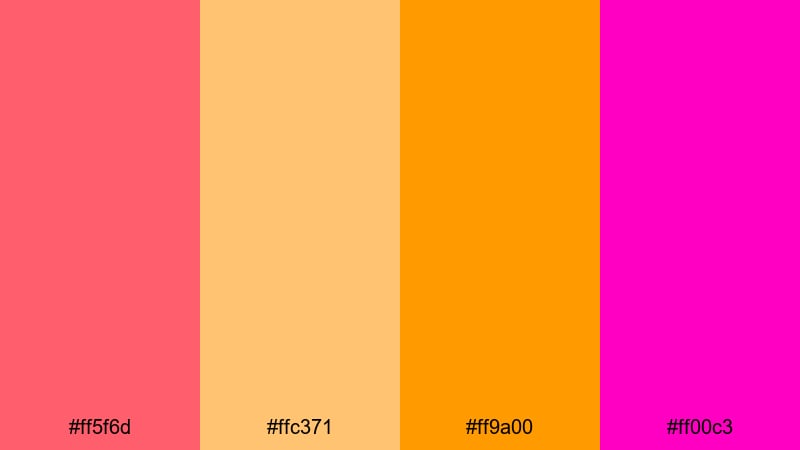
- HEX Codes: #ff5f6d, #ffc371, #ff9a00, #ff00c3
- Mood: Energetic, daring, and eye-catching like city neon.
- Use for: Perfect for bold YouTube thumbnails, music promos, and gaming intros.
Neon Sunset Surge slams together intense reds, oranges, and magentas, like a hyper saturated city skyline. It grabs attention instantly and feels full of energy and motion.
Use this gradient as a background for big, bold text in thumbnails, or animate it as a moving gradient behind music titles and gaming intros. It is especially powerful when paired with high contrast white or black typography and glitch style motion graphics.
Electric Tropic Wave
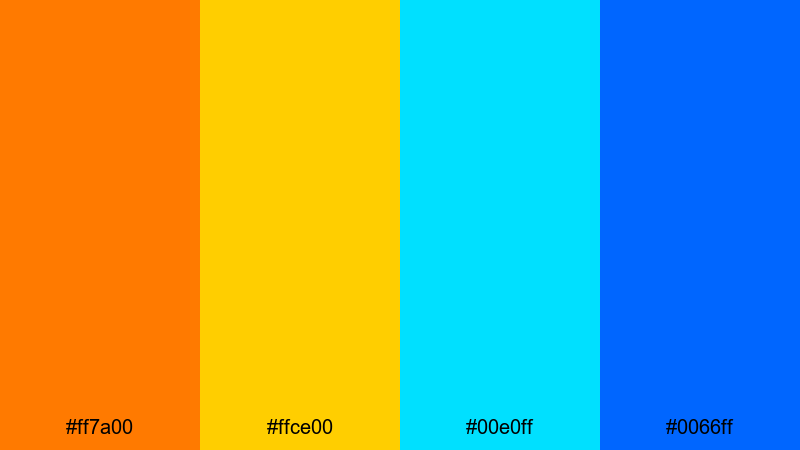
- HEX Codes: #ff7a00, #ffce00, #00e0ff, #0066ff
- Mood: Adventurous, tropical, and hyper-saturated.
- Use for: Great for travel vlogs, festival recaps, and sports highlight edits.
Electric Tropic Wave jumps from blazing orange to bright yellow and into electric aqua and royal blue. It feels like tropical sunsets, wave pools, and summer festivals all at once.
Use it for travel vlog titles, festival recaps, and high energy sports edits. As a gradient overlay, it can turn average footage into something that feels hot, sunny, and active, especially when you emphasize the warm tones in highlights and cool tones in the shadows.
Cyber Pulse Spectrum
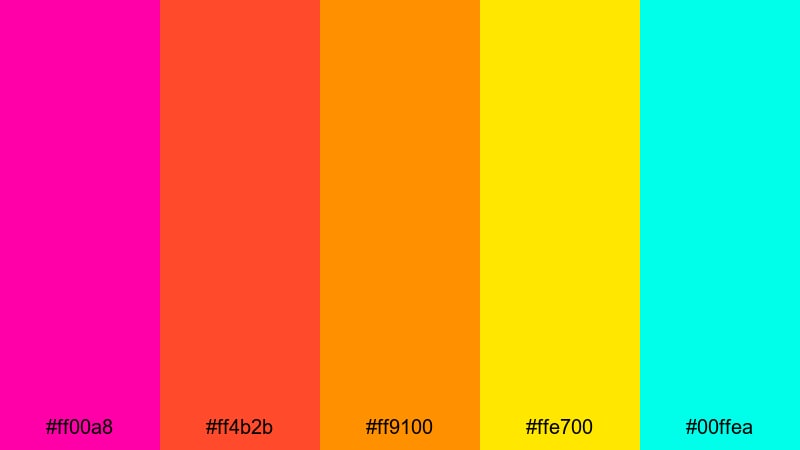
- HEX Codes: #ff00a8, #ff4b2b, #ff9100, #ffe700, #00ffea
- Mood: Futuristic, dynamic, and glitchy in the best way.
- Use for: Ideal for tech intros, motion graphics, and electronic music visuals.
Cyber Pulse Spectrum is a streak of neon from magenta through fiery orange and yellow into cyan. It looks like a digital heartbeat or equalizer bar, ready for fast cuts and animated overlays.
Use this as an animated gradient bar behind lower thirds, or as the main background for tech explainers and EDM tracks. It works especially well with line art icons, HUD elements, and glitch transitions in Filmora.
Prism Pop Blast
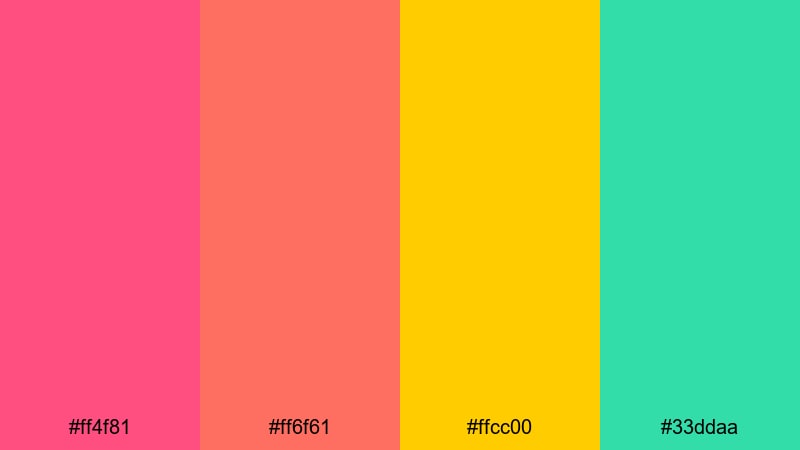
- HEX Codes: #ff4f81, #ff6f61, #ffcc00, #33ddaa
- Mood: Fun, poppy, and confident with a modern twist.
- Use for: Use in brand promos, creator logos, and upbeat social ads.
Prism Pop Blast mixes saturated pinks and oranges with citrus yellow and mint. It feels modern, confident, and friendly, like a bold brand refresh.
Use it in logo animations, creator intro cards, and product promos aimed at young, online audiences. The contrast between warm and cool tones helps call to action buttons and headlines stand out in social ads or YouTube bumpers.
Elegant & Modern Gradient Color Palettes
Midnight Teal Fade
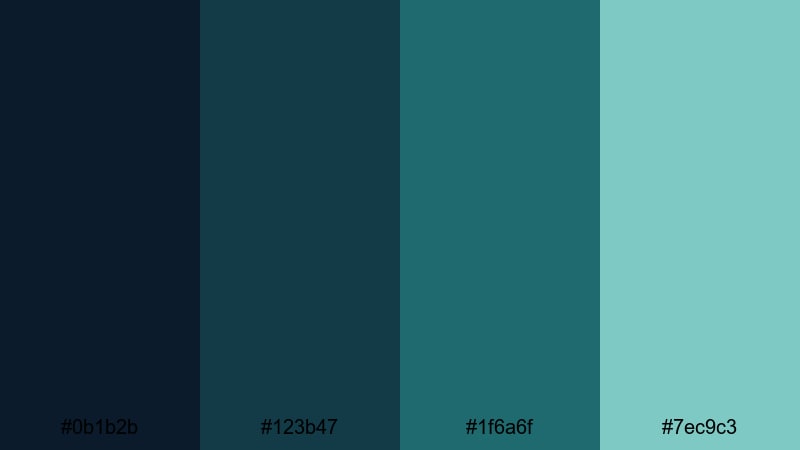
- HEX Codes: #0b1b2b, #123b47, #1f6a6f, #7ec9c3
- Mood: Sophisticated, cool, and quietly confident.
- Use for: Perfect for tech explainers, app promos, and professional reels.
Midnight Teal Fade flows from deep navy into rich teal and soft aqua. It feels polished and professional, like interface screens and modern dashboards.
Use this gradient as a base for product demos, SaaS explainers, and startup pitch videos. It works well behind UI mockups and screencasts, giving everything a premium, tech forward tone without shouting for attention.
Rose Gold Lattice
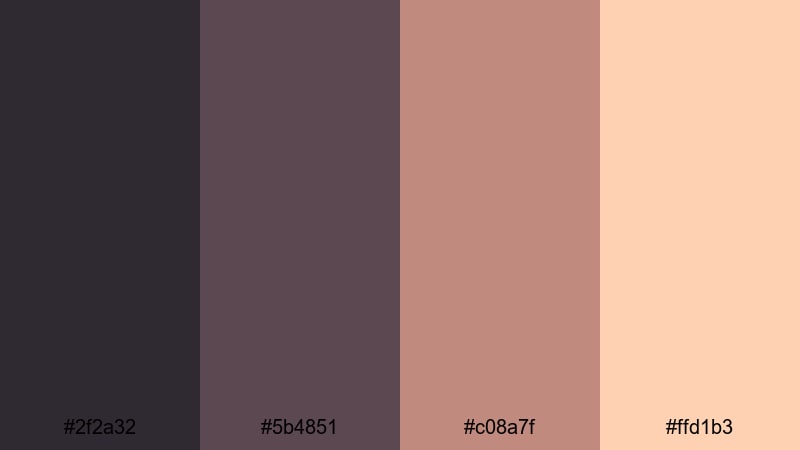
- HEX Codes: #2f2a32, #5b4851, #c08a7f, #ffd1b3
- Mood: Luxurious, warm, and fashion forward.
- Use for: Great for beauty channels, jewelry promos, and elegant product reveals.
Rose Gold Lattice starts with charcoal, glides through mauve and rose gold, and ends in soft champagne. It instantly reads as luxury, beauty, and high end editorial.
Use this gradient in slow motion product reveals, fashion lookbooks, and cosmetic ads. Pair it with elegant typography and minimal composition for thumbnails, banners, and channel branding that feel stylish and premium.
Slate To Silver Flow
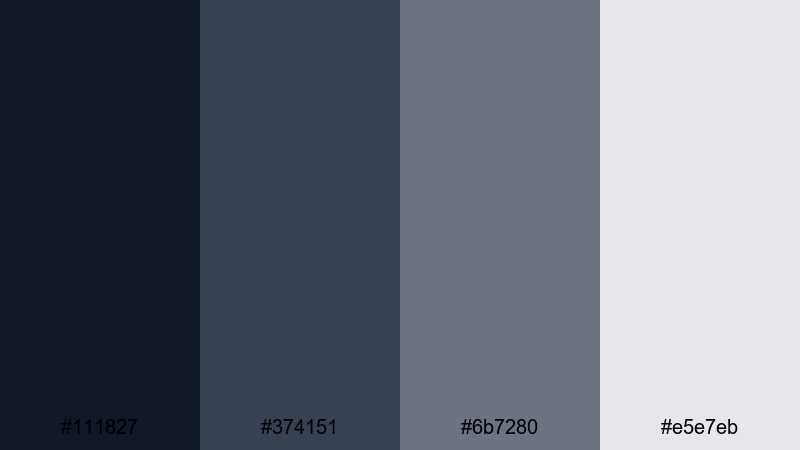
- HEX Codes: #111827, #374151, #6b7280, #e5e7eb
- Mood: Minimal, sleek, and versatile for modern brands.
- Use for: Use for corporate intros, UI mockups, and minimalist title cards.
Slate To Silver Flow moves from deep slate to misty silver, creating a clean, neutral base. It is understated but strong, ideal when you want design that looks modern but does not distract from your message.
Use it for corporate intros, pitch decks, and serious documentary titles. Because the colors are neutral, it is a perfect background for charts, UI screens, and text heavy layouts that need clarity and readability.
Emerald Glass Sheen
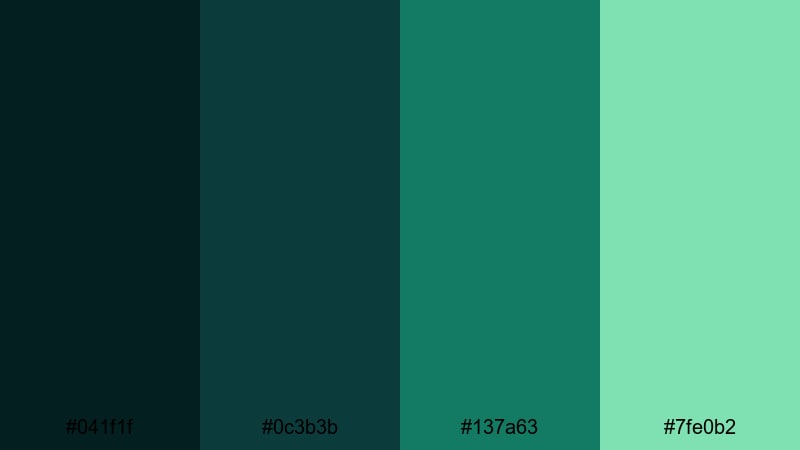
- HEX Codes: #041f1f, #0c3b3b, #137a63, #7fe0b2
- Mood: Refined, fresh, and slightly mysterious.
- Use for: Ideal for eco brands, fintech intros, and stylish presentation covers.
Emerald Glass Sheen transitions from dark jade to emerald and light mint, like light passing through tinted glass. It feels fresh, trustworthy, and a bit mysterious.
Use it for green tech, sustainability, or finance projects where you want to signal growth and innovation. It looks great behind animated infographics, logo idents, and presentation covers with crisp white or gold typography.
Moody & Cinematic Gradient Color Palettes
Storm Noir Fade
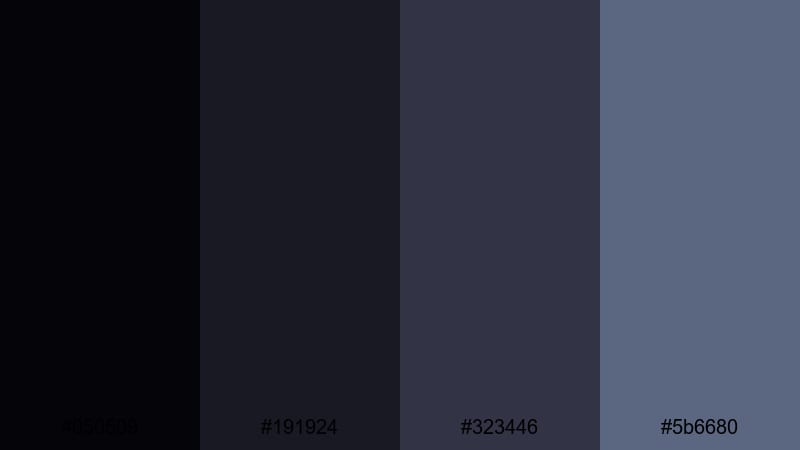
- HEX Codes: #050509, #191924, #323446, #5b6680
- Mood: Dramatic, tense, and cinematic like a thriller.
- Use for: Perfect for trailers, dramatic B-roll, and narrative short films.
Storm Noir Fade blends inky blacks into muted steel blues for a stormy, suspenseful look. It adds depth and drama, instantly making footage feel more cinematic.
Use it for thriller style trailers, serious docu style intros, or narrative shorts. This gradient is also effective as a subtle overlay on city night footage, enhancing contrast and mood without crushing detail.
Ember Nightfall Glow
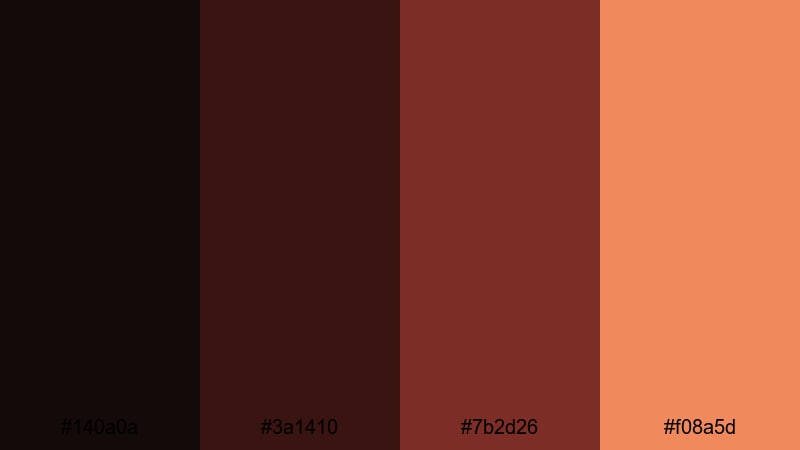
- HEX Codes: #140a0a, #3a1410, #7b2d26, #f08a5d
- Mood: Smoldering, emotional, and intimate.
- Use for: Great for story-driven edits, performance videos, and moody title cards.
Ember Nightfall Glow moves from charcoal reds into warm ember orange, like firelight in a dark room. It balances darkness with a soft, emotional warmth.
Use it for intimate performance videos, acoustic sessions, or emotional story pieces. As a background for titles or credits, it sets a tone of reflection and closeness, especially when paired with slow motion or close up shots.
Twilight Amethyst Veil
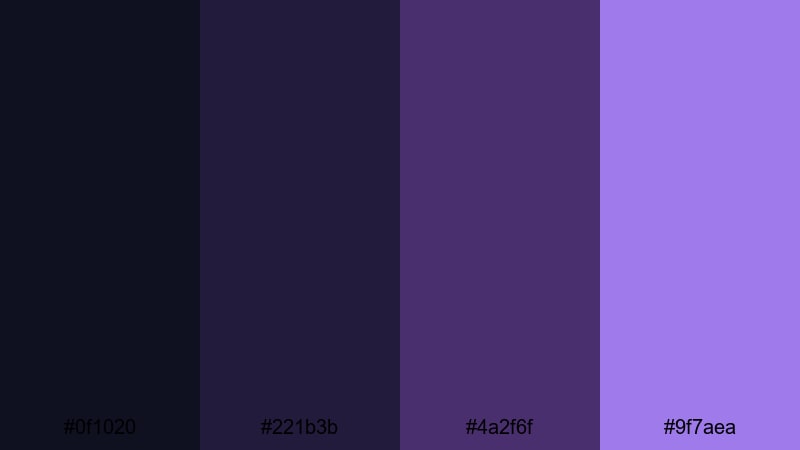
- HEX Codes: #0f1020, #221b3b, #4a2f6f, #9f7aea
- Mood: Mystical, reflective, and slightly surreal.
- Use for: Use in fantasy edits, dream sequences, and atmospheric overlays.
Twilight Amethyst Veil shifts from midnight blue to deep violet and soft amethyst. It feels mystical and dreamlike, perfect when reality needs a touch of magic.
Use it in fantasy edits, lyric videos, and dream sequences. It can also work as a semi transparent overlay to give ordinary footage a surreal, night sky inspired color cast without fully changing the original scene.
Tips for Creating Gradient Color Palettes
Good gradient color palettes do more than look pretty; they support your story, brand, and readability across video and design. Use these practical tips to build or tweak your own gradient themes.
- Start with a mood: choose 2 to 3 core colors that match the feeling you want (calm, bold, cinematic), then fill in mid tones to create a smooth gradient between them.
- Check contrast for text: always test white and black text on top of your gradient; if parts are hard to read, slightly darken that area or add a subtle shadow or overlay.
- Limit the number of hues: for clean branding, stick to 2 to 4 main hues in a gradient instead of a rainbow, and vary brightness and saturation for depth.
- Match gradients to footage: sample colors from your video (sky, skin tones, product colors) so gradient backgrounds and overlays feel connected to the real scene.
- Use gradients to guide the eye: place brighter tones behind key elements like titles, CTAs, or faces, and keep darker tones around the edges for natural framing.
- Keep branding consistent: reuse the same gradient across intros, lower thirds, end screens, thumbnails, and social crops so your channel or brand is instantly recognizable.
- Adjust for different screens: preview your gradients on phones and desktops; slightly boost contrast or saturation if they look washed out on smaller displays.
- Save presets in Filmora: once your gradient works, save your color and effect settings as presets so you can apply the same look to future videos in seconds.
Gradient color palettes are a powerful way to shape mood, guide attention, and build a recognizable visual identity for your channel or brand. From soft pastels to bold neons and moody cinematic tones, the right blend of colors can make your intros, thumbnails, and overlays feel intentional and professional.
Use the HEX codes above as plug and play starting points, then refine them with Filmora's color tools to match your footage and style. Whether you are designing a series of vlogs, launching a product, or cutting a short film, a consistent gradient theme can instantly level up your visuals.
Open Filmora, drop in your clips, and start testing these palettes as backgrounds, overlays, and title designs. With AI Color Palette, HSL controls, and filters, you can lock in a gradient look that feels uniquely yours and reuse it across every new project.
secure downloadNext: Dark Tan Color Palette
