

 100% Security Verified | No Subscription Required | No Malware


 ChatGPT
 Perplexity
 Gemini
 Claude
 Grok
Grok
Moss Jade sits between earthy green and muted teal, so it instantly feels natural, stable, and quietly luxurious. It suggests growth, balance, and renewal without shouting for attention, which makes it perfect for creators who want calming visuals that still look modern and intentional. On screen, Moss Jade can cool down harsh footage, soften skin tones with the right balance, and give your brand a grounded, trustworthy feel.
In video, thumbnails, intros, and channel branding, Moss Jade works especially well for vlogs, wellness content, eco-focused brands, and cinematic travel edits. Below you will find ready-made Moss Jade color palettes with HEX codes, created for thumbnails, titles, overlays, backgrounds, and color grading. Every palette is easy to recreate in Filmora so you can keep your Moss Jade look consistent from first frame to final export.
In this article
Nature Inspired Moss Jade Color Palettes
Forest Canopy Drift
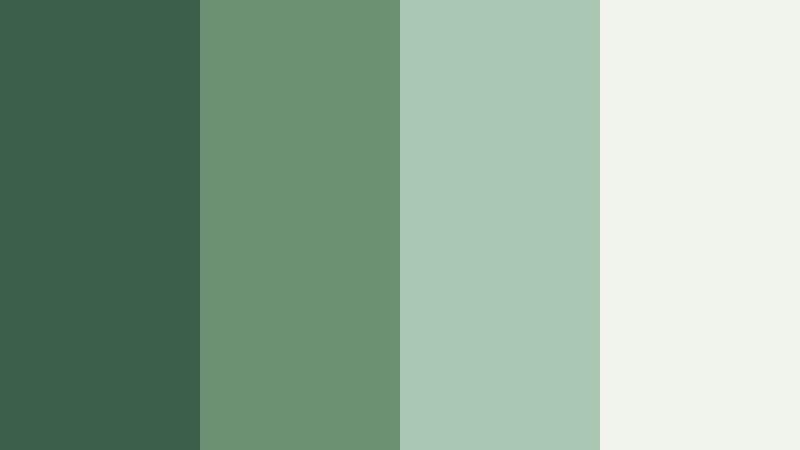
- HEX Codes: #3a5f4b, #6b9071, #aac7b4, #f0f4ec
- Mood: Calm, grounded, and quietly adventurous.
- Use for: Ideal for travel vlogs or hiking documentaries that need a serene, cinematic grade.
Forest Canopy Drift layers deep forest green with softer jade and a light, almost misty off white. Together, these tones feel like walking a shaded trail, where light filters through leaves and everything feels cool and steady. The palette is grounded but not dull, and the soft highlights stop darker greens from becoming too heavy on screen.
Use this palette to grade outdoor footage, build consistent lower thirds, or design cohesive YouTube thumbnails for travel and nature content. The darker Moss Jade hex can anchor titles and UI elements, while the pale #f0f4ec becomes a clean background for text, logo marks, and intro cards. It works perfectly in Filmora for channels that lean into eco stories, camping, hiking, or slow-travel films.
Pro Tip: Build a Cinematic Moss Jade Look in Filmora
To keep a Forest Canopy Drift mood across your entire edit, start with your darker Moss Jade tone for shadows and text accents, then let the lighter greens live in midtones and overlays. In Filmora, you can apply one grade to your main clip, then copy it across b roll, thumbnails, and short social cuts so every asset feels like part of the same forest inspired world.
For intros and end screens, use the deeper green as a background layer, then add titles and buttons in the lighter jade and off white. This creates soft contrast that is still easy to read on mobile, while keeping the whole channel wrapped in the same Moss Jade identity.
AI Color Palette
If you have a reference still from your favorite forest hike or a custom Moss Jade brand card, you can push that exact look across your footage with Filmora's AI tools. Filmora's AI Color Palette feature analyzes the colors in a reference image and applies a matching palette to your timeline, so your b roll, talking head shots, and overlays share the same Moss Jade balance.
Import your reference, select a clip with the feel you want, and let AI Color Palette match other shots to it. This is especially helpful when you mix camera sources, or when some scenes are filmed in harder light but you still want that cool, canopy style look from start to finish.
 secure download

HSL, Color Wheels & Curves
Once you have a base Moss Jade look, you can fine tune it with HSL, color wheels, and curves inside Filmora. Slightly shifting green and cyan hues toward Moss Jade keeps foliage from looking too neon, while gentle S curves add cinematic contrast without killing those soft canopy highlights. You can also isolate skin tones in HSL so faces stay natural even when you push greens cooler and moodier.
Using tools like color wheels and curves, as shown in Filmora's professional color grading tutorials, helps you control shadows, midtones, and highlights separately. Darken just the greens in the shadows to make forests feel deeper, or lift highlights in the off white range to keep titles and UI elements bright and legible over darker footage.
secure download1000+ Video Filters & 3D LUTs
Filmora's video filters and 3D LUTs make it easy to lock in a Moss Jade style fast. Start with a LUT or filter that leans cinematic or teal green, then tweak it so the greens match your chosen HEX codes. This is a quick way to get a cohesive forest inspired grade across entire travel playlists without manually adjusting every clip.
You can also stack subtle filters to add grain, bloom, or soft vignettes that suit your Moss Jade mood. Save your favorite combinations as presets so future videos, shorts, and thumbnails can instantly reuse the same Forest Canopy Drift look and keep your brand visuals consistent.
secure downloadMisty Valley Morning
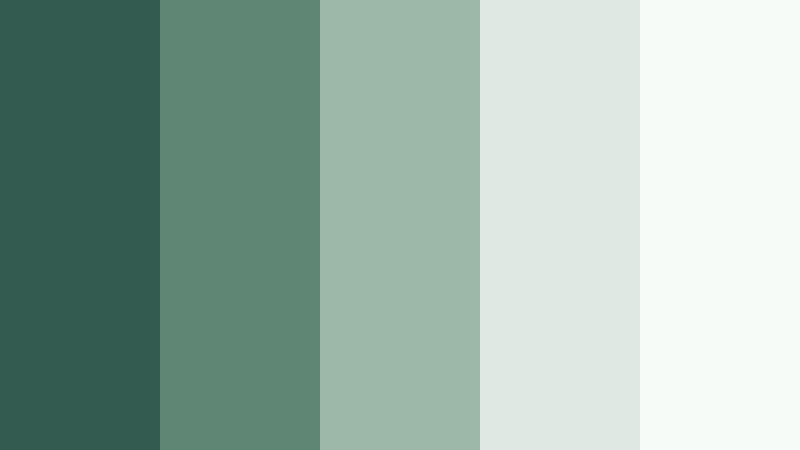
- HEX Codes: #335b50, #5f8574, #9db7a8, #dfe8e2, #f7fbf8
- Mood: Gentle, hopeful, and refreshing like early daylight.
- Use for: Perfect for calm lifestyle vlogs, morning routines, or spa and wellness intros.
Misty Valley Morning softens Moss Jade into airy, dewy tones that feel like cool air and quiet light. The darker greens anchor your frames, while the misty neutrals and near white hexes give plenty of negative space for text and UI overlays.
Use this palette for morning routine videos, ASMR scenes, or wellness channel branding. In Filmora, you can design YouTube thumbnails with the deepest green as a border or text color, then build backgrounds and subtle gradients from the lighter tones to keep everything light, clean, and refreshing.
Rainwashed Stone Path
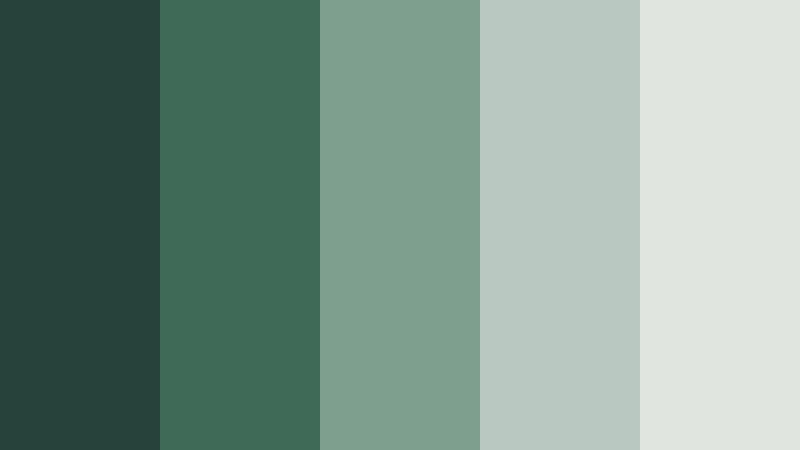
- HEX Codes: #27423a, #3f6a58, #7e9f8e, #b9c8c0, #e0e5df
- Mood: Moody yet clean, like a quiet garden after rain.
- Use for: Great for cinematic b-roll, moody product reels, or documentary title cards.
Rainwashed Stone Path combines deep green shadows with stone gray greens and soft, wet looking highlights. It feels like a landscaped path after a shower, with surfaces that are darker and slightly reflective but still calm.
This palette is ideal for moody sequences, product close ups on stone or slate, and thoughtful documentary titles. Use the darkest hex for text and logo marks, mid greens for buttons and accents, and the light grays as backgrounds for credits or chapter cards. In Filmora, a gentle vignette using the deeper green can reinforce the rainwashed atmosphere.
Greenhouse Glow
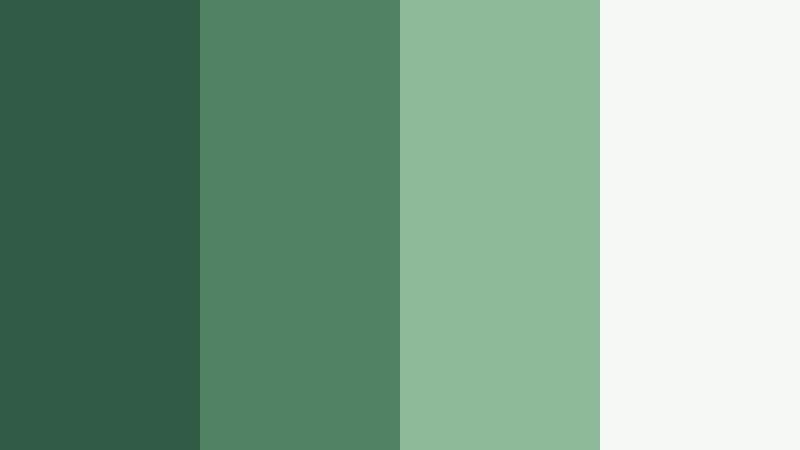
- HEX Codes: #2f5a45, #4f8361, #8fba9a, #f3f8f4
- Mood: Lively, organic, and subtly luminous.
- Use for: Use this for plant care channels, garden timelapses, or eco-brand explainer videos.
Greenhouse Glow turns Moss Jade into something brighter and more botanical. The mid and light greens feel like healthy leaves under soft diffused light, while the almost white highlight color adds a fresh, glasshouse shimmer.
Use this palette in plant care tutorials, garden timelapses, or eco explainer animations. In your thumbnails and motion graphics, let the darker greens frame the image, while brighter jade tones highlight key words and icons. The pale #f3f8f4 makes a great background layer for titles or info cards in Filmora so everything stays readable yet still nature themed.
Lakeshore Stillness
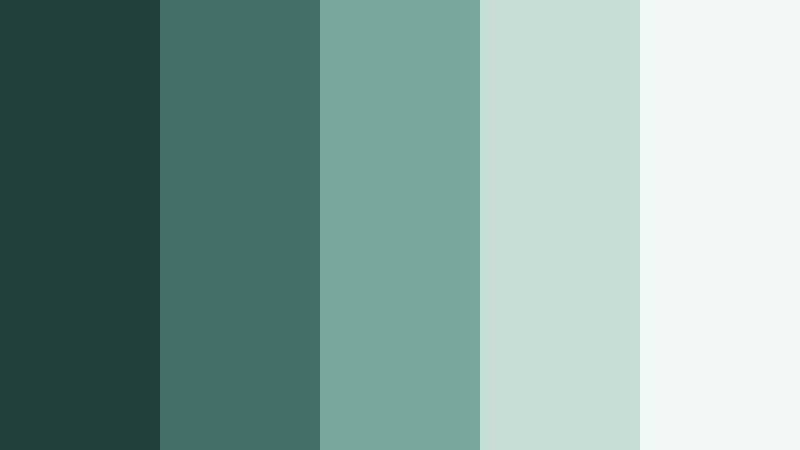
- HEX Codes: #23413b, #3f6f66, #76a79b, #c9ddd8, #f2f8f7
- Mood: Peaceful, reflective, and meditative.
- Use for: Best for slow-travel films, ambient study videos, or relaxed cinematic loops.
Lakeshore Stillness fuses Moss Jade with muted aqua, echoing quiet water and soft mist. The blues lean just enough toward green to stay cohesive, creating a calm, almost meditative palette that feels made for long, slow shots.
Apply this in slow travel montages, ambient study streams, or looping background videos. Use the deeper tones for typography and subtle gradient overlays, and reserve the lightest hex for text backplates and end screen cards in Filmora. This keeps your visuals soothing yet clear, even on small screens.
Soft Minimal Moss Jade Color Palettes
Calm Studio Desk
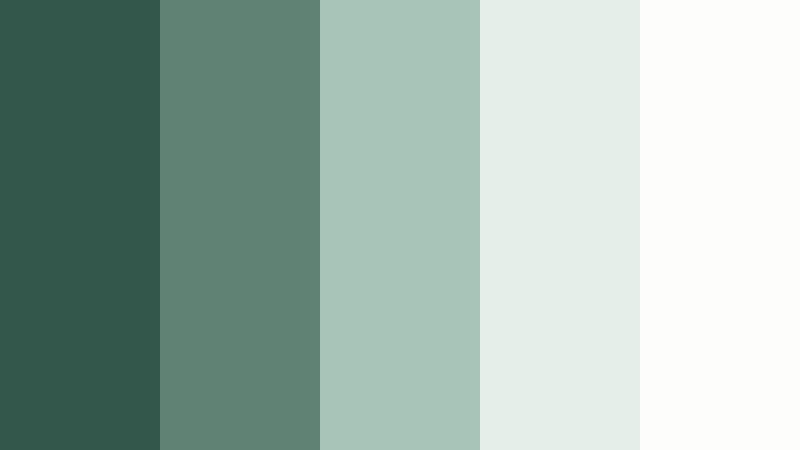
- HEX Codes: #34574c, #5f8275, #a8c3b8, #e6eee9, #fdfefc
- Mood: Minimal, focused, and softly productive.
- Use for: Great for productivity tutorials, workspace tours, and software walkthroughs.
Calm Studio Desk trims Moss Jade into a neat, minimal set of greens and soft off whites. It feels like a tidy workspace with lots of daylight and plants in the background, but nothing cluttered or loud.
Use the deeper greens for UI frames, pointer highlights, and lower thirds in tutorial videos. Let the pale tones fill backgrounds, screen mockups, or thumbnail canvases. In Filmora, this palette helps complex screen recordings stay easy on the eyes while keeping the focus on what you are teaching.
Quiet Apartment Light
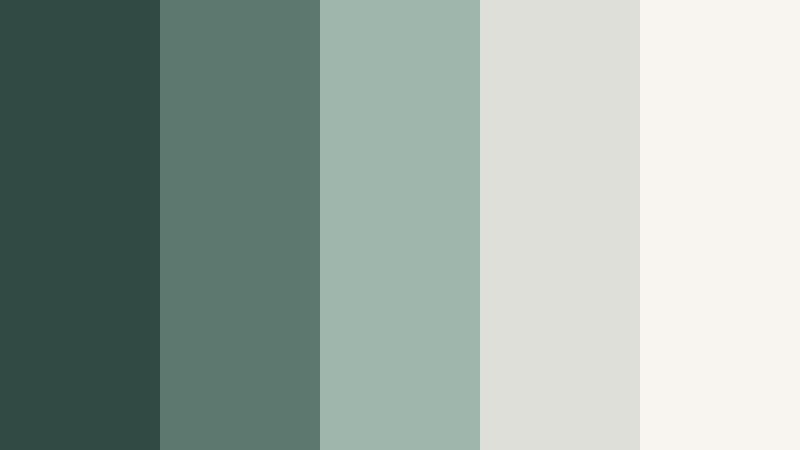
- HEX Codes: #314a44, #5d786e, #9fb6ac, #dedfd9, #f8f5f0
- Mood: Cozy, intimate, and contemplative.
- Use for: Perfect for minimalist home tours, journaling vlogs, or soft-spoken commentary content.
Quiet Apartment Light mixes muted Moss Jade with warm grays and creamy off whites, like city light bouncing off walls in a small, well loved home. The result is soft and cozy without feeling messy.
This palette is ideal for storytime vlogs, journaling setups, and interior walkthroughs. Choose the deeper green shades for titles and captions, and use the warm neutrals as clean backgrounds. In Filmora, subtle opacity overlays in the mid greens can help unify footage shot in different corners of the same apartment.
Faded Journal Pages
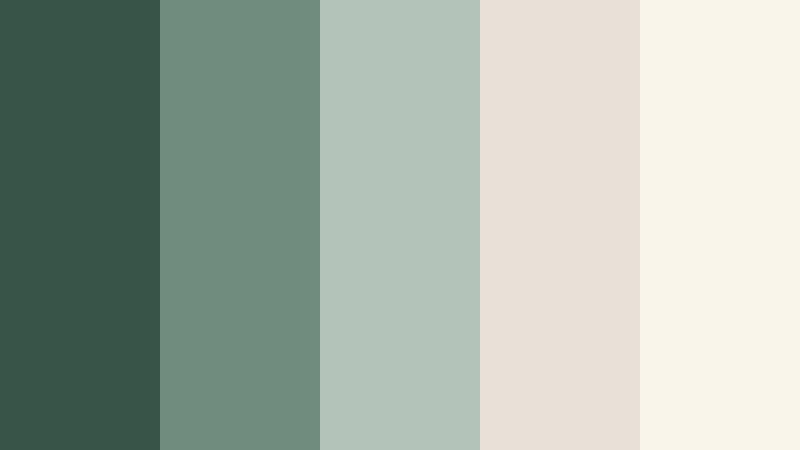
- HEX Codes: #365448, #6f8d7f, #b3c3b9, #e8e1d7, #faf5ea
- Mood: Nostalgic, thoughtful, and gentle.
- Use for: Use for book reviews, study vlogs, or vintage-inspired educational content.
Faded Journal Pages pairs dusty Moss Jade with parchment like beiges, suggesting old books, ink, and pressed leaves. It is nostalgic without leaning fully sepia, so it still looks fresh on modern platforms.
Use this palette for book review thumbnails, study notes overlays, and chapter cards. The green tones work well for headers, underline strokes, and icons, while the warm paper colors become ideal backgrounds for text blocks and quotes in Filmora. This keeps everything readable and cinematic, especially for longer educational content.
Scandinavian Loft Calm
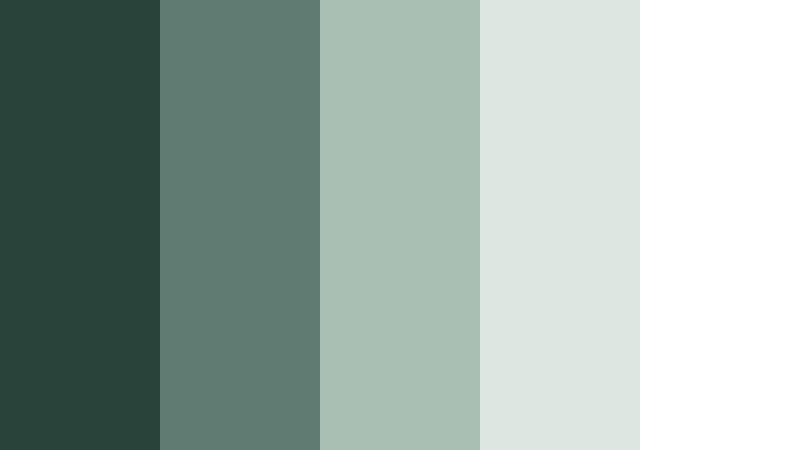
- HEX Codes: #29433b, #607c72, #a9bfb4, #dde6e1, #ffffff
- Mood: Modern, airy, and quietly confident.
- Use for: Ideal for interior design breakdowns, architecture reels, and UI demos.
Scandinavian Loft Calm frames Moss Jade inside a clean, almost monochrome world of white and soft gray greens. It recalls a bright loft with plants, light wood, and minimal furniture, where every object has room to breathe.
Use this palette for interior design explainers, architecture reels, or product UI showcases. The darker greens define lines and layers, while the lighter tones and pure white create wide open backgrounds. In Filmora, combine this palette with simple transitions and clean typography for a polished, agency style look.
Ceramic Matcha Mug
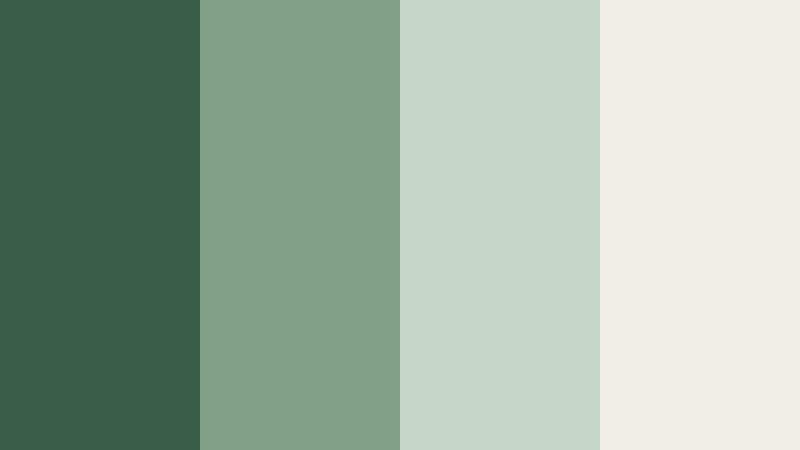
- HEX Codes: #3a5d4a, #7fa087, #c4d6c8, #f1eee6
- Mood: Warm, inviting, and handcrafted.
- Use for: Great for cafe visuals, recipe shorts, and cozy brand intros.
Ceramic Matcha Mug leans into creamy neutrals and soft Moss Jade that feel like handmade ceramics, latte foam, and matcha in natural light. It balances warmth and coolness, making it ideal for food and lifestyle content.
Use the deeper green for titles, dividers, and buttons in cooking shorts, and reserve the lighter greens and cream for backgrounds, recipe cards, and ingredient labels. In Filmora, try overlaying a subtle green tint from this palette to keep tabletop shots and branding elements connected even when lighting conditions change.
Bold Cinematic Moss Jade Color Palettes
Neon Alley Noir

- HEX Codes: #102422, #1f4a40, #34a58a, #f2f5f4, #ffb347
- Mood: Edgy, urban, and high-contrast.
- Use for: Perfect for music videos, cyberpunk edits, or energetic gaming intros.
Neon Alley Noir pushes Moss Jade into an inky, urban world with a sharp neon highlight. Dark teal greens dominate shadows, while the vivid jade and warm neon hex add punchy accents that demand attention.
Use this palette to style music videos, gaming intros, and cyberpunk edits where you want strong contrast and a modern edge. Let the darkest greens sit in backgrounds and gradients, the bright jade trace neon outlines or HUD elements, and the warm #ffb347 highlight key words or icons. In Filmora, animated text and glow effects in these colors can make your thumbnails and title sequences stand out in busy feeds.
Emerald Theater Lights
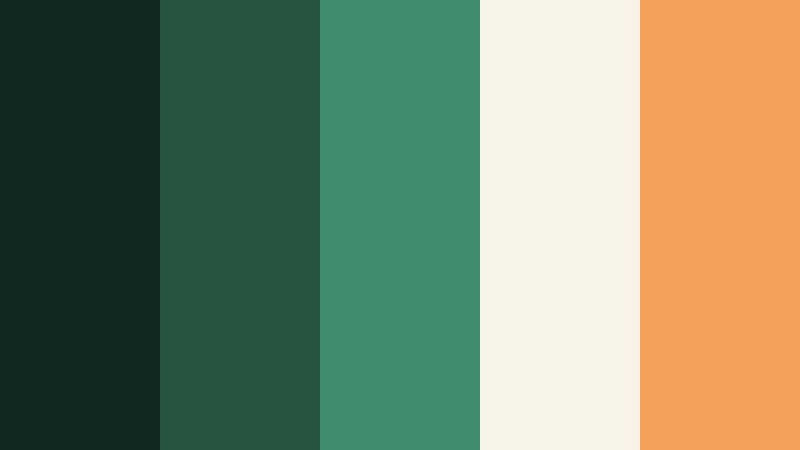
- HEX Codes: #12281f, #275441, #3f8f6e, #f7f3e8, #f4a259
- Mood: Dramatic, theatrical, and luxurious.
- Use for: Great for film trailers, fashion lookbooks, or performance highlight reels.
Emerald Theater Lights combines deep Moss Jade shadows and emerald midtones with warm spotlight hues. It feels like a stage or backstage area lit by rich greens and soft amber light, giving your visuals a premium, cinematic quality.
Use the dark greens for background gradients and shadow washes, and let the warm accents pick out titles, call to action buttons, or logo reveals. This palette suits trailers, fashion edits, and performance highlights where you want drama without losing elegance. Filmora transitions and light leak overlays pair nicely with this color combination.
Jungle Night Drive

- HEX Codes: #071815, #124034, #1f6f5b, #f1f2ec, #ff6f61
- Mood: Adventurous, electric, and slightly mysterious.
- Use for: Use for fast-cut travel edits, off-road adventures, or high-energy brand promos.
Jungle Night Drive mixes almost black greens with brighter Moss Jade and a bold coral accent. It feels like racing through a jungle at night with flashes of color from lights and signs.
Use the near black and deep jade tones to create strong, dramatic backgrounds and frames. The coral #ff6f61 is perfect for attention grabbing titles, subscribe buttons, and key overlays in your edit. In Filmora, pair this palette with fast cuts, whip transitions, and speed ramps to enhance the sense of motion and energy.
Urban Rooftop Sunset

- HEX Codes: #163132, #2d5a53, #50957f, #f6e5d6, #f26d4f
- Mood: Optimistic, cinematic, and social.
- Use for: Perfect for lifestyle montages, rooftop parties, or creator intros.
Urban Rooftop Sunset balances cool Moss Jade shadows with warm sunset oranges and creams. It instantly feels like golden hour on a city rooftop, with cool structures and warm sky tones mixing together.
Use the darker greens for base grades and overlays, keeping your footage consistent and stylish. Then let the warm #f26d4f and soft cream lift titles, frames, and highlight elements like call to action panels. In Filmora, you can build animated intro sequences where backgrounds shift between green and warm tones to mimic a changing sky.
Studio Gradient Pulse

- HEX Codes: #142826, #266257, #39a18b, #d6e7e2, #ffffff
- Mood: Techy, confident, and dynamic.
- Use for: Great for app promos, motion graphics, and sleek tutorial openings.
Studio Gradient Pulse is built for gradients: from deep Moss Jade into bright jade, then into soft, clean highlights. It feels tech forward and modern, ready for product demos or SaaS explainers.
Use the dark and mid tones for animated gradient backgrounds and color blocks, and keep icons and text in white or the palest hex for maximum legibility. In Filmora, combine this palette with simple shape animations and kinetic typography to create polished openers and transitions for your channel.
Tips for Creating Moss Jade Color Palettes
Moss Jade is flexible enough to feel natural, minimal, or cinematic depending on the colors you pair it with. A few simple habits will help you build palettes that look great in both design and video.
- Balance depth and light: always pair at least one deep Moss Jade shade with a very light neutral so text and UI remain readable on thumbnails and intros.
- Limit your accent colors: one strong accent (coral, gold, or neon) is usually enough; more than that can break the calm Moss Jade mood.
- Check contrast for mobile: test titles in your editor at small sizes to be sure white or light text remains clear over Moss Jade backgrounds.
- Match footage temperature: if your clips are very warm, lean your Moss Jade slightly warmer or add warm neutrals; for cooler footage, push toward aqua and soft gray.
- Keep branding consistent: reuse the same 2 to 3 HEX codes for logos, lower thirds, and end screens so viewers instantly recognize your channel.
- Use gradients sparingly: soft vertical or radial gradients between dark and mid Moss Jade can add cinematic depth without distracting banding or noise.
- Protect skin tones: when grading with green heavy palettes, adjust HSL so skin stays natural while backgrounds and props carry most of the Moss Jade color.
- Save presets: once you dial in a look in Filmora, save it as a preset so future videos, shorts, and reels can reuse the exact same Moss Jade palette in one click.
Moss Jade color palettes can completely shift how your videos feel, from quiet and reflective to bold and cinematic. With the right combinations of deep greens, soft neutrals, and carefully chosen accents, you can shape a visual identity that feels calm, trustworthy, and unique to your channel or brand.
All of the HEX codes above can be rebuilt in Filmora, whether you are designing titles, grading footage, or styling animated graphics. Experiment with these palettes, tweak them to match your footage, and save your favorite looks so every new upload feels like part of the same Moss Jade universe.
The more consistently you use your chosen palette, the more recognizable your thumbnails, intros, and videos will become. Try a few of these Moss Jade combinations in your next project and see how quickly your visuals start to feel more cohesive and cinematic.
secure downloadNext: Olive Mist Color Palette
