

 100% Security Verified | No Subscription Required | No Malware


 ChatGPT
 Perplexity
 Gemini
 Claude
 Grok
Grok
These nature video filters for Reels are designed to make your outdoor footage look polished, cinematic, and consistent across your Instagram grid. Whether you film forests, mountains, beaches, or backyard adventures, the right filter can turn a quick clip into a scroll-stopping cinematic nature reel.
Below you will find 12 curated filter styles tailored for Reels creators and nature videographers, each with guidance on what it does, when to use it, and a simple editing tip so you can get pro-looking outdoor reels fast.
In this article
Warm Golden Hour Nature Filters
Sunlit Pines
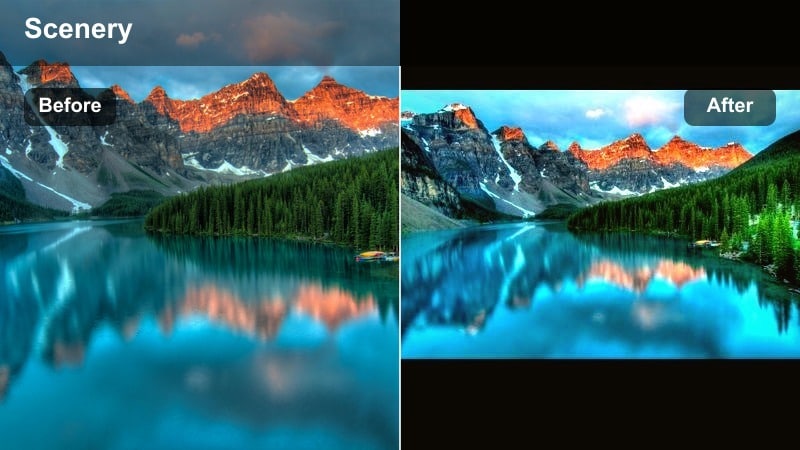
- Effect look: Soft warm glow with lifted shadows and gentle green balance for sunlit forests.
- Best for: Forest walks, hiking trails, woodland portrait-style Reels during late afternoon or early evening.
- Editing tip: Slightly decrease contrast if your scene has harsh dappled light, and add a touch of vignette to draw eyes toward the subject.
Sunlit Pines adds a subtle golden wash to tree trunks and paths while keeping foliage rich and believable, which is ideal when your forest clips feel flat or too cool straight out of camera. In Filmora, you can apply this filter in one click, then fine tune its strength with the adjustment slider so the glow enhances the natural light instead of overpowering it.
For Reels, this look works beautifully on handheld walk-through shots and slow gimbal moves where light flickers through branches. After applying Sunlit Pines in Filmora, slightly raise shadows to keep detail in darker areas, then add a mild vignette effect from the Effects panel so viewers focus on the subject walking down the trail.
AI-Powered Color Matching for Nature Reels
Filmora s AI tools can analyze your favorite nature clips and automatically suggest filters that match their color palette. This helps you keep all your reels nature filter looks consistent, even when you shoot on different days or in changing outdoor light.
You can start with the Nature Video Filters for Reels: Cinematic Outdoor Grades style, then let AI refine tones so your greens, skies, and skin tones stay cohesive across your outdoor reel LUT look.
 secure download

Preview Nature Filters in Real Time
Filmora lets you hover over filters to preview how each warm golden, cool forest, or tropical style will look on your footage instantly. You can test different cinematic grades on the same clip without committing, which is perfect when you are building a nature Reel with several short shots.
This real time preview saves a lot of trial and error, so you can select a filter that supports your story and mood, then move on to trimming, adding music, and timing transitions for Instagram Reels.
secure download1000+ Video Filters and 3D LUTs
Beyond these nature video filters for Reels, Filmora includes a large library of cinematic filters and 3D LUTs you can layer and combine. You can stack a base outdoor look with creative overlays like light leaks or film grain to give your nature clips a signature vibe.
Once you create a combination that matches your brand, save it as a custom preset so you can treat it like a reusable outdoor reel LUT and apply it to future Reels projects in seconds.
secure downloadGolden Meadow
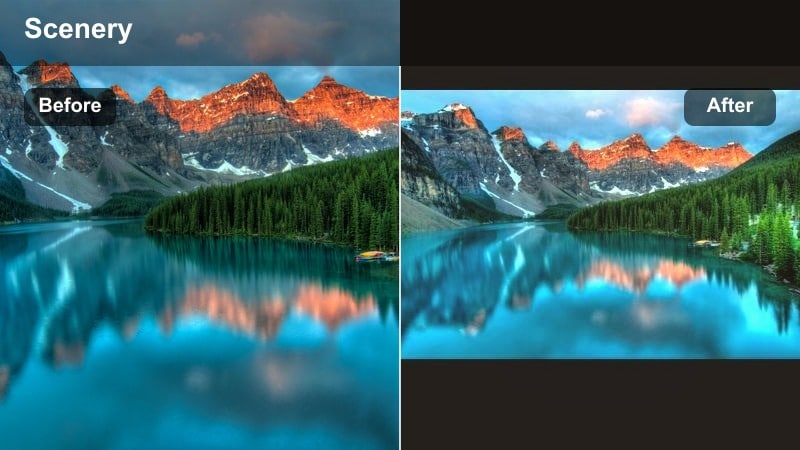
- Effect look: Golden, slightly hazy look with soft highlights and pastel skies for dreamy fields.
- Best for: Wildflower meadows, open grass fields, park walks, and romantic outdoor Reels filmed at sunset.
- Editing tip: Reduce clarity or add a small blur on duplicate layer for an extra hazy dream effect, making sure the subject stays sharp in the center.
Golden Meadow is designed to make open fields and meadows feel like dreamy postcards, with soft skies and glowing edges on grass and flowers. In Filmora, you can apply the filter, then slightly lower clarity or add a subtle Gaussian blur on a duplicated track while masking your subject to keep them crisp.
This look works especially well for couple Reels, slow motion spins in fields, or B roll of hands brushing over flowers. Use Filmora s keyframing to gradually increase the filter intensity toward sunset, so the golden warmth builds as your Reel progresses and finishes on the richest tones.
Amber Trails
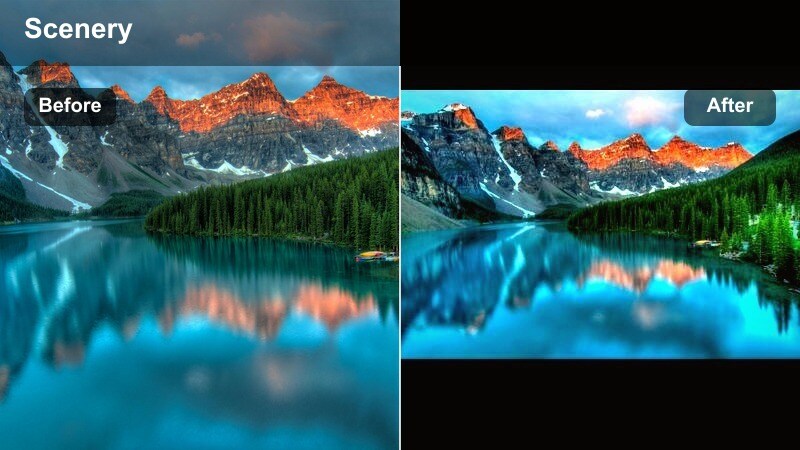
- Effect look: Amber-toned contrast with warm shadows and crisp details for adventurous trail footage.
- Best for: Mountain trails, rocky paths, road trips through nature, and action-focused hiking Reels.
- Editing tip: Boost local contrast slightly and add a bit of sharpening to shoes, gear, or leading lines in the frame to emphasize movement.
Amber Trails leans into warm earth tones, making rock, dust, and trail textures stand out while still keeping skies and foliage controlled. In Filmora, you can combine this filter with light sharpening on key elements such as boots or trekking poles to emphasize the sense of motion along the path.
For Instagram Reels, this style is ideal for point-of-view trekking shots, timelapses of switchbacks, or quick cuts from car window views to trail scenes. Use Filmora s speed ramping tools to sync steps or jumps with music beats, while the Amber Trails filter keeps your color palette cohesive and energetic.
Cool Forest and Mountain Cinematic Filters
Misty Forest
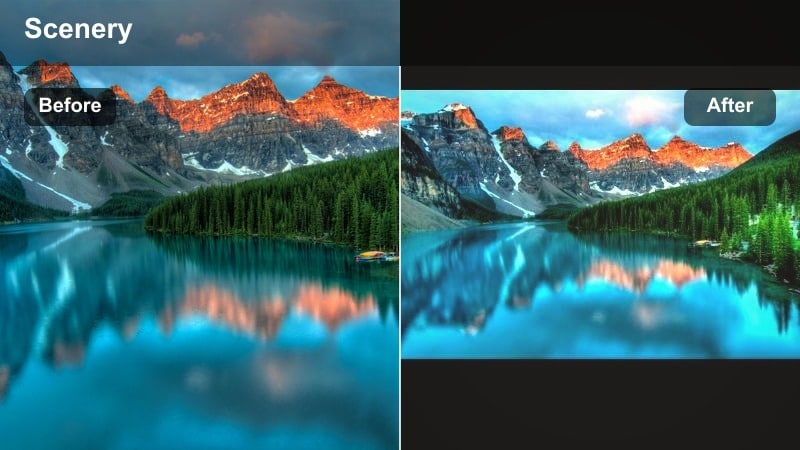
- Effect look: Cool, soft contrast with gentle fade in blacks and a hint of cyan in shadows for moody woods.
- Best for: Foggy mornings, dense forests, waterfalls, and moody cinematic nature reels with slower pacing.
- Editing tip: Lower saturation slightly and add a touch of film grain to sell the cinematic, misty mood without losing detail.
Misty Forest shifts your color palette toward cool cyan shadows and soft blacks, perfect for conveying early morning chill or mysterious woodland atmospheres. In Filmora, combine this filter with reduced global saturation and a light grain overlay to create a filmic, story driven look.
Use it on slow tripod shots, vertical pans through tall trees, or close ups of water droplets on leaves. Editing in Filmora, you can create gentle cross dissolve transitions between clips to match the softness of the grade, and keep music ambient so viewers feel immersed in the misty scene.
Alpine Cinema
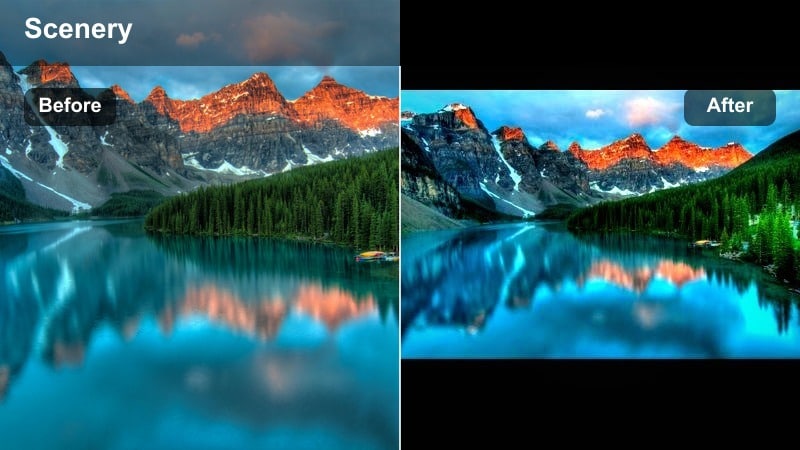
- Effect look: High-clarity cinematic grade with crisp blues, neutral whites, and slightly desaturated greens.
- Best for: Mountain ranges, snow scenes, lakes, and wide establishing shots in outdoor reels.
- Editing tip: Use a bit of dehaze and reduce saturation in blues so skies and water stay rich but not cartoonish.
Alpine Cinema is tuned for big landscapes, making snow, clouds, and distant peaks look clean and high-end without oversaturating your skies. In Filmora, apply this filter to your widest shots, then dial in a little Dehaze to cut through atmospheric haze and sharpen edge detail.
Because the greens are slightly desaturated, your mountainscapes take on a premium travel film aesthetic that pairs well with drone footage and slow tilts across valleys. Build your Reel timeline so Alpine Cinema shots open or close each sequence, using Filmora s smooth zoom transitions to move between vistas and closer detail shots.
River Slate
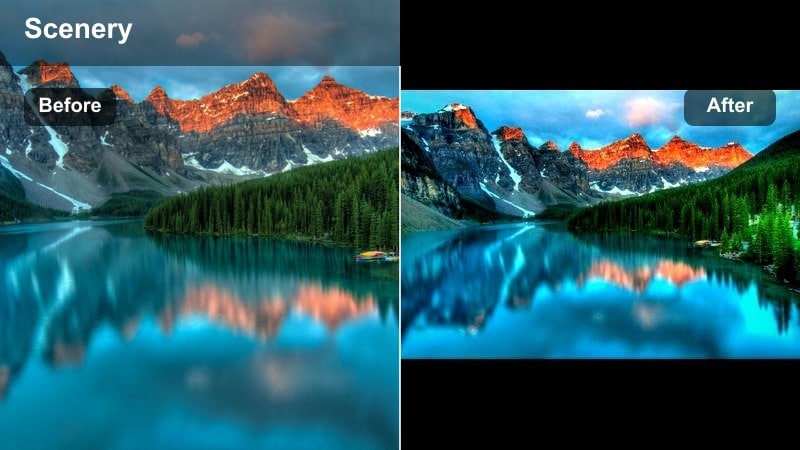
- Effect look: Cool, slate-like tones with subtle teal shadows and balanced highlights for rivers and streams.
- Best for: Rivers, creeks, rocky waterfalls, and close-up water motion shots in nature reels.
- Editing tip: Slow your clips to 0.5x or 0.75x speed and pair with this filter to emphasize silky water motion and stone texture.
River Slate pushes your water footage toward refined cool tones, giving rivers and creeks a cinematic teal tint while maintaining neutral whites in foam and highlights. In Filmora, you can apply the filter, then use speed controls to slow down splashes and flows so viewers can appreciate the texture in every frame.
This filter excels on gimbal moves that track along shorelines or macro shots of water trickling over rocks. Add subtle camera shake stabilization in Filmora where needed, then complement the cool grade with ambient sound design or gentle instrumentals to complete the immersive river mood.
Vibrant Jungle and Beach Reels Filters
Tropical Pop
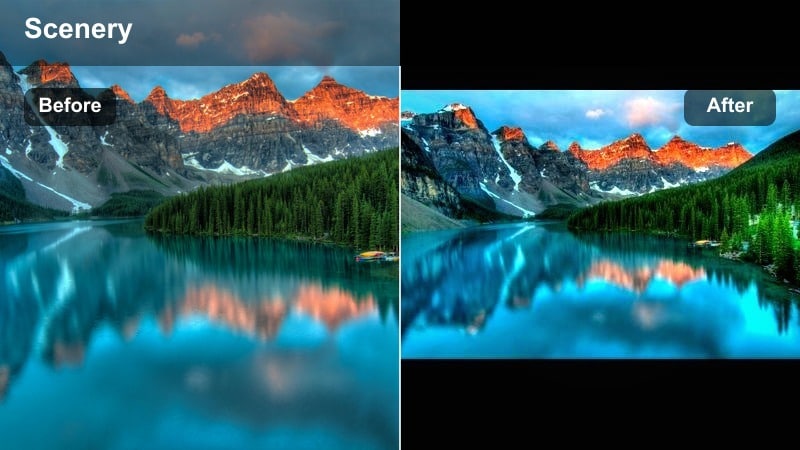
- Effect look: Bright, saturated greens and aquas with crisp whites and punchy contrast for tropical scenes.
- Best for: Palm trees, turquoise beaches, jungle paths, and high-energy travel reels.
- Editing tip: Use this filter on well-exposed clips and lower highlights slightly to keep white sand and clouds from clipping.
Tropical Pop is made to boost the energy of beach and island footage, giving your palm leaves and ocean water an eye catching punch suitable for fast scrolling feeds. In Filmora, apply this filter to clips that are already properly exposed, then pull down highlights a bit so bright sand and sky still show texture.
For Reels, pair Tropical Pop with upbeat music and dynamic cuts between beach, pool, and jungle angles. Use Filmora s built in motion graphics titles to layer bold text over your shots, knowing the strong colors from the filter will hold attention even with quick edits.
Coral Sunset
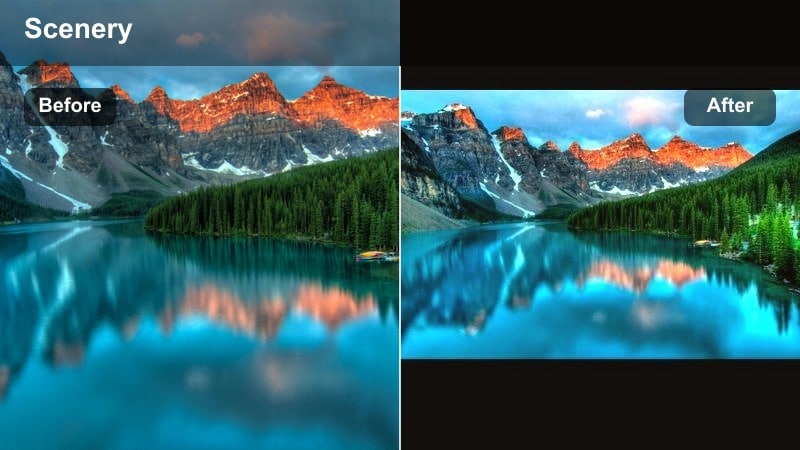
- Effect look: Warm coral highlights and magenta-orange skies with gentle fade and soft contrast.
- Best for: Beach sunsets, coastal cliffs, silhouettes, and romantic outdoor sunset reels.
- Editing tip: Push the tint slightly toward magenta to intensify the sunset, but keep skin tones natural by lowering orange saturation just a touch.
Coral Sunset enhances golden hour into pink and orange dream tones, turning even simple horizons into cinematic backgrounds. In Filmora, start with this filter, then fine tune Tint toward magenta while slightly lowering saturation in the orange channel to keep faces from becoming too saturated.
Use it on silhouette shots, backlit portraits, or timelapses of the sun dipping below the horizon. You can build a Reel that starts in neutral daylight and transitions into Coral Sunset clips, using Filmora s color match and transitions to smoothly shift your audience into the evening mood.
Jungle Depth
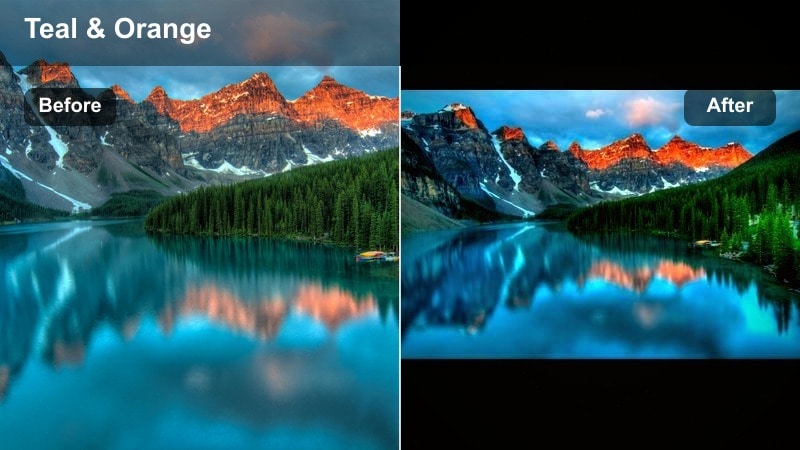
- Effect look: Deep greens with rich contrast, subtle teal shadows, and a cinematic, low-key mood.
- Best for: Dense jungles, rainforests, botanical gardens, and wildlife-focused nature reels.
- Editing tip: Use selective focus shots and add a slight blur or vignette around the frame edges to emphasize depth and layers.
Jungle Depth intensifies foliage into deep, cinematic greens, making layers of leaves and branches feel immersive and three dimensional. In Filmora, combine this filter with a soft vignette and, if needed, a blur effect around frame edges to guide attention toward animals, flowers, or your subject in the center.
This filter is ideal for slow, exploratory Reels walking through rainforests or botanical gardens. Cut between wide establishing shots and tight macro details, using Filmora s smooth zoom or whip transitions while the Jungle Depth grade keeps every shot aligned in color and mood.
Minimal and Filmic Outdoor Reels Filters
Sage Film Matte
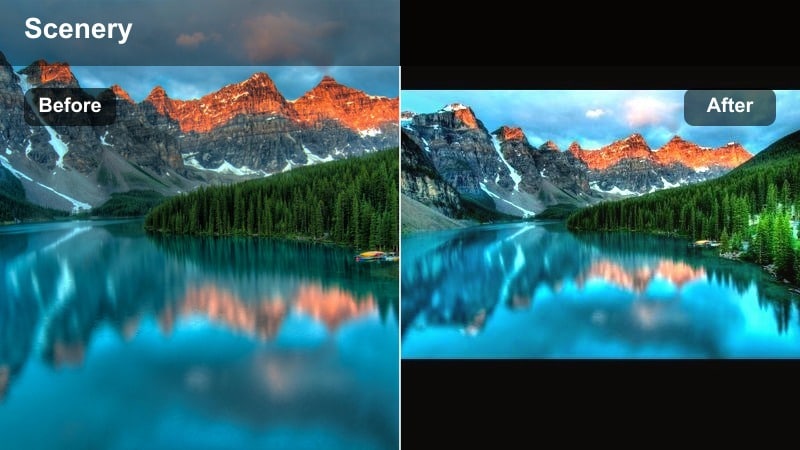
- Effect look: Soft matte contrast, muted greens, and gentle warm highlights for a film-inspired outdoor look.
- Best for: Lifestyle nature reels, picnics, backyard clips, and creator vlogs filmed outdoors.
- Editing tip: Use this filter on slightly underexposed footage, then raise shadows a bit to keep that matte film look without making it look washed out.
Sage Film Matte gives your outdoor lifestyle clips a calm, editorial feel by softening contrast and muting vibrant greens. In Filmora, apply the filter to slightly underexposed footage, then gently lift shadows and midtones so you keep the matte character but still read facial expressions clearly.
This look suits talking head vlogs shot in parks, picnic scenes, or soft aesthetic nature B roll for daily routine Reels. Combine Sage Film Matte with simple text overlays and subtle background music in Filmora to create relaxing, repeatable content your audience associates with your brand.
Neutral Trail Log
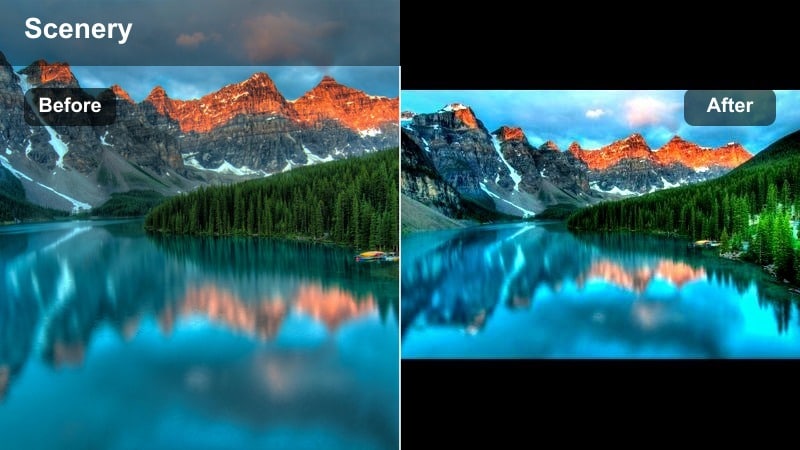
- Effect look: Balanced, low-saturation grade with clean neutrals and gentle contrast for log-like flexibility.
- Best for: Mixed lighting hikes, vlogs moving between shade and sun, and outdoor reels needing a clean base look.
- Editing tip: Apply this as a base filter, then fine-tune temperature and tint per clip to match different shooting conditions.
Neutral Trail Log acts as a flexible base grade, giving all your clips a balanced, slightly subdued palette that you can style further. In Filmora, apply this filter at the start of your color workflow, then adjust Temperature and Tint clip by clip to correct for shifts between sun, shade, and clouds.
Once your footage is normalized, you can stack creative Filmora filters, LUTs, or light leaks on top without fighting inconsistent colors. This makes it ideal for longer hiking or travel Reels where you want a clean, documentary style look that still feels polished and intentional.
Mono Nature Film
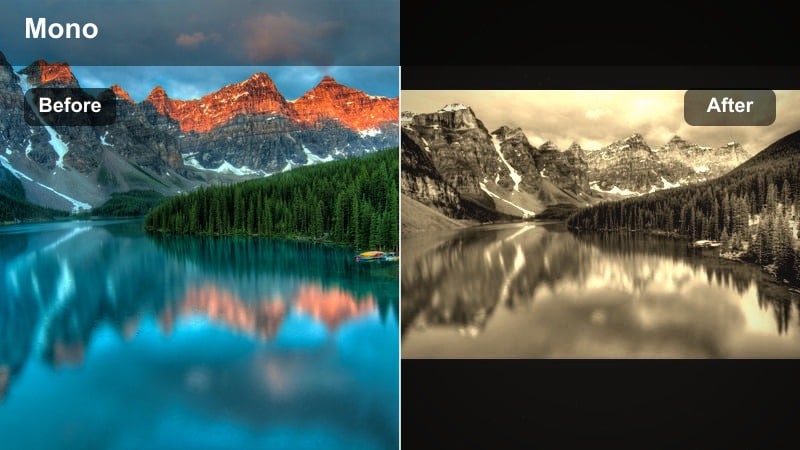
- Effect look: High-contrast black and white with film-style grain and textured midtones.
- Best for: Minimalist nature reels, texture-focused clips of trees, rocks, waves, and storytelling edits.
- Editing tip: Increase contrast but protect highlights to keep details in clouds and water; adjust grain strength for different moods.
Mono Nature Film strips away color and focuses on light, shadow, and texture, ideal when you want a more artistic or narrative driven nature Reel. In Filmora, you can raise contrast to deepen blacks while carefully bringing down highlights so skies, clouds, and water ripples retain structure.
Adjust the included grain or add an extra film grain overlay in Filmora to taste: lighter for clean, modern monochrome and heavier for vintage, documentary vibes. Use this look on sequences of waves, tree silhouettes, or mountain ridgelines, and cut them to music with clear beats so the strong contrast and motion feel intentional.
Tips for Using Nature Video Reels Filter Filters in Filmora
- Shoot with stable exposure and locked white balance so your filters behave predictably across all clips in a Reel.
- Leave a little headroom in your highlights when filming sunsets or snow so cinematic nature reels do not lose sky detail after grading.
- Use different filters within the same preset family for A-roll and B-roll, then keep contrast and saturation similar to maintain consistency.
- Export a short test Reel with two or three filters and check it on your phone screen outdoors to ensure colors still look natural.
- If greens look too strong, reduce individual green and yellow saturation before changing global saturation for a more professional result.
The right nature video filters for reels can instantly elevate your Instagram Reels nature content, turning everyday outdoor clips into cinematic stories that match your personal style.
Experiment with these 12 filters, save your favorite combinations as presets, and build a consistent outdoor reel LUT look that viewers recognize the moment they stop scrolling.
secure download