

 100% Security Verified | No Subscription Required | No Malware


 ChatGPT
 Perplexity
 Gemini
 Claude
 Grok
Grok
Orchid Smoke sits between muted lavender and soft gray, a sophisticated pastel that feels calm, cinematic, and slightly mysterious. It is gentle enough for dreamy vlogs and lifestyle intros, but still rich enough to carry drama in cinematic edits and emotional storytelling. In color psychology, Orchid Smoke suggests nostalgia, reflection, and quiet romance, which makes it ideal for content that aims to feel intimate and aesthetic rather than loud and saturated.
For creators and Filmora users, Orchid Smoke is a powerful base color for cohesive branding across video intros, lower thirds, thumbnails, overlays, and social cutdowns. Below you will find 15 Orchid Smoke color palettes with HEX codes you can plug directly into your design tools or use as a reference when color grading in Filmora. Each palette includes mood notes, best use cases, and ideas for building a consistent look around this soft, cinematic hue.
In this article
Soft And Romantic Orchid Smoke Color Palettes
Dusky Petal Whisper
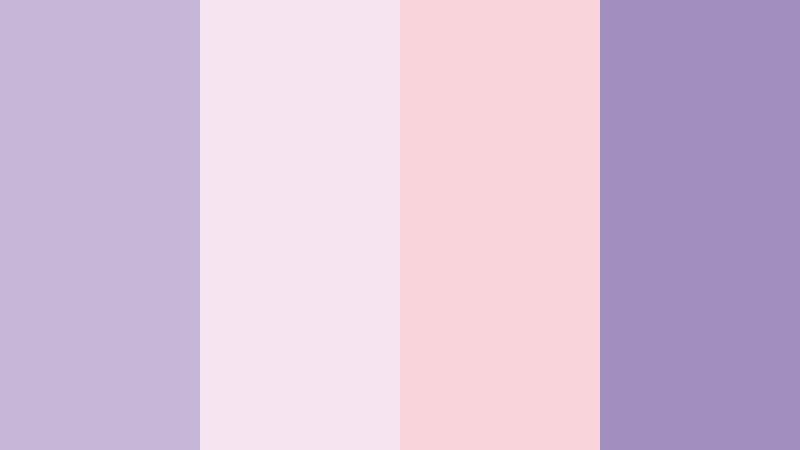
- HEX Codes: #c8b6d8, #f5e3f0, #f9d4da, #a38fbf
- Mood: Tender, nostalgic, and softly romantic.
- Use for: Use for dreamy wedding highlight videos, engagement reels, or delicate intro slates.
Dusky Petal Whisper blends powdery lilac, blush, and Orchid Smoke into a veil of soft light. It feels like sunset filtering through lace curtains, perfect when you want romance without overly bright pinks. The lavender grays keep everything grounded and cinematic while the blush tones add warmth.
In video, this palette works beautifully for wedding highlight films, proposal stories, and tender lifestyle vlogs. Use the lighter shades for titles, frames, and thumbnail backgrounds, and reserve the deeper Orchid Smoke accent for text, logo marks, or subtle vignette tints. In Filmora, you can echo these HEX values in your color grading, overlays, and lower thirds to keep your entire edit consistent from intro to end screen.
Pro Tip: Build a Cinematic Orchid Smoke Look in Filmora
To keep a Dusky Petal Whisper mood across your whole project, build a simple visual system inside Filmora. Use the soft blush (#f9d4da) for background panels in intros and lower thirds, lean on the light lilac (#f5e3f0) for clean negative space, and apply the deeper Orchid Smoke tones (#c8b6d8 and #a38fbf) to text, borders, and subtle overlays.
Once you set these up in one sequence, save them as presets or copy and paste attributes across clips. This keeps wedding highlights, reels, and social cutdowns perfectly aligned in color, so your brand always looks intentional and romantic instead of randomly tinted.
AI Color Palette
If you have a color card, moodboard, or still frame that captures this Orchid Smoke palette, you can use Filmora's AI Color Palette feature to spread the look across an entire edit. Import your reference image, let Filmora analyze its tones, and then apply that color mood to all your clips in just a few clicks.
This is especially useful for wedding and engagement projects where footage comes from different cameras or lighting conditions. AI Color Palette helps smooth out the differences so everything feels as if it was shot during the same soft, dusky moment.
 secure download

HSL, Color Wheels & Curves
After matching the overall palette, refine your Orchid Smoke tones using HSL, color wheels, and curves inside Filmora. Slightly desaturate magentas and purples to keep the look soft, lift the shadows to avoid harsh blacks, and tilt the midtones toward Orchid Smoke for a cohesive wash over faces and fabrics.
Using tools like the color wheels and curves shown in Filmora's advanced color tutorials on YouTube, you can add gentle contrast where you need it while preserving that dreamy, lace like softness. This works especially well on backlit shots, bouquet details, or slow motion veil shots that you want to feel ethereal but still clear.
secure download1000+ Video Filters & 3D LUTs
To speed up your grading workflow, combine your Orchid Smoke base with Filmora's built in looks. Filmora's video filters and 3D LUTs make it easy to push this palette toward vintage film, dreamy haze, or clean modern romance without building everything from scratch.
Stack a subtle pastel or cinematic LUT over your Orchid Smoke adjustments, then fine tune opacity so skin tones stay natural. This keeps your wedding reels, engagement trailers, and teaser clips visually unified but still quick to produce.
secure downloadLavender Smoke Serenade
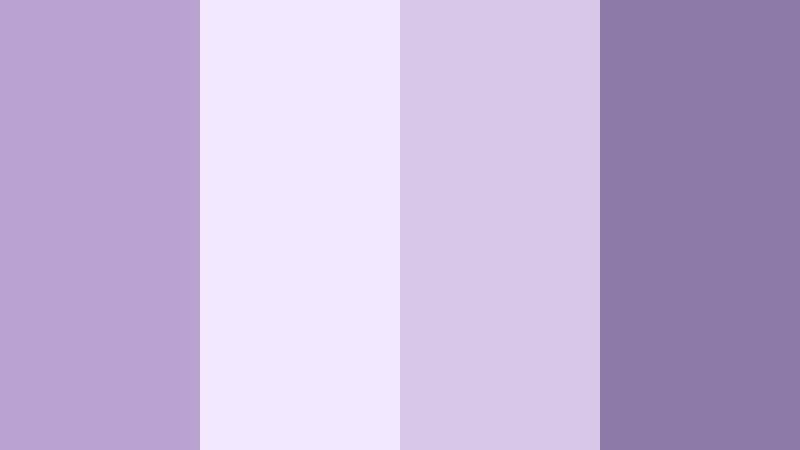
- HEX Codes: #b9a2cf, #f2e8ff, #d7c6e8, #8e7aa8
- Mood: Calm, intimate, and serenely cinematic.
- Use for: Use for acoustic music videos, poetry reels, or soft spoken brand explainers.
Lavender Smoke Serenade wraps ethereal lilacs around a moody Orchid Smoke base. The pale lavender whites (#f2e8ff) feel airy and gentle, while the deeper purples (#8e7aa8) add a low key cinematic tension. The result is a hushed, intimate palette that feels almost like soft background music in color form.
Use the lightest tones for full screen backgrounds and clean text cards at the start or end of your videos, and bring in the deeper Orchid Smoke shade for subtitles, lower thirds, and logo reveals. This palette is perfect for acoustic covers, spoken word pieces, reflective sit down content, or brand explainers that should feel calm and trustworthy instead of loud and salesy.
Blush Veil Evening
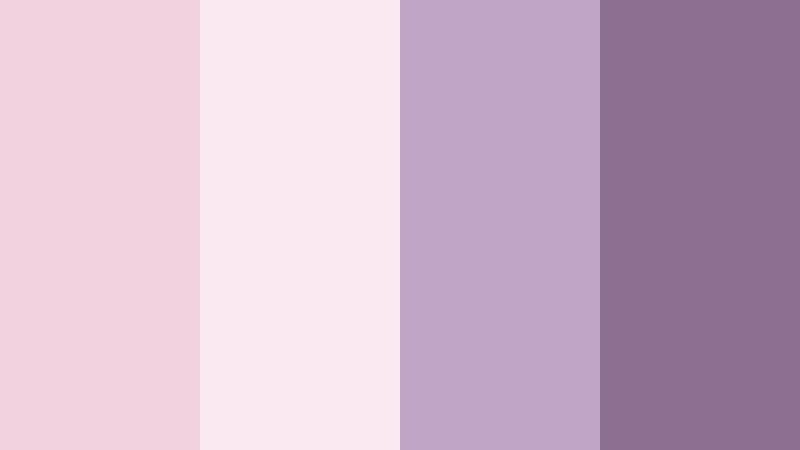
- HEX Codes: #f3d2df, #fbe9f2, #c0a5c7, #8c6f91
- Mood: Warm, sentimental, and slightly mysterious.
- Use for: Use for lifestyle vlogs at golden hour, lookbooks, or subtle lower thirds.
Blush Veil Evening fades soft pinks into muted Orchid Smoke for a twilight feeling that is both warm and a bit enigmatic. The gentle rose tones suggest affection and nostalgia, while the smokier purples cool things down and introduce depth.
This palette works well for golden hour vlogs, beauty content, and fashion lookbooks where you want warmth but not orange heavy tones. Apply the blush hues to background solids and gradient overlays, then use the darker Orchid Smoke color for accent text, borders, and shadow tints in Filmora. It also makes gorgeous YouTube thumbnails when paired with soft, glowing portraits.
Mauve Letter Keepsake
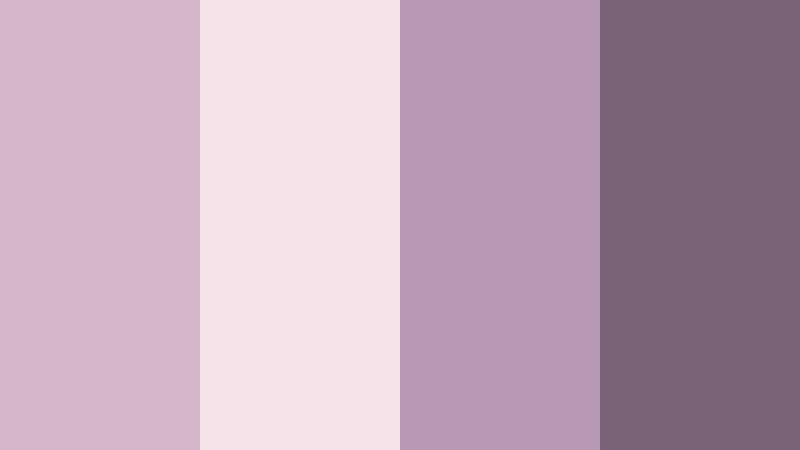
- HEX Codes: #d4b7c9, #f6e2e9, #b799b6, #7a6277
- Mood: Reflective, handwritten, and vintage inspired.
- Use for: Use for journaling vlogs, scrapbooking reels, and title cards with a nostalgic tone.
Mauve Letter Keepsake feels like old love letters and faded photographs translated into color. The powdery mauves and Orchid Smoke purples create a vintage softness that still looks clean and modern on screens. It is ideal for content centered around memory, reflection, and personal storytelling.
Use the light mauve tones as a base for journal style title cards, Polaroid frames, and scrapbooking overlays in Filmora. The deeper Orchid Smoke shade (#7a6277) works as an anchor for handwritten fonts, captions, and graphic accents in your thumbnails or end screens. This palette gently signals nostalgia without leaning into harsh sepia tones.
Orchid Lace Daydream
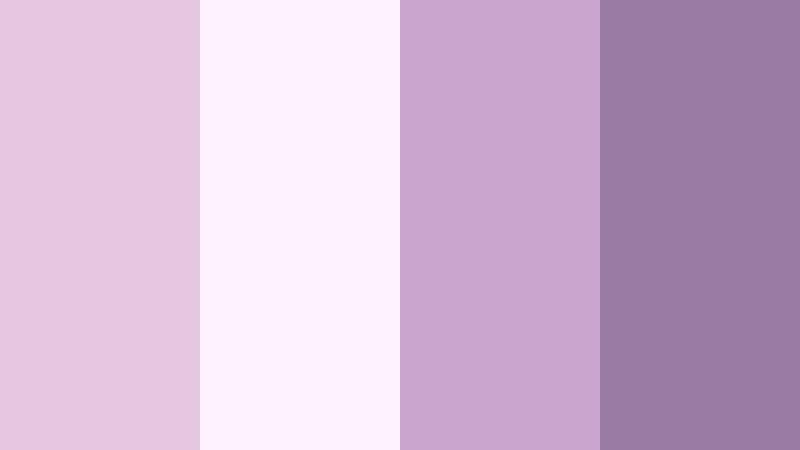
- HEX Codes: #e4c7df, #fdf0ff, #c9a5ce, #9a7ba4
- Mood: Airy, whimsical, and softly feminine.
- Use for: Use for dreamy brand intros, feminine product promos, and aesthetic TikTok edits.
Orchid Lace Daydream is light, gauzy, and whimsical. The pale pinkish lavenders almost disappear into white, while the mid and deep Orchid Smoke shades hold the palette together. It feels weightless, like clouds or chiffon, which makes it perfect for soft, feminine visuals.
In practice, use the brightest tone (#fdf0ff) for full screen title cards and background layers, then layer mid Orchid Smoke shades for frames, shapes, and motion graphics. The darkest hue is ideal for body text and minimal icons to keep everything readable on both mobile and desktop. This palette shines in TikTok edits, Reels, and branded intros for beauty, self care, or stationery brands.
Elegant And Modern Orchid Smoke Color Palettes
Urban Orchid Minimal
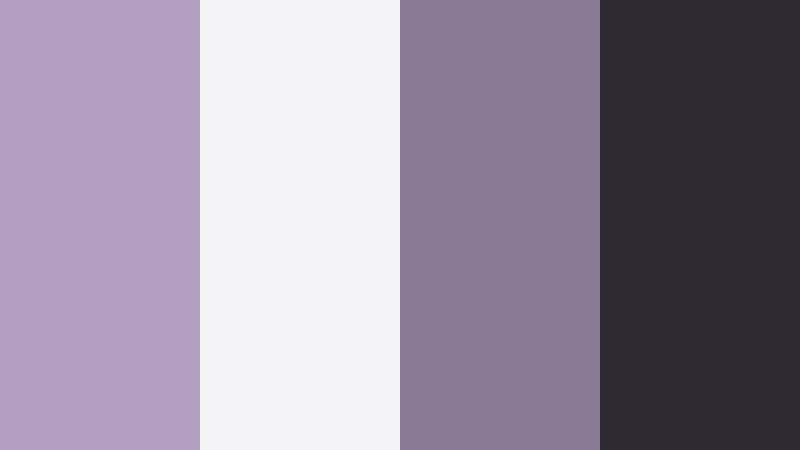
- HEX Codes: #b3a0c0, #f3f3f6, #8a7a96, #2e2a32
- Mood: Clean, polished, and design forward.
- Use for: Use for tech explainers, app promos, and minimalist channel branding.
Urban Orchid Minimal pairs Orchid Smoke with clean neutrals and near black charcoal. The result is a refined, metropolitan look that feels modern but still softly creative thanks to the muted purple undertone. It is less romantic and more design driven than the previous palettes.
Use the light neutral (#f3f3f6) for clean backgrounds, with Orchid Smoke (#b3a0c0) as your primary accent color on buttons, icons, and highlight text. The deep charcoal (#2e2a32) adds contrast for titles, logo marks, and call to action banners. This palette works extremely well in Filmora for tech intros, UI walkthroughs, and minimalist YouTube channel branding.
Studio Loft Twilight
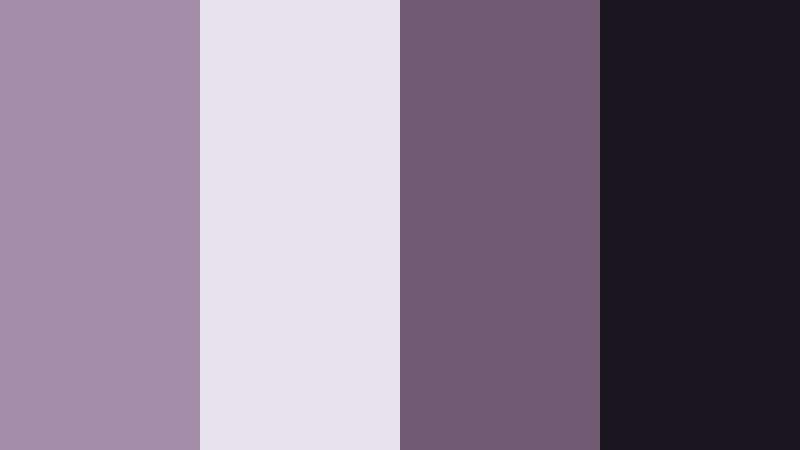
- HEX Codes: #a28fab, #e7e0ed, #6c5b73, #18151f
- Mood: Sophisticated, moody, and creative.
- Use for: Use for studio tour videos, creative portfolios, and cinematic title sequences.
Studio Loft Twilight blends softened Orchid Smoke with deep charcoals for an upscale, creative studio vibe. The palette mirrors the look of an artist loft at blue hour, where soft light hits dark furniture and industrial details.
Use the pale shade (#e7e0ed) as a subtle background for titles and credits, then let the mid Orchid Smoke and dark tones carry text, dividers, and lower thirds. This palette is a strong choice for portfolio videos, editing studio tours, and cinematic title sequences in Filmora, where you want to feel premium but still approachable.
Monochrome Orchid Gradient
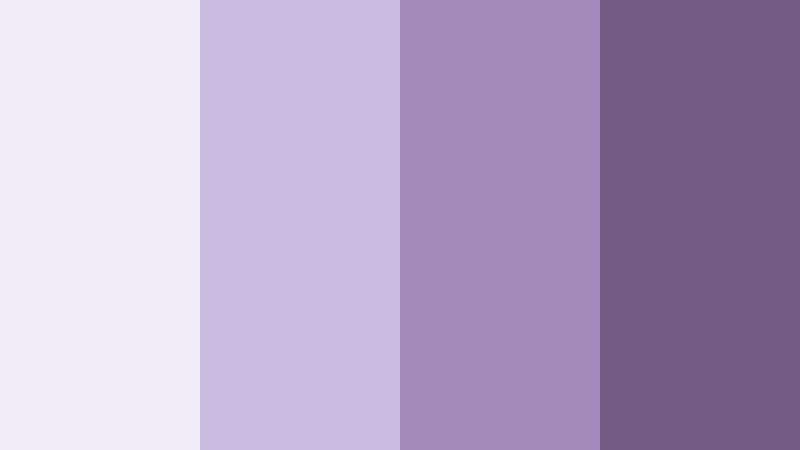
- HEX Codes: #f1ecf7, #cbbadf, #a38abb, #735a83
- Mood: Harmonious, balanced, and quietly luxurious.
- Use for: Use for gradient backgrounds in intros, overlays, and end screens.
Monochrome Orchid Gradient takes you from the lightest whisper of lavender to a rich, smoky purple in four smooth steps. Because it stays within a single hue family, the palette feels extremely cohesive and luxurious without any harsh contrasts.
In Filmora, this is perfect for creating on brand gradient backgrounds in intros, lower third plates, and end screens. Blend the lightest and mid tones for subtle vertical or radial gradients, then use the darkest shade for hero titles and outline strokes. It also works well as a color base for animated backgrounds behind your logo or subscribe prompts.
Slate And Orchid Contrast
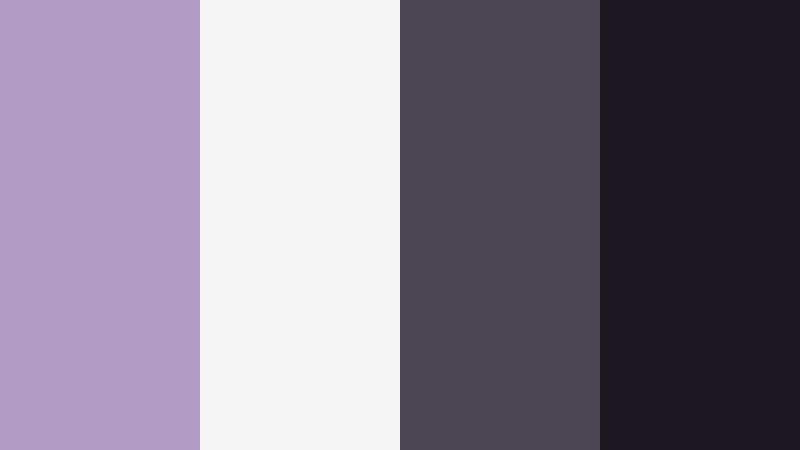
- HEX Codes: #b29cc6, #f5f5f5, #4a4653, #1b1822
- Mood: Edgy, premium, and confident.
- Use for: Use for fashion edits, product hero shots, and bold thumbnail frames.
Slate And Orchid Contrast frames soft Orchid Smoke with cool slates and inky charcoals. It has that editorial magazine feel where muted color meets crisp black and white design. The result is bold but still tasteful, ideal for high end branding.
Use the nearly white tone (#f5f5f5) as a clean canvas, then drop in Orchid Smoke accents around models, products, or UI mockups. The deep slate and charcoal shades create strong frames, dividers, and text treatments in Filmora. This palette is great for fashion edits, product hero scenes, and thumbnails that need to stand out in a crowded feed while staying premium.
Glass Tower Haze

- HEX Codes: #c4b6d4, #e5e7f2, #93a0ba, #344056
- Mood: Corporate, futuristic, and lightly atmospheric.
- Use for: Use for corporate reels, pitch decks, and high tech UI reveals.
Glass Tower Haze mixes Orchid Smoke with cool, glassy blues and soft neutrals. It feels like a high rise cityscape on a misty morning, making it perfect for corporate or tech content that still wants a creative, atmospheric edge.
Use the pale blue gray (#e5e7f2) as a background for stats and infographics in Filmora, while the Orchid Smoke inspired lavender (#c4b6d4) becomes your key accent color for icons and progress bars. The deeper blue gray (#344056) works well for strong headings and call to action banners in both video and thumbnails.
Moody Cinematic Orchid Smoke Color Palettes
Noir Orchid Alley
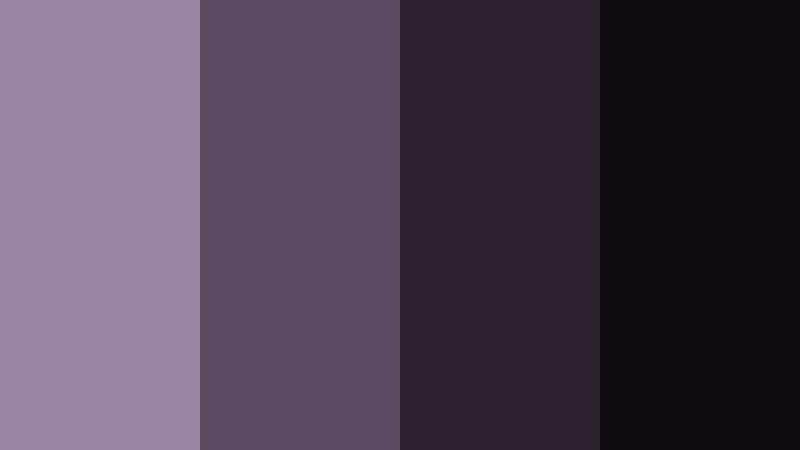
- HEX Codes: #9a85a4, #5c4a63, #2c222f, #0f0b11
- Mood: Dark, cinematic, and suspenseful.
- Use for: Use for short films, thriller teasers, and dramatic title cards.
Noir Orchid Alley takes Orchid Smoke into a darker, more mysterious world. Shadowy plums sit beside inky blacks, creating a moody atmosphere that feels perfect for noir style scenes, mystery stories, or intense emotional edits.
Use the mid Orchid Smoke tone (#9a85a4) for subtle light leaks, text glows, or accent shapes, while the deep purples and blacks form your background and shadow structure. In Filmora, this palette suits thriller teasers, dramatic title cards, and any project where you want cinematic tension without relying on pure grayscale.
Midnight Lavender Fog
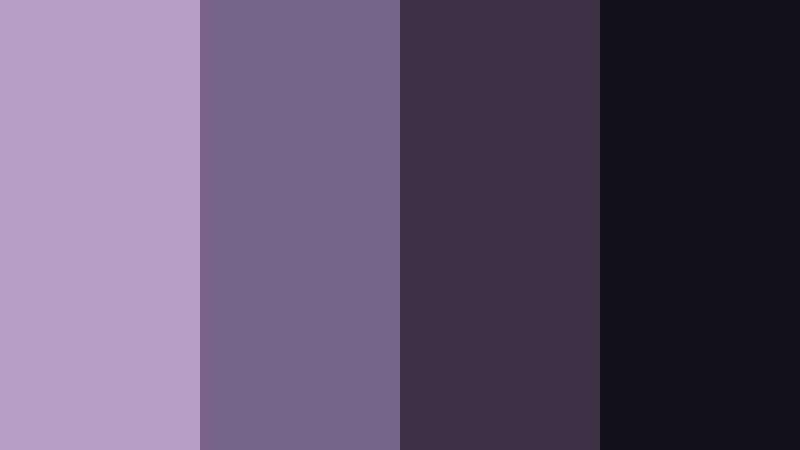
- HEX Codes: #b5a0c5, #776489, #3b3046, #111018
- Mood: Eerie, dreamy, and otherworldly.
- Use for: Use for dream sequences, sci fi shorts, and ambient music visuals.
Midnight Lavender Fog melts misty Orchid Smoke into deep ink tones. It feels like walking through fog under a purple night sky, slightly eerie but also hypnotic. The palette is well suited to surreal or experimental visuals.
Apply the lighter lavender as a haze overlay in Filmora by using blend modes and lowered opacity, then keep the dark purples and near black shades as your base. This combination works well for dream sequences, sci fi shorts, ambient music visuals, and looping background animations for live streams.
Stormcloud Orchid Drift
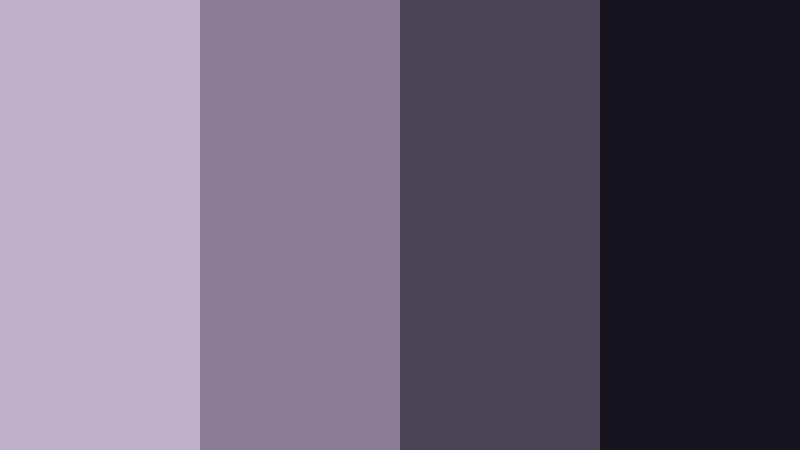
- HEX Codes: #c0b1c8, #8c7c96, #4b4356, #15141c
- Mood: Brooding, slow burning, and introspective.
- Use for: Use for reflective travel vlogs, rainy day edits, and lyric videos.
Stormcloud Orchid Drift combines stormy neutrals with smoky Orchid tones, like thunderclouds rolling in at dusk. It carries a slow burning, introspective feeling that is ideal for emotional storytelling and reflective content.
Use the lighter grays and Orchid Smoke hues as an overall wash in your color grade, then let the deeper tones handle borders, bars, and typography. In Filmora, this palette can give travel vlogs, rainy day edits, and lyric videos a cohesive moody atmosphere that still feels soft and thoughtful rather than harsh.
Playful And Pastel Orchid Smoke Color Palettes
Candy Cloud Orchid
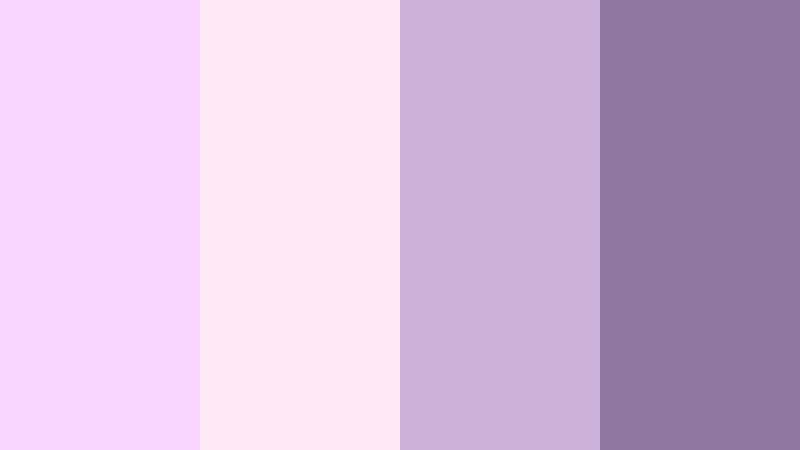
- HEX Codes: #f8d6ff, #ffe9f7, #cbb0d8, #8f77a0
- Mood: Playful, sugary, and youthful.
- Use for: Use for lifestyle vlogs, K pop inspired edits, and fun channel art.
Candy Cloud Orchid swirls cotton candy pastels around a grounded Orchid Smoke accent. The palette feels bubbly and sweet, but the muted purple keeps it from becoming too childish. It is a perfect match for upbeat, youth focused content.
Use the palest tones for full backgrounds and shape animations, while the mid Orchid Smoke hue (#cbb0d8) can highlight stickers, badges, and animated elements in Filmora. The darkest shade (#8f77a0) anchors titles and call to action text so they stay readable in thumbnails, intros, and YouTube banners.
Bubble Tea Orchid Mix
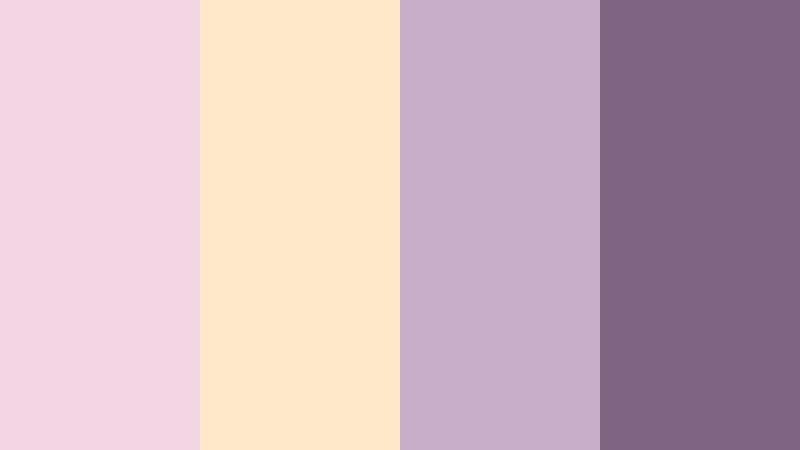
- HEX Codes: #f2d7e2, #ffe6c7, #c8aec8, #7e6683
- Mood: Cozy, sweet, and casually fun.
- Use for: Use for cafe vlogs, study with me videos, and cozy branding.
Bubble Tea Orchid Mix pairs milky pinks and creamy beige with Orchid Smoke accents, echoing the look of a pastel bubble tea shop. It feels cozy and casual but still polished enough for on screen branding and overlays.
Use the warm beige (#ffe6c7) as a base for your titles and lower thirds, then sprinkle in the Orchid Smoke tones (#c8aec8 and #7e6683) for icons, outlines, and text. This palette fits perfectly with cafe vlogs, study with me videos, and any channel that wants a soft, inviting aesthetic across intros, thumbnails, and end cards in Filmora.
Tips for Creating Orchid Smoke Color Palettes
Orchid Smoke is flexible, but it works best when you balance its subtle purple gray tones with smart contrast, clear typography, and consistent use across all parts of your video and brand assets. Here are practical tips for building your own palettes around it.
- Pair Orchid Smoke with a true light neutral (soft white or pale gray) to keep your designs airy and ensure body text or UI elements remain readable.
- Add at least one deep accent color (charcoal, navy, or deep plum) so titles, icons, and call to action buttons stand out against pastel backgrounds.
- When grading footage, push midtones gently toward Orchid Smoke while keeping skin tones natural by adjusting HSL rather than globally tinting the whole frame.
- Use Orchid Smoke for secondary elements like frames, overlays, and shadows, and reserve bolder colors or pure white for key text so mobile viewers can read easily.
- Test your palette on thumbnails, intro cards, and lower thirds side by side to check that the look feels consistent and on brand across your whole channel.
- In Filmora, save your favorite color settings as presets or custom LUTs so every new project can instantly match your Orchid Smoke aesthetic.
- Combine Orchid Smoke with small pops of complementary hues (muted peach, soft teal, or warm beige) for interest, but keep those accents limited so the palette still feels cohesive.
- Always preview on different screens and brightness levels to make sure your soft Orchid Smoke tones do not become too washed out or too dark for real viewers.
Used thoughtfully, Orchid Smoke color palettes can shape the entire mood of your content, from dreamy romance and moody cinema to clean tech branding and playful pastels. By choosing a palette that fits your story and applying it consistently, you create a recognizable visual identity that helps viewers remember your channel or brand.
Filmora makes it easy to bring these palettes to life, whether you are color grading footage, designing lower thirds, or building animated intros and end screens. Try a few of the palettes above as starting points, then fine tune them inside Filmora until they feel like your own signature Orchid Smoke style.
Once you have a look you love, reuse it across thumbnails, Reels, Shorts, and long form videos so your presence feels unified wherever people discover you.
secure downloadNext: Purple Ash Color Palette
