

 100% Security Verified | No Subscription Required | No Malware


 ChatGPT
 Perplexity
 Gemini
 Claude
 Grok
Grok
Outdoor Video Filters for Reels: Cinematic Adventure Grades is a dedicated preset set designed to help Reels creators and outdoor videographers instantly give their clips a cinematic, adventure-ready look. Whether you are filming hikes, city explorations, or travel vlogs, the right filter can turn simple shots into scroll-stopping visuals.
Below you will find a curated collection of outdoor video filters for Reels with clear guidance on which styles to use for Instagram Reels outdoor content and adventure reels, plus quick editing tips to ensure your footage looks polished and consistent.
In this article
Warm Golden Hour and Sunset Outdoor Filters
Sunset Trail Glow
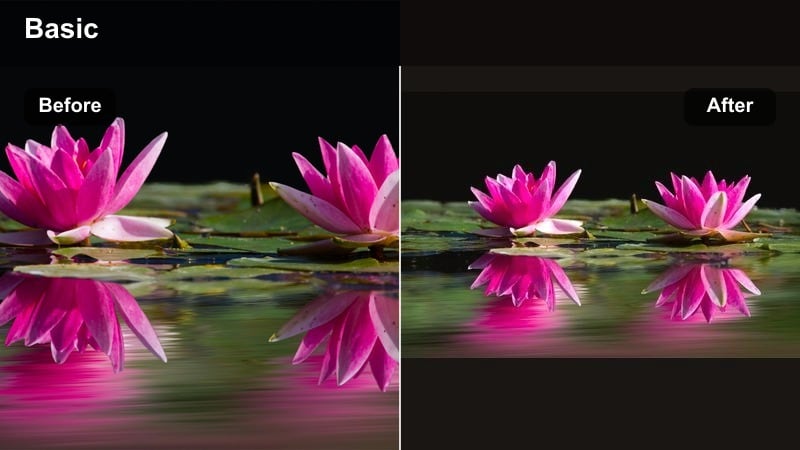
- Effect look: Warm, soft contrast with gentle halation on highlights to mimic a glowing sunset
- Best for: Golden hour hikes, beach walks, and romantic outdoor Reels with backlit subjects
- Editing tip: Lower the filter intensity to around 60–70 percent and slightly reduce saturation on skin tones to avoid overly orange faces.
Sunset Trail Glow is tailored for creators who love shooting during golden hour but want that extra cinematic glow that stands out on Instagram Reels. It gently boosts warmth and softens contrast so the sun looks diffused and dreamy instead of harsh, while halation around highlights adds a film-like bloom to the brightest parts of your frame.
In Filmora, apply Sunset Trail Glow as your primary outdoor video reels filter, then fine-tune intensity on the Effects panel so your landscapes stay vibrant but skin tones remain believable. Combine it with slow-motion walking shots, lens flares, and backlit silhouettes to create atmospheric, romantic adventure reels that feel like scenes from a movie.
AI-powered color matching for outdoor Reels
Filmora can analyze your outdoor footage and automatically match colors across clips so every filter in the Outdoor Video Filters for Reels: Cinematic Adventure Grades pack looks consistent. This is perfect when your Reel jumps between locations, angles, or slightly different times of day.
Use AI color matching to unify clips shot in changing weather, then layer your favorite outdoor video filters for Reels on top for a polished, cinematic finish without manual color balancing on every shot.
 secure download

See outdoor filters in action on real Reels footage
Import sample clips or your own adventure reels into Filmora and quickly preview each outdoor preset to find the best match for your shooting style. You can instantly see how different grades react to skin tones, skies, foliage, and city textures before committing.
Toggle between filters like Evergreen Expedition, Azure Coastline Clean, and Night Market Cinema to compare how each look transforms the same scene and decide which one fits your current Reel concept and music.
secure download1000+ Video Filters and 3D LUTs
Beyond this outdoor video reels filter collection, Filmora includes hundreds of cinematic filters, creative overlays, and 3D LUTs you can stack to build a unique adventure look. Whether you prefer bold teal-and-orange or soft pastel travel tones, there is a preset combination that matches your brand.
Start with an adventure reel LUT as your base, then lightly blend additional Filmora filters to refine greens, blues, and skin tones. Saving your favorite combinations as custom presets lets you apply your signature grade to every new Reel in seconds.
secure downloadGolden Ridge Cinema
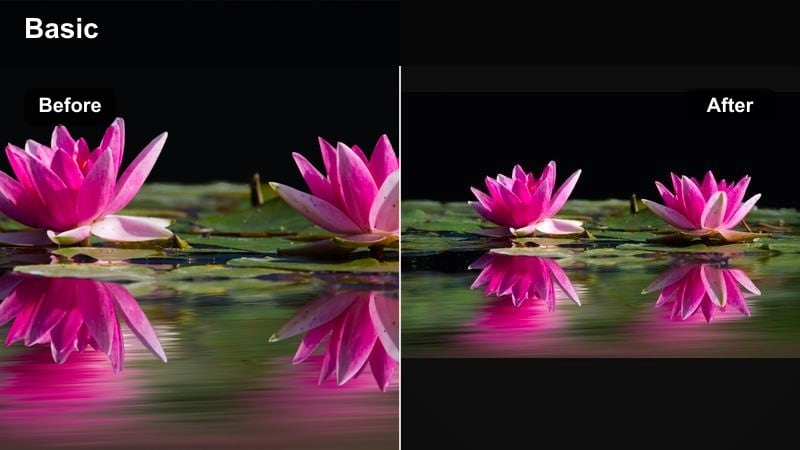
- Effect look: Cinematic contrast with rich golden highlights and slightly desaturated shadows
- Best for: Adventure reels featuring mountain ridges, cliff edges, and sweeping landscape panoramas shot near sunset
- Editing tip: Add a subtle vignette after applying the filter to pull focus to your subject and emphasize depth in wide outdoor frames.
Golden Ridge Cinema is built for dramatic, wide-open landscapes where the sun skims across peaks and cliffs. It enriches golden highlights while gently desaturating the shadows, giving your footage the depth and drama of a feature film without overpowering natural colors.
In Filmora, apply Golden Ridge Cinema to your ridge-line shots and long panning views, then add a light vignette from the Effects or Color tools to naturally guide the viewer toward your subject. Pair it with slow, deliberate camera moves and a slightly slower music track to let the contrast and detail shine in your Instagram Reels outdoor content.
Amber City Wander
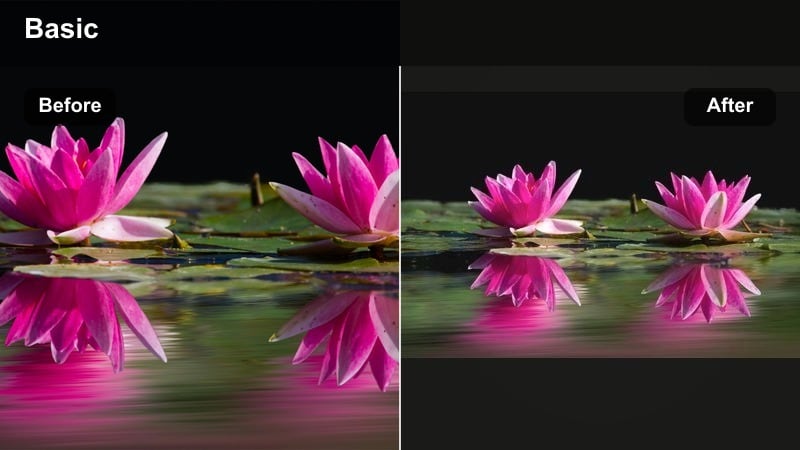
- Effect look: Warm amber midtones with gentle fade in blacks for a soft urban travel feel
- Best for: City strolls, cafe hopping, and casual travel lifestyle Reels shot outdoors in late afternoon
- Editing tip: Combine this filter with a slight slow-motion or speed ramp to emphasize motion between city scenes while maintaining a cozy tone.
Amber City Wander is ideal for lifestyle and travel creators who want their city footage to feel cozy, nostalgic, and inviting. It wraps your midtones in a gentle amber hue while slightly fading the blacks, softening harsh edges and giving streets, cafes, and storefronts a relaxed, photo-diary atmosphere.
Inside Filmora, drop Amber City Wander onto your walking b roll clips, coffee shots, and street transitions, then refine contrast and saturation if your brand leans more muted or bold. Use gentle speed ramps between clips to highlight transitions from one location to another, keeping your entire Reel tied together by the same warm, amber signature.
Forest, Trail, and Adventure Reels Filters
Evergreen Expedition
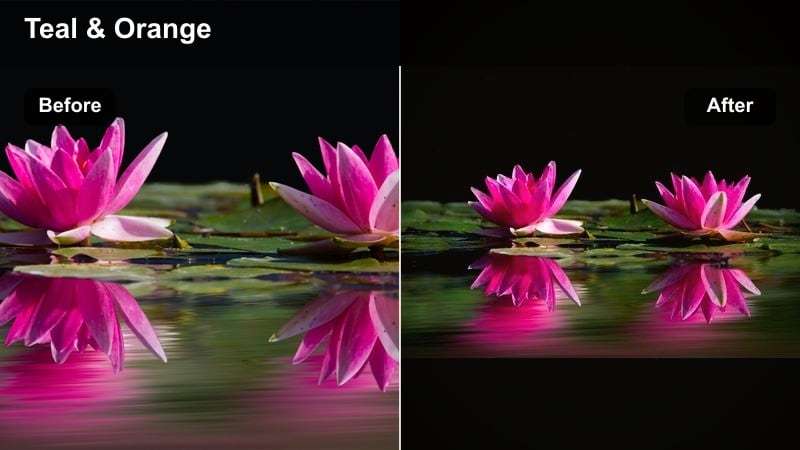
- Effect look: Rich greens with lifted shadows and a slight teal push in foliage for an adventurous reel LUT style look
- Best for: Forest hikes, camping trips, waterfall shots, and drone passes over dense trees
- Editing tip: Dial down the green saturation if moss, grass, or trees start to look neon, and add a hint of clarity for extra texture in leaves.
Evergreen Expedition is tailored for dense forests and nature-heavy adventure reels, turning ordinary greens into rich, cinematic tones with a subtle teal influence. Lifted shadows help preserve detail in darker areas like tree trunks and undergrowth, making your trails and campsites feel deep and three-dimensional.
In Filmora, use Evergreen Expedition on hiking, camping, and waterfall clips, then tune HSL or Vibrance to keep foliage from becoming too electric on bright days. A small boost in clarity and sharpness adds texture to leaves and branches, giving your viewers the tactile feel of being on the trail with you.
Trail Dust Adventure
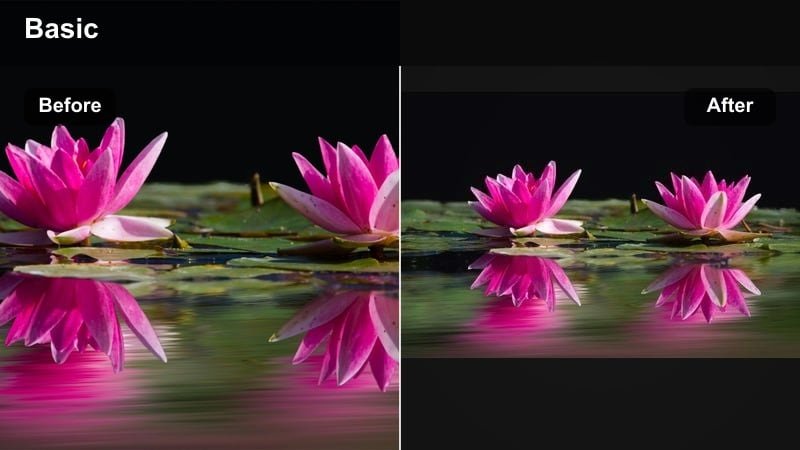
- Effect look: Muted greens, warm browns, and slightly grainy texture for a rugged, documentary-style feel
- Best for: Off-road biking, rocky trail runs, desert hikes, and rugged outdoor b-roll sequences
- Editing tip: Boost contrast slightly and reduce sharpening to let the subtle grain and muted palette create the gritty adventure mood.
Trail Dust Adventure emphasizes the grit and texture of wild terrain, favoring muted greens and warm earth tones to give your footage a grounded, documentary-style character. The light grain overlay adds a tactile feel that works especially well with fast-moving shots of bikes, boots, and rocky paths.
Apply this filter in Filmora to action-focused adventure reels where dust, rocks, and gear are key storytelling elements. After adding the filter, slightly raise overall contrast and ease off on sharpening so the grain remains natural, then cut between wide environmental shots and close-up texture details to fully immerse viewers in your rugged outdoor journey.
Misty Forest Cinematic
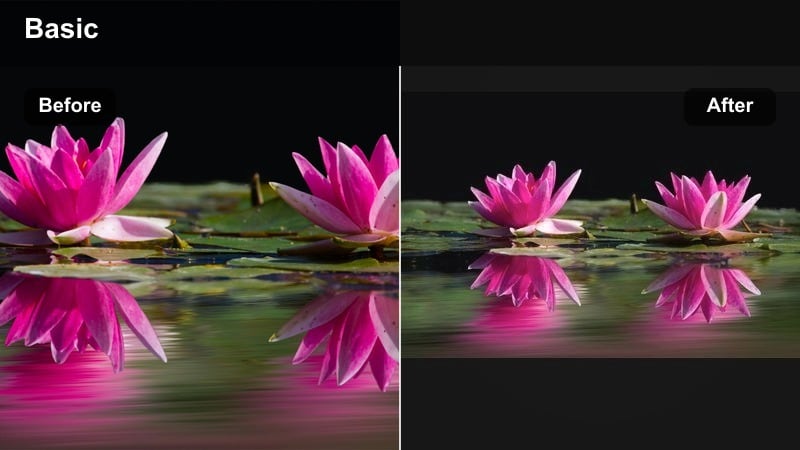
- Effect look: Cool, misty tones with low contrast and soft highlights for an ethereal forest atmosphere
- Best for: Foggy mornings, riverbanks, slow hikes, and moody storytelling Reels in wooded areas
- Editing tip: Lower contrast even more and add a slow zoom or dolly effect in editing to enhance the dreamy, floating feeling.
Misty Forest Cinematic turns fog, drizzle, and soft light into a storytelling advantage, cooling your color palette and rolling off highlights for a gentle, hazy mood. The low contrast helps distant trees and hills subtly blend into the background, creating depth that feels perfect for reflective or narrative-driven adventure reels.
In Filmora, use this filter on slow pans along trails, river shots, or drone passes through low clouds. Stack it with subtle zoom-in keyframes or slow push movements, and choose mellow, atmospheric music to match the dreamy aesthetic for Instagram Reels outdoor content that feels peaceful and introspective.
Coastal, Sky, and Wide-Open Outdoors Filters
Azure Coastline Clean
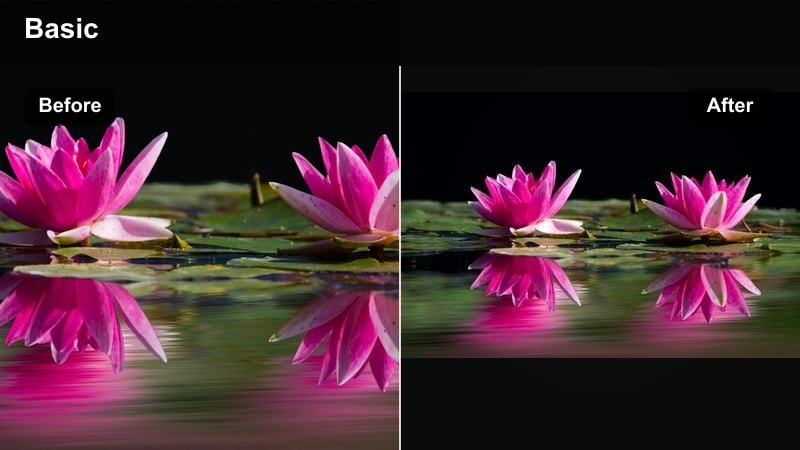
- Effect look: Clean, crisp blues with bright whites and gentle skin tone protection
- Best for: Beach days, ocean jumps, cliffside views, and outdoor Reels with bright blue skies
- Editing tip: Slightly decrease exposure and increase saturation after applying the filter to keep skies rich without losing highlight detail.
Azure Coastline Clean is designed for creators who love bright, sunny beach content but want to avoid washed-out skies and blown highlights. It sharpens and deepens blues while keeping whites clean and skin tones protected, so both the ocean and your subject look their best in a single grade.
In Filmora, drop this filter on clips featuring water, horizon lines, or open blue skies, then nudge exposure down a touch if you shot in harsh midday light. A small boost in saturation enhances the coastal vibe, helping your Reels outdoor filter work beautifully across swimming, sunbathing, and cliff-jumping shots.
Sun Chaser Adventure
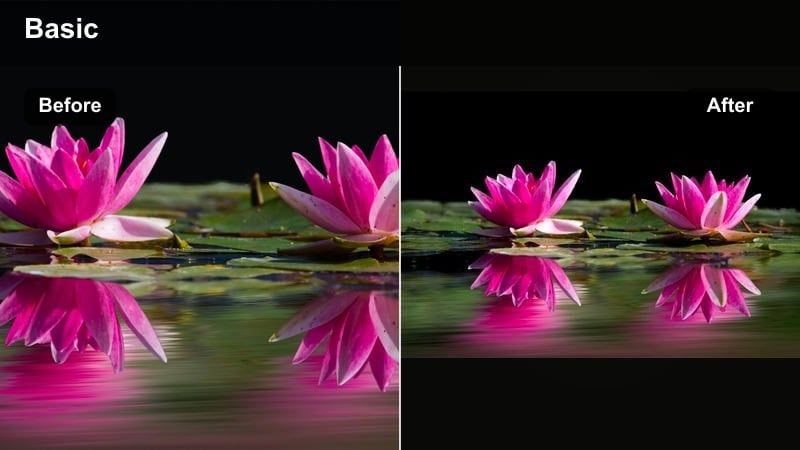
- Effect look: Punchy contrast with vibrant blues and warm highlights for energetic adventure reels
- Best for: High-energy clips like cliff jumping, surfing, snowboarding, or running in open fields under bright sun
- Editing tip: Use faster cuts and rhythmic music when you apply this filter to match the bold, high-contrast look on screen.
Sun Chaser Adventure brings high-energy outdoor action to life with strong contrast, deep blues, and punchy warm highlights. It is ideal for adrenaline-heavy reels where movement and excitement are the focus, helping every splash, jump, and turn feel more dramatic and impactful.
Within Filmora, apply this filter to your fastest action clips, then cut on the beat of your soundtrack to complement the bold visuals. If highlights look too strong, pull exposure down slightly or reduce filter intensity, ensuring your outdoor video reels filter keeps details in bright skies, snow, and water intact.
Cloud Drift Soft
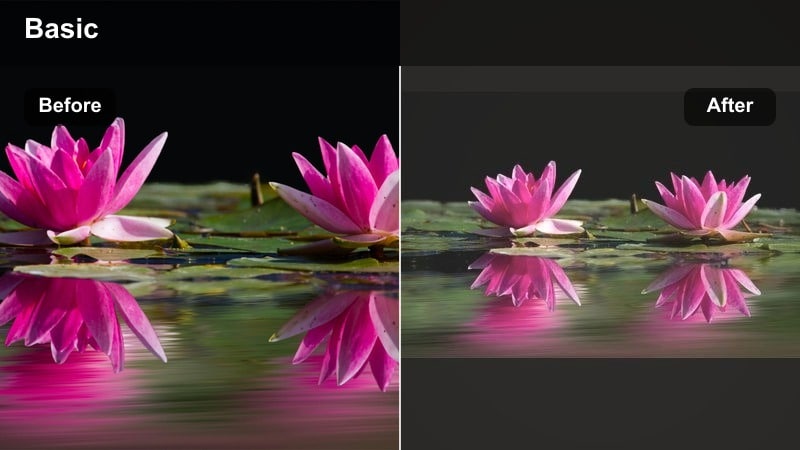
- Effect look: Soft pastel blues and gentle highlights with a slight fade for a dreamy sky aesthetic
- Best for: Aerial shots, drone passes over mountains or coastlines, and calm outdoor Reels with big skies
- Editing tip: Slow your clips down and add light, ambient music to match the pastel, floating mood created by the filter.
Cloud Drift Soft is a subtle, pastel-focused filter that turns sky-heavy compositions into smooth, dreamy visuals. It lightly fades contrast and brightens highlights so clouds look soft and painterly, making it perfect for scenic openers, establishing shots, and transitions.
In Filmora, pair this look with slowed-down drone footage or wide tripod shots of mountains, coastlines, or fields under expansive skies. Add simple cross dissolves or fade transitions between clips, and choose airy background audio so your Instagram Reels outdoor content feels calm and cinematic from the first frame.
Cinematic Outdoor Reels and Neutral Everyday Filters
Cinema Travel Neutrals
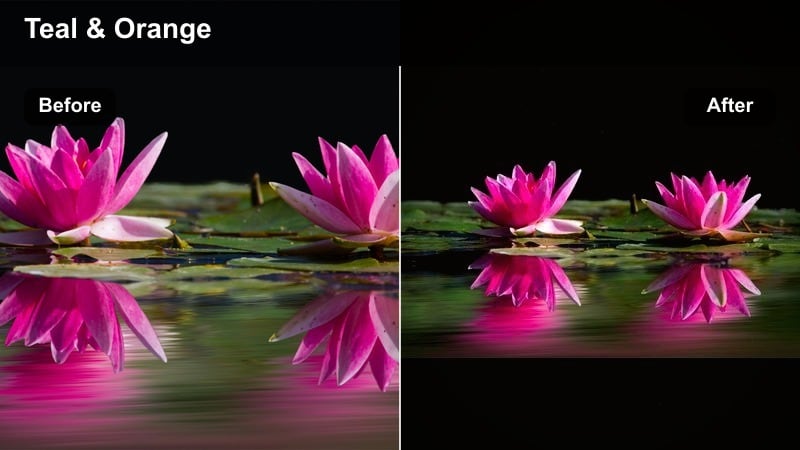
- Effect look: Balanced contrast with subtle teal and orange split for classic cinematic travel vibes
- Best for: Mixed lighting travel Reels, street scenes, and outdoor clips where you move between sun and shade
- Editing tip: Keep the filter intensity around 50 percent and tweak white balance shot by shot to maintain consistent color across a full Reel.
Cinema Travel Neutrals gives you that familiar teal-and-orange cinema look without overpowering your footage, making it a versatile choice for travel creators constantly moving between different lighting environments. It balances contrast and color so skin tones stay flattering while backgrounds gain a gentle cinematic separation.
Apply this filter across your full Reel in Filmora as a base grade, then adjust white balance for each clip to keep the overall color story cohesive. Once you have a consistent foundation, you can add local tweaks like vignettes or exposure adjustments to highlight key scenes without breaking the cinematic flow.
Adventure Docu Neutral
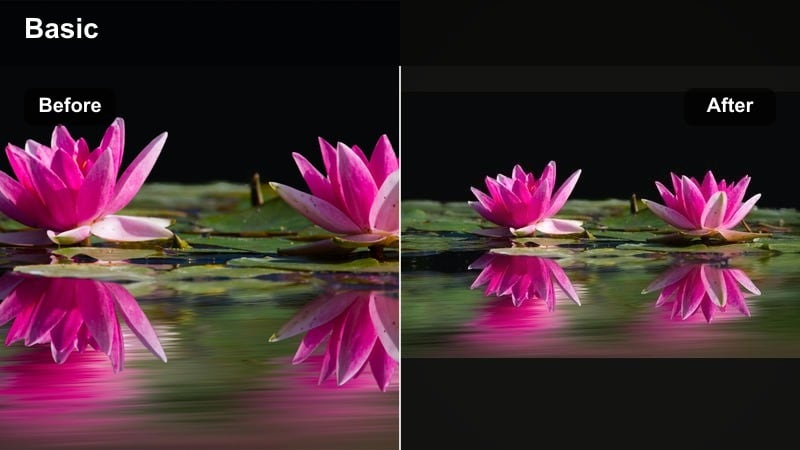
- Effect look: Natural colors with lifted shadows and gentle highlight roll-off for a documentary-style outdoor aesthetic
- Best for: Talking-to-camera vlogs, gear reviews, and story-driven adventure reels shot in natural light
- Editing tip: Use minimal sharpening and add subtitles or on-screen graphics so the clean, neutral grade supports your story instead of distracting from it.
Adventure Docu Neutral focuses on accuracy and clarity, preserving true-to-life color while still adding a subtle cinematic polish. Lifted shadows and smooth highlights keep detail visible on your face and in the background, making it perfect for outdoor vlogs and storytelling Reels where communication matters as much as scenery.
In Filmora, use this filter on your A-roll talking segments and close-ups so viewers connect directly with you and your gear. Keep additional color tweaks minimal and rely on clean titles, lower thirds, and captions to provide structure, ensuring the neutral grade enhances your message rather than competing with it.
Night Market Cinema
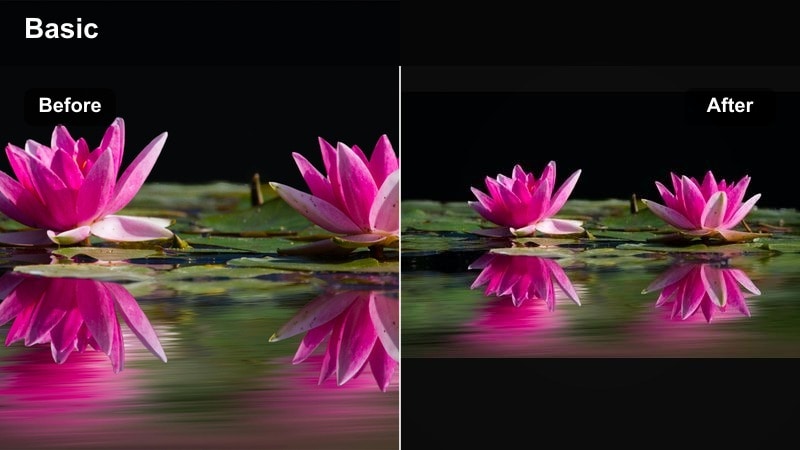
- Effect look: Deep contrast, saturated neon colors, and lifted shadows for cinematic low-light outdoor scenes
- Best for: Night markets, city lights, campfires, and moody evening adventure reels
- Editing tip: Reduce noise with a light denoise pass, then increase local contrast to make lights pop without crushing dark areas completely.
Night Market Cinema is optimized for low-light outdoor scenes where lamps, neon signs, and string lights create the main mood. It saturates colorful highlights while lifting shadows just enough to preserve detail, resulting in nighttime footage that feels rich and cinematic instead of muddy or noisy.
In Filmora, start with a gentle noise reduction on your night clips, then apply Night Market Cinema to bring out color and contrast. Avoid pushing exposure too high; instead, let the darkest areas stay moody while using the filter to make key light sources and warm glows around faces stand out in your evening adventure reels.
Tips for Using Outdoor Video Reels Filter Filters in Filmora
- Shoot with consistent frame rate and exposure so your outdoor filters apply evenly across all clips in a Reel.
- Create a short test Reel using three or four locations and try different filters on each to see which style fits your brand.
- Adjust filter intensity first before changing individual color settings to keep your workflow fast and simple.
- Use different filters for intros, main action, and outros to subtly guide viewer emotion through your adventure story.
- Export a high-quality version of your Reel from Filmora and let Instagram handle only minimal compression.
- Save your favorite outdoor filter combinations as custom presets in Filmora so you can apply your signature look in one click.
- Match music and pacing to the mood of each filter, using calm tracks for soft grades and energetic beats for high-contrast looks.
- Crop and frame your shots in Filmora for vertical viewing, ensuring your subject stays centered when you publish to Reels.
Outdoor video filters for Reels can quickly elevate your Instagram outdoor content from casual clips to cinematic adventure stories, all without complex color grading knowledge.
Experiment with warm sunset looks, rich forest tones, clean coastal palettes, and neutral cinematic styles until you find a small set of presets that define your signature outdoor reel aesthetic.
secure download