

 100% Security Verified | No Subscription Required | No Malware


 ChatGPT
 Perplexity
 Gemini
 Claude
 Grok
Grok
Warm TikTok video filters instantly add golden light, cozy shadows, and inviting color to your clips, turning everyday moments into cinematic, scroll-stopping posts.
Whether you are filming sunset edits, vibey cafe content, or dreamy summer vlogs, these Filmora filter ideas will help travel creators, food vloggers, and lifestyle influencers give every scene a glowing, sun-kissed finish.
In this article
Golden Hour Street & Travel Moments
Sunset Glow Trails
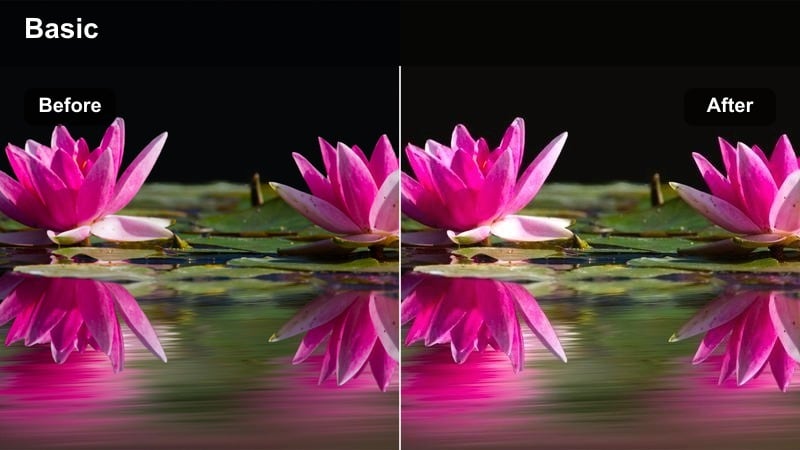
- Effect look: Soft golden wash with lifted shadows and a subtle orange tint in the highlights.
- Best for: Handheld walk-throughs of city streets, boardwalks, and travel transitions shot at golden hour.
- Editing tip: Reduce contrast slightly and add a mild vignette to keep attention on the brightest part of the frame.
In Filmora, a Sunset Glow Trails style filter adds a warm, uniform wash that makes city walks and travel B-roll feel dreamy and cinematic. Lifting the shadows keeps detail in darker alleys and doorways, while a gentle orange push in the highlights turns standard streetlights and sky reflections into glowing accents that look perfect on TikTok.
Apply this look on clips where the sun is low and hitting buildings from the side, then fine-tune with Filmora color controls to balance warmth and saturation. Use keyframed vignettes or masks to subtly darken the frame edges so the viewer naturally locks onto your subject as they move through the streets, perfect for walk-and-talk or outfit transition videos.
Use AI Color Tools to Lock in a Warm TikTok Aesthetic
Filmora AI color tools can analyze a reference warm TikTok clip and automatically adapt your footage so the golden tones, highlights, and shadows feel consistent from shot to shot. This is ideal when you mix different cameras or locations but still want one cohesive aesthetic on your profile.
Once you get a golden-hour style you love, save it as a preset so you can apply it to fresh travel walks, cafe B-roll, and summer vlogs in a few clicks instead of rebuilding your grade every time.
 secure download

Preview Warm Filters in Real Time Before You Post
Filmora lets you stack multiple warm filters on a single TikTok clip and scrub the timeline in real time, so you can see exactly how skin tones, windows, and skies react as the light changes. You can quickly compare soft sunset looks against rich amber city vibes without rendering.
Test several warm presets side by side on different tracks, toggle their visibility, and adjust intensity until the mood matches your story, whether that is fast-paced travel, cozy cafe talk, or moody night walks.
secure downloadSave Warm Looks as LUTs for Faster Future Edits
When you create a warm look that perfectly fits your TikTok aesthetic, you can turn that grading into a reusable preset or LUT-style effect in Filmora. That way, every new vlog, reel, or short can instantly match your golden tone without redoing the color work from scratch.
This is especially useful for travel and daily vlog creators who publish often and want a recognizable, on-brand warm style that followers recognize the moment a new clip appears on their For You page.
secure downloadCity Haze Amber
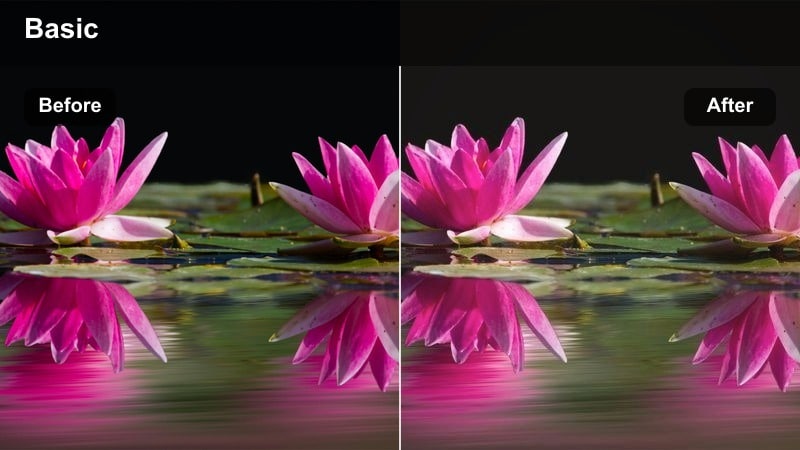
- Effect look: Muted contrast with an amber haze that wraps around buildings and sky.
- Best for: Slow pans across skylines, rooftop hangs, and travel b-roll with backlit streets.
- Editing tip: Add a slight fade in the blacks and increase film grain to reinforce an analog, nostalgic city vibe.
Use a City Haze Amber style look in Filmora when you want your skyline and rooftop clips to feel soft, dreamy, and nostalgic. Lower contrast and a hazy amber tone help blend building edges, street lights, and clouds into a cohesive warm atmosphere that suits slow pans and establishing shots.
In the Color and Effects panels, gently fade your blacks and layer in subtle grain to mimic old film stock. Keep camera moves slow and stable so the haze reads as intentional mood, then position these clips at the start or end of your TikTok to frame your story with a cinematic city overview.
Roadtrip Golden Frame
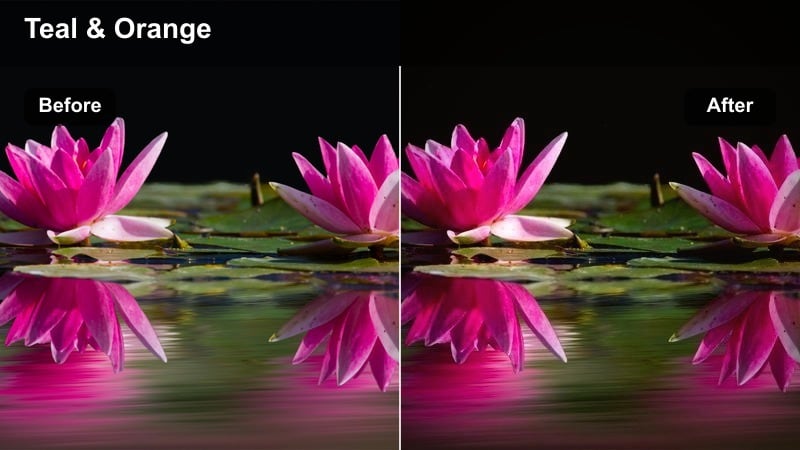
- Effect look: Warm, rich midtones with boosted saturation on oranges and teals for car and sky scenes.
- Best for: POV dashboard shots, highway views, and roadtrip montage transitions.
- Editing tip: Increase motion blur slightly on fast clips and cut on the beat to emphasize the energetic, sun-soaked vibe.
Roadtrip Golden Frame is perfect in Filmora when you want your driving POVs, highway tunnels, and passing landscapes to feel bold and sun-soaked. Rich midtones and enhanced oranges and teals create that classic cinematic travel palette that works especially well during late afternoon drives.
Use HSL controls to subtly punch teal in the sky and guardrails while holding back oversaturated blues so the look stays polished. Combine this filter with beat-synced cuts, motion blur, and quick transitions between signs, lights, and road lines to make your TikTok roadtrip sequences play like mini music videos.
Cozy Cafe Clips & Food Vlog Warmth
Latte Honey Glow
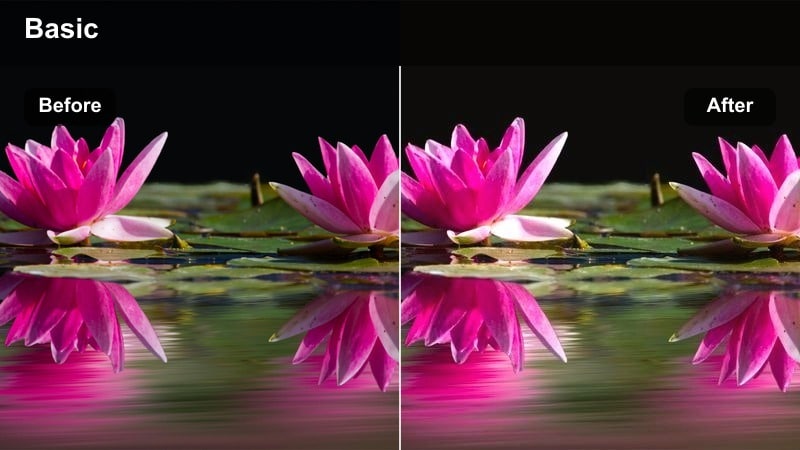
- Effect look: Soft honey tones with warm highlights and desaturated cool colors in the background.
- Best for: Cafe table shots, close-ups of hands, and relaxed storytelling at a window seat.
- Editing tip: Lower sharpness slightly and add a tiny bit of bloom on highlights to enhance the cozy, dreamy atmosphere.
Latte Honey Glow in Filmora brings a gentle honey color to your cafe footage, making coffee cups, pastries, and wood tables appear softer and more inviting. By desaturating cool tones in the background, the filter naturally separates your subject from the rest of the scene and draws attention to the table or storyteller.
Apply this look to clips filmed near windows or warm lamps, then slightly reduce overall sharpness and add a touch of highlight bloom using Filmora effects. This combination gives your TikTok cafe vlogs a dreamy, slow-morning aesthetic that works well with soft voiceovers or ambient sound.
Brunch Sun-Kissed
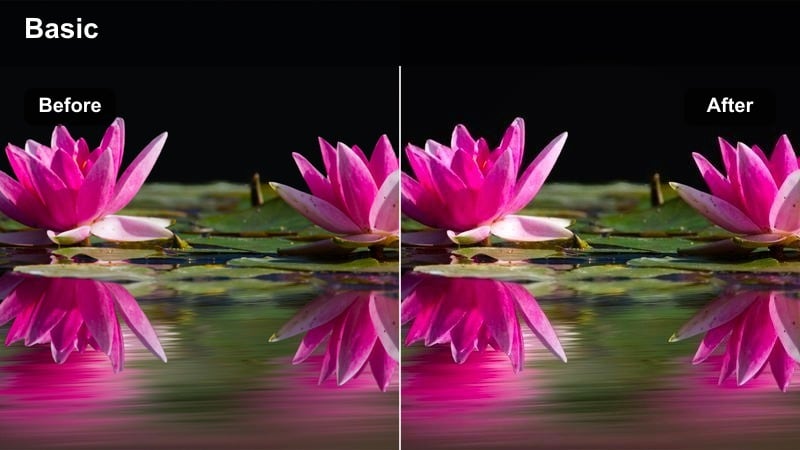
- Effect look: Bright, warm highlights with golden midtones and a slight saturation boost in yellows.
- Best for: Overhead brunch table spreads, toasts, and quick TikTok transitions between dishes.
- Editing tip: Use slight slow motion and tight cuts between angles so the golden filter makes each shot feel like a snapshot of a sunny morning.
Brunch Sun-Kissed is ideal for daylight cafe content and food vlogs that need to feel fresh, airy, and celebratory. In Filmora, the bright highlights and boosted yellows make eggs, bread, drinks, and flowers glow, while still preserving clean whites on plates and napkins when balanced correctly.
Apply this filter to overhead table shots and clinking glasses, then use subtle slow motion and quick angle changes on the timeline. The warm look paired with dynamic cuts turns simple brunch moments into energetic, TikTok-ready sequences that match upbeat music and text overlays.
Midnight Cafe Ember
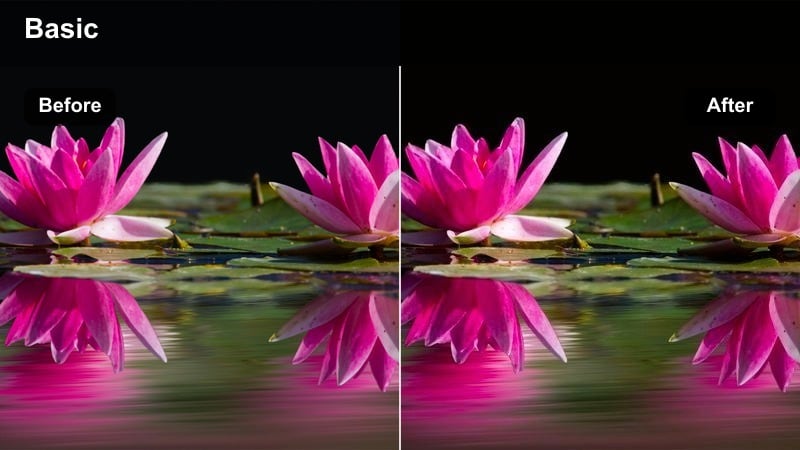
- Effect look: Deep, warm contrast with rich amber shadows and subtle red highlights on practical lights.
- Best for: Nighttime cafe vlog entries, late-night editing sessions, and moody storytelling seated by the bar.
- Editing tip: Crush blacks slightly and add a vignette to make the subject feel wrapped in candlelit warmth while the background fades to dark.
Midnight Cafe Ember works best on low-light cafe corners, laptop sessions, and intimate storytelling clips filmed at night. In Filmora, this look deepens your shadows, adds an ember-like glow to lamps and candles, and creates a pocket of warmth that makes your subject feel safe and isolated from the outside world.
Use this filter on close-ups and mid shots, then gently crush blacks and apply a vignette for extra focus. Add a thin layer of film grain rather than heavy noise reduction so your night footage feels intentional and cinematic, and pair it with quieter soundtracks or voiceovers for late-night TikTok diaries.
Sunny Summer Vlogs & Beach Walks
Beachline Golden Rim
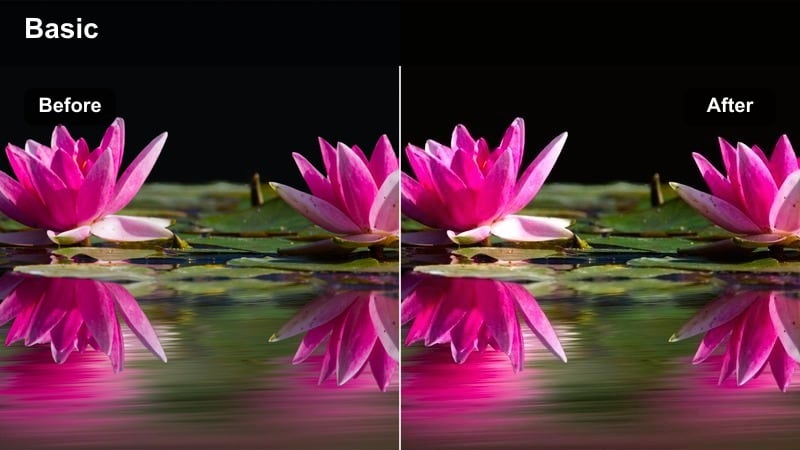
- Effect look: Warm rim light with slightly cooled shadows and boosted saturation in skin and sand tones.
- Best for: Beach walks, shoreline POVs, and cinematic slow-motion waves during sunset.
- Editing tip: Angle your camera toward the sun and keep exposure low so the warm rim light wraps around silhouettes without blowing out the sky.
Beachline Golden Rim is the go-to Filmora look for sunset shoreline content where the sun sits just off frame or behind your subject. The filter enhances the golden edge around silhouettes, boosts the warmth in skin and sand, and keeps shadows a touch cooler so the scene feels dimensional instead of flat.
Angle your camera toward the sun and slightly underexpose before applying this style, then refine exposure and saturation to keep the sky rich and detailed. Use slow motion on footsteps and waves, and consider gentle speed ramps as you turn toward or away from the light to emphasize that warm rim as a storytelling beat in your TikTok edits.
Poolside Sunflare
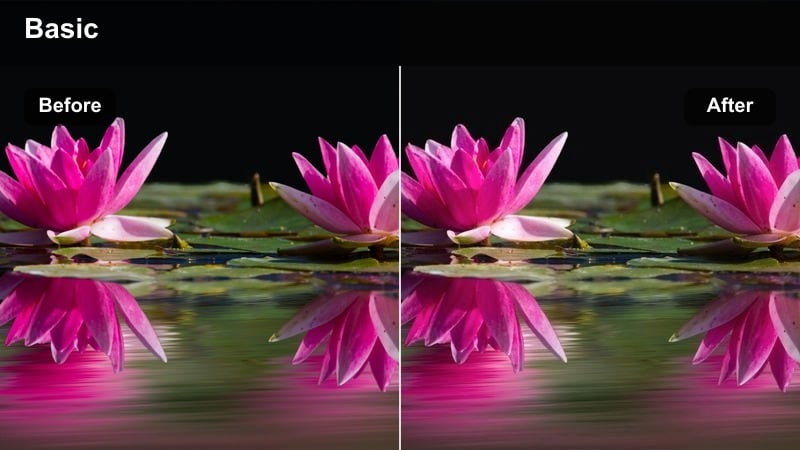
- Effect look: Bright, airy highlights with warm flare streaks and slightly teal water tones.
- Best for: Poolside lifestyle clips, hotel balcony shots, and upbeat summer intros for TikTok vlogs.
- Editing tip: Raise exposure slightly and add a lens flare overlay at the edge of the frame to make the sunlight feel extra punchy.
Poolside Sunflare in Filmora is designed for bright outdoor scenes where your subject is surrounded by water, tiles, and clear skies. The look adds a warm, airy punch to highlights and enhances flare streaks, while nudging water tones toward teal to create a modern, resort-style aesthetic.
Use this filter on pool walks, balcony reveals, and quick outfit transitions, then raise exposure a bit to keep everything feeling light and fun. Layer in Filmora lens flare overlays on corners of the frame and adjust their opacity so the flares amplify real sunlight instead of overpowering your TikTok footage.
Summer Diary Amber Film
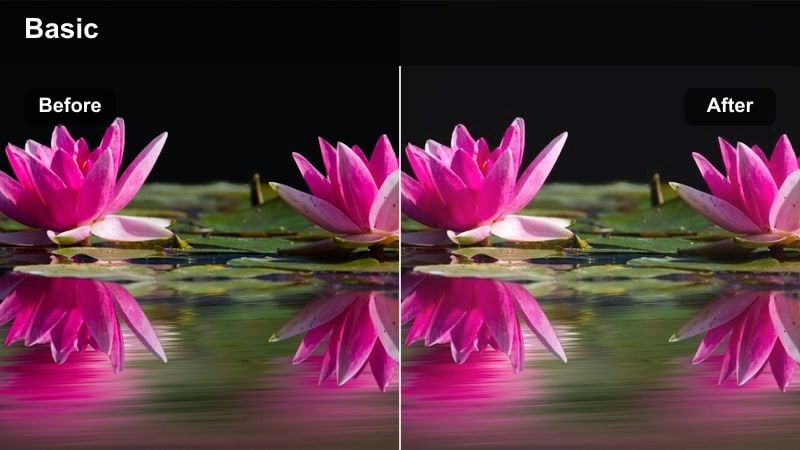
- Effect look: Amber-tinted highlights with a gentle film fade and subtle grain for nostalgic diary-style vlogs.
- Best for: Day-in-the-life summer vlogs, handheld street clips, and candid travel diaries.
- Editing tip: Add soft jump cuts and occasional freeze frames so the warm film look feels like flipping through memory pages.
Summer Diary Amber Film gives your everyday summer recordings a nostalgic diary vibe, with soft amber highlights and a faded, film-like finish. In Filmora, this filter is ideal for handheld street walks, bike rides, and candid interactions where you want the footage to feel like warm, imperfect memories.
Apply a light grain layer, keep contrast moderate, and experiment with jump cuts, freeze frames, and speed changes to make each shot feel like a moment captured in a scrapbook. The combination of warm tones and analog-style imperfections makes your TikTok vlogs feel personal and timeless, even when they are only a few seconds long.
Warm Storytelling Close-Ups & B-Roll Details
Golden Portrait Soft
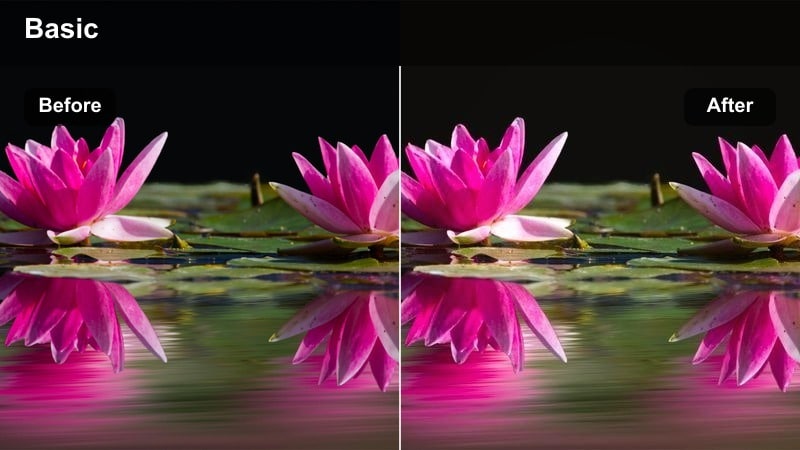
- Effect look: Soft-focus warmth with gentle contrast, flattering skin tones, and warm catchlights in the eyes.
- Best for: Talking-to-camera TikToks, travel storytime, and lifestyle reflections shot indoors or at sunset.
- Editing tip: Keep sharpness low and add a small amount of glow to highlights so faces look naturally lit and cinematic.
Golden Portrait Soft in Filmora is built for talking-to-camera clips where your face, expressions, and eye contact carry the story. It gently warms skin tones, reduces harsh contrast, and adds a subtle glow that makes sunset or window light look even more flattering on TikTok.
Apply this look to your A-roll footage and slightly lower sharpness so texture stays natural rather than clinical. Combine it with shallow depth of field, a clean background, and soft highlight glow, and your storytelling clips will feel cinematic and intimate, even when they are vertical and under 30 seconds.
Hands in the Light
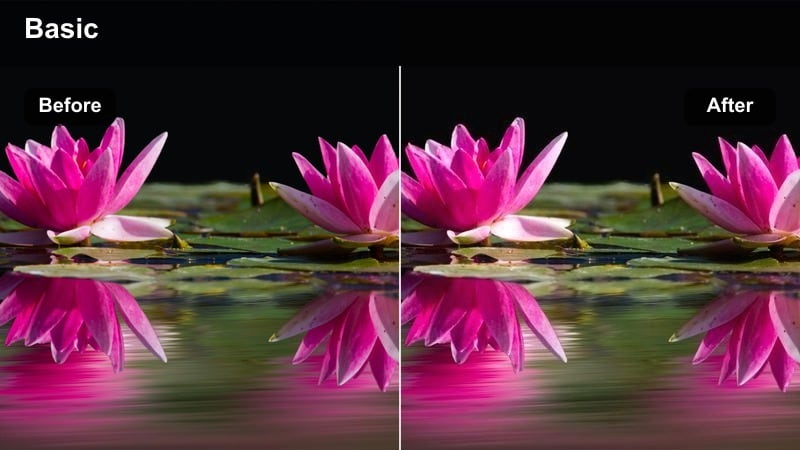
- Effect look: Directional warm beams with boosted highlights and soft falloff on skin and surfaces.
- Best for: Close-ups of hands journaling, scrolling on a phone, packing bags, or interacting with objects in warm light.
- Editing tip: Crop tightly and slow the clip slightly so the filter's warm streaks feel like intentional storytelling details.
Hands in the Light is a Filmora-friendly warm filter for aesthetic B-roll that focuses on gestures and textures instead of faces. It brightens and warms directional light, emphasizing the streaks and patches of sun that fall across hands, notebooks, devices, and objects on your desk or table.
Use this look on tight close-ups, cropping in vertically for TikTok, and slow your footage slightly so the viewer can appreciate small movements. Shoot through blinds or railings to create natural patterns, then let the filter exaggerate those warm shapes as abstract, cinematic cutaway shots between your main scenes.
Room Corner Golden Fade
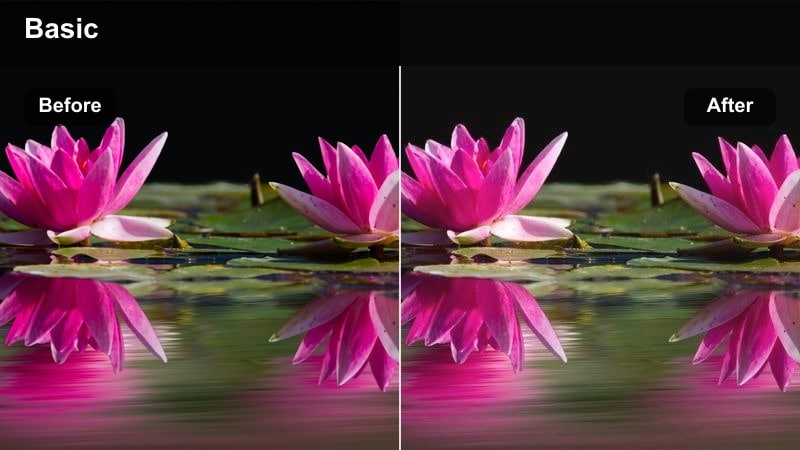
- Effect look: Warm gradient from bright window light to soft, faded shadows in the back of the room.
- Best for: Interior lifestyle shots, workspace tours, and slow pans across your filming setup.
- Editing tip: Pan slowly from the brightest corner to the darkest so viewers feel the full transition of warmth across the frame.
Room Corner Golden Fade gives your interior shots a smooth transition from bright, sunlit windows to calm, cozy shadows deeper in the room. In Filmora, this filter works especially well for workspace tours, room reveals, and static B-roll that sets the mood before you appear on screen in a TikTok.
Place this effect on clips where light falls strongly on one side of the frame, then keep your camera moves slow and stable to let the gradient breathe. Add it to establishing shots at the start of your videos so viewers feel the warmth of your environment before you cut into close-ups, talking-head segments, or detailed B-roll.
Tips for Using Warm Tiktok Video Filters in Filmora
- Shoot slightly underexposed at golden hour so warm filters can recover rich sky detail and keep highlights from clipping on TikTok exports.
- Keep faces close to natural daylight or a single warm source and avoid mixing cool overheads so skin tones stay flattering when you apply warm Filmora filters.
- Use warm filters together with gentle motion blur on fast travel and street shots to make the glow feel cinematic instead of harsh or jittery.
- Stack a couple of subtle warm filters plus light grain in Filmora rather than relying on one heavy preset, which can introduce banding or color artifacts.
- Test your chosen warm look on both indoor and outdoor clips in the same project so your TikTok grid maintains a consistent aesthetic across locations.
- Save your favorite warm grades as custom Filmora presets or LUT-style looks so every new short video can match your brand in one click.
- Adjust HSL channels individually, especially oranges and yellows, to keep skin tones natural while still pushing backgrounds and skies warmer.
Warm TikTok video filters are an easy way to give your travel edits, cafe stories, and summer vlogs a recognizable golden mood that followers instantly connect with.
Start with one or two of these Filmora-inspired warm looks, tweak them for your lighting and style, then save your favorite as a preset so every new short video feels cohesive and on-brand.
secure download