



 100% Security Verified | No Subscription Required | No Malware


 ChatGPT
 Perplexity
 Gemini
 Claude
 Grok
Grok
Introduction
An image generator prompt is a message you use to tell an AI tool what type of image you want it to create. Writing one can be tricky sometimes, so many users turn to AI image prompt generators to formulate one.
What Are Image Prompt Generators?
Image prompt generators are also called image-to-prompt generators. They can be online tools, browser extensions, or software that writes text prompts based on an image that the user sends.
Solutions like Wondershare Filmora offer additional useful features. It has an image-to-prompt generator as well as other features for image or video content creation.
Best Image Generator Prompt Writing Tools
1. Zemith
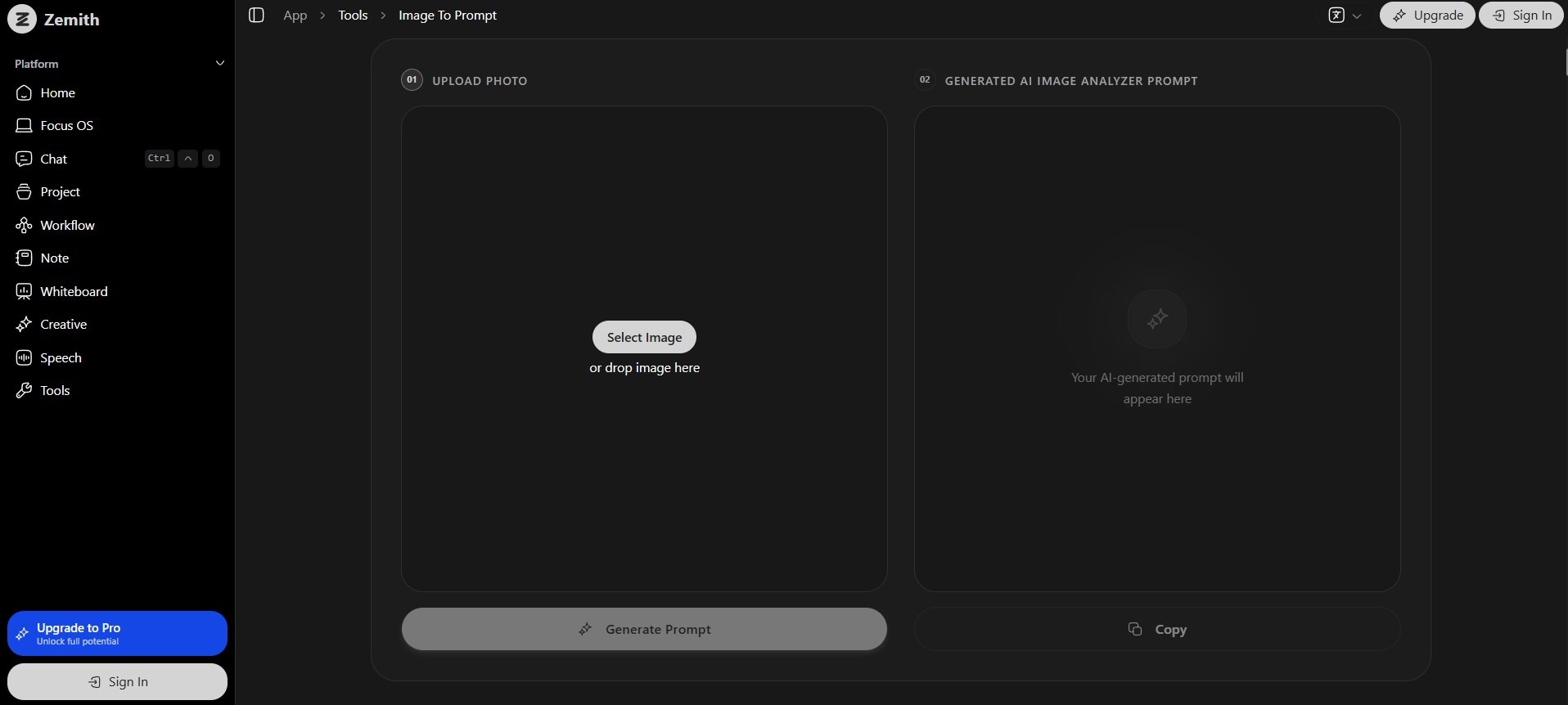
Overview:
A great tool for image generation prompt ideas. It creates a detailed description of the image that the user can use for image creation.
- Key Features:
- In-depth image analysis.
- Descriptions that list even the smallest details.
- One-click copy button.
- Pros:
- Highly descriptive prompts.
- No hallucination.
- No registration required.
- Cons:
- Limited free usage.
- Prompts may be too long.
Best For: Generating highly descriptive prompts.
2. ImagePrompt.org
Overview:
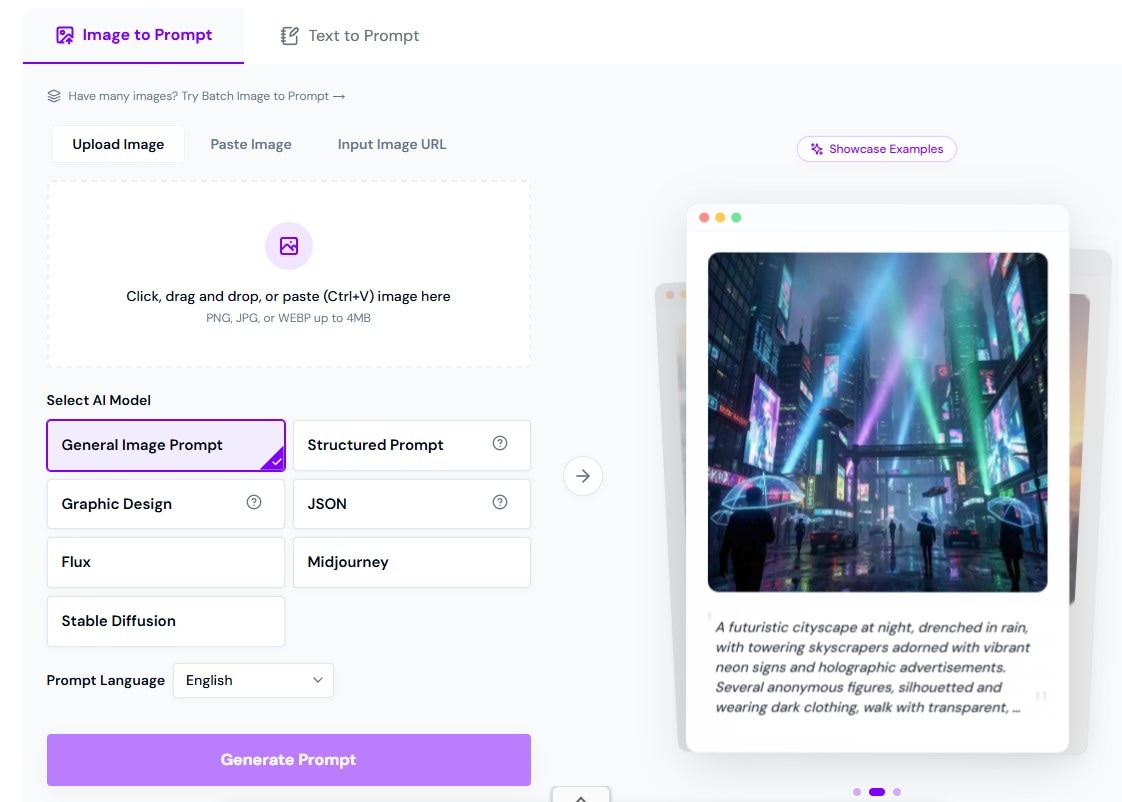
Perfect for generating prompts for different tools and AI models.
- Key Features:
- Multiple AI models
- Supports 16 languages
- Batch conversion
- Pros:
- Flexible input methods
- Batch processing
- Multi-language support
- Cons:
- Limited free usage
- Subscription required
Best For: Multi-purpose prompt generation.
3. Pixlio AI
Overview:
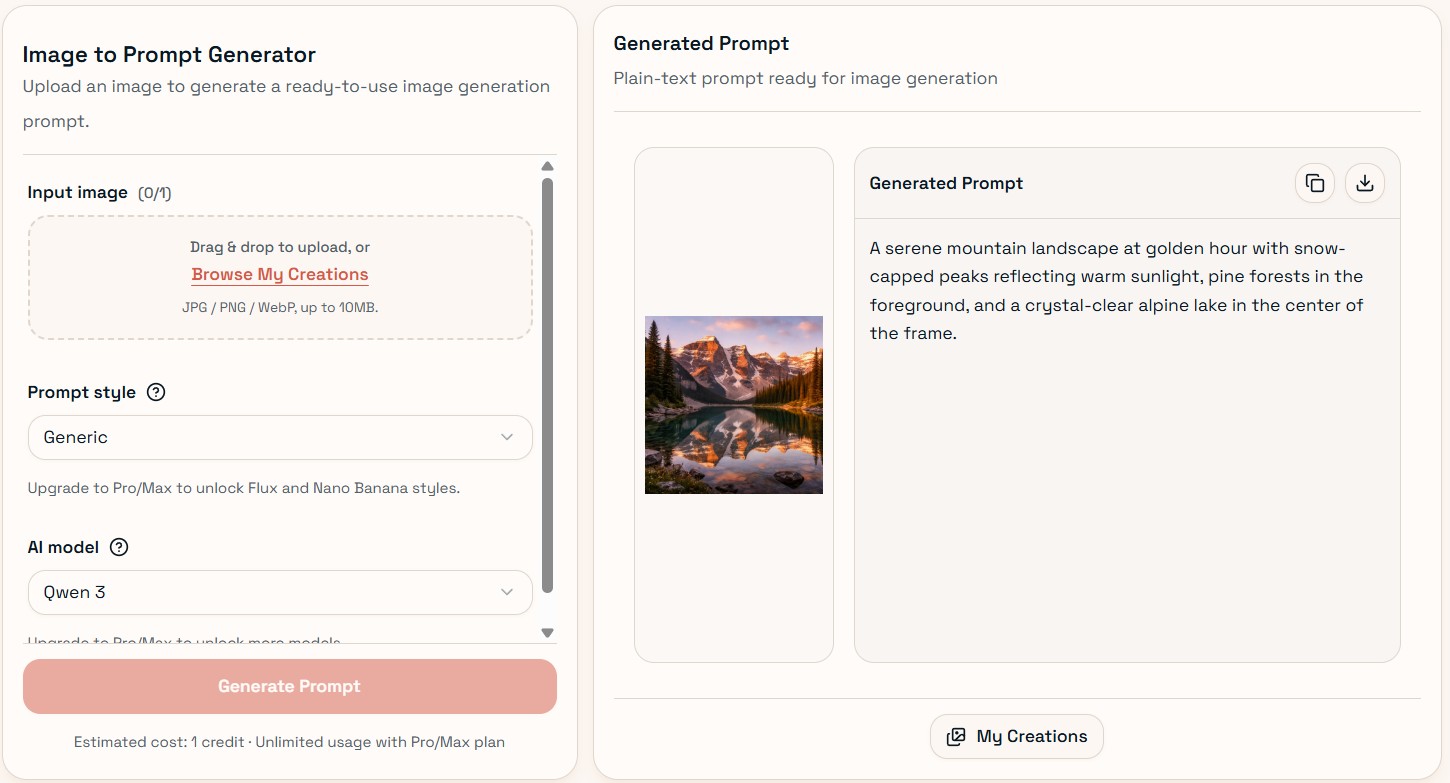
A one-stop tool using multiple AI models.
- Key Features:
- Multiple prompt styles
- Supports Gemini, Claude, Grok, GPT
- Pros:
- Batch prompt generation
- Versatile models
- Cons:
- Limited free mode
- Requires login
Best For: Multi-format prompt generation.
4. ImagePromptGuru
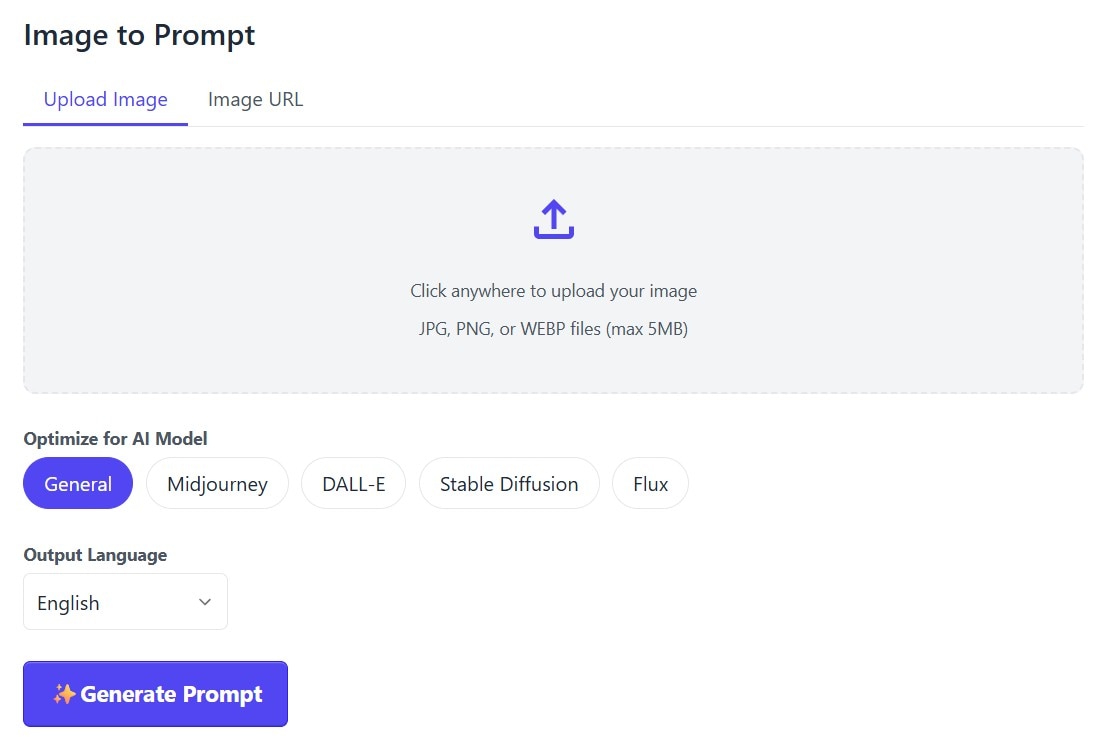
Overview:
Generates prompts optimized for major AI tools.
- Key Features:
- Supports Midjourney, DALL-E, Stable Diffusion
- 18 languages
- Pros:
- Free
- No registration
- Cons:
- Short prompts
- No batch support
Best For: Free prompt generation.
5. DescribeImage.ai
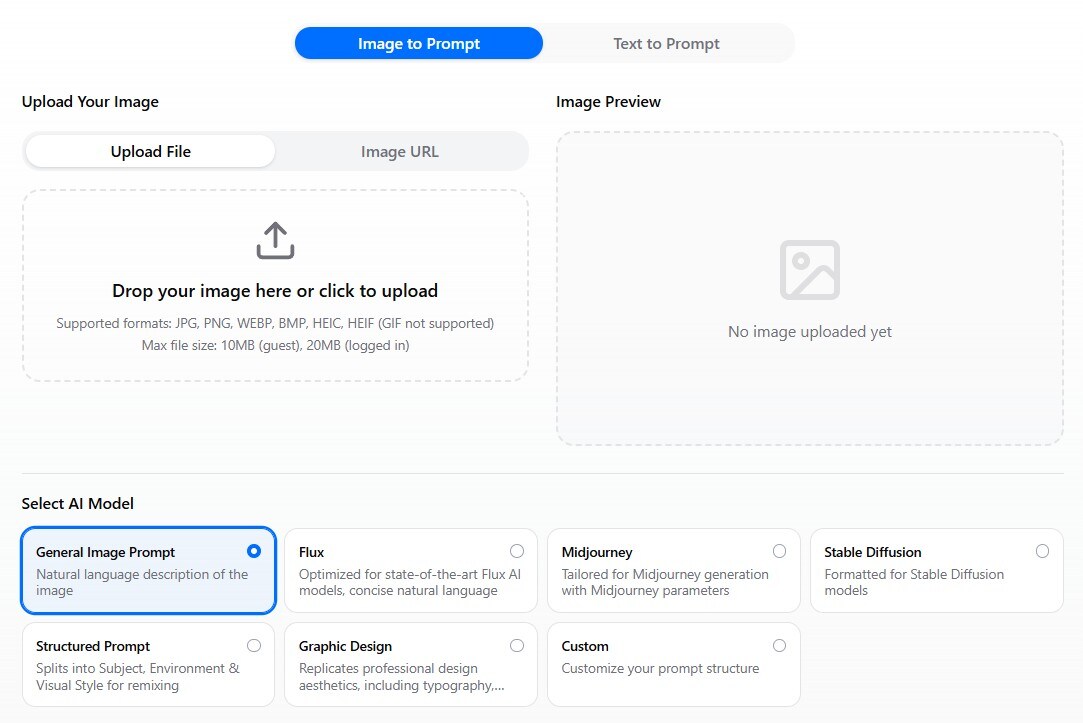
Overview:
A customizable prompt generator with no login.
- Key Features:
- Custom prompt structures
- Multiple AI models
- Pros:
- Unlimited use
- Customizable output
- Cons:
- Trial-and-error setup
- Queue delays
Best For: Custom prompt workflows.
How to Use Image to Prompt and Image to Video in Filmora
Filmora combines Image to Prompt and Image to Video features to help creators turn a single reference image into a fully generated AI video. This workflow allows you to extract visual styles from an image and instantly apply them to video generation without switching tools.
1. Generate a Prompt from an Image (Image to Prompt)
Step 1: Import Your Reference Image
Open Filmora and go to the AI Image to Video feature. Upload the image you want to use as a reference for style, composition, or lighting.
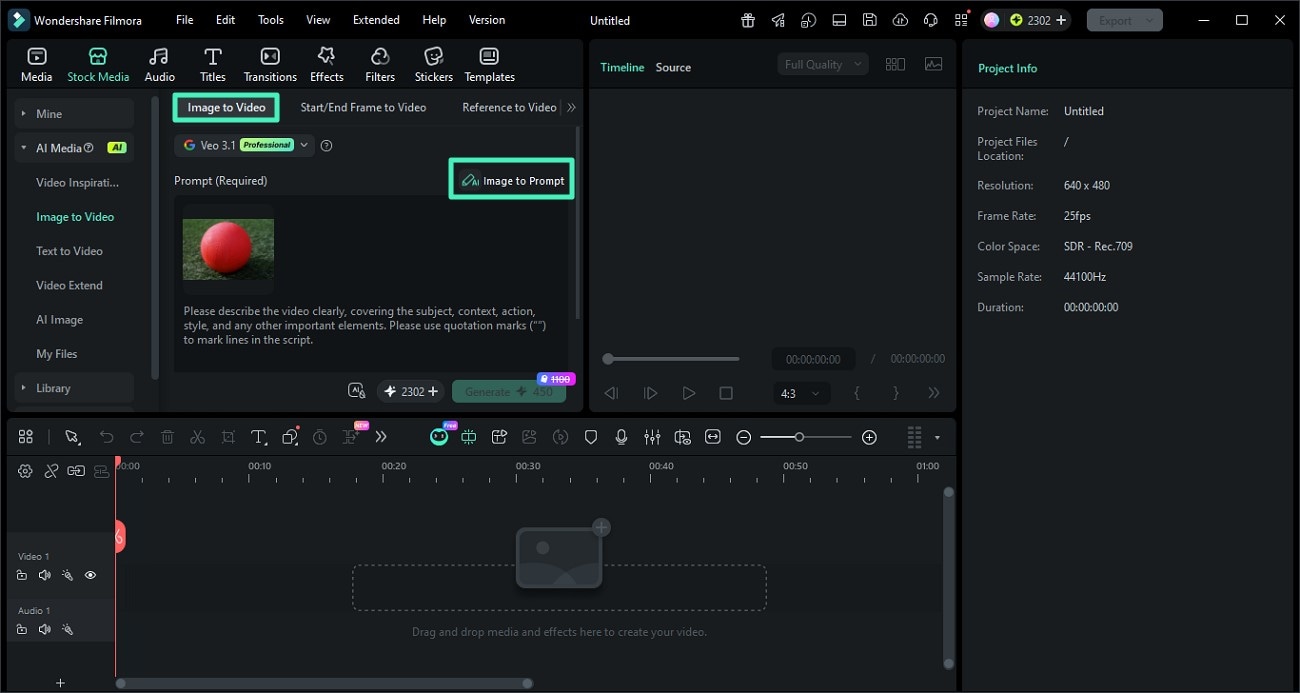
Step 2: Click Image to Prompt
Select the image and click the Image to Prompt option. Filmora will analyze the visual elements such as objects, colors, and style to generate a descriptive prompt.
You can review and edit the generated prompt to better match your desired creative direction.
Step 3: Confirm and Apply the Prompt
Once satisfied, apply the generated prompt. This prompt will now serve as the base for creating AI-generated content with a consistent style.
2. Turn the Prompt into a Video (Image to Video)
Step 1: Adjust Video Settings
After applying the prompt, configure your video settings such as resolution, aspect ratio, and duration. This ensures your final output matches your target platform like TikTok, YouTube, or Instagram.
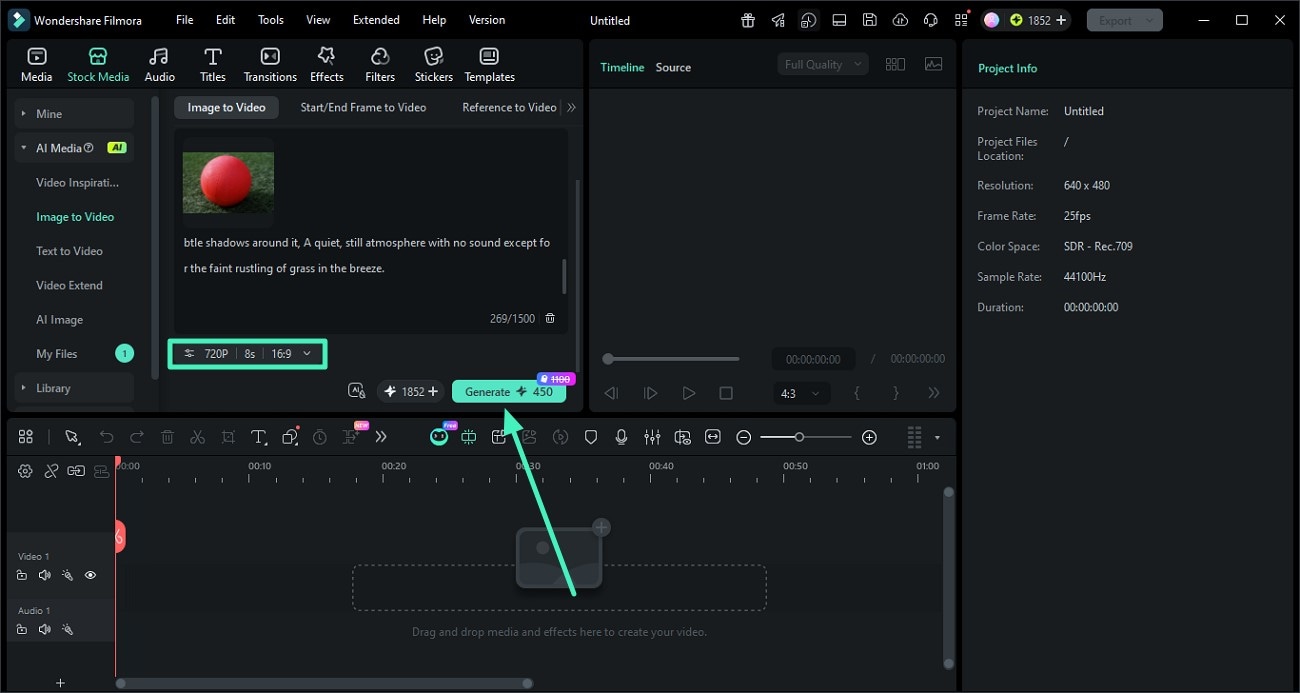
Step 2: Generate the AI Video
Click Generate to let Filmora create a video based on your prompt and image reference. The AI will maintain visual consistency in style, lighting, and composition.
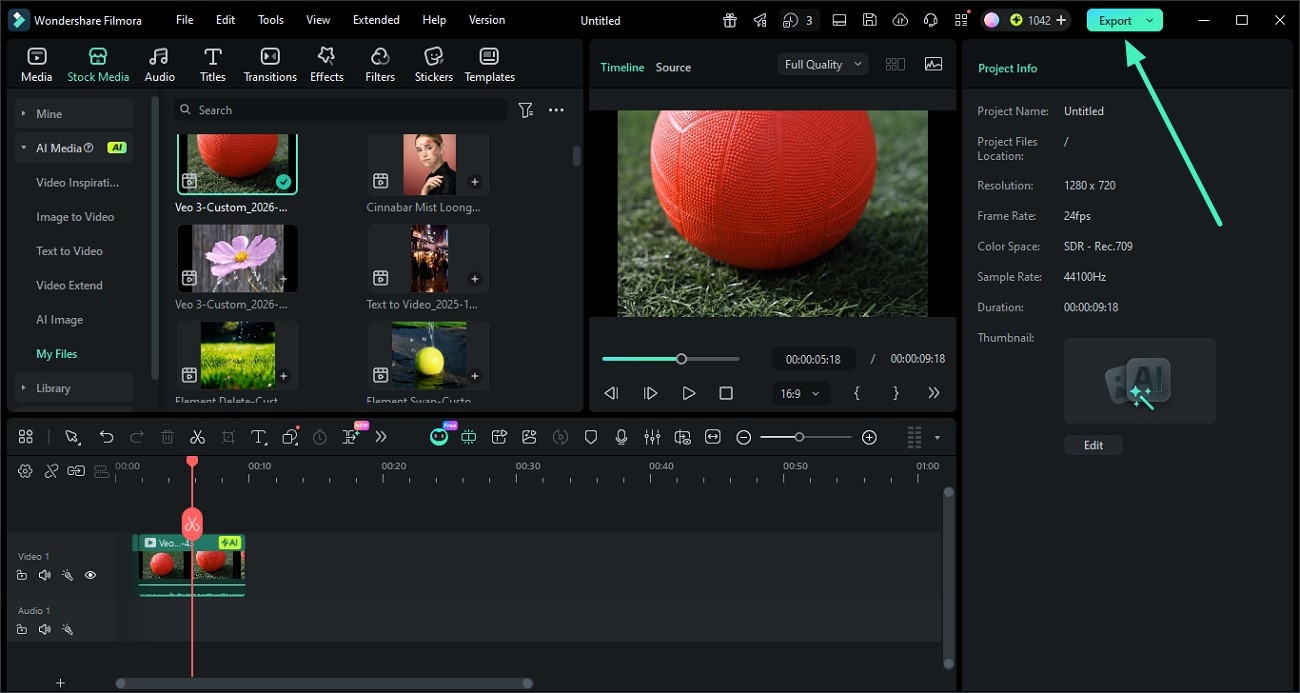
Step 3: Preview and Export
Once the video is ready, preview the result. If everything looks good, click Export to save the video or share it directly to your desired platform.
Conclusion
Using AI image prompt generators improves workflow efficiency and output quality. Filmora stands out by combining generation and editing in one platform.
FAQs
1. What is an image-to-prompt tool?
It converts images into text prompts for AI generators.
2. What is the best tool?
Depends on your needs. Filmora offers an all-in-one solution.
3. Can prompts be used for video?
Yes, they can be adapted for video creation.
