

 100% Security Verified | No Subscription Required | No Malware


 ChatGPT
 Perplexity
 Gemini
 Claude
 Grok
Grok
There is a specific kind of frustration that comes with having a perfect visual in your mind—or on your screen—but lacking the vocabulary to tell an AI how to build it. In the early days of generative art, we were all guessing. We threw "masterpiece" and "hyperrealistic" at every prompt, hoping for the best.
Today, the landscape has changed. The best image to prompt generator tools have turned the creative process on its head. Instead of starting with a blinking cursor, we start with an image. This process, often called "interrogating" an image, allows creators to extract the specific DNA of a visual, from the camera lens used to the specific art movement it belongs to.
Suppose you’ve ever wondered how a certain artist achieves that "dreamy, lo-fi aesthetic," you no longer have to guess. You just need to know how to reverse-engineer it.
In this article
Part 1: The Essential Toolkit: Best Image to Prompt Extensions for 2026
To get the most out of your creative sessions, your prompt generator browser extension should be more than just a translator; it should be a workflow enhancer. Here are the top tools currently dominating the space.
1. The All-in-One Creative Platform: Filmora
Filmora has evolved beyond a traditional video editor into a complete AI-powered creative platform. Instead of only generating prompts, it allows users to convert images into prompts and immediately use them for image or video creation within the same workspace.
Ideal for: Creators who want a streamlined workflow from prompt generation to final content
Standout Feature: Combines prompt generation, image creation, and video editing in one platform

 secure download

How to Use Image to Prompt and Image to Video in Filmora
Filmora combines Image to Prompt and Image to Video features to help creators turn a single reference image into a fully generated AI video. This workflow allows you to extract visual styles from an image and instantly apply them to video generation without switching tools.
1. Generate a Prompt from an Image (Image to Prompt)
Step 1: Import Your Reference Image
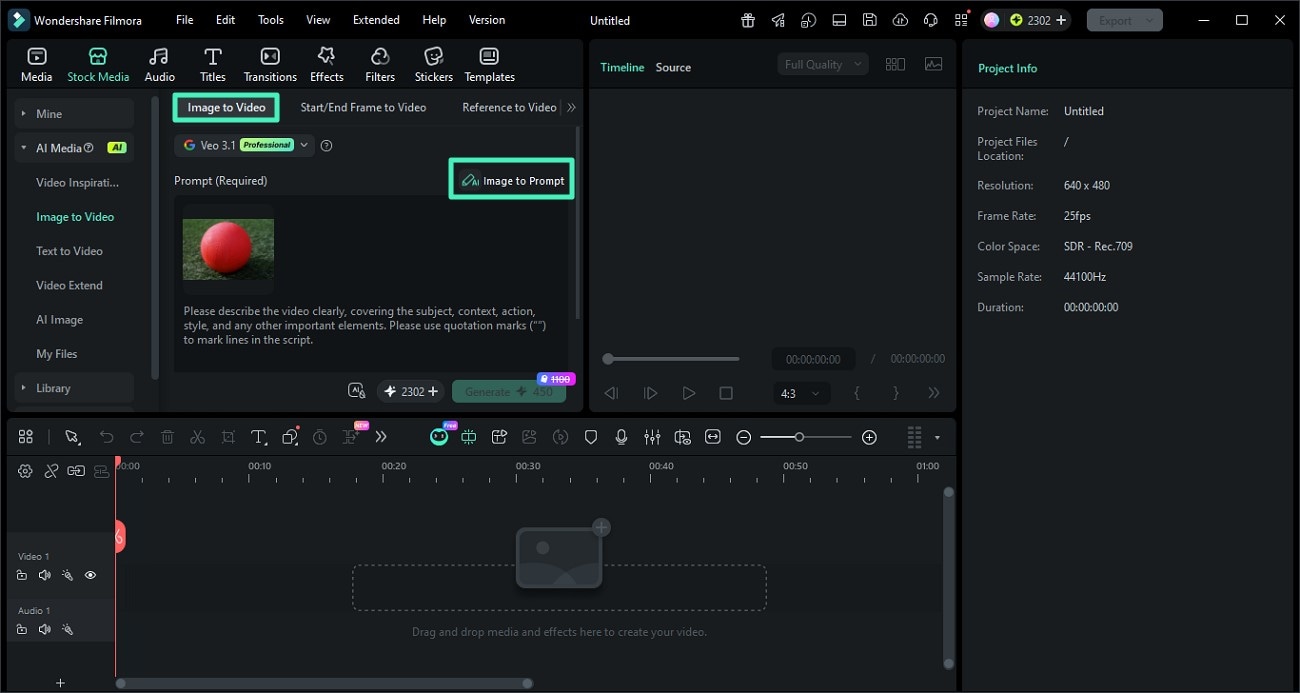
Open Filmora and go to the AI Image to Video feature. Upload the image you want to use as a reference for style, composition, or lighting.
Step 2: Click Image to Prompt
Select the image and click the Image to Prompt option. Filmora will analyze the visual elements such as objects, colors, and style to generate a descriptive prompt.
You can review and edit the generated prompt to better match your desired creative direction.
Step 3: Confirm and Apply the Prompt
Once satisfied, apply the generated prompt. This prompt will now serve as the base for creating AI-generated content with a consistent style.
2. Turn the Prompt into a Video (Image to Video)
Step 1: Adjust Video Settings
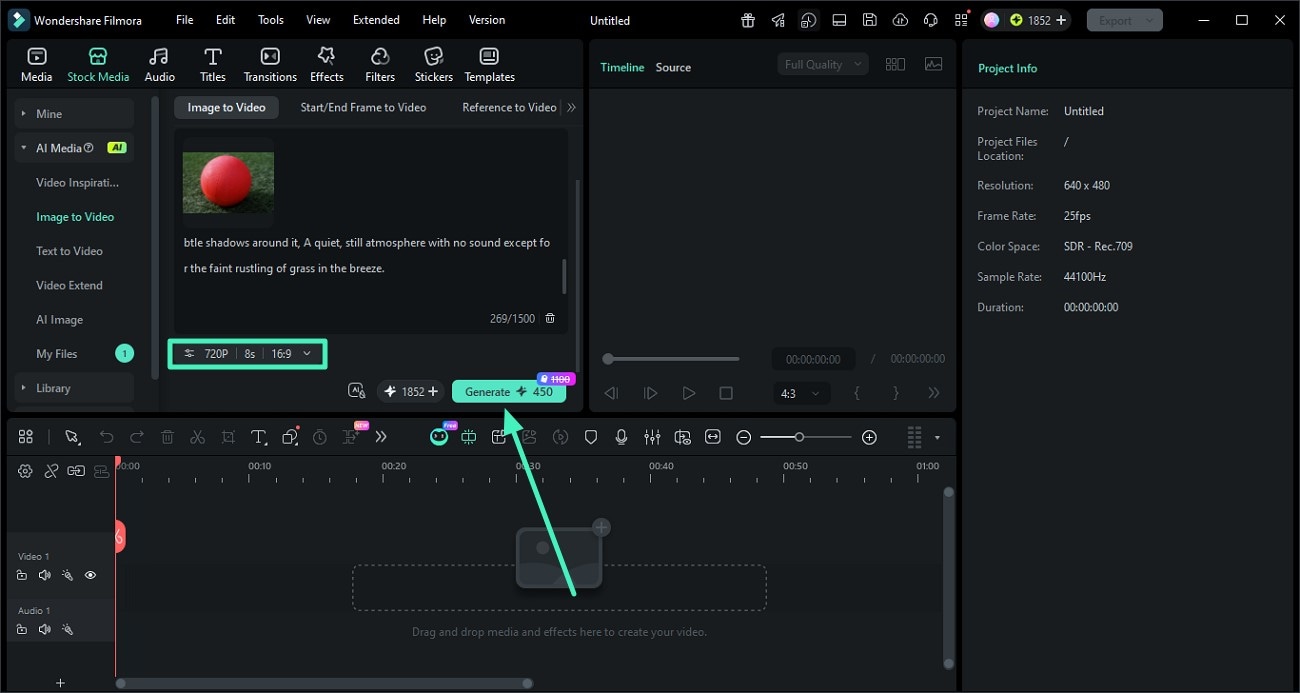
After applying the prompt, configure your video settings such as resolution, aspect ratio, and duration. This ensures your final output matches your target platform like TikTok, YouTube, or Instagram.
Step 2: Generate the AI Video
Click Generate to let Filmora create a video based on your prompt and image reference. The AI will maintain visual consistency in style, lighting, and composition.
Step 3: Preview and Export
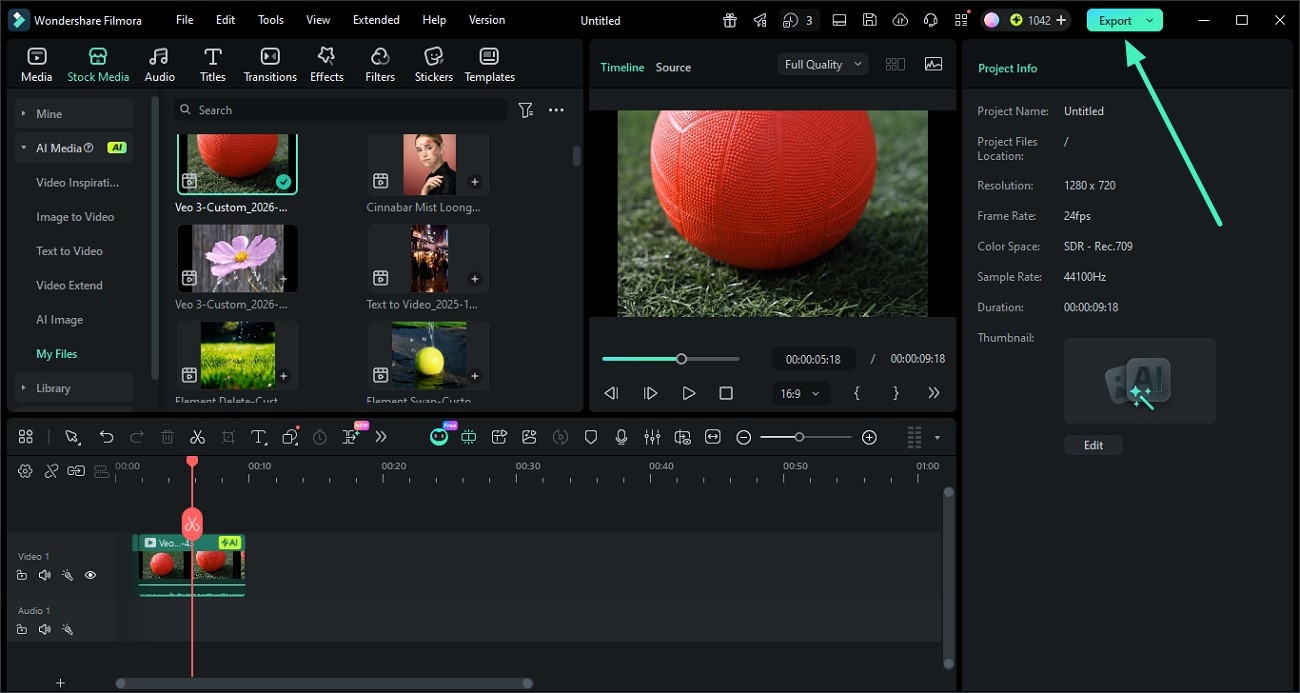
Once the video is ready, preview the result. If everything looks good, click Export to save the video or share it directly to your desired platform.
2. The Midjourney Specialist: MJ Pro-Link
For those who exclusively use Midjourney, a generic tool won't cut it. This MidJourney prompt extension is built to understand the specific shorthand of the v7 and v8 models. It can look at a photo and immediately suggest the exact --s (stylize) and --c (chaos) values needed to replicate the "feel" of that image.
- Best For: Serious digital artists who need granular control over MJ parameters.
- Standout Feature: Instant "find similar" capabilities for millions of indexed prompts.
3. The Explorer’s Choice: PromptHero Chrome Plugin
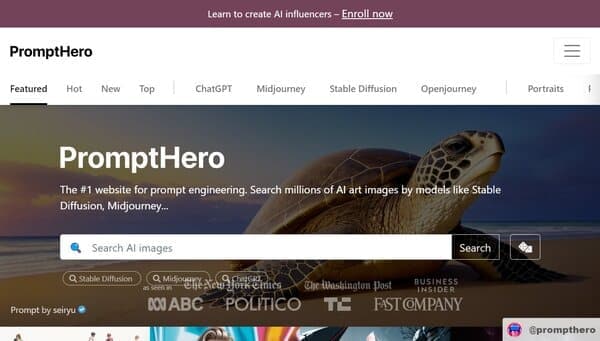
PromptHero is the world's largest library of AI-generated images, and its image to prompt chrome extension delivers it to your browser. As you visit sites like Behance or Pinterest, the plugin may "scout" the image for comparable cues in its database, giving you a head start on your own variants.
- Ideal for early-stage project discovery and mood-boarding.
- Standout Feature: Instant "find similar" functionality across millions of indexed prompts.
4. The Lightweight Contender: Image-to-Prompt Lite
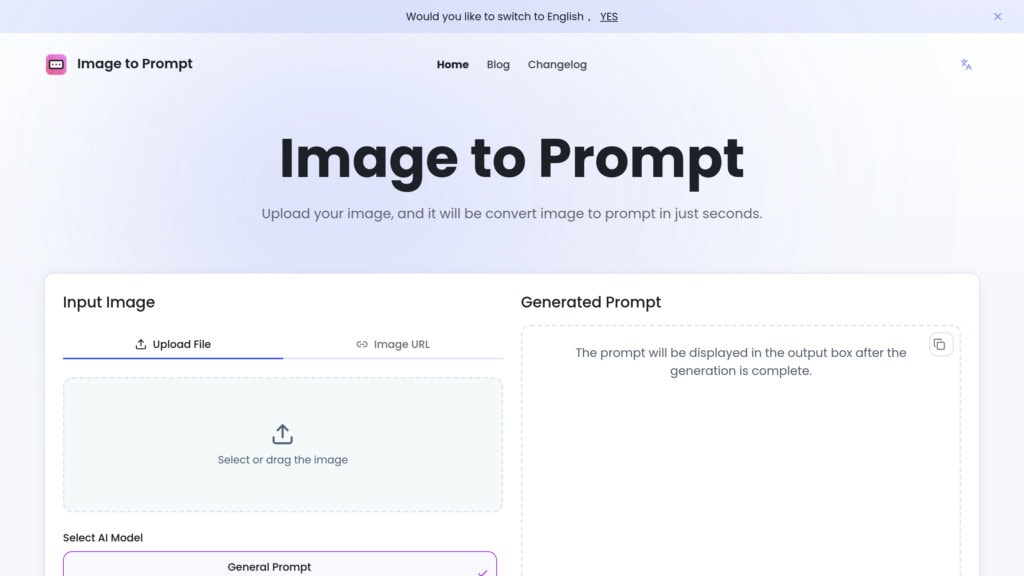
If you hate browser bloat, this free image to prompt extension is a must-have. It lives quietly in your right-click menu. See an image you like? Right-click, select "Extract Prompt," and you have a clean string of text ready for DALL-E or Stable Diffusion.
- Best For: Casual users who want a "no-frills" experience.
- Standout Feature: Zero-latency processing that works locally in the browser.
Part 2: Pro Tips: How to Get Better Results from Your Prompt Generator
Even the best image to prompt extension is only as good as the person driving it. To get professional-grade results, you need to know how to "clean" the data you extract.
1. Strip the Noise
Generators often get distracted by small details. If you use an image prompt extractor extension on a photo of a cat in a library, it might give you fifty words about the books. If your goal was the lighting of the room, you need to manually delete the "cat" keywords and replace them with your subject.
2. The "Style-First" Mentality
When using a Chrome ai prompt generator, look specifically for the "Art Style" or "Artist Reference" tags it suggests. These are usually the most powerful parts of the prompt. Instead of using the whole string, try taking just the style tags and applying them to a completely different subject.
3. Cross-Reference Your Tools
No single AI image prompt extension is perfect. For high-stakes projects, run your reference image through two different tools. The keywords that appear in both results are your "anchor keywords"—the most essential parts of the prompt that the AI models are most likely to recognize.
Part 3: Why Every Content Strategist Needs an Image Prompt Extension
As a writer or SEO, you might think these tools are just for artists. In reality, they are essential for content management.
- Visual Consistency: Use an image to prompt extension to ensure that all the AI-generated featured images for a blog series have the same color palette and "vibe."
- Briefing Designers: If you're working with a human illustrator, extracting a prompt from a reference image can help you provide a much clearer, more technical brief.
- Speed to Market: Instead of searching for hours for the perfect stock photo, you can find a "close-enough" image, extract the prompt, and generate the exact version you need in seconds.
Part 4: The Verdict: Selecting Your Go-To Tool
Choosing the best image to prompt extension depends entirely on your end goal. If you are a hobbyist, a free image to prompt extension like Image-to-Prompt Lite is more than enough. However, if you are building a brand or managing a content pipeline, using an all-in-one platform like Filmora or a specialized Midjourney prompt extension can save significant time and effort.
Filmora is ideal for users who want to generate prompts and create content in one place, while Midjourney-focused tools are better for those who need detailed control over image generation parameters.
The bridge between inspiration and execution is no longer a mystery. With the right prompt generator browser extension or platform, you have the key to unlock the “how” behind every beautiful image you see online.
Comparison Table: 2026’s Top Prompt Generators
| Tool Name | Best For | Platform | Primary Benefit |
|---|---|---|---|
| Filmora | Content Creators & Marketers | Desktop | All-in-one prompt generation + content creation |
| MJ Pro-Link | Midjourney Power Users | Chrome/Brave | Technical parameter extraction |
| PromptHero | Visual Discovery | Chrome/Web | Access to a massive prompt database |
| Taskade AI | Project Management | Multi-platform | Turns images into full project briefs |
| PromptLite | Quick, Free Extraction | Chrome | Minimalist and fast |
Conclusion
Image-to-prompt tools make it easier to turn visuals into clear AI prompts, removing the guesswork from the creative process. Instead of starting from scratch, you can use existing images to guide your results.
While these tools are helpful, they work best when you refine and adjust the prompts they generate. Choosing a tool that fits your workflow can also save time and effort.
In the end, the right tool helps you move faster from idea to final output, making content creation simpler and more efficient.
secure download Frequently Asked Questions
-
Can these extensions identify the artist of an image?
Many image prompt extractor extension tools are trained to recognize famous art styles. However, they are generally designed to describe the visual elements, such as lighting, medium, and composition, rather than just naming an artist, which actually leads to better, more flexible prompts. -
Do I need a high-resolution image for these tools to work?
While higher resolution helps, most modern AI prompt generator extension tools are surprisingly good at seeing the core elements of even a low-res thumbnail. -
Are these tools better than the "Describe" command in Midjourney?
The "Describe" command is great, but a prompt generator browser extension is often better because it allows you to stay in your workflow without switching tabs, and many offer model-specific tuning that standard commands lack.
