

 100% Security Verified | No Subscription Required | No Malware


 ChatGPT
 Perplexity
 Gemini
 Claude
 Grok
Grok
Generating video content with AI starts with writing the right prompt. However, brainstorming can be hard and time-consuming. It’s not always easy to describe what you want, especially if you’re trying to match a specific look or recreate a style from an image.
That’s why many users look for easier ways to generate prompts without starting from scratch. If you want to have a faster workflow, image-to-prompt for video tools can be a huge help. Online AI platforms and browser extensions help turn images into clear video prompts. They make it easier to create ideas, build scenes, and produce content faster with less effort.
In this article
Part 1: Quick Solution To Create Video Prompts
If you want an instant way to create video prompts from images, there are a few common options you can try:
- Online tools: Web-based platforms where you upload an image and instantly generate video prompts. No installation needed.
- Browser extensions: Lightweight tools that work directly in your browser to create prompts while you browse or work online.
- Built-in AI software features: Some editing or AI platforms already include image-to-prompt functions inside their system.
Another option is using all-in-one software like Wondershare Filmora. It combines image-to-prompt features with content creation tools. This allows you to not only generate prompts but also turn them into actual images or videos in one place. It makes the process more efficient, especially if you want everything in a single workflow.

 secure download

Part 2: Best Image to Prompt for Video Tools
Here are two online tools that can help you turn images into useful video prompts quickly. Each tool works in a slightly different way, but both aim to make prompt creation easier and faster.
1. ImagePrompt.org
ImagePrompt.ai is an online tool that turns uploaded images into structured AI prompts. It analyzes visual details like objects, colors, lighting, and style, then converts them into descriptive text you can use for AI generation.
- Key features: Supports different prompt styles such as creative, realistic, and cinematic, automatic breakdown of visual elements, including subject, background, and mood.
- Pros: Fast prompt generation.
- Cons: Limited control over how prompts are edited or refined.
- Best for: Users who want quick prompts for general AI image or video ideas without complex customization.
2. PromptoMANIA
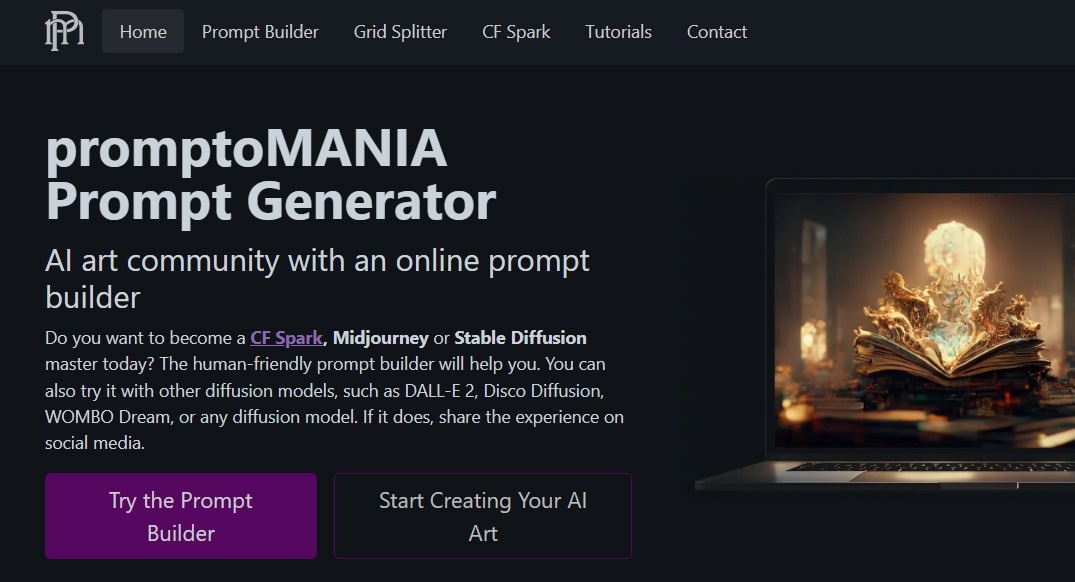
PromptoMANIA is a free web-based prompt generator designed to help users convert images into structured prompts for different AI models. It is widely used for artistic and creative prompt building, especially for visual experimentation.
- Key features: Style and model selection, manual adjustment of prompt structure.
- Pros: High level of prompt customization, good for artistic and stylized outputs.
- Cons: The interface may feel technical for beginners.
- Best for: Users who want more control over prompt structure and enjoy experimenting with creative or artistic styles.
Quick Comparison
Both tools are useful for turning images into prompts, but they mainly focus on prompt generation only. They do not provide a full workflow for creating videos from start to finish. In most cases, users still need to move to other platforms to turn prompts into actual video content. This can slow down the process and make it less efficient.
There is also a difference in consistency. ImagePrompt.ai is faster but less flexible, while PromptoMANIA offers more control but can feel more complex. However, neither tool is fully optimized for video creation, especially when working on cinematic or multi-scene content.
Part 3: Filmora as a Recommended Solution
For users who want a simpler and more complete workflow, Wondershare Filmora provides an all-in-one solution. Instead of jumping between different tools, you can handle idea creation, prompt generation, and video editing in one platform.
Image to Prompt Feature in Filmora
Filmora lets you turn images into prompts directly inside the editor. You don’t need to copy text from other websites or use separate AI tools. Just upload or select an image, and the system helps generate prompt ideas based on its visual elements like style, objects, and mood.
This makes it easier to start a project because you already have a clear direction before editing or generating content.
Why It’s Different
Most tools only focus on generating prompts, but Filmora connects the whole creative process. You can go from image → prompt → video without leaving the platform.
This helps reduce extra steps like switching apps, rewriting prompts, or manually adjusting outputs in different tools. It also keeps your workflow more organized, especially when working on multiple content ideas.
It is also designed for beginners, so you don’t need technical skills to get started. The interface is simple, and most features are easy to find and use.
Additional Capabilities
Filmora also includes several AI-powered tools that support content creation:
- AI image generation feature creates visuals from text prompts or ideas.
- AI video generation feature turns prompts into short video clips or scenes.
- Smart video editing tools trim, enhance, and adjust videos easily.
- Templates and effects quickly build professional-looking content.
- Audio tools add music, voiceovers, and sound effects in one place.
secure download Part 4: How to Use Image to Prompt and Image to Video in Filmora
Filmora combines Image to Prompt and Image to Video features to help creators turn a single reference image into a fully generated AI video. This workflow allows you to extract visual styles from an image and instantly apply them to video generation without switching tools.
1. Generate a Prompt from an Image (Image to Prompt)
Step 1: Import Your Reference Image
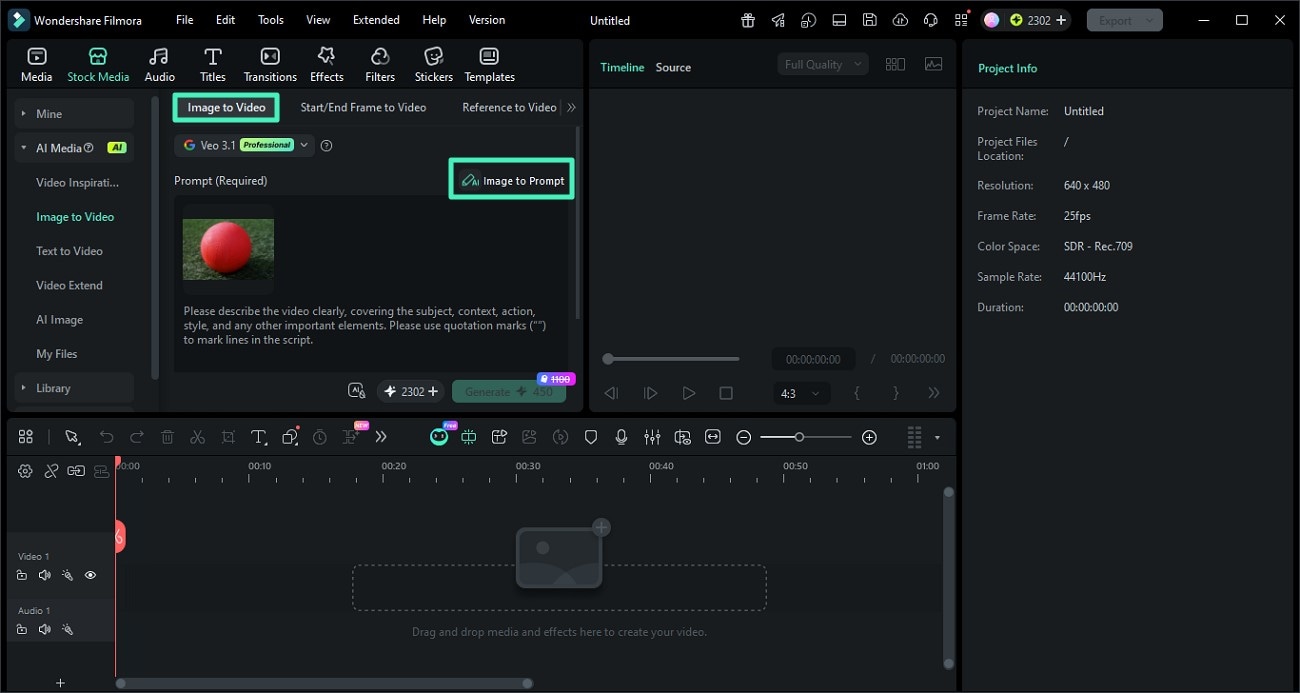
Open Filmora and go to the AI Image to Video feature. Upload the image you want to use as a reference for style, composition, or lighting.
Step 2: Click Image to Prompt
Select the image and click the Image to Prompt option. Filmora will analyze the visual elements such as objects, colors, and style to generate a descriptive prompt.
You can review and edit the generated prompt to better match your desired creative direction.
Step 3: Confirm and Apply the Prompt
Once satisfied, apply the generated prompt. This prompt will now serve as the base for creating AI-generated content with a consistent style.
2. Turn the Prompt into a Video (Image to Video)
Step 1: Adjust Video Settings
After applying the prompt, configure your video settings such as resolution, aspect ratio, and duration. This ensures your final output matches your target platform like TikTok, YouTube, or Instagram.
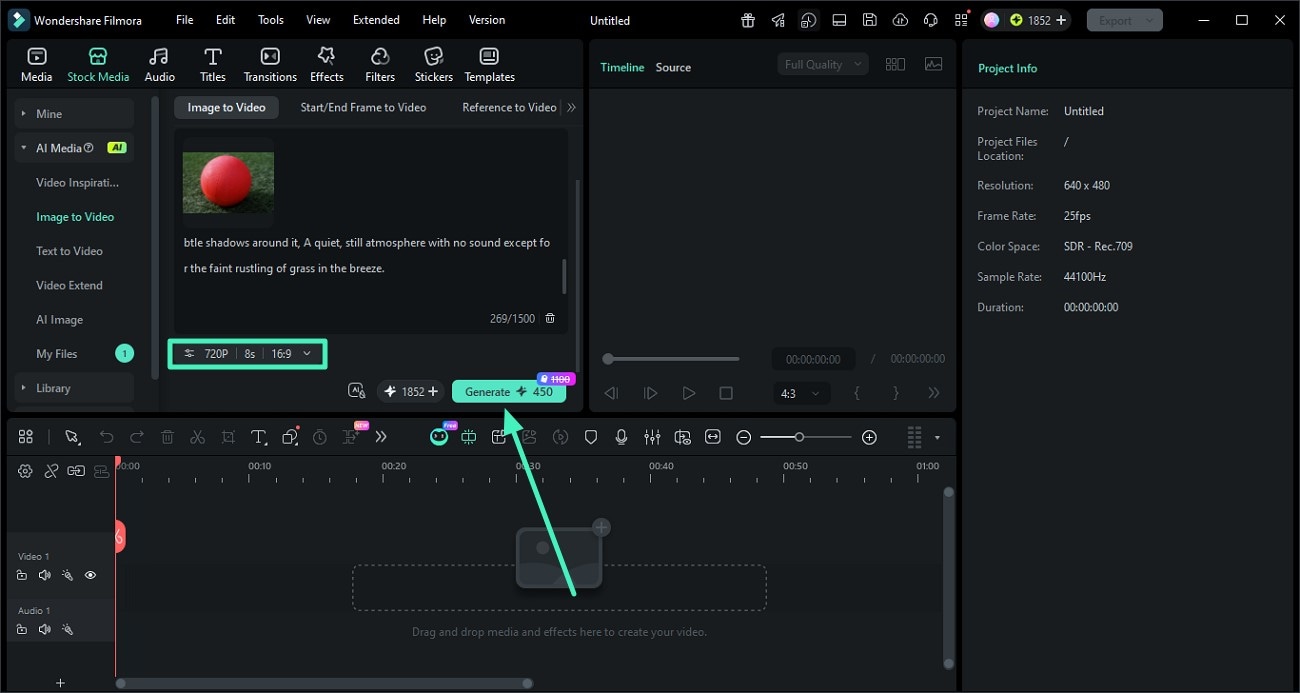
Step 2: Generate the AI Video
Click Generate to let Filmora create a video based on your prompt and image reference. The AI will maintain visual consistency in style, lighting, and composition.
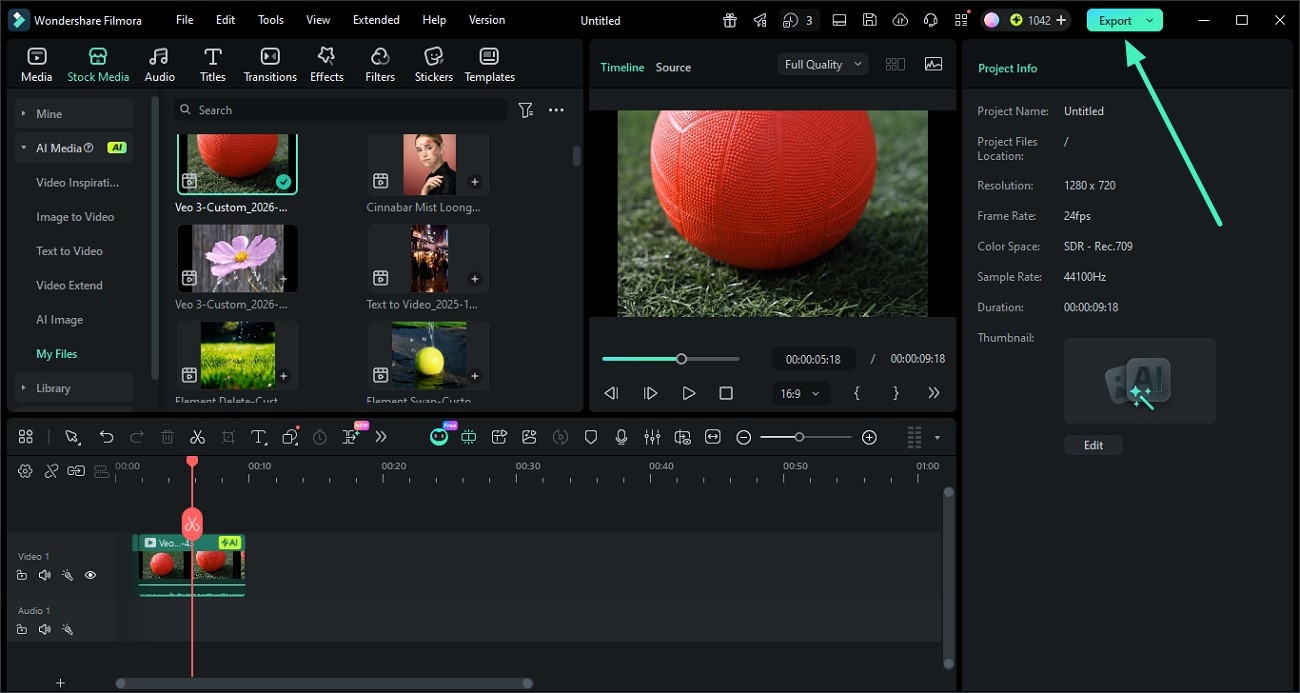
Step 3: Preview and Export
Once the video is ready, preview the result. If everything looks good, click Export to save the video or share it directly to your desired platform.
Conclusion
Image-to-prompt for video tools are useful for speeding up the creative process, but most of them still work in a fragmented way. Many tools only handle prompt generation, which means users need to move between different platforms to complete a single project. This can slow down production and create gaps in workflow, especially for more complex or cinematic video ideas.
Because of this, integrated solutions offer a more efficient approach. All-in-one platforms help connect prompt creation and video production in one place, making the process more efficient. If you want better results with less effort, consider Wondershare Filmora for a more streamlined content creation experience.
secure download FAQs About Image-to-Prompt for Video Tools
-
What is the difference between image-to-prompt and text-to-video tools?
Image-to-prompt tools analyze an existing image and generate a descriptive prompt, while text-to-video tools create videos directly from written prompts. Image-to-prompt tools act as a bridge between visuals and video generation. -
Can image-to-prompt tools generate animation ideas?
Yes. They can suggest motion elements such as character movement, camera transitions, environmental effects, and scene dynamics that can be used for animation or AI video generation. -
Can I generate prompts for specific video formats like TikTok or YouTube Shorts?
Yes. You can tailor the prompt output to vertical video styles, fast pacing, and engaging hooks suitable for short-form content platforms.
