

 100% Security Verified | No Subscription Required | No Malware


 ChatGPT
 Perplexity
 Gemini
 Claude
 Grok
Grok
A prompt generator for Midjourney gives users prompts optimized for the image-generating tool, Midjourney AI. Many users rely on these tools to recreate styles from images as closely as possible.
In this article
Part 1. The Different Image to Midjourney Prompt Generators
Users have a plethora of options for converting images into Midjourney prompts.
- Online tools - These are tools one can access through a browser. They don't require product installation.
- Browser extensions - These are mini tools that one can access, regardless of the website they are currently on.
- Built-in software - These are apps or programs made specifically for creating prompts. They require product installation.
- All-in-one solution - These are tools that offer more than just Midjourney prompt generation. For example, Filmora lets users generate prompts, generate images or videos, and also edit them.
Part 2. Best Prompt Generator for Midjourney Tools
1. Picsart
Overview:
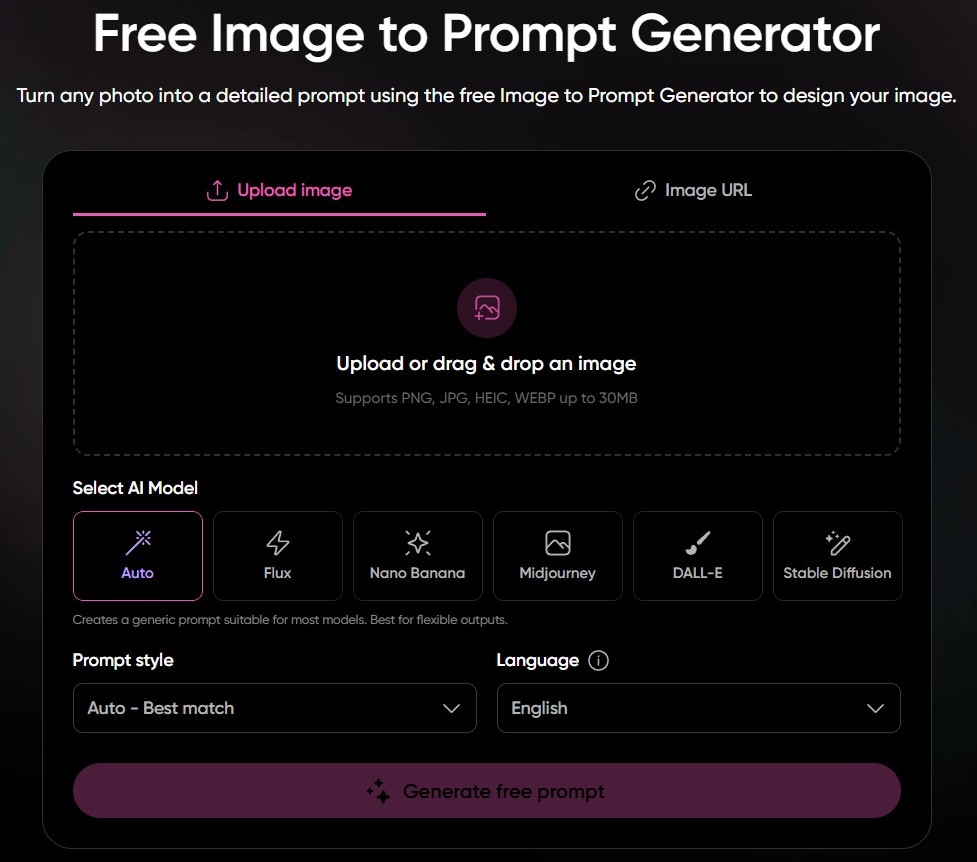
Picsart is a Midjourney prompt builder that converts images into optimized prompts. It lets users select from different styles and languages.
Key features:
- Select from different styles (artistic, photographic, product, minimalist, etc.)
- Select from different AI models, including Midjourney, for optimization
- Support for 11 languages
- Upload image or import from URL
Best for:
Users who are looking for a free but good-quality solution.
2. ImagePrompt.org
Overview:
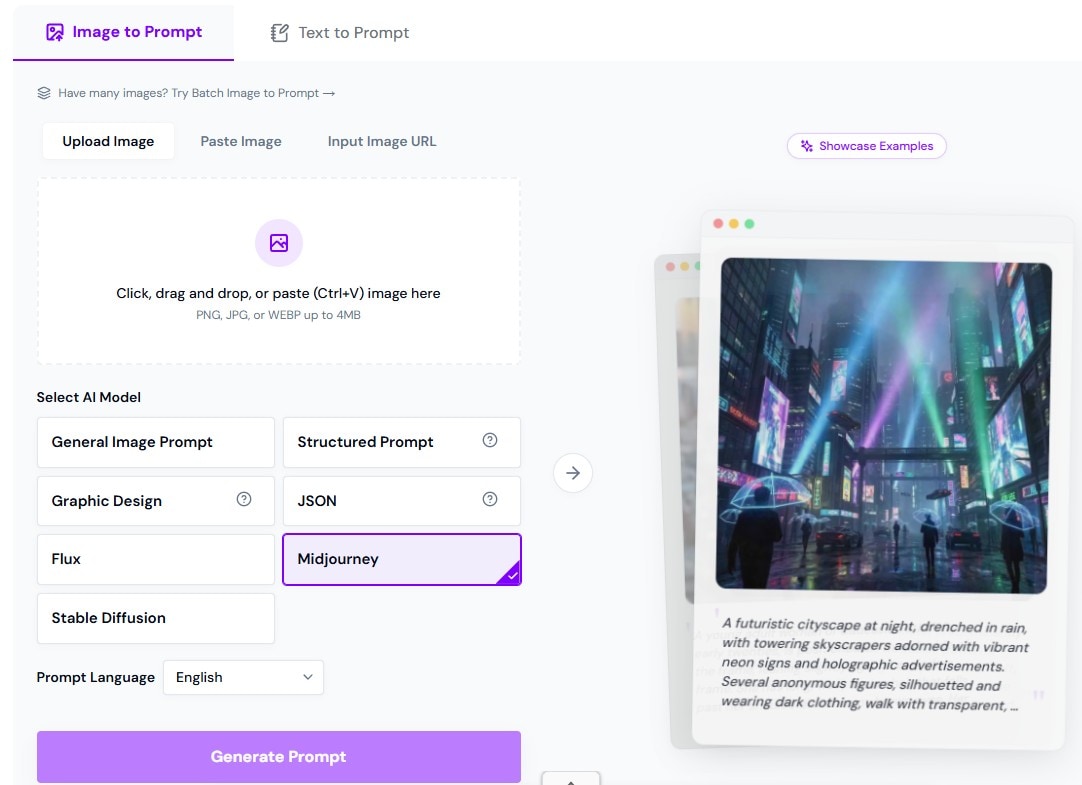
An image-to-Midjourney prompt generator that allows users to generate prompts in 16 different languages. It can also optimize for other AI models.
Key Features:
- Can optimize prompts specifically for Midjourney AI.
- Supports 16 languages.
- Supports JPG, PNG, and WEBP.
Best for:
Users who want to write Midjourney prompts in their native language.
3. Nano Banana
Overview:
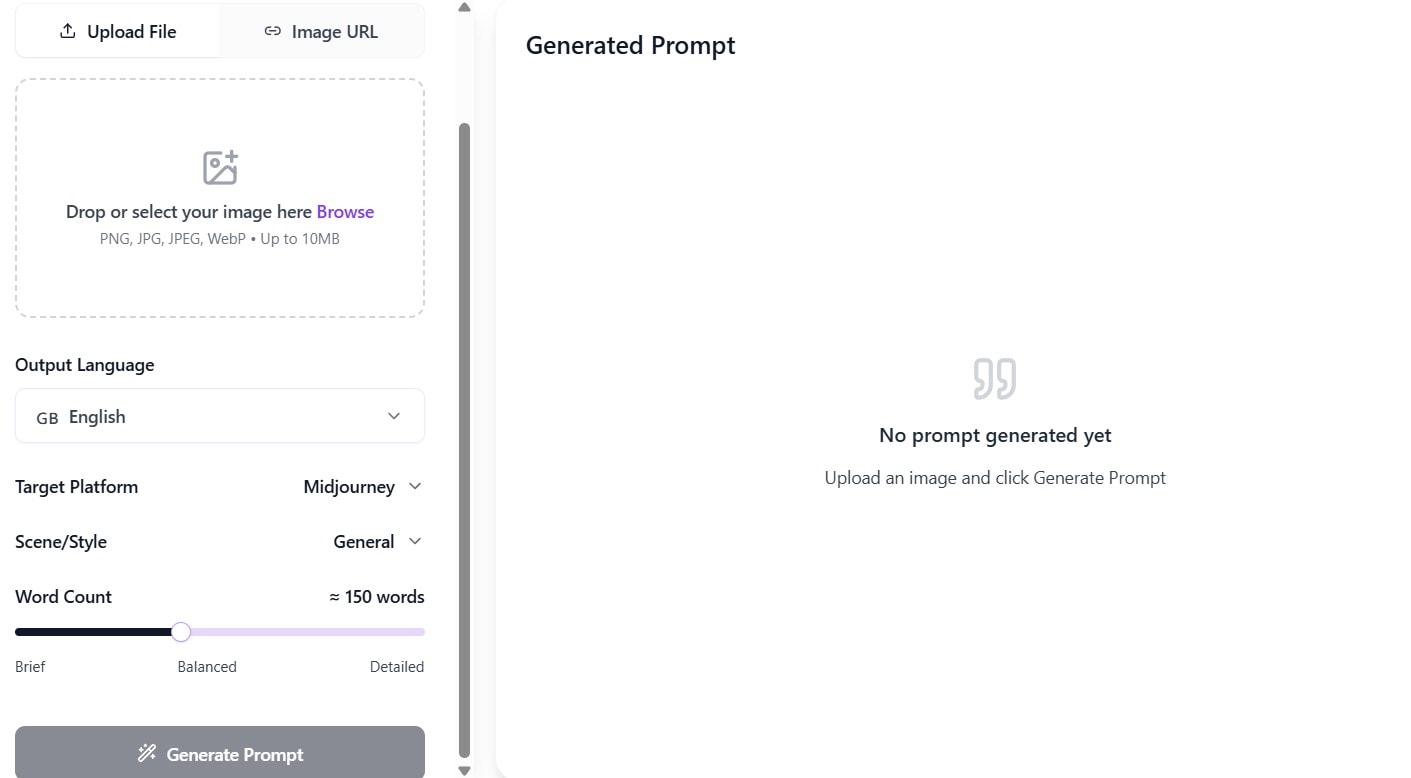
Nano Banana is an online Midjourney prompt generator that allows users to customize how the prompts are generated. It allows users to select the target platform, language, style, and word count.
Key Features:
- Optimization for specific AI image generators, including Midjourney.
- Support for JPG, JPEG, PNG, and WEBP.
- Five different styles.
- Word count slider.
Best for:
Users who want high customization in their tools.
4. AI Omnigen
Overview:
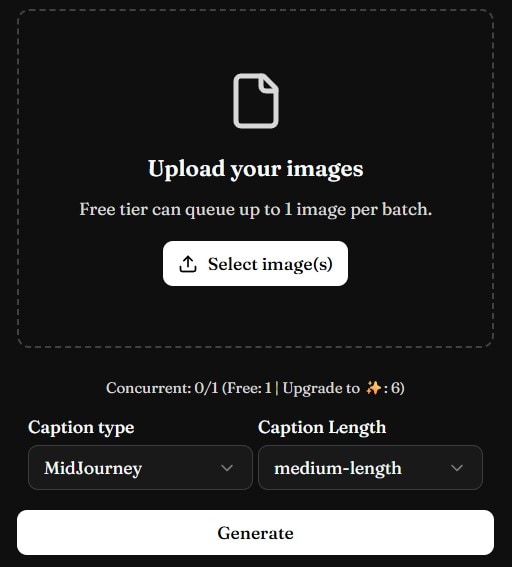
AI Omnigen is a simple prompt generator for Midjourney that allows users to select from 5 different caption lengths. It can handle batch conversion.
Key Features:
- Batch converts images into Midjourney prompts.
- Select a caption length from very short to very long.
Best for:
Users who want their image prompts to be of specific lengths.
5. DescribeImage
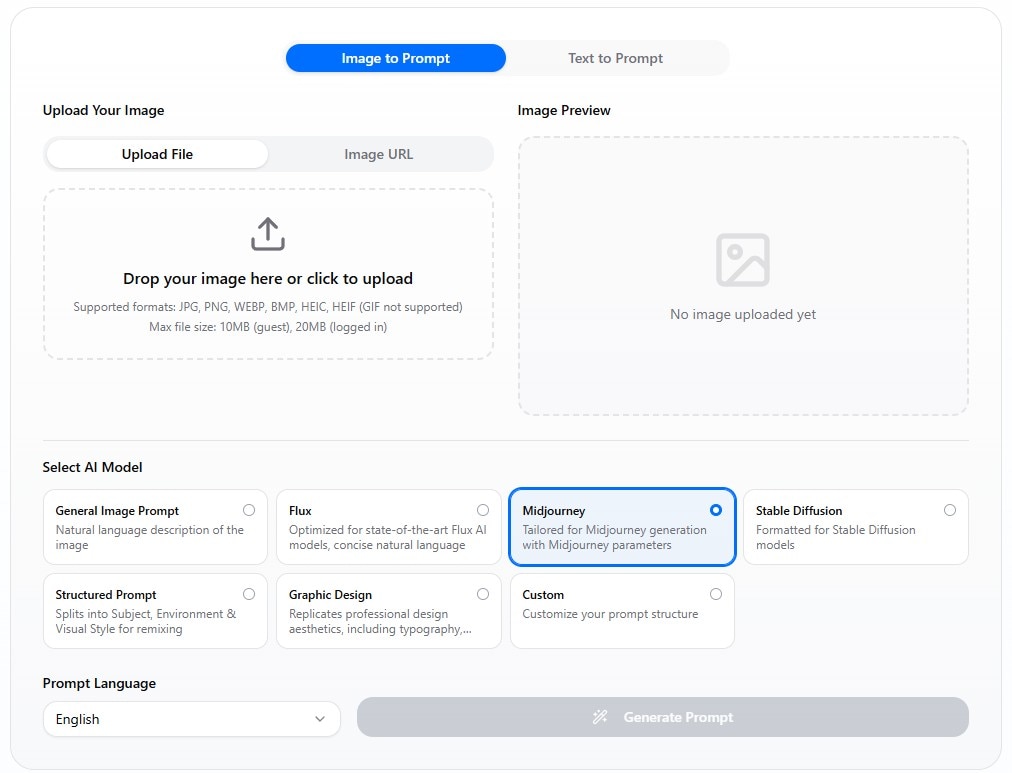
Overview:
DescribeImage allows users to select an AI model and customize the prompts further by adding specific requirements. It also has a bigger file size limit compared to other online Midjourney prompt builders.
Key Features:
- It allows users to input additional requirements by using the customization features.
- Upload files or import images by URL.
- Multilingual support.
Best for:
Users who want to generate prompts from high-resolution images.
All these tools allow users to generate Midjourney prompts from images, leading to more accurate replication or style copying. However, users who need to generate prompts also often need to use other tools as well. Thus, using these tools will lead to different tabs that you have to switch between to accomplish anything. This makes people look for a more streamlined solution.
Part 3. One-Stop Shop for Image Generating Needs - Filmora by Wondershare
Part 3.1. Image to Prompt Feature in Filmora
Filmora now has a feature that allows users to convert images into prompts without leaving the app. It makes relying on other tools unnecessary. Effectively, it creates a smoother workflow, allowing users to finish tasks faster.
Part 3.2 What Sets Filmora's Prompt Generation Apart?
Filmora offers more than just prompt generation. It can also create videos or images from the prompts that it has generated. That leads to better efficiency, as you don't need to switch between different tools. Additionally, since everything is in one ecosystem, users don't have to study multiple interfaces. That is a more user-friendly experience.
Part 3.3 Filmora's Other Useful Features
- AI image generation - Users can use the prompt Filmora has generated to create an AI image within the app.
- AI video generation - Filmora can also turn the prompt into a video if the user wants to.
- Built-in editing features - Filmora is a widely known video editor with lots of useful and advanced features.

 secure download

Part 4: How to Use Image to Prompt and Image to Video in Filmora
Filmora combines Image to Prompt and Image to Video features to help creators turn a single reference image into a fully generated AI video. This workflow allows you to extract visual styles from an image and instantly apply them to video generation without switching tools.
1. Generate a Prompt from an Image (Image to Prompt)
Step 1: Import Your Reference Image
Open Filmora and go to the AI Image to Video feature. Upload the image you want to use as a reference for style, composition, or lighting.
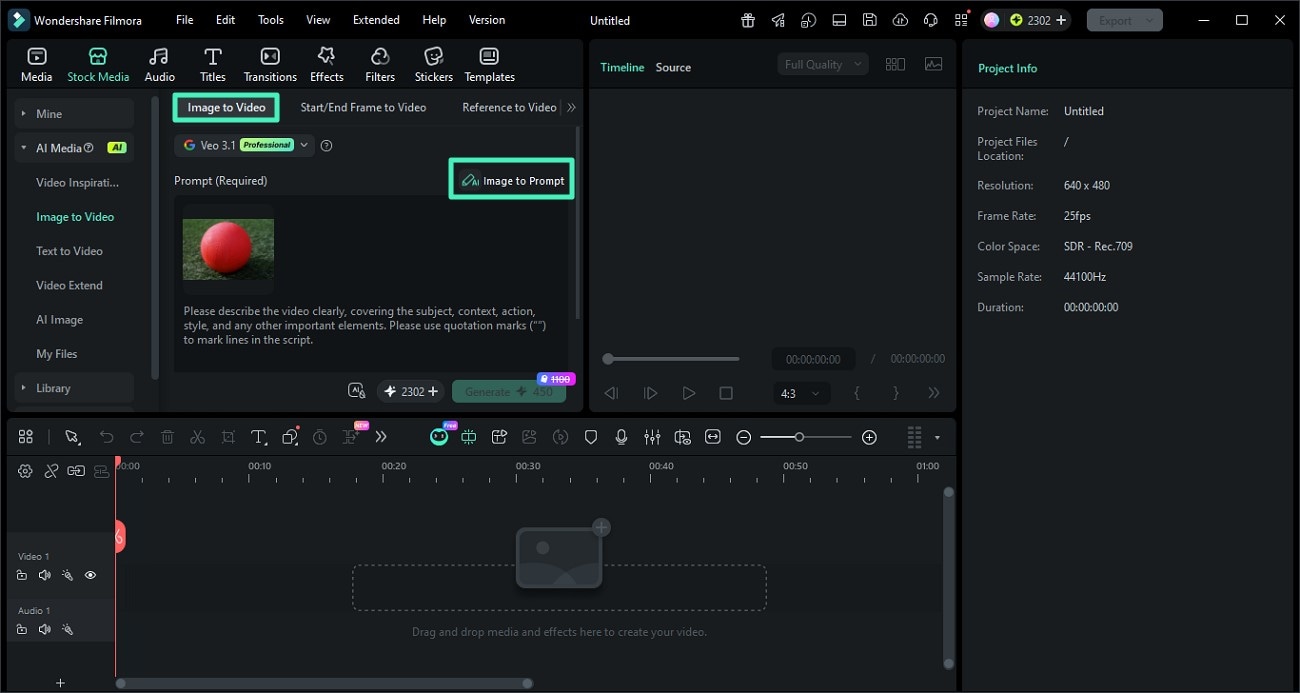
Step 2: Click Image to Prompt
Select the image and click the Image to Prompt option. Filmora will analyze the visual elements such as objects, colors, and style to generate a descriptive prompt.
You can review and edit the generated prompt to better match your desired creative direction.
Step 3: Confirm and Apply the Prompt
Once satisfied, apply the generated prompt. This prompt will now serve as the base for creating AI-generated content with a consistent style.
2. Turn the Prompt into a Video (Image to Video)
Step 1: Adjust Video Settings
After applying the prompt, configure your video settings such as resolution, aspect ratio, and duration. This ensures your final output matches your target platform like TikTok, YouTube, or Instagram.
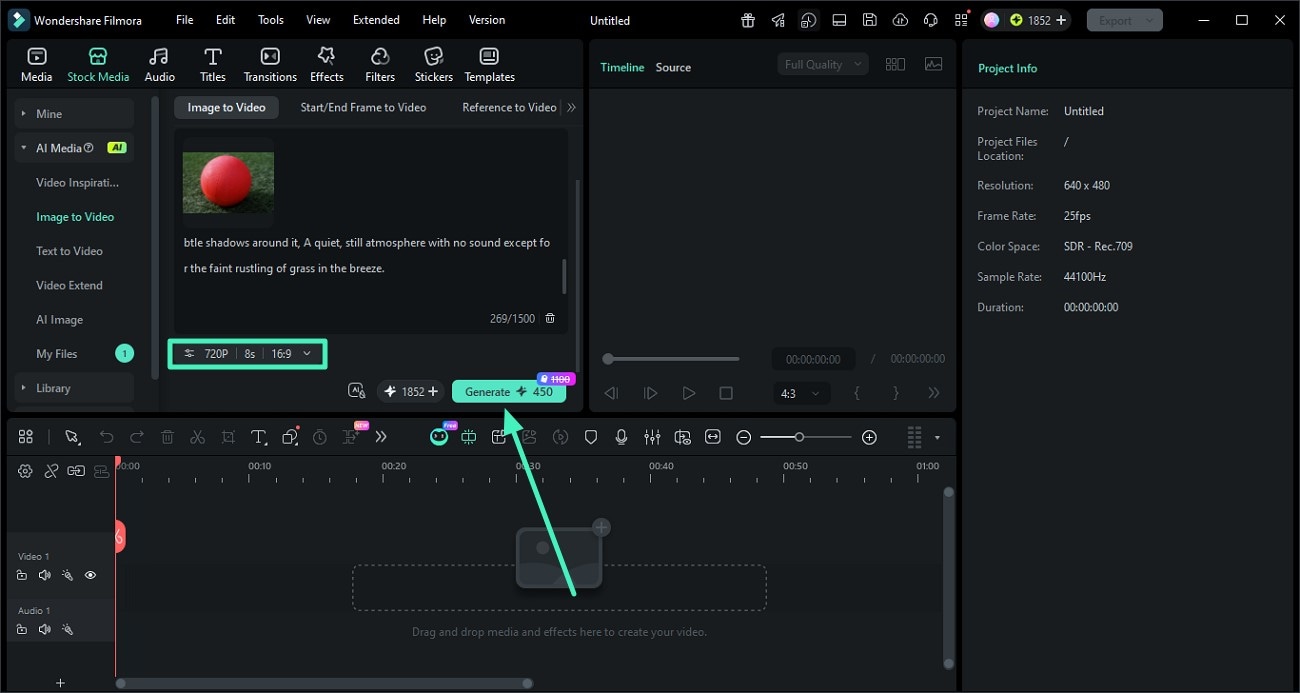
Step 2: Generate the AI Video
Click Generate to let Filmora create a video based on your prompt and image reference. The AI will maintain visual consistency in style, lighting, and composition.
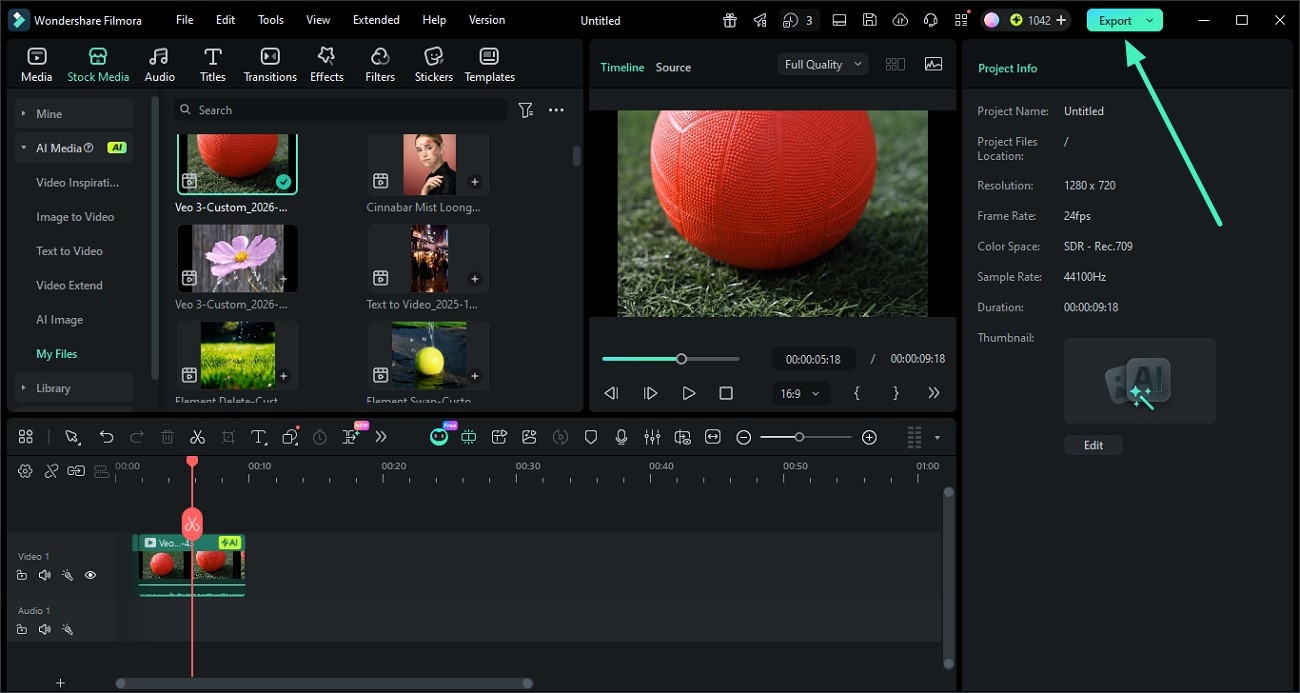
Step 3: Preview and Export
Once the video is ready, preview the result. If everything looks good, click Export to save the video or share it directly to your desired platform.
Conclusion
Prompt generators for MidJourney allow users to replicate an image as closely as possible. However, that is often their only feature. You need to use another tool for generating the images, and another for editing. That will take time and resources.
If you want a streamlined solution, consider using all-in-one tools like Filmora. It combines prompt generation, image generation, and editing software in one package.
secure download FAQs About Prompt Generators for MidJourney
-
What is an image-to-prompt tool?
An image-to-prompt tool analyzes images and writes detailed prompts based on them. Users can then enter the prompt into an AI image generator to replicate the style of the original image. -
What is the best tool for this purpose?
The best tools are the ones that bundle the image-to-prompt feature and image generation together. This way, you can use a single tool to start and finish the task. -
Can I use image prompts for video creation?
Yes, you can use image prompts for video creation. Most video creators will add the movement based on context. Alternatively, you can edit the prompts slightly to add them yourself.
