

 100% Security Verified | No Subscription Required | No Malware


 ChatGPT
 Perplexity
 Gemini
 Claude
 Grok
Grok
Creating images with AI starts with a simple idea of a good prompt. It’s just a short description that tells the AI what kind of image you want. But writing the right text-to-image prompt can be hard. Many struggle to get the exact style or result they have in mind, especially when trying to match a specific look from another image.
That’s why many look for a text-to-image prompt generator. These tools help turn ideas into clear prompts, offer text-to-image AI prompt examples, and make it easier to get better results. This guide explores the best text-to-image prompts, tools, extensions, and platforms you can use.
In this article
Part 1. Quick Solution: Tools That Make Prompt Writing Easy

There are several easy ways to turn an image into a prompt. The right choice depends on your needs and how often you use it.
- Online tools: These are easy to use and don’t require installation. Just upload your image and get a prompt in seconds. Great for quick tasks.
- Browser extensions: These work directly in your browser. They can extract prompts while you browse, making them useful for fast and frequent use.
- Built-in software: Some apps and devices now include built-in AI features that can analyze images and generate prompts without extra tools.
For a more comprehensive solution, you can also use Filmora. It not only helps turn images into prompts but also supports creating content like images and videos in one place. This makes it a convenient choice if you want everything in a single tool.

 secure download

Part 2. Best Text to Image Prompt Generator Tools
Choosing the right text-to-image prompt generator saves time and improves results. Below are three reliable tools for AI art, marketing, and content creation.
1. AIFreeForever Image to Prompt Generator
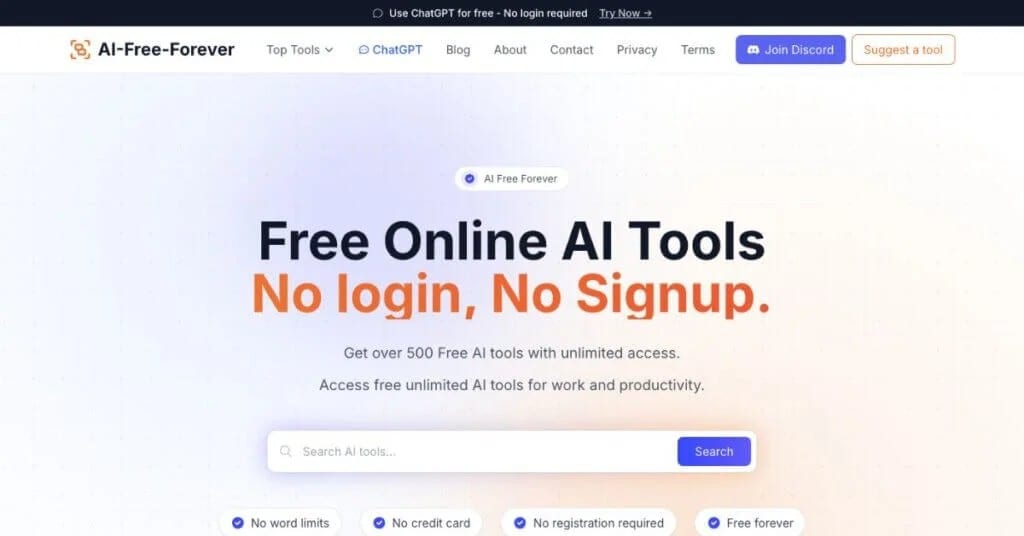
AIFreeForever is an online tool for turning images into structured AI prompts. It's for creators who want multiple prompt variations from one image to explore creative directions.
Key Features:
- Different prompt styles (descriptive, artistic, abstract)
- Model-specific prompt optimization (Midjourney, DALL·E, Stable Diffusion)
Best For:
Anyone who wants variations and experimentation from a single image input.
2. LabGen AI Image to Prompt Generator
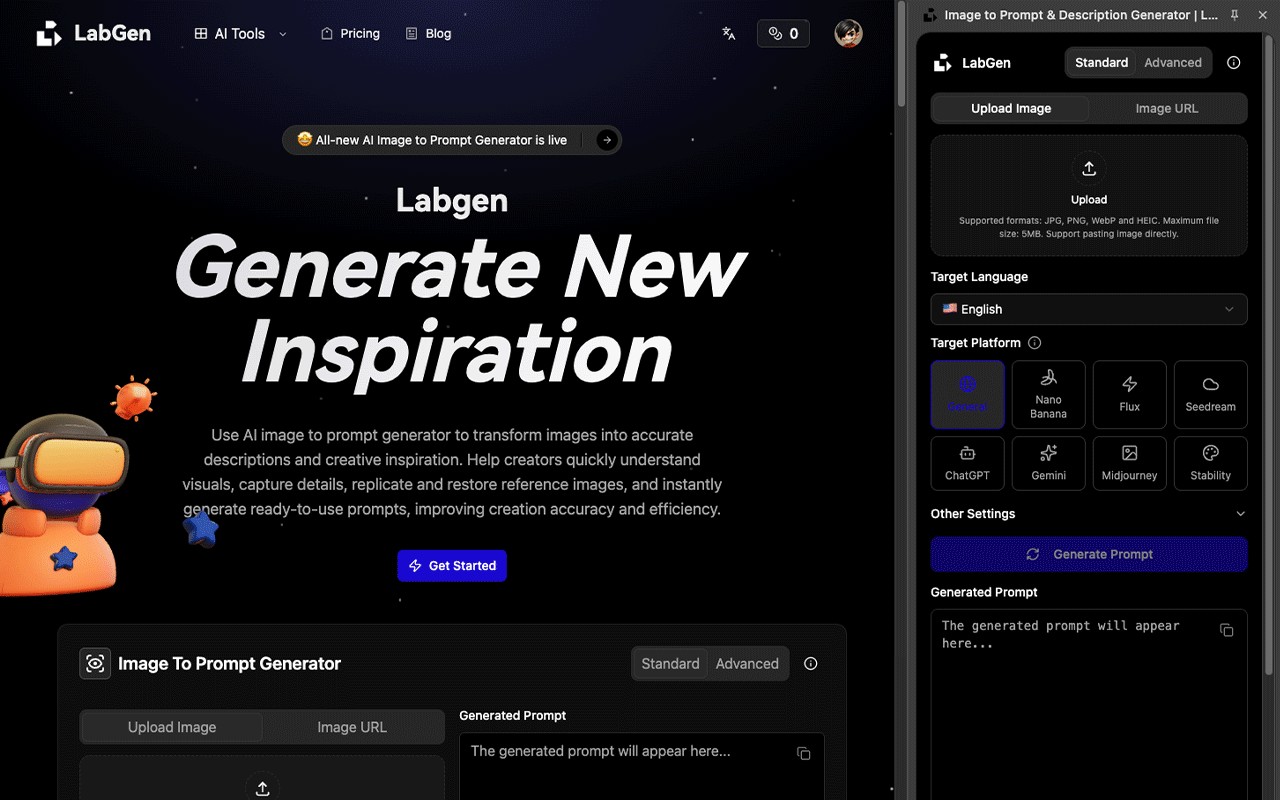
LabGen is a web platform that extracts structured prompts from images. It analyzes visual elements and converts them into AI-ready prompts.
Key Features:
- Advanced mode for prompt control (style, focus, word count)
- Multi-language support
Best For:
Users who want a full workflow system and not just a simple prompt generator.
Quick Comparison
AIFreeForever and LabGen both turn images into AI prompts, but each takes a different approach. AIFreeForever emphasizes creating multiple prompt variations with different styles, while LabGen offers more detailed and structured prompts with better control.
However, both tools share the same limitations. They only focus on generating prompts, not the full creative process. Their accuracy can change depending on image quality. Users also need to switch between different tools to complete their workflow. On top of that, they are not designed for video or full content creation. Because of this, both tools work best as helpers, not complete solutions.
Part 3. Filmora as a Text-to-Image Prompt Solution
Filmora is more than a video editor. It acts as an AI creation tool, letting you turn images into text prompts to generate new visuals. By integrating prompt writing into your workflow, Filmora speeds up and simplifies the process.
Image to Prompt Feature in Filmora
Filmora lets you turn images into text prompts without extra tools or websites.
If you have a reference image, like a design style, lighting setup, or color theme, you can just upload it into Filmora. The tool will then generate a clear and structured prompt based on that image. You can use this prompt to recreate the same style or guide a new AI-generated image.
Everything happens within Filmora, so you don’t need to switch tabs, copy text, or use other tools. This keeps your workflow simple and focused.
Why It’s Different
Filmora stands out by merging prompt generation and image creation into a seamless process. Most tools only generate a text prompt, requiring separate software for images. With Filmora, you use the generated prompt to create a new AI image right inside the platform.
This creates a clear and simple flow: Image → Prompt → AI Image Output → Editing.
This faster, more practical process helps content creators, social media managers, and YouTubers get quick results without switching tools.
Additional Capabilities
- AI Image Generation
Create new images from prompts, turning text generated from your image into fresh visuals instantly. - AI Video Generation
Turn prompts into short video content, moving beyond static images for more engaging visuals. - AI Image Expansion (Aspect Ratio Adjustment)
Filmora resizes and adapts images for various platforms without breaking composition. Easily format visuals for:- 9:16 for TikTok and Instagram Reels
- 16:9 for YouTube
- 1:1 for Instagram posts
- Vertical formats for Pinterest, Snapchat, and more
- Built-in Editing Tools
As a full editor, Filmora lets you enhance AI images after generating them. Adjust colors, add transitions, and refine visuals without switching apps.
secure download Part 4: How to Use Image to Prompt and Image to Video in Filmora
Filmora combines Image to Prompt and Image to Video features to help creators turn a single reference image into a fully generated AI video. This workflow allows you to extract visual styles from an image and instantly apply them to video generation without switching tools.
1. Generate a Prompt from an Image (Image to Prompt)
Step 1: Import Your Reference Image
Open Filmora and go to the AI Image to Video feature. Upload the image you want to use as a reference for style, composition, or lighting.
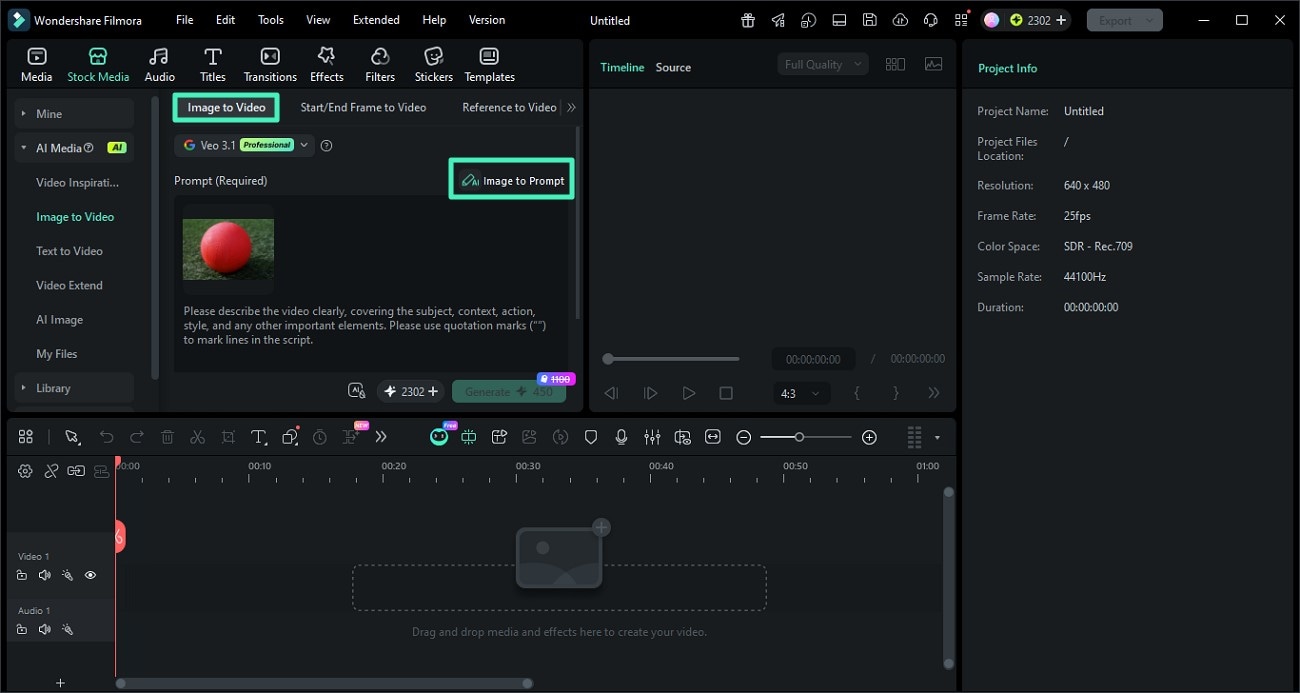
Step 2: Click Image to Prompt
Select the image and click the Image to Prompt option. Filmora will analyze the visual elements such as objects, colors, and style to generate a descriptive prompt.
You can review and edit the generated prompt to better match your desired creative direction.
Step 3: Confirm and Apply the Prompt
Once satisfied, apply the generated prompt. This prompt will now serve as the base for creating AI-generated content with a consistent style.
2. Turn the Prompt into a Video (Image to Video)
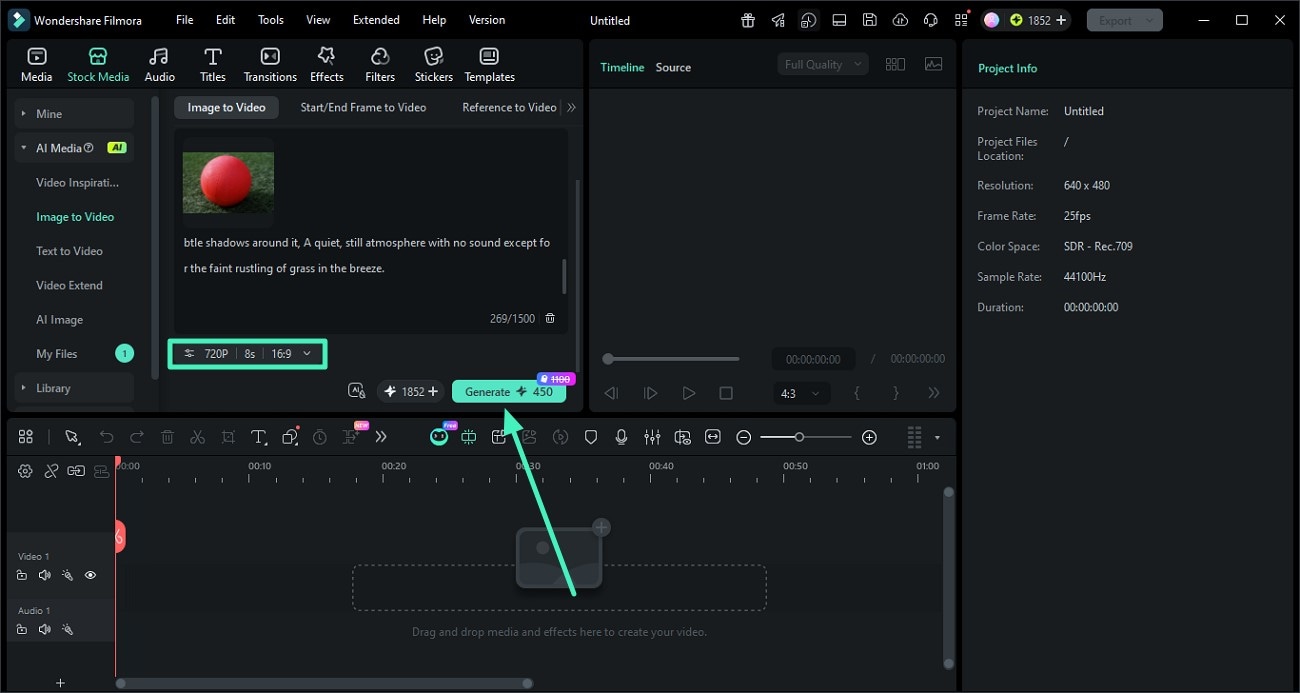
Step 1: Adjust Video Settings
After applying the prompt, configure your video settings such as resolution, aspect ratio, and duration. This ensures your final output matches your target platform like TikTok, YouTube, or Instagram.
Step 2: Generate the AI Video
Click Generate to let Filmora create a video based on your prompt and image reference. The AI will maintain visual consistency in style, lighting, and composition.
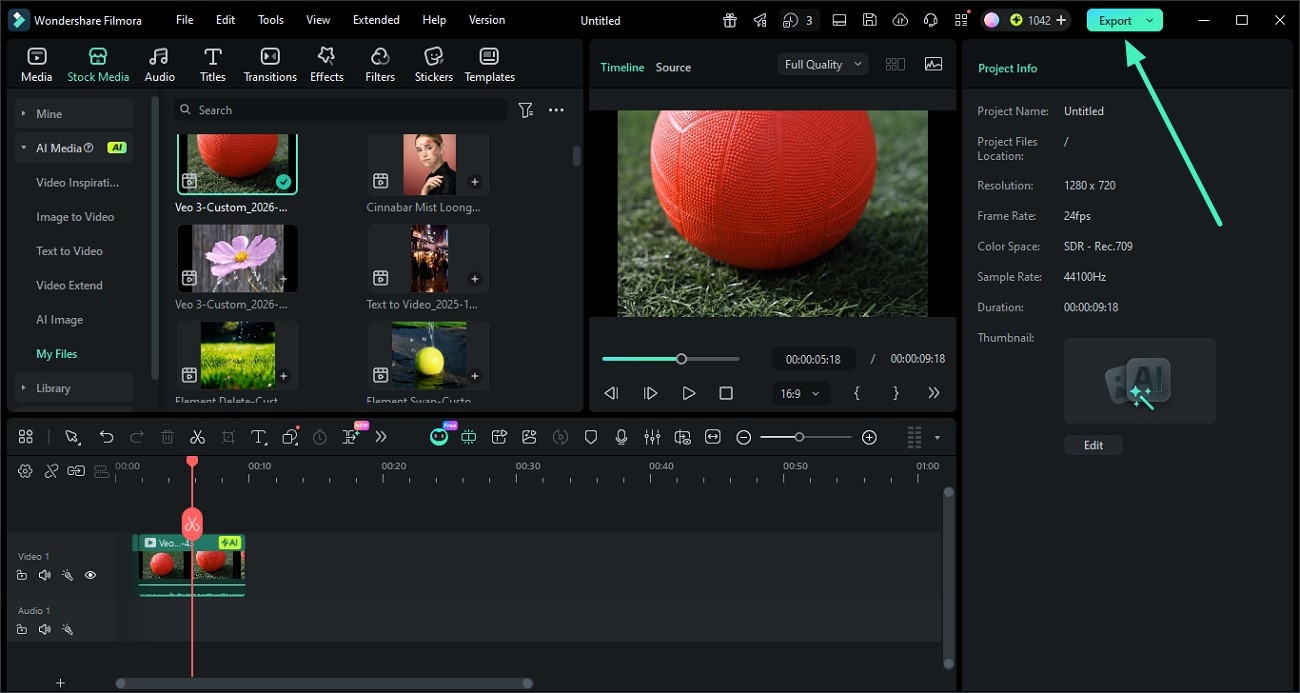
Step 3: Preview and Export
Once the video is ready, preview the result. If everything looks good, click Export to save the video or share it directly to your desired platform.
Conclusion
Text-to-image prompt generators make it easy to turn ideas or reference images into AI prompts. Instead of writing prompts from scratch, they speed up the process and improve results. However, most only generate prompts, so users often switch platforms to create, edit, and finish work, making the workflow less efficient.
Integrated tools are more practical. Platforms combining prompt creation, AI generation, and editing make the process smoother and faster. For a complete workflow, all-in-one tools like Filmora offer everything in one place without switching tools.
secure download FAQs About Text-to-Image Prompt Generators
-
What is an image-to-prompt tool?
An image-to-prompt tool is an AI tool that looks at an image and turns it into a written description or “prompt.” This prompt can then be used in AI tools to generate similar images or styles. It helps users recreate visuals without needing to write detailed prompts from scratch. -
What is the best tool for this purpose?
There is no single “best” tool because it depends on your needs. Tools like LabGen are good for structured and detailed prompts, while AIFreeForever is better for creative variations and style ideas. If you want a simpler and more complete workflow, all-in-one tools like Filmora can be a strong option because they combine prompt creation and image generation in one place. -
Can I use image prompts for video creation?
Yes. Image prompts can also be used to create short videos or animations in many AI tools. Some platforms turn images into video prompts automatically, letting you describe motion, style, and effects based on the image.
