AI Candy Cane Photo Prompts:
Create Every Style of Christmas Portrait
Browse our comprehensive collection of candy cane AI photo prompts designed to capture every festive mood and aesthetic. Each prompt has been professionally tested with ChatGPT, Gemini AI, and Filmora's Nano Banana model to ensure ultra-realistic, high-quality results. Whether you want a glamorous holiday portrait with a red sequin jumpsuit, a whimsical candy wonderland scene with pink peppermint decorations, or a cozy Christmas morning vibe, our professionally-crafted prompts deliver stunning results every time.
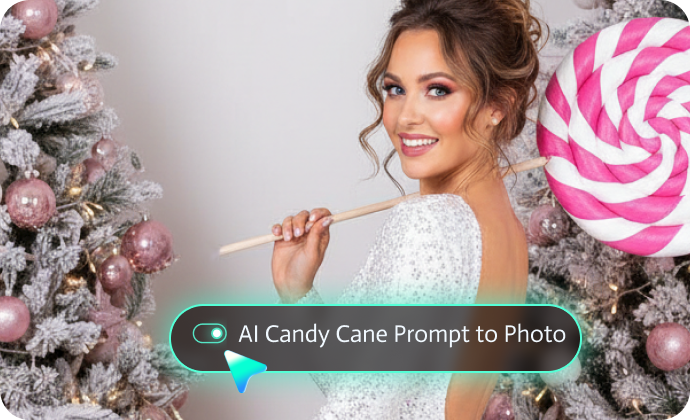
Classic Candy Cane Portraits - Sparkly white jumpsuits with giant lollipops.
Glamorous Holiday Styles - Red sequin dresses and elegant velvet looks.
Winter Wonderland Scenes - Frosted trees and peppermint decorations.
Pink Peppermint Themes - Playful candy-themed photoshoots.
North Pole Studio Shots - Professional Christmas portrait setups.
Trending Social Media Styles - Viral Gemini and ChatGPT Christmas photo formats.
Loading more templates...
 Category:
 Duration:
 Aspect Ratio:
From Prompt to Peppermint Magic:
Create AI Candy Cane Christmas Photos Instantly
Looking to turn a creative AI candy cane photo prompt into a polished, festive Christmas image? Filmora makes it easy to generate photorealistic candy cane holiday photos directly from text prompts or by enhancing uploaded images with a candy cane Christmas style.
Turn Candy Cane Prompts into Professional Christmas Photos
Turn Candy Cane Prompts into Professional Christmas Photos
Filmora's AI image generator, powered by Nano Banana Pro and Nano Banana technology, takes your candy cane Christmas photo creation to the next level. Whether you want a glamorous holiday portrait with sparkly sequins, a whimsical peppermint wonderland scene, or a classic Christmas card photo, Filmora delivers exceptional results that look professionally photographed.
- Multiple AI Models: Access Nano Banana Pro, Nano Banana, and more.
- Reference Image Support: Upload your photo for personalized results.
- Extended Prompt Length: Up to 1,500 words for detailed descriptions.
- Real-Time Generation: Watch your candy cane portrait come to life.
- Style Versatility: From ultra-realistic to artistic interpretations.
Turn AI Candy Cane Photos into Festive Holiday Videos
Turn AI Candy Cane Photos into Festive Holiday Videos
Once you've created a stunning image with an AI candy cane photo prompt, why stop at a static Christmas photo? Filmora's AI Image to Video feature lets you instantly transform candy cane–themed portraits into short, eye-catching holiday videos — perfect for sharing seasonal joy. Whether you want to make before and after transformation videos with start-end frame to video generator, add customizing animations to your candy cane photos, use preset AI templates to turn photos into animated videos, and more.
Designed for creators, families, and social media users alike, Filmora offers a rich collection of ready-to-use Christmas video templates that work beautifully with candy cane photos. With just one click, you can add gentle snowfall, glowing lights, festive motion, or cheerful holiday energy. For more creative control, you can also enter your own prompt to describe how your AI candy cane Christmas photo should come to life — from subtle facial movements to lively festive actions.
Polish Your AI Candy Cane Photos with Professional Editing Tools
Polish Your AI Candy Cane Photos with Professional Editing Tools
After generating images with an AI candy cane photo prompt, Filmora gives you everything you need to refine, personalize, and perfect your holiday content — no professional editing skills required. Whether you're creating festive posts for social media or heartfelt Christmas memories, Filmora helps your candy cane visuals look clean, vibrant, and share-ready.
- Holiday Color & Beauty Enhancements: Instantly improve lighting, colors, and skin tones to make your AI candy cane Christmas photos feel warm, natural, and polished.
- Text, Stickers & Festive Overlays: Add Christmas greetings, names, or candy-themed graphics to personalize your candy cane photos and videos.
- Background & Object Editing: Remove distractions, change backgrounds, or enhance candy cane scenes with snowy, festive settings.
- Social-Ready Formatting: Easily resize and export your AI candy cane photos or videos for TikTok, Instagram, YouTube, or holiday cards.
From prompt-generated images to polished festive content, Filmora helps creators, families, and social media users turn AI candy cane Christmas photos into high-quality holiday visuals worth sharing.
FAQs About AI Candy Cane Photo Prompts
ChatGPT: Best for most users, easy to use, produces ultra-realistic results.
Google Gemini: Great alternative, free access, artistic interpretations.
Filmora AI Image Generator: Best overall quality with Nano Banana Pro and Nano Banana, includes editing tools.
- Use a high-quality, clear photo of yourself.
- Add the phrase "use my real facial features exactly - do NOT change my face".
- Specify your hair color, eye color, and distinctive features.
- Avoid heavy filters on your reference photo.
- Try generating 2-3 times for the best match.
For children: Change "woman" to "girl" or "young child," adjust outfit sizes.
For pets: Try "a dog wearing a festive outfit in a candy cane wonderland."
For families: Specify "family portrait" and describe each person.
The subject (person, couple, family, or pet).
Candy cane or peppermint elements.
Holiday lighting and mood (warm, cozy, magical).
Realistic facial details and natural expressions.
How to Use AI Candy Cane Photo Prompts in Filmora?
Have an AI candy cane photo prompt in mind? Bring it to life instantly with Filmora. Simply paste your candy cane Christmas prompt into the AI Image tool, select the Nano Banana Pro or Nano Banana model, and generate festive, photorealistic candy cane holiday photos in seconds — no design or editing experience needed. Follow the steps below to create your own AI candy cane Christmas images with ease.
Step 1 Activate AI Image Generator

Step 2 Generate Images From Text or Reference Pictures

Step 3 Download and Export Your AI-Generated Images

-
1:Activate AI Image Generator
Launch the latest version of Filmora, create a project, and click "Stock Media", choose "AI Image" from the Media panel. -
2:Generate Images From Text or Reference Pictures
Select the Nano Banana pro or Nano Banana model, then type in your AI candy cane photo prompt, then click on the "Generate" to start making candy cane photoshoots. You can also upload a reference picture, add a candy cane AI photo editing prompt, and finally tap on Generate to edit the photo. -
3:Download and Export Your AI-Generated Images
After generating the photo, you can preview the image, tap on the download button, and drag it to the timeline, edit it if required, take a snapshot, or export to save the picture.
More Than Just a Candy Cane Photo Generator
Filmora goes far beyond basic candy cane AI Christmas prompts to photo generator. With one all-in-one tool, you can create multiple photo styles using AI prompts, turn text or images into AI-powered videos, and refine everything with professional-grade editing features. From generation to final polish, Filmora lets you seamlessly create, animate, and perfect Christmas pet photos and videos—without switching between tools.