Gemini AI Christmas Pet Photo Prompts:
Generate Magical Christmas Pet Portraits With AI
Effortlessly create magical holiday portraits without forcing your pet to pose using Gemini AI Christmas pet prompts. These Gemini AI Christmas dogs and cats prompts cover everything from Santa hats, reindeer antlers, cozy fireplace scenes, and winter wonderlands to playful Christmas tree moments—while accurately preserving breed details, fur texture, and facial expressions. Pet parents can also generate heartwarming pet-owner Christmas photos, festive family portraits, and cozy bonding moments. Want something more creative? Story-style concepts, multi-pet Christmas prompts, and Instagram grid layouts help you tell a complete holiday story. Already have photos? Gemini AI Christmas pet photo editing prompts let you add Christmas backgrounds, outfits, and decorations—transforming existing images into share-worthy holiday memories with zero reshoots.
Loading more templates...
 Category:
 Duration:
 Aspect Ratio:
From Cute to Festive:
AI Christmas Pet Photos in One Click
Loved those stunning Gemini-generated Christmas pet photos? The secret's our pet-focused prompts—crafted to blend holiday cheer with Gemini's AI power, so your pup or cat looks picture-perfect. Now, turn those prompts into reality with Filmora's AI Christmas Pet Photo Generator. Hyper-realistic, festive, and effortless—create Christmas pet memories that'll steal the show this holiday season.
Create Stunning Pet Portraits with AI Image Generator
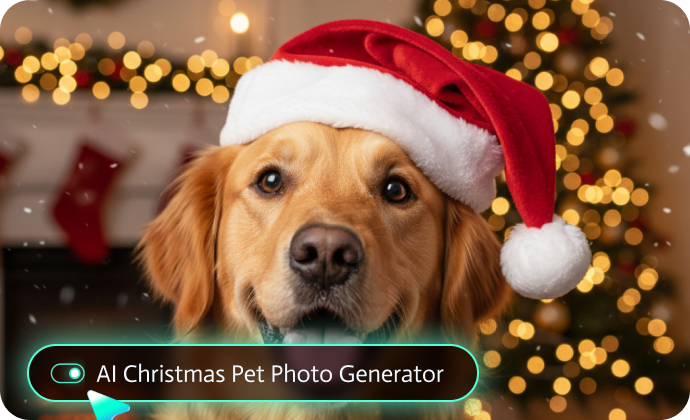
Create Stunning Pet Portraits with AI Image Generator
Ready to bring these Gemini AI Christmas pet prompts to life? Simply copy and paste those prompts into Filmora's AI image generator, powered by Nano Banana Pro, which delivers professional-quality pet portraits that preserve your furry friend's exact features.
- Superior Pet Feature Preservation: Nano Banana's advanced recognition technology maintains your pet's breed-specific characteristics, unique markings, and authentic coloring.
- Lightning-Fast Pet Photo Generation: Generate multiple Christmas pet portraits in 20-30 seconds each—perfect for pet parents who want to create holiday cards featuring ALL their fur babies.
- 1500-Word Detailed Pet Prompt Support: Describe every aspect of your pet in detail—and watch Filmora capture that personality in Christmas scenes. The more detail you provide about your pet, the more accurate and personalized your holiday portraits become.
Bring Your Pet Photos to Life with AI Image to Video
Bring Your Pet Photos to Life with AI Image to Video
Static Christmas pet photos are adorable—but animated Christmas pet videos? Absolutely irresistible! Filmora's AI Image to Video feature transforms your AI-generated pet portraits into dynamic holiday content that stops scrolls on social media.
Plus, the Filmora app comes pre-integrated with the Nano Banana Pro! Use AI templates to create festive Christmas pet videos effortlessly by uploading your pet portraits.
- Animated Christmas Pet Magic: Watch your dog's tail wag naturally, see your cat's eyes blink, and look around the Christmas tree, observe gentle snow falling around your pet's portrait. Filmora's Google Veo3.1-powered technology adds realistic motion that makes static portraits come alive—creating the illusion your pet is actually posing in that magical Christmas scene. Perfect for Instagram Reels, TikTok videos, and YouTube Shorts.
- Dynamic Holiday Elements: Your pet's Christmas video can feature: twinkling fairy lights that actually twinkle, falling snowflakes drifting naturally, flickering fireplace flames creating warm ambiance, subtle camera movements that add cinematic quality.
- One-Click AI Christmas Video Templates: Too busy for manual editing? Filmora offers pre-designed AI Christmas pet video templates: upload your pet's portrait, select a festive template with holiday music and creative AI effect, and export a complete Christmas pet video in minutes.
Enhance & Customize with Professional Editing Tools
Enhance & Customize with Professional Editing Tools
Beyond AI Christmas pet photo and video generation, Filmora's all-in-one editing suite helps you polish Christmas pet photos and videos into truly share-worthy content. With one-click Christmas effects and overlays, you can add falling snow, twinkling lights, festive stickers, and warm holiday color grading that instantly enhances cozy Christmas vibes. Filmora also makes it easy to add pet-friendly captions and text, using festive fonts, ready-made Christmas quotes, and auto subtitles—perfect for social media viewing without sound. To elevate quality even further, AI-powered video enhancement tools handle color correction, stabilization, noise reduction, and resolution upscaling, ensuring fur details, whiskers, and expressions look crisp. From shaky phone clips to polished holiday masterpieces, Filmora turns everyday pet footage into professional-looking Christmas content with minimal effort.
FAQs About Gemini AI Xmas Pet Photo Prompts
How to Use Gemini AI Christmas Pet Photo Prompts in Filmora?
Generate and edit professional Christmas cat and dog photos with Gemini AI prompts in Filmora with ease. Follow the steps to make AI Christmas pet portraits instantly.
Step 1 Activate AI Image Generator

Step 2 Generate Images From Text or Reference Pictures

Step 3 Download and Export Your AI-Generated Images

-
1:Activate AI Image Generator
Launch the latest version of Filmora, create a project, and click "Stock Media", choose "AI Image" from the Media panel. -
2:Generate Images From Text or Reference Pictures
Select the Nano Banana pro and Nano Banana model, then type in your AI Gemini prompts for Christmas pets, then click on the "Generate" to start making Christmas pet photoshoots. You can also upload a reference picture of your pet, add a Gemini AI christmas pet photo editing prompt, and finally tap on Generate to edit the photo. -
3:Download and Export Your AI-Generated Images
After generating the photo, you can preview the image, tap on the download button, and drag it to the timeline, edit it if required, take a snapshot, or export to save the picture.
More Than Just a Christmas Pet Photo Generator
Filmora goes far beyond basic Gemini AI Christmas pet prompts to photo generator. With one all-in-one tool, you can create multiple photo styles using Gemini AI prompts, turn text or images into AI-powered videos, and refine everything with professional-grade editing features. From generation to final polish, Filmora lets you seamlessly create, animate, and perfect Christmas pet photos and videos—without switching between tools.