20+ Viral Gemini New Year 2026 Photo Prompts
Your Complete Collection
Whether you're planning to surprise your partner with a romantic countdown kiss photo, create a viral squad celebration pic for Instagram, or capture a family milestone moment, these viral Gemini AI new year photo prompts will help you create memories that feel as real as they look.
Simply tap on the picture you prefer, copy-and-paste the prompt, and see the result in seconds.
Loading more templates...
 Category:
 Duration:
 Aspect Ratio:
Create Unforgettable New Year 2026 Moments
With Gemini AI Prompts
Want to follow the trend and deliver your own New Year 2026 AI Photos immediately? Come across Filmora's AI image generator, integrated with the powerful model of Google Gemini, Nano Banana, and you will get satisfied results in seconds.
Turn Gemini New Year Prompts into Stunning Photos
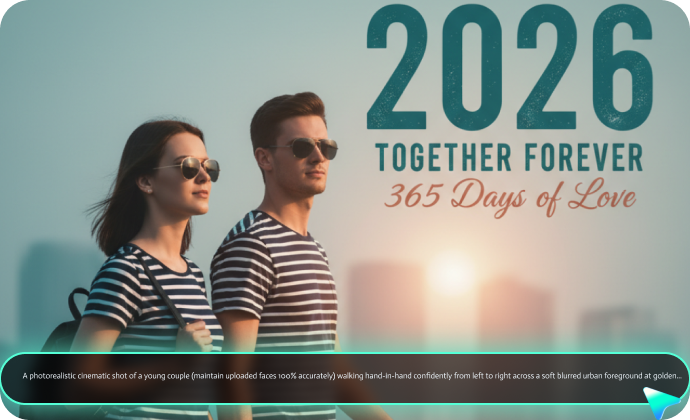
Turn Gemini New Year Prompts into Stunning Photos
Copy any prompt from this guide and paste it into Filmora's AI Generator powered by Nano Banana for professional-quality results.
- Extended Prompt Support: Add up to 1,500 words of detail for your new year photos.
- Upload Your Photo for Perfect Face Matching: Reference images ensure 100% accurate face preservation while creating your dream New Year celebration scene.
- Change Image Styles: Transfer images into various popular styles such as anime, pop art, oil painting, clay, and more within clicks.
Beyond the New Year Photo: Make It Move with Filmora
Beyond the New Year Photo: Make It Move with Filmora
You've created a stunning Gemini AI New Year photo. Now imagine: the fireworks actually explode in slow motion. Champagne bubbles float upward. Confetti rains down. The "2026" text appears with cinematic animation. Your static photo transforms into an 8-second video that gets 5x more views. That's where Filmora's AI video generator comes in.
- AI Image to Video Generator: Turn static New Year's photos into animated videos with preset templates, or add customized prompts to make photos move.
- AI New Year Prompts to Video Maker: Convert prompts into dynamic happy new year videos directly, powered by the strong video generation model VEO3.1.
- AI Audio to Video Generator: Upload your audio file and make stunning AI videos with ease.
Beyond Photo Generation: Your Complete Stranger Things Content Studio
Beyond Photo Generation: Your Complete Stranger Things Content Studio
Filmora isn't just an image generator—it's your complete New Year content studio. Generate AI photos, animate them into videos, add music and effects, then export for Instagram, TikTok, or YouTube—all in one platform.
- Plenty of New Year Video Templates: Drop your photo into pre-designed templates with animations, text, and music. Export in 2 minutes for Instagram Reels or TikTok.
- AI Auto Highlights: Upload your photos, and AI creates a year-in-review video automatically—perfect for "Looking Back" posts.
- AI Music Generator: Generate custom celebration soundtracks in seconds. All royalty-free, no copyright issues.
- Festive Effects Library: Add fireworks, confetti, champagne bubbles, and trending color grades with one click.
FAQs About Gemini AI New Year Photo Prompts
How to Use Gemini AI New Year Photo Prompts in Filmora?
Generate and edit professional new year photos with Gemini AI prompts in Filmora with ease.
Step 1 Activate AI Image Generator

Step 2 Generate Images From Text or Reference Pictures

Step 3 Download and Export Your AI-Generated Images

-
1:Activate AI Image Generator
Launch the latest version of Filmora, create a project, and click "Stock Media", choose "AI Image" from the Media panel. -
2:Generate Images From Text or Reference Pictures
Select the Nano Banana model, then type in your AI Gemini prompts for New Year photos, then click on the "Generate" to start making photos. You can also upload a reference picture for face consistency, and finally tap on Generate to edit the photo. -
3:Download and Export Your AI-Generated Images
After generating the photo, you can preview the image, tap on the download button, and drag it to the timeline, edit it if required, take a snapshot, or export to save the picture.
More Than Just a New Year Photo Generator
Filmora goes beyond simple AI New Year Prompts to a photo generator. You can also generate other style photos from Gemini AI prompts, create AI videos from prompts or pictures, and edit them with the most powerful editing features in the same tool.