From Cozy Firesides to Magical Snow Globes:
Christmas Baby Prompts for Every Style
Our Gemini AI Christmas baby photo prompts are crafted to help you create realistic, heartwarming Christmas baby portraits with Gemini AI. Each photo prompt includes clear face preservation instructions, making them ideal for newborns, baby boys, baby girls, and gender-neutral Christmas scenes. These prompts support both upload-and-edit baby photos and text-to-image Christmas baby portraits, while focusing on soft lighting, cozy holiday settings, and natural expressions. Browse the Gemini AI Christmas baby photo prompts library below to find free, copy-and-paste prompts for creating timeless, professional-quality AI Christmas baby photos.
Loading more templates...
 Category:
 Duration:
 Aspect Ratio:
From First Smiles to Festive Memories:
AI Christmas Baby Photos in One Click
Loved those heart-melting Gemini-generated Christmas baby photos? Behind every touching image is a thoughtfully written Gemini AI Christmas baby photo prompt, designed to capture your baby's real face, gentle expressions, and unique personality. From a newborn's first Christmas portrait to cozy holiday scenes filled with warmth and wonder, these prompts help Gemini AI recreate moments you'll treasure forever. Paired with Filmora's AI Christmas Baby Photo Generator, creating meaningful, lifelike Christmas baby photos becomes effortless—so you can turn fleeting moments into timeless holiday memories.
Create Heartwarming Christmas Baby Portraits with AI Image Generator
Create Heartwarming Christmas Baby Portraits with AI Image Generator
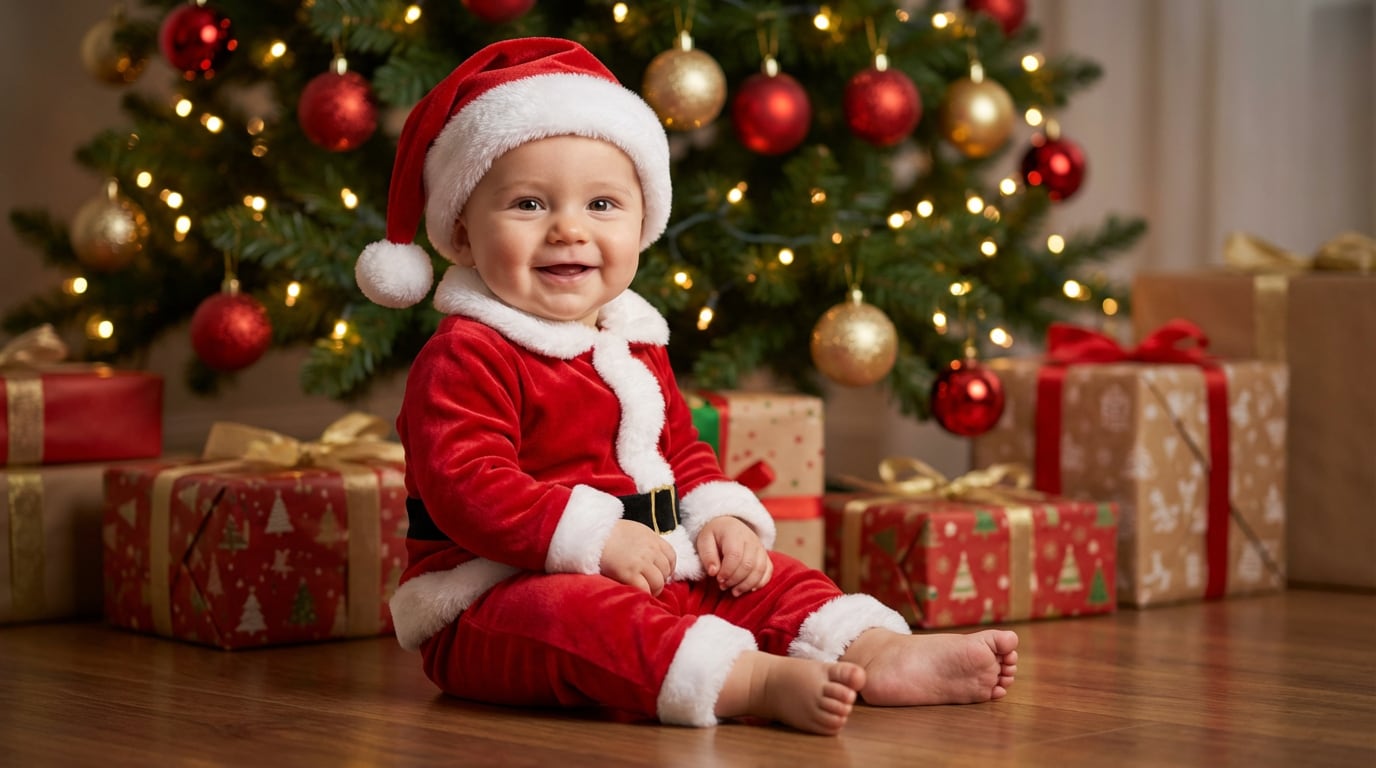
Ready to turn these Gemini AI Christmas baby photo prompts into real holiday memories? Simply copy and paste your favorite prompts into Filmora's AI image generator, powered by Nano Banana Pro and Nano Banana. It creates professional-quality Christmas baby portraits while carefully preserving your baby's real facial features, expressions, and natural charm.
- Advanced Baby Face Preservation: Nano Banana Pro uses intelligent facial recognition to maintain your baby's unique features, skin tone, and expressions—ensuring every AI Christmas baby photo looks authentic and emotionally true.
- Fast & Effortless Christmas Baby Photo Creation: Generate multiple AI Christmas baby portraits in just seconds, making it easy to create holiday keepsakes, greeting cards, and family memories without a photoshoot.
- Detailed Gemini AI Christmas Baby Photo Prompt Support: With support for long, descriptive prompts, you can specify newborn safety, cozy holiday scenes, lighting styles, and emotions. The more detail you include, the more personalized and lifelike your Christmas baby portraits become.
- Batch Generation for Multiple Styles: Want your baby in 5 different Christmas outfits? Generate multiple variations quickly to choose the perfect one for your holiday card, social media, or family album.
Bring Your Christmas Baby Photos to Life with AI Image to Video
Bring Your Christmas Baby Photos to Life with AI Image to Video
Static Christmas baby photos are sweet—but turning them into moving memories makes them unforgettable. Filmora's AI Image to Video feature transforms your Gemini AI Christmas baby photos into gentle, lifelike holiday videos that capture emotion, warmth, and wonder—perfect for sharing with family and friends.
Even better, the Filmora app comes pre-integrated with Nano Banana Pro, allowing you to create beautiful Christmas baby videos effortlessly using AI-powered templates—just upload your baby's photo and let the magic unfold.
- Gentle Christmas Baby Photo Animation: Add soft, natural motion to your baby's portrait—subtle eye blinks, tiny head movements, cozy breathing effects, and gentle snowfall in the background. Filmora's Google Veo3.1-powered technology brings your Christmas baby photo to life while preserving facial features and a calm, natural look—ideal for first Christmas baby videos.
- Warm Holiday Atmosphere Effects: Enhance your AI Christmas baby videos with softly glowing lights, drifting snowflakes, warm fireplace tones, and slow cinematic camera movements that create a peaceful, storybook holiday mood.
- One-Click AI Christmas Baby Video Templates: Short on time? Choose from Filmora's ready-made AI Christmas baby video templates. Upload your Gemini AI Christmas baby photo, select a festive style with music and seasonal effects, and export a heartwarming Christmas baby video in minutes—no editing skills needed.
Customize Your Christmas Baby Photos with Festive Editing Tools
Customize Your Christmas Baby Photos with Festive Editing Tools
To elevate your Gemini AI Christmas baby photos, Filmora offers a rich collection of built-in Christmas overlays designed specifically for the holiday season. Inside Filmora, you'll find ready-made festive borders, animated overlays, and seasonal visual effects—including falling snow, glowing lights, warm bokeh, and holiday-themed frames—that instantly transform baby photos into cozy Christmas keepsakes. These Christmas overlays cover a wide range of scenes and styles, from soft and gentle looks for newborn Christmas portraits to playful, colorful designs for family-friendly holiday memories. With just one click, you can layer effects, frames, and decorations to match different moods and aesthetics—making it easy to personalize every Christmas baby photo without complex editing.
Everything Parents Ask About AI Christmas Baby Photos
- Your reference photo is too low quality, blurry, or has poor lighting.
- The prompt doesn't include facial preservation instructions.
- Conflicting prompt elements confuse the AI (e.g., "Asian baby" + "blonde hair").
- Generic prompts prioritize "beauty standards" over accuracy.
- AI model isn't optimized for infant facial structures.
Here is the solution we recommend: includes explicit face preservation language like "Preserve all my exact facial features from the uploaded photo to maintain complete recognizability" and "Keep facial features identical to the uploaded image." This dramatically improves accuracy.
How to Use Gemini AI Christmas Baby Photo Prompts in Filmora?
Easily generate and edit adorable Christmas baby photos with Gemini AI prompts in Filmora. Follow simple steps to create festive AI baby portraits instantly.
Step 1 Activate AI Image Generator

Step 2 Generate Images From Text or Reference Pictures

Step 3 Download and Export Your AI-Generated Images

-
1:Activate AI Image Generator
Launch the latest version of Filmora, create a project, and click "Stock Media", choose "AI Image" from the Media panel. -
2:Generate Images From Text or Reference Pictures
Select the Nano Banana pro or Nano Banana model, then type in your AI Gemini Christmas prompts for babies, then click on the "Generate" to start making Christmas child photoshoots. You can also upload a reference picture of your baby girl or baby boy, add a Gemini AI christmas baby photo editing prompt, and finally tap on Generate to edit the photo. -
3:Download and Export Your AI-Generated Images
After generating the photo, you can preview the image, tap on the download button, and drag it to the timeline, edit it if required, take a snapshot, or export to save the picture.
More Than Just a Christmas Baby Photo Generator
Filmora goes far beyond basic Gemini AI Christmas baby photoshoot prompts to photo generator. With one all-in-one tool, you can create multiple photo styles using Gemini AI prompts, turn text or images into AI-powered videos, and refine everything with professional-grade editing features. From generation to final polish, Filmora lets you seamlessly create, animate, and perfect Christmas baby photos and videos—without switching between tools.