
Chinese New Year Al Photo Prompts:
Copy, Paste & Go Viral
Want your photos to match the trending Chinese New Year Al look on social media? These ready-made Chinese New Year Al photo prompts give you red lanterns, lion dances, fireworks, and beautiful CNY traditions with one click. Just scroll to browse every Chinese New Year Al AI prompt, tap any image, copy the prompt, and use it with your favorite AI image generator for instant results. Perfect for sharing on TikTok, Instagram, and YouTube—get inspired and post your festive masterpiece fast.
Loading more templates...
 Category:
 Duration:
 Aspect Ratio:
Chinese New Year AI Photo Prompt: Instantly Make Festive Pictures
Looking for the best Chinese New Year AI Photo Prompt to celebrate or go viral on TikTok and Instagram? Instantly turn your selfies or family photos into Chinese New Year style images and videos—add lanterns, red envelopes, lion dance, and more using tested prompt templates. With Filmora’s AI image generator and Google's Nano Banana model (Pro integration coming soon), you can generate trending Chinese New Year photo prompts for social reels, profile pics, or family greeting videos.
See how creators use Chinese New Year AI Photo Prompt for authentic festive shots, family celebration portraits, and viral visual effects—perfect for sharing and standing out across all platforms.
How Chinese New Year AI Photo Prompt Works
How Chinese New Year AI Photo Prompt Works
Create Lunar New Year photos in any style—from classic spring festival family portraits, themed couple selfies, to modern social stories with red lantern overlays. Just type in or copy a Chinese New Year AI Photo Prompt and let Filmora’s AI generator apply it for you—see yourself in traditional outfits, festive backgrounds, or cartoon-style art popular on TikTok and Instagram.
- Copy Trending Prompts – 16+ ready-made Chinese New Year AI photo prompt templates for instant results.
- Multiple Festive Styles – Choose dragon dance, red envelope, lantern festival, lion dance visuals, and more.
- Photo Upload Supported – Add your selfie or family photo to customize your Chinese New Year scene.
Create Chinese New Year AI Videos from Photos
Create Chinese New Year AI Videos from Photos
The Filmora mobile app now has Chinese New Year AI Photo Prompt templates, so you can turn your favorite pictures into dynamic, shareable videos with trending CNY effects, music, and transitions—all with just a few taps.
- Festive Video Templates – Ready-to-use Chinese New Year animated templates for birthdays, family greetings, and trending effects.
- No Prompt Needed – Just upload a photo, pick a CNY template, and your AI video is ready in seconds.
- Editable for Creators – Add your own text, stickers, or swap art style for more viral content.
- Photo-to-Video Transformation – Bring still CNY family photos to life with animation.
- Background Music Included – Use traditional or upbeat Chinese New Year tunes and sound effects.
Edit AI-Generated Text and Add Chinese New Year Greetings
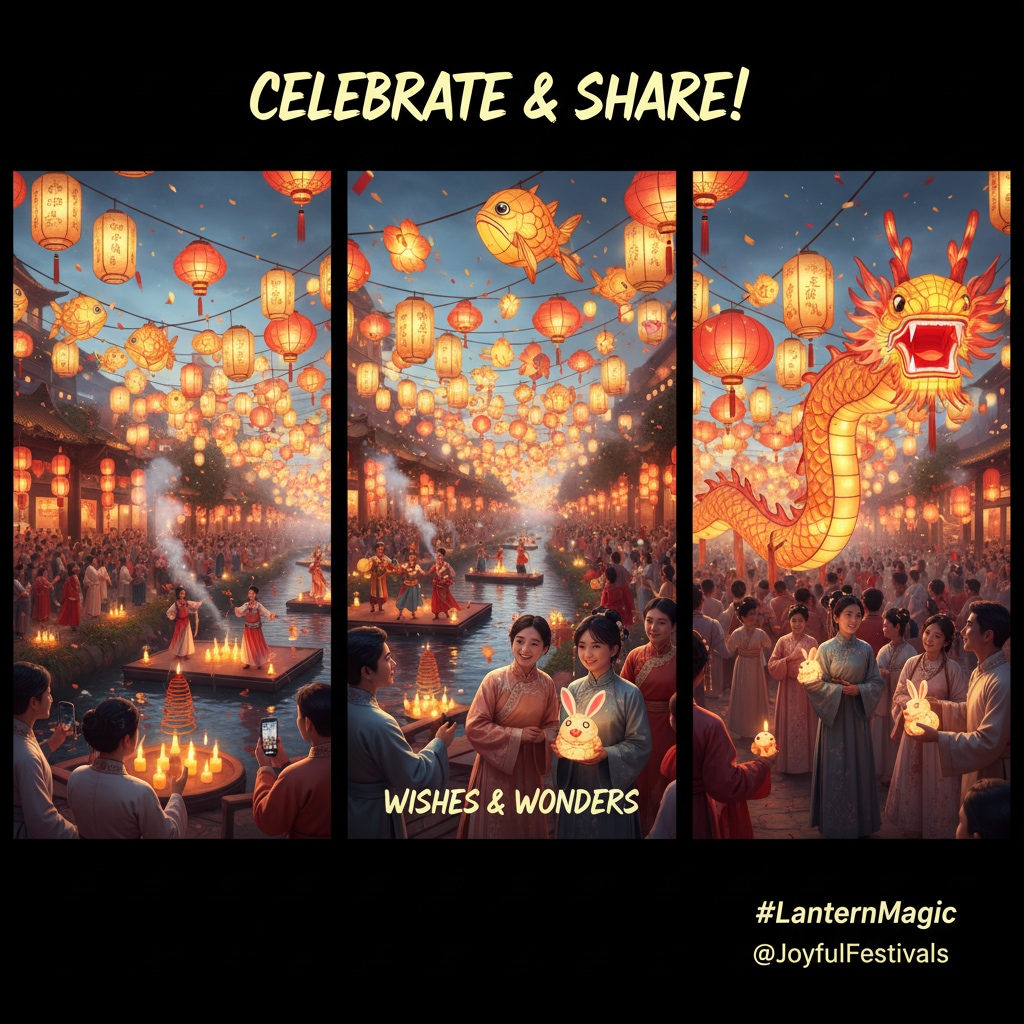
Edit AI-Generated Text and Add Chinese New Year Greetings
Customize your Chinese New Year AI Photo Prompt result even further by adding text, captions, or speech bubbles with classic festival wishes—like “Gōng xǐ fā cái” or “Happy Lunar New Year”. Use Filmora's comic text and font tools to stylize your message for social media or video sharing.
- 🗨️ Speech Bubbles – Quickly add new year wishes or blessings in English, Chinese, or both, with fun speech bubble art options.
- 🔤 CNY Fonts – Choose traditional and trendy fonts for Chinese, English, or mixed festive greetings and captions.
- 🎨 Typography Tools – Adjust color, outline, background, and effects to match the red & gold Lunar New Year vibe.
FAQs for Chinese New Year Al Photo Prompt
- Open your favorite AI photo generator app or website.
- Choose an AI model that supports prompt-based photo creation.
- Copy and paste the Chinese New Year Al Photo Prompt from this page or adjust your own.
- Click “Generate” and watch as your Chinese New Year themed photo appears in seconds!
- Download, share, or post your AI-generated photo to celebrate on social media.
How to Use Chinese New Year Al Photo Prompt in Filmora?
Curious how to join the viral trend? While you can't use Chinese New Year Al Photo Prompt directly inside Filmora just yet, you can create stunning AI Chinese New Year images in any app, then import and edit them in Filmora. This step-by-step guide helps you generate and enhance Chinese New Year Al Prompt photos for TikTok and Instagram in less than a minute.
Step 1 Start the AI Photo Generator

Step 2 Generate a Chinese New Year Photo From Text Prompt

Step 3 Download and Edit Your Chinese New Year AI Photo

-
1:Start the AI Photo Generator
Open Filmora, start a new project, select "Stock Media," then pick "AI Image" from the Media panel to begin making your Chinese New Year photo. -
2:Generate a Chinese New Year Photo From Text Prompt
Select your AI image model, enter your Chinese New Year Al Photo Prompt, and click "Generate" to create your holiday AI image. -
3:Download and Edit Your Chinese New Year AI Photo
Preview your generated photo, hit the download button, drag onto your timeline in Filmora, add fun edits, or export for sharing with your followers.
More Than Just a Chinese New Year Al Photo Prompt Effect
Filmora isn’t only for Chinese New Year Al Photo Prompt images. You can also generate birthday, wedding, and trending festival photos, create AI videos from prompts, and edit everything using powerful tools—all in one app.







