100% Security Verified | No Subscription Required | No Malware

This year, let's skip the same old Christmas cards that look just like everyone else's.
An AI Christmas card generator inside Wondershare Filmora lets you design anything you imagine without style or format constraints. Unlike making it by hand, there's no limit to how you want your card to look. You can even make a short Christmas video greeting card that's perfect for sharing this holiday.
Moreover, making an AI-generated Christmas card doesn't require you to have any design skills. There's no need for fancy tools either. It's quick and simple. Yet, your holiday messages still feel special. Let us show you how.
In this article
Part 1. Quick Start: Make Animated Christmas Video Cards
Creating a personalized AI Christmas video card is the perfect choice if you want to upgrade from traditional greeting cards and send something more lively and dynamic. And to make the process easy for you, the Filmora mobile app includes several Christmas card templates packed with creative effects and animations that would be hard to recreate manually.
With this method, you can start quickly, even without worrying about writing a good prompt to get a good result. What you need to do is pick the style you like, upload your photo, and let the app generate your Christmas card video.
 Secure Download
How to Make an AI-Generated Christmas Video Card
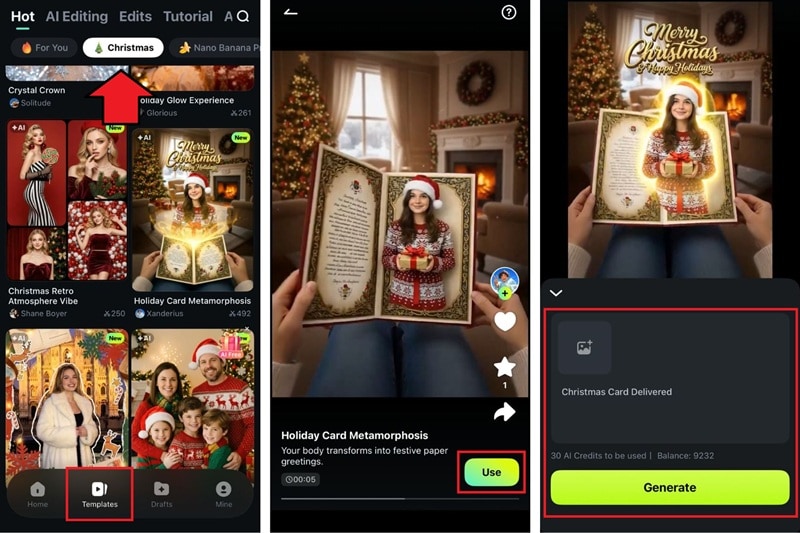
Step 1: Go to the Templates tab and select the Christmas tab to filter the results.
Step 2: Look for a video template that matches the style you want. In the example, we are using the "Holiday Card Metamorphosis” template. Tap "Use.”
Step 3: Upload your picture and refine the prompt if needed. Press Generate to create your Christmas video card.
Step 4: Choose whether to save it right away or edit it in Filmora's editor for more adjustments. With the Filmora app, you can add or replace the music, insert more captions, apply filters, or include stickers before exporting.
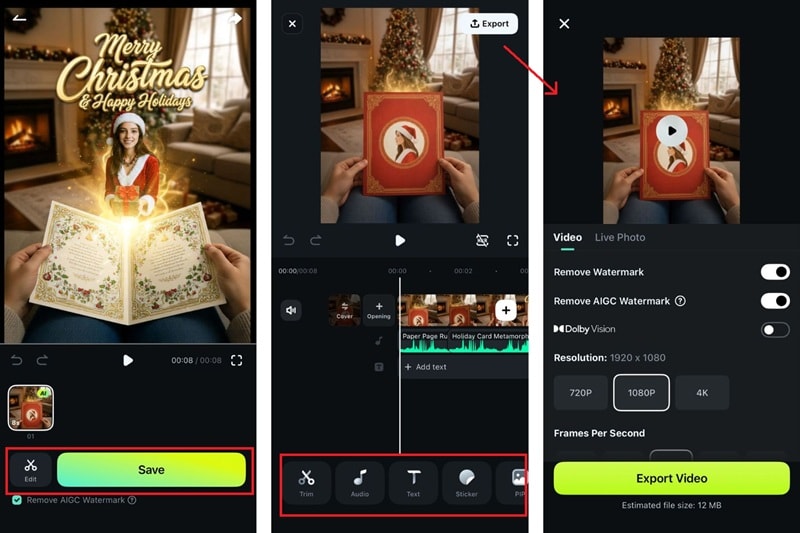
Note: The Christmas video card templates are also available on the desktop version of Filmora if you want more room to work.
Part 2. Advanced Creation: Generate Unique Christmas Cards
If you prefer sticking with a traditional Christmas card but refuse to make it look generic, you can still rely on Filmora to help you create something unique.
The AI Image Generator on the Filmora desktop version is now powered by Nano Banana Pro, which delivers high-quality, detailed artwork in any style you want. The only limit is your imagination, since you can guide every detail of your AI-generated Christmas card through a prompt!
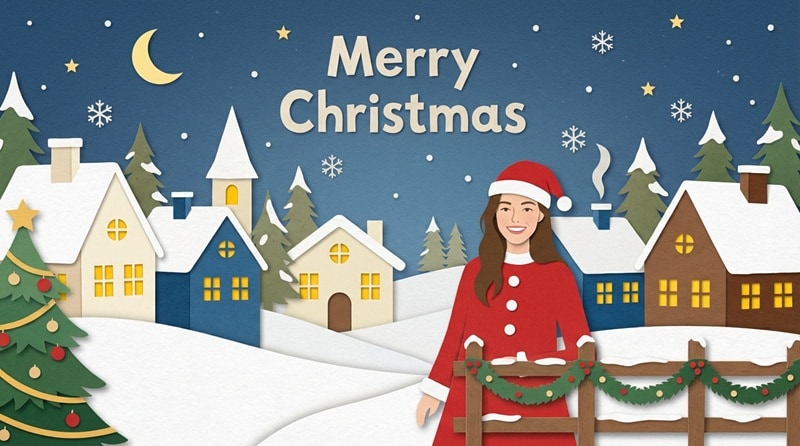
The steps are still simple. There's also an option to upload a photo as a reference, or even use it to include yourself in your Christmas card.
Secure DownloadHow to Generate a Unique Christmas Card with Filmora
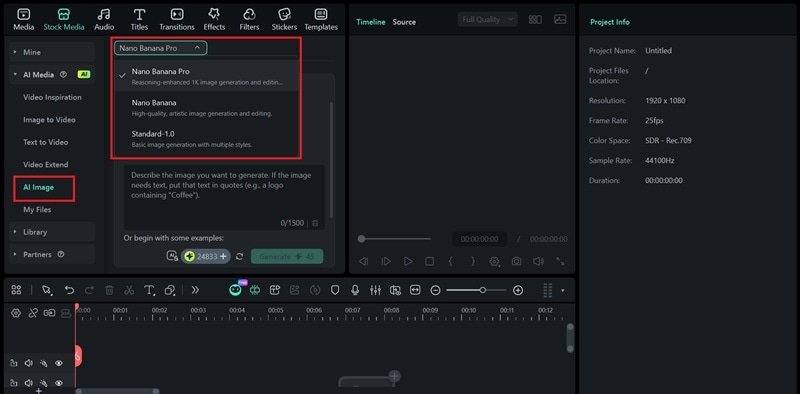
Step 1: Create a new project and head to Stock Media > AI Media > AI Image inside the editor. Select the Nano Banana Pro model for a higher-quality result.
Step 2: Enter a prompt and insert a photo reference if you want to create an AI Christmas card with a photo. Then, hit Generate.
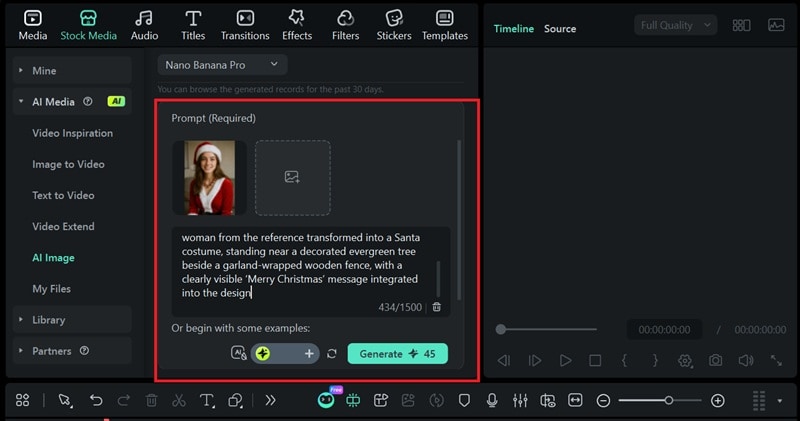
Prompt Tip: Clearly describe the style of Christmas card you want to create. Some of the style keywords you can use are: cut-paper craft, watercolor holiday illustration, 3D clay-style Christmas characters, vintage postcard look, minimalist flat illustration, or hyper-realism.
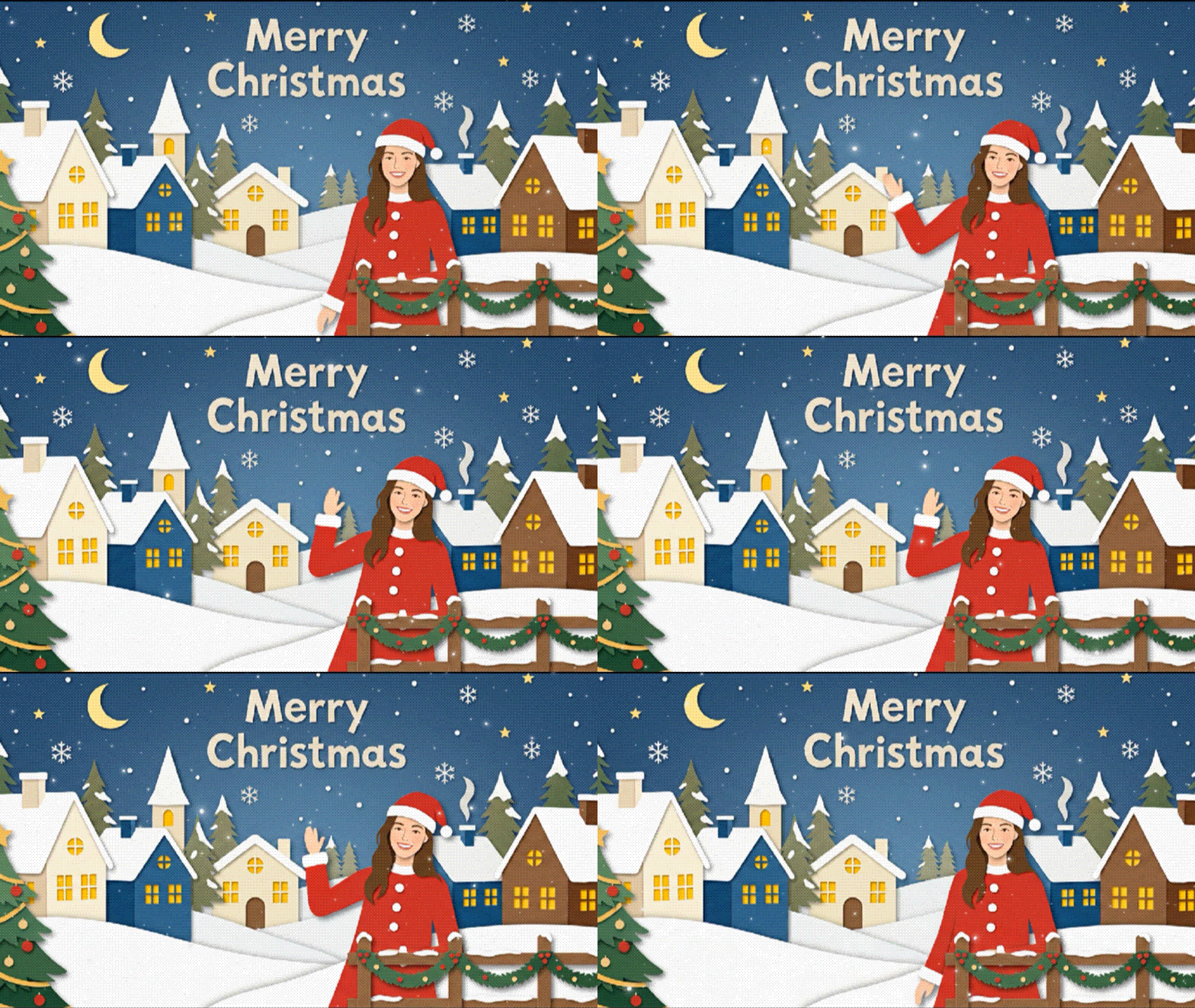
The prompt we are using for this example:
"A minimalist Christmas card (16:9 ratio) in a cut-paper craft art style, featuring a cozy snow-covered village under a starry night sky, layered paper textures, warm glowing windows, and gently falling snow; include the woman from the reference transformed into a Santa costume, standing near a decorated evergreen tree beside a garland-wrapped wooden fence, with a clearly visible ‘Merry Christmas' message integrated into the design.”
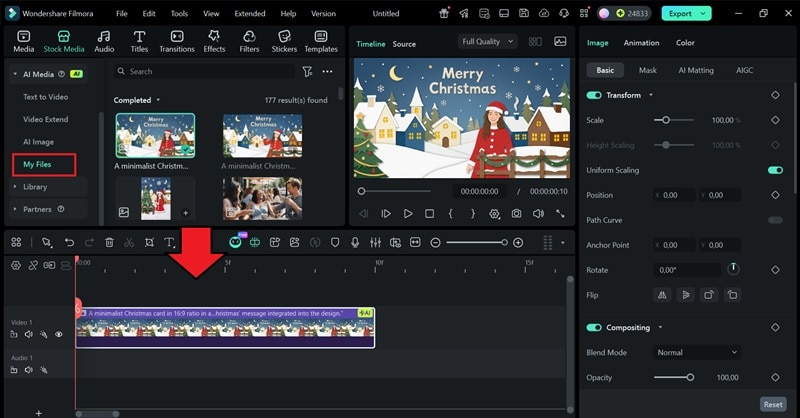
Step 3: Find the AI-generated Christmas cards in the My Files panel. Then, drag it to the timeline to customize it however you like. You can add more caption text, Christmas-themed overlays, music, stickers, or any extra effects.
Step 4: Export and save the Christmas card you just made. You can either save it in video format or select "JPG Image Sequence” or "PNG Image Sequence” for an image format.
Part 3. Decision Guide: Which Method Should You Choose?
Torn between making an AI Christmas video card or a still image card? Start by thinking about what you want to share and how much time you have. Use this comparison table to help you decide more easily:
| Christmas Video Cards | Christmas Cards | |
|---|---|---|
| Creative Control | Results are based on selected templates | Control the entire look using prompts and style descriptions |
| Time Needed | Fast | Fast |
| Output Style | Animated video with audio | Still image or artwork |
| Prompt | Optional | Required |
| Ideal For | Social media posts, video greetings, holiday messages | Artistic designs, prints, or digital cards |
Even better, you can try and experiment with combining both methods. Generate a Christmas card using the AI Image tool, then upload that artwork into the Image to Video feature. After that, you can guide the animation with a prompt and bring motion to your card.
 Secure Download
Bonus: Creative Inspiration: Fun Ideas for AI Christmas Cards
Since your creativity is unlimited, use these ideas to get started with your own AI-generated Christmas cards:
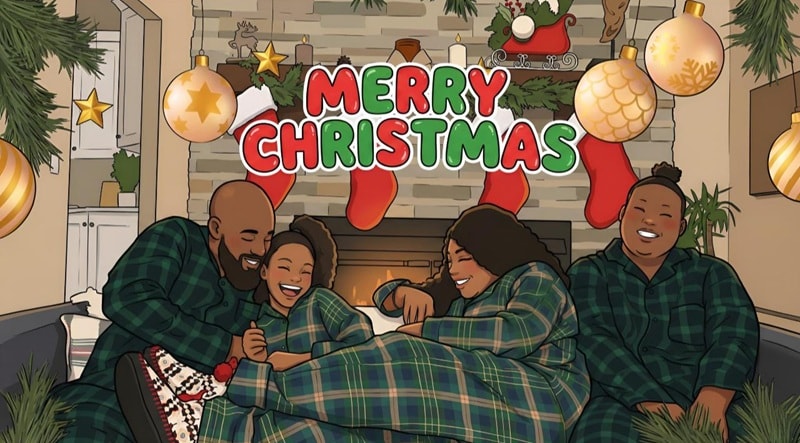
1. Make a Cartoon Family Portrait
Got a cute family photo you want to share for Christmas? Use it and ask Filmora's AI Image Generator to turn your picture into a cartoon illustration in any style you like for extra cuteness!
2. Turn Yourself into Santa Claus
Some of Filmora's Image to Video templates let you transform yourself into Santa Claus. Make use of these templates to create a fun AI Christmas card video where you're wearing the red suit while carrying gifts.

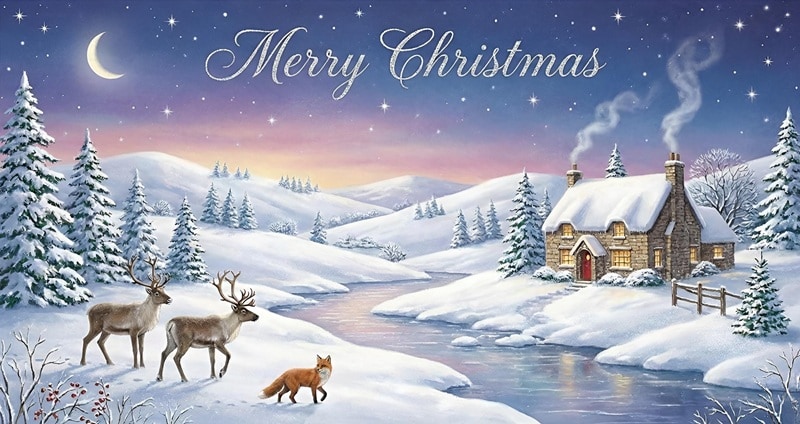
3. Make a Winter Wonderland Landscape
If you're into vintage holiday aesthetics, try creating a Winter Wonderland scene. Use Filmora's AI Image Generator and guide it to make a snowy postcard-style illustration that looks like it was coming from the classic Christmas prints of the 1950s.
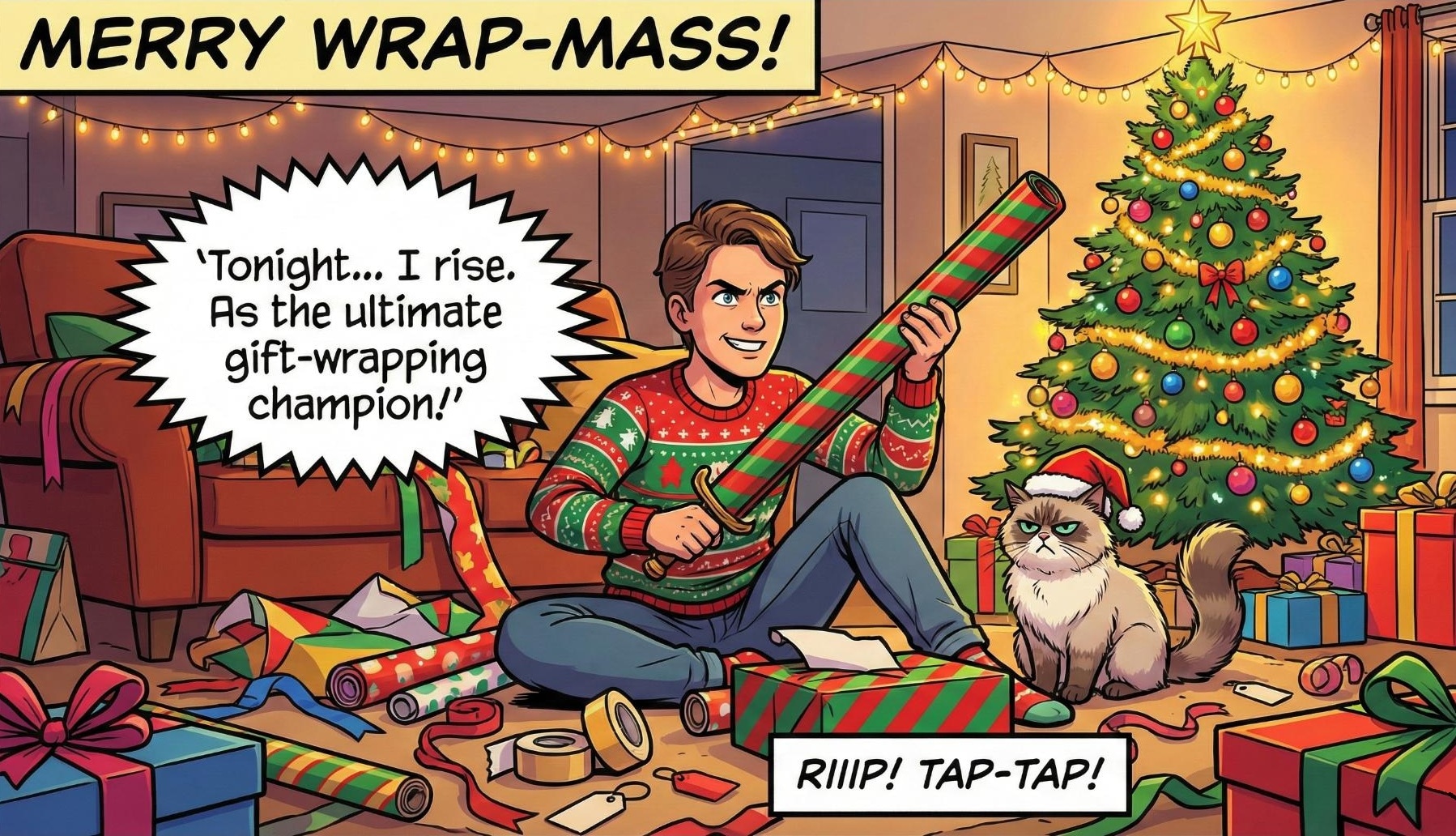
4. Create a Funny Comic-Style Card
Starting Christmas with a little humor never hurts. Turn your photo into a comic-style design, add a speech bubble with a silly line, and you've got a custom Christmas card that instantly brings a smile to anyone who gets it!
Conclusion
Just like that, your AI Christmas card is done and ready to send out for Christmas! The moment your friends or family see it, they'll probably think you spent hours designing it, when in reality, Filmora did most of the heavy lifting for you.
Post it on social media, send it in the family group chat, or print it out for gifts. Once you try how easy it is to use Filmora as your personal custom AI Christmas card generator, you might even end up making a few more just for fun!