

 100% Security Verified | No Subscription Required | No Malware


 ChatGPT
 Perplexity
 Gemini
 Claude
 Grok
Grok
Aesthetic baby video filters gently smooth colors, soften shadows, and add pastel warmth so every coo, cuddle, and crib moment feels like a tiny dream. With the right Filmora presets, you can turn everyday nursery clips into cohesive, memory-ready visuals.
Whether you are curating a baby memory journal or editing lifestyle reels, these filters focus on creamy highlights, muted hues, and dreamy nursery tones so your footage looks timeless, calm, and beautifully on-brand.
In this article
Soft Pastel Glow Looks
Cotton Cloud Pastel
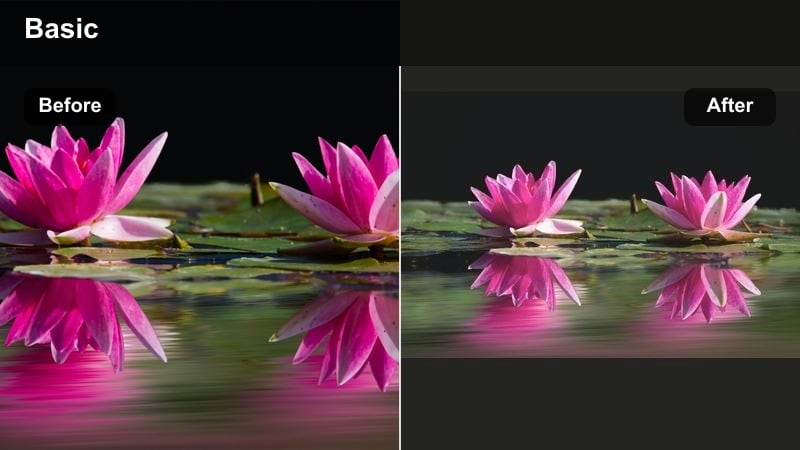
- Effect look: Soft haze with bright, milky whites and gentle pastel saturation that makes blankets, onesies, and plush toys look fluffy and luminous.
- Best for: Daytime crib shots, tummy-time moments near a window, and neutral nursery tours with lots of white or beige.
- Editing tip: Reduce contrast slightly and lower clarity to keep baby skin smooth; add a tiny vignette to guide focus toward the face.
This pillowy pastel filter is perfect when you want a cloudlike nursery aesthetic with bright whites and muted bold colors. In Filmora, you can combine light exposure tweaks with the Cotton Cloud Pastel look to keep everything airy while ensuring details in plush toys and bedding remain visible.
For practical editing, start by balancing white balance on a neutral crib sheet so skin tones stay true, then gently lower contrast and clarity. A soft vignette and lifted midtones help guide attention toward babys face, while slightly elevated shadows preserve depth without breaking the dreamy pastel mood.
Use Filmora AI to Lock In Your Baby Aesthetic Palette
Filmora s AI color tools help you keep your aesthetic baby video filters consistent, even when real life lighting changes from room to room. Analyze a favorite pastel shot, then use AI-driven adjustments to bring other clips into the same soft, dreamy nursery tones.
By leaning on AI to match overall exposure, white balance, and color mood, aesthetic creators and lifestyle editors can focus more on storytelling and less on manual corrections for every new clip.
Try sampling your best pastel nursery frame with Filmora s AI tools, then apply the recommended palette across your full baby memory journal.
 secure download

Preview Aesthetic Baby Filters on Real Nursery Clips
Before you commit to a full edit, drop your favorite nursery clips onto the Filmora timeline and quickly toggle through aesthetic baby video filters. Watching them in motion helps you choose which pastel or dreamy tone best fits each memory.
Mix and match: use airy, bright filters for playful daytime scenes and softer, lavender or cream presets for bedtime sequences so your finished video feels intentional and emotionally paced.
Load three to five short clips and test several presets side by side, trimming and replaying to see which filter stays flattering on babys skin in every frame.
secure downloadTurn Favorite Baby Filters into Reusable LUT Style Presets
Once you refine a baby aesthetic filter you love, save it as a custom preset so every new nursery clip can match in a single click. This LUT style workflow keeps your soft pastel baby effect consistent across projects and platforms.
Over time, your saved presets become a personal library of dreamy nursery tones, letting you shift from bright and playful to calm and moody baby looks without rebuilding your style from scratch each edit.
After finalizing your color tweaks on one clip, save those settings in Filmora and reuse them across your baby memory journals for a recognizable signature aesthetic.
secure downloadVanilla Cream Soft
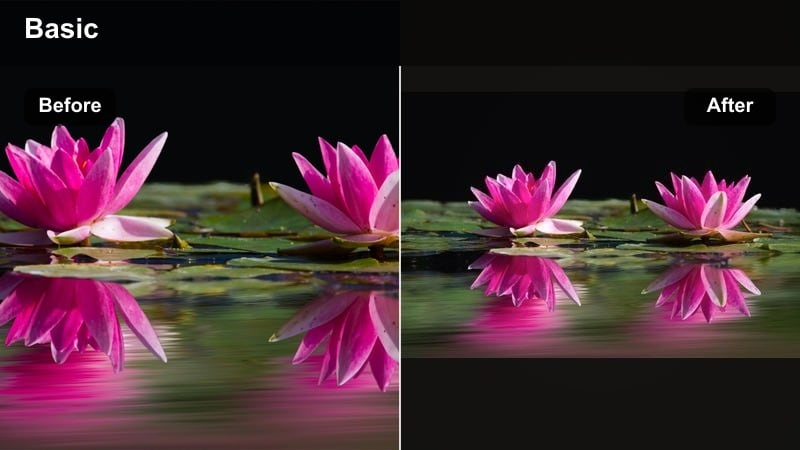
- Effect look: Warm creamy whites with a subtle golden tint that makes the scene feel cozy without leaning too orange.
- Best for: Story-style baby memory journals, bedtime stories on the rocking chair, and close-up shots of tiny hands and feet.
- Editing tip: Dial up warm temperature slightly, then compensate with a small boost to magenta tint to prevent skin from turning too yellow.
Vanilla Cream Soft wraps bedtime and snuggle moments in a gentle golden cream that feels intimate and soothing. In Filmora, this look is especially effective on closeups where little fingers, cheeks, and eyelashes become the emotional center of the frame.
To keep the mood cozy rather than orange, push the temperature slider subtly toward warm, then nudge tint toward magenta to protect natural skin tones. Reduce saturation in bright toys or patterned blankets so nothing competes with the soft cream feel, and use tighter framing for story-style reels and memory journal chapters.
Powder Blush Pastel
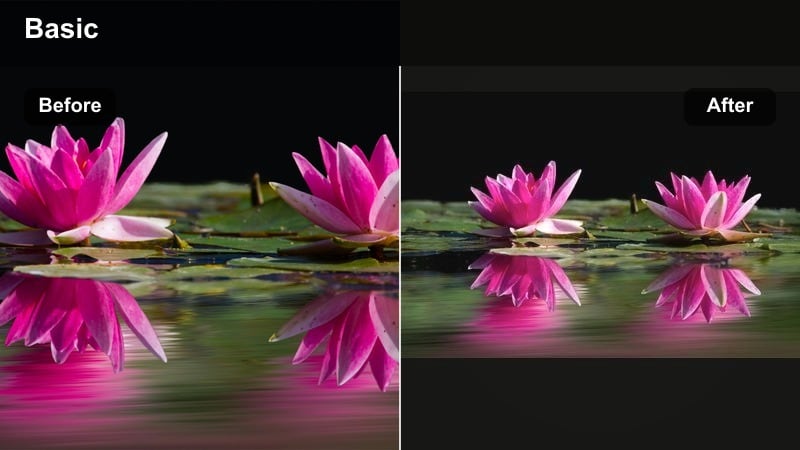
- Effect look: A delicate blush overlay that subtly softens reds, adds pink warmth to cheeks, and mutes distracting background tones.
- Best for: Baby milestone clips on play mats, first giggles, and aesthetic creators showcasing pastel outfits.
- Editing tip: Use Filmora s skin tone tool to keep blush gentle; boost luminance on reds for a soft, healthy glow instead of strong color.
Powder Blush Pastel adds a whisper of rosy warmth that flatters playful milestone moments and pastel outfits. It is ideal for overhead play mat shots or giggle clips where you want cheeks to glow softly without pushing reds too far.
Inside Filmora, start by targeting skin with the skin tone or HSL tools, easing saturation back while lifting luminance on reds and pinks. If clothing or decor is bright magenta, selectively reduce that hue so the overall palette stays powdery and timeless, letting babys smile and expressions remain the star.
Dreamy Nursery Tone Filters
Dreamy Nursery Haze
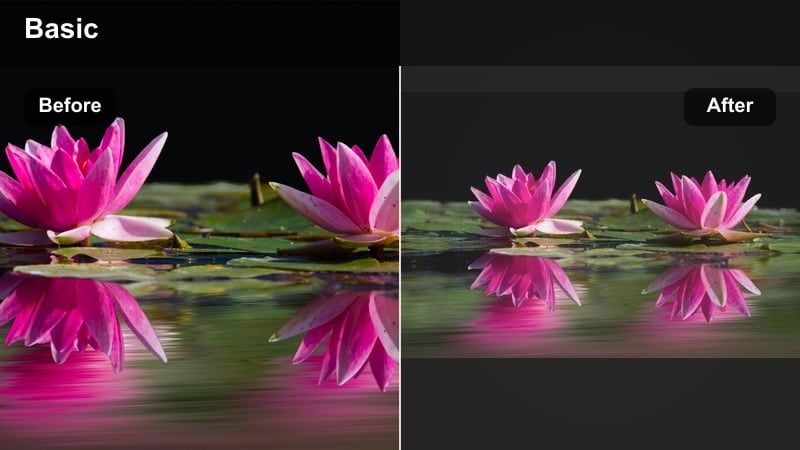
- Effect look: Muted, misty midtones with slightly lifted blacks and a soft bloom around highlights for a storybook feel.
- Best for: Slow pan shots of the nursery decor, mobile close-ups, and lifestyle editors building aesthetic room reveals.
- Editing tip: Add gentle blur or Filmora s light leak overlays at low opacity to enhance the dreamlike atmosphere without hiding important details.
Dreamy Nursery Haze turns simple decor shots into soft, storybook-style sequences, perfect for room tours and establishing shots before cutting to baby closeups. Its lifted blacks and hazy midtones work especially well on pastels, wood textures, and soft textiles.
In Filmora, combine the filter with slow pans or push-ins and subtle blur or light leak overlays at low opacity. Stabilize handheld clips first, then apply the hazy look so the softness feels cinematic instead of accidental, keeping key details like crib rails and wall art gently visible.
Storybook Nursery Mint
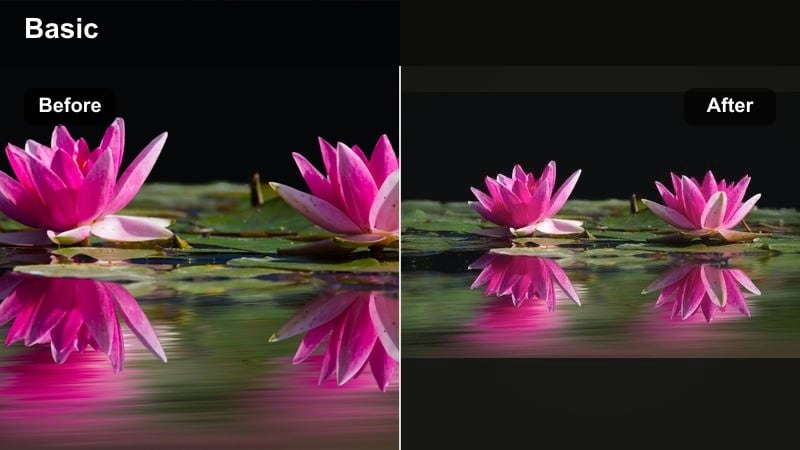
- Effect look: Cool pastel mint shadows with softened blues that give cribs, walls, and textiles a fresh, whimsical vibe.
- Best for: Gender-neutral nurseries, minimalist decor tours, and aesthetic creators building pale mint themed feeds.
- Editing tip: Lower saturation in blues and greens slightly, then raise luminance to keep mint tones bright and childlike rather than moody.
Storybook Nursery Mint leans into cool, airy pastels for a modern, gender-neutral nursery aesthetic. It lightens blues and greens into minty tones that look especially stylish on walls, crib sheets, and mobiles.
Use Filmora s color tools to soften saturation in blues and greens while lifting their luminance for a playful, childlike feel. If your decor has strong primary colors, calm them down before applying the mint tone so the whole frame lands in a cohesive, whimsical palette that still keeps babys skin warm and natural.
Lavender Lullaby Wash
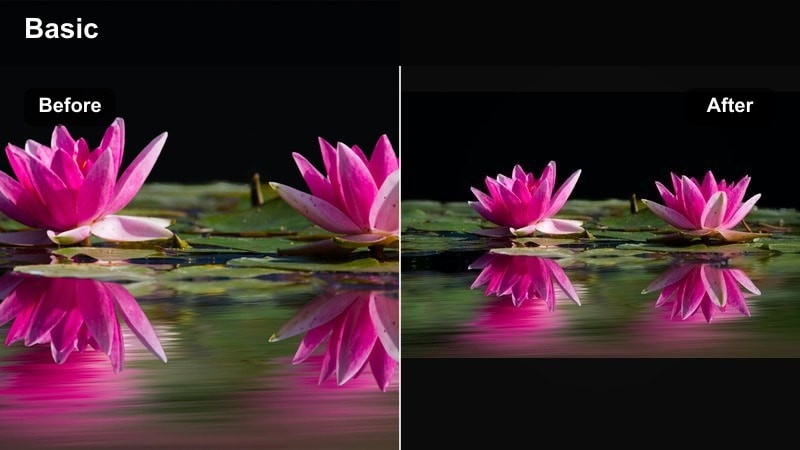
- Effect look: A faint lavender wash over shadows and midtones for a calming, bedtime-ready scene.
- Best for: Evening lullabies, crib naps with dim lights, and close-ups of baby with a nightlight or soft lamp.
- Editing tip: Drop highlights slightly, raise shadows, and keep exposure balanced so the lavender wash feels cozy instead of dark and muddy.
Lavender Lullaby Wash is designed for quiet, end-of-day rituals, tinting shadows with a soft purple cast that signals bedtime calm. It suits rocking chair shots, nightlight glows, and whispered lullabies.
In Filmora, lightly lift shadows and pull highlights down to avoid crunchy contrast in low light, then introduce a subtle lavender tint to midtones and shadows. If skin looks too cool, gently warm the overall temperature while preserving purple in the darkest areas to balance cozy realism with dreamy color.
Filters for Baby Memory Journals
Scrapbook Soft Matte
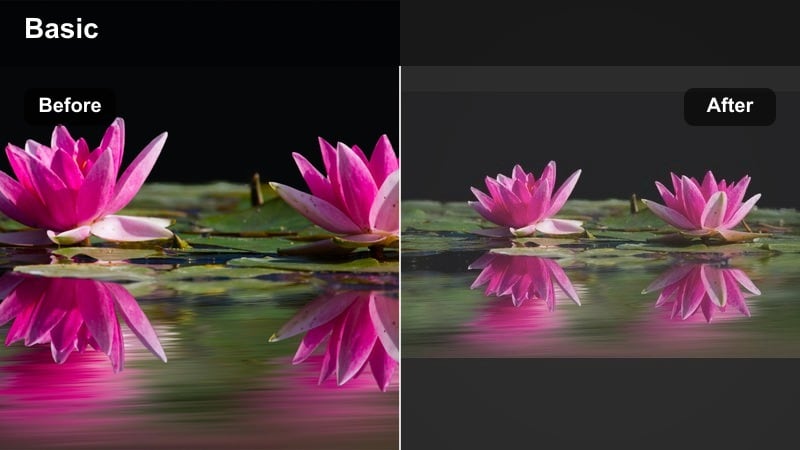
- Effect look: Low contrast, soft matte finish with slightly faded shadows that mimic printed photo textures.
- Best for: Monthly milestone videos, compilation timelines, and lifestyle editors building long-term baby memory journals.
- Editing tip: Apply a gentle vignette and reduce sharpness a bit so clips feel like pages from a physical photo book.
Scrapbook Soft Matte gives digital clips a printed, archival feeling with gently faded shadows and muted contrast. It is perfect for monthly milestone videos and long compilations that you want to feel calm, cohesive, and keepsake-ready.
Inside Filmora, apply a light matte curve by lifting the black point, then soften sharpness and add a narrow vignette. Saving this look as a preset lets you apply the same soft matte style to every new month, making your baby memory journal feel like a single, thoughtfully designed album.
Pastel Timeline Blend
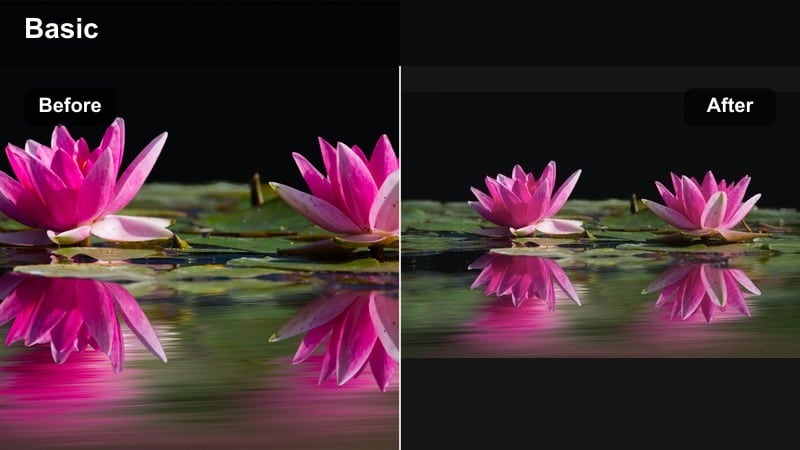
- Effect look: Light pastel saturation with smoothed transitions between clips so different lighting situations still feel unified.
- Best for: Year-in-review baby video journals, quick-cut montages, and reels stitched from multiple days.
- Editing tip: Use Filmora s color match tool on one hero clip, then apply the Pastel Timeline Blend filter to keep hues consistent across the edit.
Pastel Timeline Blend is built to tame clips shot on different days or in different rooms, pulling them into one unified pastel palette. It smooths out saturation and contrast shifts so fast-cut montages feel like a single, dreamy session.
Choose a well-lit hero clip as your reference in Filmora, use color match to align other shots, and then apply the pastel blend filter across the sequence. If outdoor clips appear too punchy, lower global saturation first so the preset can gently unify everything without making skin look dull.
Keepsake Cream Fade
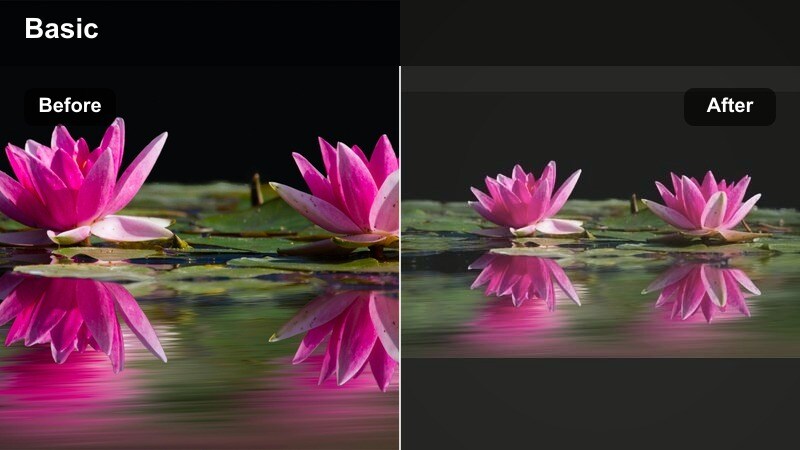
- Effect look: Soft cream highlights with a gentle fade on edges, giving footage a nostalgic, heirloom style.
- Best for: Printed video albums, slideshow exports for family gatherings, and sentimental first-year recaps.
- Editing tip: Add slow crossfades between clips and pair with calm music so the creamy fade feels intentional and emotional.
Keepsake Cream Fade adds an heirloom glow, turning first-year recaps and slideshow-style edits into something that feels ready for the family archive. Creamy highlights and faded edges soften hard lines and create a nostalgic warmth.
In Filmora, pair this look with slower pacing: longer clip durations, gentle crossfades, and simple, neutral titles. Let the cream tone sit consistently across the whole edit so viewers experience it as a unified piece, making big milestones feel extra sentimental.
Mood-Shift Filters for Subtle Style Changes
Morning Soft Sunrise
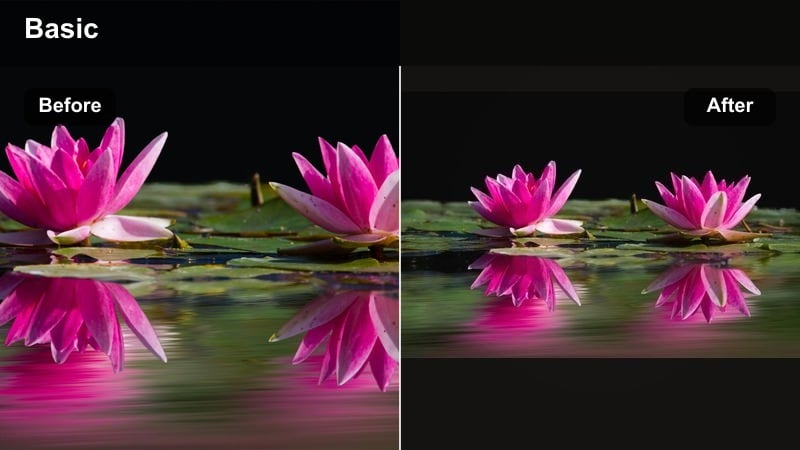
- Effect look: Gentle warm highlights and slightly raised exposure that mimic early morning window light.
- Best for: First-thing-in-the-morning crib checks, sleepy yawns, and curtain-open moments.
- Editing tip: Lift highlight warmth but keep whites clean; adjust color curves to hold detail in babys face while backgrounds glow.
Morning Soft Sunrise brings a fresh, hopeful feel to first-thing-in-the-morning clips with soft, golden highlights and lifted exposure. It works well on crib checks, stretches, and curtain-opening shots that introduce the day.
In Filmora, recover any blown windows by pulling down highlights and whites before you warm the scene. Use curves or masks to keep baby s face detailed while allowing the background to glow slightly brighter, reinforcing the sense of gentle morning light.
Rainy Day Soft Grey
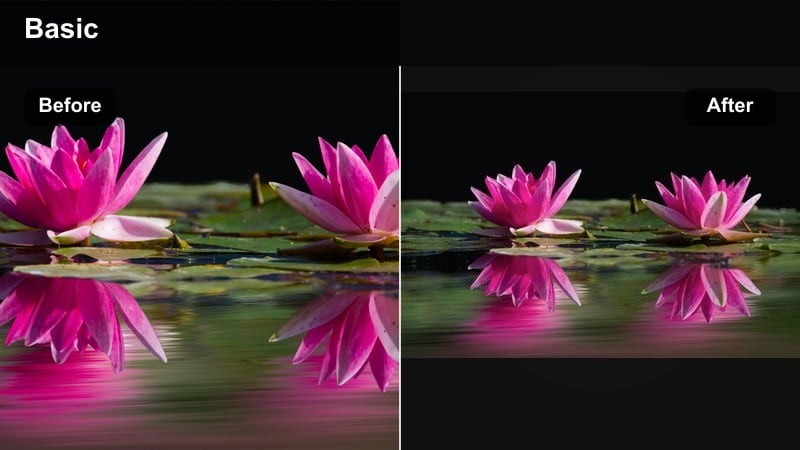
- Effect look: Muted saturation with cool, soft greys in shadows that suggest a rainy, quiet afternoon without going fully desaturated.
- Best for: Indoor rainy day play sessions, reading corners, and gentle, reflective baby memory clips.
- Editing tip: Lower vibrance instead of overall saturation so skin still looks healthy while toys and decor become calmer.
Rainy Day Soft Grey softens colors into cool, gentle tones that feel like a quiet afternoon indoors. It suits reading nooks, floor play by a window, and reflective memory clips where you want calm rather than high energy.
Use Filmora s vibrance control to reduce intensity in background colors while preserving warmth in oranges for natural skin. If the mood drifts toward gloomy, nudge exposure up and add a faint warm tint to midtones only so you keep the rainy-day softness without losing emotional warmth.
Evening Golden Nap
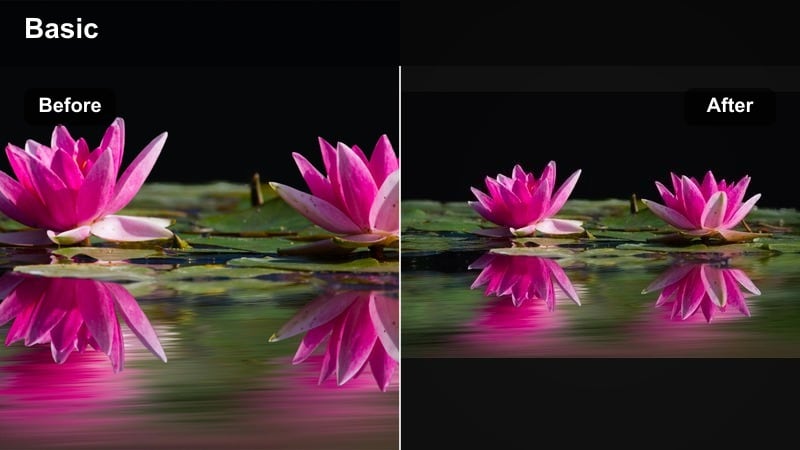
- Effect look: Deep golden tones with soft contrast that emulate late afternoon sun pouring into the nursery.
- Best for: Late afternoon naps, golden hour floor play, and lifestyle edits with dramatic sunlight.
- Editing tip: Use Filmora s highlight roll-off to avoid harsh blown spots, then increase warmth selectively in highlights only.
Evening Golden Nap leans into rich, honeyed light that feels like classic golden hour, ideal for nap shots and floor play where the sun streams across blankets and toys. It adds drama without sacrificing softness.
In Filmora, apply highlight roll-off or curves to keep bright areas from clipping, then warm up highlights more than midtones so the light itself feels golden while skin remains balanced. If tones drift too orange, pull back saturation in yellows first, then fine-tune temperature until you land on a timeless, cinematic glow.
Tips for Using Baby Aesthetic Tone Filters in Filmora
- Set your white balance before applying aesthetic baby video filters so pastel tones stay soft instead of drifting too warm or cool.
- Shoot near a window with sheer curtains to create natural diffusion that works beautifully with dreamy nursery tone presets.
- Keep baby outfits and blankets in soft neutrals or pastels so your chosen filter does not have to fight against loud colors.
- Use gentle camera movement and slower cuts to give viewers time to feel the softness of each pastel filter.
- Always check skin tones at full screen, adjusting saturation and tint after you apply the filter to keep baby looking natural.
- Save your favorite Filmora presets as custom styles so every new clip can quickly match your signature baby aesthetic.
- Test filters on both bright and shadowed parts of the frame to be sure details in babys face, hair, and clothes stay clear.
- Export a short sample reel to different devices to confirm your pastel baby look remains consistent on phones, tablets, and TVs.
Aesthetic baby video filters help you turn simple nursery clips into soft, curated memories, especially when you focus on pastels, creamy highlights, and gentle contrast.
Experiment with a few of these presets in Filmora, save your favorites as reusable styles, and you will quickly build a cohesive baby memory journal that feels dreamy, calm, and uniquely yours.
secure downloadNext: Explore Moody Baby Video Filters for Cozy Evening Clips
