

 100% Security Verified | No Subscription Required | No Malware


 ChatGPT
 Perplexity
 Gemini
 Claude
 Grok
Grok
Aesthetic daily vlogs live and die by their color and mood. The right filter can turn simple morning routines, coffee runs, and desk scenes into soft, cinematic moments your audience wants to live inside.
Below you will find a curated set of aesthetic daily vlog filters designed for lifestyle vloggers and aesthetic content creators. Each look is tailored for soft tones, dreamy light, and cozy everyday storytelling inside Filmora.
In this article
Soft Morning Glow Aesthetic Filters
Soft Cream Morning
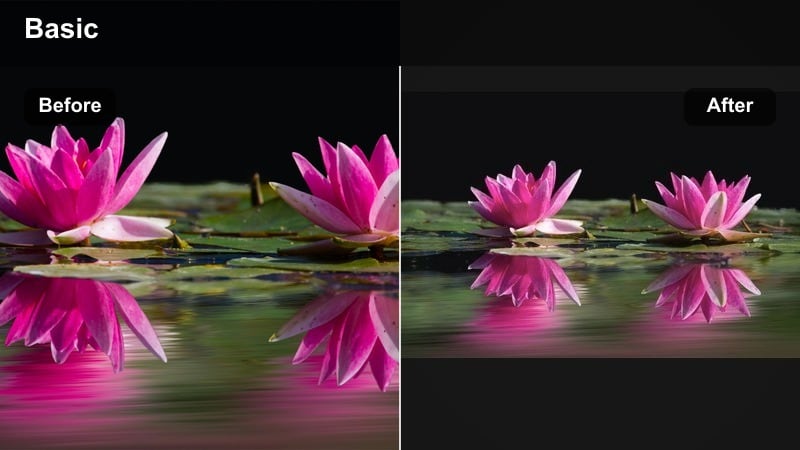
- Effect look: Gentle cream-tinted filter that brightens whites and softens shadows for a calm, airy morning vibe.
- Best for: Slow morning routines, making coffee, skincare shots, and cozy bedroom b-roll.
- Editing tip: Lower contrast slightly and reduce clarity to keep skin and fabrics looking soft without losing detail in highlights.
Soft Cream Morning is ideal for creators who want their daily vlogs to feel clean, bright, and quietly cinematic from the first shot. In Filmora, this look lifts whites and softens dark corners so your sheets, mugs, and countertops all share the same calm, creamy tone. It is especially flattering on natural light mornings where you want everything to feel fresh and minimal rather than harsh or clinical.
Apply this filter to your morning routine sequence, then fine-tune exposure and contrast on each clip so all shots share the same airy mood. Use Filmora color controls to slightly lower clarity and micro-contrast, helping skin, steam, and fabrics blend smoothly together. For extra cohesion, keep transitions simple and let the soft color grade do the storytelling across your morning b-roll.
Pro tip: Protect whites from blowing out
If your scene includes white bedding, mugs, or walls, reduce highlights by 5-10 percent after applying this filter to keep texture visible. Add a very subtle vignette to pull focus toward the subject while maintaining the bright morning feeling around the edges.
Use Filmora’s AI Tools to Lock In Your Daily Aesthetic
Instead of rebuilding your look from scratch each day, use Filmora’s AI color tools to analyze a clip you love and apply a similar mood across your vlog. This keeps your aesthetic daily vlog filters consistent even when you shoot in different rooms or under changing natural light.
Once you find an aesthetic daily vlog filter you like, save it as a custom preset and build on it with AI-assisted corrections. Over time, this becomes your channel’s recognizable visual identity that viewers associate with your name and niche.
 secure download

Preview Aesthetic Daily Vlog Filters on Your Own Clips
Drag a few seconds of your morning, desk, or night footage into Filmora and layer these filters on top. Switching between them quickly helps you see which aesthetic daily vlog filters best match your personal brand and pacing style.
Pay close attention to skin tones, how whites behave, and whether important details stay visible in shadows and highlights. A strong dreamy daily filter feels soft and intentional without smearing colors or losing clarity where it matters.
secure downloadTurn Your Favorite Filters into Reusable LUTs
Once you have dialed in a soft vlog color grade you love, you can turn it into a reusable LUT style preset inside Filmora. This lets you apply your aesthetic vlog LUT in a single click so every daily upload starts with the same cinematic baseline.
Stack small adjustments like curves, HSL tweaks, sharpening, and glow on top of a base filter, then save that combination. Over time you can build a mini library of aesthetic daily vlog filters for different times of day, from morning routines to night drives.
secure downloadPastel Window Light
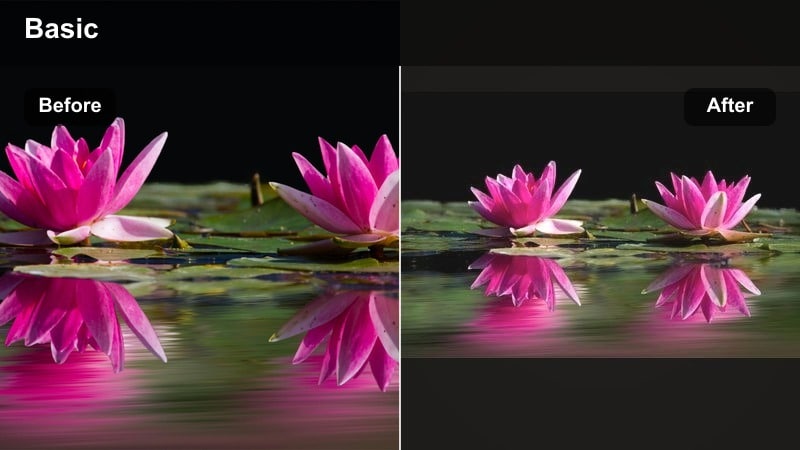
- Effect look: Soft pastel tones with cooler shadows and slightly lifted blacks for a dreamy, diffused daylight look.
- Best for: Window-shot talking clips, journaling at a desk, and airy bedroom or studio scenes.
- Editing tip: Increase saturation only in blues and greens to keep skin natural while giving plants and sky a gentle pastel pop.
Pastel Window Light leans into diffused daylight and gives your interior clips a subtle, dreamy color wash. In Filmora, this aesthetic daily vlog filter cools the shadows and lifts blacks so window areas feel soft and hazy instead of clipped or blown out. It is perfect for talking segments or journaling shots where you sit next to a window and want a relaxed, cinematic softness.
After applying the filter, use Filmora HSL controls to selectively enhance blues and greens so plants, notebooks, and sky glimpses get a pastel accent. Keep the orange channel slightly warm to preserve natural, flattering skin tones. This balance keeps your daily vlog aesthetic gentle and curated while still feeling true-to-life in your face and hands.
Pro tip: Balance pastel with skin tone
Use Filmora’s HSL controls to slightly warm up the orange channel so faces do not turn too muted under the pastel style. If your background has strong color, lower global saturation a little and re-add color selectively via HSL for a cleaner look.
Hazy Wakeup Mist
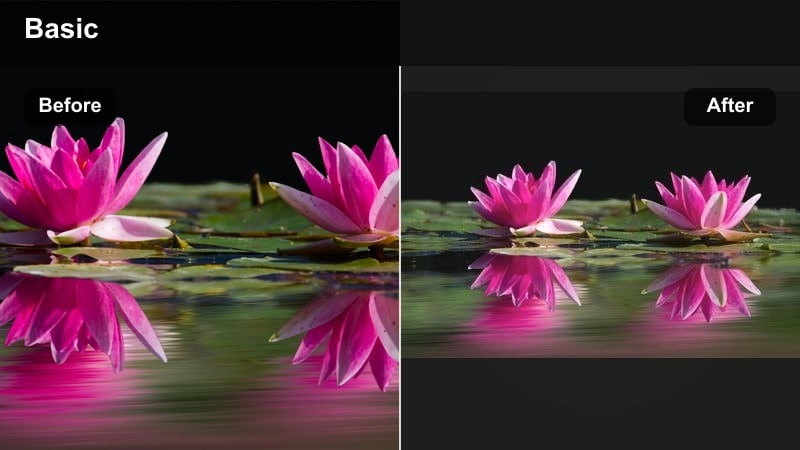
- Effect look: Low-contrast, slightly desaturated filter with a subtle glow in the highlights for a sleepy, hazy start-of-day feel.
- Best for: First-wake-up clips, bed shots, pulling curtains open, and slow handheld transitions.
- Editing tip: Drop sharpness and add a light blur or bloom effect to bright areas for extra softness, especially on close-up shots.
Hazy Wakeup Mist is designed to capture the in-between feeling of just waking up, when light is soft and everything feels a little slower. In Filmora, the low contrast and mild desaturation create a gentle veil over your footage, while a soft highlight glow adds a dreamy halo to windows, pillows, and hair. It works especially well with slow handheld shots as you reach for your phone or pull open curtains.
Apply this dreamy daily filter to your earliest clips, then slightly lower sharpness and add a touch of bloom to bright edges. This combination helps blend textures and avoid overly crisp details that can break the sleepy mood. Keep your cuts longer than usual and let ambient audio or soft music pair with the aesthetic for a cohesive wakeup sequence.
Pro tip: Use camera motion to match the mood
Pair this filter with slower camera movements and slightly longer clip durations so the haze has time to be felt. If your footage is too dark, raise exposure before adding the filter so the glow feels intentional, not muddy.
Cozy Home and Desk Vlog Filters
Warm Latte Home
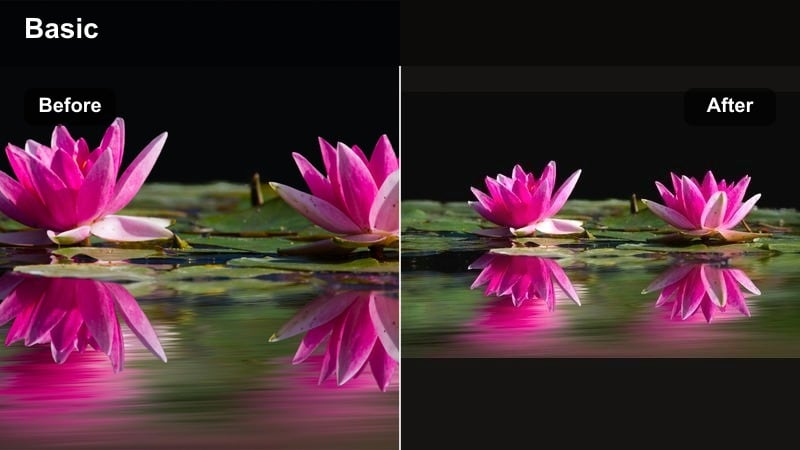
- Effect look: Warm, tan-tinted filter with soft shadows and lifted mids, giving interiors a latte-colored, cozy cafe feel.
- Best for: Kitchen scenes, coffee shots, baking, and cozy living-room b-roll with candles or warm lamps.
- Editing tip: Slightly reduce yellow saturation to keep the warmth flattering, then add a tiny bit of film grain for texture.
Warm Latte Home wraps your indoor footage in a subtle tan tint, making countertops, wooden tables, and fabrics feel like they belong in a boutique cafe. Inside Filmora, the lifted midtones and softened shadows ensure details in coffee foam, pastries, and hands stay visible while the overall palette leans warm and comforting. This filter is especially effective for lifestyle vloggers who shoot a lot of kitchen or living-room content.
After applying the filter, pull back the yellow saturation so the warmth remains gentle and does not push skin into an unnatural tone. Adding a small amount of film grain in Filmora introduces texture that pairs naturally with baked goods, steaming mugs, and candle flames. Use simple, steady shots and slow zooms to let the cozy color grade shine without distraction.
Pro tip: Tone down mixed lighting
If you have both daylight and warm lamps in frame, adjust white balance toward neutral before applying the filter. Use masks in Filmora to slightly cool window areas so faces and food stay the hero of the warmth.
Soft Study Desk
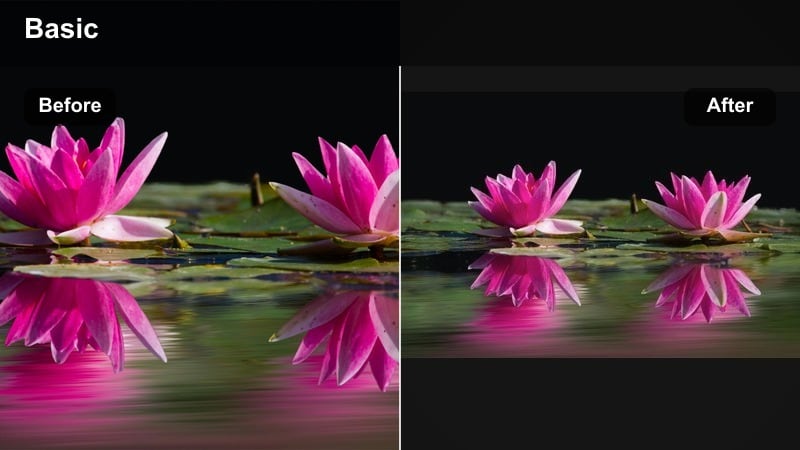
- Effect look: Muted, low-saturation filter with clean whites and softened edges for a tidy, aesthetic desk setup vibe.
- Best for: Study-with-me clips, laptop b-roll, planner shots, and stationary close-ups.
- Editing tip: Lift blacks slightly to avoid harsh contrast from monitors, then deepen blues in the shadows for subtle depth.
Soft Study Desk is built for productivity and study vlogs where your workspace is the main character. In Filmora, this filter gently mutes saturation, brightens whites, and softens edges so notebooks, keyboards, and pens all sit neatly within a calm, minimal palette. It keeps the viewer focused on motion and written text instead of being distracted by bright, clashing colors in the background.
When you apply this soft vlog preset, raise black levels a touch to counteract the harsh contrast typical of laptop screens and desk lamps. Then deepen blues slightly in the shadows to give subtle dimension without overwhelming the clean white surfaces. The result is a cohesive, distraction-free desk aesthetic that fits perfectly with time-lapses, overhead shots, and slow pan movements.
Pro tip: Keep text crisp while staying soft
Do not overdo blur or clarity reduction on shots where on-screen text or planner notes need to remain readable. Instead, soften only the background using Filmora’s depth-of-field or masking tools while keeping the main subject in focus.
Golden Lamp Glow
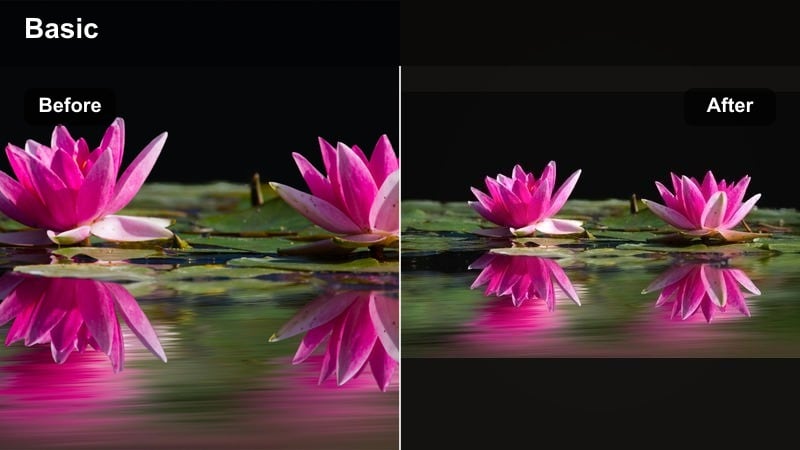
- Effect look: Golden, low-contrast filter that emphasizes warm lamp light and candles while gently cooling background shadows.
- Best for: Evening bedroom scenes, movie nights, and cozy wind-down routines.
- Editing tip: Use keyframed exposure to keep faces visible next to bright lamps, and add a light vignette to frame the scene.
Golden Lamp Glow is your go-to filter for capturing the warmth of bedside lamps, string lights, and candles in evening vlogs. Within Filmora, it enhances orange and yellow tones around practical light sources while quietly cooling off the surrounding shadows, making your room feel intimate and cinematic at the same time. This balance keeps the cozy mood strong without turning the entire frame into a flat orange wash.
After applying the filter, use Filmora keyframes to gently adjust exposure as you move closer to or farther from lamps so faces remain clear and flattering. A subtle vignette can help draw the eye to the subject while leaving the sides of the frame soft and dim. Paired with slow pan shots, reading clips, or skincare routines, this look sells the end-of-day calm your viewers expect from cozy night vlogs.
Pro tip: Control orange overload
If skin tones turn too orange, lower saturation in the orange channel while keeping overall warmth through yellow and red. Balance the scene by slightly cooling the shadows so the warmth feels intentional and cinematic, not heavy.
Dreamy Outdoor Everyday Filters
Soft City Stroll
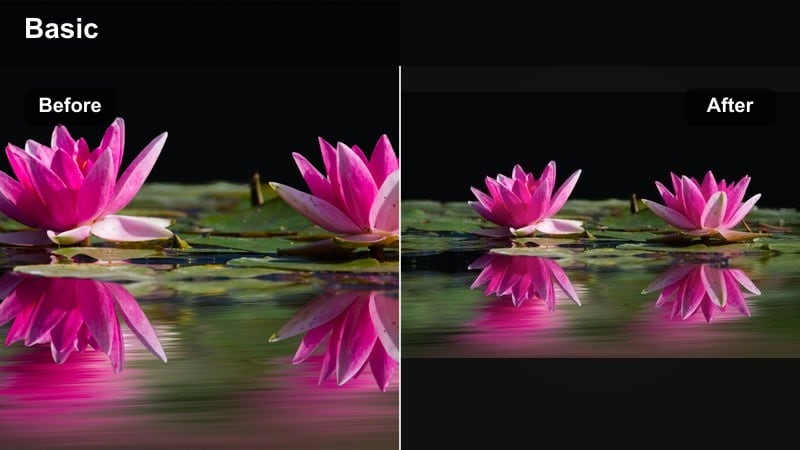
- Effect look: Low-contrast street filter with gentle highlight roll-off and neutral tones for calm, cinematic city walks.
- Best for: Errand vlogs, city walking montages, and handheld street b-roll.
- Editing tip: Stabilize handheld clips in Filmora, then reduce contrast slightly and lift shadows to keep the city from looking too harsh.
Soft City Stroll transforms everyday urban footage into relaxed, cinematic b-roll without pushing the colors too far. In Filmora, the gentle highlight roll-off helps protect bright skies and reflective surfaces while the neutral palette keeps buildings, sidewalks, and outfits looking natural. It is ideal for errand vlogs, grab-a-coffee sequences, or simple walk-and-talk clips through your neighborhood.
Start by stabilizing your handheld clips in Filmora, then apply the filter and slightly lift shadows to soften hard city contrast. By pulling contrast back just a bit, you avoid harsh edges on faces and clothing while still keeping enough detail in street textures. Cut your clips to the rhythm of your music, and this soft vlog color grade will make even quick trips feel intentionally composed.
Pro tip: Tame bright skies and shop signs
Use the curves tool to lower the very top of the highlights, saving detail in bright skies and neon signs. If store signs still feel distracting, selectively desaturate the most intense color channel to keep attention on you.
Pastel Coffee Run
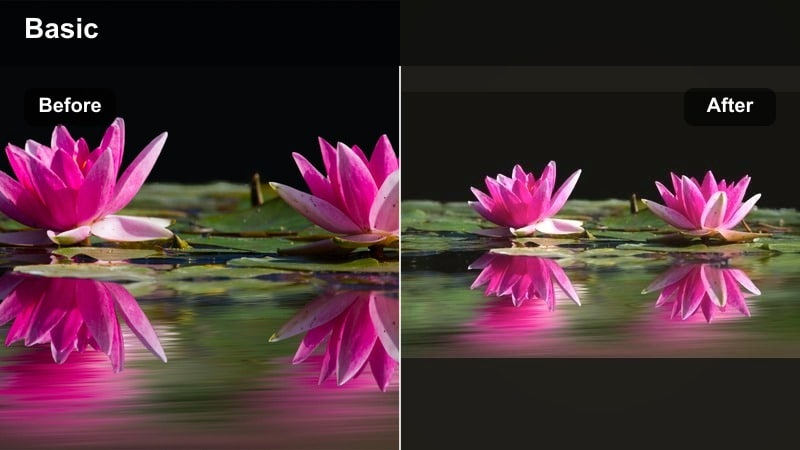
- Effect look: Soft pastel look with gentle warmth and slightly rosy highlights that flatter skin and drinks in outdoor cafe scenes.
- Best for: Coffee run clips, outdoor brunch, and handheld drink shots in front of cafes or storefronts.
- Editing tip: Add a tiny bit of saturation to reds and oranges for drinks, then decrease greens for a more curated background palette.
Pastel Coffee Run is tuned for cafe-core content where your drink, outfit, and storefront details share the frame. Inside Filmora, this aesthetic vlog LUT style adds a hint of rosy warmth to highlights, which flatters skin and latte foam while pulling back greens to stop backgrounds from feeling cluttered. The result is an effortlessly curated pastel palette that feels stylish in thumbnails and feed previews.
Once the filter is applied, gently boost saturation in reds and oranges so cups, pastries, and signage stand out without overpowering the scene. At the same time, lower green saturation so plants and street elements fade into a supporting role. This is a powerful dreamy daily filter for quick coffee grabs or outfit-of-the-day shots that you want to tie into your overall daily vlog aesthetic.
Pro tip: Match skin tones across angles
Outdoor coffee clips often mix shade and sun; color-correct exposure first so this filter sits evenly across cuts. Copy and paste color settings in Filmora, then fine-tune only the clips that were shot in very different lighting.
Dreamy Park Walk
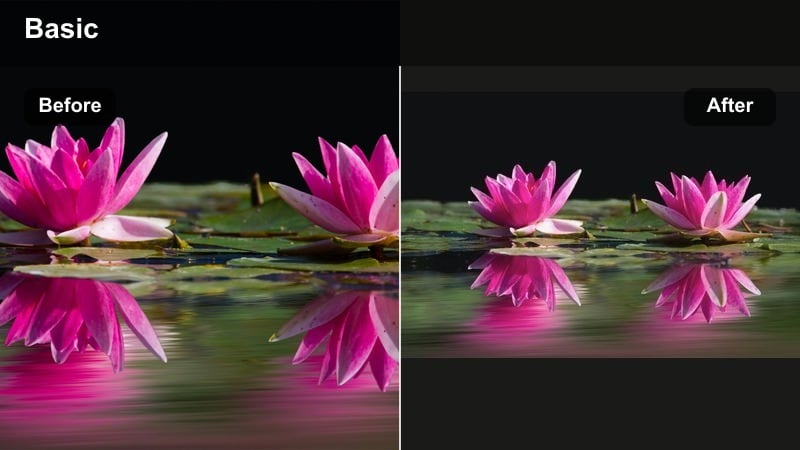
- Effect look: Dreamy, slightly desaturated greens with lifted mids and subtle glow in highlights for soft nature walks.
- Best for: Park strolls, nature b-roll, dog walks, and slow outdoor montages.
- Editing tip: Reduce green saturation to avoid neon grass, then add a slight blur to background foliage for a cinematic depth feel.
Dreamy Park Walk focuses on calming down the often-intense greens found in outdoor footage and turning them into a gentle, cinematic backdrop. In Filmora, this filter lightly desaturates greens, lifts midtones, and adds a soft glow to highlights so leaves, paths, and sky all feel cohesive and relaxing. It is a strong fit for nature b-roll, dog walks, or any time you want your surroundings to feel peaceful rather than overly vivid.
Apply the filter and then fine-tune the green saturation to land on a more natural, slightly muted tone that matches your channel aesthetic. Use a light blur or depth effect on background foliage so your subject stands out while the environment melts into a dreamy frame. Combined with slower camera moves and ambient sound, this look turns simple walks into an aesthetic daily vlog highlight.
Pro tip: Avoid muddy greens
If your camera already shoots flat, do a light base contrast and saturation boost before adding this dreamy filter. Fine-tune the hue of greens toward olive or teal depending on your channel’s signature look, then save it as a custom preset.
Soft Night and Moody Evening Filters
Blue Hour Soft
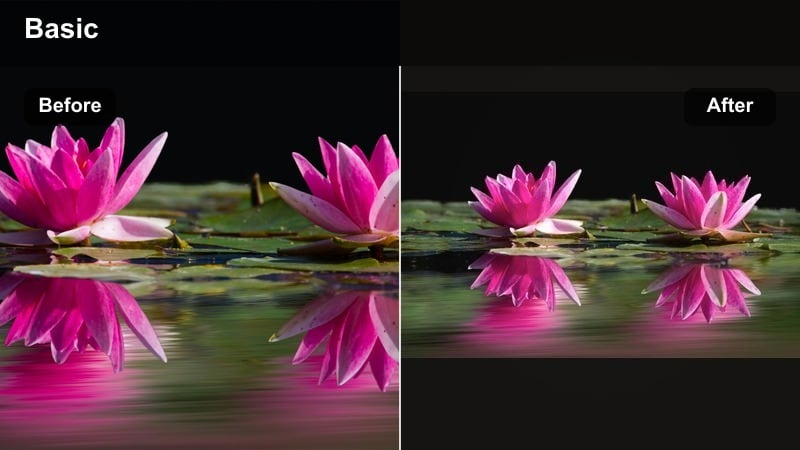
- Effect look: Cool-toned, low-contrast filter that leans into blue hour tones while keeping skin slightly warm and flattering.
- Best for: Post-sunset walks, rooftop clips, city lights, and end-of-day reflections.
- Editing tip: Lift shadows to keep noise from crushing blacks, and gently sharpen city lights to create a soft yet detailed skyline.
Blue Hour Soft is made for that short window after sunset when the sky turns deep blue and city lights start to glow. Inside Filmora, this filter cools the overall image while preserving a hint of warmth in skin tones, so you stay flattering on camera against a more dramatic background. The low contrast and raised shadows help prevent noisy blacks, keeping your evening vlogs smooth and watchable.
After applying the filter, lift shadow levels just enough to avoid heavy grain, then gently sharpen distant lights and skyline elements so they sparkle without becoming harsh. This dreamy daily filter is perfect for reflective talking clips, rooftop b-roll, or walking shots that close out your vlog on a calm, cinematic note.
Pro tip: Control low-light noise
If your blue hour footage is grainy, apply Filmora’s noise reduction before heavy color grading to keep details cleaner. Avoid pushing exposure too far in post; instead, raise midtones carefully and let some shadows stay softly dark for mood.
Candle-Lit Evening
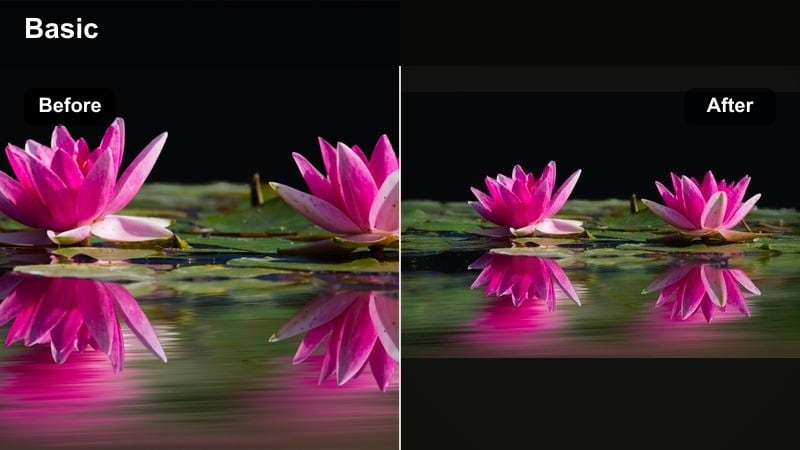
- Effect look: Rich, warm filter with deeper shadows and glowing highlights around candles, screens, and fairy lights.
- Best for: Night routines, journaling by candlelight, cozy movie nights, and room transformation b-roll.
- Editing tip: Reduce global saturation slightly, then reintroduce warmth through orange and red to keep the scene rich but not oversaturated.
Candle-Lit Evening is tailored for intimate, cozy night scenes where small light sources carry the mood. In Filmora, this filter deepens shadows and boosts warm highlights, making candle flames, phone screens, and fairy lights appear to glow more intensely. It works beautifully when you want your night routine or room makeover to feel private and immersive.
Once the filter is active, pull back overall saturation a bit so the scene does not tip into overly orange territory. Then add warmth selectively through orange and red channels to keep skin and flame tones rich and dimensional. Combined with slow camera moves, soft focus, and ambient audio, this aesthetic daily vlog filter can turn simple tasks like journaling or skincare into luxe-feeling moments.
Pro tip: Guide the viewer’s eye with light
Use masks around key light sources and gently raise exposure there to subtly draw attention without obvious spotlighting. Combine this filter with slow push-in shots so the glowing lights feel like they are pulling viewers into the scene.
Moody Soft Night Drive
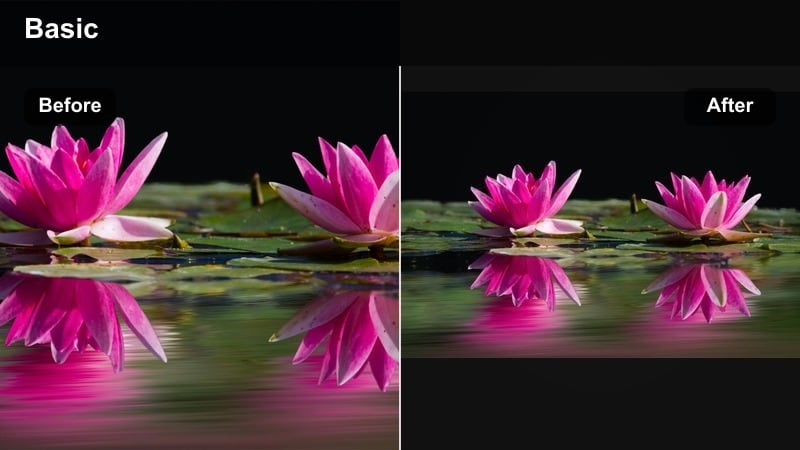
- Effect look: Soft, cinematic night filter with muted neon colors, deep yet lifted blacks, and subtle halation around bright spots.
- Best for: Car vlogs, city night drives, and rainy window clips with reflections and street lights.
- Editing tip: Reduce contrast a bit, add a touch of bloom to headlights and signs, and keep saturation controlled for a cinematic look.
Moody Soft Night Drive is crafted for city lights, traffic, and reflections captured from inside a car. In Filmora, this filter tames bright neons while keeping blacks deep but slightly lifted, so details in the shadows are not completely lost. A gentle halation effect around headlights and signs turns harsh points of light into soft, atmospheric accents across the frame.
After applying the filter, trim contrast and add a small bloom or glow effect to headlights and road reflections to enhance the dreamy quality. Keep saturation under control so red brake lights and green signs do not dominate the image. This creates a cohesive, cinematic night-drive sequence that feels intentional, even if it is just part of your everyday vlog route.
Pro tip: Lean into reflections for mood
Frame shots so reflections on glass or mirrors catch colored lights, then let this filter soften them into painterly shapes. If your footage feels too dark, lift blacks slightly instead of over-brightening mids to keep the mood cinematic and coherent.
Tips for Using Daily Vlog Aesthetic Filters in Filmora
- Shoot slightly flatter in-camera so your aesthetic daily vlog filters have more room to work without clipping highlights or crushing shadows.
- Keep an eye on skin tones when using dreamy or pastel filters and use HSL adjustments to correct only the orange channel if faces shift too far.
- Save separate presets for morning, midday, and night so your aesthetic looks consistent within each lighting situation.
- Use Filmora’s scopes when available to check that your whites and blacks stay within range, especially on bright, minimal interiors.
- Batch-apply your chosen filter to all clips first, then fine-tune exposure and color per scene to keep edits fast but polished.
- Combine soft filters with gentle motion blur, slower cuts, and ambient audio to fully sell the dreamy everyday mood.
Aesthetic daily vlog filters are the quickest way to turn simple routines into soft, dreamy storytelling that feels consistent across your entire channel. The right mix of brightness, warmth, and softness can make everyday tasks feel cinematic without demanding complex setups.
Test a few of these Filmora looks on your morning, outdoor, and night clips, then refine your favorites into go-to presets before exploring moodier options like the moody daily vlog filters next. As you repeat the same styles, your audience will start to recognize your visual signature instantly.
secure download