

 100% Security Verified | No Subscription Required | No Malware


 ChatGPT
 Perplexity
 Gemini
 Claude
 Grok
Grok
These aesthetic TikTok video filters are designed to give your clips a soft, dreamy, and on-trend look without complicated color grading, so you can focus on storytelling and vibes.
Whether you film cozy morning routines, room decor transformations, or calming self-care edits, this preset pack helps you stay consistent with TikTok's current soft pastel and moody aesthetic trends.
In this article
Soft Morning Routines and Cozy Wake-Up Clips
Dawn Haze Soft
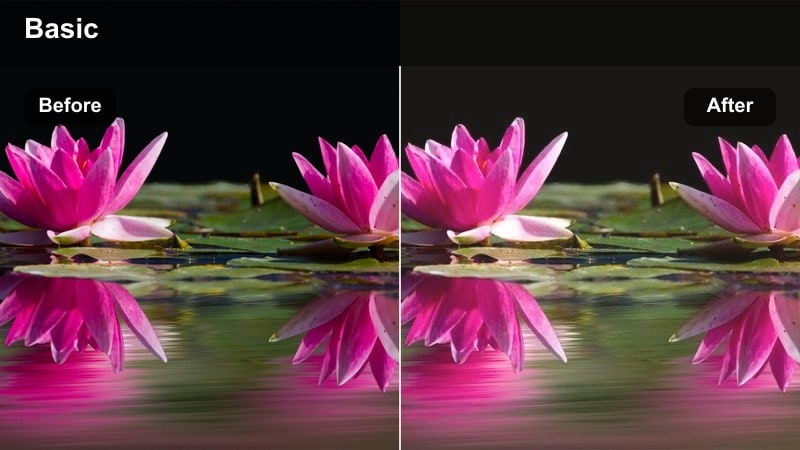
- Effect look: Low-contrast glow with warm highlights and slightly faded blacks for an easy, just-woke-up softness.
- Best for: Morning routines, bed-making shots, soft coffee pours, and window light selfies.
- Editing tip: Lower the filter intensity to 60 70 percent and add a tiny bit of blur on the background for an extra dreamy feel.
Use Dawn Haze Soft in Filmora when you want your morning clips to feel slow, gentle, and sun kissed without doing complex color work. The warm highlights and faded blacks make white bedding, sunlight streaks, and skin tones look naturally glowy while keeping distractions in the background subtle.
Drop the filter onto your clips, then dial intensity to around 60 to 70 percent in the Effects controls so details like hair and eyelashes stay clear. For extra dreaminess, add a touch of Gaussian blur or adjust the background blur in selective focus, especially on wider shots of your bed or window to guide the viewer toward your subject.
Stay On-Trend With AI-Guided Aesthetic Palettes
Filmora's AI color tools can analyze your morning clips and recommend palettes that match soft, hazy dawn vibes or neutral lifestyle aesthetics. Instead of guessing which tones work together, you get ready-made combinations that keep your TikTok feed visually consistent.
You can preview different AI-generated palettes on your routine footage, then save your favorites as presets and re-use them whenever you film new cozy mornings or soft coffee clips.
 secure download

Preview Filters Live on Your TikTok Clips
In Filmora, you can drag and drop aesthetic filters directly onto your TikTok footage and instantly compare soft, pastel, or moody looks. This live preview makes it easy to find a style that fits your routine, decor, or self care content without endless trial and error.
After you fine tune intensity, add a bit of sharpening or blur, and layer any extra effects, save the combination as a named preset so you can keep your TikTok grid cohesive from video to video.
secure downloadBlend Filters With LUTs for Advanced Looks
For more advanced edits, Filmora lets you combine aesthetic filters with LUTs to shape contrast, depth, and color in a more cinematic way. You can mix soft pastel filters with subtle film style LUTs to add character without losing the dreamy TikTok feel.
Once you find a pairing you like, save it as a custom preset so your morning routines, room tours, and night vlogs all share the same signature style on your profile.
secure downloadOatmilk Latte Glow
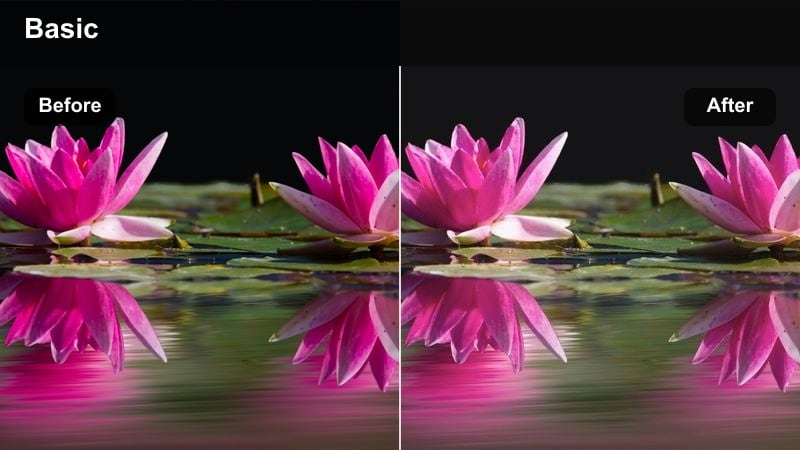
- Effect look: Creamy beige tones with muted saturation and a subtle highlight bloom around bright areas.
- Best for: Coffee-making TikToks, desk setups, and neutral-toned kitchens.
- Editing tip: Use this filter with slower clips or 0.75x speed footage so the creamy tones have time to be noticed.
Oatmilk Latte Glow is ideal when your frame is full of neutrals like wood, white mugs, and beige countertops. In Filmora, it gently mutes intense colors and wraps bright areas such as mugs, laptops, and windows in a soft glow that feels premium and minimal.
Apply this filter to your coffee B roll or desk shots, then slightly slow the clip speed to 0.75x so viewers can soak in the creamy tonality. Keep your text overlays simple and small, and adjust the effect intensity until your whites stay clean while the overall scene feels warm and curated.
Linen Morning Mist
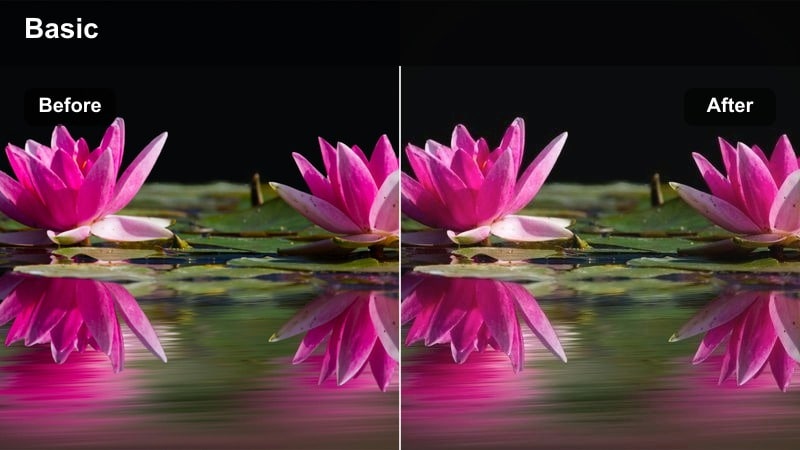
- Effect look: Cool-neutral whites, softened shadows, and a slightly foggy highlight lift for a fresh, airy vibe.
- Best for: Bed-making clips, closet organization, and mirror outfit checks in bright rooms.
- Editing tip: Increase the filter on clips with textured fabrics so the misty highlights emphasize folds and layers.
Linen Morning Mist works best on bright, white heavy scenes where you want everything to feel fresh and crisp but still soft. In Filmora, it cools down warm color casts and gently lifts highlights, so bedding, curtains, and light furniture look clean and calming rather than harsh.
Use this filter on bed making transitions, closet organizing shots, or airy mirror selfies. If your clip features textured fabrics like linen or knits, raise the filter intensity so the lifted highlights catch each fold, then add a touch of contrast if the room starts to feel too flat.
Pastel Room Decor and Cozy Corners
Pastel Cloud Room
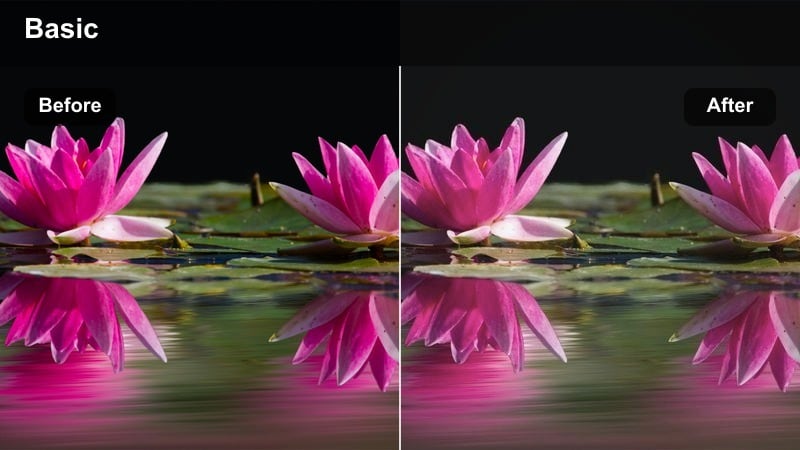
- Effect look: Soft pastel shift with slightly lifted blacks and subtle pink and baby blue tints.
- Best for: Room decor reveals, LED strip lights, and shelf styling TikToks.
- Editing tip: Add a very slow zoom in or pan with this filter to make decor corners feel dreamy and alive.
Pastel Cloud Room in Filmora gently washes your footage in baby blues and light pinks, giving standard bedroom corners a dreamy, TikTok ready makeover. Lifted blacks keep shadows from feeling heavy, so even cluttered shelves appear soft and cohesive under pastel lighting.
Apply this filter to room reveals, shelf details, or LED lit corners, then add slow zooms or pans using the built in animation tools to create a floating, cloud like motion. You can slightly reduce saturation on strong LEDs in the Color panel so they blend smoothly into the pastel atmosphere the filter creates.
Cotton Candy Walls
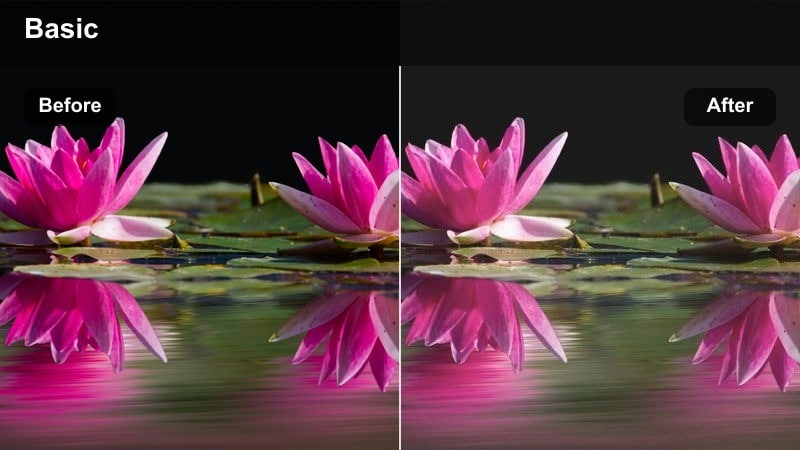
- Effect look: Pastel pink and lavender bias with softened edges and slightly blurred shadows.
- Best for: Wall collage layouts, posters, and fairy light displays.
- Editing tip: Apply light sharpening to text or prints on the wall so they stay readable under the soft blur.
Cotton Candy Walls is tailored for aesthetic collage walls and print heavy decor, giving posters and photos a nostalgic pastel glow. In Filmora, it softens edges and shadows so fairy lights and delicate line art feel dreamy instead of busy.
Use this filter on vertical pans of your collage, then add a touch of sharpening just to the text areas using Filmora's sharpening or mask tools so important words remain legible. Keep your framing a bit wider with some blank wall space so the soft pink and lavender tones have room to breathe on screen.
Muted IKEA Aesthetic
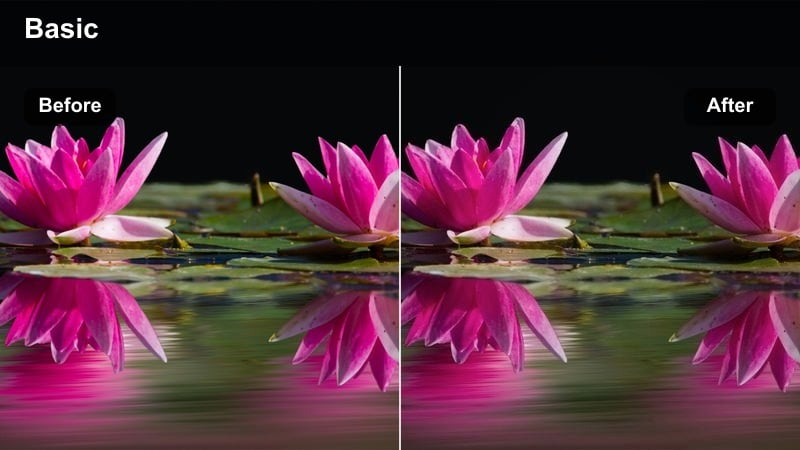
- Effect look: Desaturated neutrals, slightly cool midtones, and clean contrast for minimalist decor shots.
- Best for: Shelf styling, desk setups, and simple before-and-after room decor videos.
- Editing tip: Pair this filter with quick cuts and text labels to create fast but calming mini room makeovers.
Muted IKEA Aesthetic gives your decor clips a curated, catalog style finish by dialing down saturation and keeping lines crisp. In Filmora, it works especially well on white, beige, gray, and light wood, making your desk, shelves, and organizers look intentional and tidy.
Apply it to before and after decor transformations, then cut your footage into short, snappy shots with on screen labels for each area you changed. Because the color palette stays calm and cool, you can use faster edits without overwhelming viewers, keeping the overall vibe minimalist and organized.
Soft Self-Care, Skincare, and Reset Days
Bath Steam Soft Focus
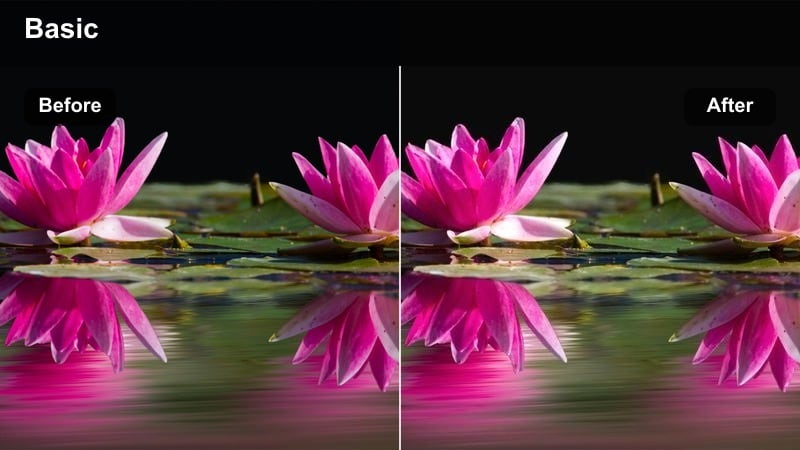
- Effect look: Low clarity, warm highlights, and subtle glow for steam and water textures.
- Best for: Bath routines, candle-lit self-care nights, and spa-style clips.
- Editing tip: Slow down your clips and cut on movement beats like water pours or candle lighting to complement the softness.
Bath Steam Soft Focus turns ordinary bathroom shots into cinematic spa visuals by lowering clarity and enhancing warm highlights. In Filmora, this makes steam, bubbles, and candlelight appear extra glowy while hiding minor imperfections in tiles or fixtures.
Use it on close ups of running water, bath bombs, and candle flames, then slow the clips slightly and cut on natural movements for a soothing rhythm. If your footage feels too hazy, gently raise sharpness in the details panel until your subject remains visible while the background stays dreamy.
Vanity Skin Veil
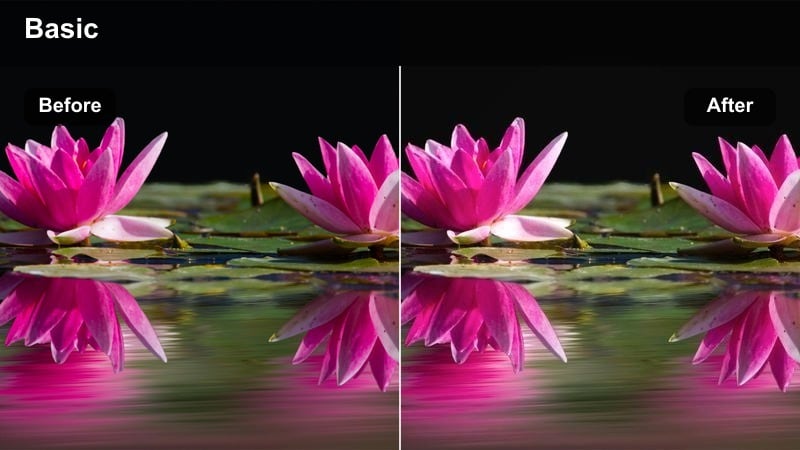
- Effect look: Skin-smoothing bias with gentle warm undertones and softened texture in the midtones.
- Best for: Skincare routines, makeup prep, and close-up self-care check-ins.
- Editing tip: Keep sharpness low but add a touch of clarity on eyes and lashes so the face stays expressive.
Vanity Skin Veil is designed for face forward clips where you want your skin to look soft and flattering without looking overly airbrushed. In Filmora, it gently warms tones and smooths midtone textures so skincare routines and makeup prep feel cozy and confident on camera.
Apply it to talking clips or close ups at your vanity, then use masking or additional clarity tools to slightly enhance your eyes, brows, and lips so expression remains sharp. Aim for a moderate intensity so pores and texture are softened while your face still feels real and relatable in your TikToks.
Reset Day Journal
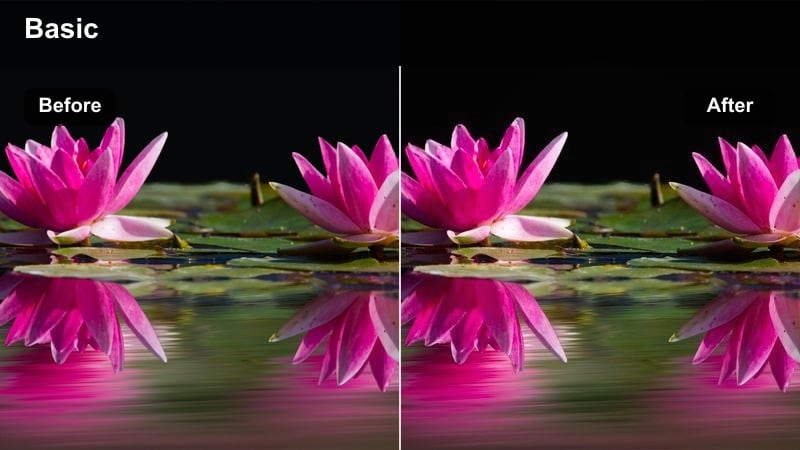
- Effect look: Muted colors, warm-beige highlights, and a subtle film grain feel for slow reset vlogs.
- Best for: Journaling clips, cleaning montages, and cozy reset day timelines.
- Editing tip: Layer this filter over slightly underexposed footage for a stronger nostalgic, film-like mood.
Reset Day Journal gives your self care and reset montages a soft, nostalgic tone with warm beige highlights and gentle grain. In Filmora, this creates a slow living atmosphere that makes even simple tasks like wiping a desk or flipping a notebook page feel intentional and reflective.
Use it on slightly darker, underexposed footage to deepen the vintage mood, then add calm lo fi audio and cut to the beat for a satisfying flow. Alternate between wide shots of your space and close ups of your hands to keep viewers engaged while the muted palette ties the whole vlog together.
Moody Evenings and Low-Light Aesthetic Shots
Midnight LED Mood
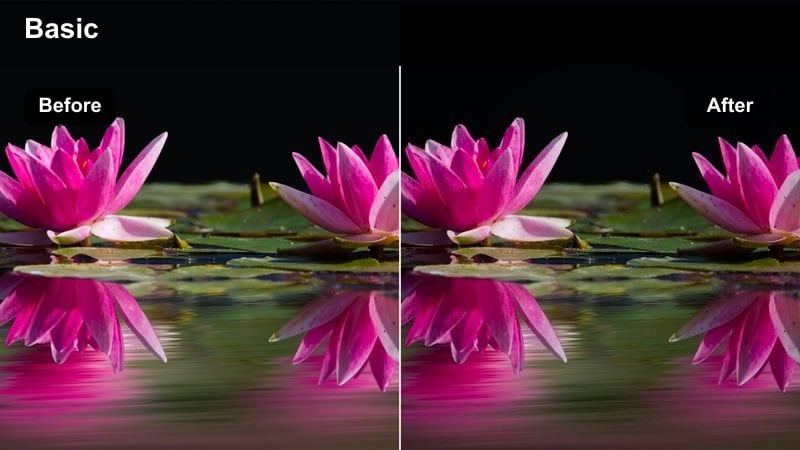
- Effect look: Deepened shadows, amplified blues and purples, and a subtle vignette for night scenes.
- Best for: Nighttime room clips, LED mood lighting, and calm scrolling-in-bed TikToks.
- Editing tip: Keep motion slow or stabilized to avoid noisy shadows when the filter darkens the scene.
Midnight LED Mood leans into rich blues and purples to make LED lit rooms feel cinematic, cozy, and a bit mysterious. In Filmora, it deepens shadows and adds a slight vignette so viewers focus on your subject and the glow of your lights instead of background clutter.
Apply it to night time panning shots, mirror clips, or quiet in bed moments, and keep your camera movements slow to reduce visible noise in darker areas. If your original footage is very dark, slightly raise exposure before adding the filter so you maintain detail when the effect pushes your blacks deeper.
Amber Lamp Nights
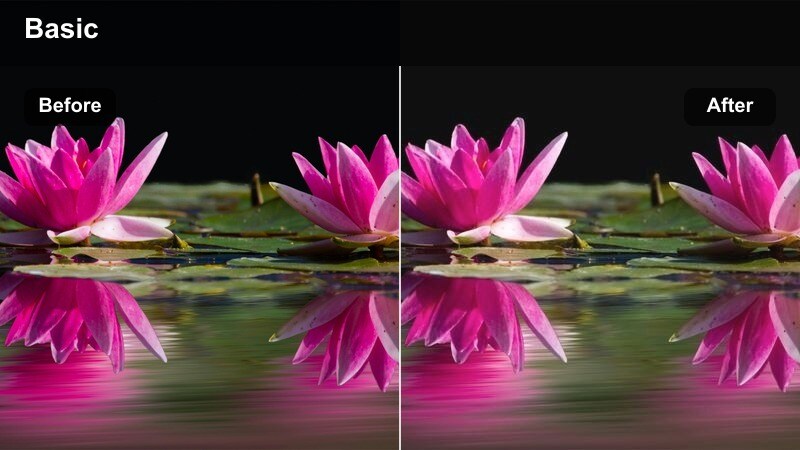
- Effect look: Warm amber midtones, soft bloom on lamp light, and gentle fade in the blacks.
- Best for: Lamp-lit reading, night journaling, and cozy movie night TikToks.
- Editing tip: Add a slow crossfade between clips to match the soft lamp glow and avoid harsh cuts.
Amber Lamp Nights wraps your evening scenes in golden tones, perfect for reading nooks, journaling corners, or movie nights. In Filmora, it adds a soft bloom to lamp light and gently fades blacks so the whole frame feels like a warm hug rather than a harshly lit room.
Use this filter on clips where your main light source is a table or floor lamp, then add slow crossfades between shots to match the smooth, glowing mood. Turn off overhead lighting while filming, and if your lamp is very bright, lower your clip exposure slightly so the bloom effect does not blow out important details like book pages or your face.
Late Night Scroll
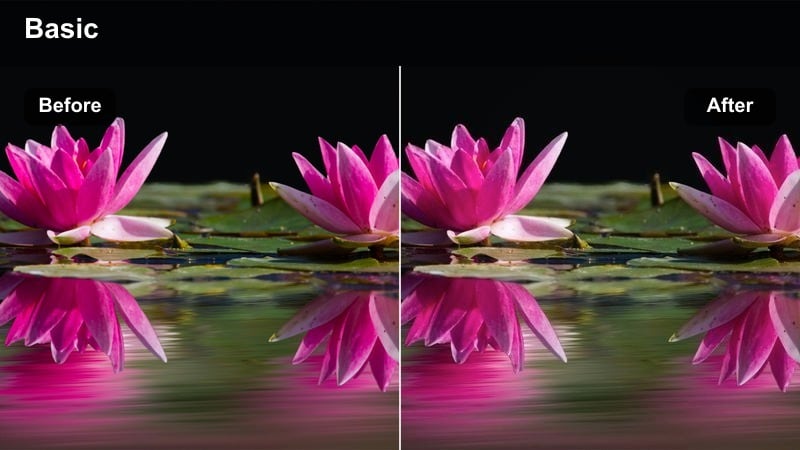
- Effect look: Cool, slightly desaturated tones with a faint teal overlay and lifted blacks for a quiet, moody feel.
- Best for: Phone-lit shots in bed, laptop screens, and reflective end-of-day TikToks.
- Editing tip: Use tighter framing and negative space to keep the attention on your face or screen glow.
Late Night Scroll captures the calm, introspective vibe of end of day phone or laptop time with cool, desaturated tones and lifted blacks. In Filmora, it softens contrast just enough that shadows feel gentle, while a faint teal overlay gives your footage a cohesive, cinematic night look.
Apply it to tight shots of your face lit by your screen, keeping plenty of empty dark space in the frame so the glow stands out. If your device screen is very bright, reduce filter intensity slightly and adjust highlights so your facial features stay visible and do not get washed out by the cool tones.
Tips for Using Aesthetic Tiktok Video Filters in Filmora
- Shoot with simple, soft lighting so your aesthetic TikTok video filters enhance the mood instead of fighting harsh shadows.
- Keep your color palette consistent across clips in a single video or series to make your TikToks instantly recognizable.
- Adjust filter intensity for each scene; bright mornings usually need less strength than dim, moody nights.
- Use slower camera movements with very soft filters to avoid motion blur and keep details visible.
- Add minimal, clean typography and gentle sound design to support the visual vibe created by your filters.
With the right aesthetic TikTok video filters, even simple moments like making your bed or lighting a candle can feel cinematic and shareable.
Pick two or three presets that match your brand, save them in Filmora, and rotate them across morning routines, room decor videos, and self-care edits for a consistent, on-trend feed.
secure download