

 100% Security Verified | No Subscription Required | No Malware


 ChatGPT
 Perplexity
 Gemini
 Claude
 Grok
Grok
Aurora Coral sits between soft peach and vibrant sunset orange. It feels human, approachable, and full of warmth, which is why it works so well for romantic storytelling, lifestyle content, and brands that want to feel inviting instead of harsh or overly polished. On screen, Aurora Coral often signals emotion, connection, and optimism, making it ideal for creators who want their visuals to feel personal and memorable.
For video creators, YouTubers, and designers, Aurora Coral is perfect for thumbnails that pop, intros that feel cinematic, and color grading that gives footage a warm, cohesive glow. Below are ready to use Aurora Coral color palettes with HEX codes, tailored for Filmora users and creative projects. You can apply these palettes to titles, overlays, lower thirds, backgrounds, and full color grades to keep your channel and brand instantly recognizable.
In this article
Soft And Romantic Aurora Coral Color Palettes
Sunrise Blush Aurora
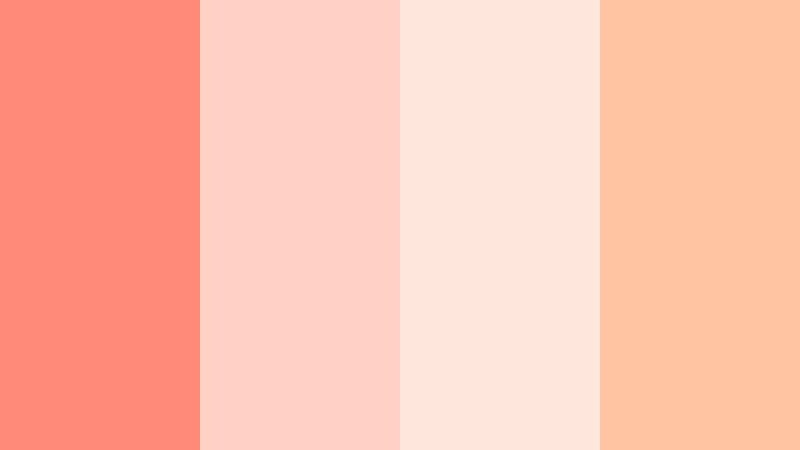
- HEX Codes: #ff8a7a, #ffd1c4, #ffe7de, #ffc5a3
- Mood: Tender, hopeful, and intimate
- Use for: Perfect for romantic vlogs, wedding highlight videos, or gentle lifestyle thumbnails that need a warm, inviting glow.
Sunrise Blush Aurora feels like the first light spilling through a window. The main Aurora Coral tone (#ff8a7a) is softened by creamy pinks and delicate off whites, giving your frame a hazy, tender warmth. It is perfect when you want the viewer to feel close to the story, almost as if they are in the room with you.
Use this palette in Filmora for wedding highlight reels, couple storytelling, softly graded B roll, and thumbnails with handwritten fonts or script titles. Apply the deeper coral to key elements like titles and call to action buttons, while the lighter tones work beautifully as backgrounds for lower thirds, end screens, and channel banners.
Pro Tip: Keep Your Sunrise Aurora Coral Look Consistent With Filmora
When you fall in love with a romantic palette like Sunrise Blush Aurora, consistency is everything. In Filmora, set up your titles, subtitles, and lower thirds with the exact HEX values from this palette and save them as custom presets. That way, your intros, B roll overlays, and end screens all carry the same Aurora Coral glow across every episode or wedding project.
You can also build a simple Aurora Coral look in the Color panel, then copy and paste those color corrections across clips. This keeps skin tones warm and backgrounds creamy, so your entire video feels like one continuous sunrise scene, not a mix of unrelated shots.
AI Color Palette
If you have a reference still, mood board, or color card based on Sunrise Blush Aurora, you can turn it into a full video look in a few clicks. Filmora's AI Color Palette feature analyzes the colors in a reference frame and automatically applies the same mood and tonal balance to your timeline.
Import one perfectly graded shot using these Aurora Coral values, then let AI Color Palette match the rest of your clips. This is a fast way to ensure your A roll, B roll, and cutaways all share the same tender, pastel coral atmosphere without manual tweaking on every clip.
 secure download

HSL, Color Wheels & Curves
To refine Sunrise Blush Aurora, use Filmora's HSL and Color Wheels to nudge saturation and luminance until your Aurora Coral feels exactly right. Gently raise the luminance of corals and oranges to keep skin fresh, push shadows slightly cooler for subtle contrast, and lift the midtones for that airy, romantic vibe. You can see these tools in action in Filmora's advanced color grading tutorials on YouTube.
The Curves tool is perfect for adding a soft film like fade to this palette. Create a gentle S curve for more depth, then slightly lift the blacks to avoid harsh contrast. Your Aurora Coral tones will look cinematic and polished, while the lighter creams stay smooth and flattering for faces and dresses.
secure download1000+ Video Filters & 3D LUTs
If you do not want to build a grade from scratch, Filmora's video filters and 3D LUTs make it easy to stylize your Aurora Coral palettes. Start with a warm cinematic LUT, then fine tune the result so that your coral tones stay soft while highlights stay creamy and not blown out.
Layer subtle filters like vignette, glow, or film grain to push the dreamy aspect of Sunrise Blush Aurora even further. With just a few clicks, you can turn basic footage into a cohesive romantic sequence, complete with matching intros, titles, and end cards that all follow the same Aurora Coral story.
secure downloadCoral Petal Whisper
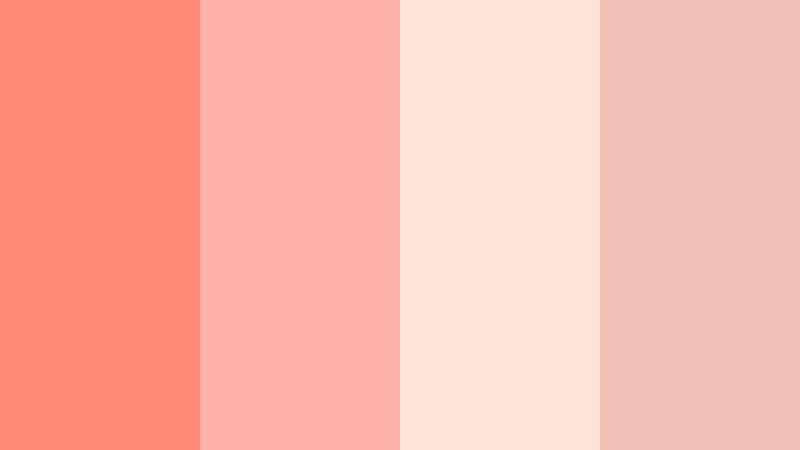
- HEX Codes: #ff8976, #ffb2aa, #ffe2da, #f2c0b5
- Mood: Delicate, feminine, and calm
- Use for: Use this palette for beauty tutorials, pampering routines, and product flat lays that aim for a soft, spa like mood.
Coral Petal Whisper layers gentle Aurora Coral with airy pinks that feel like skincare packaging and blush compacts. The look is feminine but not overly sweet, which is ideal for modern beauty and wellness content.
Use the richer coral for key elements like product names or callouts, while the pale tones become background cards, text boxes, and subtle gradients in your Filmora thumbnails and end screens. This palette works especially well when combined with close ups, slow motion product shots, and minimal, centered typography.
Evening Ember Glow
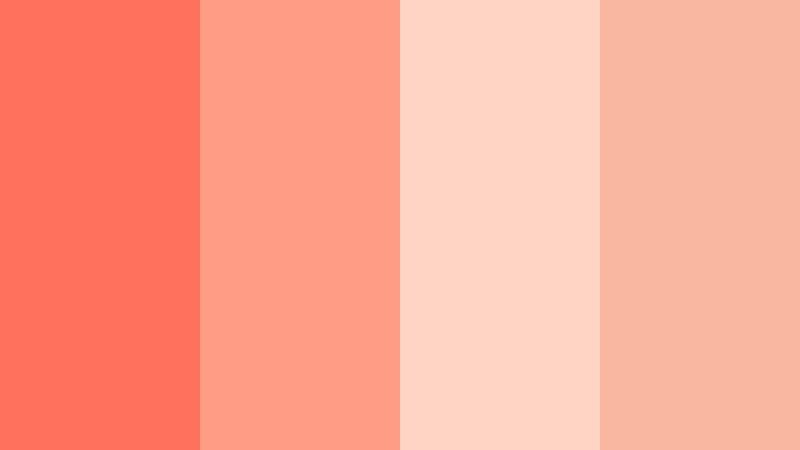
- HEX Codes: #ff715c, #ff9c85, #ffd4c4, #f9b7a0
- Mood: Warm, nostalgic, and cinematic
- Use for: Great for travel vlogs, sunset reels, and storytelling edits that lean into golden hour emotion.
Evening Ember Glow moves from strong Aurora Coral into peach and cream, echoing the last minutes of sunset. It adds a nostalgic warmth that feels like a favorite memory, perfect for sequences about road trips, homecomings, or slow evenings in the city.
In Filmora, push this palette into your color grading by warming midtones and highlights, then bring the hex values into your titles and overlays. It works beautifully with lens flare overlays, light leaks, and soft dissolves in intros and outros for cinematic lifestyle channels.
Rose Coral Daydream
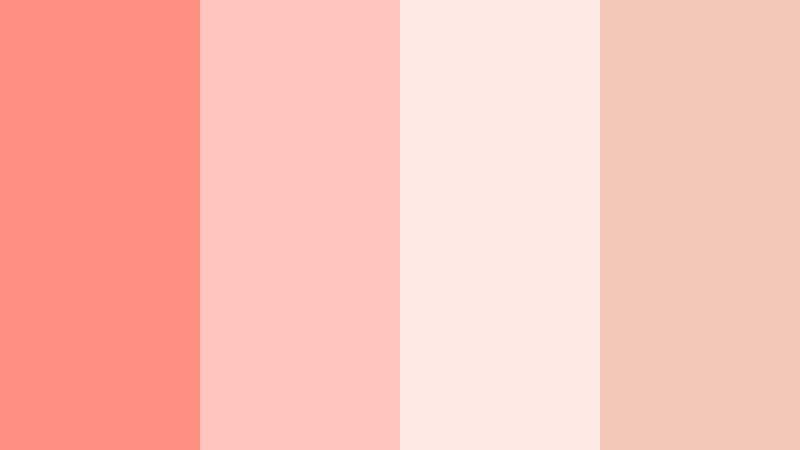
- HEX Codes: #ff8f81, #ffc4bc, #ffe9e4, #f3c7b7
- Mood: Dreamy, romantic, and lighthearted
- Use for: Ideal for mood boards, Pinterest style shorts, and channel art that should feel dreamy yet approachable.
Rose Coral Daydream is a mist of rosy Aurora Coral and pastel creams. It feels soft focus and whimsical, like flipping through a dreamy scrapbook or Pinterest board come to life.
Use this palette for vertical shorts and Reels, gentle transitions, collage style edits, and channel banners where you overlay handwriting or doodles. In Filmora, combine these tones with subtle blur, light leak, and film dust effects to make your Aurora Coral aesthetic feel tactile and handcrafted.
Peach Kiss Horizon
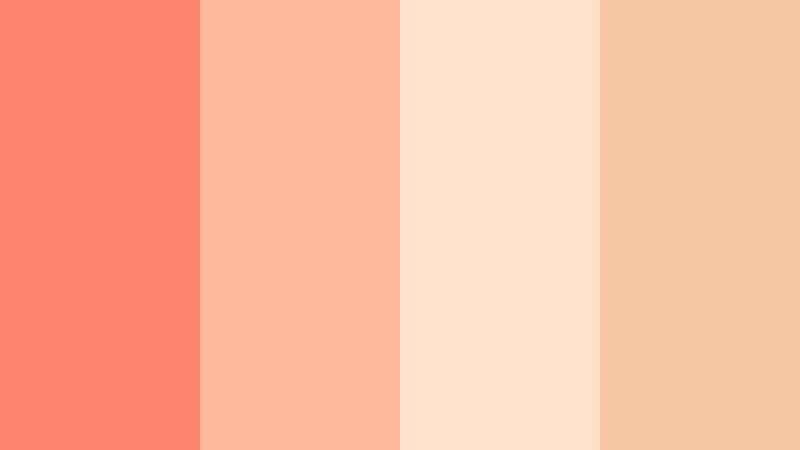
- HEX Codes: #ff846e, #ffb899, #ffe1c9, #f7c6a4
- Mood: Flirty, light, and optimistic
- Use for: Use for channel rebrands, intro cards, or reels around friendships, celebrations, and upbeat daily life moments.
Peach Kiss Horizon mixes playful Aurora Coral with sandy peaches and warm beige. It feels like shared jokes at golden hour, picnic blankets, and casual birthday parties rather than formal events.
Apply this palette to channel rebrands in Filmora by updating your intro sequence, lower thirds, and end screens with these HEX codes. Use the punchy coral for buttons and key phrases, while the softer shades support background shapes, drop shadows, and animated sticker elements for cheerful vlogs and friendship themed edits.
Bold And Vibrant Aurora Coral Color Palettes
Neon Coral Splash
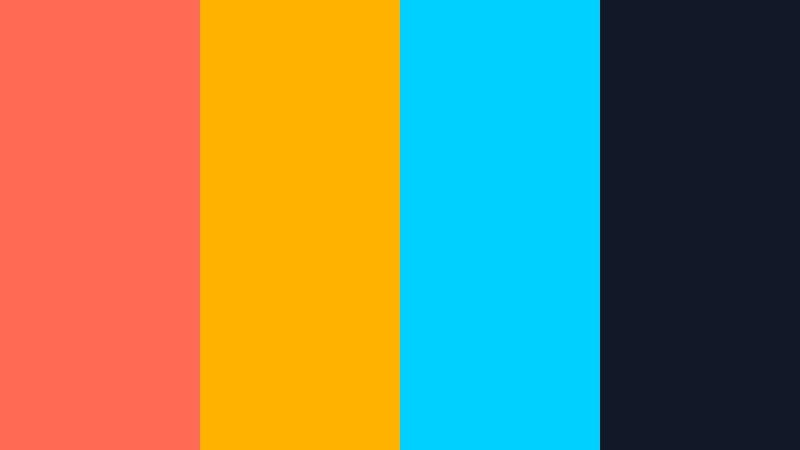
- HEX Codes: #ff6b55, #ffb300, #00d0ff, #111827
- Mood: Energetic, bold, and high impact
- Use for: Perfect for YouTube thumbnails, gaming intros, or hype reels that need instant attention in crowded feeds.
Neon Coral Splash throws bright Aurora Coral against electric cyan and deep navy, creating a neon poster vibe that jumps off the screen. The contrast is strong and high energy, perfect for content that needs to stop scrolling thumbs.
In Filmora, reserve the darkest tone (#111827) for backgrounds, then let Aurora Coral, yellow, and cyan drive your titles, frames, and animated shapes. This palette is ideal for gaming channels, reaction videos, and hype edits, especially when paired with glitch transitions and bold motion graphics.
Tropical Coral Festival
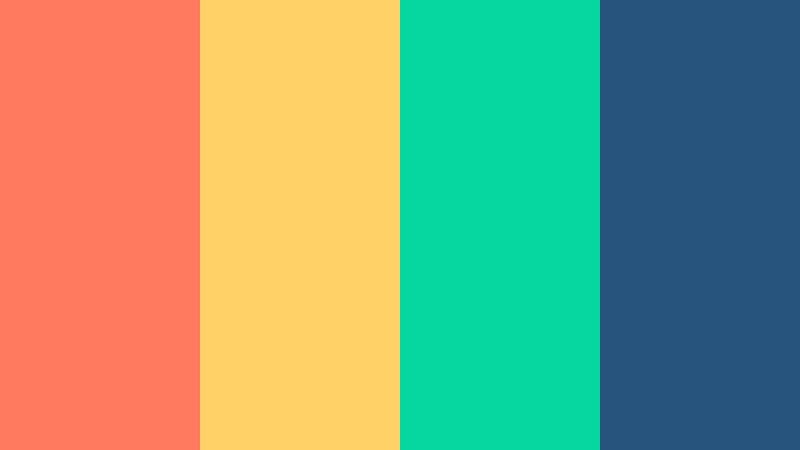
- HEX Codes: #ff7a5e, #ffd166, #06d6a0, #26547c
- Mood: Festive, adventurous, and vacation ready
- Use for: Use for travel vlogs, festival recaps, and summer product launches that lean into a tropical, high energy mood.
Tropical Coral Festival pairs juicy Aurora Coral with sunshine yellow, fresh teal, and ocean blue. It looks like festival posters, beach clubs, and rooftop parties, instantly signaling summer and adventure.
Use this in Filmora for title cards, map animations, travel intros, and split screen edits. Let coral and yellow highlight key moments or locations, while teal and blue give structure to lower thirds and info panels. The palette works especially well with fast cuts, speeds ramps, and rhythmic music.
Aurora Street Pop
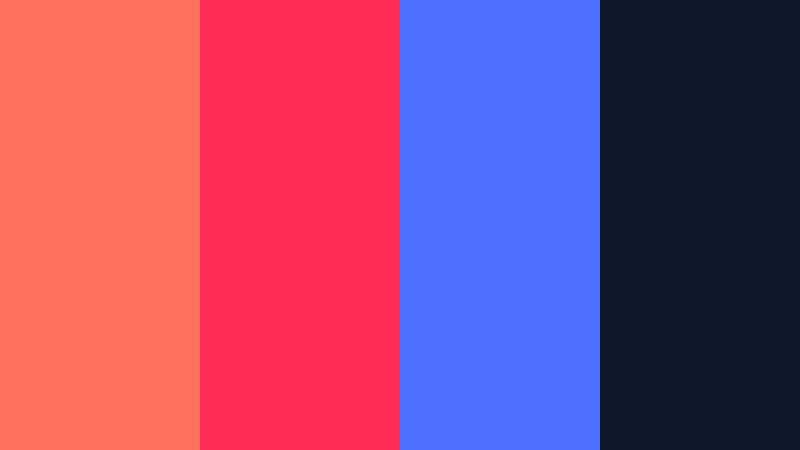
- HEX Codes: #ff715c, #ff2d55, #4c6fff, #0f172a
- Mood: Urban, edgy, and youthful
- Use for: Ideal for streetwear lookbooks, dance content, and bold creator brands targeting a Gen Z audience.
Aurora Street Pop is loud in the best way. Aurora Coral meets hot pink and electric blue over a deep navy base, giving you an urban, posterized look that feels right at home with street photography and dance edits.
In Filmora, use the dark navy as a canvas for dynamic titles, stickers, and tracking text that moves with dancers or skaters. This palette is perfect for kinetic typography, speed ramps, and punchy jump cuts in lookbooks, outfit transitions, and performance videos.
Coral Citrus Energy
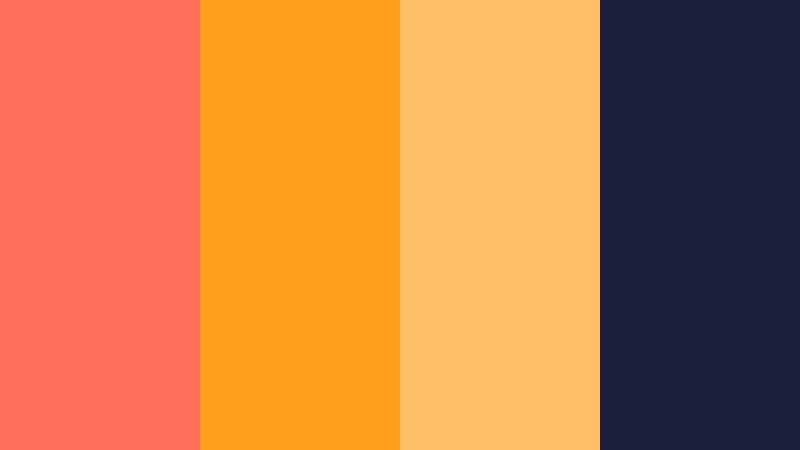
- HEX Codes: #ff6f5c, #ff9f1c, #ffbf69, #1b1f3b
- Mood: Zesty, upbeat, and motivational
- Use for: Use in fitness intros, productivity videos, and promo graphics that should feel energetic and inspiring.
Coral Citrus Energy combines bold Aurora Coral with punchy oranges and soft yellows, grounded by deep indigo. It feels like sunrise workouts, energized planning sessions, and motivational keynotes.
Apply this palette to fitness timers, step by step overlays, and big goal statements in Filmora. Use coral for progress bars and key metrics, orange for subheadings, and yellow for accent lines or icons. The dark blue makes text pop and keeps the overall design readable even on small mobile screens.
Coral Arcade Neon
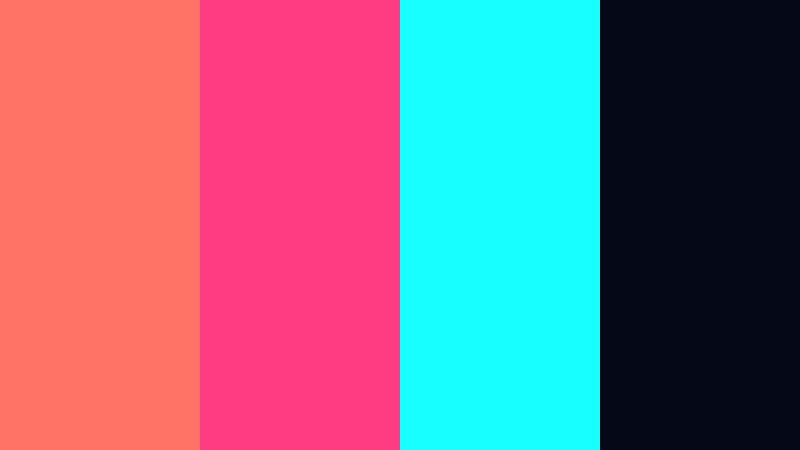
- HEX Codes: #ff7366, #ff3b81, #18ffff, #050816
- Mood: Retro futuristic, playful, and bold
- Use for: Great for tech channels, retro gaming edits, and motion graphics inspired by synthwave aesthetics.
Coral Arcade Neon blends glowing Aurora Coral with neon teal and magenta on an almost black background. It is instantly retro futuristic, echoing arcades, cyberpunk cityscapes, and synthwave posters.
Use this in Filmora with glow, chromatic aberration, and grid overlays. Let the darkest shade (#050816) dominate the frame, then use Aurora Coral and teal as light streaks, HUD elements, and waveform style graphics. This palette suits channel intros, countdowns, and transitions for tech and gaming creators.
Elegant And Modern Aurora Coral Color Palettes
Coral And Charcoal Luxe
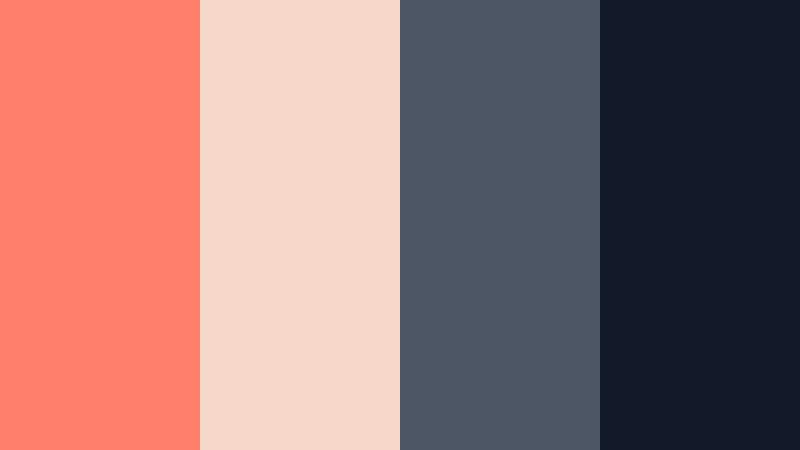
- HEX Codes: #ff7f6a, #f6d6c8, #4b5563, #111827
- Mood: Sophisticated, minimal, and confident
- Use for: Use for brand intros, portfolio reels, and premium course trailers that should feel high end yet warm.
Coral And Charcoal Luxe softens Aurora Coral with nude beige and anchors it with charcoal grays. The result is sophisticated and minimal, perfect when you want to feel premium but not cold.
In Filmora, use dark grays for backgrounds and frames, Aurora Coral for accent lines, buttons, and key phrases, and beige for large background shapes behind text. This palette works beautifully for portfolio reels, course promos, agency showreels, and any brand that wants a refined but approachable identity.
Muted Coral Studio
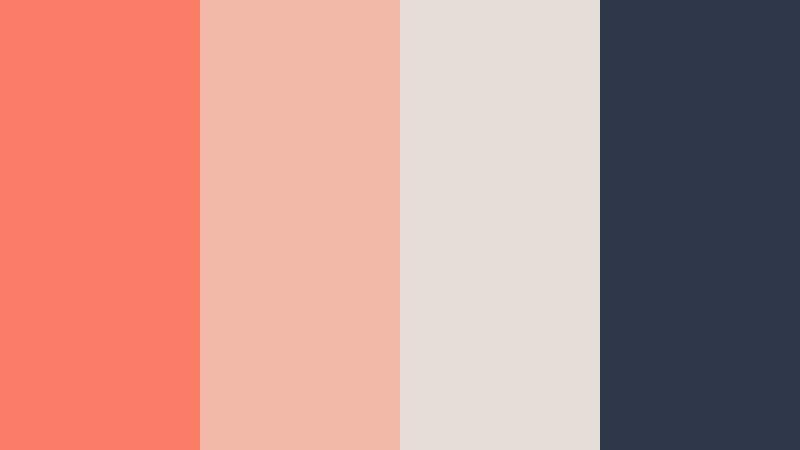
- HEX Codes: #f97c67, #f2b8a8, #e5ded8, #2d3748
- Mood: Calm, curated, and studio chic
- Use for: Ideal for creators who film in neutral studios, especially for tutorials, interviews, and brand explainers.
Muted Coral Studio tones down Aurora Coral into a more reserved, editorial shade, surrounded by soft neutrals and slate gray. It feels like a curated studio backdrop, clean and quietly stylish.
Pair this palette with simple layouts, centered talking heads, and generous white space. In Filmora, let the gray and off white tones dominate the frame while Aurora Coral appears in subtle details like bullet points, highlight boxes, or animated underlines beneath key text.
Coral Champagne Soiree
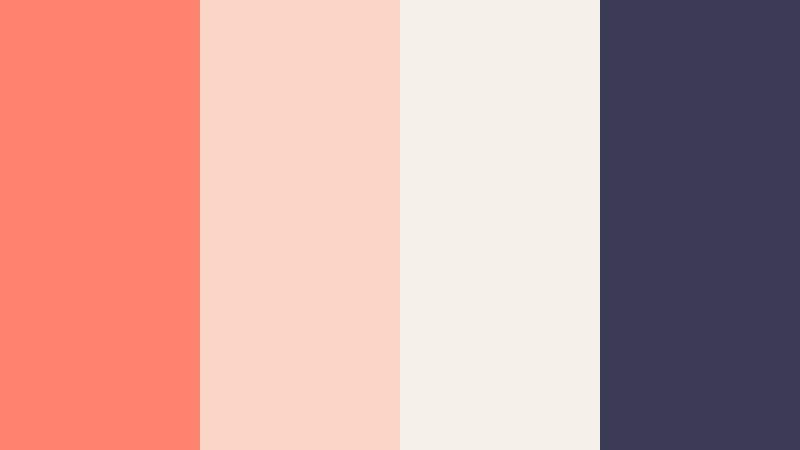
- HEX Codes: #ff836e, #fbd5c5, #f5efe9, #3b3b58
- Mood: Refined, celebratory, and graceful
- Use for: Perfect for event recaps, launch teasers, or luxury lifestyle content focused on parties and milestones.
Coral Champagne Soiree mixes sparkling Aurora Coral with champagne cream and a soft midnight blue. It feels like invitation design and event photography, tailored for milestone celebrations and launches.
Use this palette in Filmora for elegant lower thirds, animated invitations, and event recap titles. Let coral highlight names and important dates, while cream and soft blue shape your backgrounds, frames, and overlay panels. Add subtle bokeh or light glitter overlays to complete the luxury mood.
Nordic Coral Minimal
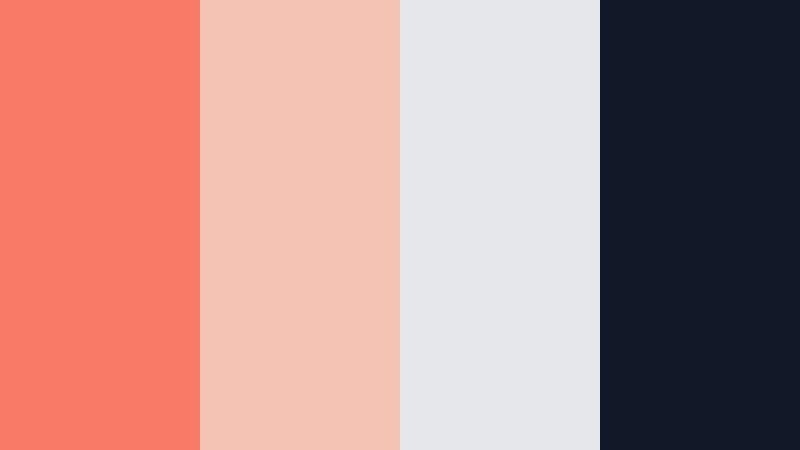
- HEX Codes: #f97b67, #f4c3b3, #e5e7eb, #111827
- Mood: Clean, airy, and modern
- Use for: Use this palette for tech demos, UI mockups in videos, and modern brand identities that want a hint of warmth.
Nordic Coral Minimal takes a Scandi inspired neutral base and lifts it with Aurora Coral accents. The overall feel is clean and structured, but the coral keeps things from feeling sterile.
In Filmora, use light gray and white as the main canvas, with Aurora Coral reserved for callouts, buttons, and highlight bars that mimic modern app and web UI. This palette is ideal for product walkthroughs, SaaS promos, and UX explainer videos where clarity and subtle warmth both matter.
Coral Velvet Night
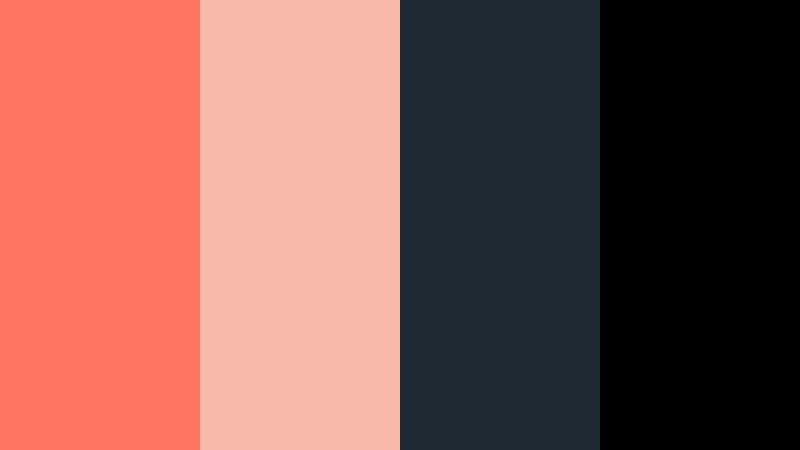
- HEX Codes: #ff7561, #f8b9aa, #1f2933, #000000
- Mood: Moody, cinematic, and stylish
- Use for: Great for trailers, music videos, and moody cinematic edits that need contrasty, stylish grading.
Coral Velvet Night sets rich Aurora Coral against deep navy and pure black, like neon glowing over a velvet backdrop. The mood is cinematic and slightly mysterious, perfect for storytelling with attitude.
Use this palette in Filmora for trailers, title sequences, and music videos. Let black and navy dominate the frame to create negative space, then use Aurora Coral as the glowing element for titles, light streaks, and UI style graphics. Combine it with sharp cuts, slow motion, and light flares to enhance the dramatic effect.
Tips for Creating Aurora Coral Color Palettes
Whether you are designing a thumbnail or grading an entire series in Filmora, thoughtful Aurora Coral combinations help control mood, clarity, and brand recognition. Use the tips below to shape palettes that look great on every screen.
- Balance warmth with neutrals: pair Aurora Coral with soft creams, grays, or deep blues so the color can stand out without overwhelming the frame.
- Check text readability: when using light coral backgrounds, choose dark charcoal or navy text for contrast; on dark backgrounds, keep coral text bold and slightly oversized.
- Define roles for each color: assign Aurora Coral to calls to action and key highlights, neutrals to backgrounds, and accent colors to icons or dividers to keep layouts consistent.
- Match palette to content mood: use soft, pastel coral for romance and lifestyle, bold neon coral for gaming or hype, and muted coral for educational or business content.
- Test on mobile thumbnails: export a frame from Filmora and view it small on your phone to make sure coral accents and text are still visible and not washed out.
- Use gradients thoughtfully: blend Aurora Coral into peach or cream for soft, cinematic backgrounds; avoid overusing multi color gradients that distract from your subject.
- Keep branding consistent: reuse the same HEX codes in intros, lower thirds, overlays, and social posts so viewers instantly recognize your Aurora Coral aesthetic.
- Sync grade with graphics: if you push your footage warmer in Filmora, slightly adjust your graphic elements too so coral overlays and the image grade feel like one unified look.
Aurora Coral is one of those colors that can shift from dreamy and romantic to bold and electric, depending on what you pair it with. By choosing a defined palette and reusing the same HEX codes across thumbnails, titles, and color grades, you give your channel or brand a clear visual identity that feels intentional instead of random.
The palettes above are ready to plug into Filmora for intros, lower thirds, callouts, and full color grading workflows. Experiment with a few, save your favorite combinations as presets, and refine them over time until your Aurora Coral look feels uniquely yours.
Open a new project in Filmora, drop in one of these Aurora Coral schemes, and start testing how it transforms your footage. With the right mix of color, motion, and music, you can turn everyday clips into visuals that feel warm, cinematic, and instantly recognizable.
secure download