

 100% Security Verified | No Subscription Required | No Malware


 ChatGPT
 Perplexity
 Gemini
 Claude
 Grok
Grok
Beach clips on TikTok live or die by their color. The right filter can turn flat sand and washed-out water into cinematic turquoise waves and glowing golden-hour skin that stops the scroll instantly.
Below are 12 curated beach video filters for TikTok creators and summer influencers, built around ocean tones, tropical color, and smooth skin-friendly looks you can easily recreate or match with Filmora and TikTok’s own tools.
In this article
Soft Ocean Blues and Golden Summer Glow
Soft Turquoise Glow
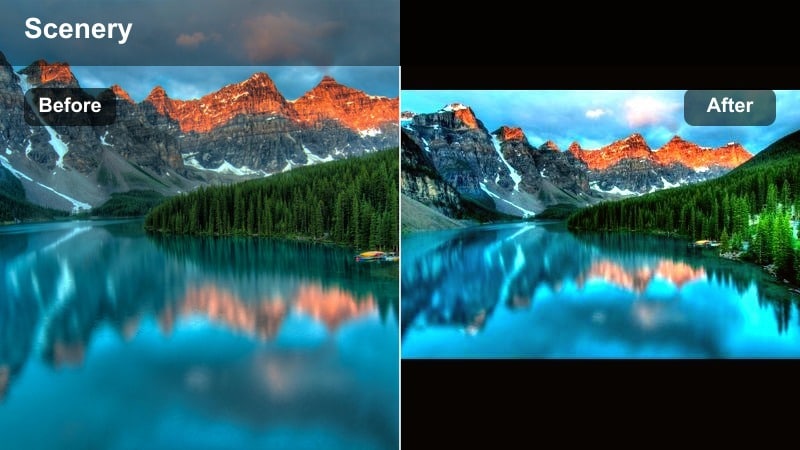
- Effect look: Brightened exposure with soft turquoise water, gentle contrast, and a subtle warm highlight on skin tones.
- Best for: Sunny midday beach TikToks, walking by the shoreline, and playful summer shorts with a light, dreamy mood.
- Editing tip: Lower saturation slightly on greens to avoid neon water and add a tiny bit of skin smoothing to keep faces natural but polished.
Soft Turquoise Glow is a clean, bright beach video TikTok filter that turns ordinary blue water into soft, cinematic turquoise while keeping skin warm and flattering. It is perfect for clips where you are walking along the shore, capturing waves around your feet, or filming lighthearted trends under strong midday sun.
In Filmora, start by increasing exposure and slightly lifting shadows to get that airy feel, then fine-tune HSL for blues and aquas so the ocean stands out without affecting the sky too much. Use a small amount of skin smoothing and warm midtones so faces stay golden, and gently pull down green saturation to avoid that unreal neon look common in harsh daylight.
Pro tip: Balance warm skin with cool water. Push temperature slightly warmer while cooling the tint a bit so skin stays golden without turning the ocean green. In Filmora, fine-tune HSL for blues and aquas only, so you can intensify water color without affecting the rest of the scene.
Match Beach Filters with Filmora’s AI Color Tools
If you find a TikTok beach filter you love, you can recreate its mood in Filmora using AI-driven color matching and presets. Sample colors from your favorite ocean clips or screenshots and let AI Color Palette push your footage toward those same turquoise and golden tones automatically.
This is ideal when you want every beach video TikTok filter you use to feel consistent across your feed, without spending time dialing sliders for each new clip. Once you like the match, you can still fine-tune blues, aquas, and skin tones manually.
 secure download

Preview Beach Filters on Real TikTok Clips
Before you commit to one beach video TikTok filter, it helps to see how different color grades behave in the real vertical feed. In Filmora, you can drop several looks onto short sample clips, export them quickly, and test them on your phone inside TikTok.
This workflow lets you compare which tones keep detail in the water, which filters flatter your skin, and which tropical colors hold up best after TikTok compression and platform sharpening.
secure download1000+ Video Filters and 3D LUTs
Filmora includes a large library of built-in video filters, overlays, and 3D LUTs that you can stack to craft your own beach video TikTok filter. Start from a cinematic LUT or summer preset, then refine individual colors with HSL and curves to match your favorite ocean or sunset aesthetic.
Once you create a look you love, save it as a custom preset or export it as a LUT so you can apply the same viral ocean tones across all your TikTok, Reels, and Shorts in one click.
secure downloadGolden Sand Aesthetic
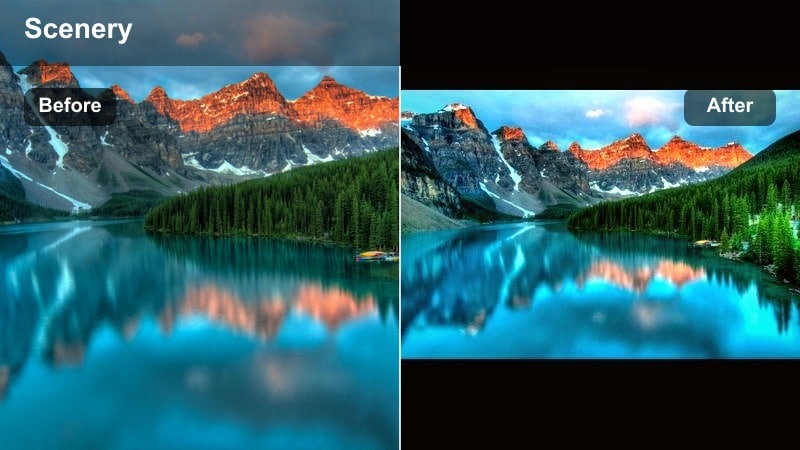
- Effect look: Warm golden sand, soft highlights, and gently lifted shadows for a creamy, influencer-style beach aesthetic.
- Best for: Fit checks on the sand, beach outfit hauls, and aesthetic B-roll for summer vlogs or GRWM clips.
- Editing tip: Add a mild fade in the blacks and reduce clarity slightly for a smooth, dreamy look without losing important detail.
Golden Sand Aesthetic wraps your beach in a soft golden glow, making both sand and skin look rich and sunlit even if you did not catch true golden hour. It is ideal for outfit of the day shots, slow pans over accessories, and aesthetic B-roll between talking clips.
In Filmora, raise temperature a bit, lift shadows, and pull blacks up slightly to add that creamy fade. Then reduce clarity a touch and fine-tune oranges so skin looks naturally tanned without going too red. Use selective adjustments or masks to keep the sky and water from becoming overly warm while sand stays rich and golden.
Pro tip: Match your filter to your skin tone. If you have very warm undertones, dial back the orange saturation a little so you do not look too sunburned. Use Filmora’s skin tone controls or HSL oranges to separately tame skin while keeping the sand glowing and rich.
Pastel Beach Dream
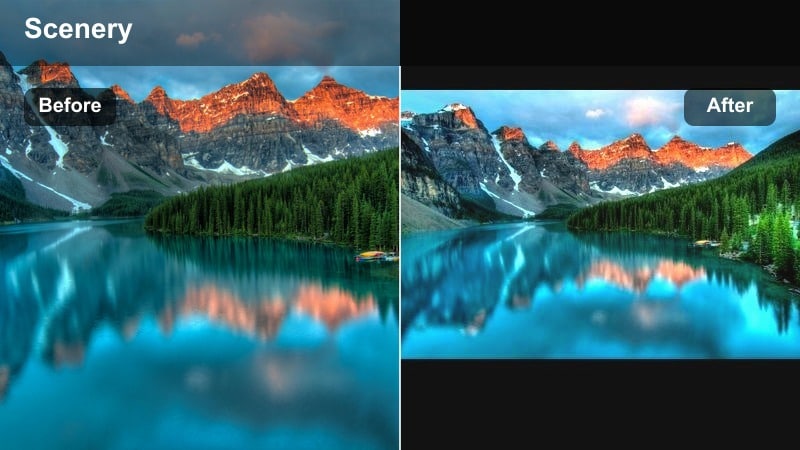
- Effect look: Muted pastel blues and pink-tinted highlights, with low contrast for a soft, dreamy summer story feel.
- Best for: Soft-focus beach montages, POV clips with text overlays, and romantic summer TikTok edits.
- Editing tip: Reduce contrast and dehaze a bit, then add subtle vignette to keep focus on the center of the frame and text overlays.
Pastel Beach Dream gives your footage a hazy, memory-like feel, turning bright blues into muted tones and adding a hint of pink to the highlights. It works especially well with slow, emotional audio, journal-style POVs, and text-heavy storytelling about your summer.
In Filmora, drop overall contrast, reduce dehaze, and add gentle split toning with pink or magenta in the highlights and soft cyan in the shadows. Use a light vignette so viewers focus on your subject or captions, and consider layering subtle film grain at low opacity so the image does not look too flat or plasticky after you lower contrast.
Pro tip: Use slow motion with pastel tones. Shoot slightly slower clips and match them to soft audio so the pastel filter reinforces a calm, nostalgic vibe. In Filmora, pair this look with light film grain at low opacity to keep the image from feeling too flat.
Tropical Punch and Vibrant TikTok Beach Looks
Tropical Punch Pop
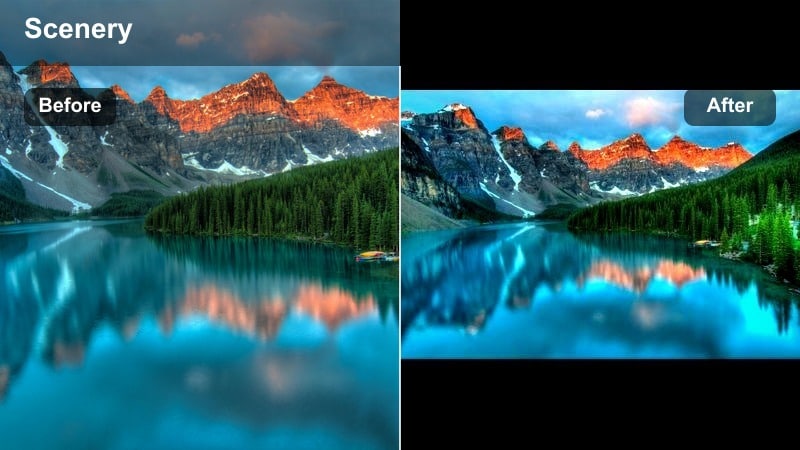
- Effect look: Highly saturated teal water, vivid greens in palms, and punchy contrast for an energetic, tropical vacation feel.
- Best for: High-energy dance trends on the beach, travel reveals, and tropical resort walk-throughs.
- Editing tip: Boost saturation in teal and aqua but keep overall saturation moderate so skin tones do not turn orange or radioactive.
Tropical Punch Pop is all about vacation energy, making the ocean glow in teal and palm trees jump off the screen. It is perfect for fast-paced transitions, dance trends in front of the waves, and resort or hotel reveals where you want the environment to look like a postcard.
In Filmora, increase contrast and vibrance, then selectively boost saturation on teal, aqua, and green using HSL, leaving oranges and reds more controlled so skin stays flattering. Save your tuned settings as a preset so every tropical clip in your series shares the same punchy beach video TikTok filter, reinforcing your personal brand.
Pro tip: Protect skin while pushing color. Use selective color or HSL to push teals and greens only, then slightly desaturate oranges to keep skin natural. In Filmora, save this as a custom preset so you can apply the same tropical look across an entire TikTok series.
Sunset Tangerine Boost
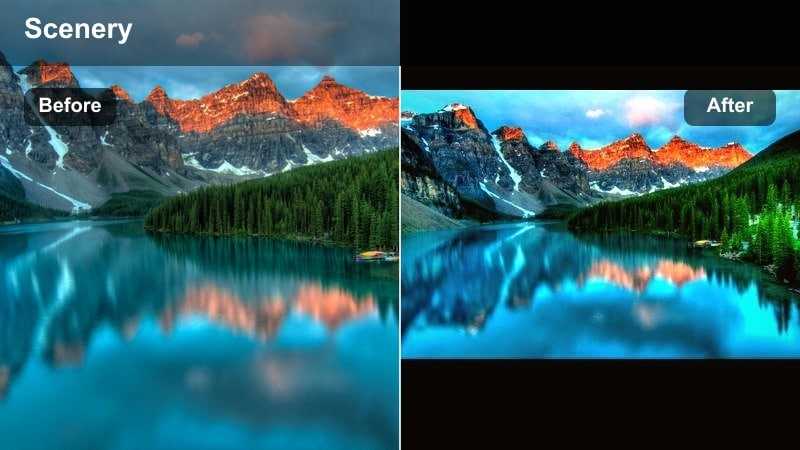
- Effect look: Bold orange and magenta sunset tones, deeper blues in the shadows, and rich, cinematic sky gradients.
- Best for: Sunset silhouette dances, ocean horizon time-lapses, and golden-hour couple clips.
- Editing tip: Use curves to deepen shadows while keeping midtones bright to avoid banding in the sky and preserve cloud detail.
Sunset Tangerine Boost turns an already pretty sunset into a dramatic, share-worthy moment with rich oranges, pinks, and purples spreading across the sky. It is ideal for silhouettes, horizon time-lapses, and romantic or reflective shots filmed during golden hour and blue hour.
Inside Filmora, start by pulling down shadows with curves while protecting midtones and highlights to avoid harsh banding in the gradient sky. Push saturation in oranges and magentas, deepen blues in the water, and slightly lower exposure so details in clouds and the sun’s edge remain visible even after boosting color.
Pro tip: Expose for the sky first. When filming, tap and hold on the brightest part of the sunset to lock exposure so the sky is not blown out. Later, raise shadows slightly in Filmora so your subject becomes visible again while the sky stays dramatic.
Coconut Lime Crisp
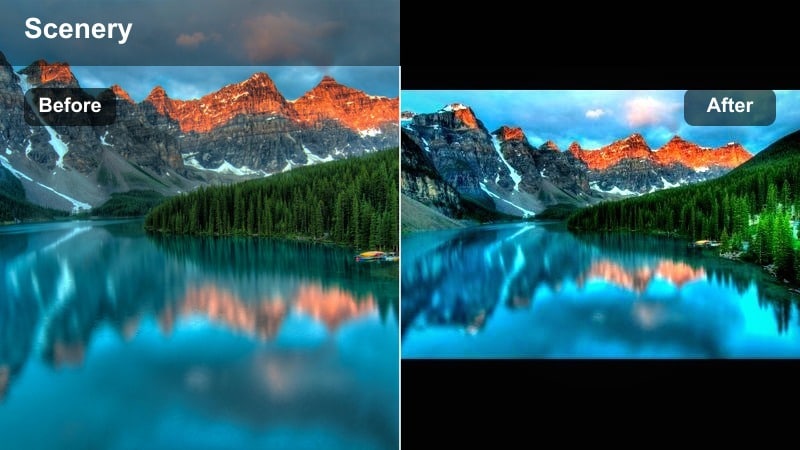
- Effect look: Cool teal water, bright white highlights, and crisp lime-tinted greens with a clean, refreshing vibe.
- Best for: Poolside transitions, beach drink shots, and skincare or swimwear product features in bright daylight.
- Editing tip: Increase local contrast and sharpness slightly, then add a cool temperature shift to amplify the refreshing feel.
Coconut Lime Crisp gives your footage a refreshing, almost sparkling look, making pools and oceans feel cold and inviting while keeping whites bright and clean. It suits product-focused TikToks like skincare, beachwear, or cocktails, as well as overhead shots of pools and lounge chairs.
In Filmora, cool down the white balance a bit, raise highlights, and increase local contrast using clarity and sharpness for details like water ripples and glass reflections. If whites start drifting blue, target the highlights with the color wheels and add a slight warm correction so everything looks clean and premium rather than icy and dull.
Pro tip: Keep whites clean, not blue. If your whites start to look icy or blue, pull back the blue saturation in highlights or add a tiny warm shift. In Filmora, use color wheels to target highlights only and keep them bright, clean, and neutral while mids stay cool.
Cinematic Ocean Tones and Moody Beach Aesthetics
Teal and Sand Cinema
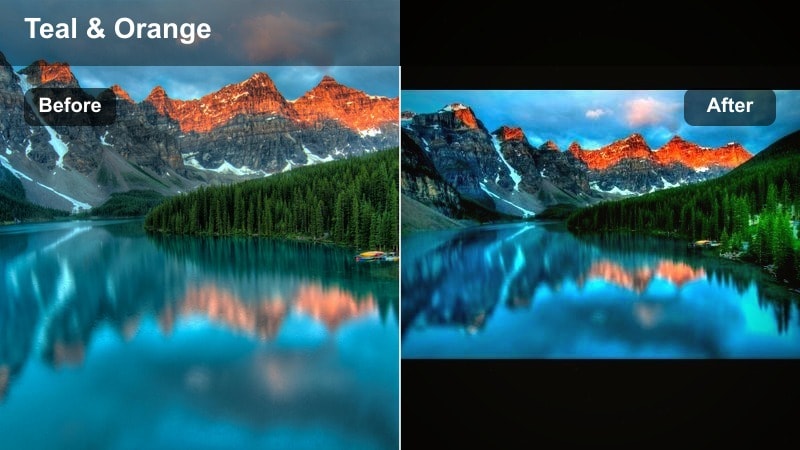
- Effect look: Classic teal and muted sand color grade with deeper contrast and slightly desaturated overall palette.
- Best for: Cinematic travel edits, drone passes over the shoreline, and moody storytelling TikToks.
- Editing tip: Use split toning to add teal to shadows and a soft warm tint to highlights, then gently pull down saturation overall.
Teal and Sand Cinema gives your footage that familiar filmic look seen in travel edits, where water leans teal, sand is desaturated, and contrast is strong yet controlled. It is especially effective with drone footage, slow pans along the coast, and narrative TikToks where visuals need to feel cinematic.
In Filmora, reduce overall saturation a bit, then use color wheels or split toning to push teal into shadows and a gentle warm tone into highlights. Deepen contrast with curves while protecting highlights for a smooth roll-off, and consider adding a subtle letterbox overlay to further sell the movie-style beach video TikTok filter.
Pro tip: Stabilize and slow for cinematic vibes. Combine this color grade with stabilized, slightly slowed clips to instantly elevate the cinematic feel. In Filmora, add a very light letterbox and subtle film grain to reinforce the movie-style presentation.
Stormy Coast Matte
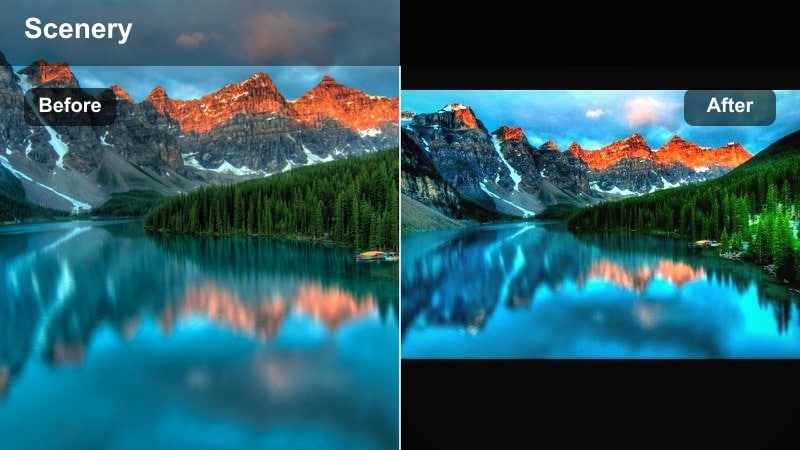
- Effect look: Cool, desaturated blues with lifted blacks for a matte, overcast beach look and moody storytelling.
- Best for: Rainy-day ocean clips, reflective POVs, text-on-screen storytimes filmed by the sea.
- Editing tip: Lift the black point and reduce saturation in blues and greens; add a slight vignette to draw focus to your face.
Stormy Coast Matte turns gray, overcast days into intentionally moody scenes, making them perfect for storytime videos, voiceovers, and emotional POVs filmed by the water. The lifted blacks create a soft matte finish, while desaturated colors support a more serious tone.
In Filmora, pull the black point up with curves, cool the temperature, and significantly reduce saturation in blues and greens. Add a gentle vignette and increase exposure slightly on your face using a mask so your expression stays readable against the dark, stormy background.
Pro tip: Pair with voiceover for impact. Record voiceover or use on-screen captions so the moody visuals support a strong personal story. In Filmora, reduce background audio slightly and add soft ambient wave sounds to keep the focus on your narration.
Deep Ocean Cinematic
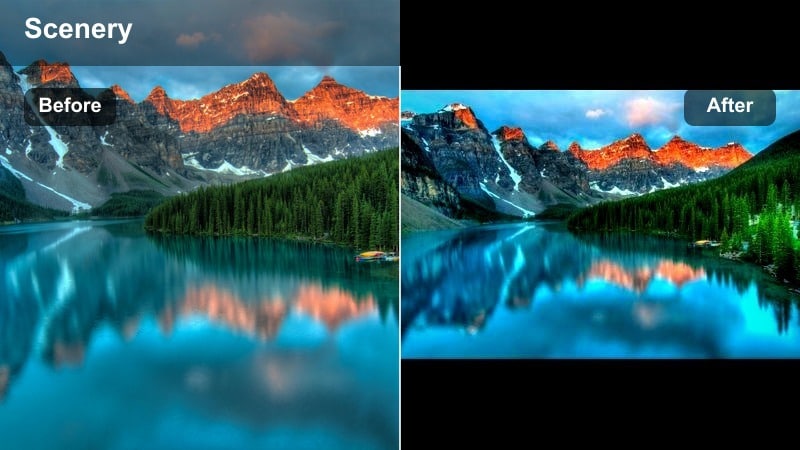
- Effect look: Rich, deep blues with strong contrast, darker shadows, and subtle highlight roll-off for a dramatic ocean feel.
- Best for: Underwater shots, cliffside ocean views, and intense surf or wave TikTok edits.
- Editing tip: Use curves to deepen midtones and selectively sharpen water texture, but protect highlights so they don’t clip.
Deep Ocean Cinematic emphasizes the power and depth of the sea, making waves and underwater shots look intense and dramatic. It is ideal for surf edits, cliff jumps, underwater swims, and any ocean footage where you want the water itself to be the star.
In Filmora, darken midtones with curves, add subtle contrast, and push blues toward a deeper, slightly cyan tone while avoiding extreme saturation. Use selective sharpening or detail enhancement on the water only, and keep highlights under control so white foam and reflections maintain texture instead of blowing out.
Pro tip: Use sound design with deep blues. Combine this look with powerful wave sounds and bass-heavy music to match the intensity of the visuals. In Filmora, layer subtle whoosh effects on your cuts so every transition feels as strong as the ocean itself.
Skin-Friendly Summer Filters for TikTok Creators
Bronzed Beach Body
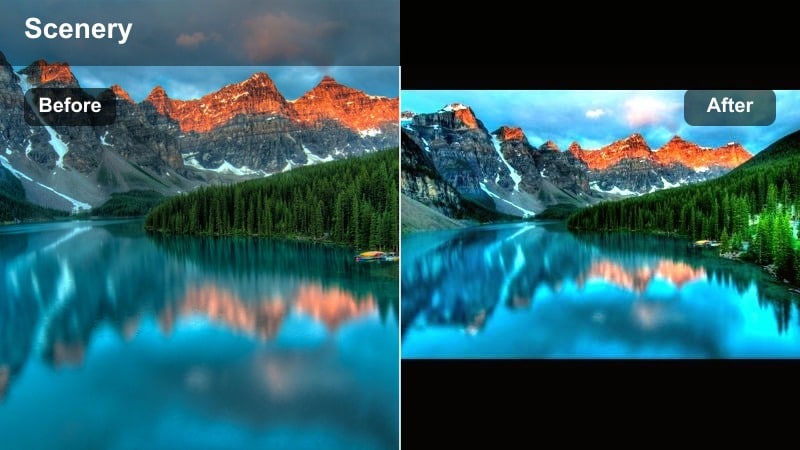
- Effect look: Soft bronzed skin with gentle contrast, slightly muted blues, and a clean, influencer-style finish.
- Best for: Swimwear try-ons, fitness clips, and GRWM for the beach where skin is the main focus.
- Editing tip: Lower clarity slightly on skin areas and pull orange saturation down a touch to avoid unnatural sunburn tones.
Bronzed Beach Body focuses on flattering skin first, adding a gentle tan and smooth contrast while pushing the ocean into softer, more neutral blues. It is ideal for any clip where your body or outfit is the main subject, from bikini hauls to fitness routines in the sand.
In Filmora, use HSL to subtly boost luminance in oranges while trimming saturation so the tan looks intentional, not sunburned. Apply light skin smoothing selectively to body and face, mute blues a little so the background does not overpower, and finish with a clean, bright overall exposure that feels ready-made for TikTok influencers.
Pro tip: Use separate skin adjustments. Mask or use targeted color controls to treat skin separately from the background so both look their best. In Filmora, combine light skin smoothing with subtle sharpening on hair and clothing to keep the image crisp overall.
Soft Sun-Kissed Neutral
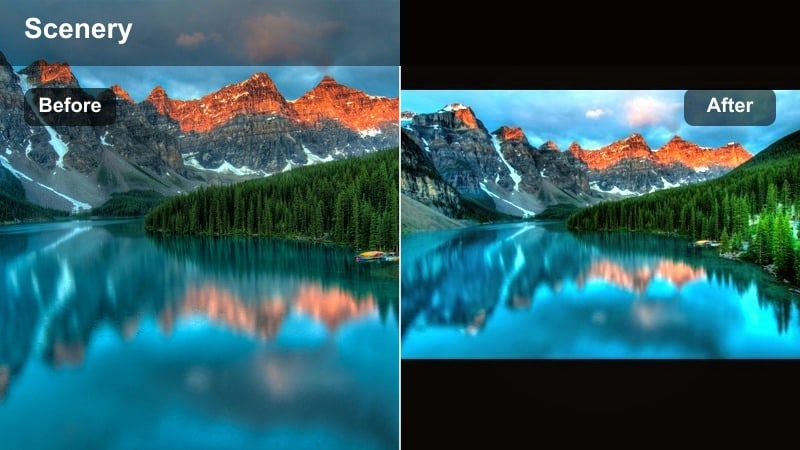
- Effect look: Balanced warmth with neutral whites, soft highlights, and gentle contrast that flatters all skin tones.
- Best for: Group beach clips, friends’ montages, and candid TikTok moments during daytime at the shore.
- Editing tip: Keep white balance close to neutral, then add a very light warm tint in the midtones instead of across the whole image.
Soft Sun-Kissed Neutral is designed to look good on everyone, adding a hint of warmth and glow while keeping whites and skies neutral. It is perfect for friend groups, family trips, and any clip where multiple skin tones appear in the same frame.
In Filmora, keep white balance close to true-to-life, then use color wheels or tone controls to add soft warmth in the midtones only. Avoid aggressive saturation shifts, and instead lean on gentle contrast and slight highlight softening so faces and bodies look naturally sun-kissed without color bias.
Pro tip: Protect mixed skin tones in groups. Avoid extreme temperature shifts when filming groups so lighter and deeper skin tones both look accurate. Use Filmora’s HSL tools to control oranges and reds only, keeping skin flattering without shifting the whole frame.
Glossy Summer Vlog
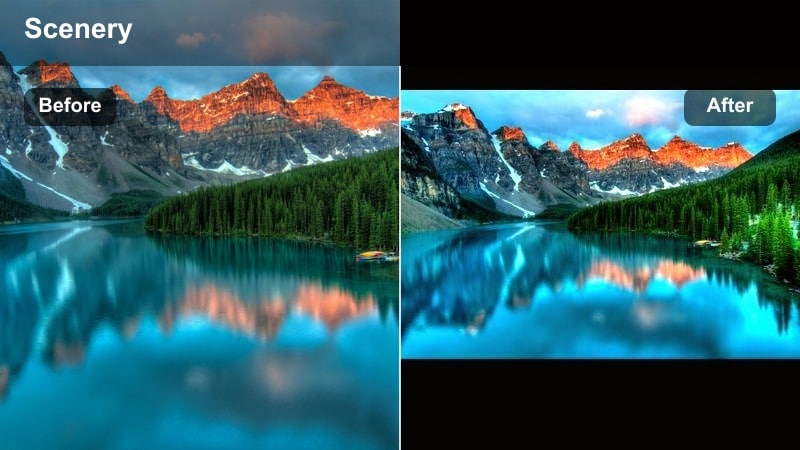
- Effect look: High-clarity details with soft bloom on highlights, slightly warm skin, and clean, bright background tones.
- Best for: Talking-to-camera beach vlogs, lifestyle content, and product close-ups in bright sun.
- Editing tip: Use a light glow on highlights and subtle sharpening on eyes and lips, but keep noise reduction moderate.
Glossy Summer Vlog gives your talking-to-camera beach clips a polished, editorial shine, with crisp details and a soft glow on sunlit areas. It is ideal for lifestyle content, Q and A videos by the water, and product-focused vlogs where you want everything to feel premium.
In Filmora, brighten exposure slightly, add a mild glow effect to highlights, and use targeted sharpening on eyes, brows, and lips to draw attention to your face. Keep background tones bright and clean, with only a bit of warmth on skin, and be careful not to overdo noise reduction so texture still feels natural.
Pro tip: Shoot with backlight and fill. Face the ocean with the sun behind you and use a reflector or bright sand as natural fill for smoother skin. In Filmora, slightly lower highlights on the face and add a touch of glow to give that glossy, editorial sheen.
Tips for Using Beach Video Tiktok Filter Filters in Filmora
- Lock exposure on the brightest part of the sky or water to avoid blown-out highlights before you add any beach video TikTok filter.
- Shoot slightly underexposed on bright beaches so your filters have more room to recover details in the sand, skin, and waves.
- Avoid extreme saturation on blue and aqua tones; too much makes the ocean look neon and fake on TikTok’s compressed feed.
- Keep one or two signature filters or LUTs in Filmora to build a recognizable beach aesthetic across all your TikTok posts.
- Add subtle grain or texture after color grading so your beach clips do not look overly digital or flat on mobile screens.
- Use vertical-safe framing when testing filters so key colors, faces, and text stay in the center area of TikTok’s UI.
- Save your favorite grades as Filmora presets or LUTs to apply the same viral ocean tones with one click on future clips.
- Test your filters on both sunny and cloudy beach footage and tweak exposure and contrast presets for each lighting situation.
The right beach video filters for TikTok can turn simple shoreline clips into viral, scroll-stopping content with consistent ocean tones and flattering skin. Whether you prefer soft pastels, bold tropical colors, or cinematic deep blues, a good grade makes your footage feel intentional and on-brand.
Experiment with a few of these looks in Filmora, save your favorites as reusable presets or LUTs, and keep your entire summer feed on-brand from the first wave to the last sunset.
secure download