

 100% Security Verified | No Subscription Required | No Malware


 ChatGPT
 Perplexity
 Gemini
 Claude
 Grok
Grok
This Blackmagic Pocket LUT Pack-inspired collection brings cinematic, log-friendly looks into Filmora so videographers and creators can quickly grade Blackmagic-style footage without leaving their editing workflow.
Each filter is tuned to mimic popular Blackmagic Pocket aesthetics like soft film contrast, rich skin tones, and dramatic highlight roll-off, giving you a fast path from flat footage to polished, story-driven visuals.
In this article
Daylight Street Cinema Looks
Urban Neutral Log Balance
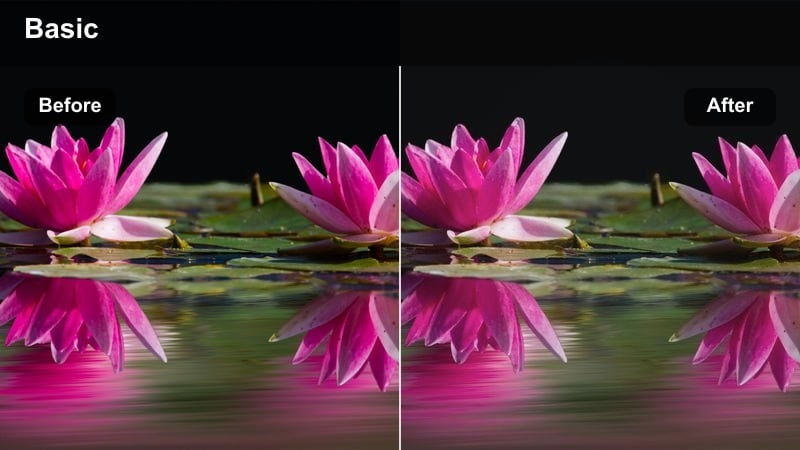
- Effect look: Soft, balanced daylight grade that turns flat Blackmagic log footage into a natural, filmic baseline with gentle contrast.
- Best for: Street b-roll, handheld urban walks, and neutral talking-head shots filmed on Blackmagic Pocket in daylight.
- Editing tip: Expose slightly to the right in-camera, then lower highlights and raise shadows before applying this filter for a clean base grade.
Urban Neutral Log Balance is designed as a reliable starting point for grading Blackmagic Pocket footage in Filmora, giving you a soft cinematic contrast without pushing colors too far. It respects the camera s dynamic range, taming harsh highlights and subtly deepening shadows so your street scenes, vlogs, and walk-and-talks feel polished but still true to life.
Use this filter whenever you want a consistent baseline look you can build on with additional Filmora effects like vignettes, film grain, and sharpening. Apply basic exposure and white balance corrections first, then drop Urban Neutral Log Balance on your clips to unify a full sequence shot across different streets, lenses, or times of day.
Match Blackmagic Pocket Color in One Click with AI
Filmora s AI color tools help you echo Blackmagic Pocket LUT pack-style grades on any camera source by automatically analyzing exposure and color balance. You can use a single well-graded Blackmagic clip as your reference, then match B-cam or smartphone footage to that look with just a few clicks.
Once your timeline is aligned, stacking these cinematic filters on top becomes far more predictable, giving you cleaner skin tones and more consistent contrast from shot to shot.
 secure download

Preview Every Blackmagic Pocket LUT Pack Filter in Real Time
With Filmora s filters panel, you can quickly skim through Blackmagic Pocket-inspired looks and see instant previews on your clips. This real-time feedback makes it easy to compare neutral, high-contrast, pastel, and moody styles before deciding which direction suits your scene.
After testing a few options, fine-tune the chosen filter using Filmora s basic color controls, then save the combination as a custom preset for future projects.
secure download1000+ Video Filters and 3D LUTs
Beyond Blackmagic Pocket-style presets, Filmora includes a large library of filters and 3D LUTs that cover cinematic, vintage, stylized, and social-ready looks. You can combine these with your favorite technical LUTs to move from log capture to a finished grade without leaving the editor.
Experiment with stacking creative LUTs on adjustment layers, then refine colors using Filmora s HSL and color wheel tools to craft a unique signature style.
secure downloadHigh Contrast Street Punch
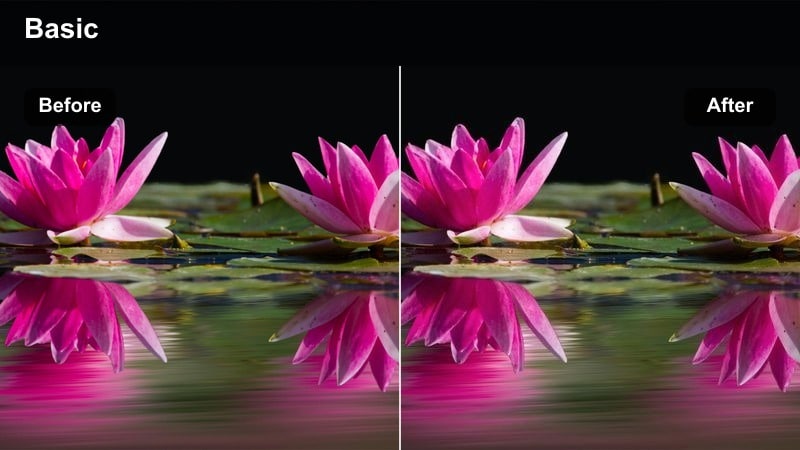
- Effect look: Bold, contrasty street look with saturated primaries and crisp micro-contrast inspired by gritty Blackmagic Pocket city footage.
- Best for: Dynamic city b-roll, skate videos, and energetic travel montages shot in harsh or mixed daylight.
- Editing tip: Use Filmora masks to keep faces slightly softer while letting buildings and streets stay punchy with this filter.
High Contrast Street Punch is built for fast-paced, high-energy scenes where you want streets, graffiti, and architecture to really stand out. It deepens shadows, boosts contrast, and enriches primary colors so Blackmagic Pocket footage feels sharper and more graphic without needing a complex color-grade stack.
Apply this filter to your most kinetic sequences, then refine the look by masking faces or skin areas and softening them slightly in Filmora. This keeps your subjects flattering while the surrounding city remains crisp and intense, ideal for skate edits, parkour sequences, and energetic montage cuts.
Soft Pastel City Walk
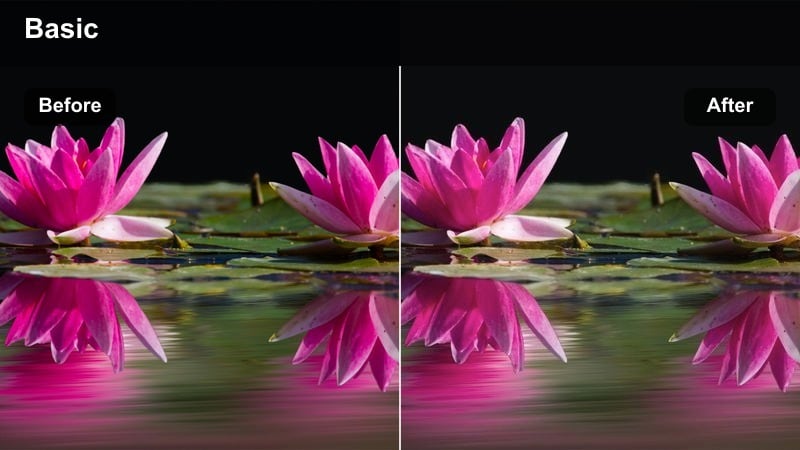
- Effect look: Low-contrast pastel grade with softened shadows and gentle color separation for a cinematic vlog feel.
- Best for: Lifestyle vlogs, slow-paced city walks, and creator intros filmed in overcast or shaded streets.
- Editing tip: Reduce overall saturation slightly and push vibrance up to keep skin tones and signs lively but avoid cartoonish colors.
Soft Pastel City Walk tones down harshness in your Blackmagic Pocket footage, lifting shadows and smoothing contrast to create a relaxed, lifestyle-friendly aesthetic. Colors shift toward gentle pastels, which works especially well with overcast skies, shaded sidewalks, and softer wardrobe choices.
In Filmora, use this filter when you want your city vlogs or B-roll to feel calm and approachable, rather than intense or gritty. After applying it, adjust global saturation down a touch and increase vibrance so faces, plants, and signage keep some life while the overall frame remains delicate and dreamy.
Golden Hour Outdoor Scenes
Warm Sunset Film Glow
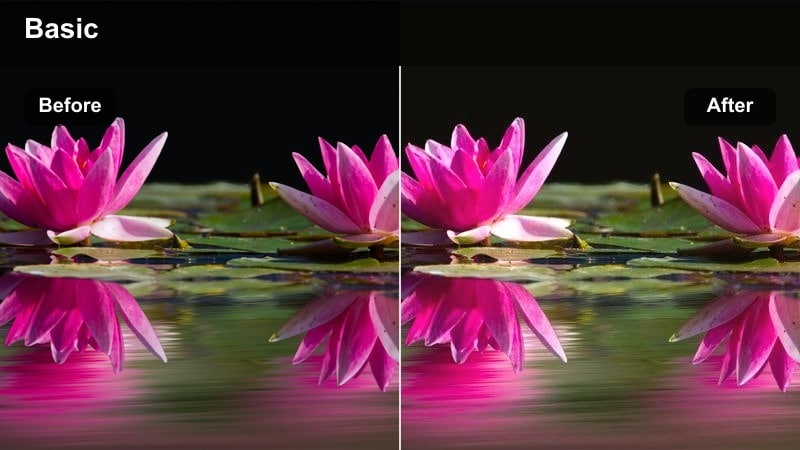
- Effect look: Golden, filmic warmth with soft highlight bloom and rich midtones for sunset Blackmagic Pocket shots.
- Best for: Golden hour portraits, outdoor creator monologues, and cinematic establishing shots over a city skyline.
- Editing tip: Add a subtle vignette and slightly lower clarity to prevent skin and clouds from looking too sharp once the warmth is applied.
Warm Sunset Film Glow enhances the natural warmth of golden hour, adding a film-like bloom to highlights and lush midtones to your Blackmagic Pocket footage. It keeps shadows controlled while letting skies, hair light, and reflections roll off softly for a more cinematic feel.
Use this filter in Filmora on backlit portraits, skyline shots, or any outdoor scene captured near sunset. Combine it with a gentle vignette and a small clarity reduction to smooth skin and cloud detail, then fine-tune white balance so the warmth feels romantic rather than overly orange.
Teal and Amber City Sunset
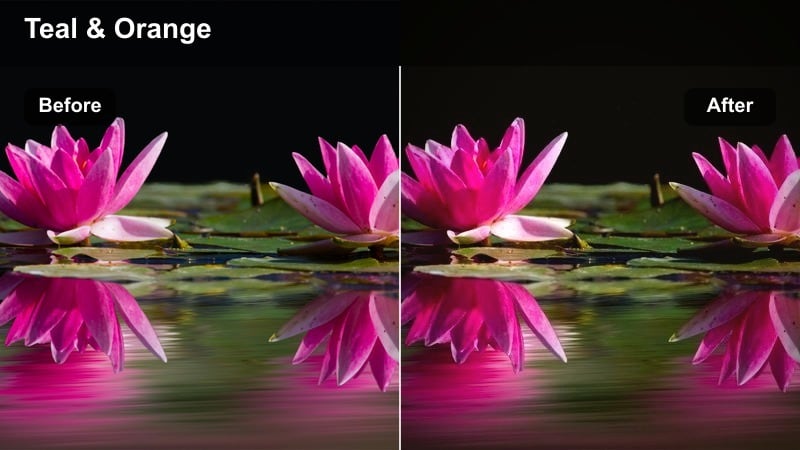
- Effect look: Stylized teal shadows and amber highlights that echo popular Blackmagic Pocket blockbuster grades.
- Best for: Stylized travel videos, rooftop meetups, and wide cityscape b-roll at dusk.
- Editing tip: Keep white balance neutral before applying this filter so the teal and amber split tones stay controlled and cinematic.
Teal and Amber City Sunset brings a classic blockbuster-style split tone to your dusk and golden hour Blackmagic Pocket footage. Shadows lean into teal while highlights glow in amber, creating a dramatic color contrast that instantly adds scale and mood to skylines and rooftop scenes.
In Filmora, start with a neutral white balance, then apply this filter to keep the teal and amber stylization under control. If skin tones skew too orange, pull back saturation slightly and use vibrance or HSL adjustments on oranges and blues to keep your subjects natural while preserving the cinematic city palette.
Soft Backlit Portrait
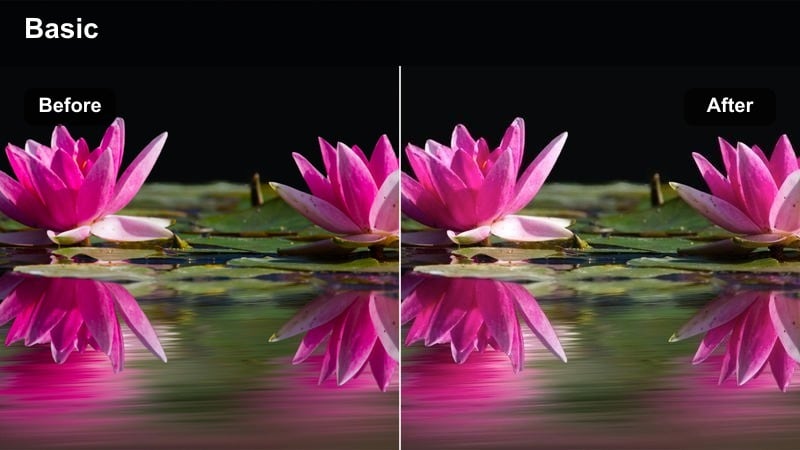
- Effect look: Creamy, low-contrast portrait look that lifts shadow detail and softens backlit edges for cinematic Blackmagic Pocket faces.
- Best for: Backlit creator portraits, walk-and-talk shots with sun behind subject, and outdoor interviews.
- Editing tip: Use Filmora s skin tone tools to slightly desaturate reds if cheeks become too flushed after applying this soft portrait filter.
Soft Backlit Portrait is tuned to flatter faces when the sun sits behind your subject, smoothing edges and lifting shadows around eyes and cheeks. It preserves the gentle glow around hair and shoulders that Blackmagic Pocket cameras capture so well, while keeping contrast low enough to avoid harsh lines.
Apply this filter to outdoor interviews, walk-and-talk segments, or creator intros where backlight is strong. In Filmora, pair it with small tweaks to skin saturation and midtone contrast, and consider adding light skin softening so the combination of backlight and grade feels polished, cinematic, and forgiving.
Moody Interiors and Studio Setups
Low-Key Studio Cinema
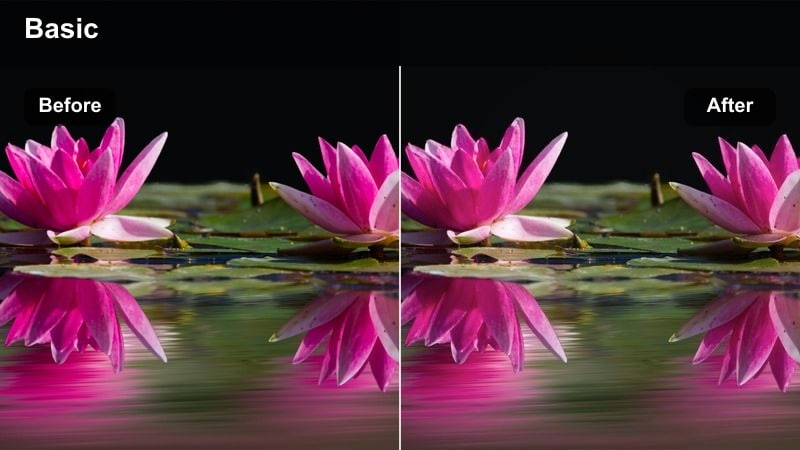
- Effect look: Dark, low-key cinematic look with deep blacks and controlled highlights for dramatic Blackmagic Pocket interiors.
- Best for: Talking-head YouTube videos, moody interviews, and product shots lit with a single key light.
- Editing tip: Crush blacks only slightly and use Filmora s noise reduction sparingly to keep a clean, intentionally dark image.
Low-Key Studio Cinema emphasizes contrast and shadow depth to give your studio and interior shots a more dramatic, filmic presence. It deepens blacks, gently sculpts highlights, and focuses attention on the lit areas of the frame, working especially well with carefully controlled key lighting on Blackmagic Pocket footage.
In Filmora, use this filter on talking-head segments, interview setups, or product close-ups where you want a focused, cinematic mood. Apply minimal noise reduction first, then add the filter and adjust black levels so the frame feels intentionally dark but still retains enough detail in the subject and key props.
Neutral Studio YouTube
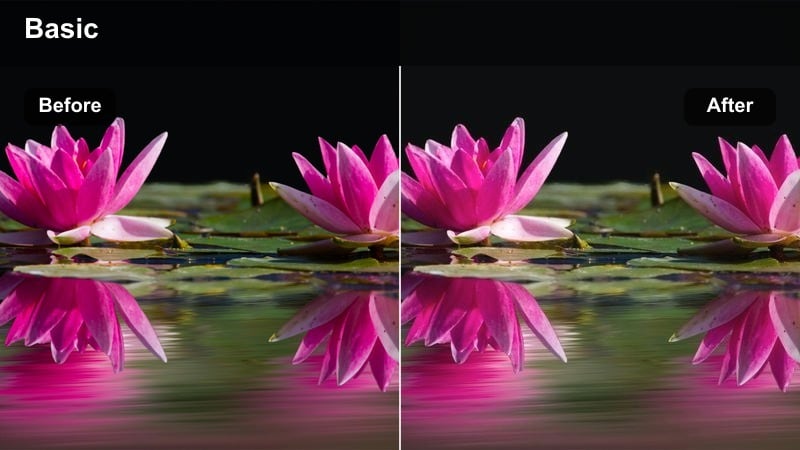
- Effect look: Clean, broadcast-ready look with true-to-life colors and gentle contrast for creator studio sets.
- Best for: Tutorials, gear reviews, screen recordings with face cam, and educational content shot in a studio.
- Editing tip: White-balance to your key light first, then apply this filter so background RGB lights keep their intended colors.
Neutral Studio YouTube is built to give your Blackmagic Pocket studio shots a crisp, professional finish that feels accurate on any platform. It applies balanced contrast, preserves real-world colors, and avoids overly stylized tones so your products, graphics, and backgrounds look the way viewers expect.
Use this filter in Filmora on educational videos, tutorials, and review setups where clarity and color accuracy matter. Start by dialing in exposure and white balance to your key light, apply the filter, then make small tweaks with Filmora s color wheels to nudge skin tones slightly warmer or cooler while keeping your overall studio palette consistent.
Neon Room Cyber Vibe
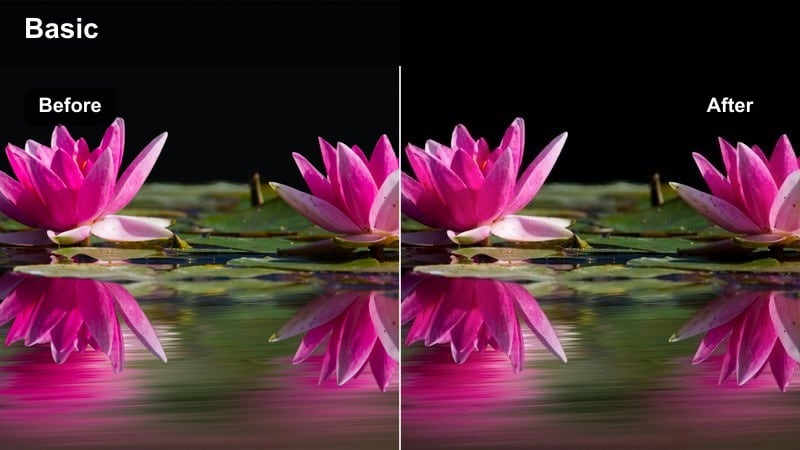
- Effect look: High-saturation neon grade with cool shadows and electric highlights that suit RGB-lit Blackmagic Pocket interiors.
- Best for: Gaming setups, music promos, and creator intros lit with LED strips and neon signs.
- Editing tip: Lower midtone contrast before applying this filter if your neon lights are clipping or creating harsh color blocks.
Neon Room Cyber Vibe amplifies the color and intensity of RGB lighting, turning gaming rooms and neon sets into bold, cyber-inspired environments. It shifts shadows cooler, boosts saturation, and adds a sleek, digital edge that pairs naturally with Blackmagic Pocket s clean low-light capture.
In Filmora, apply this filter to gaming intros, music promos, or any content that leans heavily on LED strips and neon signage. If colors appear too intense, tame the strongest hues using HSL controls before grading, and consider adding a subtle glow effect after the filter to mimic smooth Blackmagic highlight roll-off around bright neon edges.
Night City and Run-and-Gun Energy
Night Street Cinematic Noir
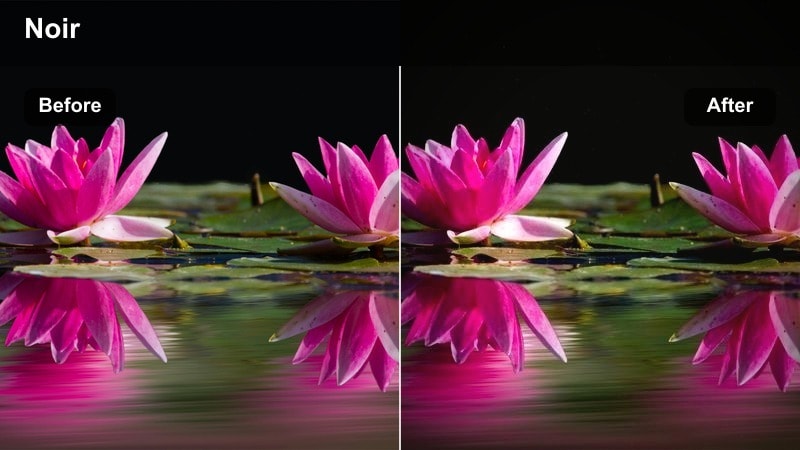
- Effect look: Cool, moody night grade with deep shadows, controlled noise, and soft streetlight highlights for Blackmagic Pocket low light.
- Best for: Night city b-roll, handheld walk-throughs, and rainy street scenes with strong contrast.
- Editing tip: Use Filmora noise reduction lightly before this filter, focusing on shadows to keep detail in bright signs and windows.
Night Street Cinematic Noir leans into the mood of low-light Blackmagic Pocket footage, cooling down the palette and deepening shadows to create a modern noir feel. It preserves color in highlights like streetlights, car trails, and neon signs while helping noise stay controlled and less distracting.
Apply this filter in Filmora to nighttime montages, rainy exteriors, or any handheld city walk-through you want to feel atmospheric and cinematic. Use gentle noise reduction on the darkest areas first, then add the filter and adjust the lower part of your curve so you keep enough information in the shadows without losing the dramatic contrast.
Run-and-Gun Documentary
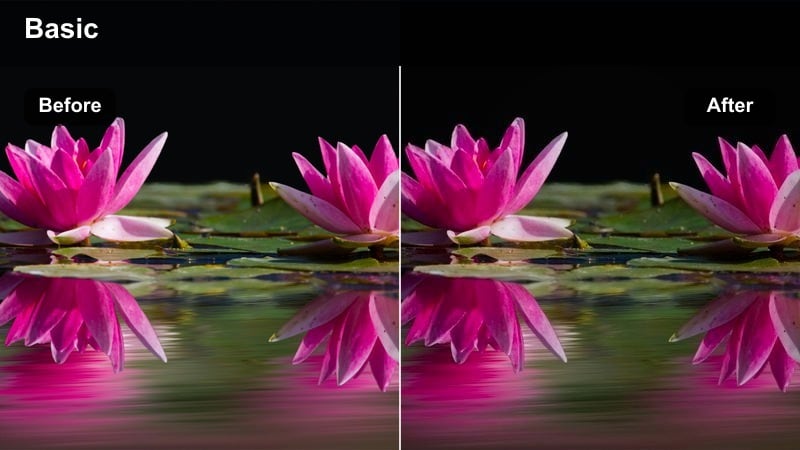
- Effect look: Natural, slightly desaturated documentary look that handles mixed lighting and quick handheld shooting.
- Best for: Behind-the-scenes coverage, event recaps, and handheld city storytelling with a Blackmagic Pocket.
- Editing tip: Stabilize your clips in Filmora first, then apply this filter so the documentary texture feels intentional rather than shaky.
Run-and-Gun Documentary is tuned for flexibility, slightly desaturating colors and balancing contrast so footage from unpredictable environments looks cohesive. It deals well with mixed lighting and quick exposure shifts, which are common when shooting handheld on a Blackmagic Pocket in real-world locations.
In Filmora, stabilize your roughest clips and correct white balance per shot, then apply this filter across the full sequence for a grounded, narrative-friendly look. You can gently increase contrast or saturation on key hero shots while leaving the rest more neutral, keeping the overall story authentic but visually consistent.
Nightlife Vlog Pop
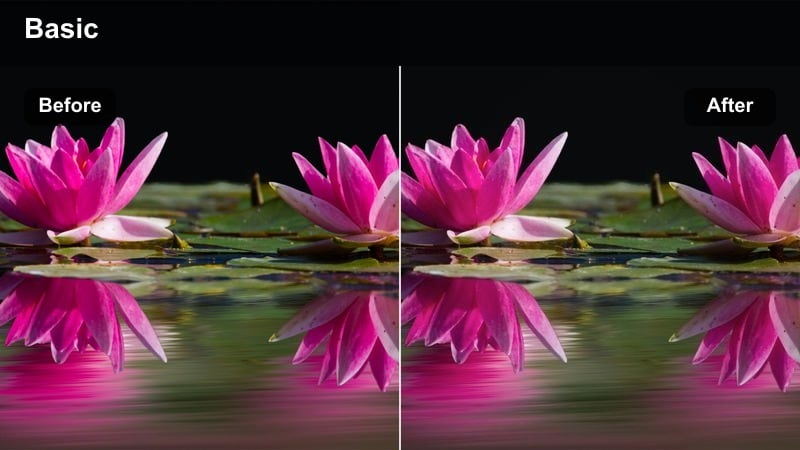
- Effect look: Vibrant, high-energy night look with saturated signs and boosted midtones tailored to creator vlogs.
- Best for: Nightlife creator vlogs, handheld club entrances, and busy city centers full of signage and LED screens.
- Editing tip: Use Filmora s face detection tools to keep faces slightly brighter than the background after applying this bold look.
Nightlife Vlog Pop pushes the color and brightness of night scenes, making signs, LEDs, and crowds feel alive while giving your subject enough midtone lift to stay clearly visible. It suits creators filming in nightlife districts with a Blackmagic Pocket, where ambient light is chaotic but visually rich.
Use this filter in Filmora when you need your night vlogs to feel exciting and saturated without losing the subject in the chaos. Combine it with face detection or manual masks to keep faces a touch brighter and cleaner than the background, and if things feel too hectic, slightly reduce global saturation and highlight contrast to restore clarity.
Tips for Using Blackmagic Pocket Lut Pack Filters in Filmora
- Shoot in a flat or log profile on your Blackmagic Pocket, then correct exposure before applying any creative filter in Filmora.
- Group clips by lighting scenario and apply the same Blackmagic Pocket-style filter to each group for fast, consistent grading.
- Use opacity on filters to mix between subtle corrections and full stylized looks without losing detail.
- Create presets in Filmora that combine your favorite Blackmagic Pocket filter, grain level, and vignette for one-click grading.
- Always check skin tones on a calibrated monitor after grading, since strong filters can quickly push them too warm or too magenta.
- Combine these filters with technical log-to-Rec.709 LUTs so your creative grade sits on top of a stable, accurate base.
- Apply noise reduction and sharpening sparingly before filters so the final grade retains a natural, filmic texture.
- Test your grades on both desktop and mobile screens to ensure contrast and saturation feel balanced everywhere your audience watches.
A dedicated Blackmagic Pocket LUT pack-inspired filter collection inside Filmora lets videographers and creators move faster from flat footage to a polished cinematic master, without complex node trees or external grading software.
Experiment with these scene-based looks, tweak them for your shooting style, and then explore iPhone 15 Pro cinematic LUTs to keep a consistent aesthetic across every camera you bring to set.
secure download