

 100% Security Verified | No Subscription Required | No Malware


 ChatGPT
 Perplexity
 Gemini
 Claude
 Grok
Grok
Blue dark brown color palettes combine the calm confidence of navy and teal with the warmth and stability of rich earth tones. Together, they feel grounded, cinematic, and professional, making them ideal for creators who want visuals that look serious but still human and inviting. This mix works beautifully for moody vlogs, documentary intros, podcast branding, and cinematic thumbnails.
Below you will find 15 ready to use blue dark brown color combinations with HEX codes, organized by style and mood. Each palette is explained with practical ideas for video covers, titles, overlays, and branding. If you edit in Filmora, you can easily apply these palettes across intros, b roll, and social cuts using built in color tools and AI features.
In this article
Cinematic Blue Dark Brown Color Palettes
Harbor Nightfall Contrast
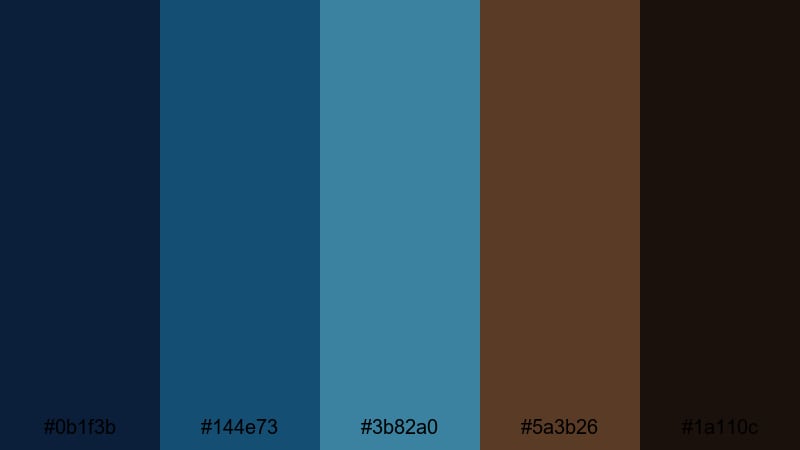
- HEX Codes: #0b1f3b, #144e73, #3b82a0, #5a3b26, #1a110c
- Mood: Dramatic, grounded, and intensely cinematic.
- Use for: Great for trailer-style video intros, gritty travel vlogs, and dramatic podcast covers.
Harbor Nightfall Contrast throws deep navy and teal blues against solid dark browns and near black tones. The result is a strong, high contrast blue dark brown color palette that feels bold, maritime, and very cinematic. It instantly suggests night scenes, harbor lights, and reflective water.
Use these colors for title cards, YouTube thumbnails, and lower third bars when you want your text and graphics to cut through in a dramatic way. In Filmora, this palette works especially well with slow motion b roll, drone footage over water, or any intro sequence that needs an epic, grounded feel.
Pro Tip: Build a Cinematic Blue Dark Brown Look in Filmora
To keep a blue dark brown aesthetic consistent, pick one of the deep blues here as your main brand tone and one of the dark browns as your secondary accent. In Filmora, apply them to titles, shapes, and background solids so your intro, main content, and end screen all feel like the same cinematic world.
You can also save this palette in custom color presets inside Filmora. That way, whenever you add new b roll, overlays, or text animations, you can quickly reuse your exact HEX codes and maintain a cohesive harbor at night look across an entire series or playlist.
AI Color Palette
If you have a reference image that matches this Harbor Nightfall Contrast mood, such as a night harbor photo or still from your favorite film, you can turn it into a full video grade. Filmora's AI Color Palette feature analyzes that image and transfers its blue dark brown tones to your whole timeline in a few clicks.
Simply drop your reference clip or image onto the timeline, open the AI Color Palette tool, and select the shots you want to match. Filmora will apply the same deep blues and rich browns to your footage, giving your vlog, trailer, or podcast video an instant cinematic identity.
 secure download

HSL, Color Wheels & Curves
Once you have a base blue dark brown grade in place, use Filmora's HSL, color wheels, and curves to refine it. Slightly deepen the blues in the shadows, warm the browns in the midtones, and keep highlights neutral so faces and text stay readable. Tools like these, demonstrated in Filmora's color correction workflow, give you fine control over saturation and contrast.
Curves are especially helpful for adding cinematic depth. Add a gentle S curve to increase contrast, then use the blue and red channels to subtly cool the shadows and warm the midtones. This keeps the overall image rich and dramatic without crushing details in dark areas of your frame.
secure download1000+ Video Filters & 3D LUTs
If you want a fast way to stylize your blue dark brown color palette, start with Filmora's built-in filters and LUTs. Filmora's video filters and 3D LUTs make it easy to add vintage fade, moody teal-and-brown, or high contrast cinematic looks on top of your base grade.
Pick a LUT that leans into cool shadows and warm highlights, then reduce its intensity until your blue dark brown combination feels natural but still polished. You can stack filters with subtle vignettes and film grain to give trailers, intros, and thumbnails an even more dramatic nightfall atmosphere.
secure downloadStormlit City Streets
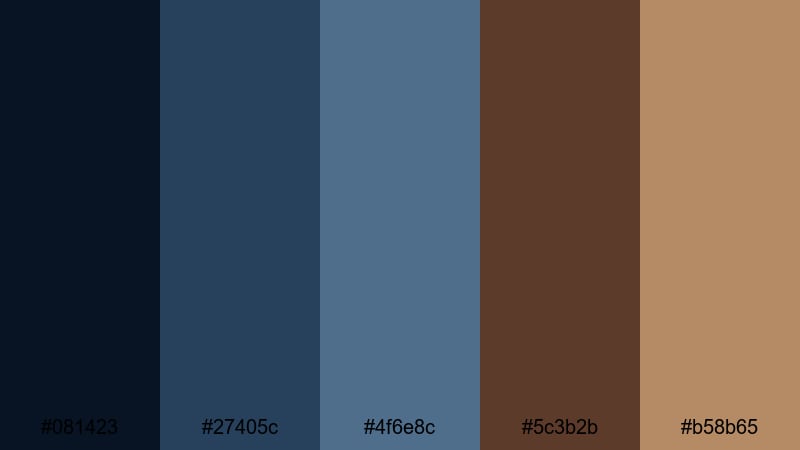
- HEX Codes: #081423, #27405c, #4f6e8c, #5c3b2b, #b58b65
- Mood: Moody, urban, and slightly nostalgic.
- Use for: Ideal for cityscape b roll, neo noir title cards, and music video color grading.
Stormlit City Streets blends inky midnight blues with softer rainwashed tones and warm streetlamp browns. It feels like walking through a wet city at night, where reflections glow on the pavement and everything feels both modern and nostalgic.
Use this palette for urban vlogs, music video overlays, or YouTube thumbnails that highlight city lights and movement. In Filmora, use the darker blue tones for backgrounds and sidebar graphics, while the lighter tan brown becomes a highlight color for titles, lower thirds, and call to action buttons.
Midnight Studio Session
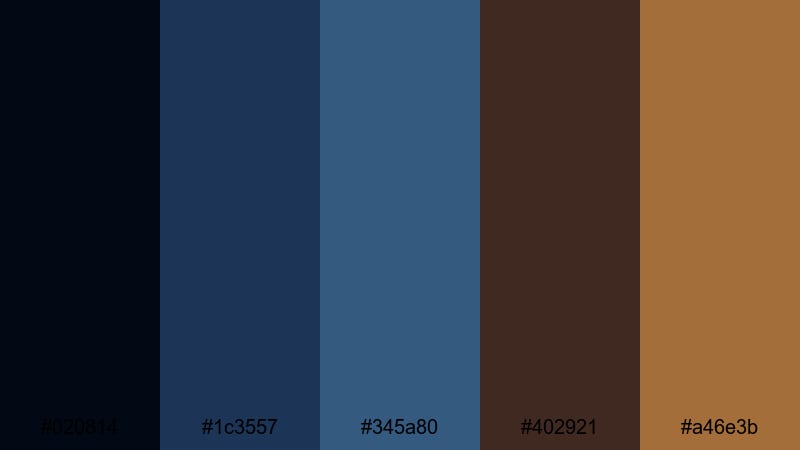
- HEX Codes: #020814, #1c3557, #345a80, #402921, #a46e3b
- Mood: Intimate, creative, and musically inspired.
- Use for: Works well for music session videos, podcast set designs, and thumbnail backgrounds.
Midnight Studio Session feels like a quiet late night jam: deep near black blues provide a dark backdrop, while muted wood browns and amber highlights add warmth. It is intimate and focused, perfect for content that centers on creativity and conversation.
Try this blue dark brown aesthetic for podcast cover art, music performance overlays, or behind the scenes studio vlogs. Pair the darkest blue as your background, use the mid blue for borders and shapes, and let the golden brown highlight important text or subscribe buttons in your Filmora projects.
Deep Ocean Ember
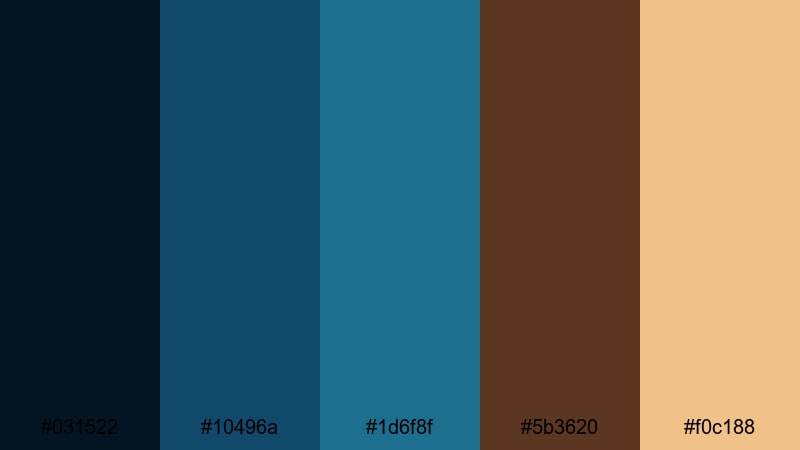
- HEX Codes: #031522, #10496a, #1d6f8f, #5b3620, #f0c188
- Mood: Epic, adventurous, and slightly mysterious.
- Use for: Perfect for cinematic travel films, underwater themes, and story-driven channel branding.
Deep Ocean Ember combines ocean depth blues with fiery ember browns and a soft golden highlight. It feels expansive and adventurous, like a ship sailing into a glowing horizon or a diver exploring mysterious depths.
Use the darker blues as your base for backgrounds and overlays, then bring in the warm brown and golden tones for titles, maps, and motion graphics. This blue dark brown color combination works especially well for travel intros, channel logos, and animated transitions built in Filmora.
Soft & Moody Blue Dark Brown Color Palettes
Foggy Cabin Morning
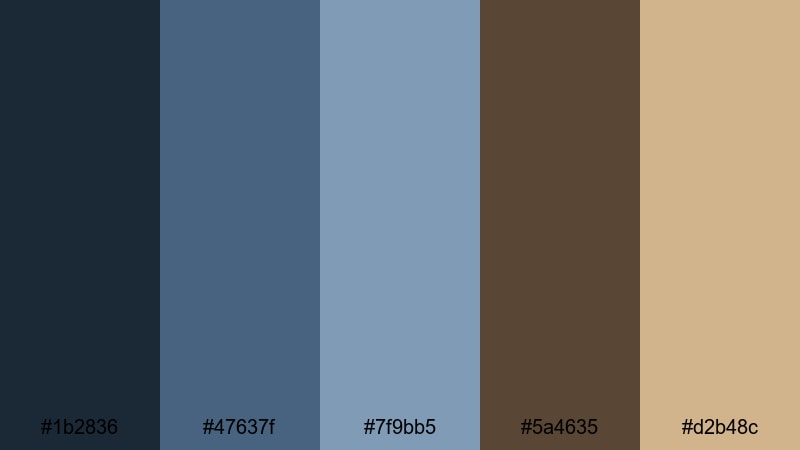
- HEX Codes: #1b2836, #47637f, #7f9bb5, #5a4635, #d2b48c
- Mood: Cozy, calm, and reflective.
- Use for: Great for slow living vlogs, cozy reading content, and cinematic lifestyle montages.
Foggy Cabin Morning leans into soft, misty blues and gentle wood browns. The palette feels quiet and introspective, like waking up in a lakeside cabin with fog rolling over the water and a mug of coffee in hand.
Apply this palette to lifestyle thumbnails, bookish reels, and soft talking head videos. The medium blue tones make soothing backgrounds for text, while the tan brown is perfect for accent elements like buttons, icons, and subtle frames in Filmora.
Coffee Shop Rain
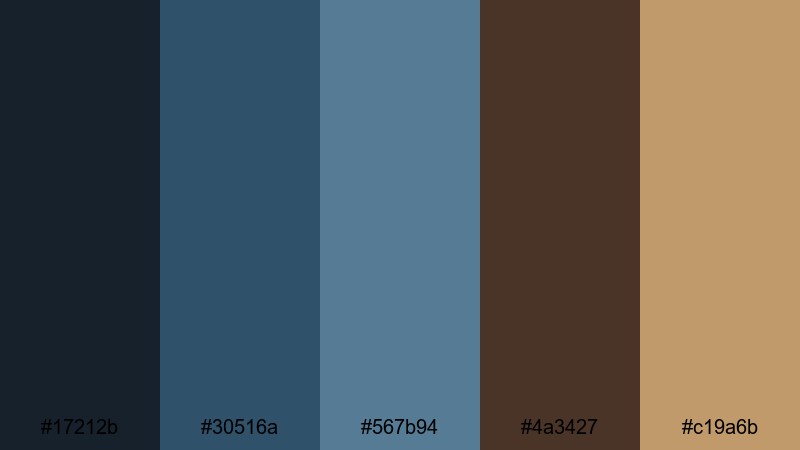
- HEX Codes: #17212b, #30516a, #567b94, #4a3427, #c19a6b
- Mood: Warm, moody, and quietly romantic.
- Use for: Ideal for cafe b roll, study vlogs, lo fi music visuals, and podcast thumbnails.
Coffee Shop Rain mixes rainy window blues with latte browns, creating a warm yet moody environment. It is perfect for content where you want viewers to feel like they are working or relaxing inside while it rains outside.
Use the darker blues behind text and graphics, then layer the soft browns for titles, highlight boxes, and animated stickers. In Filmora, this palette is great for lo fi beats videos, study with me content, and any blue dark brown themed vlog that needs a cozy, cinematic vibe.
Rustic Lakeside Dusk
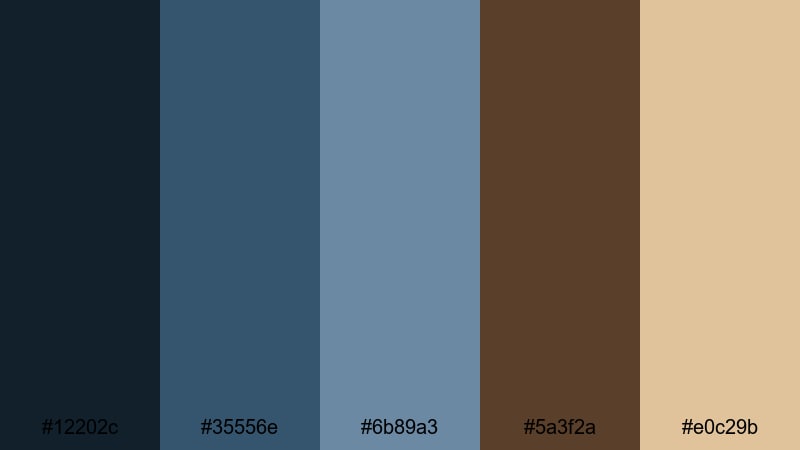
- HEX Codes: #12202c, #35556e, #6b89a3, #5a3f2a, #e0c29b
- Mood: Serene, rustic, and slightly nostalgic.
- Use for: Perfect for nature vlogs, outdoor cabin content, and cinematic end cards.
Rustic Lakeside Dusk pairs muted dusk blues with rustic browns and a pale, sandy highlight. It feels calm and grounded, with just a hint of nostalgia, like watching the last light fade over a quiet lake.
Use this blue dark brown color palette for camping vlogs, fishing trips, or family travel montages. The light neutral tone works well behind text in end screens and lower thirds, while the darker blues and browns frame your footage and give it a cinematic edge in Filmora.
Windowlight Journals
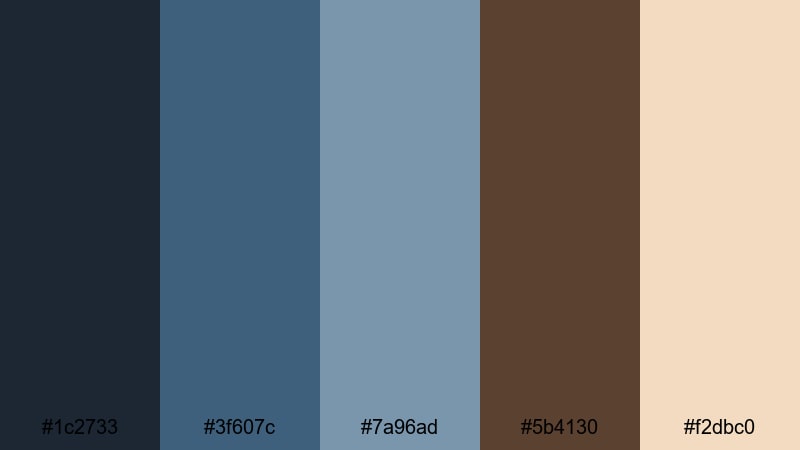
- HEX Codes: #1c2733, #3f607c, #7a96ad, #5b4130, #f2dbc0
- Mood: Thoughtful, airy, and writerly.
- Use for: Use for journaling vlogs, productivity content, and soft educational videos.
Windowlight Journals balances soft, airy blues with notebook brown and a gentle cream highlight. It feels thoughtful and optimistic, like writing by a bright window with soft daylight bouncing off the page.
Use the lighter blue and cream tones for your slide backgrounds, chapter cards, and checklist graphics. The dark blue and brown shades make excellent text colors and icons. This palette is ideal for educational content, planning videos, and productivity channels that want a calm blue dark brown aesthetic in Filmora.
Modern Minimal Blue Dark Brown Color Palettes
Sleek Interface Noir
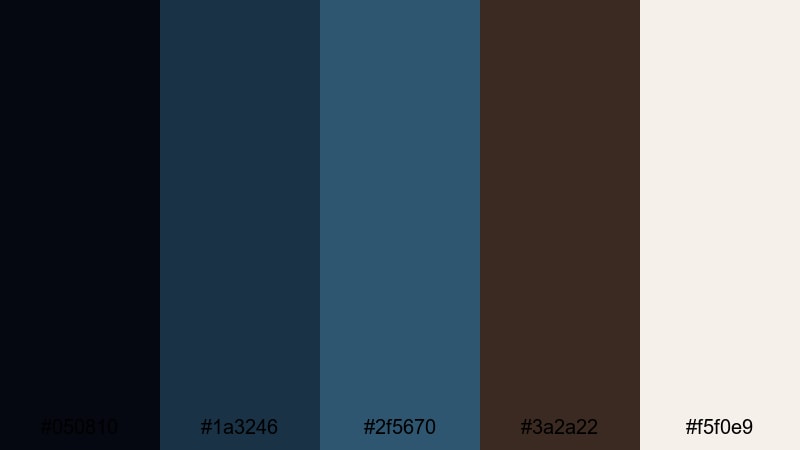
- HEX Codes: #050810, #1a3246, #2f5670, #3a2a22, #f5f0e9
- Mood: Clean, techy, and confidently minimal.
- Use for: Great for app promos, UI demos, and modern channel branding that needs a professional edge.
Sleek Interface Noir uses deep interface blues, sophisticated dark browns, and a crisp off white to create a minimal, high end look. It feels like a modern app dashboard or premium product landing page translated into a color scheme.
Use the near black and navy blues as your main background and frame colors, while the off white becomes your clean canvas for titles and UI overlays. The dark brown adds a subtle, human warmth in icons, borders, and logo elements when building intros and explainer graphics in Filmora.
Clean Studio Brand
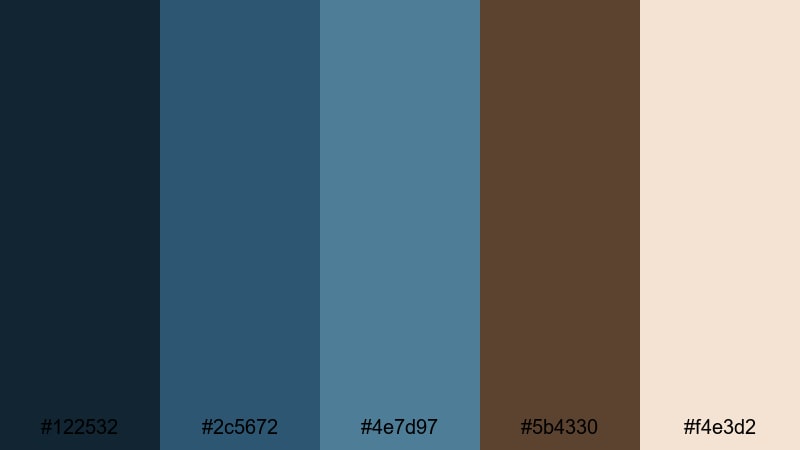
- HEX Codes: #122532, #2c5672, #4e7d97, #5b4330, #f4e3d2
- Mood: Fresh, polished, and brand friendly.
- Use for: Perfect for YouTube channels, online course branding, and minimalist product videos.
Clean Studio Brand balances calm studio blues with soft walnut brown and creamy neutrals. It gives off a trustworthy, polished vibe that suits educational channels, coaching brands, and product demos.
Use the mid blues for backgrounds and content frames, keep the cream tone for slides and title cards, and introduce brown subtly in logos, icons, or call to action elements. This blue dark brown color palette is easy to standardize across intro templates, lower thirds, and thumbnail layouts in Filmora.
Techwood Fusion
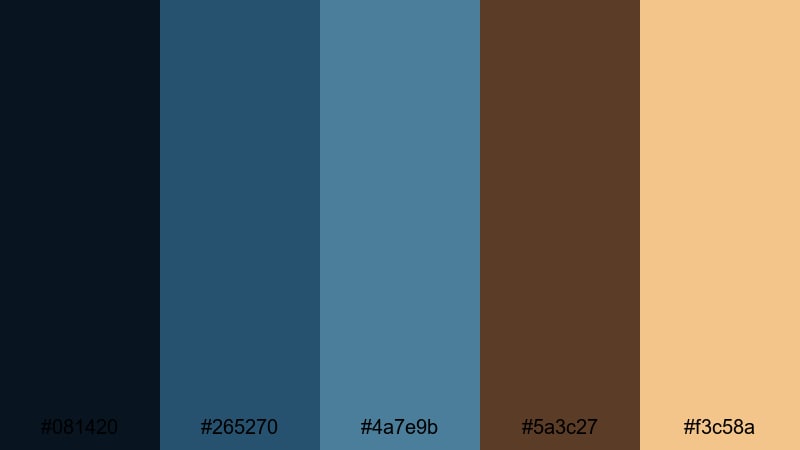
- HEX Codes: #081420, #265270, #4a7e9b, #5a3c27, #f3c58a
- Mood: Innovative, warm, and design forward.
- Use for: Use for product explainers, tech reviews, and stylish overlay graphics.
Techwood Fusion combines cool digital blues with warm wood browns and a soft golden highlight. It feels like high tech hardware sitting on a handcrafted desk: sleek, but grounded and human.
Use this palette for tech reviews, SaaS explainers, and UI demos where you want a modern but approachable look. The brighter blue can highlight buttons and diagrams, while the golden tan draws attention to key stats, prices, and calls to action in your Filmora layouts.
Vintage Storytelling Blue Dark Brown Color Palettes
Old Cinema Seats
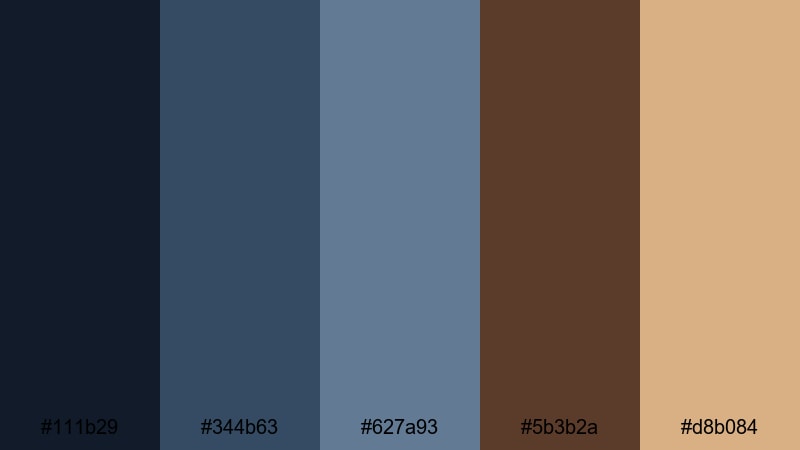
- HEX Codes: #111b29, #344b63, #627a93, #5b3b2a, #d8b084
- Mood: Retro, cinematic, and story rich.
- Use for: Great for film commentary channels, retro edits, and documentary style openers.
Old Cinema Seats mixes classic theater blues with worn leather browns and a warm, vintage highlight. It feels like sitting down in an old movie theater, lights dimming before a story begins.
Use the darker blues for backgrounds and matte bars, and apply the brown and golden tones to title designs, rating badges, and lower thirds. This blue dark brown palette fits perfectly with film reviews, essay videos, and documentary intros created in Filmora.
Sepia Harbor Memories
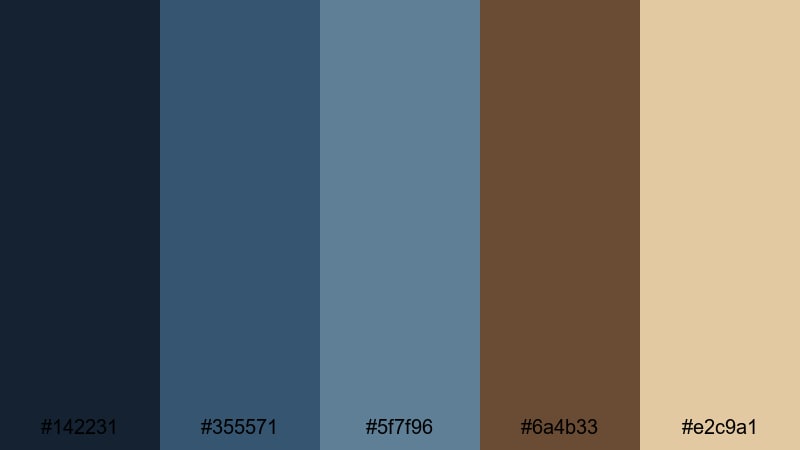
- HEX Codes: #142231, #355571, #5f7f96, #6a4b33, #e2c9a1
- Mood: Dreamy, nautical, and gently aged.
- Use for: Ideal for travel diaries, nostalgia edits, and slow cinematic montages.
Sepia Harbor Memories softens nautical blues with sepia toned browns and a faded paper highlight. The result feels like an old postcard or sun worn photograph from a seaside town.
Use this palette for reflective travel diaries, memory compilations, and family story videos. In Filmora, layer gentle film grain or vignette effects over these colors to reinforce the nostalgic blue dark brown mood on thumbnails, titles, and transitions.
Traveler Map Notes
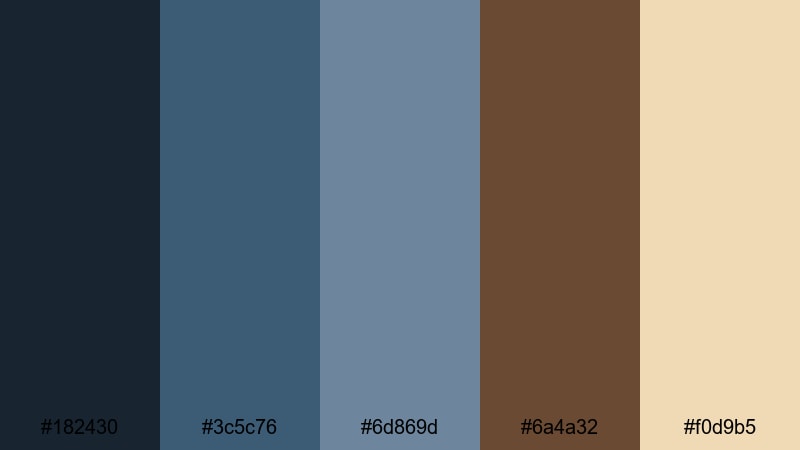
- HEX Codes: #182430, #3c5c76, #6d869d, #6a4a32, #f0d9b5
- Mood: Curious, exploratory, and softly vintage.
- Use for: Perfect for travel vlogs, route animations, and storytelling overlays on maps.
Traveler Map Notes pairs explorer blues with map paper browns and a soft parchment highlight. It feels like sketching routes and notes on an old atlas while planning the next journey.
Use the lighter parchment color for map backgrounds, lower thirds, and info cards, while the blues trace routes and highlight key cities or locations. This blue dark brown color palette is ideal for animated travel maps, itinerary breakdowns, and route overlays built in Filmora.
Railway Platform Blues
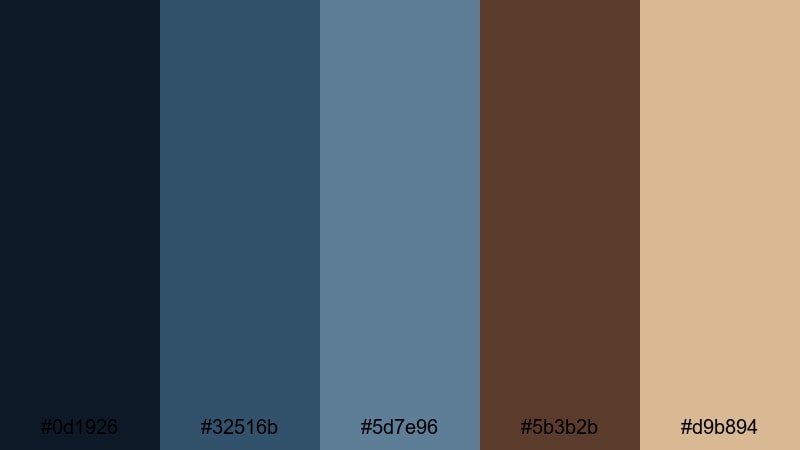
- HEX Codes: #0d1926, #32516b, #5d7e96, #5b3b2b, #d9b894
- Mood: Wistful, cinematic, and journey focused.
- Use for: Use for train travel videos, slow motion b roll, and narrative driven intros.
Railway Platform Blues blends steel track blues with aged timber browns and a soft, nostalgic highlight. It feels like watching trains arrive and depart, full of unspoken stories and distant destinations.
Use the deeper blues for letterbox bars and title backgrounds, with the browns and beige tones for text, icons, and subtle graphic details. This blue dark brown palette is perfect for slow motion travel b roll, narrative intros, and channel branding focused on journeys and motion.
Tips for Creating Blue Dark Brown Color Palettes
When you build your own blue dark brown color palette for video or design, the key is balancing cool depth with warm stability while keeping text and icons easy to read across different screens.
- Pick one dominant blue and one dominant brown, then add 1 to 2 neutral accent colors (cream, off white, or very dark gray) for flexibility.
- Check contrast for titles and captions: pair dark navy or brown backgrounds with light cream text, or invert the scheme for minimalist designs.
- Keep your branding consistent by using the same HEX codes for logos, lower thirds, and thumbnail text across all episodes or uploads.
- Match your footage: if your scenes are already warm, lean into cooler blues for graphics; if your footage is cool, use warmer browns to bring balance.
- Use saturation carefully: cinematic blue dark brown palettes often look better with slightly desaturated colors instead of neon intensity.
- Test on mobile and desktop to ensure your blue and brown tones stay clear and readable even on smaller, lower brightness screens.
- In Filmora, save custom color presets for your main blues, browns, and neutrals so you can reuse them in new projects without guessing.
- Try subtle gradients that move from deep blue to warm brown to create cinematic backgrounds for intros, end screens, and chapter cards.
Conclusion
Blue dark brown color palettes are powerful tools for shaping mood, storytelling, and brand identity. Deep blues bring calm, trust, and cinematic depth, while dark browns add warmth, earthiness, and a human touch. Together they can make your vlogs, podcasts, trailers, and tutorials look polished and intentional.
Use these 15 ready made color combinations as a starting point for thumbnails, titles, overlays, and channel branding. Then refine them in Filmora with AI Color Palette, HSL controls, and LUTs until they match your unique style and footage.
The more consistently you apply your chosen blue dark brown scheme, the faster viewers will recognize your content in their feeds. Experiment, adjust, and save your favorite looks so every new video feels like part of the same cinematic universe.
secure downloadNext: Rainbow Color Palette
