

 100% Security Verified | No Subscription Required | No Malware


 ChatGPT
 Perplexity
 Gemini
 Claude
 Grok
Grok
These Canon R6 wedding LUT-style filters are designed for videographers who want soft skin tones, clean highlights, and a timeless romantic look without spending hours on color grading.
Each filter below is tuned with Canon color science in mind, helping you quickly match different wedding scenes while keeping a consistent, cinematic story across the entire film.
In this article
Golden Hour Romance and Outdoor Portraits
Soft Golden Veil
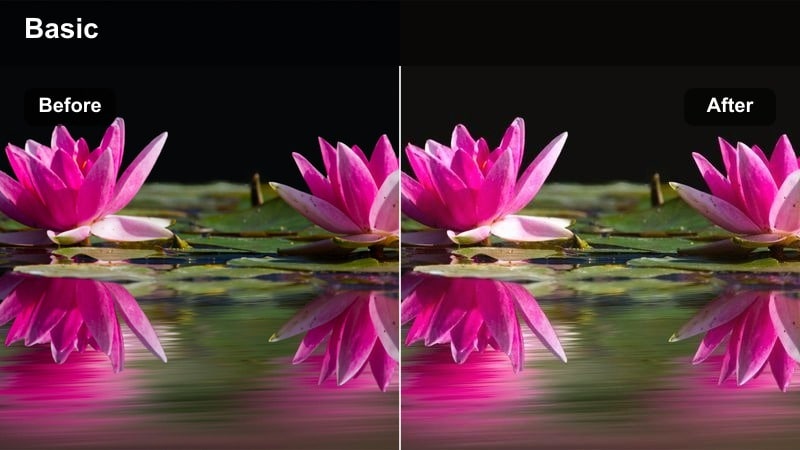
- Effect look: Warm, low-contrast glow that wraps couples in a gentle golden haze.
- Best for: Sunset portraits, outdoor vows, and backlit Canon R6 clips shot at golden hour.
- Editing tip: Lower contrast slightly and pull highlights down to keep wedding dresses from clipping while preserving the warm glow.
Soft Golden Veil is built to enhance the Canon R6s natural warmth at sunset, adding a subtle halo around backlit couples and smoothing contrast so skin looks velvety instead of harsh. In Filmora, this filter gives you that romantic, cinematic glow in one click, keeping skies luminous while preserving the delicate details in veils and lace.
Use it on all your golden hour sequences to create a consistent outdoor look, then fine-tune exposure and white balance per clip for perfect skin tones. For multi-camera coverage, apply the filter across your angles first, then make minor adjustments so each shot feels like part of the same dreamy, sun-drenched moment.
Match Canon R6 Wedding Color with AI Palette Tools
Filmoras AI color tools can scan a beautifully graded Canon R6 wedding clip and suggest a matching palette you can reuse across the rest of the project. This helps you keep skin tones, highlights, and shadow depth consistent even when you shoot in changing light throughout the day.
Save a still frame from your best-lit shot, feed it into the AI color palette feature, and apply the suggested settings to other scenes before you start stacking wedding filters. You get a unified base look that makes every LUT-style filter feel more intentional and cinematic.
 secure download

Preview Wedding Filters in Real Time
With Filmora, you can hover over any wedding filter to instantly preview how it transforms your Canon R6 clips, whether you want soft golden-hour romance or moodier reception tones. This saves time compared to manual grading and lets you quickly shortlist the looks that fit your couple and venue.
Use the split-screen preview to compare two filters side by side on the same shot, such as vows or a first look, and choose the one that best matches your desired Canon R6 LUT-style aesthetic.
secure download1000+ Video Filters and 3D LUTs
Filmora includes a large library of filters and 3D LUTs that you can stack with these Canon R6 wedding looks to build your own signature style. Start with a neutral correction LUT, add a wedding filter for mood, then fine-tune HSL, curves, and vignettes for polished, studio-level results.
Once you find a combination that perfectly matches your brand, save it as a preset so you can apply the same cinematic wedding color to future Canon R6 projects in seconds.
secure downloadSunset Copper Kiss
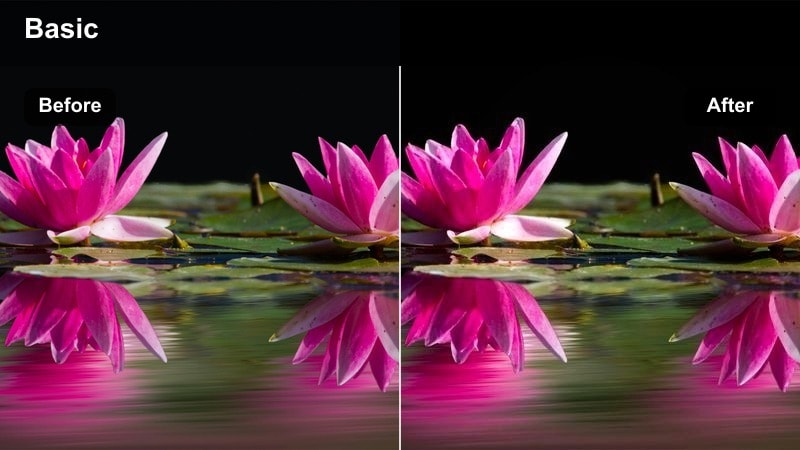
- Effect look: Richer oranges and coppers in highlights with gentle roll-off for romantic sunsets.
- Best for: Canon R6 beach ceremonies, clifftop vows, or rooftop portraits under a colorful sky.
- Editing tip: Use a subtle vignette and lift shadows to keep detail in suits and hair while the sky stays dramatic.
Sunset Copper Kiss leans into the intense colors your Canon R6 captures at dusk, pushing oranges and coppers in the sky while keeping skin flattering and smooth. In Filmora, it gives you a stylized yet controlled sunset look that turns simple silhouettes into dramatic, cinematic frames.
Apply it to wide establishing shots and close-up portraits captured against a glowing sky, then tame orange saturation in the HSL panel if faces start to look too warm. Combine the filter with a graduated mask on the horizon to deepen the sky without affecting the couple, ensuring the scene stays romantic rather than overprocessed.
Pastel Portrait Bloom
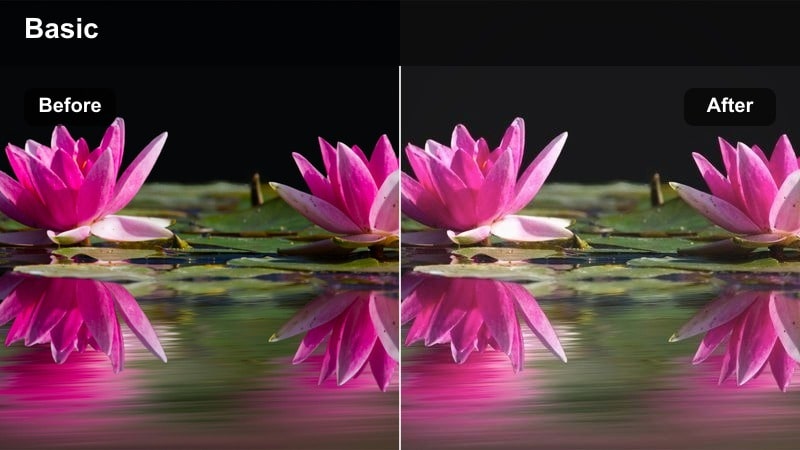
- Effect look: Soft pastel shift with reduced contrast for airy, light-filled portraits.
- Best for: Light and airy Canon R6 couple sessions in parks, courtyards, or bright outdoor venues.
- Editing tip: Lift blacks for a filmic fade and reduce clarity slightly to keep skin silky and forgiving.
Pastel Portrait Bloom tones down harsh contrast and saturation, turning bright Canon R6 footage into gentle, pastel-rich portraits that feel light and editorial. Greens, blues, and background tones become softer, while faces stay clean and luminous, ideal for couples who love the light and airy wedding aesthetic.
Use this filter on close-ups, bridal portraits, and soft-focus shots of details like bouquets and stationery. In Filmora, you can lift the blacks a bit more to enhance the filmic fade, and keep sharpening minimal so that the natural Canon detail shines through without fighting the dreamy pastel mood.
Ceremony Aisles and Emotional Vows
Classic Aisle Neutral
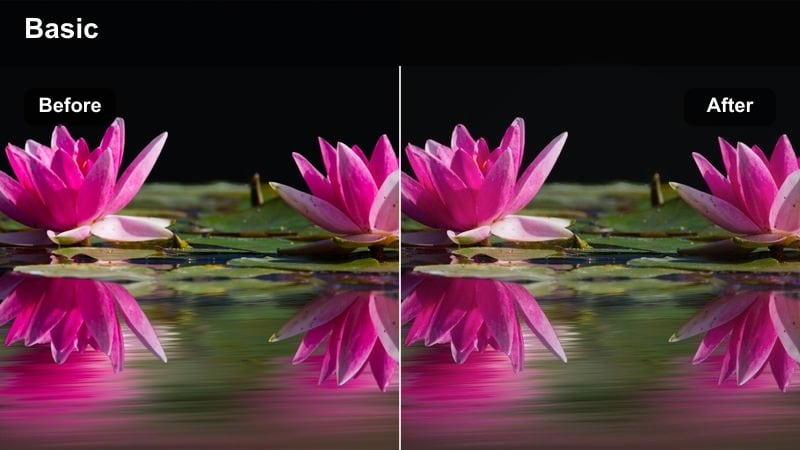
- Effect look: Balanced contrast and neutral color that keeps attention on expressions, not the grade.
- Best for: Indoor church ceremonies, civil services, and long Canon R6 ceremony angles.
- Editing tip: Push midtone saturation slightly to keep flowers and decor lively without oversaturating skin.
Classic Aisle Neutral is designed to make your Canon R6 ceremony coverage look clean, timeless, and true-to-life. It evens out contrast, keeps whites actually white, and avoids color casts so viewers focus on the walk down the aisle, not on heavy grading.
In Filmora, drop this filter onto all ceremony angles as your base look, then fine-tune exposure and white balance for each camera. With a touch of midtone saturation, flowers, wood tones, and decor remain vibrant while skin stays natural, giving you a polished documentary aesthetic that ages well.
Warm Vows Intimate
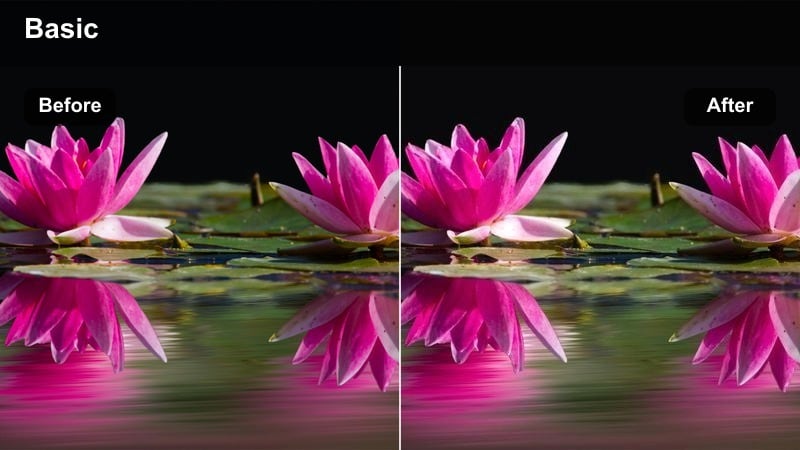
- Effect look: Cozy warmth in midtones with softened contrast for emotional close-ups.
- Best for: Tight Canon R6 shots of vows, ring exchanges, and tearful reactions.
- Editing tip: Slightly darken the background using a mask so the couples faces and hands stay the brightest point.
Warm Vows Intimate adds a gentle, cozy warmth to midtones, perfect for highlighting the emotion in close-up vow and ring exchange shots. It softens contrast just enough to flatter skin and smooth tiny imperfections, while still keeping eyes, rings, and hands crisp.
Apply this filter in Filmora to any tight ceremony or reaction shot you want to feel extra personal and romantic. Use the masking tools to subtly darken the background around the couple, ensuring their faces remain the visual focus and the warmth reads as intentional mood rather than a white balance mistake.
Matte Ceremony Documentary
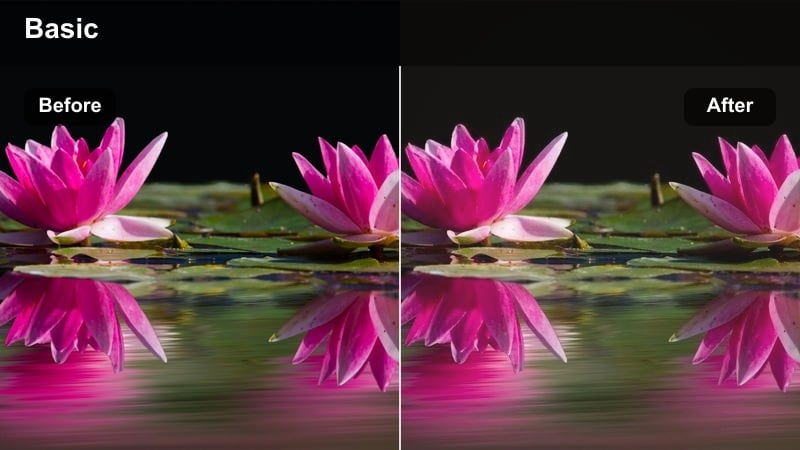
- Effect look: Subtle matte fade with cooler shadows for a modern documentary feel.
- Best for: Long-form Canon R6 ceremony edits, static angles, and handheld aisle coverage.
- Editing tip: Keep sharpening modest so the matte texture feels cinematic rather than crunchy.
Matte Ceremony Documentary gives your Canon R6 ceremony footage a restrained, filmic fade by lifting blacks and slightly cooling the shadows. The result is a modern documentary look that feels intentional and cohesive without drawing attention away from the story.
Use this filter across full-length ceremony edits and multi-camera timelines in Filmora, then match exposure and white balance from angle to angle. Avoid over-sharpening; let the Canon sensors natural detail and the matte finish work together to create smooth, cinematic ceremony coverage.
Indoor Receptions and First Dances
Soft Dancefloor Glow
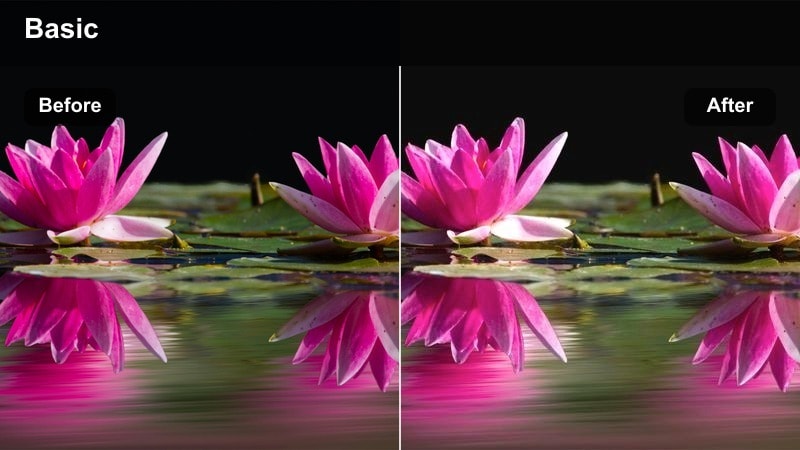
- Effect look: Gentle bloom on highlights with warm, flattering tones for dim reception spaces.
- Best for: First dance, parent dances, and toasts filmed on the Canon R6 in low light.
- Editing tip: Reduce highlight bloom if DJ lights are clipping or distracting in the background.
Soft Dancefloor Glow is tuned for low-light Canon R6 reception footage, adding a slight bloom to highlights and a warm wash that flatters skin under string lights and uplighting. It helps hide some of the harshness from spotlights and DJ fixtures while keeping the atmosphere romantic and inviting.
In Filmora, apply this filter to first dances, parent dances, and toast close-ups to create a consistent reception mood. If DJ lights start to clip or feel overpowering, pull back highlight bloom and use localized exposure adjustments on the brightest fixtures so the couple remains center stage.
Moody Reception Amber
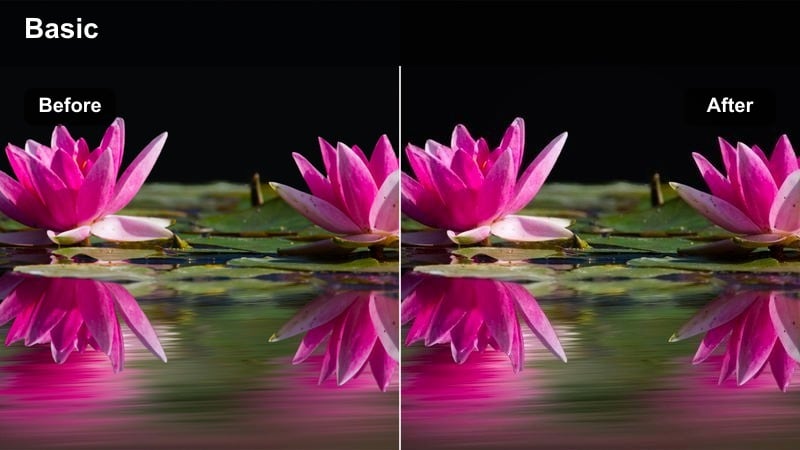
- Effect look: Deeper contrast with amber highlights and rich, cinematic shadows.
- Best for: Candlelit dinners, speeches, and detail shots of the reception room.
- Editing tip: Lift shadow detail slightly if guests faces disappear in darker corners of the frame.
Moody Reception Amber leans into the warm, intimate feel of candlelight and amber uplighting, deepening contrast for a richer, more cinematic reception look. Highlights take on a cozy amber tone while shadows stay dense but controlled, giving your Canon R6 footage a high-end evening aesthetic.
Use this filter in Filmora on dinner, speeches, and room detail shots to tie the whole reception sequence together. If guests faces fall into darkness, gently raise shadow detail and avoid crushing blacks too aggressively, especially on higher ISO clips, to keep noise under control while preserving the moody atmosphere.
Clean Hall Neutral
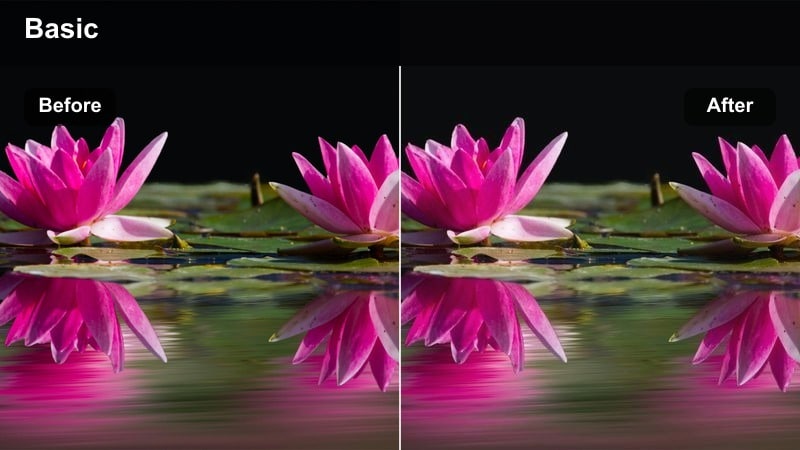
- Effect look: True-to-life colors with gentle contrast tailored for banquet halls and ballrooms.
- Best for: Well-lit hotel receptions, entrances, and cake cutting on the Canon R6.
- Editing tip: Dial back yellow saturation to avoid walls and tablecloths overpowering the couple in the frame.
Clean Hall Neutral is built for brighter hotel ballrooms and banquet halls, where the Canon R6 captures a lot of color from walls, linens, and ceiling fixtures. The filter smooths contrast, keeps skin tones natural, and reins in strong color casts so the couple stands out clearly.
Apply it in Filmora to entrances, cake cutting, and general reception coverage shot in well-lit spaces. If the venue uses heavy warm lighting, reduce yellow and orange saturation slightly so tablecloths and walls do not dominate the frame, keeping the look polished and editorial rather than overly colorful.
Bridal Prep, Groom Details, and Story Highlights
Bridal Suite Softlight
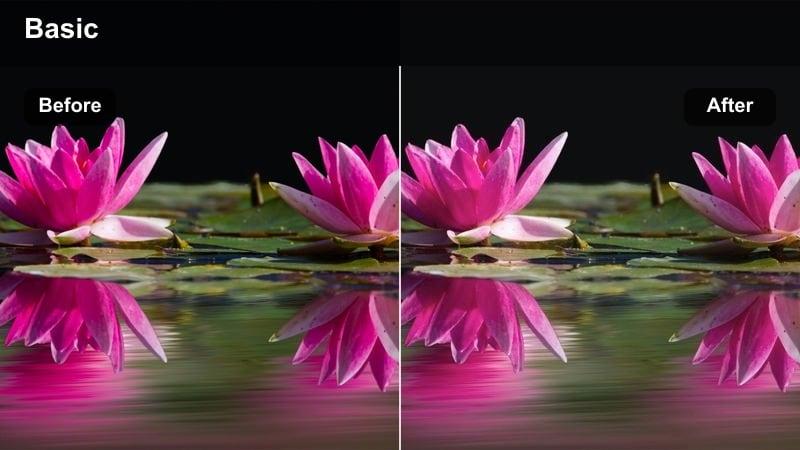
- Effect look: Delicate soft light with lifted shadows and gentle skin smoothing.
- Best for: Bridal prep, hair and makeup, and getting-ready details shot on the Canon R6.
- Editing tip: Reduce clarity on close-ups but keep eyes and jewelry sharp for a premium feel.
Bridal Suite Softlight is tuned for window-lit prep rooms, lifting shadows and smoothing contrast to create a flattering, glowy look on the bride and her details. It keeps highlights controlled so the bright prep window does not blow out, while skin looks soft and luxurious.
In Filmora, use this filter on makeup, hair, dress, and veil shots captured on the Canon R6, then gently reduce clarity on skin while preserving sharpness around eyes, lashes, and jewelry. If wall colors start to reflect too strongly onto skin, selectively desaturate those hues so the bride remains the clean, luminous focal point.
Groom Detail Contrast
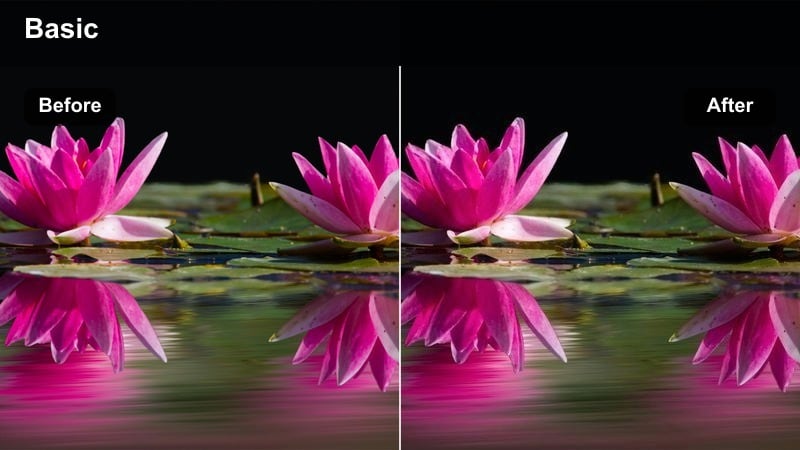
- Effect look: Crisp contrast with cool, clean blacks that make suits and accessories pop.
- Best for: Groom prep, cufflinks, watches, and shoe shots on the Canon R6.
- Editing tip: Add a touch of sharpening to emphasize textures in fabrics and metal without overdoing noise.
Groom Detail Contrast is designed to make dark suits, watches, cufflinks, and shoes look sharp and intentional, with cool, clean blacks and snappy contrast. It gives your Canon R6 detail shots a stylish, editorial feel that pairs nicely with softer looks used on the bride.
Apply this filter in Filmora to B-roll of the groom getting ready, focusing on hands, accessories, and tailored fabrics. If the grooms face comes into frame, slightly soften midtone contrast on that clip so skin stays flattering while the suit and metal details retain their crisp, textured appearance.
Cinematic Highlight Reel
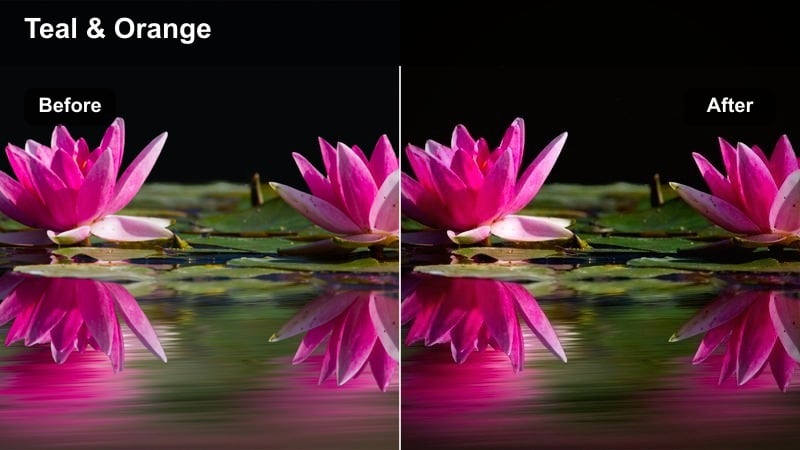
- Effect look: High-impact contrast with rich color and a subtle teal shift in shadows.
- Best for: Canon R6 wedding highlight trailers, hero shots, and opening sequences.
- Editing tip: Apply sparingly to your strongest hero shots so they stand out from the rest of the timeline.
Cinematic Highlight Reel delivers a bold, movie-trailer style grade with deeper contrast, richer color, and a gentle teal shift in the shadows. It pushes Canon R6 footage toward a more stylized, cinematic palette that works beautifully on epic wides and emotional peaks.
Use this filter in Filmora on select hero moments, like a dramatic hilltop shot, confetti exit, or emotional first look, rather than across the entire project. Keeping your main story on softer wedding filters and reserving this look for key clips creates visual peaks that feel powerful and intentional in your highlight films.
Tips for Using Canon R6 Wedding Luts Filters in Filmora
- Shoot Canon R6 weddings in a flat or log profile when available so these LUT-style filters have extra dynamic range and highlight detail to work with.
- Correct exposure and white balance in Filmora before adding any filter, ensuring each look behaves predictably across different venues and lighting setups.
- Group similar scenes on your timeline, such as prep, portraits, ceremony, and reception, and apply one core filter per group to keep color consistent.
- Use Filmoras AI and split-screen previews to test a few filters on the same Canon R6 clip and lock in the one that best matches your couples style.
- Create custom presets by combining your favorite Canon R6 LUT with these filters, then save them so every new wedding starts from your signature base look.
- Adjust saturation and contrast per scene, especially in mixed lighting venues, so skin tones stay natural while decor and skies remain cinematic.
- Apply subtler, neutral filters to long-form documentary edits and reserve stronger cinematic looks for highlight reels and hero shots.
These Canon R6 wedding LUT-style filters in Filmora give you fast, reliable looks for every part of the day, from soft prep-room light to dramatic night receptions. Instead of building grades from scratch, you can drop in a filter that already understands Canon color and refine it for each venue.
Build a repeatable workflow by choosing one or two favorite filters for each scene type, then turning your most successful combinations into presets. Over time, this approach gives your Canon R6 wedding films a recognizable, cinematic style that is easy to reproduce on every new project.
secure downloadNext: Canon R10 Beginner LUTS
