

 100% Security Verified | No Subscription Required | No Malware


 ChatGPT
 Perplexity
 Gemini
 Claude
 Grok
Grok
These Filmora filters are designed to echo the look and feel of Canon R7 outdoor LUTs, giving videographers and creators fast, cinematic color for exterior shoots without leaving the timeline.
From bright midday sun to low-light city streets, each filter below is tuned to a specific outdoor scenario so you can match your Canon footage, keep skin tones natural, and speed up your grade in Filmora.
In this article
Bright Day Exteriors and High-Contrast Sun
R7 Midday Neutral Clean
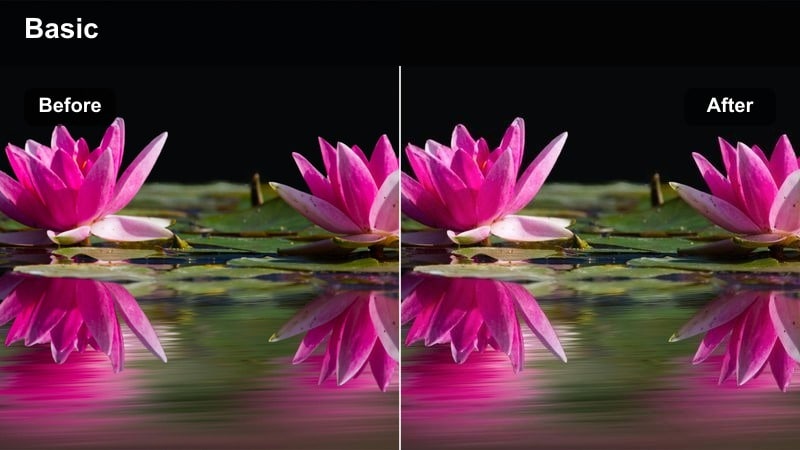
- Effect look: Balanced, low-contrast look that tames harsh sunlight while keeping colors true to life.
- Best for: Travel vlogs, park interviews, and outdoor talking-head content shot under bright midday sun.
- Editing tip: Lower contrast slightly and add a subtle vignette to guide attention toward your subject's face.
R7 Midday Neutral Clean is ideal when your Canon-style footage was captured in unforgiving noon light, but you still want a natural, documentary feel. It gently compresses contrast so skies and bright paths do not clip, while keeping foliage, clothing, and architectural colors looking realistic instead of oversaturated.
In Filmora, drop this filter onto your base-corrected clip after setting exposure and white balance, then fine-tune contrast and vignetting to taste. Use it across a whole sequence of outdoor talking heads to keep skin tones consistent and minimize the jarring shifts that can happen as clouds move or you change angles in direct sun.
Match Canon R7 Outdoor Looks with AI Color Tools
Filmora's AI color tools can quickly approximate Canon R7 outdoor LUT styles before you even start creative grading. Use them to balance clips from different cameras or profiles so your midday, golden hour, and night shots all live in the same color space.
Once AI color matching has evened out contrast and color, you can layer the outdoor filters in this guide for final mood, making your grade faster and more predictable.
 secure download

Preview Outdoor Filters in Real Time
With Filmora, you can hover over outdoor filters and see an instant preview on your Canon-style footage. This makes it easy to compare neutral, vivid, and stylized grades for the same scene without committing or rendering.
Create a few duplicates of a key shot on your timeline, apply different filters to each, and review them side by side until you find the cinematic outdoor look that best fits your story.
secure download1000+ Video Filters and 3D LUTs
Beyond Canon R7-inspired looks, Filmora includes a large library of creative filters and 3D LUTs for every genre, from travel and lifestyle to documentary and commercial content. You can combine technical LUTs with stylistic presets to build a flexible grading workflow.
Use LUTs as a base conversion for log or flat profiles, then stack Filmora filters on top to refine contrast, saturation, and color separation so each outdoor scene feels polished and cinematic.
secure downloadR7 Crisp City Day
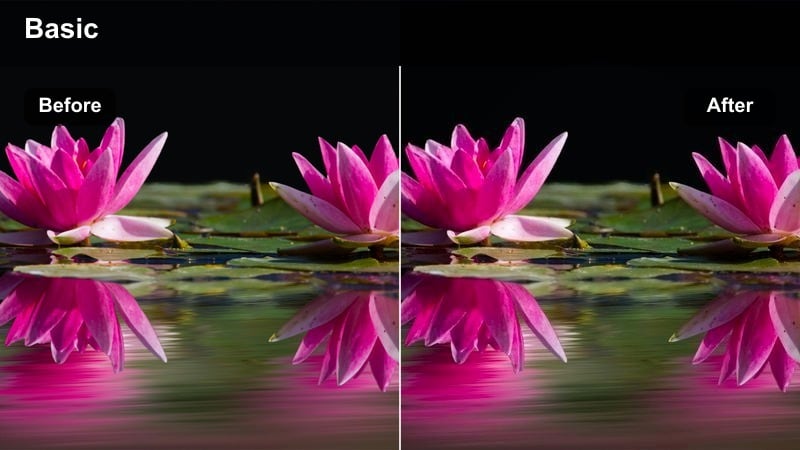
- Effect look: Punchy daylight contrast with crisp edges and slightly cooler shadows for modern city exteriors.
- Best for: Street b-roll, city montages, and walk-and-talk scenes downtown under clear blue skies.
- Editing tip: Add a touch of sharpening after this filter and stabilize handheld shots to match the clean, modern aesthetic.
R7 Crisp City Day is tuned for reflective glass, steel, and concrete, emphasizing clean lines and detail without turning the image harsh. Cooler shadows give city scenes a modern feel while still preserving believable skin tones on your subject.
Apply this filter in Filmora to any daylight street sequence where you want extra pop and clarity. Combine it with light sharpening and stabilization to create energetic, polished b-roll for travel vlogs, tech promos, or social reels that need that crisp Canon-style city look.
R7 Vivid Nature Daylight
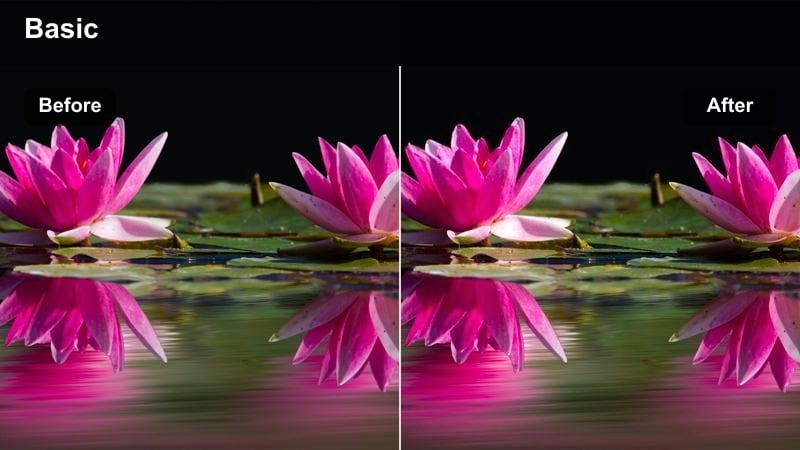
- Effect look: Vibrant outdoor colors with rich greens and blues while keeping skin tones warm and controlled.
- Best for: Hiking sequences, outdoor sports, and landscape cutaways filmed in open sunlight.
- Editing tip: Dial back saturation by 5-10 percent if clothing and signage feel too intense against the vivid environment.
R7 Vivid Nature Daylight is built to make skies, fields, and forests pop in a way that still feels photographic. It lifts saturation in greens and blues while managing reds and oranges so faces and jerseys do not become cartoonish.
In Filmora, drop this filter on your action or landscape clips to create bold travel sequences and sports montages. If certain elements become too bright, use the saturation controls and HSL panel to slightly tame specific hues while preserving the overall vibrant Canon-inspired feel.
Golden Hour, Sunset Streets, and Warm Evenings
R7 Warm Golden Walk
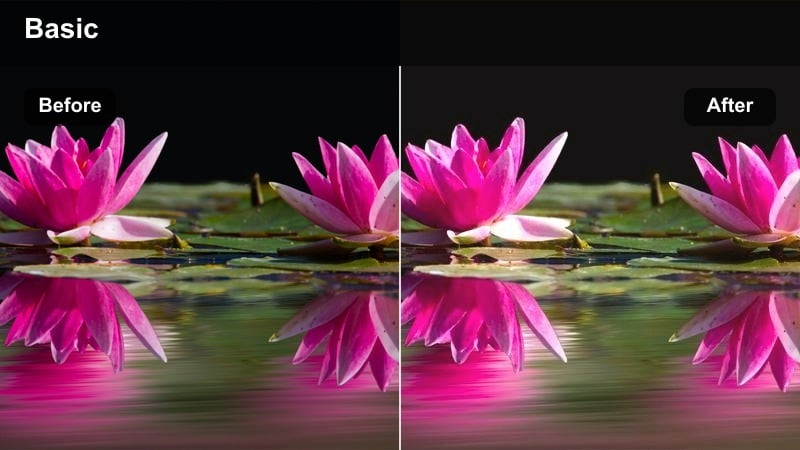
- Effect look: Soft, warm glow with lifted shadows and gentle halation around highlights for dreamy walks at sunset.
- Best for: Golden hour strolls, lifestyle b-roll, and handheld sequences against a setting sun in urban areas.
- Editing tip: Reduce clarity slightly and add a subtle blur to the background for an extra dreamy Canon-style evening look.
R7 Warm Golden Walk wraps your subject in glowing sunset tones, ideal for romantic or nostalgic storytelling. Highlights bloom softly around the sun and reflective surfaces, while shadows are gently lifted so you do not lose important detail.
Use this filter in Filmora when you want to lean into the emotional side of golden hour footage. Pair it with a minor clarity reduction and some gentle background blur to enhance the dreamy aesthetic in lifestyle content, brand films, or personal vlogs.
R7 Urban Sunset Pop
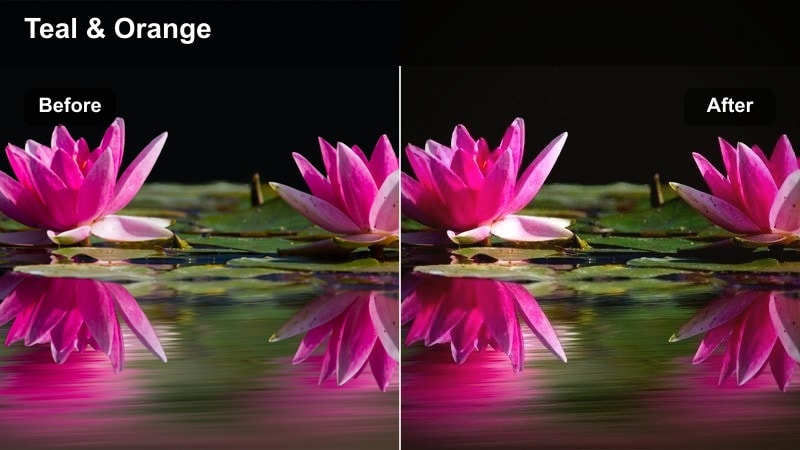
- Effect look: Punchy contrast with warm highlights and slightly teal shadows for a cinematic sunset-in-the-city feel.
- Best for: Skate sessions, rooftop vibes, and city skyline shots captured just before the sun dips.
- Editing tip: Use this filter sparingly on already contrasty scenes and fine-tune blacks so detail remains in darker areas.
R7 Urban Sunset Pop gives your city evenings a stylized blockbuster palette, emphasizing the orange-teal interplay between the sky and city shadows. It accentuates urban textures and silhouettes while keeping the overall image energetic and bold.
Apply it in Filmora to rooftop hangs, skyline reveals, or action sequences that benefit from extra drama. Adjust black levels and shadow detail afterward to prevent crushed areas, especially when mixing Canon log shots with standard profiles.
R7 Soft Evening Portrait
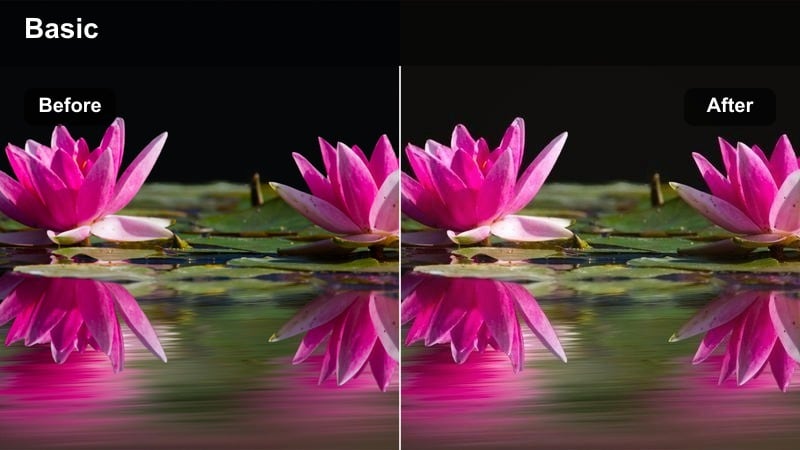
- Effect look: Flattering, warm skin tones with reduced contrast and softened highlights for intimate outdoor portraits.
- Best for: Portraits on balconies, sidewalk conversations, and sit-down interviews at blue-and-gold hour.
- Editing tip: Lightly lift the blacks to keep faces gentle and cinematic, especially when using Canon log profiles.
R7 Soft Evening Portrait is tailored for people-first storytelling when the sun is low and city lights are just starting to appear. It smooths contrast and highlights while subtly warming skin, making late-day interviews and close-ups feel inviting.
In Filmora, use this filter on all your evening portrait angles for a cohesive, flattering grade. After applying, fine-tune black levels and midtones to maintain detail in hair and eyes, and keep saturation restrained for a more cinematic, less social-media-heavy look.
Overcast Days, Soft Light, and Flat Skies
R7 Soft Overcast Neutral
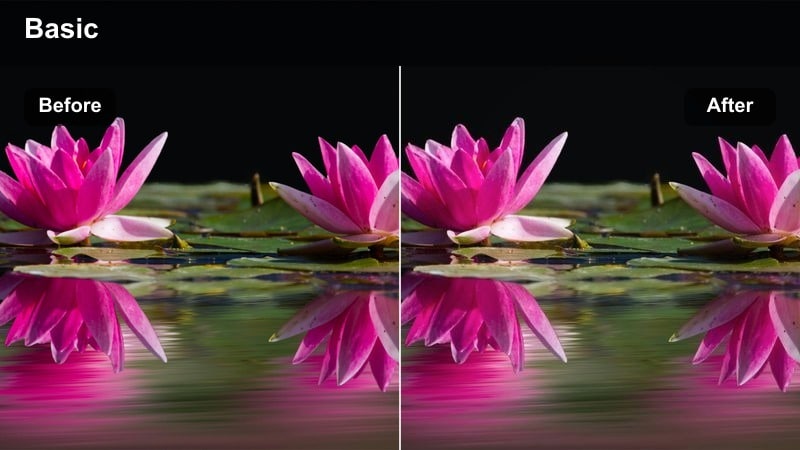
- Effect look: Gentle midtone contrast and neutral color balance that adds depth to flat, cloudy-day footage.
- Best for: Documentary walks, city errands, and run-and-gun vlogs under gray skies.
- Editing tip: Use local exposure adjustments if faces get lost in the background after adding contrast with this filter.
R7 Soft Overcast Neutral is designed to wake up flat, gray footage without making it look artificially bright or saturated. It increases separation in the midtones so subjects stand out from the background, while keeping the overall color palette true to the actual scene.
Apply it in Filmora whenever your Canon-style clips from cloudy days feel lifeless or muddy. Combine it with selective exposure masks to subtly lift faces or key details, preserving the honest mood of overcast light while keeping your image visually engaging.
R7 Muted Urban Rain
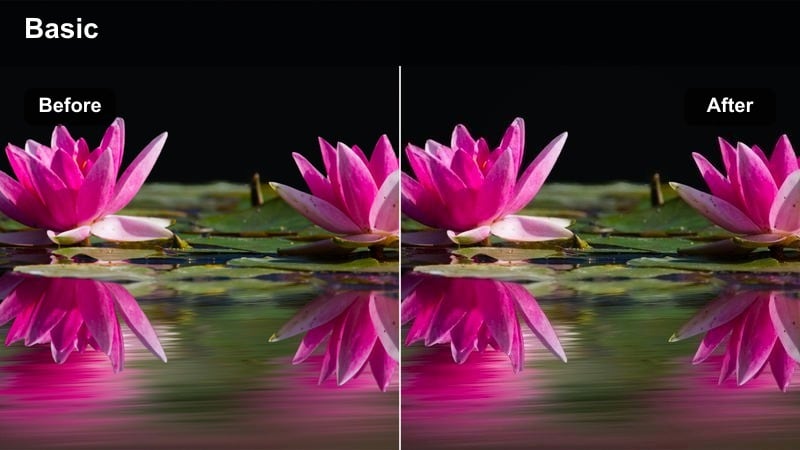
- Effect look: Desaturated, cool-toned palette with subtle contrast to emphasize mood in rainy city scenes.
- Best for: Rainy sidewalks, reflections in wet pavement, and moody commute or travel sequences.
- Editing tip: Push blues and cyans slightly for reflections while keeping overall saturation restrained for a cinematic tone.
R7 Muted Urban Rain leans into the calm, reflective atmosphere of wet streets and low clouds. It cools the overall image, dials back saturation, and highlights reflections so your rainy-day storytelling feels deliberate and cinematic instead of dull.
In Filmora, drop this filter on commute sequences, umbrellas in crosswalks, and moody establishing shots to create cohesive rainy chapters in your videos. Use subtle boosts to the blue and cyan channels if you want reflections and puddles to stand out while retaining the overall muted style.
R7 Soft Documentary Day
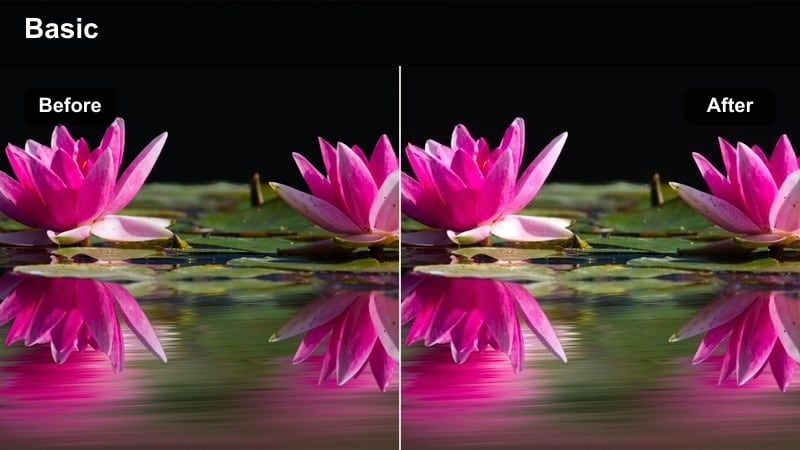
- Effect look: Naturalistic contrast and slightly warm midtones that keep footage honest but cinematic.
- Best for: Documentary interviews, observational city scenes, and handheld walk-throughs on cloudy days.
- Editing tip: If you intercut indoor and outdoor shots, apply this filter only to exteriors and then match color temperature manually.
R7 Soft Documentary Day is meant for projects where realism matters but you still want pleasing, watchable images. It adds a subtle curve and a touch of warmth to midtones so people and environments look faithful to life while remaining visually polished.
Use it in Filmora as a base grade for overcast documentaries, street portraits, or non-fiction vlogs. Once applied, you can match your interiors by adjusting white balance and exposure so the whole piece flows naturally from inside to outside without distracting color shifts.
Blue Hour and Night Cityscapes
R7 Blue Hour City Glow
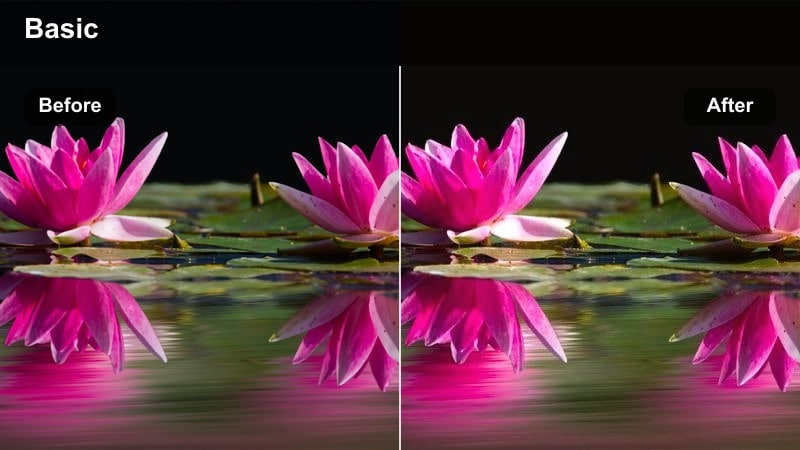
- Effect look: Deep blue ambient tones with warm highlights that make city lights stand out after sunset.
- Best for: Street scenes just after sunset, city bridges, and skyline time-lapses with mixed lighting.
- Editing tip: Keep ISO noise under control in-camera, then add gentle noise reduction before applying this filter.
R7 Blue Hour City Glow is crafted for that short window when the sky turns deep blue and artificial lights begin to dominate. It emphasizes the contrast between cool ambient tones and warm shop signs, car headlights, and windows, giving your footage a cinematic city-night flavor.
In Filmora, apply this filter to any early night or late evening sequences where both sky detail and city lights are visible. Combine it with light noise reduction on higher-ISO Canon clips, then refine highlights so neon and signage retain rich color instead of clipping to white.
R7 Neon Street Cinema
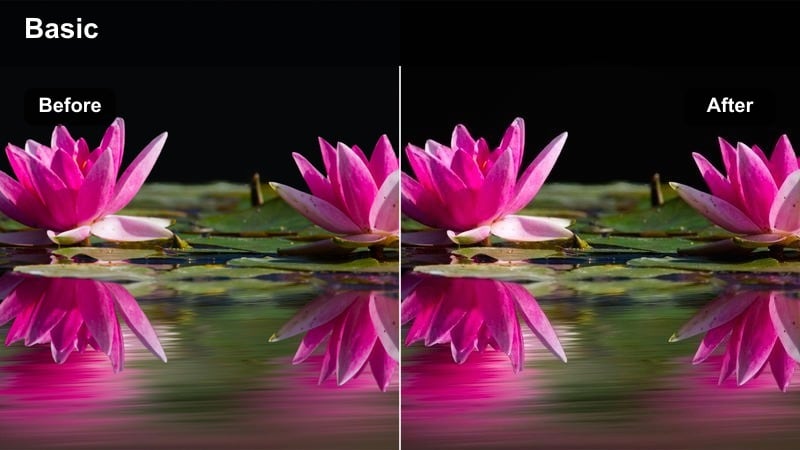
- Effect look: High-contrast, stylized night look with saturated neon colors and deep shadows for dramatic exteriors.
- Best for: Night markets, neon-lit alleys, and handheld night walks in busy entertainment districts.
- Editing tip: Use selective color controls to tame a single strong hue if one sign dominates the frame.
R7 Neon Street Cinema pushes your night footage into a bold, stylized direction, ideal for music videos, nightlife vlogs, or cyberpunk-inspired edits. It deepens shadows, heightens contrast, and saturates neon hues so signs and LED panels become strong visual anchors.
After adding this filter in Filmora, inspect your frame for any single color that feels overpowering and correct it with HSL or color wheels. Adjust shadow detail as needed so your subjects remain readable, especially in handheld sequences where motion blur and low light can hide faces.
R7 Soft Night Ambient
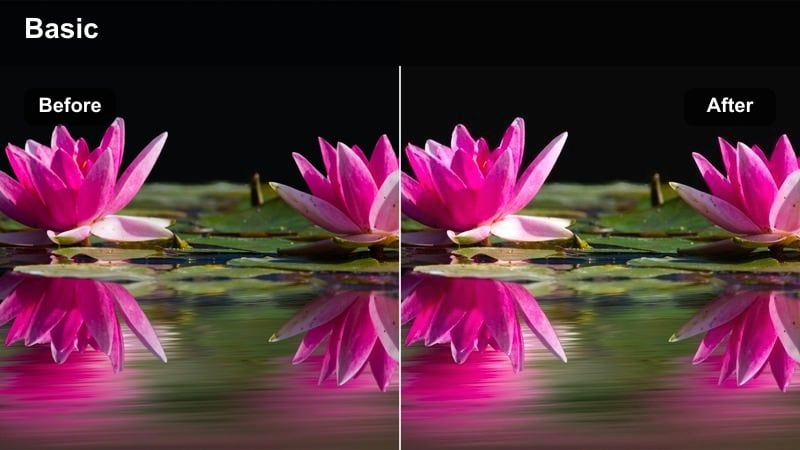
- Effect look: Gentle low-light lift with subdued contrast that keeps night scenes visible but not over-processed.
- Best for: Quiet side streets, ambient night b-roll, and reflective walk-and-talk scenes under streetlights.
- Editing tip: Apply light grain afterward to unify noisy and clean shots into a cohesive night sequence.
R7 Soft Night Ambient is for subtle night storytelling where mood matters more than intensity. It lifts exposure slightly and moderates contrast so your viewers can see into the shadows without the image looking artificially bright or flattened.
Use it in Filmora for reflective night walks, cinematic b-roll of empty streets, or narrative scenes illuminated by practical lights. After applying, consider adding a touch of film grain and mild stabilization to help blend clips from different ISOs and lenses into one cohesive sequence.
Tips for Using Canon R7 Outdoor Luts Filters in Filmora
- Expose slightly for the highlights when shooting bright outdoor scenes so your filters have room to recover shadows.
- Create a custom preset in Filmora that combines your favorite outdoor filter with subtle sharpening and vignetting.
- Group clips by lighting condition in your timeline and apply the same filter to each group for consistent grading.
- Always adjust white balance before adding filters so colors remain predictable across Canon and non-Canon cameras.
- Keep skin tones as your reference when grading mixed lighting scenes such as golden hour streets or city nights.
- Stack Canon R7 LUTs as a base conversion, then apply Filmora filters for final contrast, saturation, and mood control.
- Use Filmora's scopes and waveform tools to maintain consistent exposure across different outdoor locations.
Using Filmora's outdoor-focused filters, you can quickly echo the look of Canon R7 outdoor LUTs and keep your exteriors consistent from midday sun to late-night streets.
Save your favorite combinations as presets, so every new project starts with a reliable outdoor base grade that lets you focus more on story and less on technical color work.
secure downloadNext: Canon C200 Film LUTS
