

 100% Security Verified | No Subscription Required | No Malware


 ChatGPT
 Perplexity
 Gemini
 Claude
 Grok
Grok
This Casual Walking Lifestyle Video LUT filter pack is built for content creators who film relaxed city strolls, daily routine clips, and laid-back lifestyle vlogs and want a quick, cohesive look without heavy color grading.
Use these Filmora-friendly filters to gently shape mood, skin tones, and ambient city colors so your casual walking footage feels polished, cinematic, and consistently on-brand across your channel.
In this article
Golden Hour City Walks
Soft Amber Glow
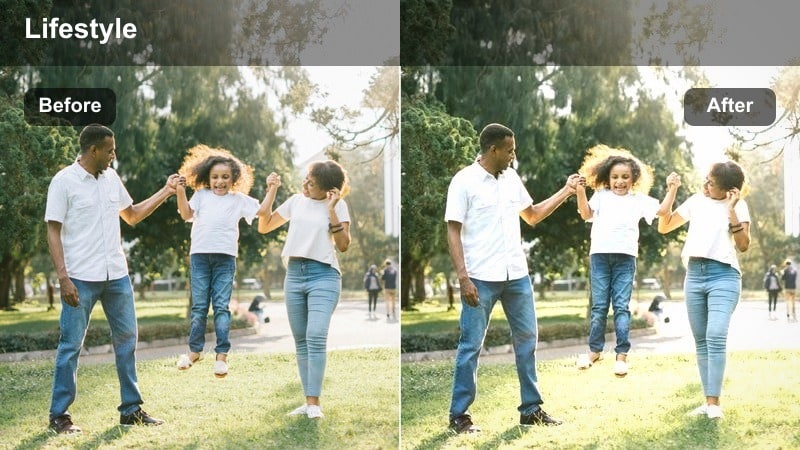
- Effect look: Warm, honey-toned highlight boost that wraps your subject in a soft evening glow.
- Best for: Slow city strolls during late afternoon or sunset with warm streetlights and backlit sidewalks.
- Editing tip: Lower contrast slightly and add a touch of vignette to keep the viewer s focus on your walking subject.
Soft Amber Glow gives your walking footage that cozy, end-of-day atmosphere by warming highlights and softly lifting midtones around your subject. In Filmora, you can drop this LUT onto your clips from the Effects or LUTs panel to instantly turn flat, late-afternoon footage into a cinematic golden walk, especially when the sun is hitting building edges or shining from behind.
Once applied, fine-tune it in Filmora by slightly lowering overall contrast and adding a subtle vignette in the Effects or Color panel so the warm glow frames your face and outfit rather than overpowering the whole frame. If your original capture is bright, reduce exposure a touch before the LUT so highlights keep their texture, then export the look as a custom preset to reuse on all your golden hour city vlogs.
Let Filmora s AI match your walking mood
Combine these casual walking lifestyle filters with Filmora s AI color tools to quickly adapt each look to your exact lighting, from golden hour avenues to shaded side streets. Start by applying your chosen LUT, then open the color panel to let AI balance exposure, white balance, and contrast without losing the relaxed feel of your walk.
The AI can analyze faces, skies, and buildings, gently correcting color casts so your Soft Amber Glow or other filters stay consistent from shot to shot. This makes it easier to maintain a signature walking aesthetic even when your route moves from bright squares into shadowy alleys or underpasses.
 secure download

Preview filters on real walking clips
Before committing to a look for an entire vlog, preview these LUTs on a short walking clip inside Filmora. Import 10 to 20 seconds of you pacing down a typical street, then cycle through different filters to see how they handle skin tones, shop signs, and sky color in motion.
This quick testing workflow helps you decide whether a softer glow, a pastel dusk style, or a cooler, more neutral tone best matches your story. Mark your top choices, then apply your favorite LUT across the full timeline and make light per-clip tweaks as lighting shifts from block to block.
secure download1000+ Video Filters and 3D LUTs
Beyond these casual walking lifestyle looks, Filmora includes a large built-in library of filters and 3D LUTs you can stack and blend for unique results. You can combine creative overlays, subtle film emulations, and color styles to match everything from quiet morning errands to energetic nightlife walks.
After dialing in a look you love, save it as a custom preset or export it as a LUT so you can apply the same walking aesthetic in seconds on future videos. Organize your favorite grades into folders such as day, night, and overcast to speed up your entire vlogging workflow.
secure downloadSunset Sidewalk Dream
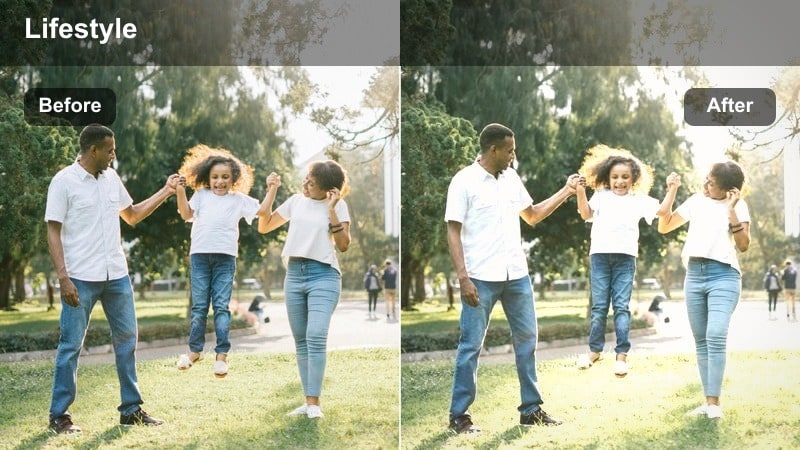
- Effect look: Soft contrast with pastel oranges and pinks that romanticize city sidewalks at dusk.
- Best for: Handheld vlog shots walking past storefronts, street cafes, and reflective shop windows near sunset.
- Editing tip: Increase stabilization and add a slow music track so the dreamy colors and casual walking pace work together.
Sunset Sidewalk Dream shifts your dusk footage into a gentle pastel palette, perfect for romanticizing everyday walks along shopfronts and cafes. In Filmora, apply this LUT to any clip with visible sky or reflections to pull soft oranges and pinks into windows, car bodies, and building facades without needing complex manual grading.
To make the most of it, enable stabilization on handheld shots so the dreamy color and smooth motion feel intentional, then pair with a laid-back soundtrack in the Audio panel. If highlights get too soft, nudge contrast up just slightly and balance exposure so details in windows and signs remain legible while the overall mood stays calm and cinematic.
Golden City Haze
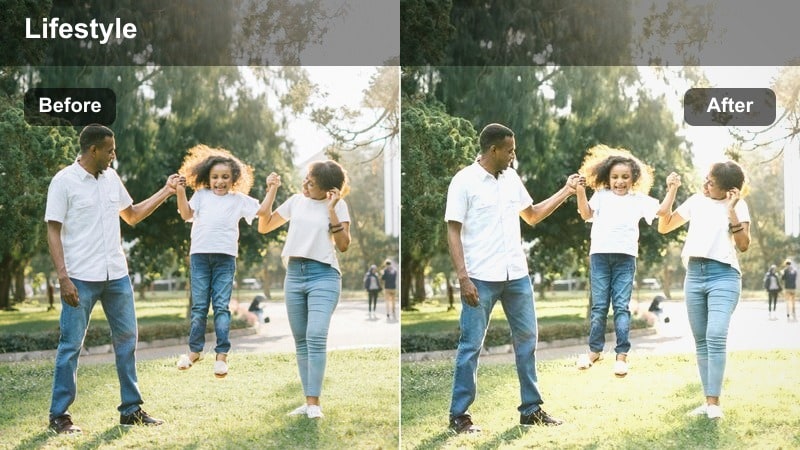
- Effect look: Hazy highlights with a subtle bloom and golden tint that softens harsh city edges.
- Best for: Backlit walking sequences with bright skies, tall buildings, and sun flares peeking around corners.
- Editing tip: Add a gentle blur or glow effect at a low intensity to enhance the hazy aesthetic without losing detail.
Golden City Haze wraps your backlit walking scenes in a soft, glowing atmosphere that diffuses hard urban lines. It works especially well in Filmora on clips where the sun is just out of frame or peeking between tall buildings, adding bloom to bright areas while keeping your silhouette readable.
After applying the LUT, you can layer a mild blur or glow effect and then reduce its opacity so the haze feels organic rather than heavy. If the image starts to lose definition, bring back micro-contrast with Filmora s clarity and sharpness sliders, focusing on midtones so textures in streets and walls return without breaking the nostalgic softness in the highlights.
Overcast Downtown Strolls
Muted City Neutrals
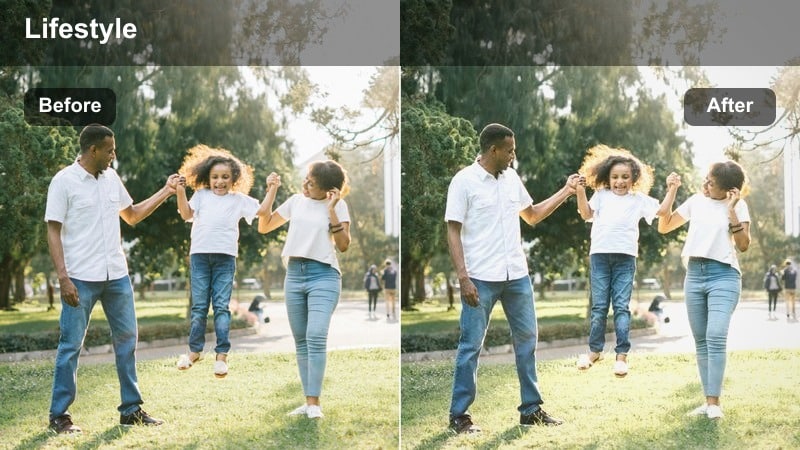
- Effect look: Desaturated grays and soft neutrals that calm down busy street colors on cloudy days.
- Best for: Casual walking lifestyle clips in overcast downtown streets, alleys, and crosswalks with mixed signage.
- Editing tip: Use this filter on B-roll of shoes, crosswalks, and building details, then mix with a warmer style for talking segments.
Muted City Neutrals is ideal for cloudy days when colorful signs and cars can feel visually noisy. In Filmora, apply this LUT to overcast walking clips to gently pull saturation down and lean into a gray, minimalist palette that makes your pacing and framing stand out more than bright colors.
You can use it as your main grade for B roll of steps, crosswalk stripes, and facades, then cut to a warmer LUT on talking head segments for contrast in mood. To avoid a lifeless image, increase midtone contrast slightly and add subtle film grain from Filmora s effects so your neutral city walks still feel textured and cinematic.
Soft Rainy Pavement
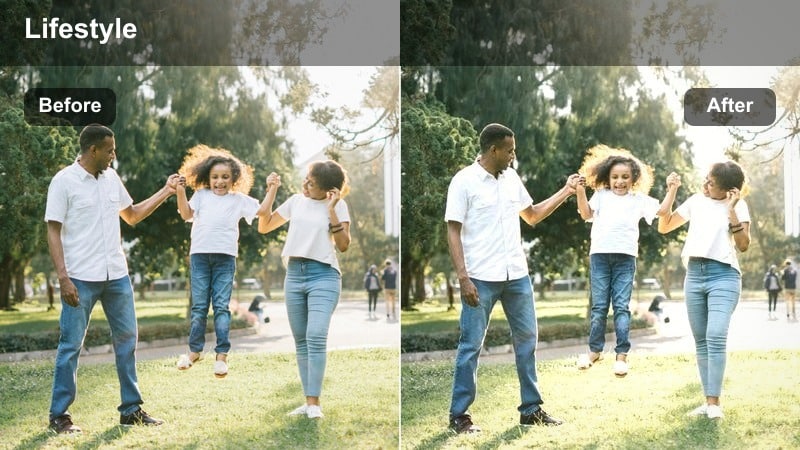
- Effect look: Cool, soft contrast with gentle blues that bring out details in wet streets and sidewalks.
- Best for: Casual walks shot after rain around crosswalks, wet pavement, and reflective street corners.
- Editing tip: Slow down your footage slightly and add subtle ambient street sounds to emphasize the calm rainy vibe.
Soft Rainy Pavement adds a calm, bluish cast and soft contrast that enhances reflections on wet roads and sidewalks. In Filmora, it works beautifully right after a shower when puddles and glossy asphalt mirror traffic lights, giving your walking vlog a moody, reflective energy.
Apply the LUT, then slightly reduce playback speed on select clips to emphasize ripples and reflections in the ground. Layer in ambient rain and city audio in the timeline, and, if needed, fine-tune saturation so blues feel intentional but not overly stylized, keeping your skin tones natural under cloudy light.
Foggy Block Wander
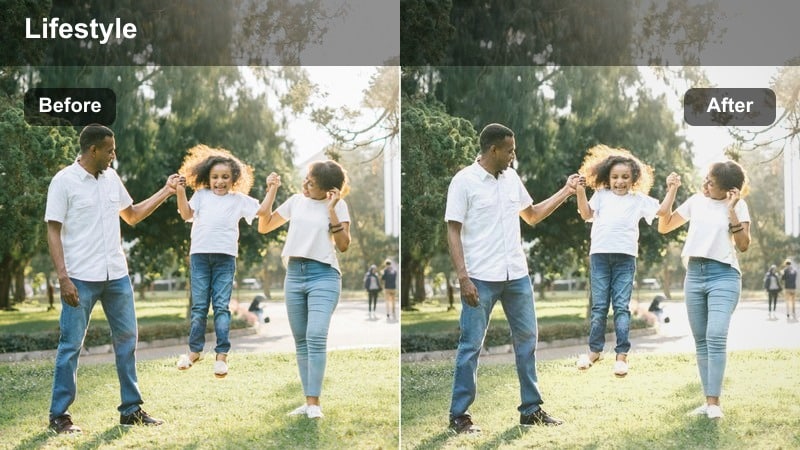
- Effect look: Soft, low-contrast city look with lifted blacks and a quiet, foggy ambiance.
- Best for: Early morning or misty neighborhood walks where buildings fade slightly into the background.
- Editing tip: Lift shadows carefully and keep sharpness low so the foggy mood stays gentle and cinematic.
Foggy Block Wander is designed for misty mornings and low-visibility walks, lifting blacks and softening contrast so distant buildings melt gently into the haze. In Filmora, one click with this LUT gives your clips a contemplative tone, perfect for voiceovers about routines, reflections, or new beginnings.
To keep the mood, avoid heavy sharpening and only lift shadows enough that details in your outfit and face remain clear. Combine longer, steady walking takes with minimal transitions, and if needed, slightly reduce clarity or texture sliders so the foggy ambiance stays soft and cinematic rather than crisp and documentary-like.
Night Street Vibes
Neon Corner Walk
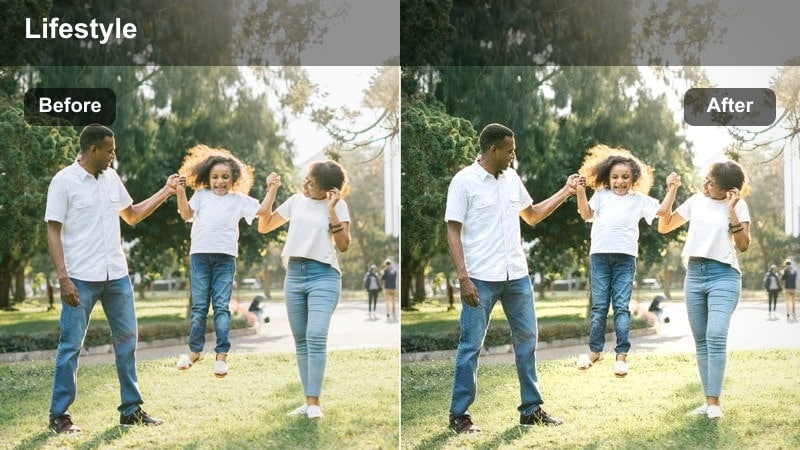
- Effect look: Deep contrast with rich blues and magentas that make neon lights pop in nighttime walks.
- Best for: Nighttime city strolls past neon signs, convenience stores, and glowing intersections.
- Editing tip: Reduce noise with Filmora s denoise tools and keep ISO low in-camera to protect dark areas before applying this intense look.
Neon Corner Walk pushes blues and magentas for a bold, stylized night-city aesthetic that turns simple walk-and-talk shots into music video inspired moments. In Filmora, apply this LUT to clips with visible neon, LED storefronts, or billboards so those light sources explode with color while deep shadows stay dramatic.
Before grading, use Filmora s noise reduction on high-ISO footage to clean up grain, then add the LUT and adjust exposure so you do not crush important detail in dark clothing or hair. If skin tones lean too purple, refine them with Filmora s color tools by selectively warming midtones, keeping your face natural while the environment remains neon-drenched.
Warm Lamp Trail
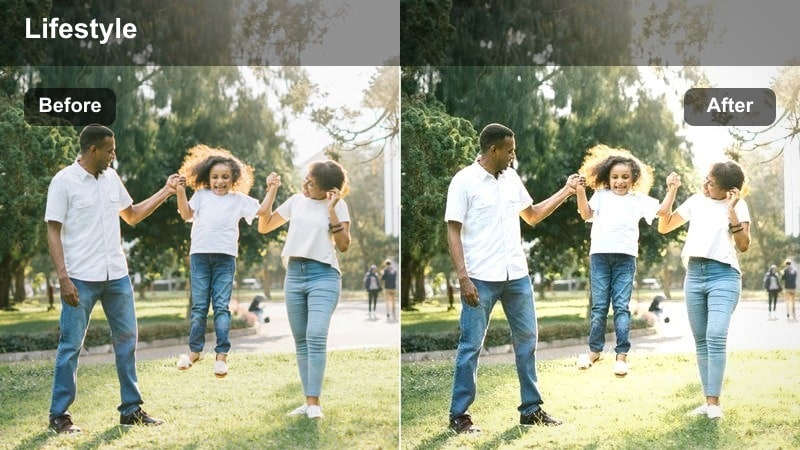
- Effect look: Cozy amber streetlights with softened shadows that keep faces visible in dim areas.
- Best for: Casual night walks under city lamp posts, quiet residential blocks, and side streets with warm lighting.
- Editing tip: Raise shadows only slightly and keep saturation balanced so streetlight areas do not turn overly orange.
Warm Lamp Trail leans into the cozy glow of sodium-vapor and warm LED streetlights, ideal for quiet nighttime strolls through residential blocks or side streets. In Filmora, adding this LUT brightens faces just enough to stay recognizable while preserving the intimate darkness around you.
After applying it, gently lift shadows but avoid overexposing pools of light beneath each lamp post. If the scene tips too orange, bring down saturation in warm hues and cool the overall white balance slightly, using Filmora s color correction panel to maintain a flattering, natural skin tone that still feels bathed in streetlight.
City Night Casual
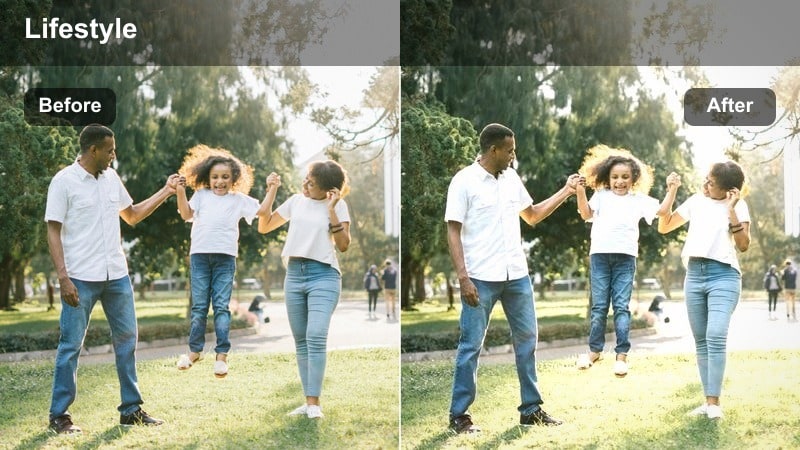
- Effect look: Balanced cool-warm mix that keeps skin tones natural while emphasizing city lights and signage.
- Best for: Handheld lifestyle vlogs walking through busy downtown streets with mixed lighting temperatures.
- Editing tip: Apply light stabilization and crop in a bit so handheld walking shots feel intentional and cinematic.
City Night Casual is a flexible LUT that balances warm and cool light sources so your skin stays neutral while shop signs, car lights, and windows still pop. In Filmora, it is a strong choice for mixed lighting environments like busy downtown cores where you move quickly between cool LED and warm tungsten fixtures.
Once applied, lightly stabilize and crop your handheld shots so the motion feels purposeful rather than shaky. Adjust white balance to a neutral starting point first, then let the LUT even out remaining color differences, giving all your nighttime walking clips a cohesive, polished vibe that still looks true to life.
Weekday Errands and Park Walks
Everyday City Soft
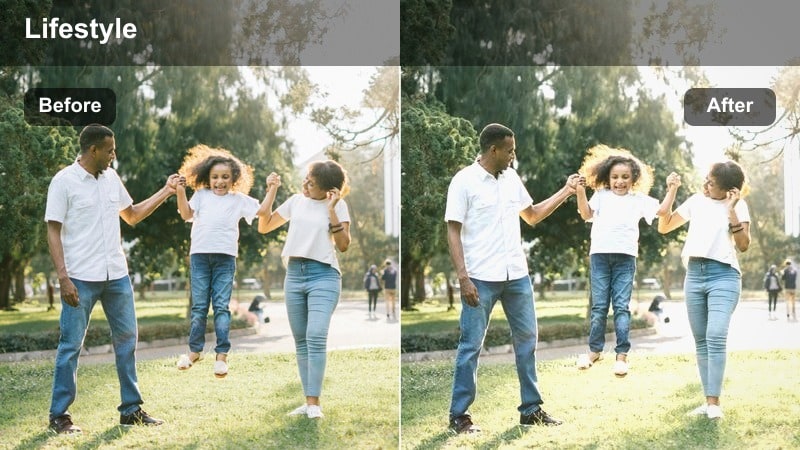
- Effect look: Gentle contrast with clean whites and natural skin tones for laid-back daytime errands.
- Best for: Casual walking lifestyle vlogs around grocery runs, subway entrances, and corner shops in daylight.
- Editing tip: Keep transitions simple and let longer walking shots carry the story while this filter maintains a tidy, modern look.
Everyday City Soft is built for simple daylight errands, adding just enough contrast and clarity to feel polished while keeping whites clean and skin tones true. In Filmora, using this LUT as your base grade across a whole vlog can unify shots from different streets, shops, and transport stops into one consistent visual style.
After applying it, slightly reduce overall saturation if you want a modern, lifestyle aesthetic that feels subtle rather than obviously filtered. Rely on longer, continuous walking clips with minimal transition effects, letting the LUT quietly tidy your footage so viewers focus on your routine and storytelling.
City Park Breeze
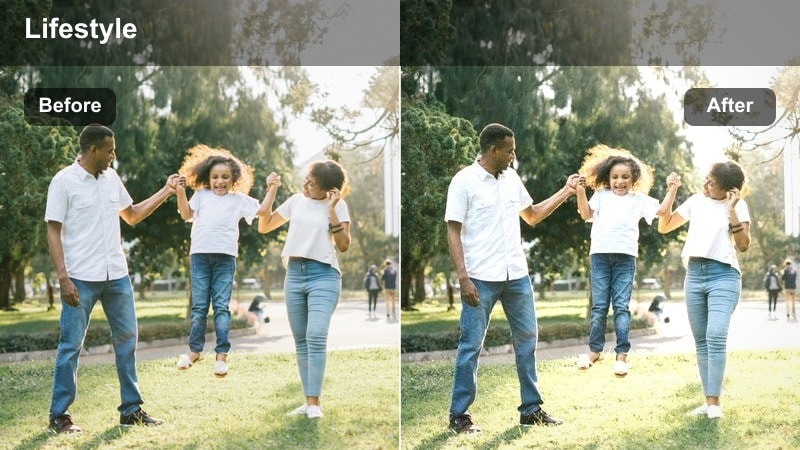
- Effect look: Soft, slightly cool highlights that balance greenery with concrete paths and park benches.
- Best for: Walking shots through city parks, riverside paths, and green spaces that still sit inside an urban environment.
- Editing tip: Lower greens saturation a touch and lift luminance in midtones so your subject stands out from the park background.
City Park Breeze introduces a light, airy tone with gently cool highlights that balance trees, grass, and urban structures in the same frame. In Filmora, it works well for walks through parks that still show city skylines or bridges in the distance, keeping the scene fresh without oversaturating greens.
To keep your subject from blending into the background, slightly lower green saturation and raise midtone luminance in the color panel. Combine this LUT with slow pans and reveals as you walk, showcasing both paths and skyline so your urban nature walks feel cohesive from clip to clip.
Coffee Run Street
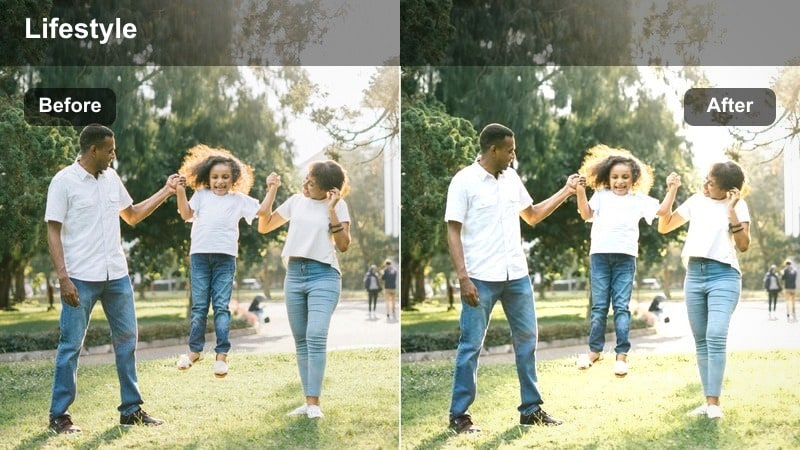
- Effect look: Warm midtones with a hint of filmic grain that makes simple coffee runs feel like lifestyle montages.
- Best for: Short walking clips from home to a cafe, sidewalk chats, and street corners near local coffee shops.
- Editing tip: Layer quick cuts of steps, hands, and street signs with this filter to build a snappy, aesthetic routine sequence.
Coffee Run Street wraps your casual cafe walks in warm, film-inspired midtones with a subtle grainy character. In Filmora, it is perfect for creating short montages of steps, doorways, street corners, and latte closeups that feel like a cohesive morning ritual.
Apply the LUT, then cut between wide shots, mid-shots, and close B roll, using quick edits and simple audio transitions to keep the sequence energetic but relaxed. If the warmth becomes too strong, cool the white balance slightly or reduce saturation in yellows and oranges, preserving the cozy vibe without overpowering the environment or your skin tone.
Tips for Using Casual Walking Lifestyle Video Lut Filters in Filmora
- Shoot a short white-balance reference clip at the start of each walk so your filters stay consistent from street to street.
- Keep your shutter speed and frame rate stable across sessions to prevent motion from looking different when filters are applied.
- Record a mix of wide angles, mid-shots, and detail B roll while walking so the same filter can tie the whole sequence together.
- If a filter pushes colors too far, first adjust exposure and white balance in Filmora before changing the LUT intensity or switching looks.
- Group similar lighting conditions on the same timeline track and apply one base LUT, then make small per-clip tweaks instead of changing styles constantly.
- Use Filmora s scopes and color tools to watch highlights and shadows while grading, preventing clipped skies and crushed blacks in your walking vlogs.
- Save tweaked LUT settings as custom presets so future city walks can be graded in a few clicks with a consistent, on-brand style.
With the right casual walking lifestyle filters, even simple city strolls and everyday errands can feel cinematic and on-brand in your vlogs.
Experiment with a few go-to looks, save them as presets in Filmora, and you will grade future walking videos in a fraction of the time while keeping a recognizable style.
secure downloadNext: Home Office Desk Vlog Filter Ideas for Productive Aesthetic Videos
