

 100% Security Verified | No Subscription Required | No Malware


 ChatGPT
 Perplexity
 Gemini
 Claude
 Grok
Grok
This collection of home office desk vlog filters is designed for content creators who film at their workspace and want a consistent, polished look with minimal tweaking.
From cozy warm tones to crisp productivity vibes, these filters help you turn everyday desk footage into a clean, cinematic vlog that fits your personal brand.
In this article
Soft Morning Desk Routine Vibes
Sunrise Soft Glow
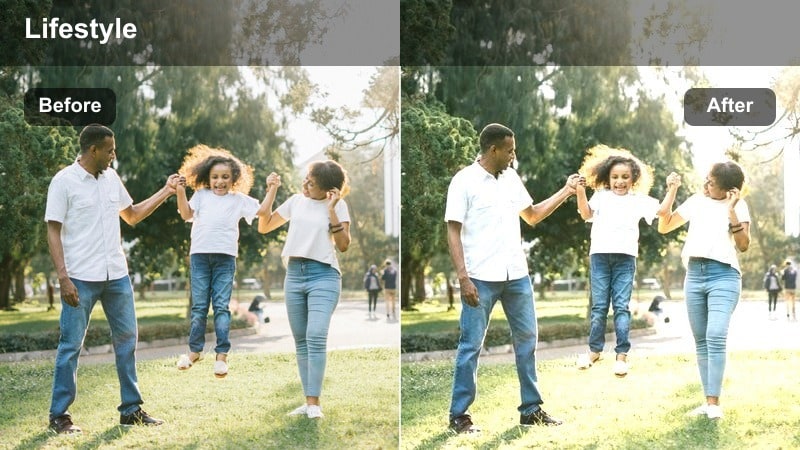
- Effect look: Gentle warm highlights with softened contrast for early-morning desk vlogs.
- Best for: Talking-head segments filmed beside a window during morning light.
- Editing tip: Lower contrast slightly if your window light is harsh to keep skin tones flattering.
Sunrise Soft Glow is ideal when you want those first hours at your home office desk to feel welcoming and calm on camera. The filter adds a subtle warmth to highlights and reduces heavy contrast, helping window light wrap around your face more softly while keeping your desk and gear readable.
In Filmora, apply this filter to clips where you are facing or angled toward a window, then fine-tune contrast and exposure in the Color panel to avoid blown-out backgrounds. Combine it with a slight vignette and minimal sharpening so your face and keyboard remain the focus while the rest of your workspace gently fades into the background.
Match Your Home Office Aesthetic with AI-Powered Color Tools
Filmora AI color tools help you quickly fix mixed lighting from windows, desk lamps, and monitor glow before you apply any home office desk vlog filter. Auto exposure and white balance give you a clean base so the Sunrise Soft Glow and similar presets stay consistent from clip to clip.
Once your base is balanced, layer your preferred desk filter on top and save the result as a reusable look. This workflow lets you keep a signature morning aesthetic without manually grading every talking-head angle or B-roll shot.
 secure download

Preview Desk Vlog Filters in Real Time
The filter preview panel in Filmora lets you hover over each effect and instantly see how it changes your home office desk footage. This makes it easy to compare soft morning looks, neutral productivity tones, and cozy evening vibes on the same clip before you commit.
By testing on one short sample of your desk setup, you can quickly decide on a unified look for an entire vlog episode. Once you pick a favorite preset, apply it across A-roll and B-roll so every cut feels visually connected.
secure downloadSave Your Desk Vlog Look as a Custom Preset
After you tweak a Filmora filter to match your specific desk setup, you can save those color and contrast settings as a reusable preset. This keeps your home office desk vlog filter style consistent from video to video, even as you change camera angles or props.
Simply adjust exposure, white balance, and HSL to protect skin tones and brand colors, then save everything as a custom preset. Next time you edit, apply it to your entire timeline and only fine-tune clips that need minor corrections.
secure downloadCoffee Warm Desk
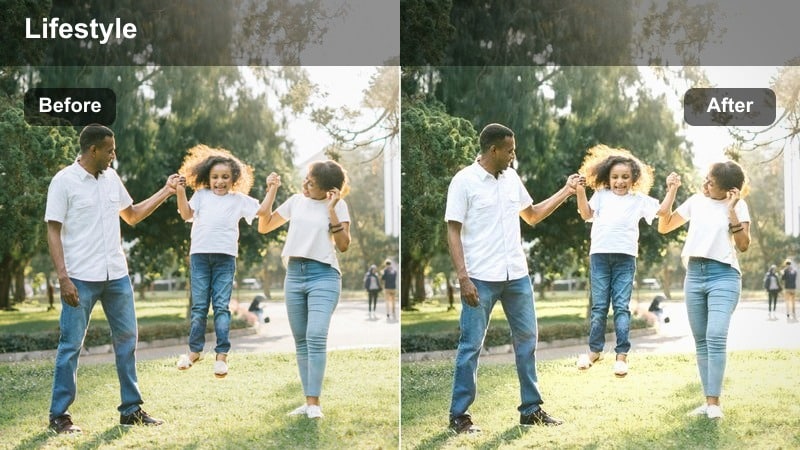
- Effect look: Cozy amber warmth with lifted shadows and a subtle matte finish.
- Best for: Slow-paced desk b-roll of typing, journaling, or planning with a relaxed vibe.
- Editing tip: Reduce saturation on strong colored objects so the warm tone feels cinematic, not orange.
Coffee Warm Desk wraps your home office in a soft amber hue that feels like a coffee shop at home. It lifts shadows to reveal detail in your keyboard, notebook, and hands while a gentle matte finish softens the overall contrast so the scene feels relaxed and inviting.
In Filmora, pair this filter with close-up b-roll of typing, mouse movements, and journal pages. Use the HSL controls to pull back saturation on bright reds, blues, or neons so the warmth reads as cinematic rather than overly orange, and consider adding a slight blur or reduced sharpness for ultra-soft desk footage.
Fresh White Morning
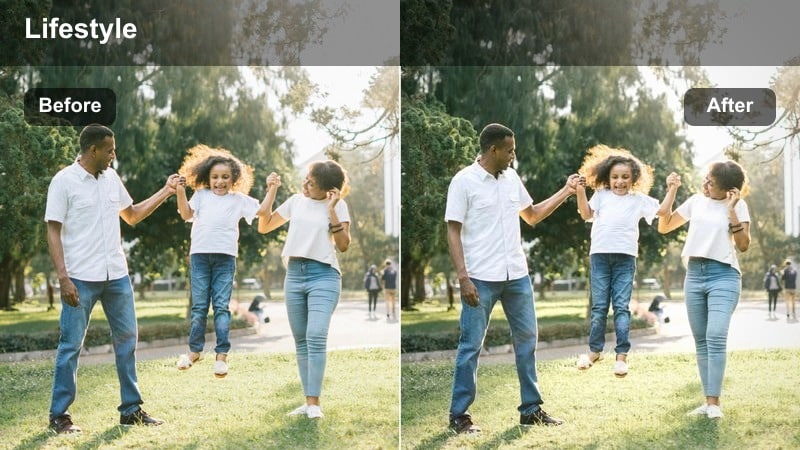
- Effect look: Clean, bright whites with cool-neutral tones and crisp micro-contrast.
- Best for: Minimal desk setups with white or light-colored furniture shot in natural daylight.
- Editing tip: Use Filmora’s highlight control to avoid blowing out notebook pages and monitor screens.
Fresh White Morning is tailored for creators with bright, minimal office setups who want everything to look airy but still detailed. The filter brightens whites and slightly cools the palette while increasing micro-contrast, making edges around your laptop, notepads, and accessories appear crisp and intentional.
Inside Filmora, apply this look to wide shots of your desk and to A-roll where your background is mostly white or light-toned. Pull highlights down a touch to preserve detail on your monitor and paper, and if the frame starts to feel too clinical, introduce a hint of Filmora grain or warm midtones to keep it friendly on larger screens.
Crisp Focus and Productivity Desk Scenes
Deep Focus Neutral
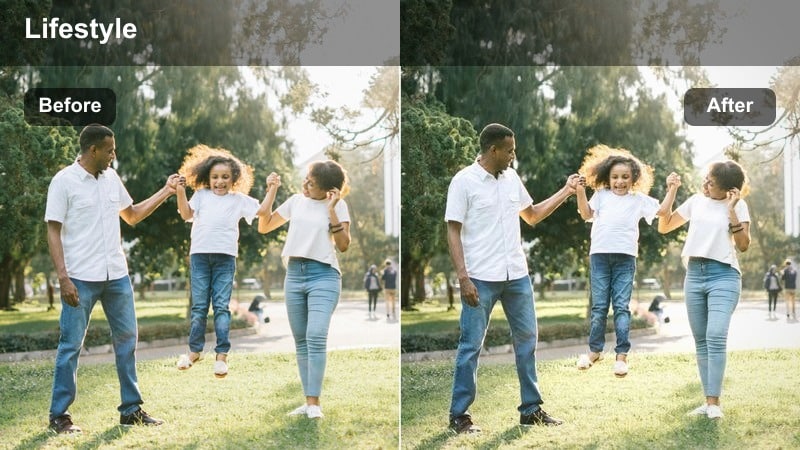
- Effect look: Neutral color balance with boosted clarity and subtle contrast for a productive mood.
- Best for: Overhead desk shots of keyboards, notebooks, and productivity tools.
- Editing tip: Dial down sharpness if your camera is already sharp to avoid making text and lines look too harsh.
Deep Focus Neutral gives your workspace a clear, accurate look that feels like product photography without heavy stylization. Colors stay true to life while clarity and contrast get a modest boost, making written notes, keyboard legends, and planner layouts easy to read on any device.
Use this filter in Filmora for top-down and close-up desk shots that emphasize productivity, such as writing, highlighting, or organizing tools. If your source footage is already very sharp, reduce additional sharpening at the clip level so fine lines and printed text remain comfortable for viewers to look at over longer sequences.
Productivity Cool Tone
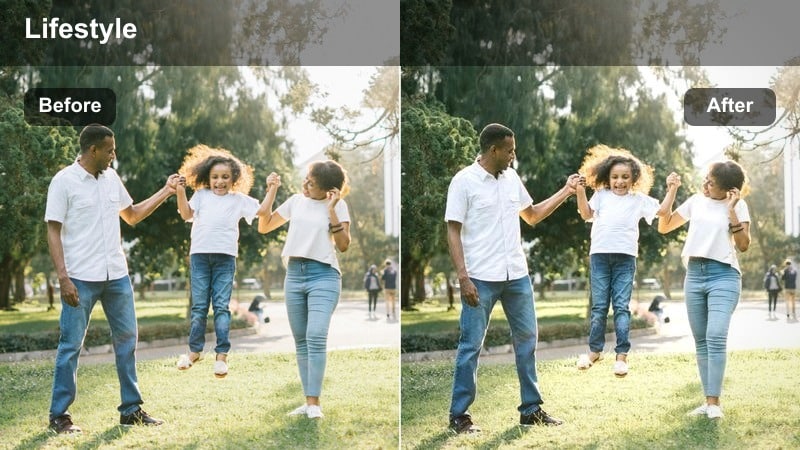
- Effect look: Cool, slightly desaturated tones for a techy, focused work environment.
- Best for: Desk vlogs featuring monitors, coding, editing timelines, or spreadsheets.
- Editing tip: Protect your screen details by slightly lowering highlights after applying the filter.
Productivity Cool Tone leans into a modern, tech-driven look with cooler shadows and slightly muted saturation. This helps RGB peripherals, blue light from monitors, and gray desk accessories feel cohesive, while your skin tones remain close to natural for on-camera segments.
In Filmora, apply this filter to coding sessions, editing timelines, or any footage that shows a lot of screen real estate. After adding the preset, gently bring highlights down to keep UI elements and white spreadsheet cells from clipping, and if your face looks too cold, warm the midtones a touch while leaving shadows cool for a balanced, cinematic desk aesthetic.
Minimal Productive Day
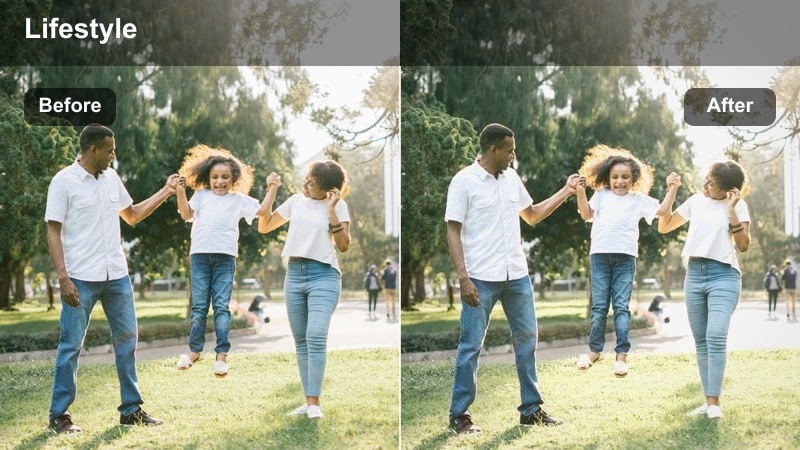
- Effect look: Low-saturation, soft contrast with a clean professional finish.
- Best for: Time-lapse sequences of your workday from a fixed camera angle.
- Editing tip: Add a subtle vignette around the desk area to keep the viewer focused through long sequences.
Minimal Productive Day dials back saturation and contrast to reduce visual clutter during long workday montages. The result is a calm, professional tone that keeps your movements and desk layout readable without overwhelming viewers with color.
When editing in Filmora, use this filter on time-lapse or high-speed clips that show you working at your desk over several hours. Add a light vignette or use the Focus area tools to emphasize the desk center, and consider pairing the look with gentle background music so your minimal visual style supports the overall mood of deep, sustained productivity.
Warm Evening and Cozy Desk Work Sessions
Golden Lamp Glow
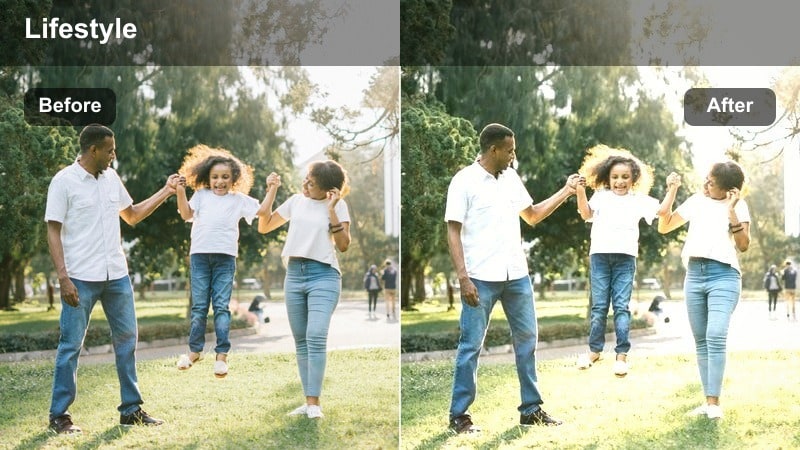
- Effect look: Rich golden highlights with soft shadows, ideal for lamp-lit scenes.
- Best for: Nighttime desk vlogs lit by a single desk lamp or warm practical lights.
- Editing tip: Reduce orange saturation in HSL if your bulb is very warm to keep skin tones natural.
Golden Lamp Glow turns simple lamp-lit shots into cinematic evening moments by emphasizing warm highlights and smoothing out harsh shadows. It is especially effective when your primary light sources are desk lamps, warm LEDs, or string lights around your workspace.
Inside Filmora, apply this filter to A-roll where you are speaking directly to camera and to close-up b-roll of your notebook or keyboard under the same lighting. If your bulbs are extremely warm, use the HSL controls to slightly reduce orange and yellow saturation so skin tones remain flattering while the room still feels cozy and golden.
Late Night Editor
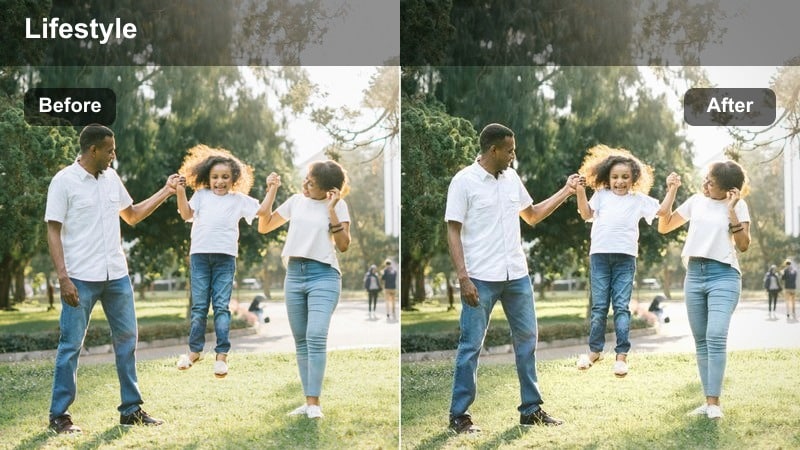
- Effect look: Moody, slightly contrasty tones that keep monitors and LEDs punchy.
- Best for: Editing sessions where your monitor and RGB lights are the main sources of light.
- Editing tip: Use Filmora’s color wheels to keep shadows a bit cooler while leaving midtones neutral for your face.
Late Night Editor is built for dark, moody work sessions where your screens and RGB lights do most of the illuminating. The filter increases contrast just enough to make neon accents and UI elements pop while preserving detail in darker corners of your home office.
In Filmora, apply this look to clips recorded at higher ISO and reduce exposure slightly before or after adding the filter to protect bright highlights. Use color wheels to cool down shadows and maintain neutral or slightly warm midtones on your face, and consider light noise reduction on noisy clips to keep the final grade clean and cinematic.
Cozy Planner Night
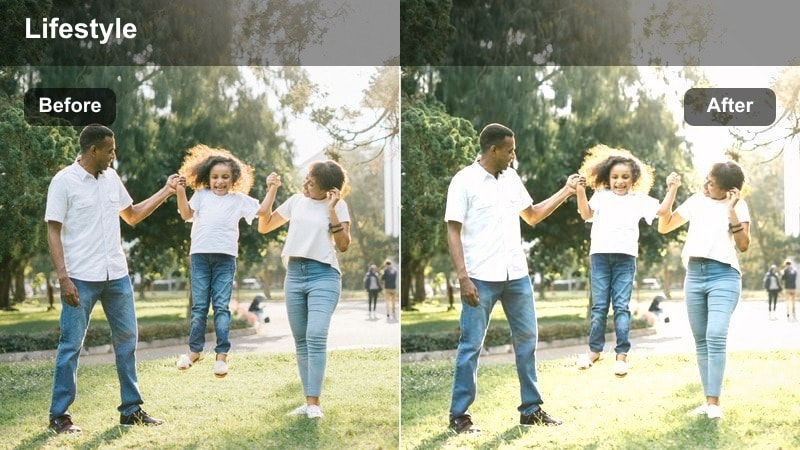
- Effect look: Soft, low-contrast warmth with a subtle matte shadow roll-off.
- Best for: Journaling, planning, or study vlogs at your home office desk in the evening.
- Editing tip: Lighten shadows a bit more if your camera sensor struggles in low light to avoid muddy blacks.
Cozy Planner Night brings a gentle, storybook feel to your evening journaling or planning sessions. The filter softens contrast and warms the frame, allowing your hands, pen, and notebook pages to stand out softly against a darker background without harsh edges.
Use it in Filmora on medium and close-up shots of writing, flipping pages, or arranging stationery on your desk. If your camera introduces noise in low light, raise shadow brightness slightly and avoid heavy sharpening; this preserves the matte, cozy effect while making sure your writing and planner details remain visible and pleasant to watch.
Aesthetic Workspace Tours and Desk Setup Shots
Clean Workspace Tour
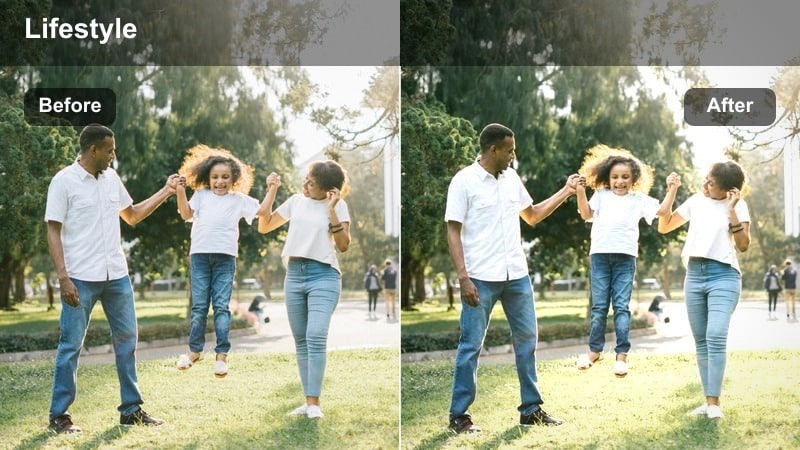
- Effect look: Bright, slightly cool-neutral grading with crisp edges and clear details.
- Best for: Full desk setup tours where you walk viewers through your home office layout.
- Editing tip: Stabilize handheld clips in Filmora before applying the filter so the crisp look does not amplify shake.
Clean Workspace Tour is designed to showcase every detail of your home office setup with a bright, modern sheen. The filter adds a gentle cool-neutral tone and extra clarity so monitors, shelves, cable management, and decor all look intentional and easy to see.
In Filmora, run stabilization on any handheld clips first, then apply this filter to wide shots, walking tours, and reveal sequences. Adjust exposure to keep windows and light panels from blowing out, and consider a slight saturation boost on your brand colors so they stand out cleanly against the otherwise neutral room.
Minimal Brand Desk
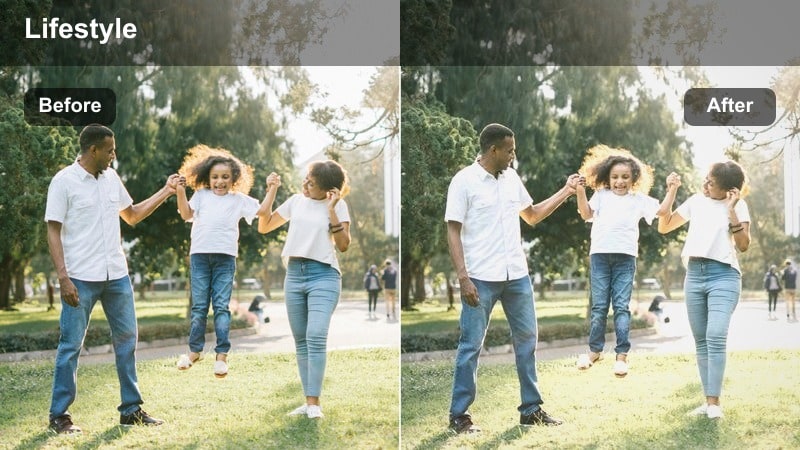
- Effect look: Softly muted colors, gentle highlights, and a slightly matte finish for modern branding.
- Best for: Desk vlogs aimed at personal branding, thumbnails, and creator business content.
- Editing tip: Keep your brand colors slightly more saturated using Filmora’s HSL panel while leaving the rest muted.
Minimal Brand Desk gives your background a subtle, desaturated polish that works perfectly for YouTube banners, thumbnails, and talking-head content. The matte finish softens harsh reflections while keeping shapes of your monitor, mic, and decor clearly defined behind you.
Within Filmora, apply this look to your main A-roll angle and then selectively boost saturation on your brand colors in the HSL panel. This lets your logo, channel colors, or key props stand out while the rest of your workspace remains understated, making your videos and thumbnails feel cohesive across your entire content library.
Cinematic Workspace Pan
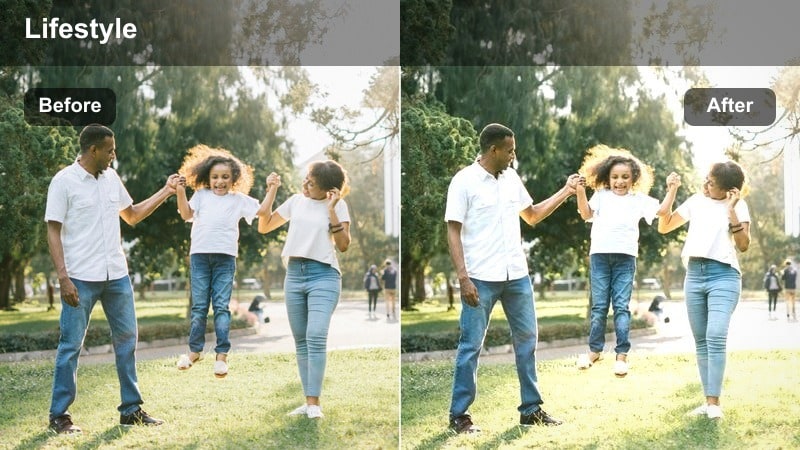
- Effect look: Soft cinematic contrast with slightly warm highlights and rich midtones.
- Best for: Slow panning shots across your home office desk and shelves for b-roll intros.
- Editing tip: Use Filmora speed ramping to smooth your pans and match the cinematic feel of the filter.
Cinematic Workspace Pan is built to turn simple sideways or reveal movements into polished b-roll intros. With rich midtones, softened contrast, and a hint of warmth in the highlights, this filter emphasizes the depth and layering of your desk, chair, and shelves as the camera glides past.
In Filmora, apply this filter to slow pans or slider shots of your workspace, then use speed ramping and motion blur where needed to create a smooth, intentional movement. Match the timing of your pans to background music beats and keep color grading consistent with your A-roll so your cinematic desk reveals feel like a natural extension of the rest of your vlog.
Tips for Using Home Office Desk Vlog Filter Filters in Filmora
- Keep your desk lighting consistent across filming days so your favorite home office desk vlog filter always behaves the same on skin tones and surfaces.
- Shoot slightly flatter in-camera by lowering contrast and saturation, then rely on Filmora filters and presets to build the final look.
- Turn off mixed overhead lights and stick to one dominant light source to avoid strange color casts that are hard to correct in post.
- Record a short test clip whenever you move your camera or change angles, then lock in a filter choice before shooting the full vlog sequence.
- Use the same or closely related filters on both A-roll and B-roll desk shots so the entire video feels cohesive and on-brand.
- Avoid overly bright desktop wallpapers and white web pages that can blow out when filters increase overall highlight intensity.
- If you wear bright or patterned clothing, choose more neutral filters so your outfit does not clash with your workspace colors.
- Batch-apply one base filter to a group of clips in Filmora, then tweak exposure and white balance per clip for a fast yet polished workflow.
With the right home office desk vlog filter, even simple workspace footage can feel intentional, on-brand, and ready for upload with minimal tweaking.
Test a few of these presets in Filmora, save your favorite combination as a custom look, and build a repeatable desk vlog style that your audience instantly recognizes.
secure downloadNext: Explore Minimal Room Lifestyle LUTs for Your Next Video
