

 100% Security Verified | No Subscription Required | No Malware


 ChatGPT
 Perplexity
 Gemini
 Claude
 Grok
Grok
Cinematic lifestyle video filters can turn simple daily moments into scenes that feel straight out of a movie. With the right Filmora presets, you can give lifestyle vlogs, daily life content, and personal brand videos a polished Hollywood-style finish in just a few clicks.
Below is a curated set of cinematic lifestyle video filters designed to match different moods, lighting conditions, and storytelling styles. Use them as a starting point to build your own signature aesthetic while keeping editing fast and consistent.
In this article
Warm Storytelling Cinematic Vibes
Golden Hour Glow
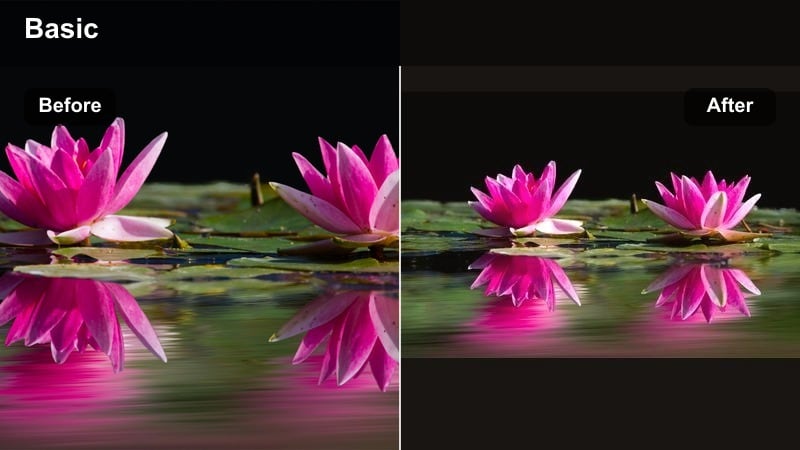
- Effect look: Soft, warm, and slightly hazy cinematic glow that mimics sunset light.
- Best for: Lifestyle vlogs filmed outdoors, golden hour walks, cozy park scenes, and casual date content.
- Editing tip: Lower the filter intensity to around 60-75 percent and slightly reduce highlights to avoid overexposed skies or skin.
Golden Hour Glow wraps your lifestyle footage in gentle amber tones, softening edges and adding a delicate haze that feels instantly cinematic. It is ideal when your vlog includes backlit walks, park hangs, or any scene where the sun is low and warm, but you want a more polished, film look than what comes straight from the camera.
In Filmora, apply Golden Hour Glow as your main grade on B-roll sequences, then fine-tune intensity so skin remains natural while the environment takes on that dreamy glow. Combine it with slight highlight reduction and a touch of vignette to draw attention to your subject, and use it consistently across similar outdoor clips so your entire lifestyle vlog keeps the same warm, storytelling atmosphere.
Match Filters to Your Lifestyle Aesthetic with AI
Filmora s AI features help you quickly match cinematic lifestyle filters to your existing footage and brand colors. Instead of guessing which preset will work, you can preview how Golden Hour Glow and similar filters will interact with your wardrobe tones, backgrounds, and lighting conditions.
Use AI-powered color tools to balance exposure, adjust color temperature, and refine skin tones before you apply a strong cinematic lifestyle video filter. With a clean base grade, filters like Golden Hour Glow feel intentional and polished rather than heavy or overdone.
 secure download

See Cinematic Lifestyle Filters in Action
Before you lock in Golden Hour Glow or any other cinematic look for an entire vlog, test it on short clips from different scenes. Film a quick mix of outdoor, indoor, and close-up lifestyle shots, then apply several presets in Filmora to see how each one reacts to your lighting and colors.
Filmora s real-time preview makes it easy to scroll through Hollywood-style filters, soft lifestyle grades, and cool minimal looks side by side. This way, you choose a filter that genuinely supports your narrative instead of just picking the one that looks best on a single thumbnail frame.
secure downloadCombine Filters and LUTs for a Signature Film Look
For even more control over your cinematic lifestyle aesthetic, combine Filmora s built-in filters with 3D LUTs. Let the filter handle overall mood and softness, then use a compatible cinematic LUT for lifestyle footage to refine skin tones, color separation, and contrast curves.
Once you discover a combo you love, save it as a custom preset so you can apply the same film look to daily vlogs, reels, and personal brand videos with one click. Over time, this workflow helps you build a recognizable, Hollywood-inspired lifestyle style without having to grade from scratch on every project.
secure downloadCoffee Shop Amber
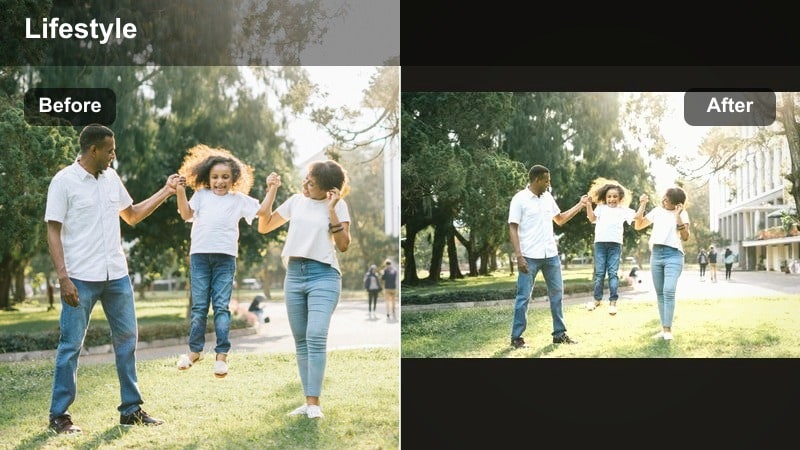
- Effect look: Rich amber and caramel tones with a slightly faded contrast for an intimate film look.
- Best for: Cafe scenes, desk setups, reading shots, and relaxed day-in-my-life lifestyle vlogs.
- Editing tip: Reduce contrast a touch and lift the shadows to keep detail in darker areas like corners, mugs, and laptop keyboards.
Coffee Shop Amber wraps your indoor lifestyle clips in cozy, caramel hues that feel like they belong in a curated film diary. It subtly fades contrast so shadows look softer and more inviting, making it perfect for cafes, work-from-home setups, and reading corners where you want to highlight mood over clinical sharpness.
Inside Filmora, use this filter on A-roll and B-roll within the same cafe or workspace sequence to unify your story. After applying it, gently raise shadows and reduce overall contrast as needed to retain detail in dark corners and table surfaces, then layer a light film grain effect to avoid an overly digital finish and make your slow, detailed B-roll shots feel more tactile and cinematic.
Sunny City Soft
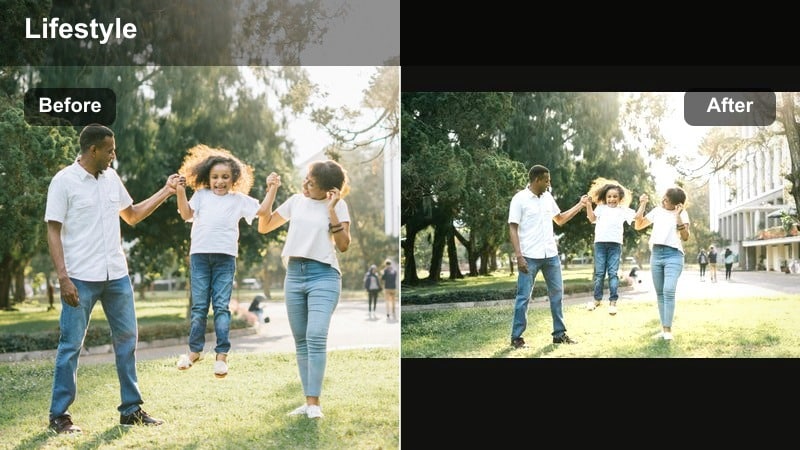
- Effect look: Bright, warm, and slightly desaturated tones with softened highlights for sunlit city days.
- Best for: Urban lifestyle vlogs, street walks, brunch content, and weekend exploration videos.
- Editing tip: Use the filter but pull back overall saturation if colorful signs or clothing start to dominate the frame.
Sunny City Soft is designed to tame harsh midday light while keeping your lifestyle footage bright and welcoming. It adds warmth, pulls back saturation just enough, and smooths out strong highlights so city pavements, walls, and skies feel flattering instead of blown out.
In Filmora, apply Sunny City Soft to your walking shots, storefront clips, and brunch B-roll to bring them into the same cinematic world. If bright signage or outfits feel too loud, reduce saturation slightly and consider using stabilization and light speed ramps to give your urban lifestyle sequences a smooth, filmic motion that matches the gentle softness of the grade.
Cool Minimal Aesthetic Lifestyle Filters
Clean Apartment Cool
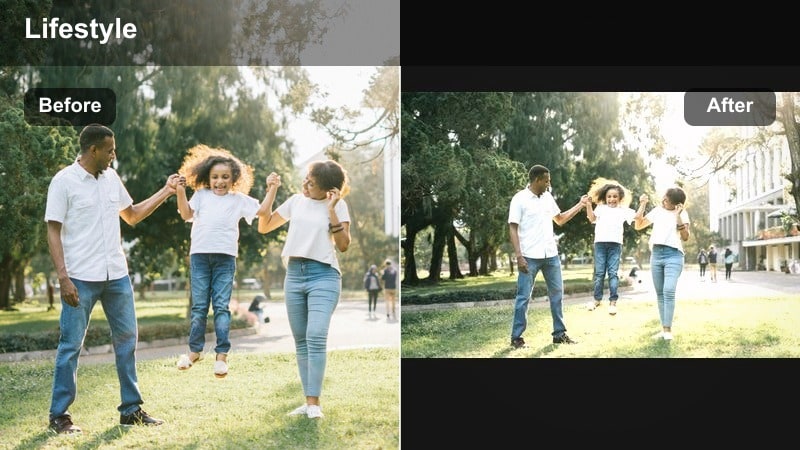
- Effect look: Cool-toned whites, gentle blues, and crisp contrast for a minimal studio-style look.
- Best for: Morning routines, home tour lifestyle videos, workspace setups, and organizing content.
- Editing tip: Use the filter, then nudge the temperature slightly warmer if your walls or bedsheets look too blue on camera.
Clean Apartment Cool gives your home and routine footage a fresh, editorial vibe by emphasizing cool whites and subtle blues. It is ideal when you want your bedroom, kitchen, or desk space to feel like a minimalist campaign photo brought to life, with tidy lines and a crisp atmosphere.
Within Filmora, apply this filter to shots of your bed-making routine, wardrobe organization, and workspace B-roll. If your camera leans too blue, slightly warm up the temperature after the filter is applied to bring skin and fabrics back to a natural tone, and add slow push-in keyframes on static shots so they feel like polished product and lifestyle commercial clips.
Urban Minimal Film
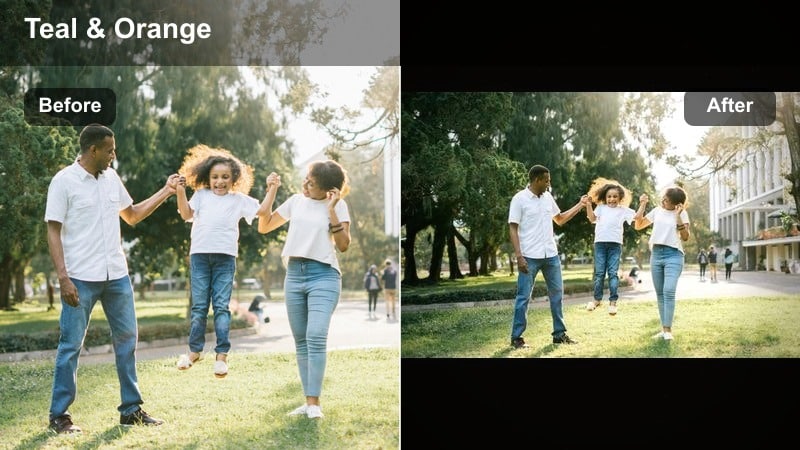
- Effect look: Soft fades in the blacks with muted colors and a subtle teal cast for an urban editorial vibe.
- Best for: Street fashion lifestyle content, solo city days, and personal brand B-roll in modern spaces.
- Editing tip: Dial back saturation in neon colors and push clarity slightly higher to keep texture in buildings and outfits.
Urban Minimal Film mutes strong colors and lifts deep blacks, creating a calm, editorial-grade city look with a gentle teal influence. It works well when your lifestyle video leans into architecture, outfits, and clean lines instead of bold, punchy tones.
In Filmora, use this filter for street fashion walks, coworking space shots, and brand-focused B-roll. After applying, lower saturation on intense neons and raise clarity just enough to keep building details and clothing textures defined, then sync your on-screen text and lower thirds to the same teal and muted palette for a cohesive, professional identity.
Monochrome Lifestyle Film
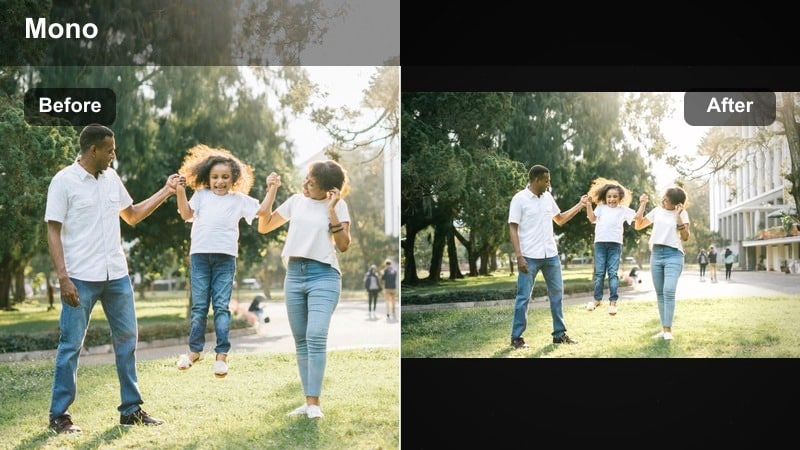
- Effect look: High-contrast black and white film look with subtle grain for a timeless lifestyle aesthetic.
- Best for: Reflective voiceovers, personal storytelling, behind-the-scenes lifestyle clips, and emotional B-roll.
- Editing tip: Lift shadows slightly to avoid crushed blacks, especially if filming indoors or at night.
Monochrome Lifestyle Film strips away color and focuses your viewer entirely on emotion, composition, and light. Its bold contrast and light grain make day-in-the-life vlogs feel like thoughtfully composed short films, especially when paired with heartfelt narration or introspective music.
In Filmora, apply this filter to moments where you are speaking directly to camera or sharing more vulnerable stories, then slightly raise the shadows to keep details in darker indoor or nighttime shots. Add gentle film burns or light-leak overlays to transitions for a vintage cinema flair that aligns with the monochrome aesthetic without distracting from your message.
Hollywood-Style Lifestyle Filters
Hollywood Soft Portrait
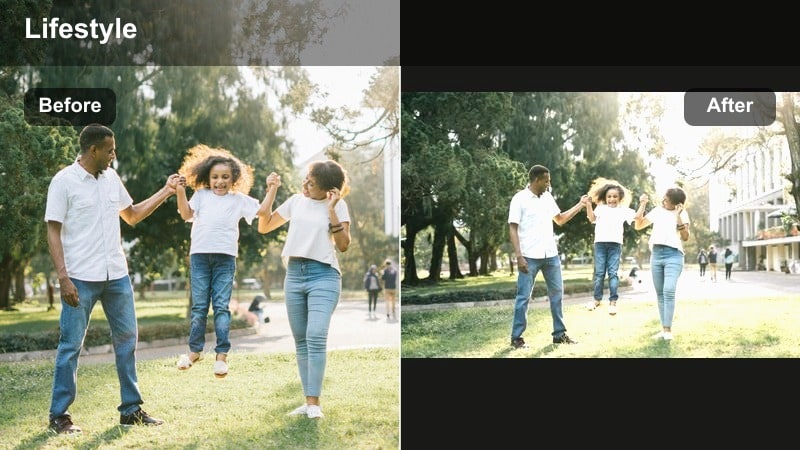
- Effect look: Creamy highlights, softened skin, and a gentle glow reminiscent of classic Hollywood close-ups.
- Best for: Talking-head lifestyle segments, personal brand introductions, and beauty-focused daily routines.
- Editing tip: Use Filmora s skin smoothing lightly so texture remains while the filter handles most of the glow.
Hollywood Soft Portrait brings a glamorous, big-screen feel to your close-up lifestyle clips by softening edges, blooming highlights, and flattering skin tones. It is especially effective for intros, beauty routines, and any segment where your face is the main focal point.
In Filmora, apply this filter to your A-roll talking segments first, then use minimal skin-smoothing so pores and texture still look real. Balance your exposure so your face sits slightly brighter than the background, and use a subtle vignette or blur behind you to keep attention centered while the Hollywood glow adds a polished, cinematic charm.
Cinema Travel Lifestyle
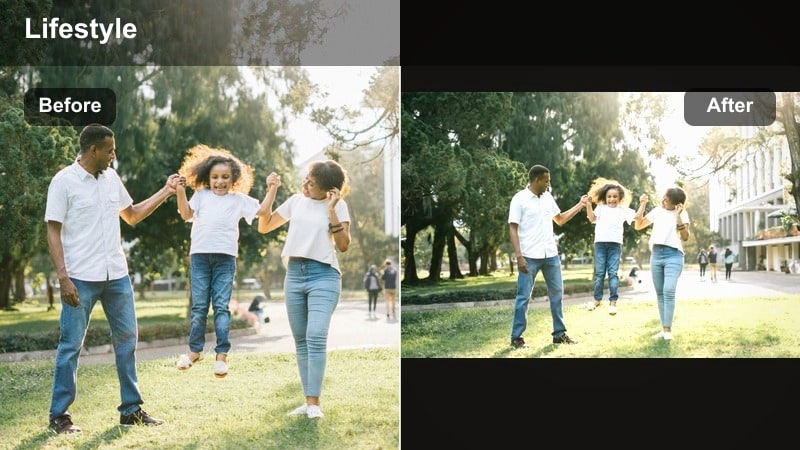
- Effect look: Rich contrast, deep shadows, and cinematic color separation between warm skin and cooler backgrounds.
- Best for: Travel lifestyle vlogs, city montages, scenic walks, and adventure-based personal brand videos.
- Editing tip: Slightly decrease the intensity of blues in the shadows to keep them from overtaking skin tones.
Cinema Travel Lifestyle is built for adventure footage, adding punchy contrast and a filmic color split that keeps skin warm while skies, water, and buildings lean cooler. The result feels like a travel sequence from a feature film rather than a casual vacation vlog.
Inside Filmora, apply this filter to your scenic B-roll, walking shots, and hero moments at viewpoints or landmarks. If blues in the shadows start to dominate, gently reduce their intensity in the color controls, and pair the grade with stabilized camera moves, slow motion, and cinematic cross-dissolves to build a cohesive Hollywood-inspired travel lifestyle narrative.
Night City Hollywood
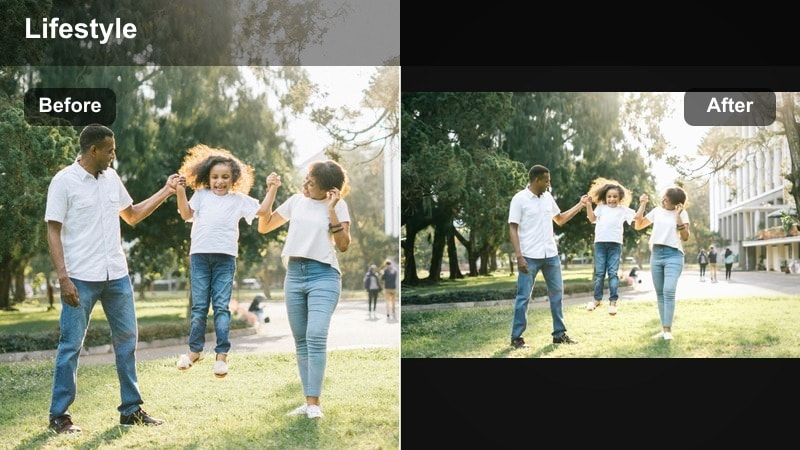
- Effect look: Moody cinematic contrast with deep blacks, glowing highlights, and emphasized neon colors.
- Best for: Night lifestyle vlogs, city lights walks, dinner dates, and after-hours reels.
- Editing tip: Reduce digital noise using Filmora s denoise tool before applying the filter so shadows stay clean.
Night City Hollywood transforms ordinary night walks and dinner dates into dramatic scenes filled with glowing signs and saturated reflections. It deepens blacks while making highlights from cars, storefronts, and streetlights bloom in a stylized, movie-like way.
In Filmora, run your clips through the denoise tool before applying this filter to keep low-light grain under control. Then, apply Night City Hollywood across all your nighttime shots, slightly underexpose bright areas if needed, and focus on slow, lingering frames of reflections, puddles, and neon-lit streets to fully showcase the cinematic separation between rich shadows and vibrant highlights.
Soft Dreamy Lifestyle Film Looks
Pastel Morning Routine
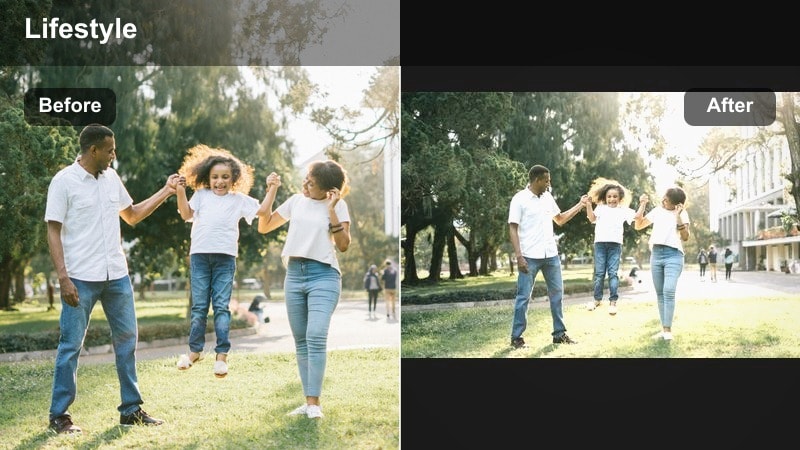
- Effect look: Soft pastel colors, lifted blacks, and gentle bloom for dreamy early-day sequences.
- Best for: Morning routines, self-care lifestyle videos, journaling, and wellness-focused content.
- Editing tip: Lower clarity slightly and add a faint blur vignette for an extra dreamy, slow-morning impression.
Pastel Morning Routine turns ordinary start-of-day clips into serene, dreamy visuals with lifted blacks and subtle highlight bloom. Colors soften into pastel shades, making coffee pours, skincare steps, and journaling shots feel calm and cinematic.
In Filmora, apply this filter to all your morning routine B-roll, then slightly reduce clarity and add a soft blur vignette around the frame for added coziness. Keep your cuts slower and pair the grade with gentle background music so your audience feels the relaxed, unhurried pace your visuals are communicating.
Bloomy Home Cinema
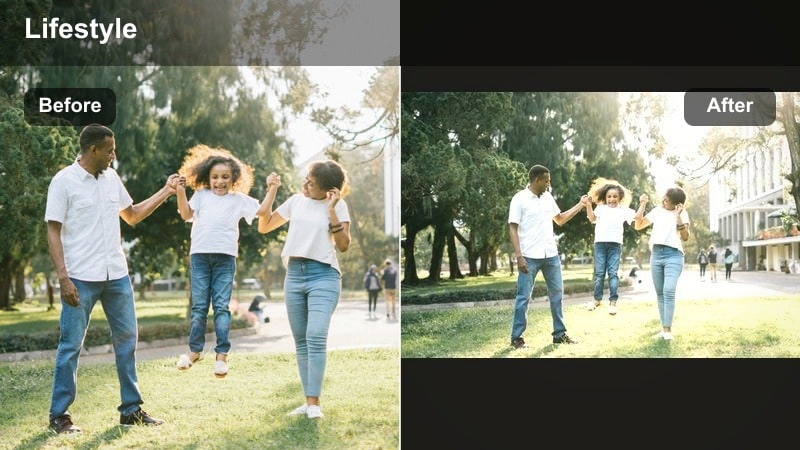
- Effect look: Subtle highlight bloom, warm mids, and a mild fade in shadows for a soft filmic home aesthetic.
- Best for: Day-in-the-life home vlogs, cooking content, and relaxed weekend lifestyle videos.
- Editing tip: Avoid pushing exposure too high before applying the filter; let the bloom effect brighten highlights naturally.
Bloomy Home Cinema is made for cozy home days, adding a gentle glow to windows, lamps, and reflective surfaces while slightly fading deep shadows. It creates an inviting, film-like feel that suits cooking sequences, couch moments, and slow weekend routines.
In Filmora, keep your base exposure moderate so the filter s bloom effect can naturally brighten highlights without clipping. Apply it consistently to your home B-roll, then layer soft crossfades between scenes and keep ambient sounds like chopping, footsteps, or pages turning under the music to reinforce the intimate, cinematic mood.
Dreamy Park Walk
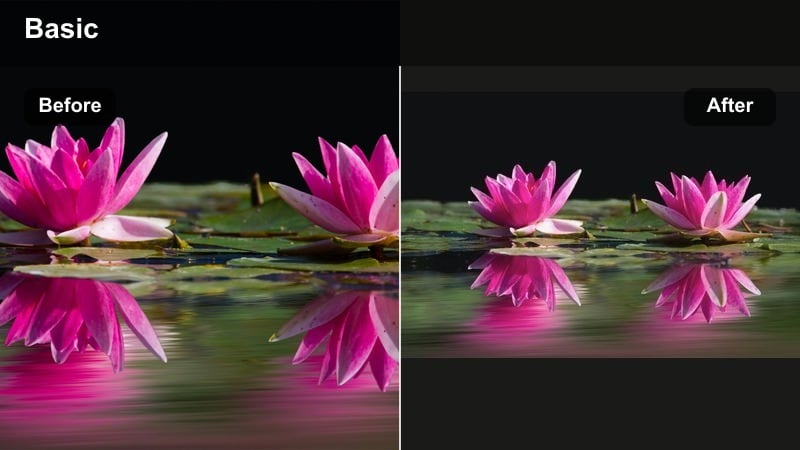
- Effect look: Soft greens, warm highlights, and low contrast for whimsical outdoor lifestyle moments.
- Best for: Park walks, picnics, nature-based lifestyle vlogs, and pet or partner B-roll shots.
- Editing tip: Reduce green saturation slightly and adjust hue towards yellow to avoid overly bright grass or trees.
Dreamy Park Walk softens greens and warms highlights so your outdoor lifestyle footage feels whimsical and airy. It is great for picnics, walking the dog, or spending time with friends in nature, where you want a gentle, storybook tone instead of high-contrast drama.
In Filmora, apply this filter to wide park shots and close details like flowers, hands, or picnic items to tie everything together. If the greens become too intense, slightly reduce their saturation and nudge them toward yellow for a more natural, pastel look, then experiment with slower playback speeds and gentle handheld movement to accentuate the relaxed, dreamy atmosphere.
Tips for Using Lifestyle Video Cinematic Filters in Filmora
- Film with consistent white balance so your cinematic lifestyle filters apply evenly across clips in the same vlog.
- Keep ISO as low as possible when shooting to avoid noisy shadows that can look harsher once filters and LUTs are applied.
- Choose one or two signature filters for your channel instead of changing looks every upload to build a recognizable personal brand.
- Adjust filter intensity first before fine-tuning individual color sliders so you preserve the original cinematic intent of the preset.
- Apply the same filter family to both A-roll and B-roll so your full lifestyle edit shares a cohesive mood.
- Export a short test sequence and watch it on your phone, tablet, and laptop to make sure the film look holds up across devices.
- Pair cinematic lifestyle filters with smooth transitions and music that matches the mood of your grade for a unified feel.
- Avoid stacking too many strong filters or LUTs; start with subtle adjustments and increase strength only where the story needs more impact.
Cinematic lifestyle video filters can completely transform everyday routines, city walks, and personal brand content into stylized film moments. By choosing filters that match your lighting, mood, and story, you keep your edits intentional instead of random.
Start with one or two favorite looks from this collection, tweak intensity, and save your own presets in Filmora. Over time, you will build a consistent, cinematic lifestyle aesthetic that feels both professional and authentically you.
secure download