

 100% Security Verified | No Subscription Required | No Malware


 ChatGPT
 Perplexity
 Gemini
 Claude
 Grok
Grok
Daily vlogs move fast, and your audience decides in seconds whether to keep watching. Dialed-in daily vlog filters for YouTube help you color grade quickly, keep a consistent channel look, and turn everyday footage into something people want to binge.
Below are 12 Filmora-ready filter styles designed for YouTube vloggers and content creators who post frequent uploads. Use them as your go-to YouTube daily filter set for sit-down chats, street b-roll, cozy home routines, and everything in between.
In this article
Filters for Morning Routines and Everyday Life
Soft Morning Glow
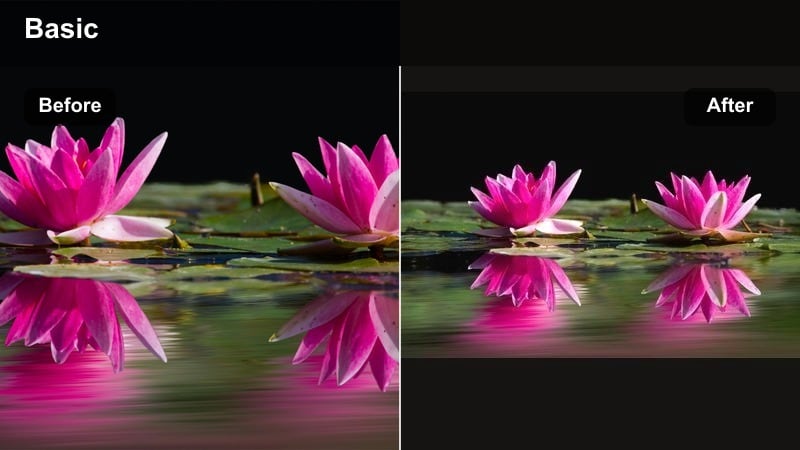
- Effect look: Gentle brightness with soft contrast and a subtle warm lift in the highlights for a clean, fresh start-of-day vibe.
- Best for: Morning routines, desk setup videos, and well-lit kitchen scenes where you want a calm, inviting feel.
- Editing tip: Lower the intensity if your whites start to clip and add a light vignette to keep attention on your face or main subject.
Soft Morning Glow is ideal when you want your morning vlogs to feel bright, rested, and welcoming without looking overexposed. In Filmora, apply this filter to clips with natural window light to give your highlights a gentle warmth while keeping the overall frame clean and airy.
Before adding the filter, correct exposure and white balance so skin tones stay natural; then adjust the filter intensity slider until your whites look bright but still hold detail. Save this combo as a custom preset in Filmora so you can one-click color grade every time you film in the same room or lighting setup.
Lock In a Consistent Daily Vlog Color Style with AI
Instead of guessing your color grade from scratch on every upload, use Filmora’s AI-driven color tools to analyze your favorite filters and suggest matching adjustments shot-to-shot. This helps you keep your Soft Morning Glow look consistent even when you film on different days or cameras.
Once you find a daily vlog filter for YouTube that fits your brand, save it as a preset and let AI help you quickly tweak exposure, white balance, and skin tones to match new footage. Your morning routines, desk chats, and B-roll will all share the same polished, bingeable style.
 secure download

Test Filters on Real Daily Vlog Scenarios
To see how Soft Morning Glow and other daily vlog filters behave throughout your day, drop clips from morning, outdoor, desk, and night scenes into a single Filmora timeline. Apply different filters to each group of clips so you can instantly compare which looks feel most natural and cinematic for your routine.
This side-by-side testing makes it easy to choose one or two core grades you can reuse across your channel. Once you have your favorites, turn them into Filmora presets so every new daily vlog can match your established YouTube aesthetic in just a few clicks.
secure downloadCombine Filters and LUTs for a Custom YouTube Vlog Look
If you already use a YouTube vlog LUT for your channel, you can still layer Filmora filters on top to refine contrast, warmth, or saturation. Apply your LUT first at a moderate intensity, then add a daily vlog filter like Soft Morning Glow to smooth out skin tones and unify the overall color mood.
This approach lets you keep a recognizable brand LUT while adapting it to changing lighting conditions. In Filmora, simply adjust the opacity of both the LUT and filter layers until your daily vlog looks polished but still natural to the eye.
secure downloadCasual Daylight Clean
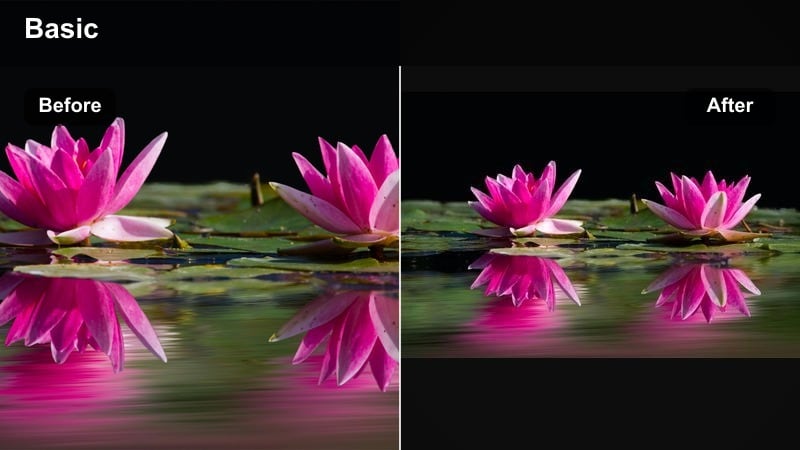
- Effect look: Neutral, crisp color with slightly boosted midtones and subtle clarity for a natural but polished everyday look.
- Best for: Walk-and-talk updates, errand vlogs, and handheld shots where lighting changes as you move.
- Editing tip: Use keyframes on filter intensity when walking from shade into sun so skin tones stay consistent across your cuts.
Casual Daylight Clean keeps your footage true-to-life while adding just enough punch to feel professionally edited. It works especially well on outdoor walk-and-talks, shopping trips, or any vlog segment where you move quickly between different lighting conditions.
In Filmora, apply this filter to all your daytime sequences as a baseline grade, then fine-tune exposure and white balance for each clip. You can keyframe the filter intensity when transitioning from shade to sun so your skin tone and clothing colors stay even from shot to shot.
Cozy Home Soft
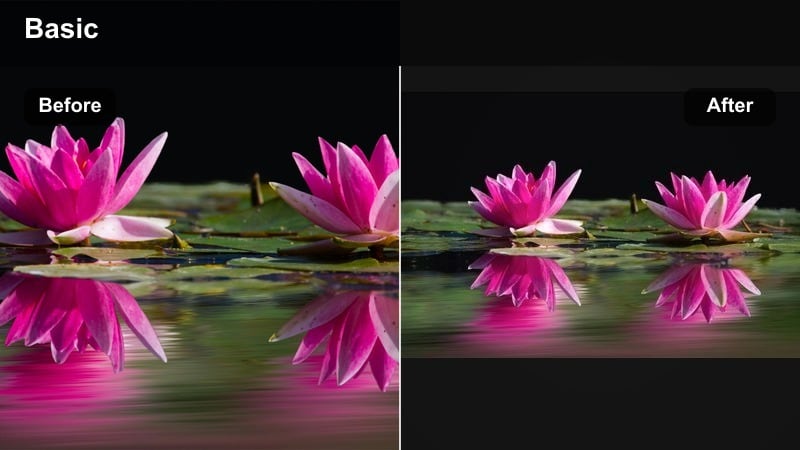
- Effect look: Warm midtones, softened contrast, and slightly muted greens for a cozy, intimate living-room feel.
- Best for: Living room chats, reading corners, nighttime tea routines, or any low-contrast indoor vlog moments.
- Editing tip: Reduce sharpening to keep the image soft and inviting, especially if you shoot on a smartphone or kit lens.
Cozy Home Soft adds warmth and a gentle softness that suits living rooms, bedrooms, and low-contrast interior setups. It makes your audience feel like they are hanging out with you in a relaxed, comfortable space.
Inside Filmora, pair this filter with lower sharpening and a light vignette to keep attention on your face or the main subject. If your lamps or walls turn too yellow, slightly cool the global white balance or use Filmora’s skin-tone tools so your face stays natural while the overall scene remains warm and cinematic.
Filters for City Walks and Outdoor B-roll
Urban Pop Street
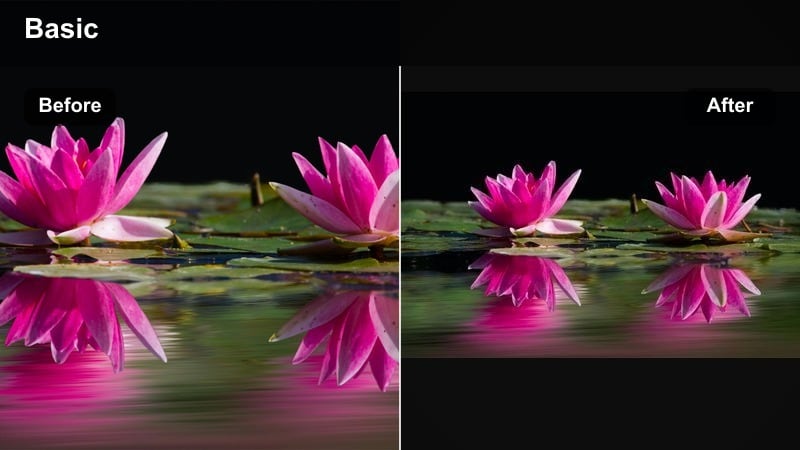
- Effect look: Punchy contrast with lively saturation and a slight cool shift in shadows for a modern street-style vlog feel.
- Best for: City walks, shopping vlogs, travel transitions, and storefront or street sign b-roll.
- Editing tip: Mask your face or subject and lightly reduce saturation only on skin if the background colors get very bold.
Urban Pop Street is designed to make cities look energetic and colorful, perfect for downtown walks and storefront B-roll. The cooler shadows and strong saturation emphasize neon signs, murals, and street details so your footage stands out in YouTube recommendations.
In Filmora, apply this filter to your city sequences and then use masking tools to protect skin tones if the background gets too intense. Combine it with stabilized panning shots or walking clips cut to the beat of your music for highly engaging urban intros and transitions.
Sunny Travel Bright
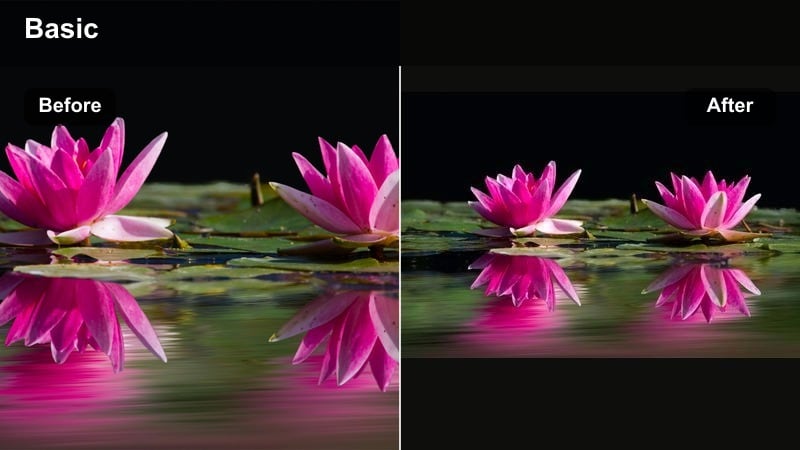
- Effect look: Bright, clean whites with lightly boosted blues and teals, giving skies and water a travel-vlog style glow.
- Best for: Beach days, park picnics, road-trip pit stops, and any outdoor daily vlog moments in strong sunlight.
- Editing tip: If skies blow out, lower highlights first and then slightly reduce the filter intensity to keep detail in the clouds.
Sunny Travel Bright instantly gives your everyday outdoor clips the polished feel of a dedicated travel vlog. Whites stay crisp while blues and teals in the sky and water stand out, making parks, beaches, and city viewpoints look more cinematic.
Use this filter in Filmora on your brightest daytime shots, adjusting highlight and exposure sliders before you tune the filter intensity. If clouds start to disappear, bring down highlights or add a gradient mask to the sky so you can keep both the glowing look and the detail.
Greenery Nature Neutral
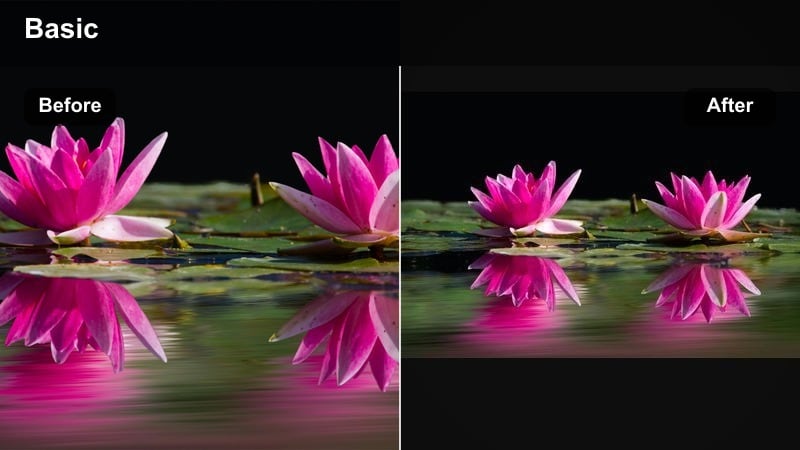
- Effect look: Balanced contrast with gently lifted shadows and controlled greens to avoid harsh, neon-looking foliage.
- Best for: Park walks, hiking clips, daily dog walks, and garden or backyard vlog shots.
- Editing tip: Reduce color noise if you film on a phone, especially in shaded greenery where grain can appear in darker areas.
Greenery Nature Neutral keeps grass, trees, and plants looking realistic and soothing instead of overly saturated. It is great for calm park walks, hikes, and backyard updates where you want the environment to support your story without stealing the show.
Within Filmora, apply this filter to all your nature clips and then copy and paste the settings across similar shots to maintain consistent greens. If you notice grain in shaded areas, lightly apply noise reduction before or after the filter so your lifted shadows still look clean.
Filters for Sit-Down Chats and Productive Day Vlogs
Creator Studio Clean
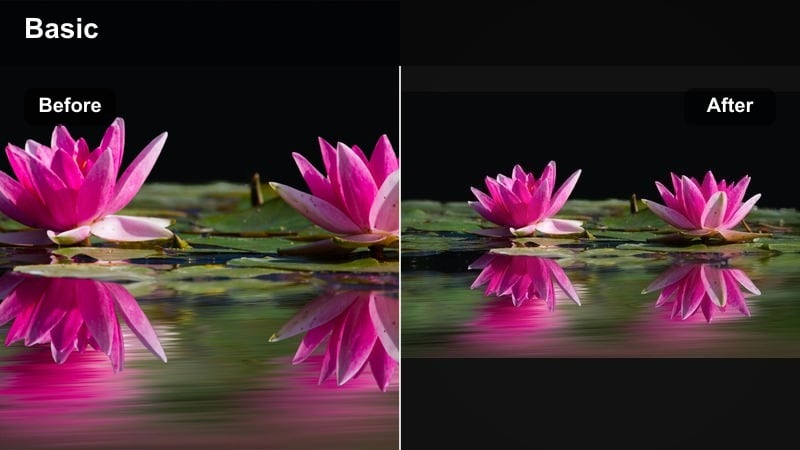
- Effect look: High clarity with controlled contrast, neutral color, and slightly brightened faces for a professional studio vibe.
- Best for: Sit-down talking-head videos, Q and A episodes, channel updates, and tutorials filmed indoors.
- Editing tip: Use Filmora’s face enhancement tools at a low level with this filter to keep attention on your expressions without looking over-edited.
Creator Studio Clean is built for talking-head content where you need sharp, neutral, professional-looking footage. It brings subtle brightness to faces while maintaining accurate colors for backgrounds, props, and on-screen text.
Choose this filter in Filmora as your default for all sit-down segments, then add gentle face enhancement and noise reduction if needed. Keeping the same Creator Studio Clean preset across episodes helps your channel thumbnails and recommended videos look instantly recognizable.
Productive Day Cool Focus
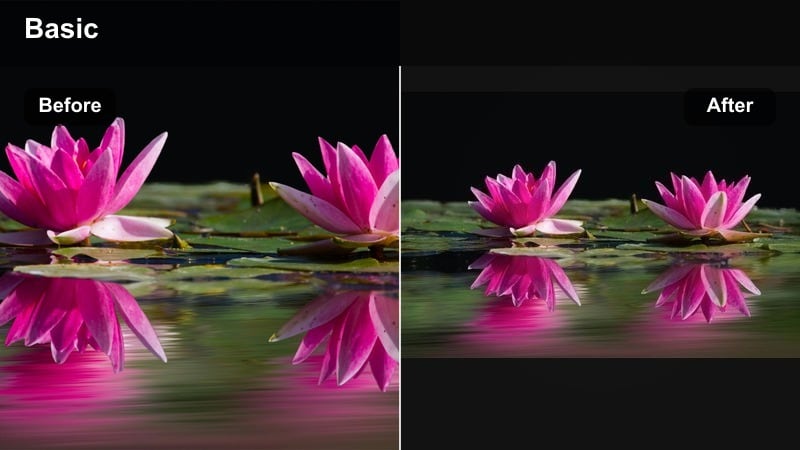
- Effect look: Slightly cool temperature with gentle contrast and subtle desaturation for a focused, minimal aesthetic.
- Best for: Study with me videos, work-from-home vlogs, planning sessions, and desk b-roll shots.
- Editing tip: Add a small blur or depth-of-field effect to background elements while using this filter to further emphasize productivity and focus.
Productive Day Cool Focus gives your workspace footage a tidy, minimal vibe that pairs well with planning, studying, or editing sessions. The cooler tones and light desaturation help reduce visual clutter so viewers can focus on your tasks.
In Filmora, combine this filter with gentle background blur or a depth-of-field effect on busy desks or shelves. Save it as part of a template along with calm music and text styles so you can quickly build a consistent series of productive-day vlogs.
Warm Desk Evening
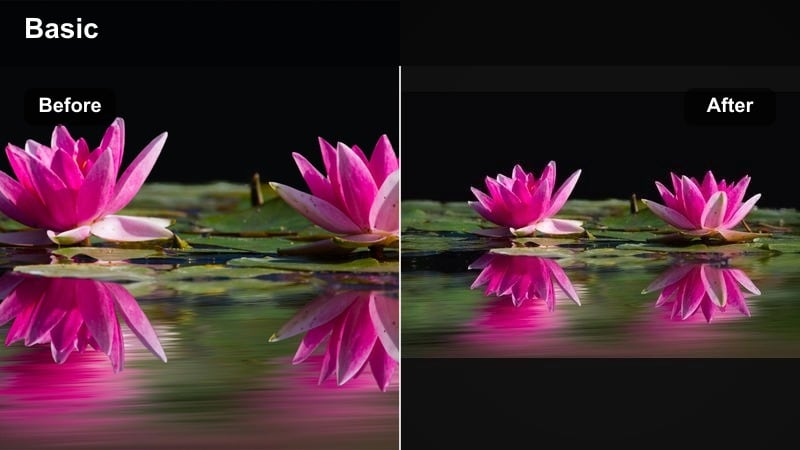
- Effect look: Soft, warm highlights with slightly lifted blacks and reduced saturation for cozy evening desk scenes.
- Best for: Evening planning, journaling, late-night editing, and candle-lit desk b-roll.
- Editing tip: Lower global contrast a touch more on very dark footage and rely on this filter’s soft warmth to maintain mood.
Warm Desk Evening is perfect for late-night journaling, planning, or editing segments where lamps and candles set the mood. It softens contrast and adds a gentle warmth that flatters skin and desk surfaces without turning everything orange.
Apply this filter in Filmora to your evening clips, then tweak contrast and exposure so your shadows stay visible but still feel cozy. If your monitor adds a blue cast, adjust highlights and midtones separately so your skin and hands look natural under the mixed lighting.
Filters for Night Vlogs and Aesthetic Details
Night Drive Neon
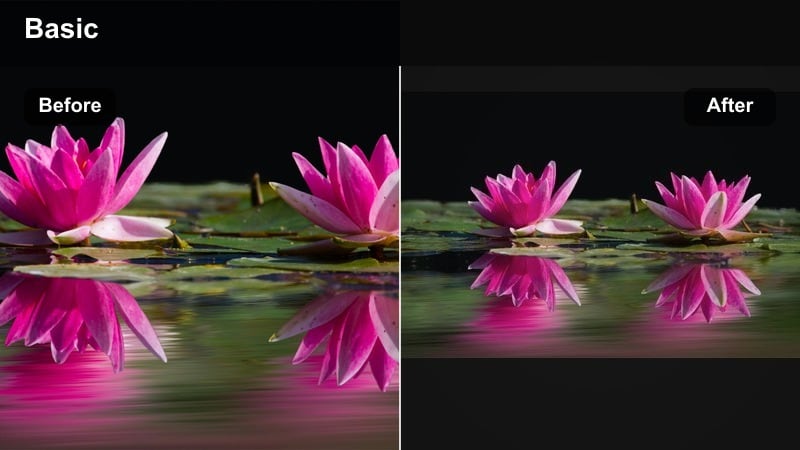
- Effect look: Deep contrast with boosted saturation in reds, pinks, and cyans for a neon-style night city look.
- Best for: Car vlogs, night walks, city lights, storefront signs, and reflective b-roll in the rain.
- Editing tip: Use stabilization and short clips so the bold colors feel intentional and cinematic rather than noisy or shaky.
Night Drive Neon transforms dark city environments into dramatic, neon-infused scenes that feel cinematic and stylized. It works especially well on reflections in windows, wet streets, and colorful signs passing by during car rides.
Inside Filmora, apply light noise reduction before this filter so deep blacks stay clean when you raise contrast and saturation. Keep clips short and stabilize handheld shots so the bold colors register as a deliberate look rather than a side effect of low light.
Golden Hour Soft Film
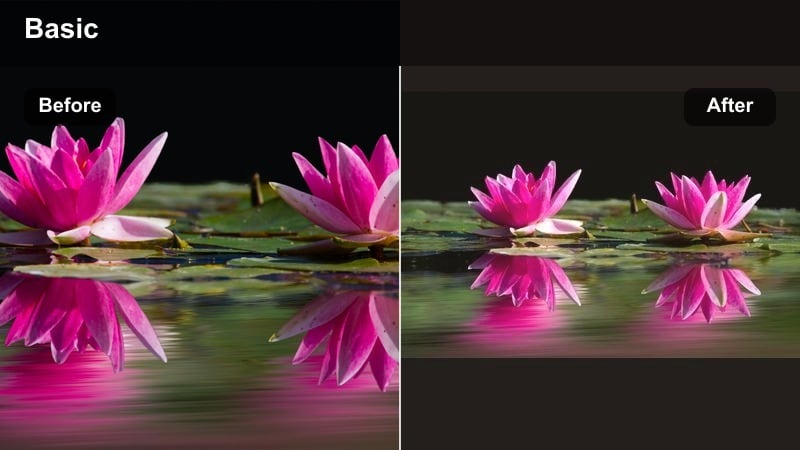
- Effect look: Warm, filmic highlights with gentle halation-style glow and a hint of fade in the blacks.
- Best for: Golden hour walks, window light selfies, sunset rooftop clips, and cinematic b-roll transitions.
- Editing tip: Add slow motion or slight speed ramps on b-roll to emphasize the soft glow and make transitions feel cinematic.
Golden Hour Soft Film turns quick sunset clips into dreamy, cinematic moments perfect for transitions or closing scenes. The warm highlights and faded blacks mimic a subtle film look that flatters skin and softens backgrounds.
Use this filter in Filmora on any shot where the sun is low or streaming through windows. Add a little slow motion, speed ramps, or gentle zooms to accentuate the glow, and keep your camera moves slow so the filmic softness really shows on screen.
Minimal Aesthetic Muted
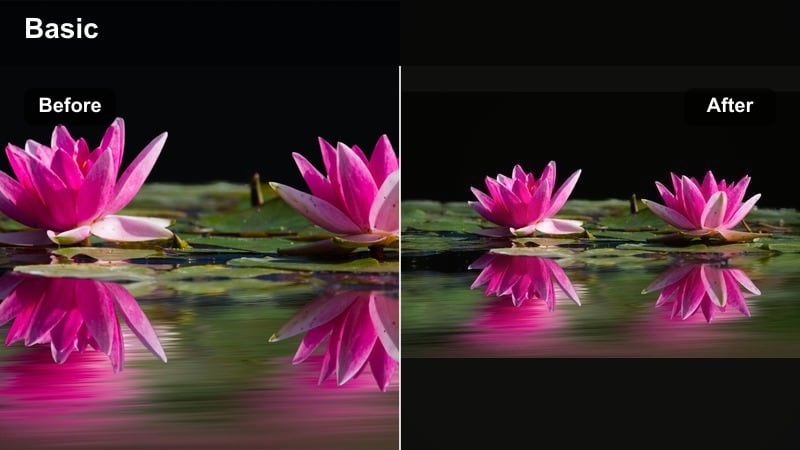
- Effect look: Reduced saturation with soft contrast and gentle cool shadows, giving a minimalist lifestyle aesthetic.
- Best for: Flatlays, detail shots of outfits or decor, aesthetic coffee shots, and transitions between main scenes.
- Editing tip: Use this filter mainly on b-roll and keep your talking-head shots slightly more saturated so faces still feel lively.
Minimal Aesthetic Muted is ideal for detail shots that you want to feel curated and stylish, like coffee setups, outfits, or decor. The lowered saturation and cool shadows create a calm, minimalist lifestyle look that pairs well with text overlays and music.
In Filmora, apply this filter mostly to B-roll and transition clips while keeping your main talking shots a bit more saturated. Film 5 to 10 quick detail shots every vlog, batch-apply this filter, and reuse your favorite clips across uploads to build a cohesive visual identity without extra filming time.
Tips for Using Daily Vlog Filter Youtube Filters in Filmora
- Save different filter presets in Filmora for morning, daylight, and night footage so you can color grade daily vlogs in minutes.
- Choose one signature filter, like Creator Studio Clean, for your sit-down shots to keep thumbnails and playlists visually consistent.
- Always correct exposure and white balance before you apply a YouTube daily filter so skin tones look natural.
- Lower filter intensity slightly on faces and raise it on B-roll to avoid an over-edited look while keeping strong style.
- Batch-apply your chosen daily vlog filter to full sequences, then fine-tune hero shots instead of grading each clip from scratch.
- Use Filmora’s AI color matching to align clips from different cameras or days with the same core preset.
- Stack LUTs and Filmora filters carefully, keeping LUT intensity moderate so you still have flexibility to adjust contrast and saturation.
- Regularly preview your vlog on both mobile and desktop to ensure your filters look good across devices and brightness levels.
Daily vlog filters for YouTube help you color grade fast, keep a consistent channel identity, and make everyday clips look intentional instead of random. With a reliable set of presets for morning, outdoor, desk, and night scenes, your uploads will feel more like a polished series than a collection of disconnected clips.
Pick two or three of these styles as your core set, save them as Filmora presets, and use them on every new video upload to build a recognizable visual brand over time. As you refine your filters and workflows, your daily vlogs will become quicker to edit and more engaging for binge-watchers.
secure download