

 100% Security Verified | No Subscription Required | No Malware


 ChatGPT
 Perplexity
 Gemini
 Claude
 Grok
Grok
Family YouTube creators need filters that keep footage clean, warm, and true to real life, without turning your kids or home into an over edited movie set. The right Filmora filters can smooth out harsh lighting, add a cozy vibe, and keep your channel feeling safe and family friendly in just a few clicks.
Below are 12 ready to use family video filters for YouTube, organized by mood and shooting scenario. Whether you film daily life recaps, family outings, or cozy home moments, these presets will help your stories look consistent and inviting across your entire channel.
In this article
Bright And Natural Family Moments
Sunny Living Room Glow
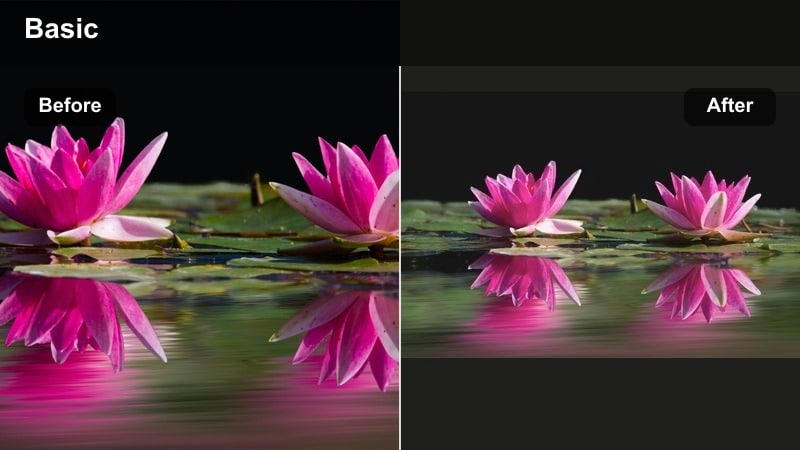
- Effect look: Soft, bright, and airy exposure with gentle contrast that keeps skin tones natural and your home looking clean but lived in.
- Best for: Morning routines in the living room, kids playing near big windows, and family chats on the couch for daily vlogs.
- Editing tip: Slightly reduce highlights if your windows blow out, and add a tiny bit of saturation to keep toys and decor looking colorful but not cartoonish.
Sunny Living Room Glow is designed to make your everyday living space feel fresh and inviting without losing the natural texture of real life. It brightens the frame, evens out contrast, and keeps colors clean so viewers focus on your familys faces, not on harsh shadows or blown out windows.
In Filmora, drop this filter onto your living room clips, then fine tune exposure and highlights using the Color panel. If kids are moving in and out of the light, use Filmoras face detection and exposure tools to keep their skin tones consistent, while the filter gently polishes the overall scene.
Pro tip: Balance window light with faces
If your windows are very bright behind your family, apply this filter first, then slightly lower exposure and highlights until faces are clearly visible. Use Filmoras face detection exposure tools where possible so the filter stays flattering on skin even as kids move closer to the light.
Use Filmora AI Tools To Keep Family Colors Consistent
Family YouTube channels often jump between kitchens, backyards, cars, and playgrounds in a single vlog. Filmoras AI driven color tools help keep your family video filters for YouTube consistent, so viewers never feel like they are watching five different shows in one episode.
Start by choosing a favorite filter preset as your base, then let Filmoras AI adjustment features fine tune exposure and white balance clip by clip. This saves time and keeps your family friendly aesthetic looking polished across daily uploads.
 secure download

Preview Filters On Real Family Footage Before You Publish
Before you commit to a new look for your family vlog, drag a few different Filmora filters onto the same test sequence. Include kitchen scenes, outdoor play, and sit down moments so you can see how each preset handles changing light.
Watch the sequence all the way through on a phone and a TV if possible. The best family video filters for YouTube will keep colors calm, skin tones natural, and text overlays easy to read across every device.
secure downloadCombine Filters And LUTs For A Signature Family Look
If you already use LUTs for your main camera, you can still add gentle Filmora filters on top to soften contrast or add warmth for kid focused content. Keep the LUT as your technical base and treat the filter as a light finishing touch.
Save your favorite filter and LUT combos as custom presets, labeled for scenarios like living room vlog, park day, or bedtime routine. Over time, you will build a small library of reliable looks you can apply in seconds for every new upload.
secure downloadWeekday Morning Fresh
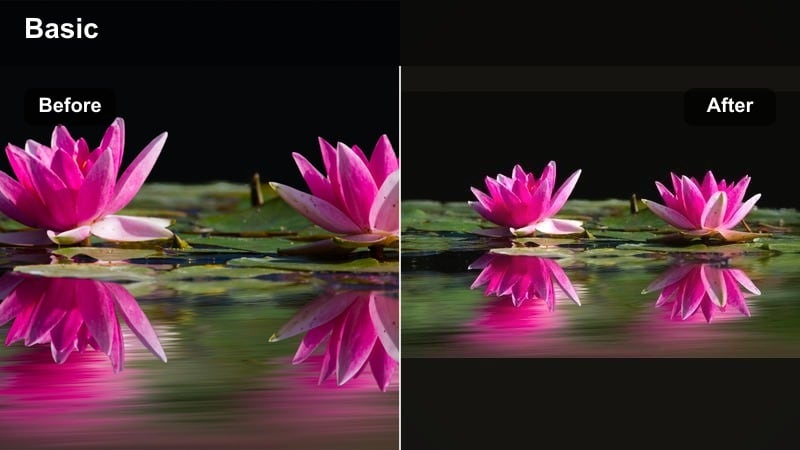
- Effect look: Clean, cool leaning whites with gentle brightness that make school morning chaos look organized and easy to watch.
- Best for: Before school routines, breakfast scenes, packing backpacks, and quick kitchen check ins for family vlogs.
- Editing tip: Trim saturation on yellow and orange tones if your kitchen lighting is warm, so cereal boxes and countertops do not overpower faces.
Weekday Morning Fresh gives your early day vlogs a crisp, just woke up and ready feel, even if the kitchen is hectic. It slightly cools down warm bulbs, evens whites on walls and dishes, and keeps the frame bright so your routine feels energetic, not stressful.
In Filmora, apply this filter to all your breakfast and before school clips, then adjust white balance toward the cooler side until whites look truly neutral. Use the HSL or color tuning tools to gently reduce overly warm oranges and yellows so faces stay natural while the filter brightens the overall scene.
Pro tip: Tame mixed kitchen lighting
If you have both window light and warm overhead bulbs, use this filter then slightly cool the white balance until whites look neutral. Add a subtle vignette to keep viewers focused on faces at the table instead of background clutter or open cabinets.
Subtle Home Polish
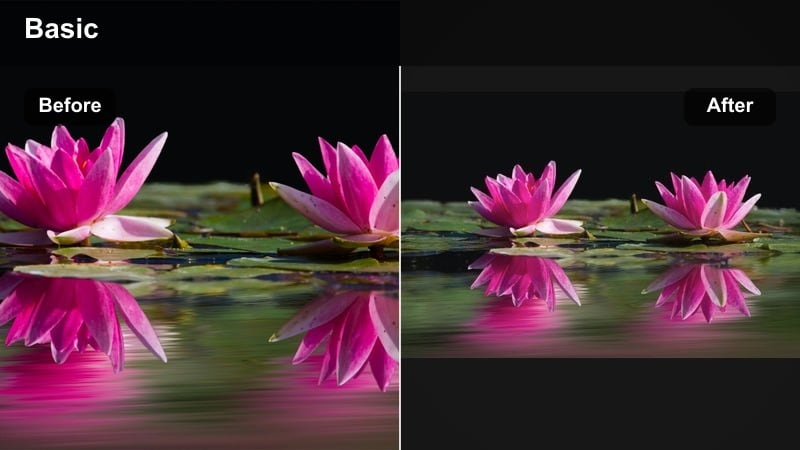
- Effect look: Low contrast, light softening effect that hides minor mess and rough edges while keeping the house looking real and relatable.
- Best for: Day in the life recaps, tidy up with me segments, and casual talking head shots filmed around the house.
- Editing tip: Use slightly more sharpness on eyes and hair after applying the filter so faces stay clear while backgrounds stay softly polished.
Subtle Home Polish gently smooths out small distractions in your background without turning your house into a staged set. It lowers contrast, softens harsh lines, and takes the edge off busy rooms so your audience can relax into your story rather than scanning every corner for clutter.
In Filmora, drop this filter on hallway or bedroom clips, then add a bit of extra sharpness or clarity to your face so you remain the focal point. Use it together with blur or vignette tools at the frame edges when you cannot fully clear the background but still want a calm, put together look.
Pro tip: Guide attention away from clutter
Combine this filter with Filmoras blur or vignette tools on the edges of the frame when background clutter is unavoidable. Frame your shots slightly tighter on faces, then let the filter gently soften the rest of the room for a calmer overall feel.
Warm And Cozy Home Vibes
Golden Family Evening
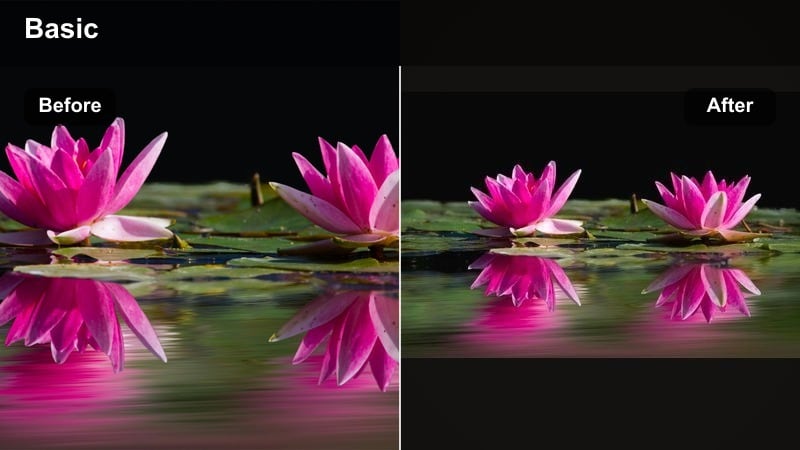
- Effect look: Warm, golden tone that deepens oranges and soft yellows, giving your living room a cozy, movie night glow without heavy contrast.
- Best for: Evening hangouts, board games, family movie nights, and bedtime story segments captured under indoor lamps.
- Editing tip: Dial back the intensity slightly if skin starts to look too orange, and keep exposure moderate so lamp highlights stay soft.
Golden Family Evening wraps your night time footage in a soft, lamp lit glow that feels perfect for games, snacks, and movie recaps. It boosts warm tones in lamps and blankets while keeping contrast gentle so the mood stays relaxed and bingeable.
Inside Filmora, apply this filter to your evening living room clips, then fine tune orange saturation until skin tones stay believable. Keep exposure in the mid range so lamp shades and TV screens do not blow out, letting the golden color grade do most of the work in creating that cozy atmosphere.
Pro tip: Keep warmth flattering on skin
After applying the filter, gently reduce orange saturation until skin tones look healthy but not too tanned or red. If you film in multiple rooms, copy and paste the same color settings across clips to keep the episode visually consistent.
Bedtime Story Soft
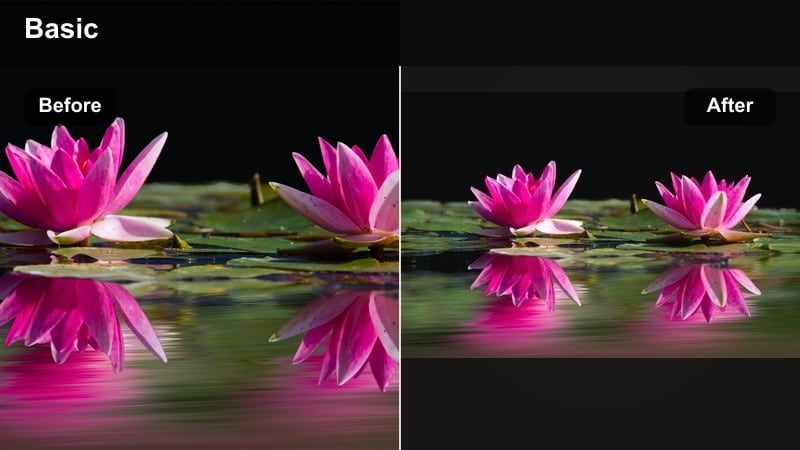
- Effect look: Dimmed contrast with soft highlights and a slightly warm tint that makes night lights and lamps feel tender and calm.
- Best for: Bedtime routines, reading books, brushing teeth, and quiet end of day reflections in kids rooms.
- Editing tip: Lower overall brightness so the scene feels like night, then gently lift shadows so viewers can still see details on faces and books.
Bedtime Story Soft gives your night routine segments a gentle, sleepy feel that is comfortable for kids to rewatch. It softens bright points of light, warms the frame, and reduces contrast so the whole scene feels calm and intimate.
In Filmora, add this filter to bedroom clips, then bring overall exposure down to match a true night time environment. Use the shadows slider to keep faces and book pages visible, and pair the look with slower cuts and quieter music so the visuals and pacing both signal winding down.
Pro tip: Avoid noisy low light footage
Use this filter with a slightly higher ISO only if needed, then apply Filmoras noise reduction lightly to keep the image clean. Keep camera movement slow and steady; this filter looks best when the scene feels calm and stable rather than handheld and shaky.
Cozy Rainy Day
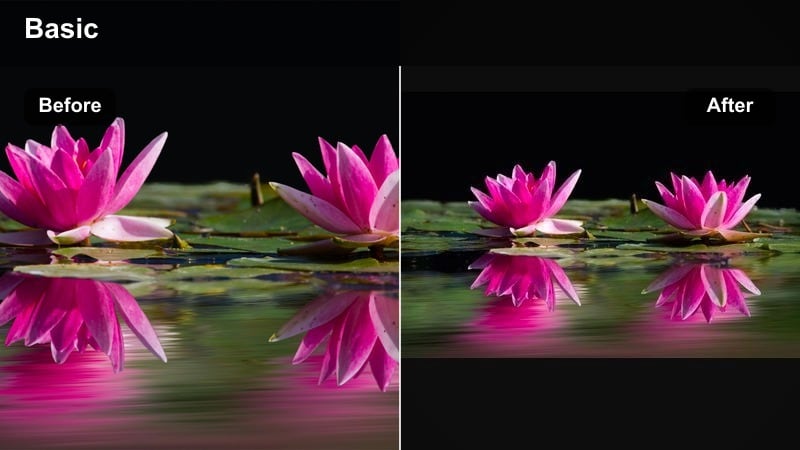
- Effect look: Muted saturation with warm midtones that make gray, rainy windows feel inviting rather than gloomy or flat.
- Best for: Indoor playtime on rainy days, baking with kids, crafts at the table, and working from home near windows.
- Editing tip: Gently raise saturation of reds and yellows so toys, crafts, and snacks pop against the cooler outdoor background.
Cozy Rainy Day turns gray skies into a soft backdrop that highlights whatever fun is happening indoors. It lowers the intensity of outdoor blues and grays while warming the midtones inside, so baking, crafts, and board games feel extra snug.
In Filmora, apply this filter to clips that include rainy windows or overcast outdoor views in the background. Use masks to lightly reduce contrast or saturation just outside the windows if needed, then bump red and yellow saturation so cookies, crayons, and mugs stand out against the muted weather.
Pro tip: Make gray skies feel intentional
Use this filter then slightly lower contrast outside the window with Filmoras masking tools so the focus stays on the activity inside. Combine with subtle sound design of rain or soft music in the edit to match the cozy visual mood you create with the filter.
Outdoor Family Adventures
Park Play Pop
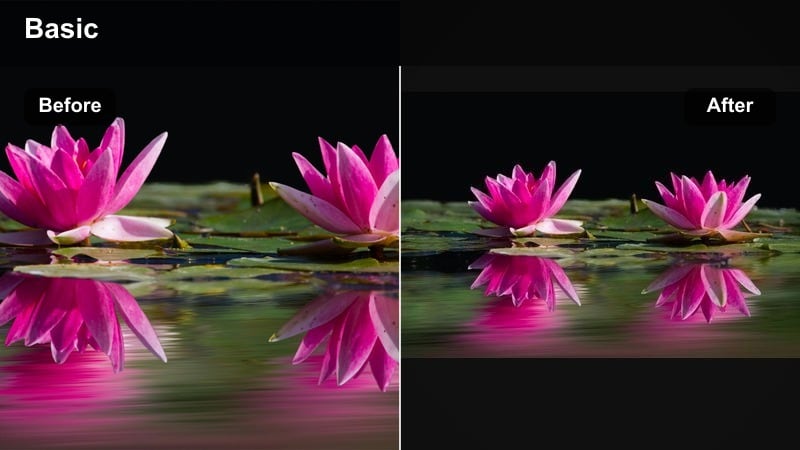
- Effect look: Bright base exposure with enhanced greens and blues that make parks, playgrounds, and skies look vivid but not over saturated.
- Best for: Park days, playground trips, outdoor picnics, and backyard challenges shot under daylight.
- Editing tip: If grass looks too neon, pull down green saturation slightly while keeping blues strong so the sky still feels uplifting.
Park Play Pop is built to make outdoor colors stand out on YouTube without turning your footage into a cartoon. It brightens grass, trees, and sky, helping your park adventures look fun and energetic while skin tones remain believable.
When editing in Filmora, add this filter to your playground and backyard clips, then head into the HSL or color tuning controls to adjust green saturation until grass feels rich but not glowing. Keep blue saturation slightly higher so the sky looks cheerful in thumbnails and on smaller screens.
Pro tip: Protect skin tones in bright sun
After applying the filter, reduce highlights slightly and lift shadows to soften harsh midday sun on kids faces. Use Filmoras skin tone tools to keep faces neutral while letting the grass and sky handle most of the saturation.
Weekend Trip Balance
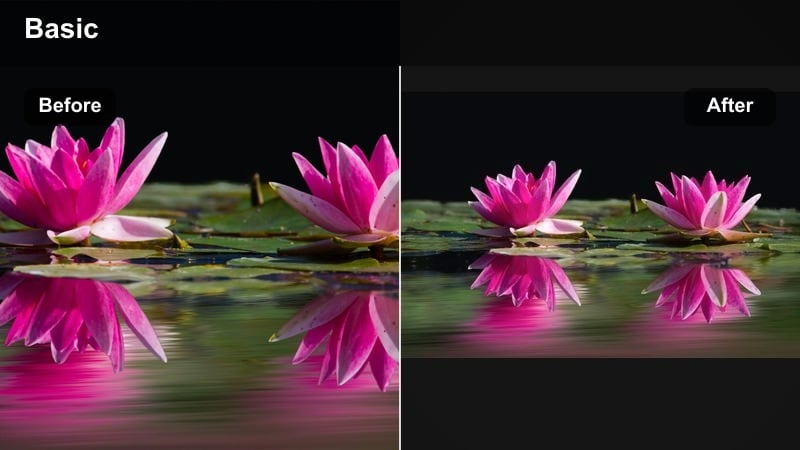
- Effect look: Even contrast with gentle saturation that keeps vacation footage clean and consistent across changing locations.
- Best for: Day trips, zoo visits, amusement parks, and simple family road trip check ins at different stops.
- Editing tip: Apply the filter to one clip, adjust exposure for that location, then copy and paste the clip color settings to the rest of the day.
Weekend Trip Balance helps you stitch together a full day of travel into a single, cohesive vlog. It adds moderate contrast and color so everything looks polished, but stays neutral enough to work in sun, shade, and indoor locations.
In Filmora, start by grading one representative clip from your trip with this filter, dialing in exposure and white balance until it looks right. Then copy the color settings and paste them onto other clips, making only small tweaks where lighting changes; this keeps your entire travel story visually unified.
Pro tip: Keep travel vlogs uniform
When filming in bright sun, shade, and indoors on the same day, keep this filter as your base and only tweak exposure and white balance per scene. Save your adjusted version as a custom preset in Filmora so future trips automatically match your existing family vlog style.
Golden Hour Family Walk
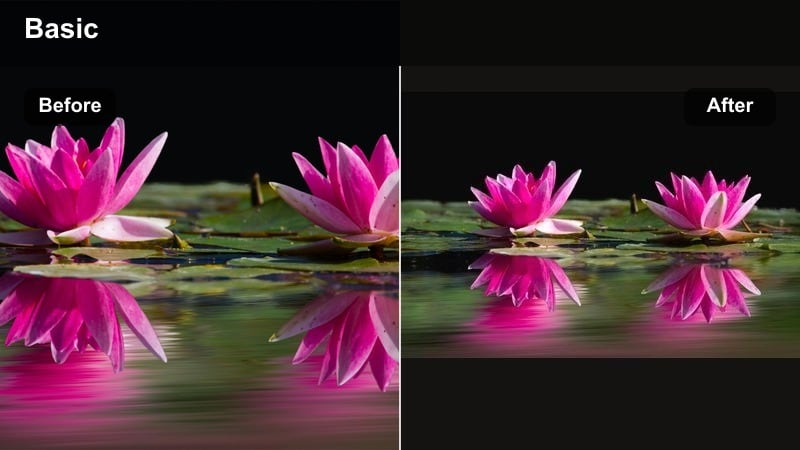
- Effect look: Soft warm highlights with slightly lifted shadows that emphasize sunset light on hair, trees, and sidewalks.
- Best for: Evening strolls, sunset playground time, golden hour photoshoot style intros, and family outro scenes.
- Editing tip: Keep exposure a bit lower than usual so the sky holds color, then lightly boost saturation to highlight the sunset glow.
Golden Hour Family Walk builds on natural sunset light, adding gentle warmth and softness to make your evening segments feel magical. It lifts shadows just enough to keep faces readable while preserving the golden tones in the sky and around silhouettes.
In Filmora, use this filter on all of your sunset B roll and outro clips, lowering exposure until clouds and sky color are visible. Then add a small dose of saturation and vibrance so the golden edges on hair and trees stand out without losing the family friendly realism of the scene.
Pro tip: Use sun as a storytelling tool
Shoot with the sun behind your family for a halo effect around hair, then use this filter to bring out the warmth without losing facial detail. Mix a few wide landscape shots with close ups so viewers feel both the environment and the family closeness the light creates.
Clean, Kid Friendly Channel Consistency
Family Vlog Clean Base
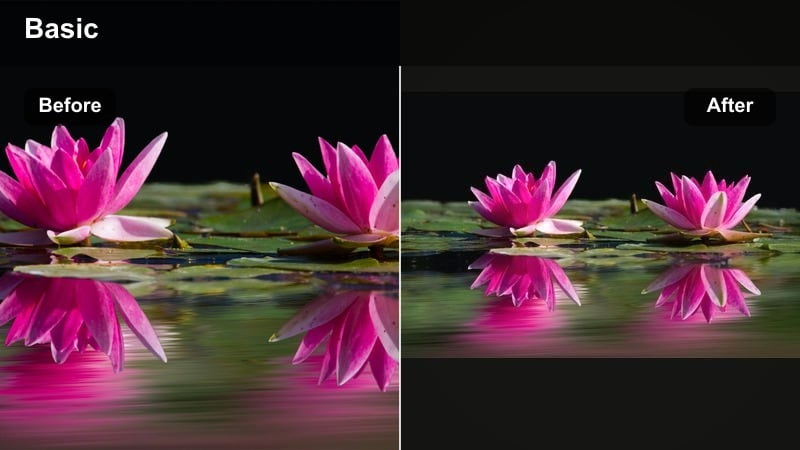
- Effect look: Neutral color balance with light contrast and clarity that works well across most indoor and outdoor family scenes.
- Best for: Creators who want one main look for every upload, including sit down chats, daily life recaps, and B roll around the house.
- Editing tip: Use this as your default filter, then make tiny exposure tweaks per clip instead of changing the style from video to video.
Family Vlog Clean Base is designed as your channels everyday look, providing natural colors, gentle contrast, and clear detail everywhere you film. It works like a flexible foundation that keeps your family videos feeling cohesive, whether you are in the kitchen, car, or backyard.
Inside Filmora, apply this filter to your entire timeline for most uploads, then fine tune brightness or warmth by clip to adapt to lighting changes. Over time, this consistent base helps returning viewers recognize your content instantly in their YouTube feed.
Pro tip: Build a recognizable channel look
Stick with one base filter for at least several months so returning viewers instantly recognize your visual style in their feed. Adjust only small details like brightness or warmth between seasons, and keep thumbnails aligned with the same clean base look.
Home Movie Soft Nostalgia
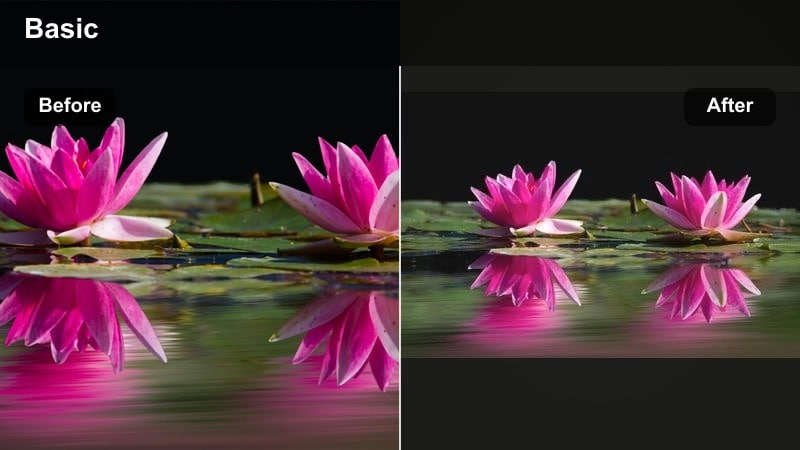
- Effect look: Soft contrast with a gentle warm tint and slight fade in blacks that mimics classic home movie footage while staying HD.
- Best for: Birthday recaps, holiday highlight reels, baby milestone videos, and year in review family compilations.
- Editing tip: Use this filter on B roll and memory sequences, then cut back to a cleaner look for main narration or sit down commentary.
Home Movie Soft Nostalgia adds a subtle retro charm to your most meaningful moments without sacrificing modern clarity. The faded blacks and warm tint call back to camcorder era home videos, making birthdays and holidays feel instantly nostalgic.
In Filmora, place this filter over B roll sections like cake cutting, gift opening, or seasonal montage clips, while keeping your main talking segments on a neutral base filter. This contrast in styles clearly separates present day narration from memory sequences and deepens the emotional impact.
Pro tip: Mix nostalgia with clarity
Apply this filter more strongly to B roll clips of memories and lightly, or not at all, to the main talking portions of your video. Use simple crossfades or Filmoras subtle transition effects so the viewer feels the memory shift without a jarring style jump.
Kid Safe Soft Focus
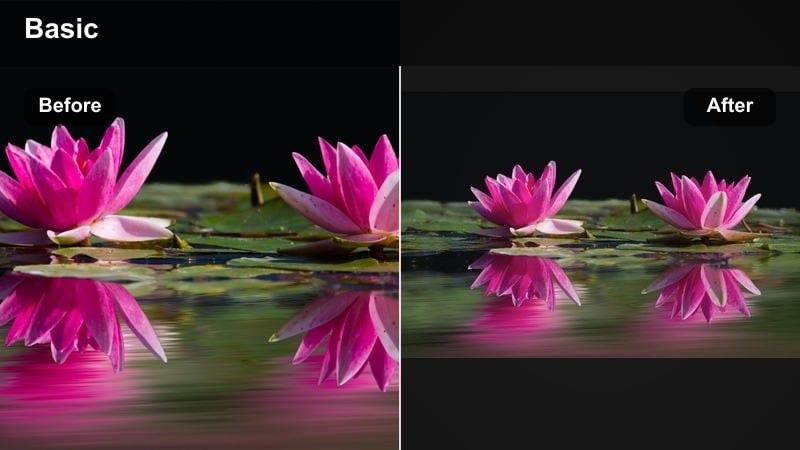
- Effect look: Gentle overall softening with mild contrast that keeps faces kind and friendly while reducing sharp background distractions.
- Best for: Close up kid shots, talking to camera moments, and any family scene where you want a softer, more protective visual feel.
- Editing tip: Add a touch of sharpness to eyes and hair only, and keep music and pacing calm to match the gentle visual atmosphere.
Kid Safe Soft Focus is ideal for channels that lean toward younger viewers and want a visually gentle style. It slightly softens edges, smooths contrast, and reduces harsh detail in the background so the overall image feels kind, calm, and easy on the eyes.
In Filmora, use this filter on close ups of kids talking to camera, reaction shots, or any scene where you want to emphasize warmth over sharpness. Add a tiny boost of sharpness just around eyes and hair so expressions stay clear, and match the look with slower cuts and simpler overlays.
Pro tip: Match softness with safe storytelling
Use this filter on videos aimed at younger viewers, and pair it with slower cuts and clear, gentle narration from parents. Keep titles, overlays, and sound effects simple so the filter and the story carry the video rather than overstimulating visuals.
Tips for Using Family Youtube Creator Filters in Filmora
- Pick one main filter for most videos so returning viewers instantly recognize your family channel style.
- Test every new filter on both indoor and outdoor clips before using it across an entire vlog.
- Keep skin tones natural and avoid extreme saturation, especially in kids rooms or on toys.
- Save scenario based presets in Filmora for routines like mornings, park days, and bedtime.
- Watch your edited vlog on a phone to ensure brightness and colors look comfortable for younger viewers.
With the right family video filters for YouTube, you can turn everyday routines into warm, engaging stories without hours of manual color work. Filmoras presets help you keep your channel kid friendly, consistent, and easy to watch across busy days and changing locations.
Start with one or two of the filters above for your next family vlog, then refine your favorites into a signature look that viewers will recognize and come back to every week.
secure downloadNext: Best Family Video Filters For TikTok: Short, Cozy Clips That Match Your YouTube Style
