

 100% Security Verified | No Subscription Required | No Malware


 ChatGPT
 Perplexity
 Gemini
 Claude
 Grok
Grok
This Filmora preset pack, Family Video Filters for TikTok: Trendy Bright Social Color, is built for TikTok creators and short-form storytellers who want every family moment to look fun, polished, and ready for the FYP.
From cozy living-room dances to chaotic school-run vlogs, these 12 filters give you bright social video effects that match viral family edits and trending sounds without heavy manual color grading.
In this article
Cozy At-Home Family Trends
Warm Living Room Glow
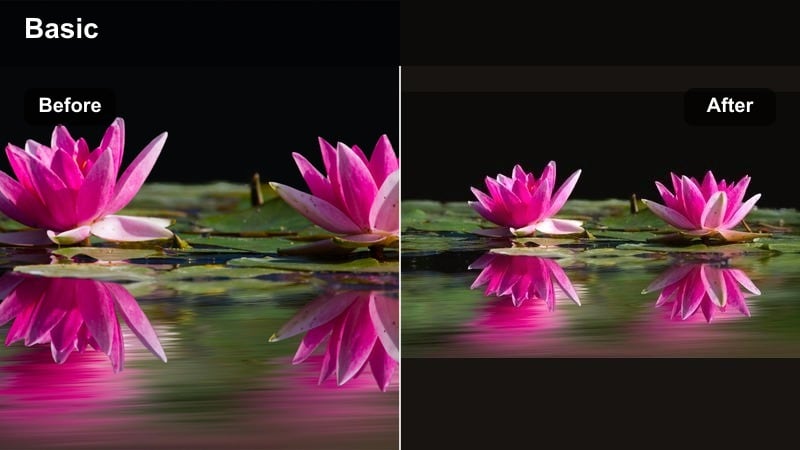
- Effect look: Soft, warm highlight with lifted shadows that makes living-room clips feel like golden hour indoors.
- Best for: Family dance trends, bedtime routines, storytime, and chill couch updates filmed in warm lamps or window light.
- Editing tip: Add a slight vignette and slow zoom-in on key reactions to turn simple talking clips into cozy, binge-worthy mini-stories.
Warm Living Room Glow gives your everyday couch clips that soft, golden-hour feel without needing perfect sunlight. In Filmora, this filter gently lifts shadows and wraps skin tones in a flattering warmth, so even overhead lamp light looks cinematic instead of flat or harsh.
Use it on family dance trends, bedtime chats, or storytime moments where you want the room to feel inviting and bingeable. Add a slow zoom on the best reactions and sprinkle in subtle vignettes in Filmora to guide attention to faces and turn quick TikToks into mini family memories that feel ready for the FYP.
AI-Smart Color That Adapts to Real Family Life
Filmora’s AI tools help these family video filters for TikTok adapt to mixed lighting, messy rooms, and unpredictable kid energy without heavy manual tweaking. You can fix color and exposure in a click, then let the filter finish the look instead of fighting with every slider.
Use automatic color correction as a base, then layer the Family Video Filters for TikTok: Trendy Bright Social Color preset pack so skin tones stay natural while your edits still look on-trend and bright enough for small TikTok screens.
 secure download

See the Filters in Action on Real Family Clips
Drop raw phone footage into a Filmora timeline and switch between these filters to preview how each one reacts to your living room, kitchen, or playground lighting. You can instantly see which style fits a calm bedtime vlog versus a chaotic dance challenge.
Because they are designed for short-form storytellers, each style stays bold and readable even on small TikTok screens and fast-scroll feeds. That means your family clips keep their punch and color, even when viewers watch with low brightness or on the go.
secure downloadMatch TikTok Looks Across Instagram and Beyond
Once you land on a favorite tiktok family filter look, save it as a custom preset or LUT so you can reuse the same vibe for Reels, Shorts, and long-form vlogs. That way, your family brand feels consistent whether someone discovers you on TikTok or Instagram first.
Keeping one or two signature viral family edit styles makes your content recognizable and easy to binge across platforms. Filmora lets you apply those saved looks in one click, so every new upload can match your established aesthetic.
secure downloadSoft Morning Routine
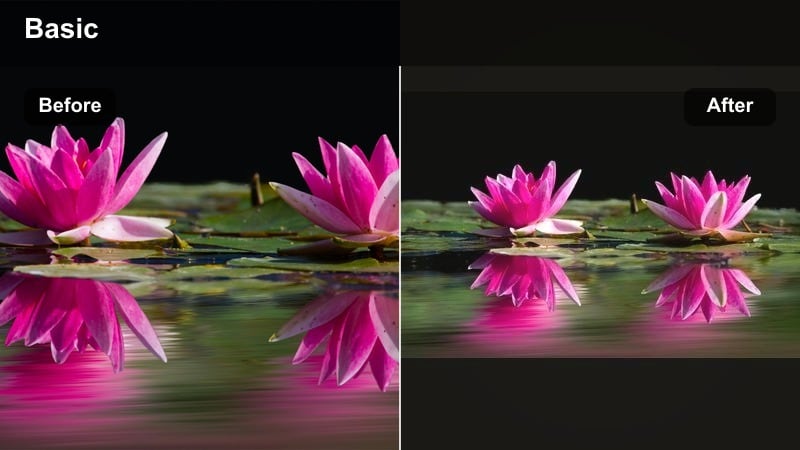
- Effect look: Muted highlights with gentle pastel warmth that softens harsh morning light and bright kitchens.
- Best for: Get-ready-with-me family mornings, breakfast vlogs, school-prep routines, and quiet home moments.
- Editing tip: Speed up B-roll clips to 1.5x-2x, keep natural audio low, and let trending sounds carry the mood for a calm but engaging flow.
Soft Morning Routine is designed to calm down bright, reflective spaces like white kitchens and hallways. In Filmora, it gently lowers highlights, adds pastel warmth, and keeps your whites from blowing out while still looking clean and airy.
Apply it to quick clips of breakfast prep, outfit checks, or school-bag packing, then speed up your B-roll to 1.5x or 2x. With natural audio lowered and a trending sound on top, this filter helps your family mornings look aesthetic and relaxing instead of chaotic.
Cinematic Night-In
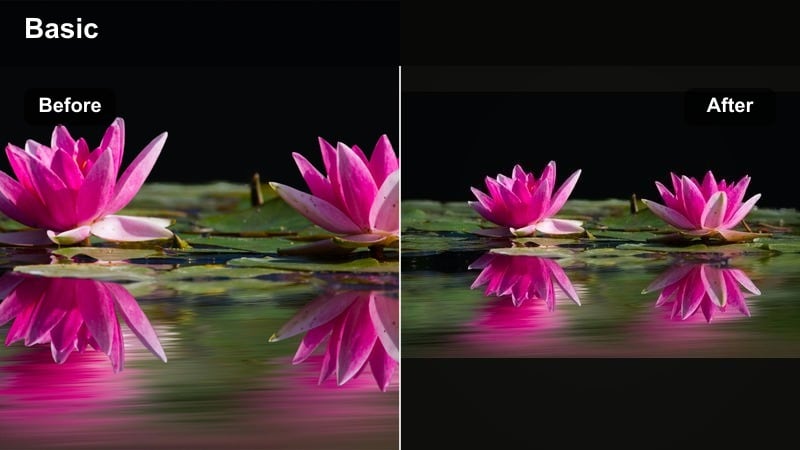
- Effect look: Rich contrast with deeper blacks and glowing warm midtones for cozy indoor evenings.
- Best for: Movie nights, game nights, blanket forts, and late-night snack runs filmed in low light.
- Editing tip: Stabilize handheld clips, then add slow cross-fades between shots so every cut feels like part of one cinematic memory.
Cinematic Night-In is built for low-light living rooms and bedrooms where you do not want to turn every light on just to film. The filter deepens blacks, adds warmth to midtones, and keeps skin tones flattering so TV or lamp light feels intentional and movie-like.
In Filmora, pair this look with stabilized handheld footage and soft cross-fades between shots of board games, snacks, and movie reactions. The result is a cozy, cinematic TikTok that feels like a highlight reel of your family’s favorite nights in.
Bright Outdoor Family Fun
Sunny Playground Pop
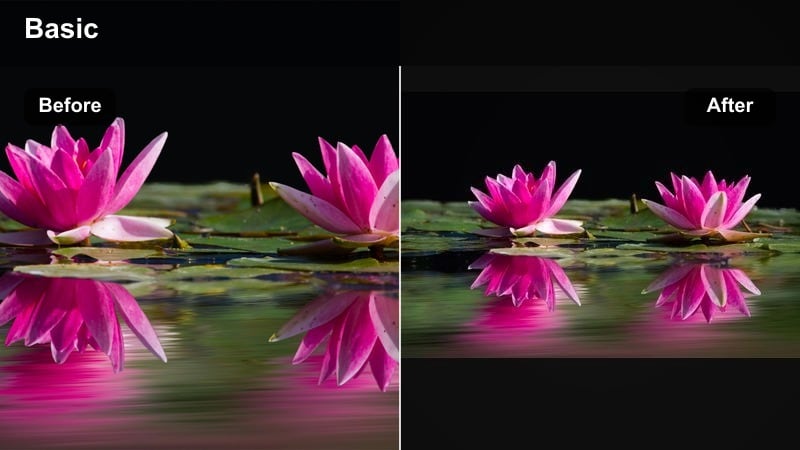
- Effect look: Punchy saturation with crisp contrast and a slight warm tint that makes colors in playgrounds and parks pop.
- Best for: Park days, playground trends, outdoor challenges, and quick sports clips with lots of movement.
- Editing tip: Use jump cuts on action beats and keep shots wide so the bright color grade shows off the full scene and movement.
Sunny Playground Pop is all about bold, saturated color that makes slides, swings, and grass jump off the screen. In Filmora, it boosts primaries and adds crisp contrast, so even quick panning shots feel fun and vibrant on TikTok’s vertical feed.
Use wide shots to capture the full playground and cut on big movements like jumps or spins. With jump cuts timed to the beat, this filter turns regular park clips into fast, high-energy edits that match popular family challenge trends.
Weekend Picnic Pastel
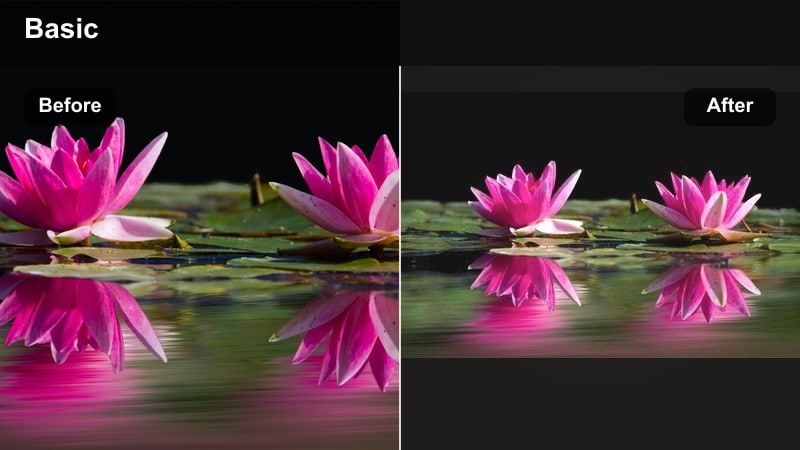
- Effect look: Soft pastel tones with lowered contrast and gentle warm highlights for dreamy outdoor scenes.
- Best for: Picnics, park strolls, soft-aesthetic family montages, and slow-motion laughter shots.
- Editing tip: Use slower cuts and gentle zooms instead of hard transitions so the soft aesthetic stays relaxing to watch.
Weekend Picnic Pastel dials down contrast and adds creamy pastel tones, turning normal park footage into a dreamy, soft-aesthetic montage. Whites stay gentle, greens look muted, and the whole frame feels like a calm, filter-forward lifestyle TikTok.
In Filmora, combine this look with slow-motion giggles, walking-in-the-park B-roll, and minimal transitions. Simple cross-fades and gentle zooms are all you need to keep the vibe relaxed and scroll-stopping for viewers who love aesthetic family content.
Golden Hour Family Glow
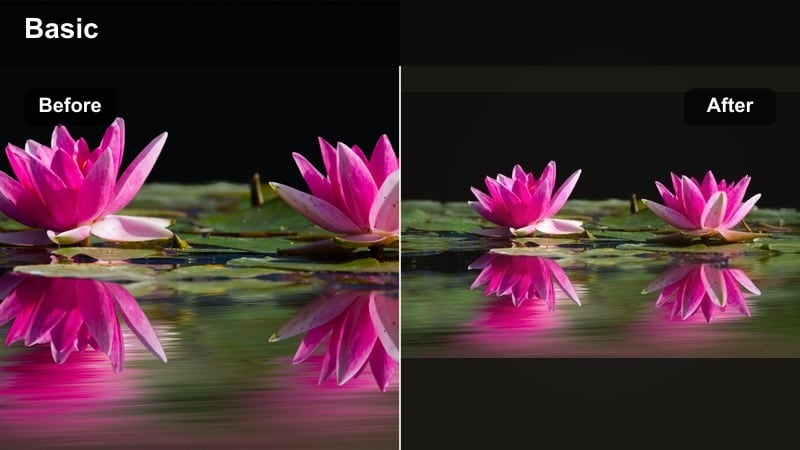
- Effect look: Warm, glowing highlights with gently lifted shadows that enhance natural golden hour sun.
- Best for: Sunset walks, beach clips, backyard moments, and emotional reveal or announcement TikToks.
- Editing tip: Use this filter on backlit silhouettes and add slow motion on hugs or spins to maximize the emotional impact.
Golden Hour Family Glow amplifies sunset light, stretching that short golden moment into a full TikTok edit. In Filmora, it warms highlights and slightly lifts shadows so backlit silhouettes keep detail while still looking soft and dreamy.
Use it on reveal videos, pregnancy or announcement clips, or emotional hugs at the end of a family day. Add a touch of slow motion on spins, hand-holds, or hugs, and this filter will help those moments feel big enough for your followers to repost and share.
Viral Family Edit Styles
Viral Family Pop
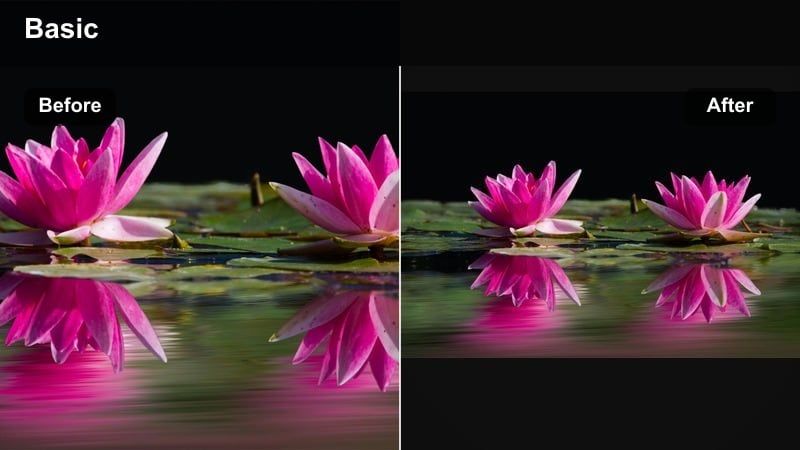
- Effect look: High-impact contrast with sharp clarity and saturated primaries for eye-catching FYP-ready edits.
- Best for: Viral family edit compilations, glow-ups, transformation clips, and fast-cut challenge videos.
- Editing tip: Sync cuts tightly to beat drops and use quick punch-in zooms on big reactions to amplify the viral feel.
Viral Family Pop is built to stand out on crowded For You Pages. It sharpens details, deepens contrast, and boosts core colors, so every frame feels intentional, strong, and ready for fast-paced editing.
In Filmora, stack short clips under one trending sound and cut right on beat drops or lyric hits. Add quick punch-in zooms on the funniest or wildest reactions, and this filter will help each micro-moment hit harder and invite rewatches.
Family Memory Soft Film
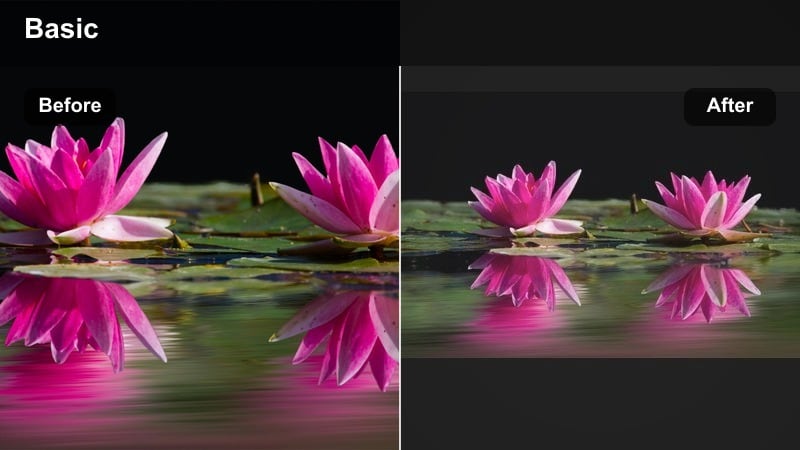
- Effect look: Low-contrast film-inspired tones with a slight fade and subtle grain for nostalgic edits.
- Best for: Year-in-review family recaps, baby to big-kid transitions, and emotional throwback trends.
- Editing tip: Cross-fade between clips and layer soft background music so the color and pacing both support the emotional story.
Family Memory Soft Film adds a gentle fade and film-style softness that works perfectly for throwback or recap trends. In Filmora, a touch of grain and lowered contrast make both new and old footage feel like part of the same memory.
Apply this filter to baby clips, first-day-of-school videos, or year-in-review edits. Use cross-fades and soft background music, and the combination of pacing plus color will carry the emotional story without you needing heavy text overlays.
Family Vlog Neutral Clean
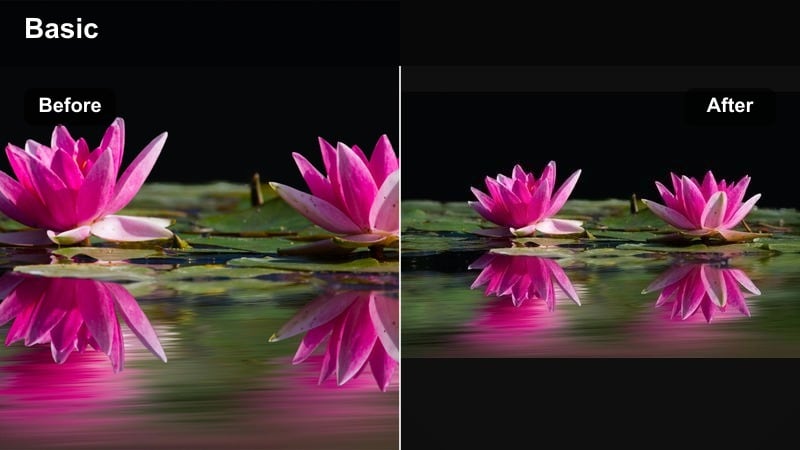
- Effect look: Balanced, true-to-life color with slight clarity boost for a polished yet natural vlog style.
- Best for: Daily family vlogs, talking-to-camera updates, educational parenting clips, and relatable rants.
- Editing tip: Keep jump cuts visible but clean, and use this filter as your base look across an entire series or playlist.
Family Vlog Neutral Clean keeps colors accurate and skin tones natural while adding just enough clarity to feel professional. It is ideal as a base look for all your talking-to-camera segments so your TikTok grid and playlists feel consistent.
In Filmora, apply this filter to sit-down updates, advice clips, and any A-roll where you want to look like yourself, just a bit more polished. Then, you can mix in bolder filters on B-roll while keeping this neutral style as your recognizable channel look.
Social-Ready Filters for Short-Form Stories
Bright Kitchen Clean
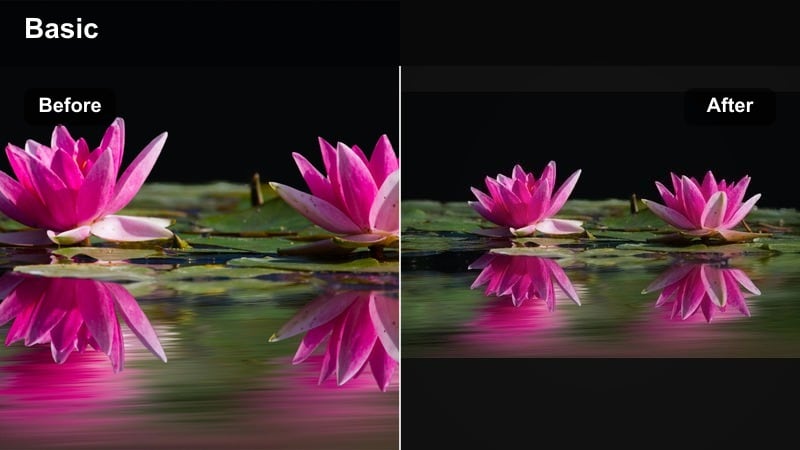
- Effect look: Bright, crisp whites with slightly cooled shadows to keep kitchens and hallways looking clean and modern.
- Best for: Cooking with kids, cleaning montages, home organization TikToks, and before-and-after reveals.
- Editing tip: Use top-down shots, quick timelapses, and this filter to turn everyday chores into oddly satisfying loops.
Bright Kitchen Clean makes white cabinets, tiles, and counters look sparkling without blowing out detail. In Filmora, it brightens whites, cools shadows slightly, and keeps the overall frame feeling modern and fresh.
Use it on cooking clips, cleaning montages, or organization before-and-after shots. Add timelapse segments and top-down B-roll, and this filter will help routine chores feel oddly satisfying and perfectly on-trend for TikTok home content.
Snappy Day-in-the-Life
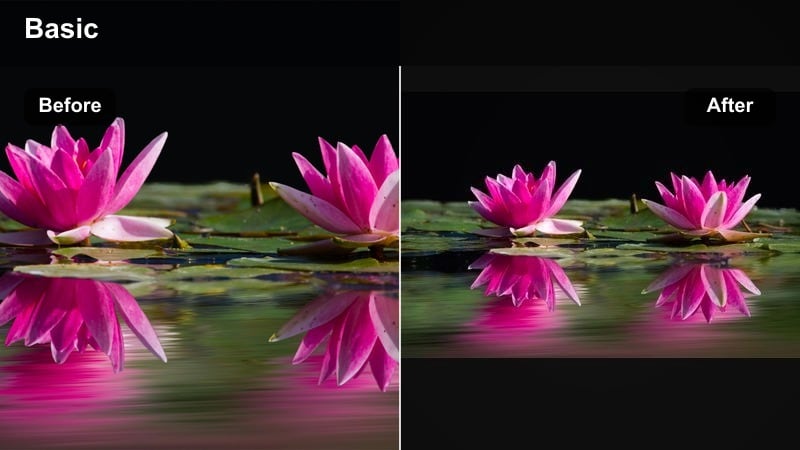
- Effect look: Slightly warm, punchy tones with a micro-contrast boost that works across many different locations in one vlog.
- Best for: Day-in-the-life vlogs, school runs, errands, car chats, and jumpy multi-location stories.
- Editing tip: Use this as a unifying filter for clips shot in different lighting so your whole vlog feels cohesive and bingeable.
Snappy Day-in-the-Life is flexible enough to handle kitchen light, car interiors, stores, and playgrounds in a single edit. It gently warms tones and adds micro-contrast so every clip feels like it belongs in the same story.
In Filmora, apply it as a global look across all clips from a busy day. Cut aggressively through errands and routine tasks, keep emotional or funny beats at normal speed, and let this filter handle the job of making the whole vlog feel cohesive.
Vertical Spotlight Reel
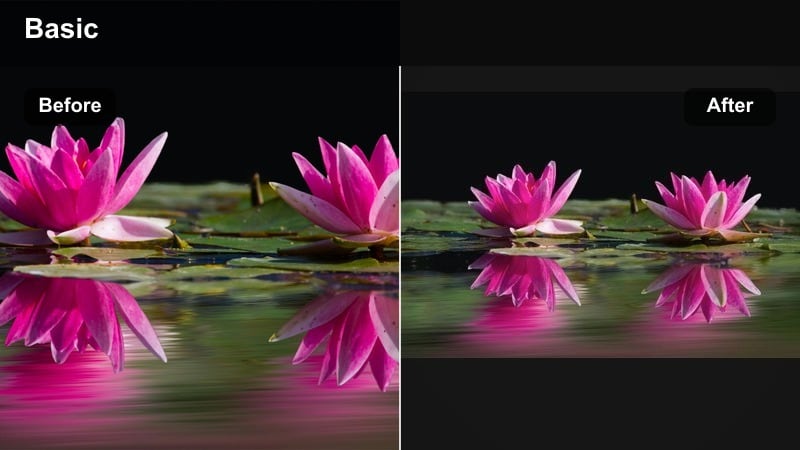
- Effect look: Subtle vignette and midtone lift that pull focus to faces in vertical TikTok and Reels framing.
- Best for: Highlight reels, best-of-the-month edits, birthday spotlights, and short character introductions.
- Editing tip: Frame faces near center and add quick freeze-frames on the funniest expressions while this filter keeps eyes bright.
Vertical Spotlight Reel is tuned for people-first, vertical content where reactions matter more than backgrounds. It adds a soft vignette, brightens midtones, and keeps eyes and smiles popping even in fast-cut highlight reels.
In Filmora, use this filter on close-up shots for birthday edits, monthly recaps, or quick introductions to each family member. Add occasional freeze-frames on the funniest or sweetest expressions, and the subtle spotlight effect will hold viewers on those key moments.
Tips for Using Family Tiktok Trendy Filters in Filmora
- Batch film several family trends in one session, then apply the same filter so your TikTok grid feels cohesive.
- Shoot slightly brighter than usual and let Filmora filters control contrast so you do not crush shadows on small screens.
- Keep most clips under two seconds when using high-energy filters to hold attention through the full video.
- Use a neutral base filter for talking clips and a bolder one for B-roll to create clear visual sections.
- Export vertical 9:16 at high bitrate so bright social video effects stay crisp when TikTok recompresses your upload.
- Save your favorite Filmora presets and reuse them across TikTok, Reels, and Shorts for a recognizable family style.
- Preview filters on a short 10 to 15 second test edit before batch-applying to longer family compilations.
- Mix cinematic and playful filters within one project, but keep no more than two or three looks per video to avoid visual overload.
These 12 family video filters for TikTok are built around real everyday moments, from rushed school mornings to slow sunset walks, so you can keep posting consistently without sacrificing style.
Load the Family Video Filters for TikTok: Trendy Bright Social Color preset pack in Filmora, test a few looks on your next family trend or fun daily clip, and lock in the signature vibe that will carry across every short-form story you share.
secure download