

 100% Security Verified | No Subscription Required | No Malware

These Free Car Cinematic LUTs and car video filters are designed for car creators and filmmakers who want bold, cinematic car color grading in just a few clicks.
Whether you shoot car reviews, automotive reels, or long scenic driving videos, apply these presets in Filmora to instantly stylize paint, headlights, and road textures while keeping skin tones and interiors looking natural.
In this article
Golden Hour Highways and Scenic Drives
Sunset Glow Cruiser
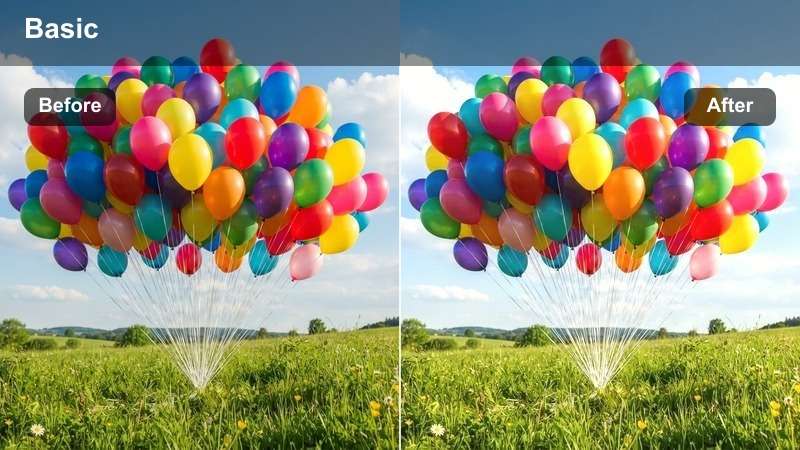
- Effect look: Warm, golden cinematic tones that enhance sunset light and make car paint pop against glowing skies.
- Best for: Slow-motion highway cruising, sunset rolling shots, and relaxed car review b-roll on open roads.
- Editing tip: Lower contrast slightly if your original footage already has strong sun flares to keep highlight detail in the clouds and windshield.
Sunset Glow Cruiser wraps your car footage in rich oranges and soft shadows so golden-hour drives feel like a polished car commercial. In Filmora, you can drop this car cinematic LUT onto rolling shots, then fine-tune exposure so body lines stay defined while the sky glows with warm, cinematic color.
For creators filming car reviews or highway b-roll, this LUT is especially useful when you want paintwork, wheels, and glass reflections to stand out without making interiors look too dark. Combine it with gentle highlight recovery and a touch of vignette in Filmora to keep attention on the vehicle while preserving detail in clouds and road textures.
AI-Powered Color Matching for Car Footage
Filmora's AI tools can automatically match your Free Car Cinematic LUTs across different cameras so your car reviews, reels, and driving videos stay consistent from clip to clip. This is perfect when you mix DSLR, action cam, and phone footage in a single automotive edit.
Use AI color matching to quickly align exposure and white balance before applying your favorite automotive LUTs, keeping paint tones and interiors looking cohesive through every scene. Once your base look is unified, each car cinematic LUT will need fewer manual tweaks.
 secure download

See Car Filters in Action on the Timeline
Drag these car video filters onto your clips and scrub through the timeline to instantly preview how each look handles reflections, road texture, and headlight glow. This helps you quickly decide which LUT best suits highways, city streets, or interior shots.
Stack filters with Filmora's basic color tools to fine-tune contrast, saturation, and highlights so each car shot matches the mood of your story. You can also duplicate clips to compare different looks without losing your original grade.
secure download1000+ Video Filters and 3D LUTs
Beyond these Free Car Cinematic LUTs, Filmora includes a large library of video filters and 3D LUTs for every shooting condition, from bright showrooms to rainy night streets. You can mix creative looks with subtle corrective LUTs to keep your grade flexible.
Apply multiple filters on adjustment layers, then fine-tune opacity to blend stylized automotive looks with more natural color. Saving your favorite stacks as presets lets you build a personal car LUT toolkit you can reuse on any project.
secure downloadDusky Asphalt Dream
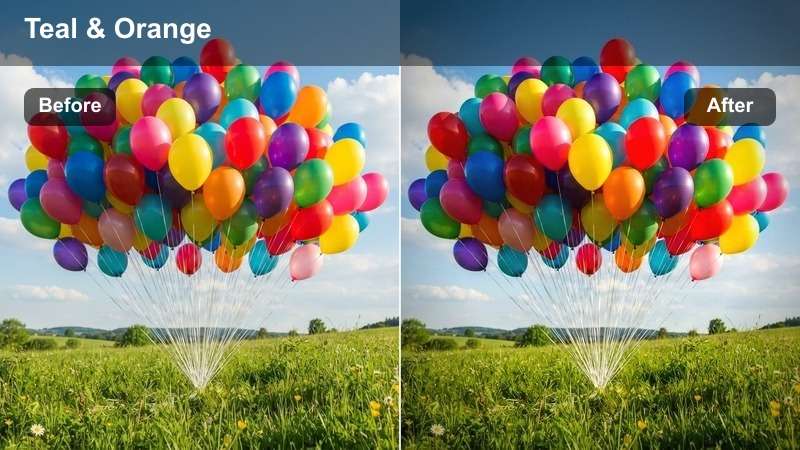
- Effect look: Moody teal shadows with soft magenta highlights for a stylized evening freeway vibe.
- Best for: Blue hour highway scenes, bridges, and cinematic driving videos with long exposure light trails.
- Editing tip: Push saturation in blues and cyans to emphasize the road and sky, but keep skin tones protected with a light HSL adjustment.
Dusky Asphalt Dream gives your evening drives a dramatic teal and magenta palette that feels straight out of a modern car film. In Filmora, apply this automotive LUT to blue hour footage to transform plain asphalt and concrete into a rich, stylized backdrop that makes headlights and taillights stand out.
To keep faces and interiors natural while the environment goes cinematic, pair this LUT with Filmora's HSL tools and masks. You can isolate skin tones or dashboard areas, reduce saturation slightly, and let the teal shadows and magenta highlights carry the stylized mood of your freeway shots and bridge sequences.
Coastal Cruise Cinema
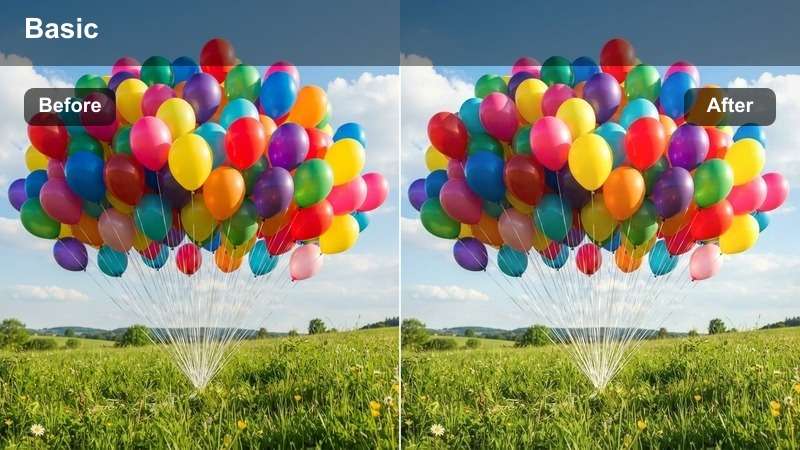
- Effect look: Soft, airy contrast with gentle cyan highlights for bright coastal roads and reflective car surfaces.
- Best for: Daytime coastal drives, convertible cruising, and travel-style automotive reels near the ocean.
- Editing tip: Raise exposure slightly and pull down blacks to keep the ocean and sky bright while maintaining depth in the car body.
Coastal Cruise Cinema is ideal when you film bright seaside drives and want cars to look crisp without harsh midday contrast. The LUT gently lifts highlights in the sky and ocean while keeping the car's edges defined, which works especially well for convertibles and glossy paint colors.
Inside Filmora, you can combine this LUT with slight exposure and black-level adjustments to balance sunlit scenery with the darker cabin. If you are filming white or silver cars, ease back the whites control to preserve hood and roof detail, and consider gradient masks to hold onto sky texture while leaving the road and vehicle clean and bright.
Neon City Streets and Night Drives
Neon Street Racer
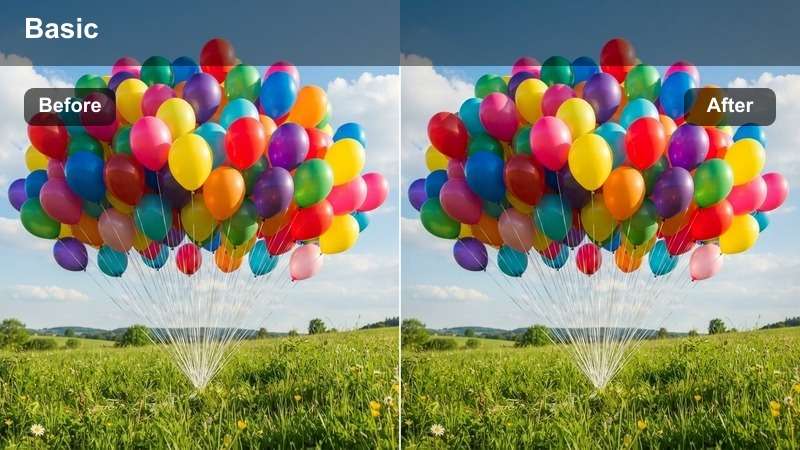
- Effect look: Punchy neon contrast with deep blacks and vibrant reds and purples for a high-energy street racing look.
- Best for: Night city driving videos, tunnel pulls, and cinematic automotive reels featuring colorful signage.
- Editing tip: Crank up local contrast but keep noise reduction moderate to avoid losing gritty street detail in low light.
Neon Street Racer is built for fast-paced night driving where city lights, billboards, and reflections sell the speed of your car. The LUT deepens blacks and boosts neon reds and purples, giving your footage a bold, high-contrast finish that feels right at home in street racing edits and tunnel pulls.
In Filmora, apply this LUT to clips shot in wet streets or near colorful signs so reflections dance across the car body. Use the built-in noise reduction sparingly to keep the gritty texture of asphalt and city detail, and pull down highlight saturation on blown-out signs so texts and logos remain clear even with the aggressive neon treatment.
Urban Noir Cruiser
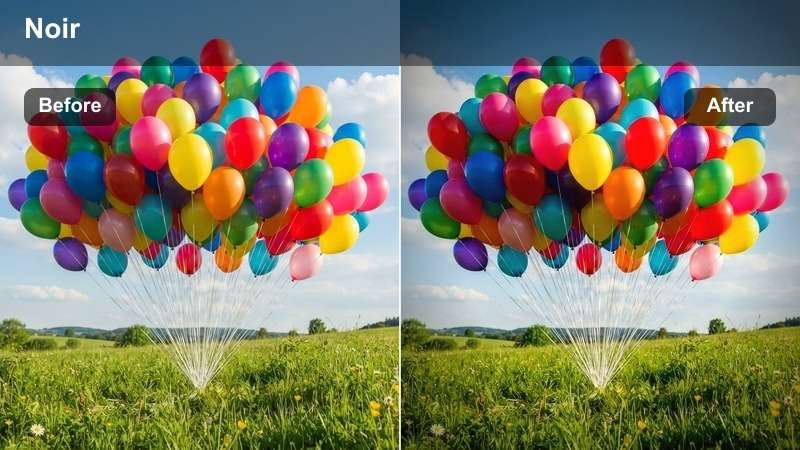
- Effect look: Desaturated city palette with rich blacks and focused warm highlights for a modern film noir style.
- Best for: Moody downtown car reviews, rooftop parking shots, and cinematic establishing shots of parked cars at night.
- Editing tip: Reduce overall saturation and lift the shadows slightly if your camera struggles with noise in dark scenes.
Urban Noir Cruiser strips down the city color palette so viewers focus on the car silhouette, headlights, and key reflections. It delivers a restrained, film noir mood that works brilliantly for rooftop parking scenes, static beauty shots, and slow pans around a parked car at night.
Inside Filmora, pair this LUT with subtle camera moves like push-ins or sliders to complement the cinematic darkness. You can also lift shadows and reduce saturation a bit further if your camera introduces noise in low light, keeping the frame clean while preserving the moody contrast that defines this noir-inspired automotive look.
Tunnel Light Streak
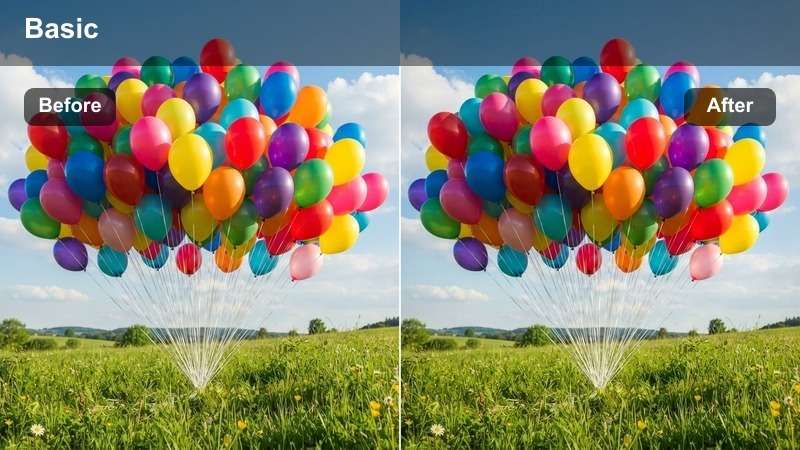
- Effect look: High contrast filter that boosts warm tunnel lights and cools shadows for dynamic speed-focused footage.
- Best for: Tunnel pulls, highway on-ramps, and POV driving shots shot from inside the car or from a chase car.
- Editing tip: Increase motion blur or use speed ramps to exaggerate the light streaks and blend with the strong contrast of this filter.
Tunnel Light Streak is designed to amplify speed, turning tunnel lights and roadside lamps into dramatic streaks around your car. The LUT pushes warm highlights while cooling shadows, ideal for tunnel pulls, highway merges, and chase sequences where motion and light trails are key storytelling elements.
In Filmora, combine this LUT with speed ramps and optional motion blur effects to sync the grade with the flow of light across the frame. If highlights become too intense, adjust midtones rather than just highlights to keep the streaks punchy without clipping, maintaining detail on the car body and road while preserving the high-energy feel.
Daytime Details and Showroom Beauty Shots
Showroom Shine
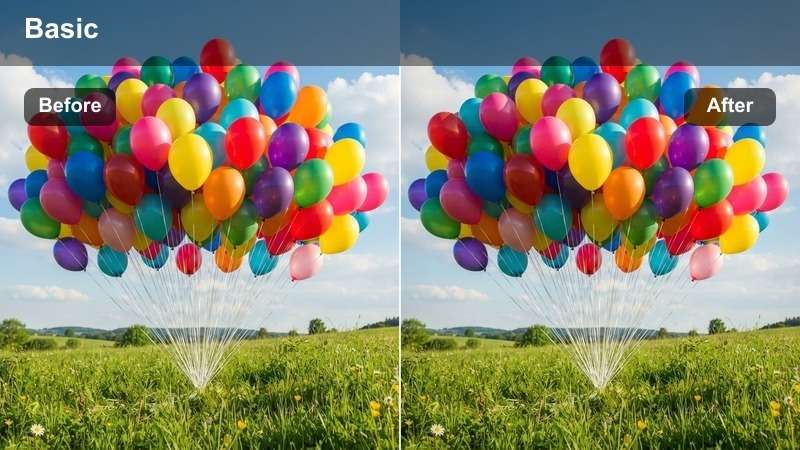
- Effect look: Clean, high-clarity filter that brightens paintwork and emphasizes reflections for polished reveal shots.
- Best for: Car review close-ups, exterior walkarounds, and static showroom clips with controlled lighting.
- Editing tip: Dial back sharpness on already crisp footage to avoid halos around panel gaps and window edges.
Showroom Shine is tailored for car reviews and product-style videos where you want vehicles to look pristine and professionally lit. It boosts clarity and brightness along the bodywork to emphasize reflections and paint depth, making walkaround shots feel like they are from a dealership commercial or launch film.
Use this LUT in Filmora for clean reveal edits, rotating shots, or slider moves along the car exterior. If your source is already very sharp, reduce additional sharpening or clarity to prevent halos on seams and window edges, letting the filter enhance reflections and gloss without introducing artifacts.
Interior Lux Focus
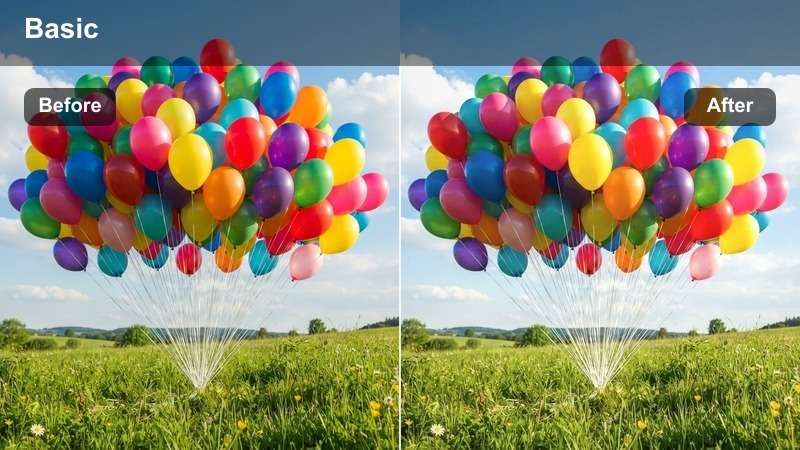
- Effect look: Soft contrast with lifted shadows and warm midtones that flatter leather, dashboards, and cabin lighting.
- Best for: Interior car reviews, infotainment demos, and handheld shots of seats, steering wheels, and controls.
- Editing tip: Lower highlights on screens and chrome parts, then increase micro-contrast on stitching and textures for a premium feel.
Interior Lux Focus makes cabin footage feel cozy and high-end by warming midtones and gently lifting shadows so leather, stitching, and trim details show clearly. It works especially well for infotainment showcases, seat and steering wheel close-ups, and POV shots from the driver's seat.
In Filmora, combine this LUT with selective adjustments on windows and screens so outside highlights do not overpower the interior. You can reduce highlight intensity on chrome and displays, then add a bit of micro-contrast or texture to fabrics and leather surfaces, helping your audience appreciate the craftsmanship and materials inside the car.
Macro Detail Pop
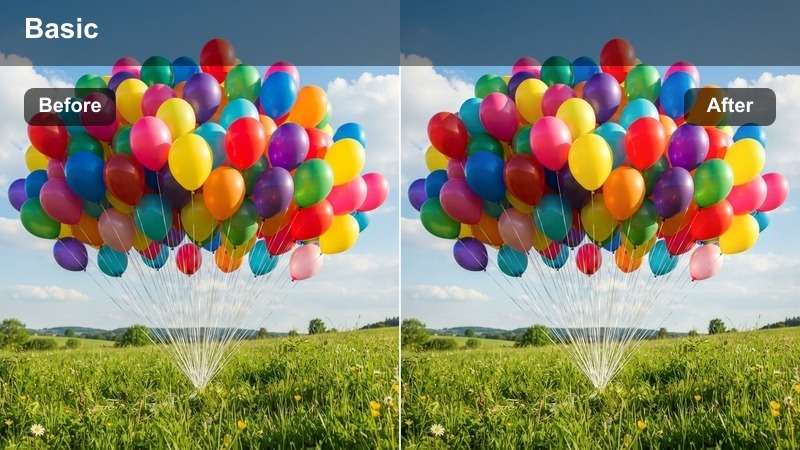
- Effect look: High micro-contrast and selective saturation that makes badges, wheels, and textures stand out sharply.
- Best for: Close-ups of logos, rims, brake calipers, exhaust tips, and textured materials on the car exterior or interior.
- Editing tip: Use subtle slow motion and keep camera movement minimal so the sharpness enhancement does not feel too aggressive.
Macro Detail Pop is focused on turning small car elements into dramatic hero shots. It increases micro-contrast and targeted saturation to make badges, grilles, rims, and materials like carbon fiber or leather visually punchy, ideal for cutaway inserts in car reviews and promotional edits.
In Filmora, pair this LUT with shallow depth of field and slow or minimal camera movement so the added sharpness feels intentional and cinematic. If edges begin to look overly crisp, ease off clarity slightly while keeping the LUT active, preserving the bold texture and detail without making the image look artificially enhanced.
Off-Road Trails and Long Road Trips
Dust Trail Adventure
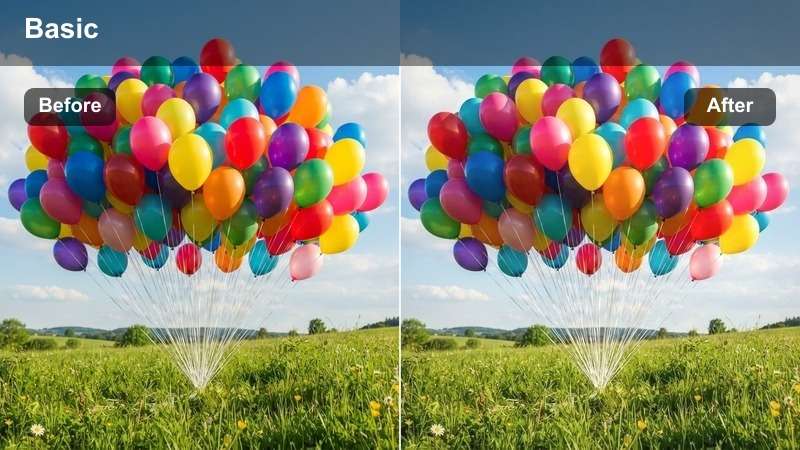
- Effect look: Earthy tones with boosted texture in dirt, gravel, and dust clouds for rugged off-road footage.
- Best for: SUV and truck off-road runs, gravel road driving videos, and rally-style car sequences.
- Editing tip: Increase texture and dehaze carefully so dust clouds stay dramatic without turning the sky too dark or muddy.
Dust Trail Adventure leans into warm, earthy tones to make dirt, rocks, and dust clouds look gritty and cinematic. It is perfect for SUVs, trucks, and rally builds tackling trails, since it boosts texture and contrast in the terrain while emphasizing the movement of dust behind the vehicle.
Within Filmora, apply this LUT to wide off-road shots and follow-up chase footage, then balance dehaze and texture so dust remains bold without crushing the sky. If the ground becomes too contrasty, gently lift shadows or use masks around the tires and undercarriage to preserve suspension detail and maintain a rugged yet readable look.
Roadtrip Documentary
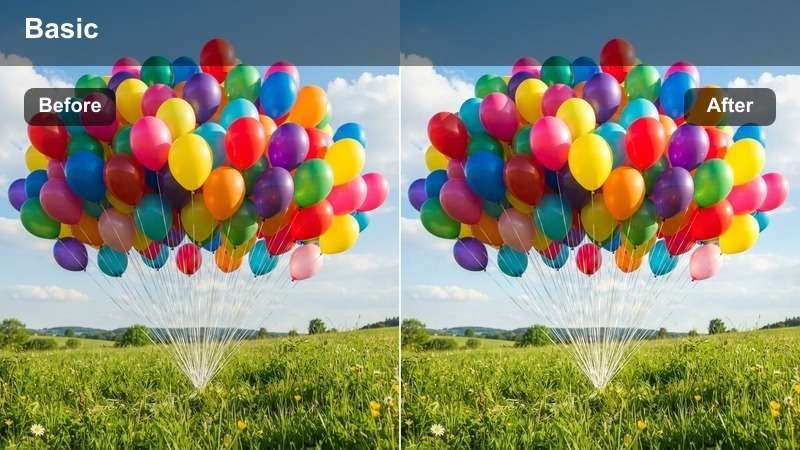
- Effect look: Balanced, natural contrast with subtle filmic warmth for storytelling-style travel drives.
- Best for: Long driving montages, POV dash shots, and vlog-style car travel content through varied landscapes.
- Editing tip: Keep saturation moderate and use gentle film grain so the grade feels cinematic without overpowering the story.
Roadtrip Documentary is a versatile, natural-looking LUT that adds a touch of filmic warmth without straying too far from reality. It works across changing landscapes and lighting, making it ideal for long driving montages, vlogs, and POV dash shots that move from city to countryside and back.
In Filmora, you can use this LUT as a base grade across your timeline, then tweak exposure and white balance per clip to hide major shifts in weather or time of day. Add light film grain and keep saturation in check so your car, passengers, and scenery all feel cohesive, letting the story of the trip take center stage.
Overcast Tourer
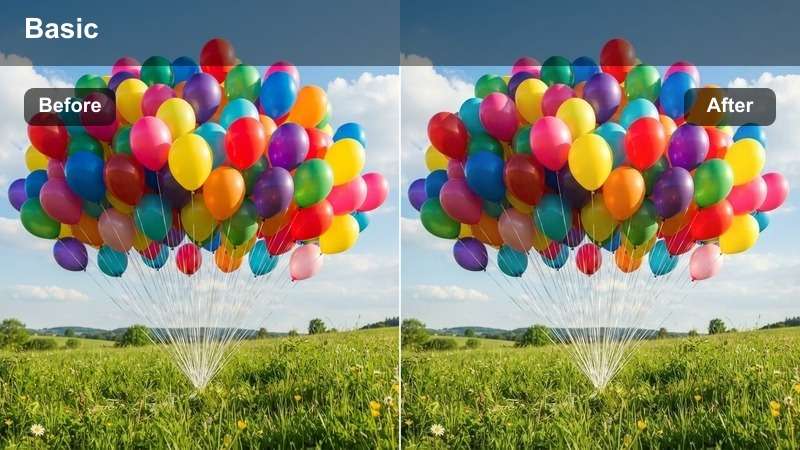
- Effect look: Soft, low-contrast filter that brightens grey skies and keeps car colors true on cloudy days.
- Best for: Overcast car reviews, rainy day city drives, and muted landscape roadtrip clips.
- Editing tip: Raise exposure slightly and lift blacks to avoid dull shadows, then add a hint of warmth to keep the image inviting.
Overcast Tourer is designed to rescue flat, cloudy-day footage by gently brightening skies and lifting shadows while keeping car colors accurate. It is especially useful for rainy drives, overcast reviews, and moody countryside clips where you want a cinematic feel without forcing heavy contrast onto naturally soft light.
Use this LUT in Filmora when you are editing mixed-weather projects and need gloomy clips to sit nicely next to sunny scenes. Increase exposure and blacks a touch, add a bit of warmth to the midtones, and selectively boost the saturation of the car's paint so the vehicle remains the hero even when the environment is muted and grey.
Tips for Using Car Cinematic Luts Filters in Filmora
- Shoot car footage in a flat or log profile when possible so your Free Car Cinematic LUTs have more dynamic range to work with.
- Lock white balance in-camera during car reviews and driving videos to avoid color shifts that become obvious after grading.
- Use ND filters for daytime driving shots so motion blur stays natural and filters do not exaggerate choppy footage.
- Keep windows and dashboards clean before filming so high-contrast filters do not draw attention to dust or smudges.
- Mix wide establishing shots with close details of wheels, badges, and interiors so your car LUTs can show off both texture and overall mood.
With these Free Car Cinematic LUTs and filters, you can turn everyday car footage into stylish, cinematic automotive videos without spending hours on manual color grading.
Experiment with a few favorites on your next car review, automotive reel, or driving montage, then save your best combinations as presets so every new project starts with a professional, consistent look.
secure download