

 100% Security Verified | No Subscription Required | No Malware

These Free Mountain Hiking LUTs are crafted for hikers and travel vloggers who want every ridge line, valley, and summit shot to look bold, crisp, and cinematic without spending hours color grading.
Whether you are filming sunrise hikes, misty forest trails, or wide-open alpine views, this set of hiking video LUTs and mountain filters brings consistent mood, contrast, and color to all your outdoor adventure videos.
In this article
Golden Sunrise on Mountain Ridges
Sunrise Glow Warm Peaks
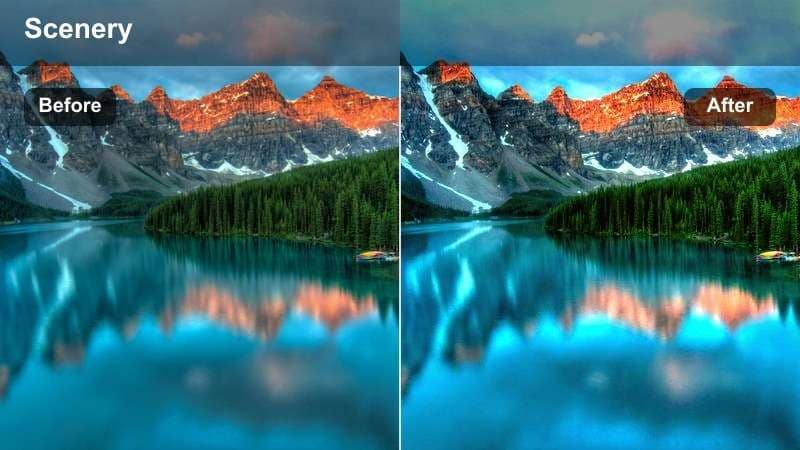
- Effect look: Warm cinematic glow that intensifies golden hour on distant ridges and trail foregrounds.
- Best for: Early-morning summit pushes, ridge walks at sunrise, and backlit hiking portraits.
- Editing tip: Slightly lower highlights to keep bright skies under control while raising shadows for more detail in your hiking gear.
Sunrise Glow Warm Peaks wraps your mountain ridges in a soft, golden halo, pushing oranges and yellows while gently taming harsh contrast. It is ideal for clips where the sun sits just above the horizon, creating rim light on hikers and picking up warm tones on rocks and alpine grasses.
In Filmora, drop this LUT onto your sunrise clips, then fine-tune exposure in the Color panel to protect delicate cloud detail. Use masks on faces and hands if they look too orange, and subtly adjust white balance toward neutral so the sky stays glowing without overpowering the terrain.
Smart Color Matching for Every Mountain Scene
Filmora's AI tools help you keep your Free Mountain Hiking LUTs consistent across changing locations, from forest shade to bright alpine summits. Instead of manually matching every shot, AI analyzes contrast and color, then harmonizes your clips in seconds.
Use AI color matching to quickly sync the tone of your hiking video LUTs between clips shot on different days, cameras, or weather, so your full trail story feels unified and professional from first step to summit shot.
 secure download

Preview Mountain Filters in Real Time
With Filmora's real-time preview, you can scroll through your Free Mountain Hiking LUTs on a single clip and instantly see how each filter transforms your outdoor adventure videos. This makes it easy to swap between warm sunrise looks, moody forests, and crisp alpine tones.
Compare before-and-after looks on split screen to quickly decide which hiking video LUTs work best for sunrise ridges, deep forests, or approaching storm clouds, then lock in your favorites for the full edit.
secure download1000+ Video Filters and 3D LUTs
Beyond these Free Mountain Hiking LUTs, Filmora includes a large built-in library of filters, overlays, and 3D LUTs for every style from travel vlogs to cinematic documentaries. You can layer creative looks, add subtle HSL tweaks, and fine-tune each shot for your preferred outdoor aesthetic.
Mix your hiking LUTs with Filmora's other effects, then save your favorite combinations as custom presets so future trail edits are as simple as drag, drop, and export.
secure downloadCrisp Alpine Mornings
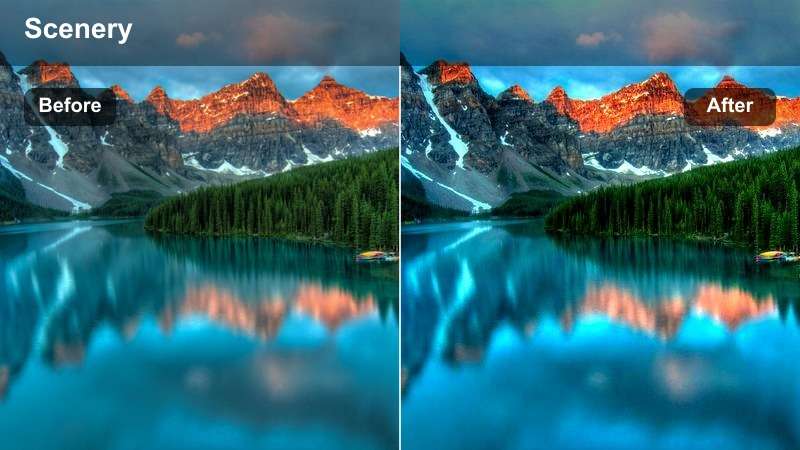
- Effect look: Clean, cool-toned clarity that makes cold air, distant peaks, and frosty grass feel razor-sharp.
- Best for: High-altitude trails, snow-dusted ridges, and chilly blue-hour hiking sequences.
- Editing tip: Increase overall saturation slightly after applying the LUT to keep blues vivid without losing detail in the rocks.
Crisp Alpine Mornings cools your footage for that sharp, high-altitude feel, emphasizing blues in the sky and distant mountains while keeping shadows tight and defined. It is perfect for early starts above the tree line where thin air, frost, and snowfields dominate the frame.
In Filmora, apply this LUT to your ridge and summit clips, then nudge saturation to taste so skies and jackets pop without turning neon. Use the Color controls to slightly soften contrast for talking-head segments, ensuring skin still looks natural while the landscape retains its icy clarity.
Soft Haze Valley Light
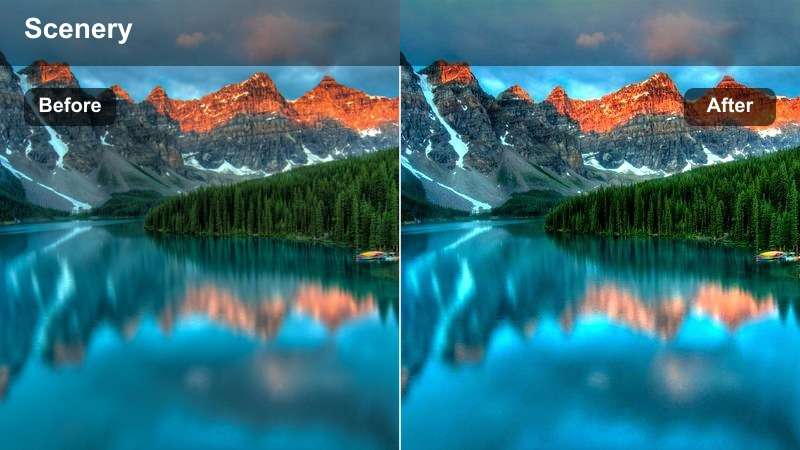
- Effect look: Gentle, hazy highlights that soften harsh sunlight and emphasize layered valleys.
- Best for: Late-morning climbs, hazy ridge viewpoints, and handheld walk-and-talk trail vlogs.
- Editing tip: Add a touch of clarity or texture after this filter to keep rocks and backpacks from looking too soft.
Soft Haze Valley Light reduces contrast and rolls off highlights to create a dreamy, atmospheric vibe across distant ridges. This LUT is ideal when midday or late-morning sun is too strong, smoothing out glare while preserving the sense of depth between foreground hikers and background valleys.
Inside Filmora, pair this look with your drone passes and wide panoramas, then gently increase clarity or texture on selected areas using masks to keep important details crisp. It works especially well for travel vlogs where you want a relaxed, almost film-like softness without losing the contours of the landscape.
Deep Forest Trails and Shaded Paths
Evergreen Trail Boost
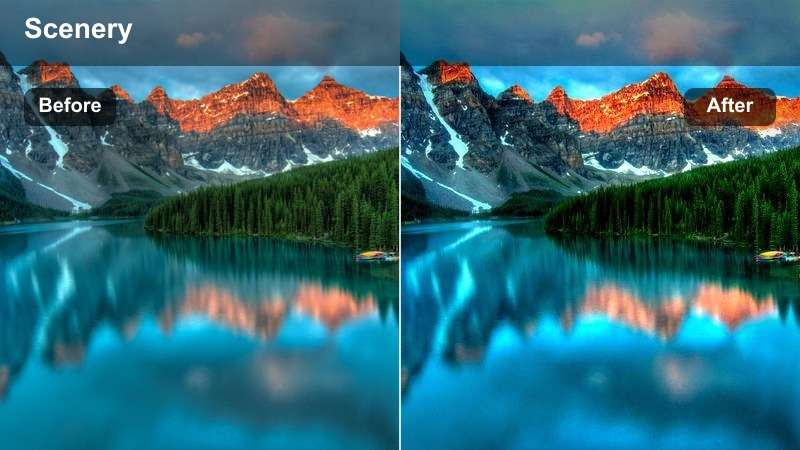
- Effect look: Rich greens and lifted shadows that reveal detail under dense forest canopies.
- Best for: Shaded switchbacks, forest trail narratives, and slow-paced hiking walkthroughs.
- Editing tip: Dial back saturation on greens if leaves appear too neon, especially on footage shot in already vivid forests.
Evergreen Trail Boost brightens deep shadows and enriches greens so dark, leafy trails look inviting instead of muddy. It is designed for clips shot under heavy canopy where your subject and trail details can easily vanish into black without careful grading.
Use this LUT in Filmora on forest sequences, then fine-tune the green hue and saturation sliders to match how the scene looked in person. For low-light shots, combine it with gentle noise reduction and a slight lift of midtones to keep foliage texture clean while maintaining a natural, story-friendly mood.
Moody Pine Shadows
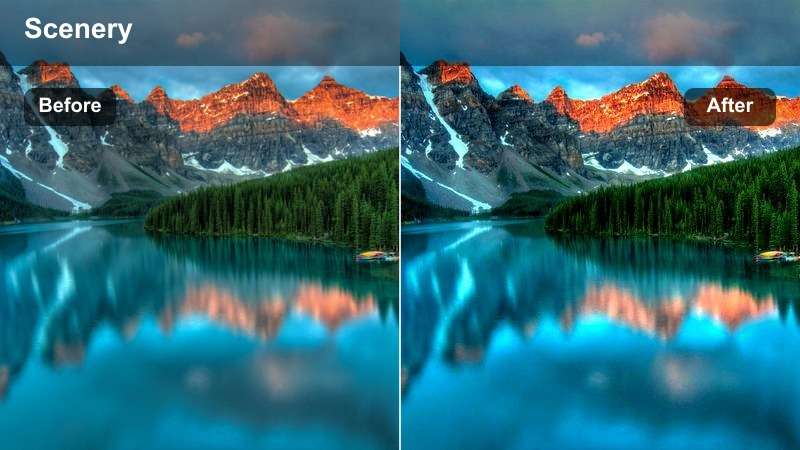
- Effect look: Dark, cinematic shadows with desaturated greens for atmospheric pine forests.
- Best for: Steep conifer trails, overcast days, and introspective hiking monologues.
- Editing tip: Raise exposure slightly after applying to keep faces visible while preserving the moody forest backdrop.
Moody Pine Shadows dials back saturation, deepens blacks, and leans into contrast to give conifer forests a serious, cinematic feel. It is perfect for segments where the hike gets tougher or the story turns more reflective, using color to add emotional weight to your footage.
In Filmora, after applying this LUT, bump exposure just enough to keep your hikers from disappearing in the darkness. Use masking tools to selectively lift shadows on faces while allowing the background trees and forest floor to stay rich, moody, and immersive.
Dappled Light Walk
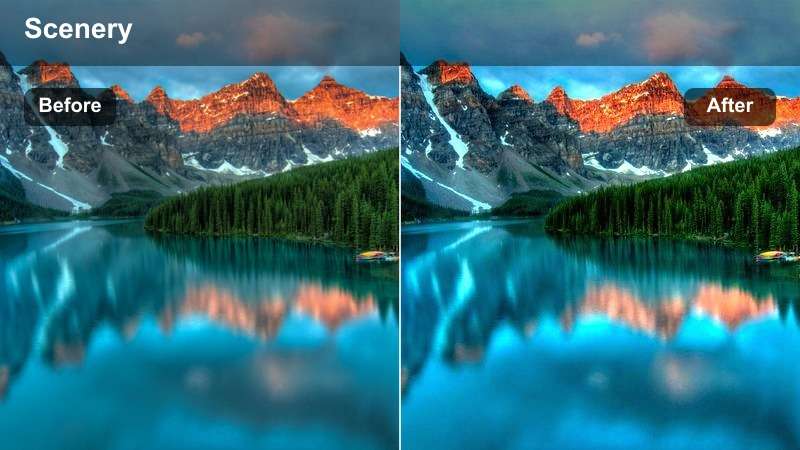
- Effect look: Balanced contrast that smooths patchy sunlight flickering through treetops.
- Best for: Handheld trail POV shots, following shots behind a hiker, and gimbal walks through mixed light.
- Editing tip: Use Filmora's stabilization together with this filter to reduce distractions from moving shadows and jittery footsteps.
Dappled Light Walk is built to tame rapidly shifting pockets of sun and shade that happen on wooded trails. It evens out exposure so bright spots do not blow out and dark patches retain detail, making your walking POV shots more comfortable to watch.
Apply this LUT in Filmora to sequences with lots of flickering sunlight, then add stabilization to further smooth camera movement. If highlights still feel jumpy, reduce them slightly and lift black levels so your entire forest segment cuts together with a more uniform, cinematic look.
Rocky Summits and Adventurous Ridge Lines
High Contrast Summit Edge
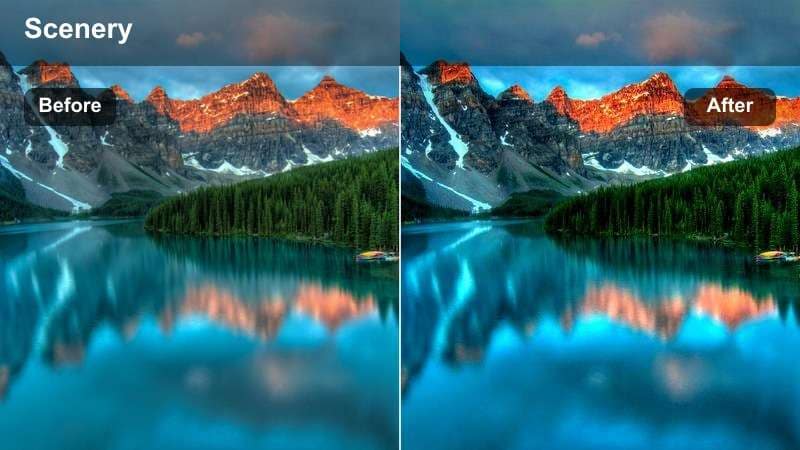
- Effect look: Punchy contrast and crisp edges that make rocky summits feel bold and dramatic.
- Best for: Summit flags, hero shots on exposed ridges, and dramatic tripod or drone reveals.
- Editing tip: Watch for crushed blacks on dark jackets; if needed, gently lift shadows around your subject with Filmora's masking tools.
High Contrast Summit Edge pushes contrast and clarity to make rocks, cliffs, and ridgelines feel rugged and intense. It is a strong, stylized look that instantly signals peak moments, perfect for those shots where hikers reach the top or stand on a knife-edge ridge.
In Filmora, keep this LUT for your hero sequences and carefully monitor dark areas of clothing or gear. Use masks or the shadows slider to recover detail where needed, and consider pairing it with slower motion or dramatic music to fully sell the payoff of the climb.
Skyline Traverse Neutral
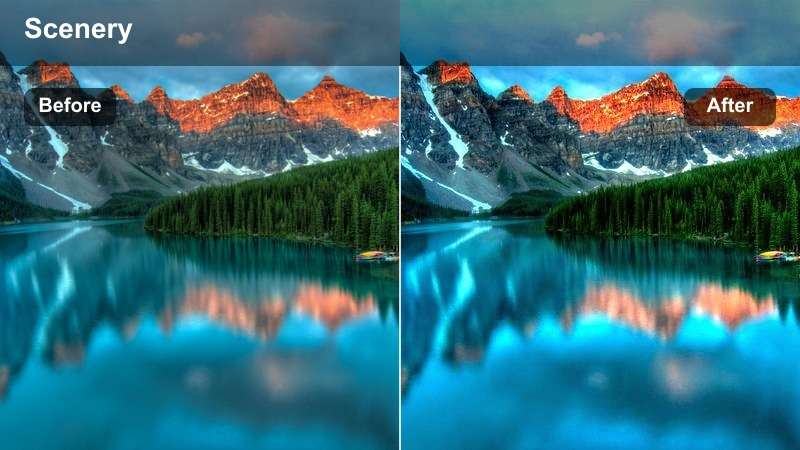
- Effect look: Natural, slightly cool color balance that keeps skin tones realistic and skies clean.
- Best for: Talking-to-camera segments on ridgelines, group shots at lookouts, and gear breakdowns at viewpoints.
- Editing tip: Use this filter as your base look across the whole video, then stack more stylized filters on only a few key scenes.
Skyline Traverse Neutral offers a balanced, documentary-style look that flatters both people and landscapes. Colors stay true to life with just a hint of coolness, making it a great base profile for full hiking vlogs and educational trail content.
In Filmora, apply this LUT to the majority of your timeline to keep your story visually cohesive from forest to summit. Then selectively add more stylized LUTs on B-roll or montage sequences, ensuring your main speaking clips remain clean, timeless, and easy for viewers to watch.
Sun Flare Ridge Run
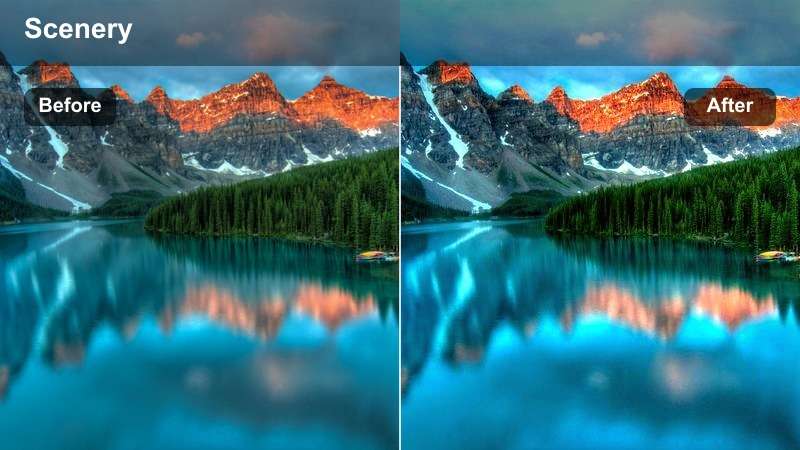
- Effect look: Warm flares and lifted highlights that accentuate lens flares and running shots on open ridges.
- Best for: Trail-running sections, dynamic action shots, and playful ridge scenes against the sun.
- Editing tip: Slow your footage slightly and add gentle motion blur to enhance the energetic yet dreamy feel of the filter.
Sun Flare Ridge Run leans into backlight and flare artifacts, brightening highlights and warming tones for an energetic, sun-drenched style. It is ideal for fast-paced ridge runs, playful group shots, or any time you are shooting directly toward the sun.
In Filmora, combine this LUT with slightly slowed footage and optional motion blur effects to give your action sequences a dreamy but powerful energy. Time your cuts with music beats while letting the warm flares streak across frames, turning what could be distractions into a deliberate, stylish design choice.
Changing Weather, Misty Peaks, and Stormy Skies
Misty Pass Cinematic
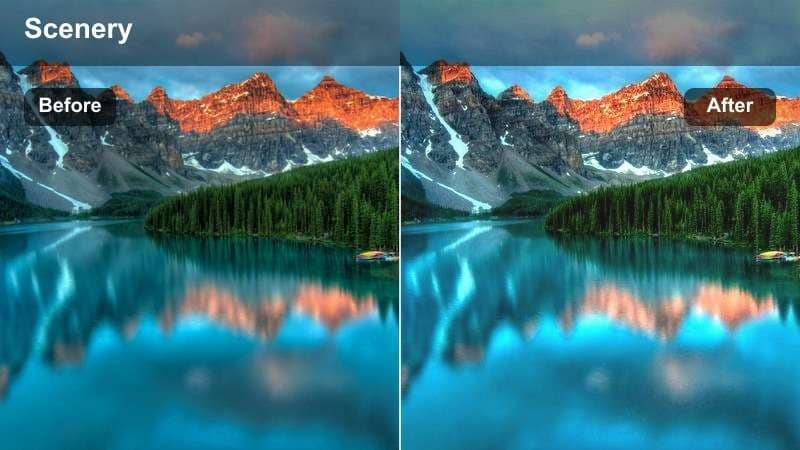
- Effect look: Soft contrast and cool tints that emphasize fog, mist, and low-visibility passes.
- Best for: Foggy ridge traverses, cloud-covered viewpoints, and quiet rainy-day segments.
- Editing tip: Lower saturation slightly to keep the moody, cinematic feel and avoid colorful gear overpowering the mist.
Misty Pass Cinematic is tuned for low-contrast, low-visibility conditions where fog wraps around ridges and hikers. It cools color temperature, softens contrast, and enhances the sense of atmosphere so your cloudy, rainy hikes feel intentional and cinematic instead of flat.
Apply this LUT in Filmora to all your foggy or clouded-in clips, then pull down saturation if bright jackets or backpacks clash with the mood. Slower cuts and gentle music pair especially well with this look, helping you build reflective, almost mysterious sequences in your hiking story.
Storm Build-Up Drama
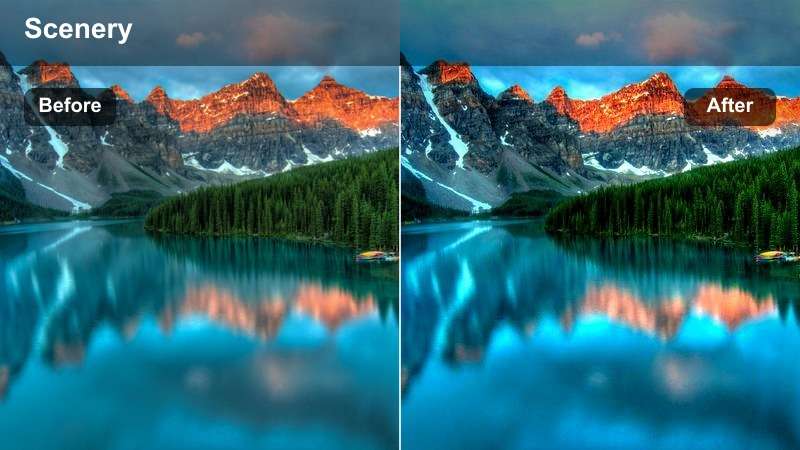
- Effect look: Deep blacks and intensified clouds for pre-storm tension and moody skies.
- Best for: Time lapses of clouds rolling over peaks, hurried trail segments before a storm, and safety decision moments.
- Editing tip: Protect highlights in the sky by pulling them down slightly so dramatic cloud shapes stay visible and detailed.
Storm Build-Up Drama darkens your scene and pumps up cloud texture to highlight the power of incoming weather. It is made for high-tension moments on exposed ridges or passes, when you can see storm systems stacking over the peaks.
Within Filmora, add this LUT to time-lapses, quick cuts, or narrative beats where you discuss changing conditions or tough choices. Carefully pull down sky highlights and fine-tune exposure so silhouettes stay readable, then layer in wind or thunder sound effects to fully match the visual intensity.
After Rain Fresh Colors
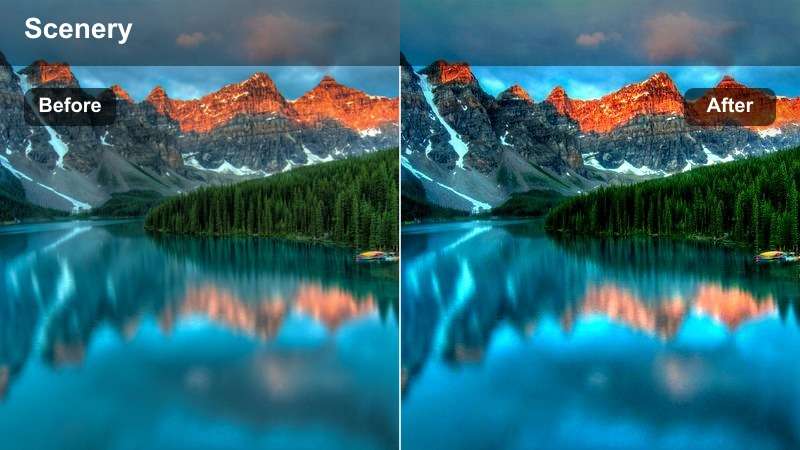
- Effect look: Clean, saturated tones that make wet rocks, leaves, and gear pop after a storm passes.
- Best for: Post-rain trail shots, puddle reflections, and gear close-ups when clouds begin to lift.
- Editing tip: Increase local contrast on foreground elements like boots or trekking poles to emphasize raindrops and textures.
After Rain Fresh Colors enhances saturation and clarity to showcase the rich tones that appear once the storm clears. Wet rocks, leaves, and tree bark gain extra depth, while the overall scene feels renewed and vibrant, signaling a shift in your hiking narrative.
Use this LUT in Filmora right after moody or stormy sections to visually mark a fresh start. Focus on close-ups of boots splashing in puddles or water beading on gear, and boost local contrast on those details so the viewer can almost feel the damp, revived landscape.
Tips for Using Mountain Hiking Luts Filters in Filmora
- Shoot in a flat or log profile when possible so these Free Mountain Hiking LUTs have more dynamic range to work with.
- Keep white balance slightly neutral in-camera, then let the LUT add warmth or coolness to match the mood of each trail scene.
- Use one base mountain filter for most of your vlog and reserve the most stylized looks for highlight montages or summit reveals.
- Always check skin tones and adjust saturation after applying hiking video LUTs to keep hikers looking natural against dramatic landscapes.
- Group similar clips on your timeline and apply the same mountain filter, then tweak per clip instead of grading each shot from scratch.
- Mix wide landscape shots with close-up gear or boot shots using the same LUT to make your outdoor adventure videos feel more cohesive.
These Free Mountain Hiking LUTs give hikers and travel vloggers an easy way to turn raw trail footage from hiking trips, mountain adventures, and outdoor videos into cohesive, cinematic stories.
Download the presets, load them into Filmora, and experiment with different mountain filters and outdoor adventure LUTs so your next summit edit looks as epic as the climb itself.
secure download