

 100% Security Verified | No Subscription Required | No Malware

Bring forest footage to life with Free Forest Cinematic LUTs designed for filmmakers and nature creators who want rich greens, dramatic contrast, and filmic atmosphere in every shot.
Whether you are grading hiking videos, moody woodland scenes, or bright outdoor films, these forest video filters and cinematic nature LUTs give you consistent, professional color with just a few clicks.
In this article
Misty Morning Forest Trails
Dawn Fog Soft Film
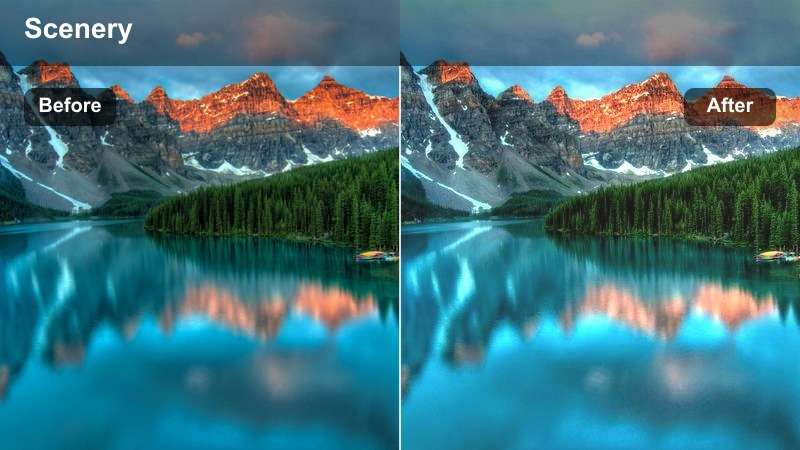
- Effect look: Soft, low-contrast film look with lifted blacks and gentle pastel greens.
- Best for: Early-morning hiking videos with fog, dew-covered trees, and quiet forest paths.
- Editing tip: Lower clarity slightly and add a subtle vignette to keep attention on the trail and foreground subject.
In Filmora, Dawn Fog Soft Film gives your misty forest scenes a delicate, cinematic glow by softening contrast and lifting the blacks so fog rolls gently through the trees. The LUT pushes greens toward a pastel palette, which keeps foliage from overwhelming your subject and lets early-morning atmosphere become the focus of the frame.
Apply this LUT to clips shot at blue hour or right after sunrise, then fine-tune exposure and white balance so skin tones remain soft but believable. Combine it with Filmora tools like Vignette, Sharpen, and slight Blur to guide the eye toward a hiker or main subject, and use keyframed exposure if your camera moves from thicker fog into brighter clearings.
Let AI Find the Perfect Forest Color Mood
Filmora AI color tools can scan your forest clips and instantly suggest color moods that match misty mornings, moody woodland paths, or bright trail adventures. Instead of guessing which forest LUT fits each shot, you can preview multiple palettes tailored to your footage.
Once AI proposes a look, combine it with these Free Forest Cinematic LUTs to lock in a cohesive forest color story from your opening shot to the final frame, all inside a streamlined Filmora workflow.
 secure download

Preview Forest Filters on Real Hiking Footage
With Filmora filter preview, you can quickly test how each forest LUT or filter affects your hiking, camping, or trailrunning clips without committing to any one look. Scrub through your timeline and toggle different presets to compare misty, warm, or dramatic grades in context.
This live comparison helps you choose the ideal cinematic forest style for each scene, whether you are building a YouTube vlog, short film, or moody montage set deep in the woods.
secure download1000+ Video Filters and 3D LUTs
Beyond these Free Forest Cinematic LUTs, Filmora offers a large library of filters, overlays, and 3D LUTs so you can craft unique woodland looks for every project. Stack forest LUTs with stylized filters, then refine greens, sky color, and skin tones using curves and HSL tools.
When you find a combination that works for your channel or brand, save it as a custom preset. You can then apply that same cinematic forest recipe to new footage in seconds, keeping your outdoor videos visually consistent over time.
secure downloadEvergreen Morning Glow
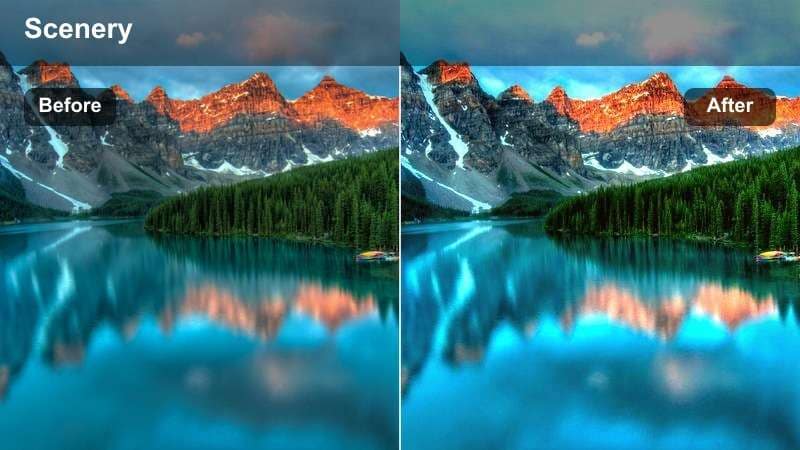
- Effect look: Warm sunlit highlights with rich evergreen tones and gentle halation around bright edges.
- Best for: Sunrise forest footage where light pierces through trees and illuminates dust or mist.
- Editing tip: Increase warmth in the midtones only so the foliage stays natural while sun rays feel golden and inviting.
Evergreen Morning Glow in Filmora is designed to enhance shafts of sunlight cutting through tall trees, adding warmth and a subtle halo around bright areas. The LUT deepens evergreen hues without pushing them into neon, preserving a cinematic yet natural forest feel for sunrise hikes and backlit portrait shots.
Use this LUT on clips with visible dust, pollen, or mist in the air, then adjust midtone temperature and tint so the light feels golden while tree trunks and foliage remain realistic. If your greens start skewing yellow, fine-tune the yellow channel with HSL to pull them back toward forest green while maintaining a glowing, welcoming atmosphere.
Silent Branch Cool Mist
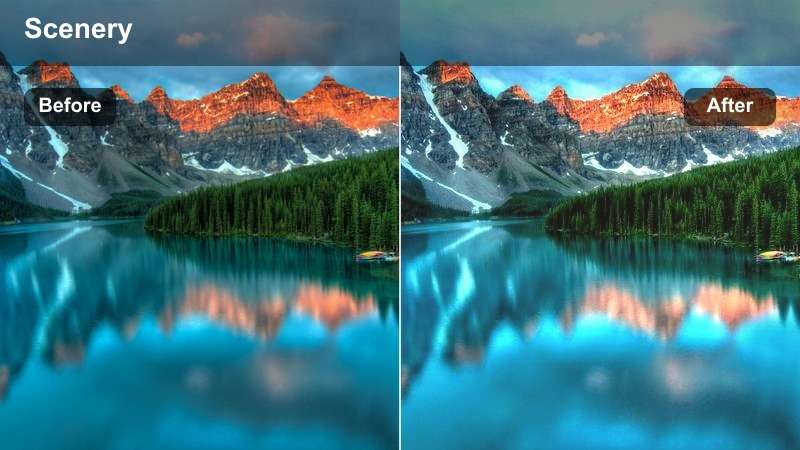
- Effect look: Cool, desaturated forest tones with soft blues in shadows and subtle film grain.
- Best for: Moody morning woods, narrative outdoor films, and introspective hiking sequences.
- Editing tip: Lower saturation slightly and add a bit of fade in the blacks to push the scene into an artistic, cinematic mood.
Silent Branch Cool Mist shifts your forest footage toward a cooler, more restrained palette, with gentle blue shadows and softened colors that complement emotional or story-driven scenes. In Filmora, this LUT works especially well on overcast days or foggy trails where you want atmosphere and introspection instead of bright, punchy greens.
After applying the LUT, add a touch of film grain and fade the blacks in the Color panel to reinforce the soft, cinematic look. Combine it with slower cuts, minimal music, and reserved camera movement, and use selective contrast on midtones to keep faces and important details readable without losing the calm, misty mood.
Sunlit Canopy and Midday Greens
Emerald Canopy Pop
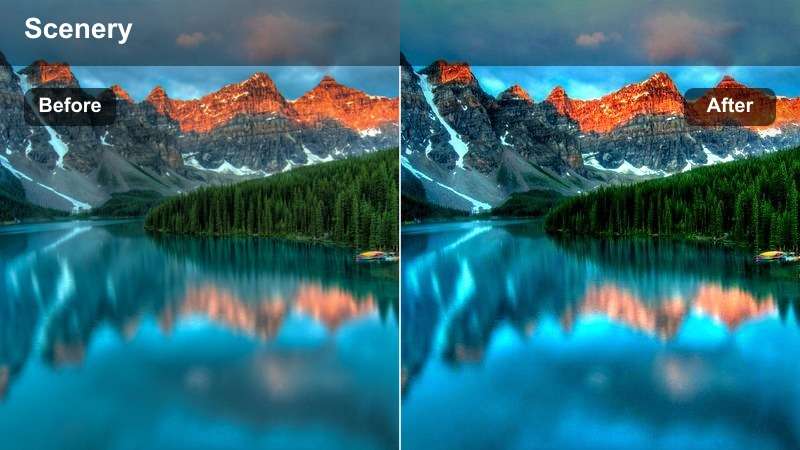
- Effect look: Punchy emerald greens, crisp contrast, and bright yet controlled highlights.
- Best for: Midday forest walks, travel vlogs in the woods, and drone shots over dense tree canopies.
- Editing tip: Use selective color to slightly reduce saturation in yellows to avoid neon greens in bright sunlight.
Emerald Canopy Pop is built for bright, sunlit forest footage where you want the greens to feel lush and alive without blowing out details. In Filmora, this LUT boosts saturation and contrast in a controlled way, helping drone passes and wide shots of tree canopies look dynamic while keeping highlights under control.
Apply it to midday hiking clips and aerials, then tame any overly bright leaves by reducing saturation in the yellow range with HSL. If your camera already records strong color, slightly lower global saturation before applying the LUT, and afterwards increase green luminance to make foliage glow without drifting into unrealistic neon tones.
Trail Vlogger Clean Day
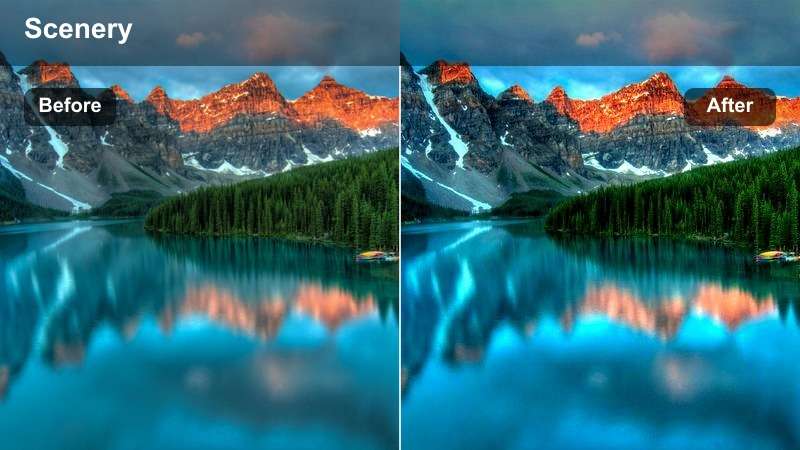
- Effect look: Clean, natural color with gentle contrast and slightly lifted shadows for face-friendly exposure.
- Best for: Talking-to-camera hiking videos, trail vlogs, and handheld walk-and-talk segments in the forest.
- Editing tip: Use slight face tracking exposure adjustments so your subject stays properly lit when walking from sun to shade.
Trail Vlogger Clean Day is tuned for creators who spend most of their time speaking to camera while walking along forest paths. The LUT softens contrasts and lifts shadows just enough to keep faces visible, even as your subject moves in and out of dappled light, while preserving fresh, natural greens in the background.
In Filmora, apply this LUT across your entire vlog sequence, then use keyframed exposure or auto exposure tools to keep your face consistently lit. Because the color balance is neutral, you can mix clips from different cameras or phone footage and still maintain a cohesive look by copying and pasting the color settings from a well-graded reference shot.
Sunflare Woodland Cinema
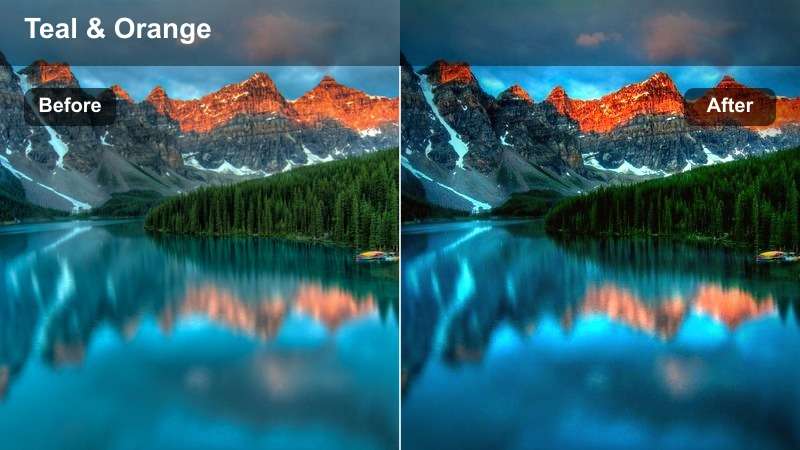
- Effect look: High dynamic range feel with warm sunflares, rich greens, and slightly cinematic teal shadows.
- Best for: Backlit forest shots with strong flares, lens streaks, and moving subjects between trees.
- Editing tip: Add a touch of glow or bloom to highlights to emphasize sunrays cutting through branches.
Sunflare Woodland Cinema enhances dramatic backlit forest footage by warming highlights, enriching midtone greens, and giving shadows a gentle teal tint for a polished cinematic finish. It is ideal in Filmora for shots where the sun is just outside or inside the frame, creating flares and streaks through branches and leaves.
After applying the LUT, add a subtle glow or bloom effect to highlights so sunrays feel more pronounced without overpowering your subject. If flares become too intense, slightly lower highlight saturation and consider reframing or cropping so the brightest streaks sit near the edges of the frame instead of falling directly across faces or key details.
Deep Woodland and Shadowy Paths
Dark Pine Cinematic
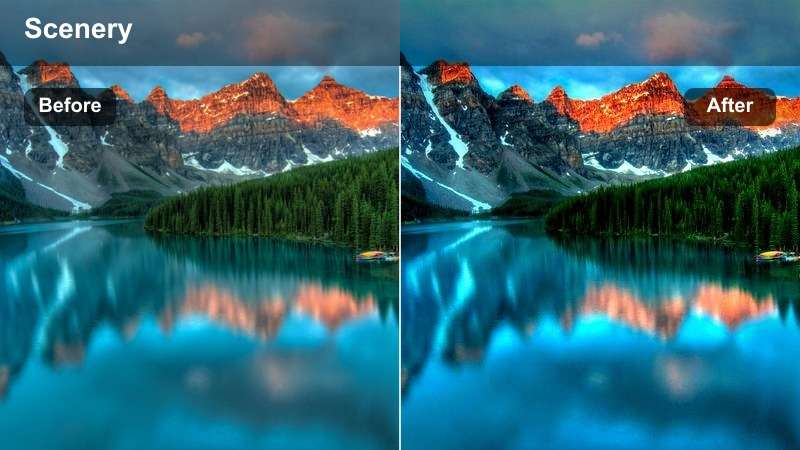
- Effect look: Deep, contrasty forest tones with muted greens, cool shadows, and strong vignette potential.
- Best for: Narrative outdoor films, thriller sequences, and mysterious forest exploration shots.
- Editing tip: Reduce brightness in highlights slightly and use a vignette to center focus on your subject in darker scenes.
Dark Pine Cinematic is built for tension and mystery, dialing back green saturation while boosting contrast and cool shadow tones for a darker woodland aesthetic. In Filmora, this LUT turns simple trails into dramatic corridors that feel ideal for thrillers, fantasy stories, and exploration sequences where danger or the unknown is part of the narrative.
Once applied, carefully watch your black levels so you do not crush detail in tree bark and ground texture. Use the Color panel to raise shadows a touch, add a vignette, and selectively dim highlights so your subject remains visible but surrounded by a dense, moody forest environment that reads clearly on larger screens.
Mossy Path Storygrade
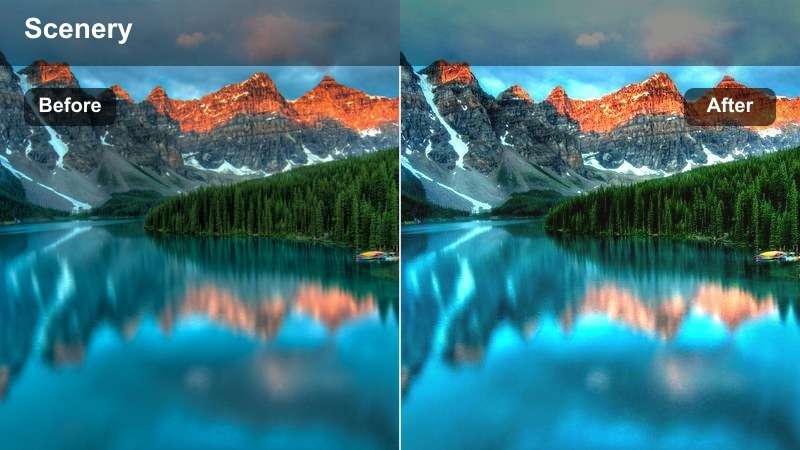
- Effect look: Soft, film-inspired contrast with emphasis on textured moss and neutral, slightly warm highlights.
- Best for: Slow tracking shots along moss-covered logs, narrative B-roll, and meditative outdoor films.
- Editing tip: Use slower shutter or motion blur in-camera, then add gentle film grain in post to enhance the story-driven feel.
Mossy Path Storygrade gives your forest B-roll a subtle filmic touch, lifting textures in moss, bark, and fallen leaves while keeping contrast gentle and highlights slightly warm. In Filmora, it is perfect for low-angle shots, slider moves, and slow gimbal passes that you plan to weave between dialogue or voiceover moments.
Add light film grain and reduce sharpness slightly after applying the LUT to evoke an organic, story-first aesthetic. Pair it with close-ups and cutaways of forest details, and use smooth transitions or J-cuts so these textured shots help build atmosphere and rhythm throughout your hiking films or narrative outdoor projects.
Teal Ember Forest Noir
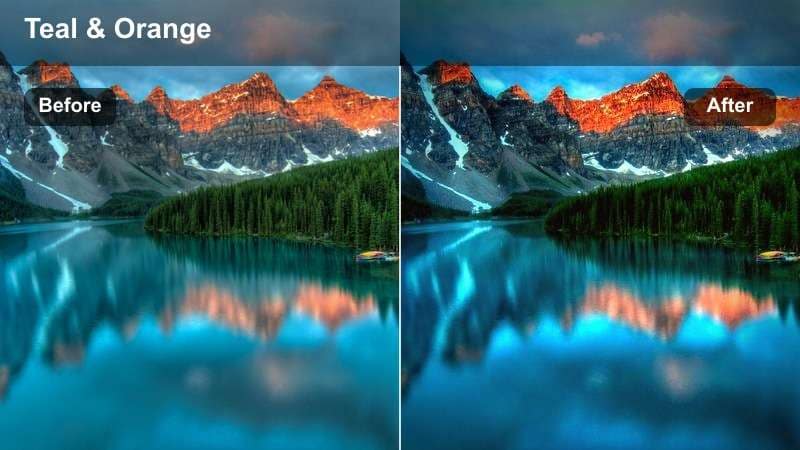
- Effect look: Stylized teal shadows with subtle amber highlights, giving the forest a cinematic color contrast.
- Best for: Short films, music videos, and stylized adventure edits set in dense, shaded forests.
- Editing tip: Dial the intensity slider back slightly on close-ups so skin tones remain natural while the environment stays stylized.
Teal Ember Forest Noir pushes your forest footage into a bold, stylized palette with cool teal shadows and glowing amber highlights, echoing popular blockbuster color grades. In Filmora, this LUT is ideal for music videos, fantasy sequences, or edgy adventure edits where realism matters less than a strong, memorable visual signature.
Apply it consistently across all clips in a sequence so the stylization feels intentional, then use the LUT intensity slider or adjustment layers to reduce its strength on close-up shots. If skin tones become too cool, warm up the orange channel and midtones while preserving teal in the darkest areas, keeping characters believable against a dramatic, color-contrasted woodland backdrop.
Ridge Lines and Golden-Hour Forest Edges
Ridgewalk Golden Film
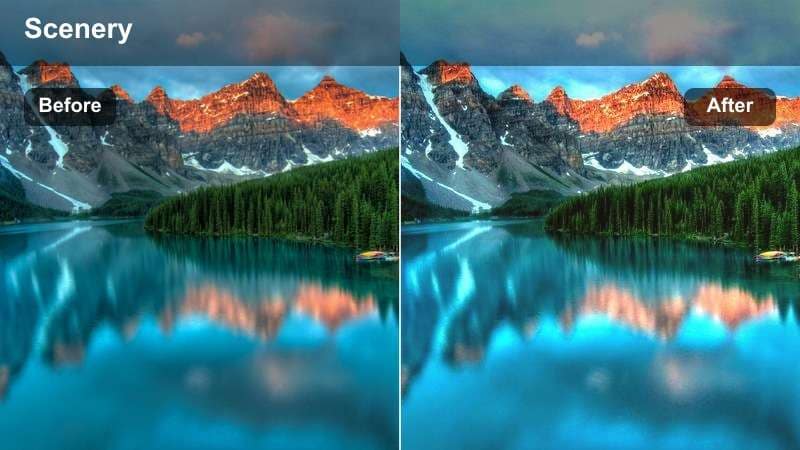
- Effect look: Warm cinematic glow with soft highlights, gentle grain, and slightly faded shadows.
- Best for: Golden-hour hikes along forest ridges, sunset panoramas, and closing shots of outdoor films.
- Editing tip: Add a slow zoom or slider move in the edit to complement the nostalgic, filmic warmth of this filter.
Ridgewalk Golden Film wraps your forest ridge lines and sunset overlooks in a nostalgic, amber glow that is perfect for emotional closing scenes. In Filmora, it gently fades shadows, softens highlights, and introduces warmth that ties together sky, foliage, and skin tones into a cohesive golden-hour storybook look.
Use this LUT on your final montage or outro shots, then add slow zooms, crossfades, or subtle camera movement in post to enhance the sense of reflection and resolution. Pair it with your most meaningful voiceover or music, and fine-tune exposure so silhouettes remain recognizable while the sky retains detail and color gradients.
Edge of Forest Travelgrade
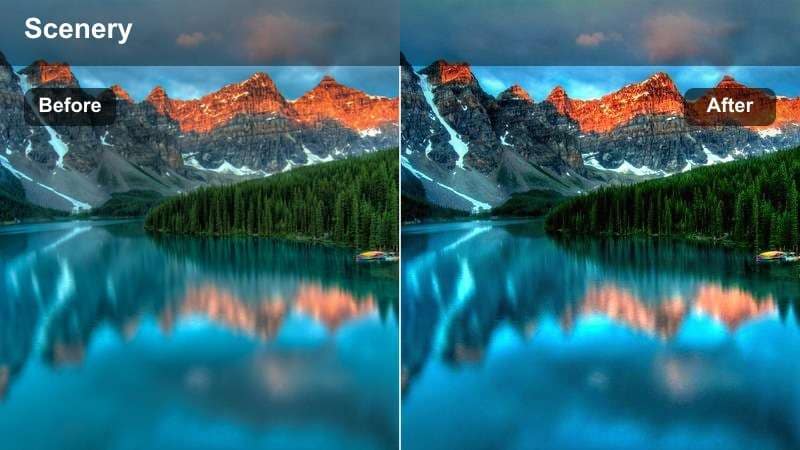
- Effect look: Balanced travel-film look with slightly boosted saturation, crisp detail, and clear blue skies.
- Best for: Travel montages that move from dense woods to open viewpoints at the forest edge.
- Editing tip: Use gentle speed ramps and match cuts with this filter to create smooth transitions between forest and landscape shots.
Edge of Forest Travelgrade is a versatile LUT that unifies dense woodland scenes with open vistas and sky-heavy landscapes. In Filmora, it lightly boosts saturation and detail so greens, distant hills, and blue skies all sit in the same polished travel-film aesthetic, making it ideal for montages that move in and out of the trees.
Apply the LUT across both shaded forest clips and bright viewpoints, then refine exposure per shot to handle the differences between deep shade and full sun. Use speed ramps, match cuts, and consistent transitions so the audience experiences your journey as one continuous flow from trail interior to sweeping overlooks without jarring color shifts.
Twilight Treeline Dusk
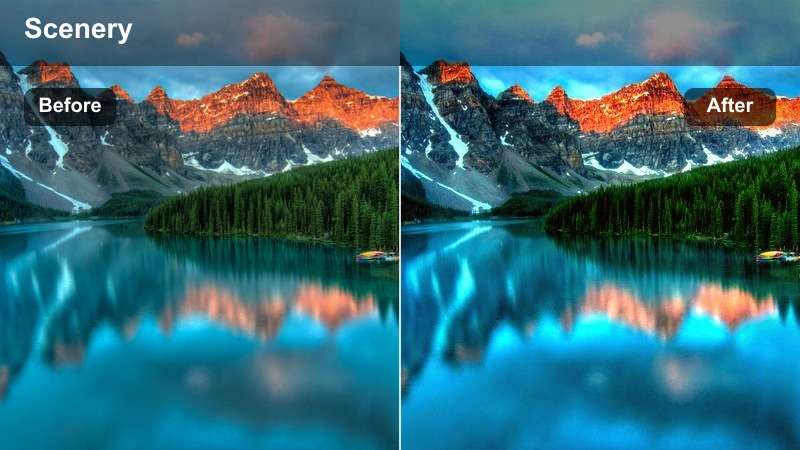
- Effect look: Cool dusk palette with soft magenta skies, gentle contrast, and lifted deep shadows.
- Best for: Blue-hour forest edges, silhouettes of trees against the sky, and reflective closing shots by the woods.
- Editing tip: Lower saturation in the greens and push a bit of blue into shadows for a calm, end-of-day atmosphere.
Twilight Treeline Dusk is tailored for blue-hour moments when the sun has dipped and the forest treeline stands in silhouette against a softly colored sky. In Filmora, this LUT enhances cool blues and subtle magentas in the horizon while keeping contrast gentle and shadows slightly lifted, preserving the delicate gradients that define dusk.
Use it on your final reflective shots or quiet cutaways near the end of a video, and avoid aggressive contrast or saturation changes that would flatten the sky. Instead, fine-tune midtone contrast and push a little blue into the shadows, allowing the LUT to carry the mood so your audience feels the calm, winding down energy of the day.
Tips for Using Forest Cinematic Luts Filters in Filmora
- Shoot your forest footage slightly flatter in-camera so these cinematic filters have more room to shape contrast and color.
- Always adjust exposure and white balance before applying a forest video filter to avoid clipping highlights in bright leaves.
- Use different filters for interior woods and forest edges, then fine-tune so the transition feels natural in your edit.
- Add subtle sound design like wind, footsteps, and distant birds to reinforce the mood created by your woodland LUTs.
- Keep an eye on skin tones by checking faces in shade and sun after applying cinematic nature LUTs, then balance with HSL if needed.
- Save your favorite forest LUT and filter combinations as custom Filmora presets so you can quickly reuse a look across projects.
- Experiment with grain, vignette, and slight blur to complement softer forest LUTs and enhance cinematic atmosphere.
- Test LUT intensity at different strengths; often 60 to 80 percent gives a refined forest look without over-stylizing the image.
With these Free Forest Cinematic LUTs and filters, your hiking videos, outdoor films, and woodland stories can instantly feel richer, more atmospheric, and more professional.
Load them into Filmora, explore a few variations on your favorite forest scenes, and save the looks that best match your style so every new project starts with a cinematic base grade.
secure download