

 100% Security Verified | No Subscription Required | No Malware


 ChatGPT
 Perplexity
 Gemini
 Claude
 Grok
Grok
This curated Fujifilm XH2 LUT pack style filter collection is designed for videographers and creators who love the Fuji look but want faster, more consistent grading inside Filmora.
Each filter is tuned for common Fujifilm XH2 shooting scenarios, from street and travel to studio and low light, so you can drop in a look, tweak exposure and white balance, and be upload-ready in minutes.
In this article
Street and Urban Storytelling
XH2 Urban Neutral Base
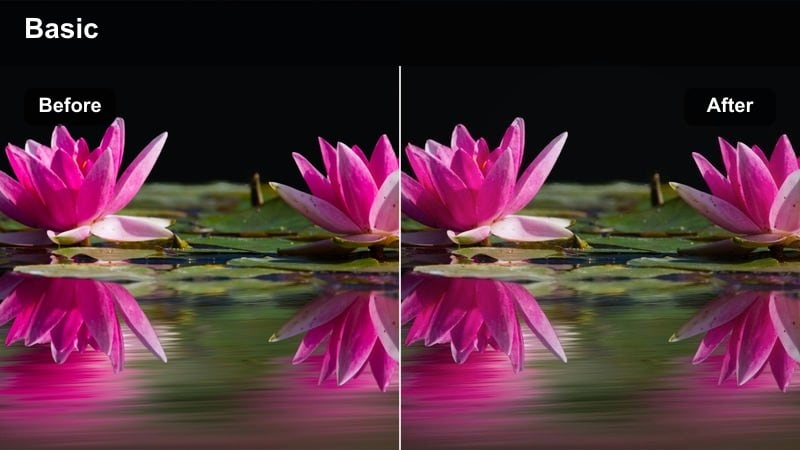
- Effect look: Clean neutral contrast with subtle Fuji-style color and controlled highlights.
- Best for: General city b-roll, handheld walk-and-talks, run-and-gun documentary shots.
- Editing tip: Apply first, then gently raise contrast and adjust white balance to match mixed urban lighting.
Use XH2 Urban Neutral Base when you want a flexible starting point that respects Fujifilm color without locking you into a heavy stylized grade. In Filmora, this filter works well as a base layer for clips shot in standard, flat, or log-style profiles from the Fujifilm XH2, giving you a balanced image that responds nicely to further tweaks.
After applying the filter, fine-tune exposure with Filmoras scopes, then make small adjustments to contrast and white balance to unify shots from different city locations. Once the overall look is consistent, you can add localized corrections, titles, and motion graphics on top without fighting color shifts between clips.
AI-Assisted Color That Complements Fujifilm Profiles
Filmoras AI tools help this Fujifilm XH2 LUT-style collection land quickly by auto-balancing exposure and white balance before you start styling. That means subtle Fuji color and clean midtones without spending time on technical corrections for every clip.
Apply AI auto correction to your XH2 footage, then layer one of these filters to keep the look you shot for while speeding up your grading workflow. The combination delivers a polished, camera-aware base you can refine with just a few sliders.
 secure download

Preview Every Look on Real Fujifilm XH2 Footage
Before committing to a style, duplicate your Fujifilm XH2 clips on the Filmora timeline and test several filters side by side. Split-screen and comparison views let you see how each look responds to different lighting conditions, skin tones, and city colors in real time.
This workflow makes it easy to shortlist a few favorite styles for street, travel, and studio work. Once you pick a winner, you can batch-apply that filter across similar scenes for a fast, cohesive grade.
secure download1000+ Video Filters and 3D LUTs
Beyond this Fujifilm XH2-focused set, Filmora includes a large collection of filters and 3D LUTs that can layer with your base look. You can combine subtle film-style grades, vintage tones, and bold genre presets to experiment with different aesthetics on the same footage.
Try stacking a neutral Fujifilm-friendly filter with one of Filmoras cinematic LUTs, then dialing back intensity until you hit the sweet spot. When you discover a combination you love, save it as a custom preset to reuse on future XH2 projects.
secure downloadXH2 Gritty Street Chrome
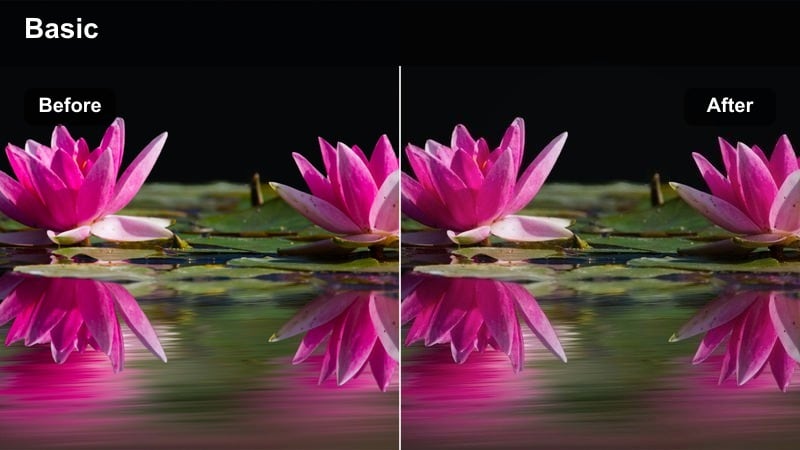
- Effect look: Punchy contrast, desaturated colors, and cool shadows for a gritty, documentary feel.
- Best for: Night street scenes, moody alleys, urban storytelling with strong character.
- Editing tip: Lower saturation slightly on neon colors to avoid clipping and keep the chrome-style mood consistent.
Choose XH2 Gritty Street Chrome when your Fujifilm XH2 footage leans into darker, more atmospheric city spaces. The filter pushes shadows cooler and deepens contrast to emphasize silhouettes, light pockets, and reflections on wet pavement or walls.
In Filmora, combine this filter with slight midtone lifting to reveal detail in your subjects without losing the overall moody impression. Tame bright neon signs by selectively reducing saturation and highlights so they support the frame instead of distracting from your main story.
XH2 Urban Cinematic Gold
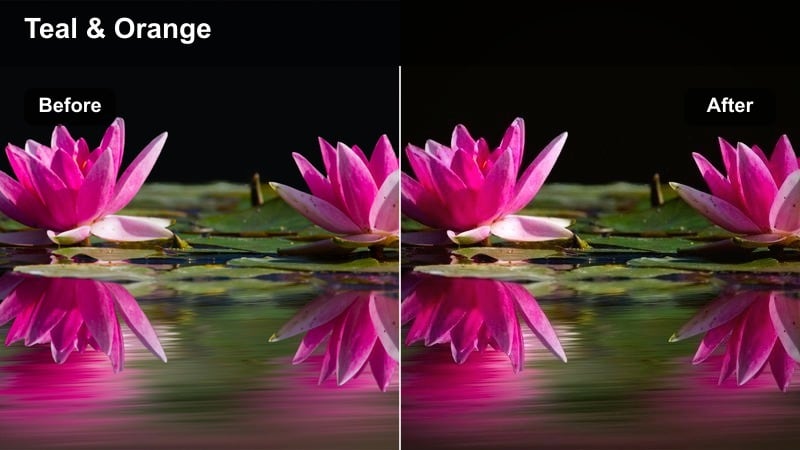
- Effect look: Warm highlights, teal shadows, and soft contrast for modern blockbuster-style city visuals.
- Best for: Golden-hour skyline shots, rooftop sequences, and narrative city scenes.
- Editing tip: Use keyframed vignettes to guide attention toward your subject and balance bright windows and signs.
XH2 Urban Cinematic Gold is ideal when you want that classic teal-and-gold atmosphere on Fujifilm XH2 rooftop or skyline footage. The filter warms up windows and skies while tinting shadows toward teal, giving your city scenes a modern cinematic identity.
After applying it in Filmora, stabilize white balance first, then refine exposure to protect highlights around the sun and city lights. Add keyframed vignettes or masks to draw attention to your subject, and adjust intensity so the teal-and-gold look enhances, rather than overpowers, your composition.
Travel, Landscape, and Cityscapes
XH2 Travel Soft Film
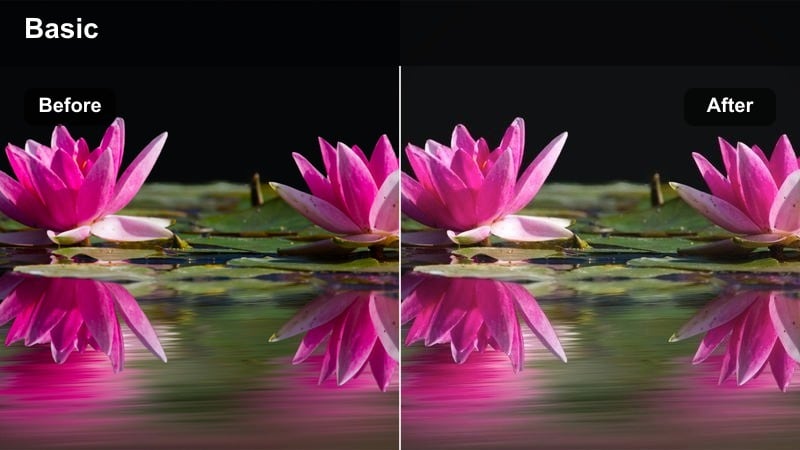
- Effect look: Gentle contrast, pastel colors, and soft halation-style highlights for a filmic travel feel.
- Best for: City vistas, historic streets, handheld travel diaries, and light-filled plazas.
- Editing tip: Lower clarity slightly and add a subtle vignette to emphasize the filmic softness on your Fujifilm XH2 clips.
XH2 Travel Soft Film is perfect for turning your Fujifilm XH2 travel footage into delicate, postcard-like visuals. The filter softens contrast and leans into pastel color reproduction, making bright facades, plazas, and historic details feel more nostalgic and cinematic.
In Filmora, pair this filter with minimal sharpening and a small reduction in clarity to keep edges gentle. Protect highlights by reducing overall exposure slightly, then use a vignette or mask to guide attention toward key landmarks or subjects without losing the dreamy tone.
XH2 Urban Travel Pop
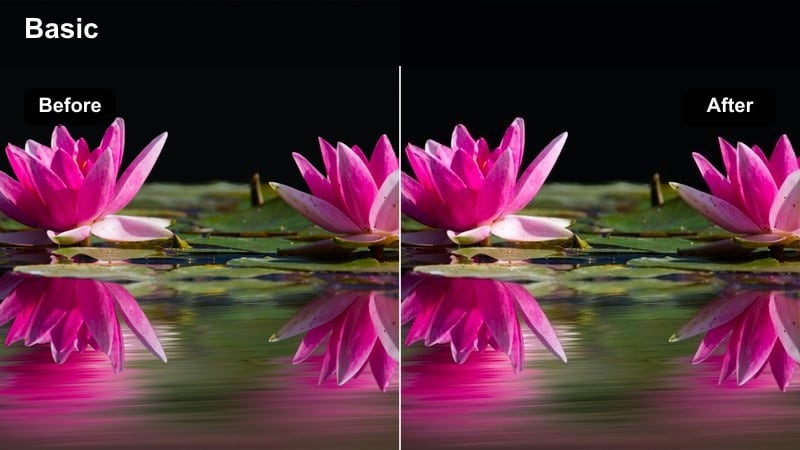
- Effect look: Vibrant colors with medium contrast and crisp micro-contrast for punchy travel montages.
- Best for: Fast-cut city travel reels, metro and train scenes, and tourist hotspots.
- Editing tip: Pair this filter with speed ramps and rhythmic cuts, then tame over-saturated reds with a light saturation pull.
Use XH2 Urban Travel Pop to make your Fujifilm XH2 travel montages feel energetic and eye-catching. The filter boosts saturation and micro-contrast, bringing out signage, clothing, and architecture so quick cuts and transitions feel lively and dynamic.
Inside Filmora, stack this look with speed ramps, zoom transitions, and beat-synced cuts for reels or shorts. Keep skin tones and reds in check by dialing back their saturation or luminance slightly, ensuring your footage remains vibrant without drifting into a harsh or artificial look.
XH2 City Sunset Glow
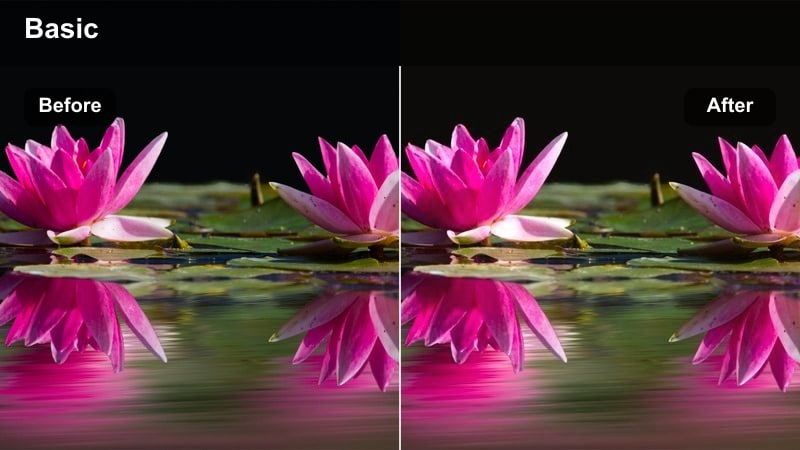
- Effect look: Warm, glowing highlights, lifted blacks, and subtle color separation in the sky and skyline.
- Best for: Twilight cityscapes, skyline timelapses, and reflective riverside views.
- Editing tip: Add controlled local contrast to buildings while keeping skies soft to preserve the dusk atmosphere.
XH2 City Sunset Glow is tuned for golden hour and blue hour Fujifilm XH2 shots where warm windows and soft skies carry the scene. The filter gently lifts blacks and adds warmth to highlights, preserving a calm, cinematic dusk ambiance.
In Filmora, apply this filter to both real-time clips and timelapses, then fine-tune exposure curves to minimize flicker or abrupt brightness shifts. Use local contrast adjustments or masks on buildings to keep them crisp while allowing the sky and water reflections to remain smooth and atmospheric.
People, Lifestyle, and Street Portraits
XH2 Street Portrait Soft Skin
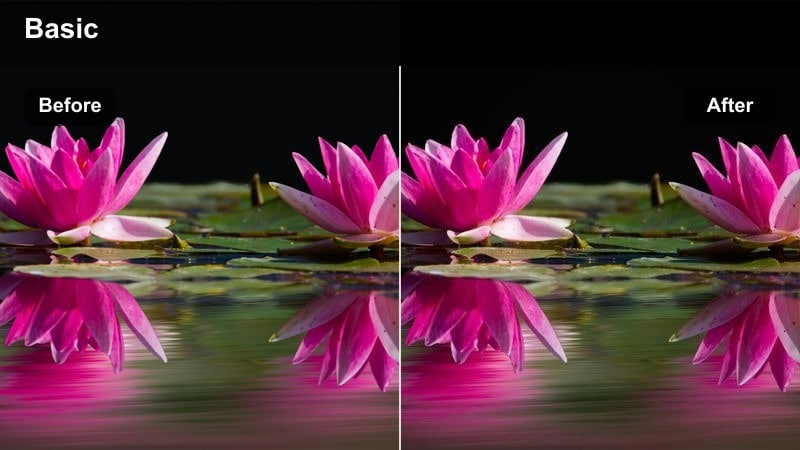
- Effect look: Balanced skin tones, softened contrast, and gentle highlights for flattering street portraits.
- Best for: Candid people shots, lifestyle vlogs in the city, and handheld interviews.
- Editing tip: After applying, fine-tune skin hue with HSL so different city light sources still feel natural.
Select XH2 Street Portrait Soft Skin whenever your Fujifilm XH2 clips focus on faces in mixed or tricky city lighting. The filter reduces harsh contrast and evens out highlights so skin remains flattering even near streetlights, shop windows, or billboards.
In Filmora, refine your grade by targeting skin ranges in HSL or color tools, nudging hue and saturation until tones look natural. Combine with a subtle feathered mask to lift exposure on faces while preserving a more dramatic, contrasty background that emphasizes depth.
XH2 Lifestyle Warm Film
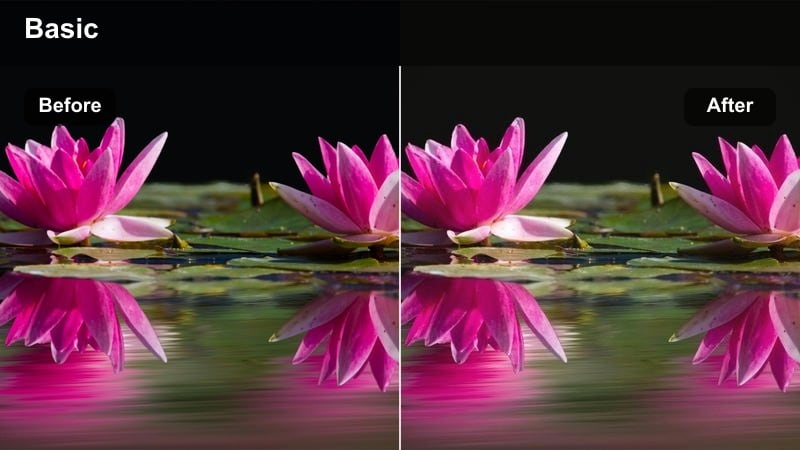
- Effect look: Warm midtones, slightly faded blacks, and film-style color for cozy lifestyle city content.
- Best for: Cafe sequences, co-working spaces, and everyday lifestyle vlogs around town.
- Editing tip: Combine with slow push-ins and simple cuts; avoid over-sharpening to preserve the film-like feel.
XH2 Lifestyle Warm Film suits indoor and near-window Fujifilm XH2 footage where you want a relaxed, cozy atmosphere. The filter warms midtones and gently fades blacks, giving cafes, studios, and apartments a film-inspired, inviting character.
In Filmora, keep camera motion slow and transitions simple to let the warmth carry the mood. Hold back on sharpening or aggressive clarity adjustments, and instead use mild noise or grain overlays if desired to reinforce the film-style look without degrading image quality.
XH2 Night Lifestyle Clean
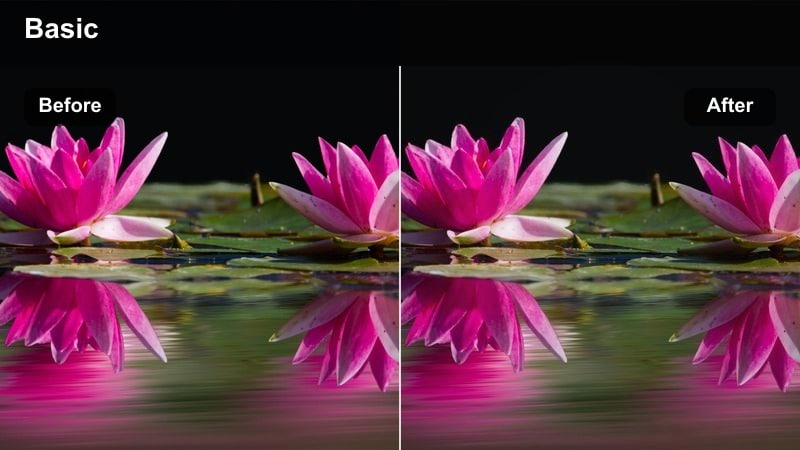
- Effect look: Clean shadows, controlled noise, and natural color for city nightlife with people.
- Best for: Night markets, bar hopping sequences, and social street scenes after dark.
- Editing tip: Reduce sharpening and push slight denoising if you shot at higher ISOs on the Fujifilm XH2.
XH2 Night Lifestyle Clean is tailored for low-light Fujifilm XH2 footage where you want realistic colors and manageable noise. It keeps shadows intact and reins in over-saturated signage so people and ambient light feel natural rather than overly stylized.
In Filmora, apply gentle denoising and reduce sharpening to avoid emphasizing grain from high ISOs. Fine-tune exposure by slightly darkening the image after filtering so noise hides in the shadows, while faces and key details stay legible and well-shaped.
Studio, Product, and Cinematic B-Roll
XH2 Studio Clean Neutral
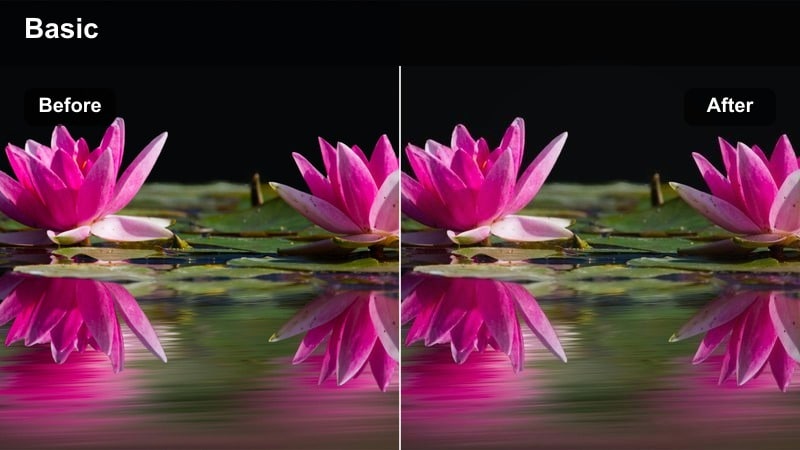
- Effect look: Flat-to-neutral contrast, accurate color, and crisp edges for controlled studio scenes.
- Best for: Talking-head A-roll, tech reviews, and desk setups filmed with Fujifilm XH2.
- Editing tip: Set this filter as your baseline, then create a preset in Filmora so future studio shoots match instantly.
XH2 Studio Clean Neutral is your go-to baseline for Fujifilm XH2 studio setups where clarity and color accuracy matter. It keeps contrast moderate, preserves true-to-life hues, and provides a consistent foundation across different lenses and lighting tweaks.
In Filmora, apply this filter to all A-roll first, then adjust exposure and white balance per shoot to achieve uniformity. Save the result as a custom preset so every new recording session drops straight onto a familiar, branded look without regrading from scratch.
XH2 Cinematic Deep Contrast
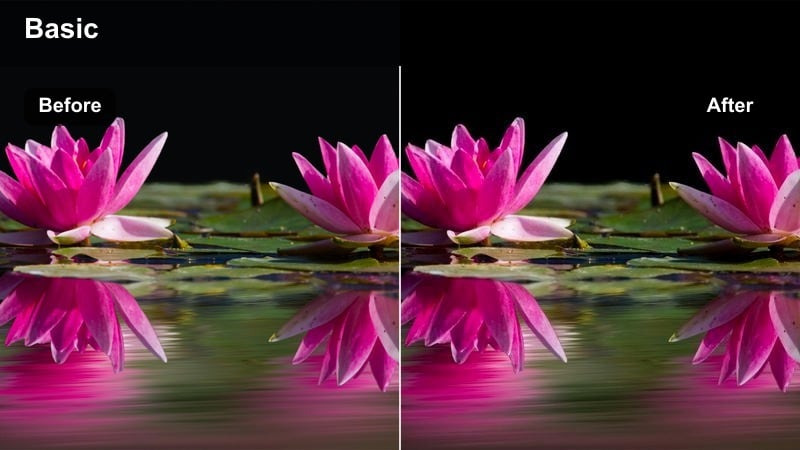
- Effect look: Deep contrast, rich saturation, and subtle vignette for dramatic cinematic b-roll.
- Best for: Slow-motion city b-roll, detail shots of gear, and moody transitional sequences.
- Editing tip: Shoot with intentional shadows and negative fill, then use this filter to carve highlights and add depth.
XH2 Cinematic Deep Contrast is built to turn Fujifilm XH2 b-roll into polished, atmospheric transitions. It intensifies shadows, enriches color, and adds a light vignette, making everyday objects, streets, and detail shots feel more dramatic and purposeful.
In Filmora, combine this filter with slow motion, macro shots, or slider moves to heighten the cinematic impression. Monitor your highlights closely with scopes and pull them down slightly if needed, ensuring you keep texture in bright reflections while maintaining a bold, contrasty frame.
XH2 Tech Product Crisp
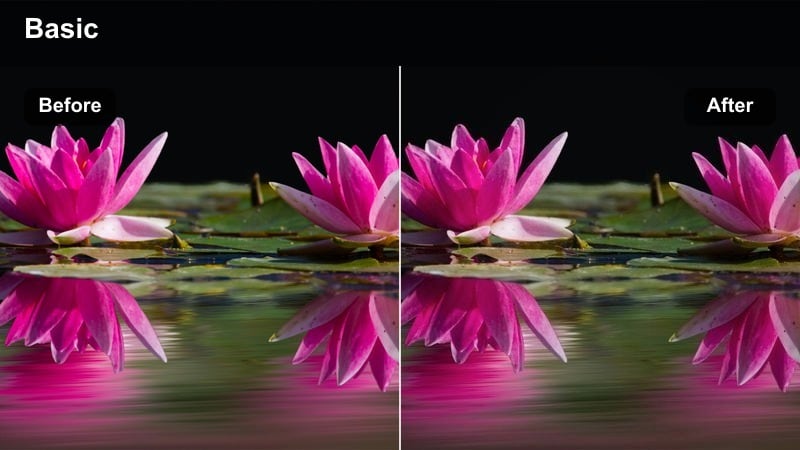
- Effect look: Cool-neutral balance, extra clarity, and controlled reflections for tech and product shots.
- Best for: Product showcases on city desks, unboxings, and tech review close-ups.
- Editing tip: Combine with a small boost in sharpness and reduce saturation in blues to keep screens and LEDs natural.
XH2 Tech Product Crisp is optimized for Fujifilm XH2 product videos where sharpness and color precision sell the subject. The filter leans slightly cool-neutral, enhances clarity, and manages highlights so screens, LEDs, and reflective surfaces look premium and legible.
In Filmora, add a controlled dose of sharpening and reduce blue saturation and luminance to stop display panels from blooming. Use masks or keyframes to subtly darken background areas, letting your product pop against the scene while maintaining a clean, professional aesthetic.
Tips for Using Fujifilm Xh2 Lut Pack Filters in Filmora
- Shoot in a flat or log-style profile on the Fujifilm XH2 when possible so these filters have more dynamic range to work with.
- Always correct exposure and white balance before judging a filter; small shifts can make or break skin tones and city lights.
- Group similar scenes on the timeline and apply the same filter batch-wide, then fine-tune per clip to speed up your workflow.
- Use Filmoras scopes to keep highlights under control, especially with high-contrast filters in bright city environments.
- Create a naming system for your custom presets based on scene type, lighting, and mood so you can find the right look quickly.
- When editing low-light XH2 clips, prioritize noise control and subtle contrast over extreme color shifts.
- Mix a clean base filter for A-roll with a bolder, cinematic filter for B-roll to maintain clarity while still adding style.
- Render and review a short test export on your main platform to check how your chosen filter handles compression and brightness.
With a focused Fujifilm XH2 LUT pack style filter collection inside Filmora, you can turn raw city, travel, and studio footage into cohesive, cinematic stories with far less manual grading.
Pick two or three go-to looks for different shooting scenarios, save them as presets, and let your edits showcase a consistent visual voice that grows with every new Fujifilm XH2 project.
secure downloadNext: Fujifilm X-s20 Vlog LUTS
