

 100% Security Verified | No Subscription Required | No Malware


 ChatGPT
 Perplexity
 Gemini
 Claude
 Grok
Grok
These Fujifilm XT30 street LUT-style filters are designed for videographers and creators who love fast-paced city shooting but want a consistent, cinematic look without building grades from scratch.
Use these presets in Filmora to quickly match the iconic Fujifilm street aestheticcrisp contrast, rich tones, and moody colorswhile keeping skin tones natural and your XT30 footage looking polished and intentional.
In this article
Golden Hour Street Walks
Sunlit Chrome Street
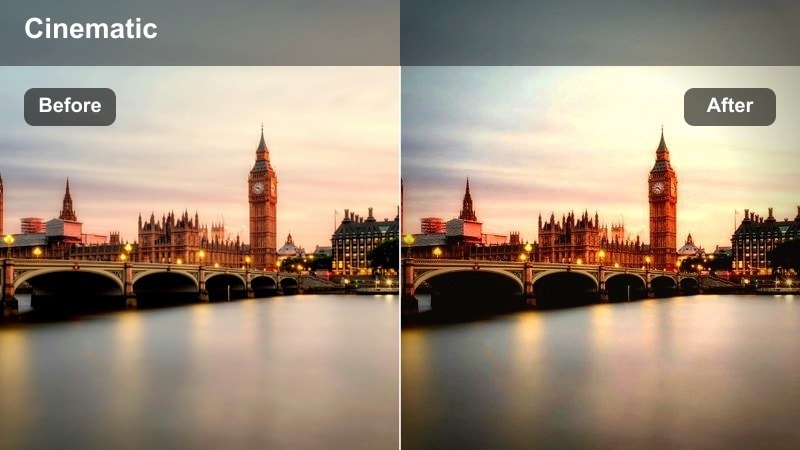
- Effect look: Punchy chrome-inspired contrast with warm highlights and slightly cool shadows for evening streets.
- Best for: XT30 handheld walks at sunset, side-lit subjects, and reflective shop windows along busy sidewalks.
- Editing tip: Lower saturation a touch for faces and pull down highlights if neon signs start to clip in the frame.
Sunlit Chrome Street gives your Fujifilm XT30 footage that crisp, metallic Fujifilm street vibe, perfect for golden hour when the city is wrapped in low, directional light. In Filmora, this filter deepens your midtones, adds warmth to highlights, and cools the shadows slightly, so reflections on cars, glass, and metal feel glossy without losing detail. It is tailored for quick street walks where you do not have time to micro-adjust color wheels but still want a polished, LUT-like finish.
Apply this filter on your XT30 clips directly in Filmora, then fine-tune exposure using the basic color controls to keep highlights just under clipping. When faces or bright signs feel too intense, gently lower saturation on skin-tone ranges or pull back the filter intensity slider. For extra cinematic depth, add a light vignette and stabilize your handheld shots, letting the chrome-style contrast emphasize leading lines, sidewalks, and window reflections.
Match Fujifilm XT30 Street Colors with AI
Filmoras AI color tools can read the overall palette of your favorite Fujifilm XT30 street frame and automatically push your clip toward similar hues and contrast. This is ideal when you are trying to echo the look of a particular film simulation or photo reference without dialing in every curve manually.
Once you find a look you love, save it as a custom preset so your golden hour walks, night sequences, and daytime B roll stay consistent across an entire project.
 secure download

See the Filters on Real Street Footage
Before you commit a full timeline to one look, try each Fujifilm XT30 street LUT-style filter on a short test clip. Filmoras side-by-side preview makes it easy to compare contrast, saturation, and color balance on the exact same shot.
Audition a few different styles for the same scene, then pick the one that best supports your storywhether that is punchy and bold or soft and documentary.
secure download1000+ Video Filters and 3D LUTs
Beyond these Fujifilm XT30 street looks, Filmora includes a large library of creative filters, cinematic 3D LUTs, and effect packs you can stack for more stylized results. Start with a subtle base filter, then layer additional LUTs or effects at low intensity for refined, filmic grades.
This layered approach lets you keep the core Fujifilm character while nudging specific scenes toward neon-soaked, vintage, or documentary moods as needed.
secure downloadAmber Haze Alley
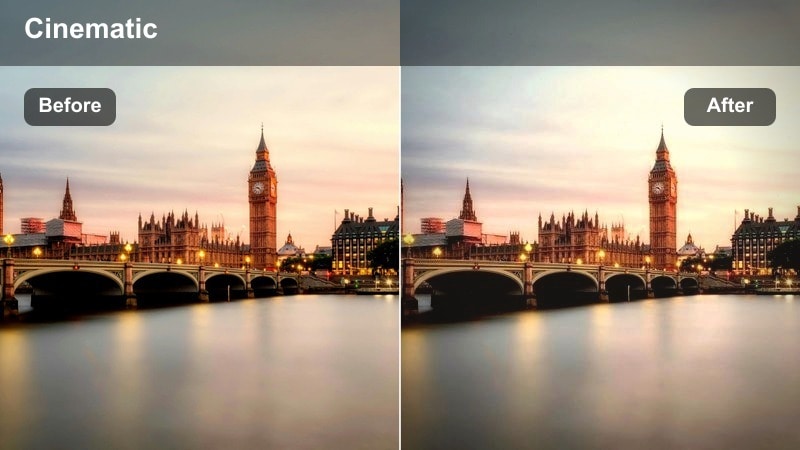
- Effect look: Soft contrast with amber-tinted highlights and a gentle fade in the blacks for hazy backlit alleys.
- Best for: Backlit alley shots, silhouettes, and warm, dreamy B-roll of pedestrians and cyclists.
- Editing tip: Increase clarity slightly on your XT30 footage if the scene feels too soft after applying the filter.
Amber Haze Alley is built for those backlit XT30 shots where sunlight streams in from the end of a street or alley. In Filmora, it softens global contrast, lifts the blacks slightly, and infuses highlights with a warm amber tint to create a dreamy, cinematic halo around bright edges. Silhouettes stay defined, but the environment takes on a glowing, nostalgic feel ideal for B roll, transitions, and mood sequences.
After applying the filter, use Filmoras clarity or sharpness tools to subtly restore edge definition if things look too hazy, especially around faces or important details. Combine it with gentle slow motion or stabilized tracking shots to emphasize the romantic, drifting mood. For even more atmosphere, add lens flare or light leak overlays in Filmora and keep your color adjustments minimal so the preset can do the heavy lifting.
Rusted Sun Blocks
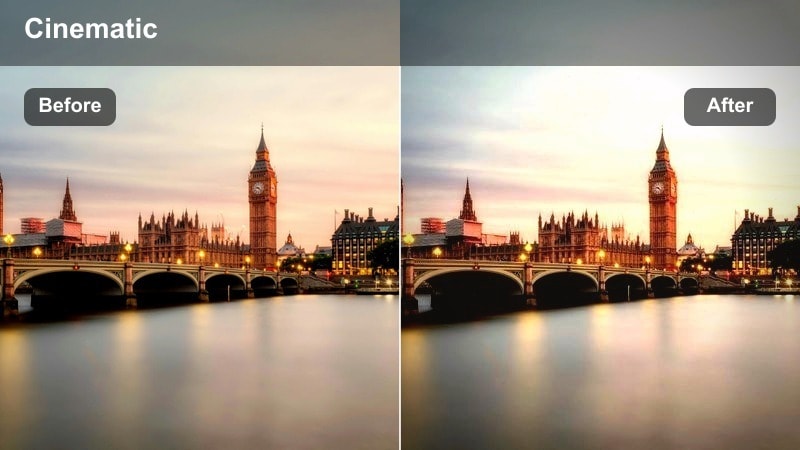
- Effect look: Muted overall palette with warm, rust-colored midtones and slightly lifted shadows.
- Best for: Sunlit building facades, textured walls, and static street compositions with strong geometry.
- Editing tip: Use a subtle vignette to pull attention toward your subject when the frame has a lot of competing shapes.
Rusted Sun Blocks turns your XT30s hard-lit building shots into warm, graphic compositions. The filter mutes overly bright colors while pushing midtones toward rust and terracotta, so brick, concrete, and painted walls gain character without screaming saturation. Slightly lifted shadows keep details in doorways and window recesses visible, which works beautifully for establishing shots of city blocks.
In Filmora, apply this filter to wide or static compositions, then add a light vignette or mask to guide the eye toward a doorway, figure, or key architectural feature. If your frame is full of competing lines and shapes, consider adding a touch of blur or lowering saturation on the background with Filmoras masking tools. This helps your subject pop while the warm, rusted palette unifies the overall scene.
Neon Nights and City Lights
Neon Punch Alleyway
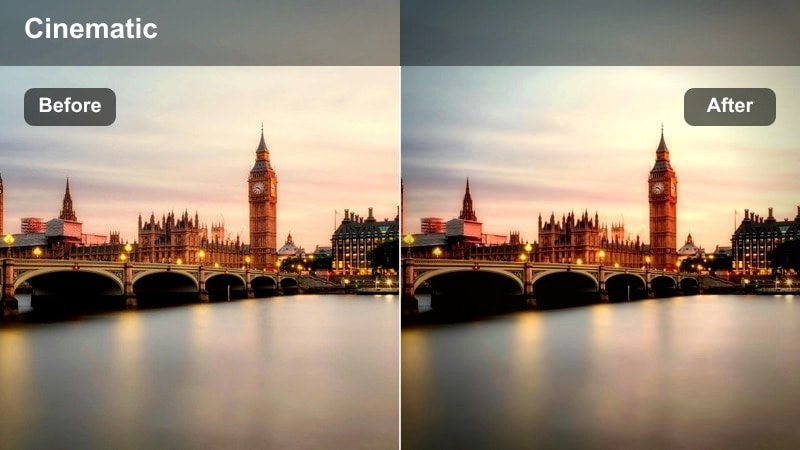
- Effect look: Deep contrast with vivid neon saturation, cool shadows, and strong color separation.
- Best for: XT30 night scenes filled with signs, billboards, and colorful reflections on wet streets.
- Editing tip: Dial back the blues or magentas in the color wheels if skin tones get too polluted under neon lights.
Neon Punch Alleyway is tuned for intense night color, taking your XT30s neon-lit alleys and streets and pushing them into a bold, cinematic zone. In Filmora, the filter deepens blacks, boosts saturation in neon hues, and cools shadows for a modern city-night aesthetic. Glossy surfaces like wet pavement, cars, and windows become strong color reflectors, giving your footage the kind of pop you normally expect from specialty LUTs.
Use this filter on clips where you want the environment to feel alive with color, but keep an eye on skin tones. If faces pick up too much magenta or blue, use Filmoras color wheels or HSL panel to selectively reduce those tones while keeping the background vivid. For music videos or b-roll sequences, you can further emphasize the vibe with subtle speed ramps and glow effects layered on top of this strong base look.
Cyan Noir Crosswalk
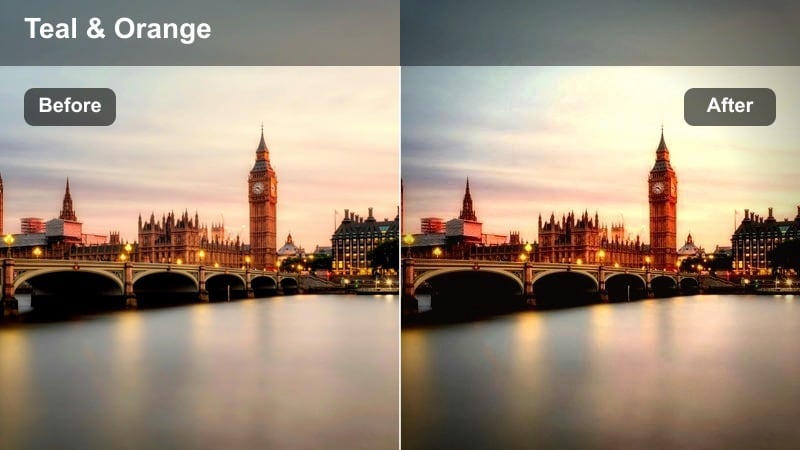
- Effect look: Cool, cinematic teal shadows with subtle magenta highlights for modern noir city streets.
- Best for: Rainy intersections, crosswalk shots, and moody tracking shots of solitary figures.
- Editing tip: Add a light film grain overlay to sell the noir atmosphere and reduce the digital sharpness of XT30 footage.
Cyan Noir Crosswalk gives your XT30 night clips a classic teal-and-magenta split that feels like a modern noir film. Shadows lean into a deep cyan, while practical lights, signs, and windows get a gentle magenta shift, creating separation between characters and environment. Rain, puddles, and reflective paint lines become important visual elements that echo the color contrast through your frame.
In Filmora, apply this filter to rainy or damp scenes and then add a subtle film grain layer to soften digital edges and noise. Keep exposure slightly on the darker side to preserve the moody atmosphere, lifting only midtones when you need more subject clarity. Slow, deliberate camera moves or locked-off shots with passersby crossing the frame feel particularly powerful with this look, so consider pairing the filter with gentle push-ins or tripod framing.
Metro Tunnel Glow
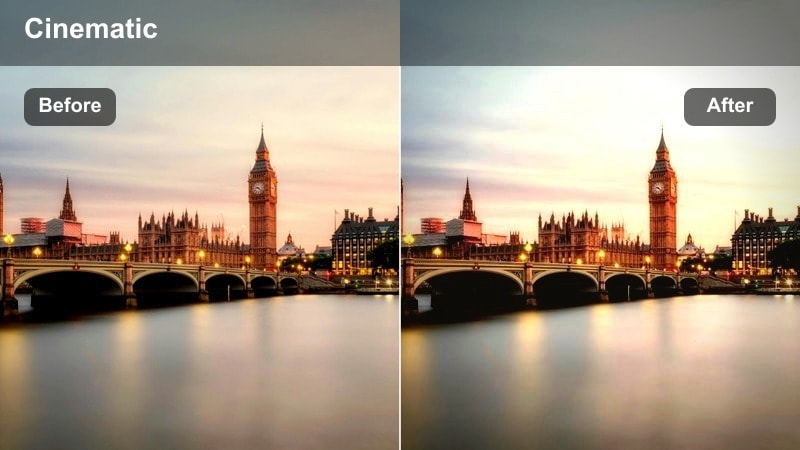
- Effect look: Balanced night exposure with soft halation around lights and slightly lifted blacks for metro platforms.
- Best for: Subway platforms, underground passageways, and dimly lit stations with fluorescent or LED lighting.
- Editing tip: Reduce the filter intensity if overhead fixtures start to appear too hazy or bloom excessively.
Metro Tunnel Glow is designed to tame harsh subway and underground lighting in your XT30 footage. The filter creates a subtle halation effect around bright fixtures and signage, softening their edges while preserving readable detail in the scene. Blacks are slightly raised, which helps keep shadow areas from becoming muddy or overly noisy in low light.
When you apply this look in Filmora, watch how it treats overhead lights and adjust the filters intensity slider until the glow feels cinematic, not distracting. Pair it with light noise reduction if your ISO was high, and use Filmoras stabilization options to keep tracking shots along platforms smooth. This combination makes even quick, handheld metro clips feel intentional and story-driven, ideal for travel vlogs and city montages.
Candid Daytime Street Life
Soft Documentary Street
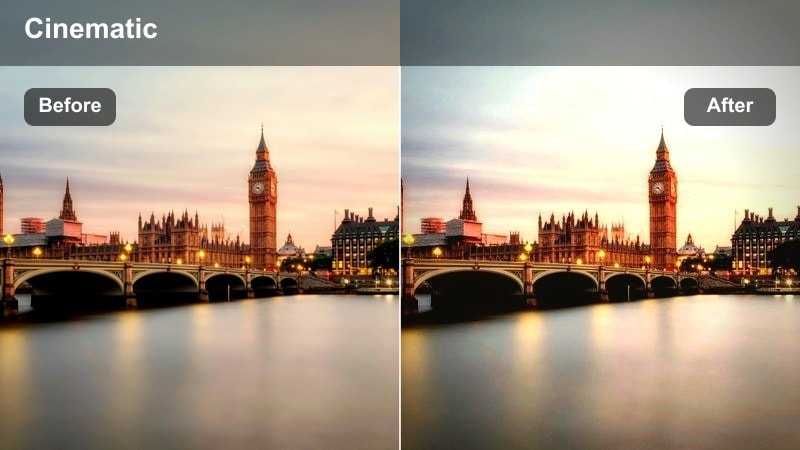
- Effect look: Low-contrast, neutral color profile with natural skin tones and subtle warm lift in highlights.
- Best for: XT30 run-and-gun vlogs, street interviews, and observational clips with lots of movement.
- Editing tip: Fine-tune white balance in-camera so this subtle filter can maintain a consistent, realistic tone across scenes.
Soft Documentary Street keeps your XT30 footage grounded and believable while still adding a gentle polish. Contrast is relaxed, colors are neutral, and skin tones stay accurate with only a slight warmth in the highlights, making it perfect for interviews, vlogging, and talking-to-camera moments in busy locations. The result is a look that feels like a refined base grade rather than an obvious filter.
In Filmora, use this preset on entire interview sequences or vlog timelines for an easy, unified color base. Adjust exposure and white balance slightly per clip so they match across cuts, then add simple enhancements like gentle vignettes or subtle sharpening where needed. Because the grade is understated, you can overlay titles, graphics, and subtitles without clashing colors or overly stylized backgrounds.
Grit Contrast Corner
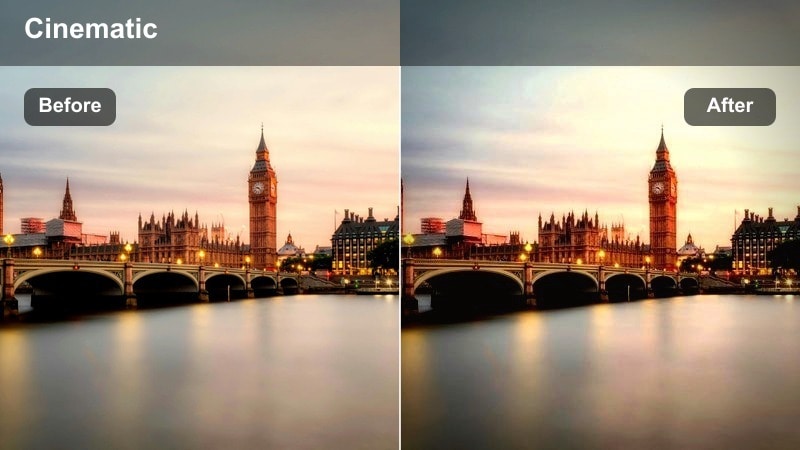
- Effect look: Strong, crunchy contrast with slightly desaturated colors and textured shadows.
- Best for: Street corners with deep shadows, brick walls, and high-contrast midday light.
- Editing tip: Lower sharpness a bit in camera or in post to avoid harsh edges when using this gritty contrast filter.
Grit Contrast Corner leans into the harshness of midday city light, giving your XT30 clips a tough, documentary edge. Colors are slightly desaturated so the focus shifts to shape, structure, and texture, while contrast is pushed high to carve out deep shadows and crisp highlights. It works especially well on brick, concrete, metal, and any scene with strong directional sunlight.
Apply this look in Filmora when you want your urban footage to feel raw and tactile, then dial back overall sharpness so lines do not appear overly brittle. You can further emphasize grit by adding subtle film grain or by boosting local contrast with clarity only in selected areas using masks. For narrative projects, consider alternating between this style and softer filters to underline shifts in mood or time of day.
Muted Pastel Blocks
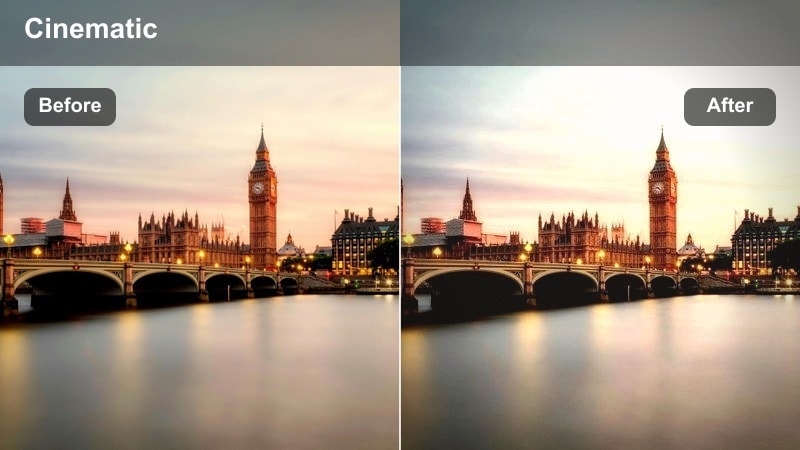
- Effect look: Soft pastel treatment with slightly lifted blacks and restrained saturation for subtle color.
- Best for: Clean urban neighborhoods, wide shots of sidewalks, and calm daytime B-roll sequences.
- Editing tip: Increase contrast slightly if the sky looks too flat, but keep saturation modest to preserve the pastel feel.
Muted Pastel Blocks gives your XT30 daytime city footage a gentle, film-inspired calm. Instead of bold saturation, colors are restrained and softly pastel, with blacks lifted for an airy, open feel. This makes quiet side streets, modern buildings, and open plazas look polished yet relaxed, ideal for lifestyle content, travel videos, or reflective city sequences.
In Filmora, apply the filter to wide establishing shots and slower-paced B roll, then adjust contrast just enough to keep skies and architectural lines defined. Avoid heavy saturation boosts; if you need more pop, try selective adjustments on specific colors like greenery or signage. Combined with smooth camera moves, soft background music, and minimal overlays, this look helps your edit breathe between more intense sequences.
Urban Motion and Transit Shots
Commuter Rush Blur
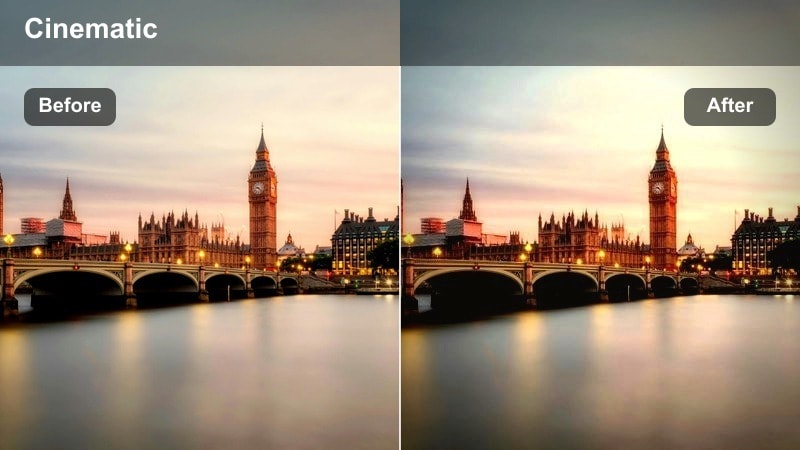
- Effect look: Moderate contrast with selective saturation and a slight cool cast to emphasize motion and energy.
- Best for: XT30 handheld or gimbal shots of busy stations, escalators, and crowded sidewalks during rush hour.
- Editing tip: Experiment with slower shutter speeds to enhance motion blur, then stabilize in post if needed.
Commuter Rush Blur is made for kinetic XT30 footage in busy hubs where people and vehicles stream through the frame. The filter leans into cooler tones and moderate contrast while keeping key colors like safety signage, clothing, or train lights selectively vivid. This combination helps motion trails and directional flow stand out, turning everyday commutes into dynamic visual sequences.
After applying the filter in Filmora, consider using the built-in stabilization tools on handheld or gimbal shots so your motion blur looks smooth and intentional. You can also play with speed ramping to accentuate the ebb and flow of the crowd. Layer subtle sound design and rhythmic music on top, and the energetic grade will help sell the pace and pressure of rush hour city life.
Overpass Steel Frames
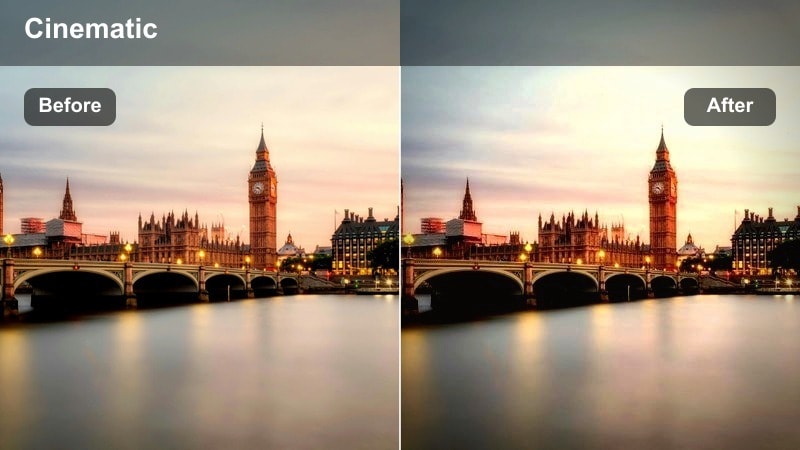
- Effect look: Cool, desaturated steel tones with crisp edges and slightly darkened corners for industrial transit routes.
- Best for: Highway overpasses, train bridges, and elevated walkways with lots of metal and concrete.
- Editing tip: Boost midtone detail to bring out rivets, beams, and structural textures in your XT30 shots.
Overpass Steel Frames emphasizes the industrial side of the city by cooling down your XT30 footage and desaturating colors to a minimal, steel-focused palette. Structural details like rivets, beams, and concrete textures stand out, while slightly darkened corners frame your subject and pull attention toward the center of the shot. It is a strong fit for transitions between neighborhoods, infrastructure montages, or any sequence where you want to show the skeleton of the city.
In Filmora, pair this filter with compositions that exploit leading lines from bridges, rails, and barriers. Use the midtone or detail-enhancement controls to bring out fine textures without over-sharpening, and consider mixing in subtle camera shake or sound design for passing traffic below. This industrial look works well between more colorful scenes, offering visual contrast that keeps your city story feeling layered and complex.
Tramline Vintage Ride
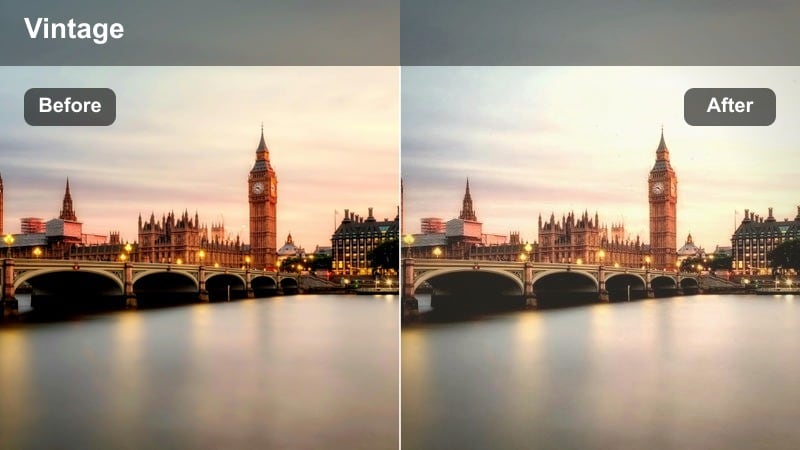
- Effect look: Subtle vintage tint with gentle fade in highlights and slightly warmer midtones for transit rides.
- Best for: Window-side shots on trams, buses, and streetcars moving through older parts of the city.
- Editing tip: Keep camera movement smooth and slow to match the nostalgic tone created by this filter.
Tramline Vintage Ride gives your XT30 transit footage a nostalgic, filmic charm, especially when filming through windows. Highlights are gently faded, midtones are warmed, and an overall light vintage tint ties the scene together, making old buildings, street signs, and passing pedestrians feel timeless. It works particularly well for ride-along sequences where the city scrolls by in the background.
When you grade in Filmora, use this filter on medium to long clips taken from buses, trams, or trains, then add slow, steady camera moves or subtle stabilization in post. Consider pairing the visuals with softer instrumental tracks or ambient city sound for a reflective mood. If window reflections appear, you can either embrace them for extra texture or reduce them with contrast and highlights adjustments while preserving the filters nostalgic color profile.
Tips for Using Fujifilm Xt30 Street Luts Filters in Filmora
- Shoot with a slightly flatter in-camera profile on the Fujifilm XT30 to give these street filters more dynamic range to work with.
- Try to lock white balance on location so city lights and mixed sources do not shift color drastically between clips.
- Organize your filters by time of dayday, golden hour, and nightso you can move through grades quickly in Filmora.
- Use keyframes on filter intensity to transition gently between environments such as going from indoor cafes to bright sidewalks.
- Export a short test reel before final delivery to confirm that contrast and saturation hold up well on phones and laptops.
- Combine Filmoras stabilization and noise reduction tools with these LUT-style filters for cleaner handheld XT30 street footage.
- Create custom presets from your favorite tweaks so you can apply your Fujifilm XT30 street look to entire projects in one click.
These Fujifilm XT30 street LUT-style filters give videographers and creators a fast way to shape urban footage into cohesive, cinematic stories without complex grading.
Combine them thoughtfully with your XT30 shooting technique and Filmoras editing tools, and you will be ready to deliver polished street films that feel consistent from the first frame to the last.
secure download