

 100% Security Verified | No Subscription Required | No Malware


 ChatGPT
 Perplexity
 Gemini
 Claude
 Grok
Grok
These Fujifilm XT5 film LUTs-inspired filters are designed for videographers and creators who love the XT5's film simulations but want fast, cinematic grading inside Filmora.
Use these looks to mimic classic Fujifilm-style color, contrast, and grain so your XT5 footage goes from straight-out-of-camera to polished, story-driven visuals in just a few clicks.
In this article
Golden Hour Street Stories
XT5 Pro Neg Soft Glow
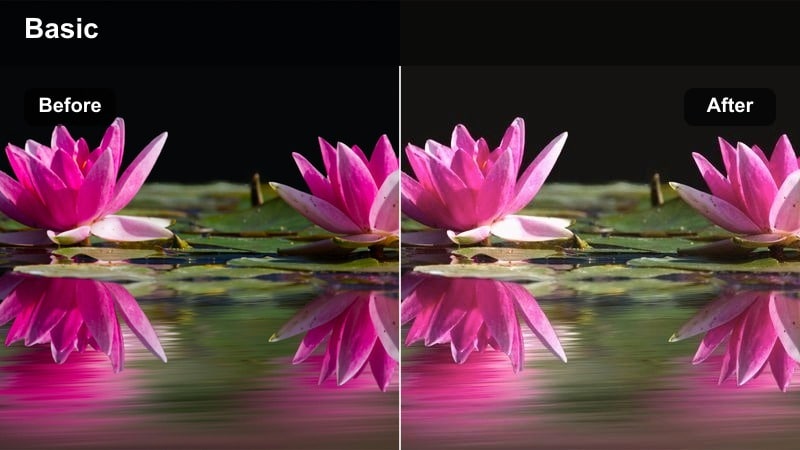
- Effect look: Low-contrast, gentle roll-off in highlights with a soft cinematic glow that flatters skin and pastel skies.
- Best for: Street portraits, slow B-roll of city life, lifestyle vlogs during late afternoon or hazy overcast days.
- Editing tip: Slightly lower clarity and add a touch of film grain after applying to keep the image organic and cinematic.
XT5 Pro Neg Soft Glow is ideal when you want your XT5 footage to feel relaxed, airy, and emotionally warm without losing detail. In Filmora, apply this filter as your base grade to soften contrast, then use it to create flattering skin tones and pastel skies that feel close to Fujifilm Pro Neg simulations.
Once applied, gently adjust exposure and midtone contrast so faces remain clean while highlights keep that filmic roll-off. Finish the look with Filmora grain and mild clarity reduction to avoid harsh digital sharpness, especially on lifestyle B-roll and slow-moving street portraits.
Match XT5 Film LUTs with AI Color Control
Combine these Fujifilm XT5 film LUTs-inspired filters with Filmora's AI color tools to dial in precise skin tones, contrast, and atmosphere in minutes. Start by applying your favorite film-style filter, then use AI color matching to push XT5 clips toward the exact mood you want without manual curve work.
AI-powered color matching can also harmonize footage from different cameras to your XT5 reference shot. This gives your entire edit a unified filmic character, even when you mix smartphones, action cams, or older bodies with your XT5.
 secure download

Preview Film Looks on Your XT5 Footage
Filmora lets you quickly hover or click through XT5 film-style filters and instantly see how each one reshapes your colors and contrast. You can compare subtle, low-contrast looks with bolder cinematic treatments on the same clip without committing to a heavy grade.
Duplicate a shot on the timeline, apply different filters, and use split-screen or A/B previews to judge which look feels most cinematic for your story. This workflow is perfect when you are testing multiple Fujifilm-inspired aesthetics for a series or client project.
secure download1000+ Video Filters and 3D LUTs
Beyond Fujifilm XT5-inspired filters, Filmora includes a large library of cinematic filters, creative looks, and 3D LUTs for every genre. You can mix XT5-style grades with stylized LUTs, film grain overlays, and HSL refinements to build unique color signatures for your channel or brand.
Use HSL and advanced color tools to fine-tune specific hues like skies, foliage, or neon signs after applying a LUT. This lets you keep the Fujifilm character while correcting problem colors or emphasizing brand tones across multiple videos.
secure downloadXT5 Classic Chrome Street
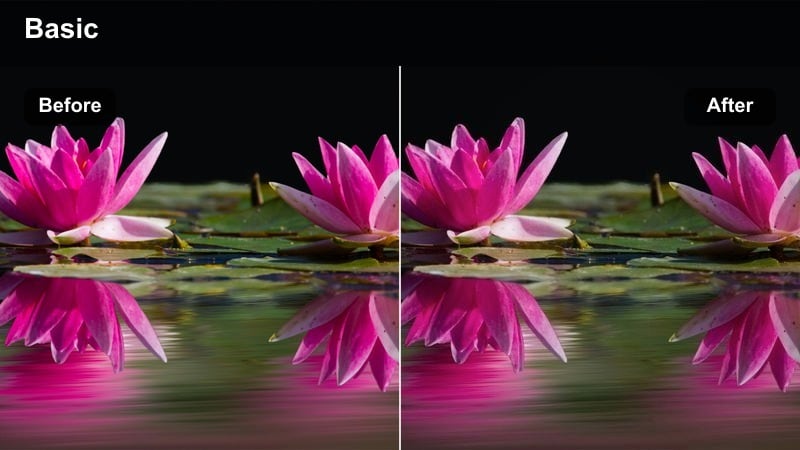
- Effect look: Muted colors with cool shadows and restrained contrast that echo the Classic Chrome documentary feel.
- Best for: Urban documentary, travel street videos, hand-held walk-and-talk sequences in mixed lighting.
- Editing tip: Drop saturation a touch and warm the midtones if skin starts to feel too cool or desaturated in closeups.
XT5 Classic Chrome Street is designed to give your city footage a grounded documentary tone, pulling saturation back so viewers focus on story and texture over bright colors. In Filmora, apply it to busy streets, crosswalks, or travel logs where you want a calm, journalistic atmosphere.
After applying the filter, fine-tune the warmth and saturation of midtones so skin looks natural while backgrounds remain gently desaturated. Use Filmora masking to add subtle exposure tweaks to faces or key subjects so they remain readable amid crowded urban environments.
XT5 Nostalgic Sunset Film
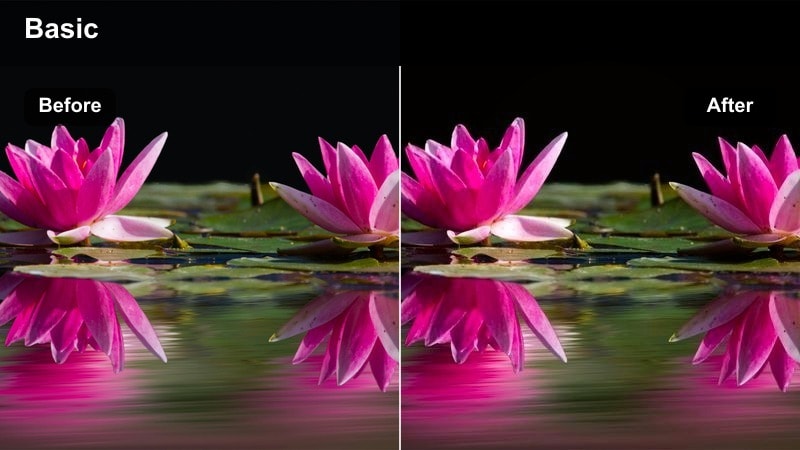
- Effect look: Warm, amber-tinted film mood with lifted blacks and glowing highlights reminiscent of nostalgic color negative stock.
- Best for: Golden hour cityscapes, romantic street sequences, slow-motion B-roll of silhouettes and reflections.
- Editing tip: Raise shadows slightly after applying to emphasize the lifted black film look without crushing detail.
XT5 Nostalgic Sunset Film leans heavily into warm, memory-like tones that suit backlit scenes, rooftops, and reflective city moments. It gently lifts blacks to create a soft haze in darker areas while keeping highlights glowing for that classic negative-film vibe.
In Filmora, pair this filter with slow motion or gentle camera movement to enhance the dreamy quality. Slightly increase shadow levels and adjust highlight roll-off so skies retain texture; then add a bit of vignette to keep attention on silhouettes and faces against the warm skyline.
Moody Indoors and Cafes
XT5 Eterna Cafe Soft
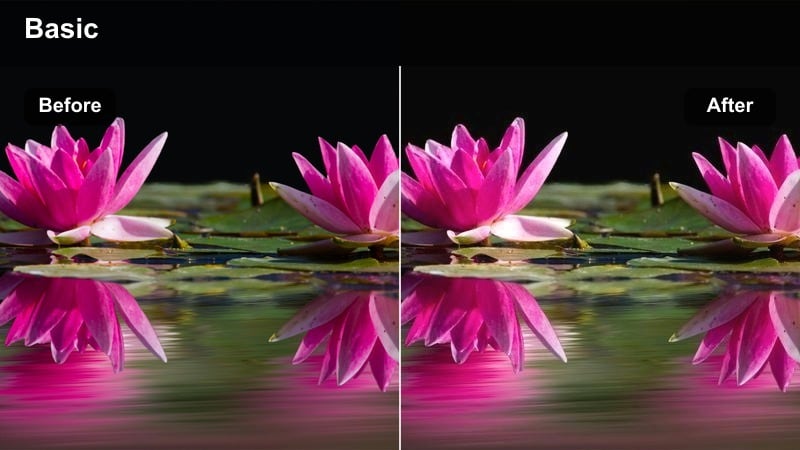
- Effect look: Low-saturation cinema look with gentle contrast and creamy highlights tuned for interior ambient light.
- Best for: Cafes, co-working spaces, interior lifestyle scenes with warm lamps and window light.
- Editing tip: Add a very subtle vignette and a little film grain to anchor your subject and hide digital noise in the shadows.
XT5 Eterna Cafe Soft is tailored for quiet, observational interiors where soft lamps and window light create natural pools of illumination. The look keeps saturation low and highlights creamy, so your XT5 footage feels closer to a cinema camera recording a calm scene.
Inside Filmora, apply this filter to clips shot in cafes, studios, or home offices, then introduce a light vignette to subtly darken corners. Add a modest layer of film grain using Filmora effects to smooth out noise in shadow areas and unify the overall texture of the interior environment.
XT5 Tungsten Film Noir
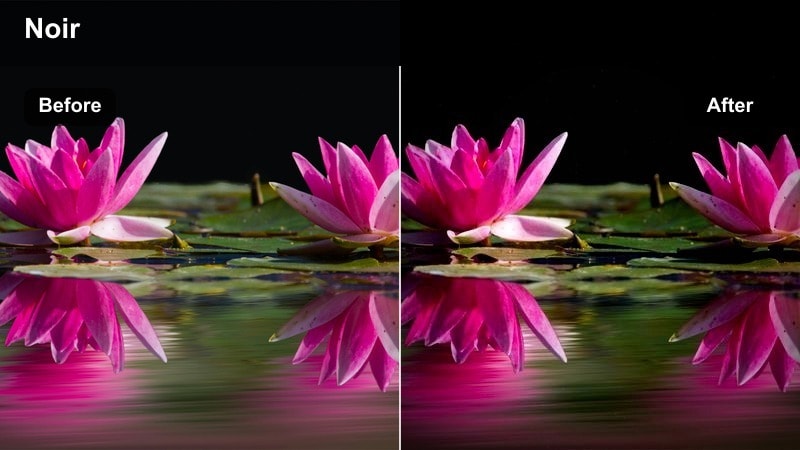
- Effect look: Cool shadows with warm tungsten highlights and pronounced contrast for a modern noir interior mood.
- Best for: Night cafes, bars, small studios, and dramatic interior scenes with pockets of light.
- Editing tip: Use masking to darken background corners a bit more so the contrasty film look pulls attention to faces.
XT5 Tungsten Film Noir emphasizes the interplay between warm lamps and cool ambient shadows, perfect for bars, late-night cafes, and dramatic room setups. Contrast is stronger, giving your XT5 footage a controlled, noir-inspired punch without overwhelming midtones.
In Filmora, apply this look to scenes with practical lights in frame, then use masks to subtly darken areas outside the key light. Fine-tune midtone contrast if faces appear too harsh, and consider adding a slight highlight roll-off so skin retains a filmic softness against the deep shadows.
XT5 Grainy Indie Room
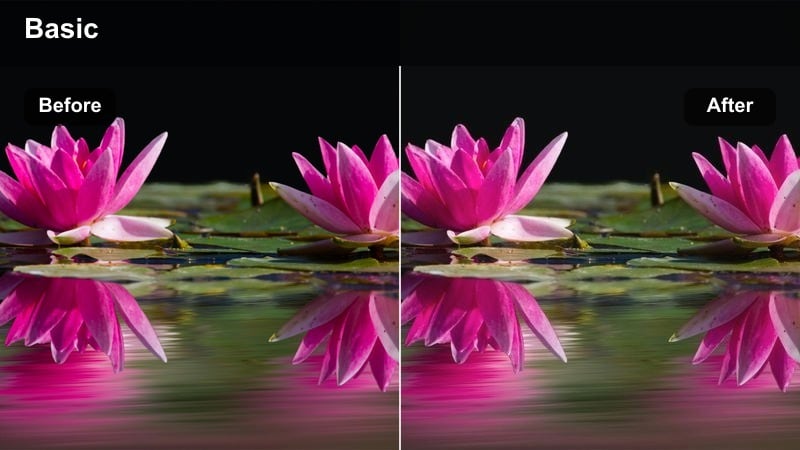
- Effect look: Muted colors, lifted shadows, and a subtle film grain feel that adds indie character to simple interior setups.
- Best for: Room vlogs, desk setups, talking head content, and low-budget narrative scenes shot indoors.
- Editing tip: Keep ISO as low as possible in-camera; let the filter's grain set the texture instead of sensor noise.
XT5 Grainy Indie Room gives minimal spaces a characterful, indie-film finish by softening contrast, lifting shadows, and layering in gentle grain. It is especially suited for YouTube room vlogs and talking-head pieces where you want a more cinematic, less clinical look from your XT5.
Apply the filter in Filmora, then refine exposure so faces sit comfortably in the lifted midtones while backgrounds hold enough detail. Add or adjust Filmora's grain effect at the end of your grading chain so the texture remains crisp and film-like, helping inexpensive lighting and simple sets feel more intentional.
Daylight Travel and Cityscapes
XT5 Chrome Travel City
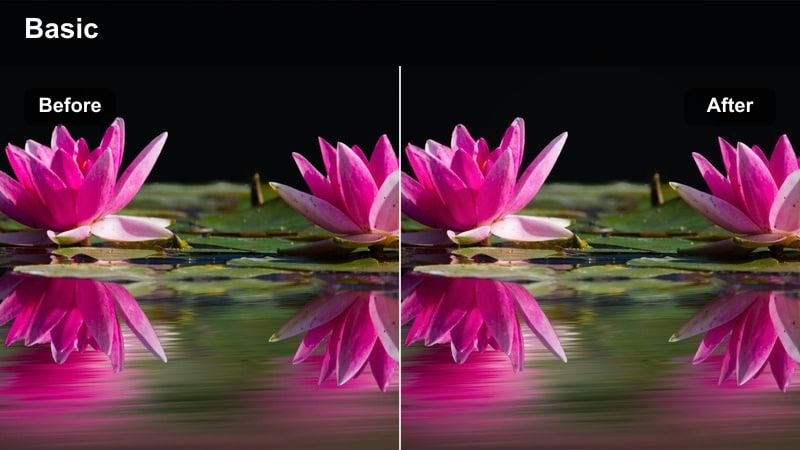
- Effect look: Balanced contrast with crisp micro-contrast and restrained saturation for clean travel city visuals.
- Best for: Daytime city exploration, travel b-roll, architectural details and establishing shots.
- Editing tip: Add a very light clarity increase and a touch of sharpening only in the midtones to keep buildings crisp but faces natural.
XT5 Chrome Travel City is built for clear, confident city travel footage, emphasizing lines, textures, and street geometry without oversaturating colors. It keeps contrast balanced so your XT5 clips feel modern and cinematic but still highly watchable for long travel vlogs.
In Filmora, apply this look to wide streets, skylines, and establishing shots, then add subtle midtone clarity to make buildings and signs stand out. Avoid heavy vignettes so the city feels open and stable, and use localized blue adjustments if you want skies slightly richer without shifting the whole palette.
XT5 Velvia Urban Pop
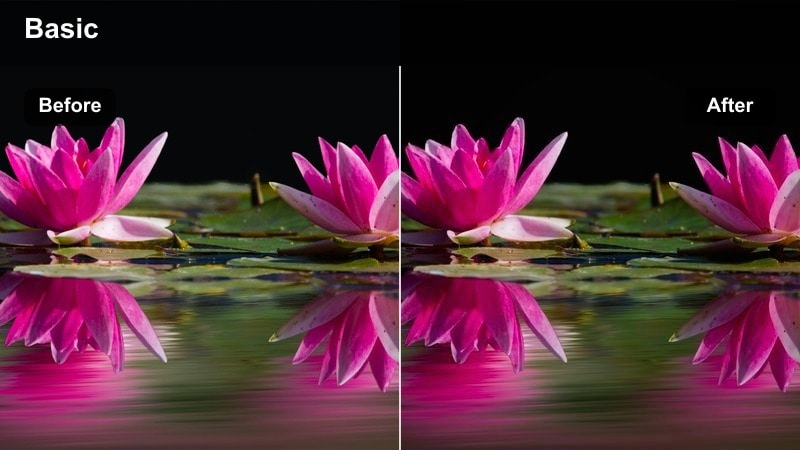
- Effect look: Punchy, saturated color with deep contrast tailored for bold city signage and vibrant exteriors.
- Best for: Neon districts, colorful street markets, murals, and high-energy travel sequences.
- Editing tip: Watch red and orange channels; pull them back slightly if skin or signage starts clipping or glowing unnaturally.
XT5 Velvia Urban Pop delivers a high-impact, saturated film look that makes colorful streets, signs, and markets leap off the screen. Contrast runs deeper, so your XT5 footage feels vivid and energetic, echoing the punch of Velvia-style film stocks.
In Filmora, apply this filter to your most eye-catching city sequences, then tame red and orange channels if skin appears too intense. Consider using it for selected hero shots or short bursts in an edit, intercut with softer grades so the heightened color remains fresh and impactful throughout the video.
XT5 Soft City Chrome
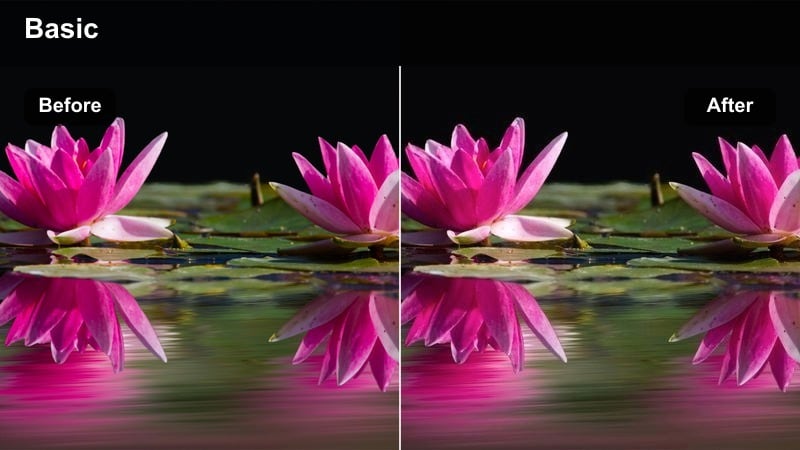
- Effect look: Gentle contrast with slightly cool highlights and neutral shadows for flexible everyday city coverage.
- Best for: Run-and-gun travel vlogs, handheld city walks, and mixed B-roll under changing daylight.
- Editing tip: Fine-tune white balance per clip before applying so the filter's subtle cool tone stays intentional.
XT5 Soft City Chrome is a versatile, low-stress look for city footage shot in constantly changing light. It keeps contrast gentle and skews highlights slightly cool, helping your XT5 clips maintain a cohesive mood from mid-morning to late afternoon.
Within Filmora, start by syncing white balance across your clips, then apply this filter to smooth transitions between different lighting conditions. Stabilize shaky handheld shots first, crop if needed, and then lightly adjust exposure so the soft cinematic feel stays consistent across your entire vlog or travel sequence.
Night City and Neon Scenes
XT5 Neon Eterna Night
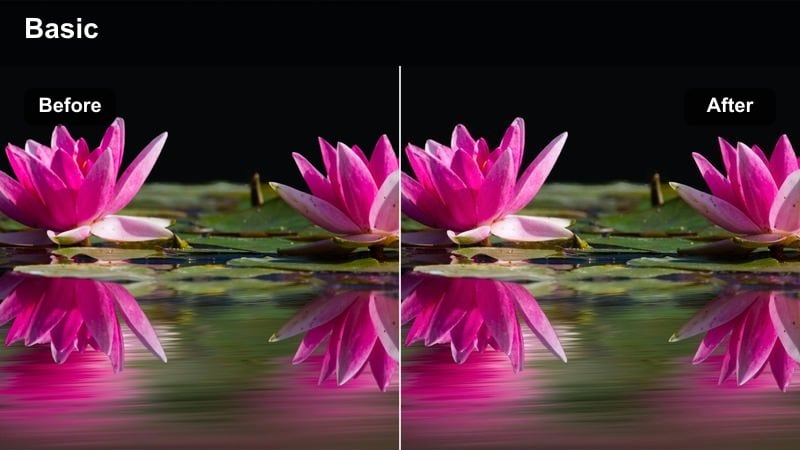
- Effect look: Soft, low-saturation base with controlled highlights to keep neon signs cinematic instead of harsh.
- Best for: Neon streets, night markets, rainy sidewalks, and handheld nightlife sequences.
- Editing tip: Lower global saturation slightly then lift specific neon hues so faces stay natural while signs still pop.
XT5 Neon Eterna Night is crafted for neon-heavy scenes where you want glow and atmosphere without blown-out signs or oversaturated colors. It softens overall saturation, holds highlights in check, and lets your XT5 footage feel like a night sequence from a narrative film.
In Filmora, use this filter on rainy streets, night markets, or nightlife B-roll, then selectively boost only the neon hues that define your shot. Gently raise shadows to recover background detail while keeping exposure slightly on the darker side so neon text and shapes remain crisp and readable.
XT5 Cyber City Film
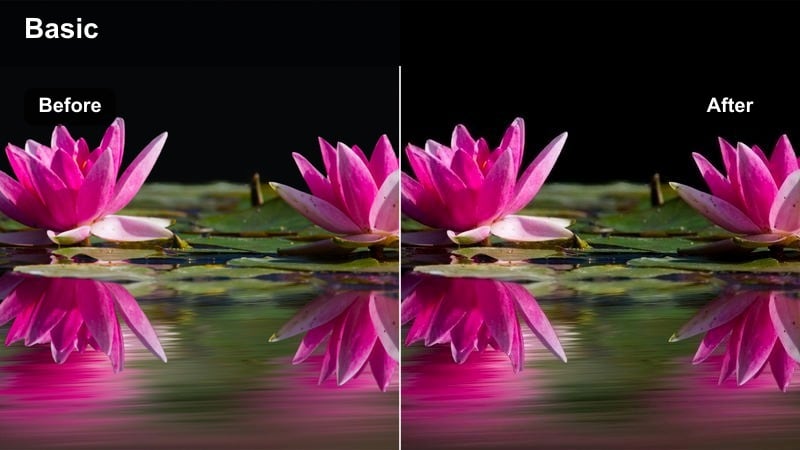
- Effect look: Teal-magenta cyberpunk palette with rich blacks and glossy highlights for stylized night city sequences.
- Best for: Music videos, futuristic B-roll, rainy streets with billboards and LED panels at night.
- Editing tip: Use selective color to pull skin slightly toward neutral while keeping teal and magenta strong in the environment.
XT5 Cyber City Film pushes your night city footage into a stylized teal-and-magenta palette suitable for music videos and cyberpunk sequences. Blacks run rich and deep, with glossy highlights that make rain, reflections, and LED panels from your XT5 shots look hyper-modern.
Apply it in Filmora to scenes with strong colored lights, then use HSL or selective color tools to keep skin tones closer to neutral for better subject separation. Slightly darken midtones if the frame feels too busy, helping your main subject stand out against the bold, futuristic backdrop.
XT5 Gritty Night Handheld
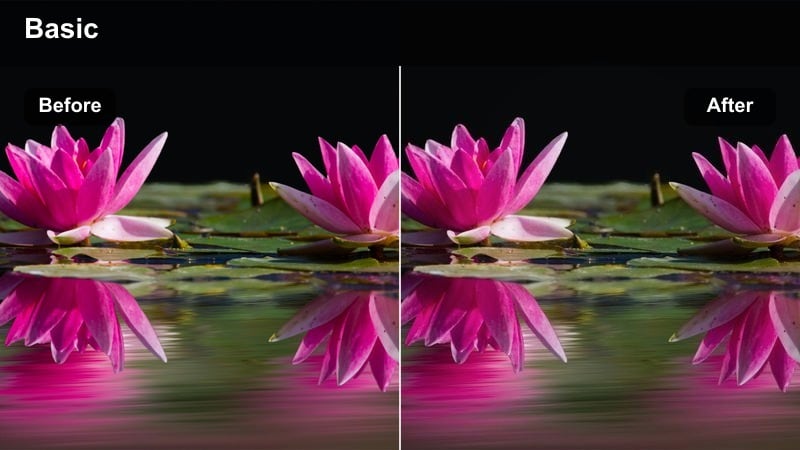
- Effect look: Crunchy contrast with a subtle grainy texture tuned to make handheld night footage feel intentional and raw.
- Best for: Handheld street scenes, documentary nightlife, dynamic b-roll under street lamps and car lights.
- Editing tip: Avoid aggressive noise reduction; let some texture live so the filter's grain enhancement feels like film, not artifact.
XT5 Gritty Night Handheld is designed to turn imperfect, high-ISO street footage into a deliberate, documentary-style aesthetic. It adds crunchier contrast and subtle grain so the natural motion and noise from your XT5 night clips feel purposeful rather than accidental.
Inside Filmora, stabilize only the most distracting shakes, then apply this filter to embrace movement, light streaks, and micro-blur. Resist heavy noise reduction; instead, let the built-in grain blend with sensor noise to produce a cohesive, film-like texture across your nighttime handheld sequences.
Tips for Using Fujifilm Xt5 Film Luts Filters in Filmora
- Shoot in F-Log or a flatter XT5 profile when possible so these film-style filters have more dynamic range to work with during grading.
- Set a consistent white balance in-camera rather than auto white balance to avoid color shifts between clips once filters are applied.
- Make basic exposure and white balance corrections in Filmora before adding filters so each film look responds predictably.
- Group clips by lighting and location, then apply the same XT5-inspired filter to each group for a cohesive sequence-level grade.
- Add subtle film grain on top of clean XT5 footage to reduce digital sharpness and create a more organic, cinematic texture.
- Slightly underexpose bright skies and neon signs in-camera so film-style filters do not clip highlight detail you want to preserve.
- Combine filters with gentle vignettes and masks to guide viewer focus toward faces and key storytelling elements in the frame.
- Render short test exports and review them on both a phone and a larger screen to confirm your chosen film look translates well.
These Fujifilm XT5 film LUTs-inspired filters give videographers and creators a fast way to turn clean XT5 footage into cinematic stories directly inside Filmora.
Build a repeatable workflow by pairing these looks with AI color tools, then save your favorite grades as presets so every new XT5 project starts with a polished film foundation.
secure download