

 100% Security Verified | No Subscription Required | No Malware


 ChatGPT
 Perplexity
 Gemini
 Claude
 Grok
Grok
This Influencer Portrait Video LUT filter collection is designed for content creators who need polished, on-brand faces in every clip, from Reels and Shorts to full-length vlogs.
Each filter refines skin tones, balances contrast, and adds a signature mood so your influencer portrait videos feel consistent, cinematic, and instantly recognizable across platforms.
In this article
Studio Glam Portrait Sessions
Soft Beauty Glow
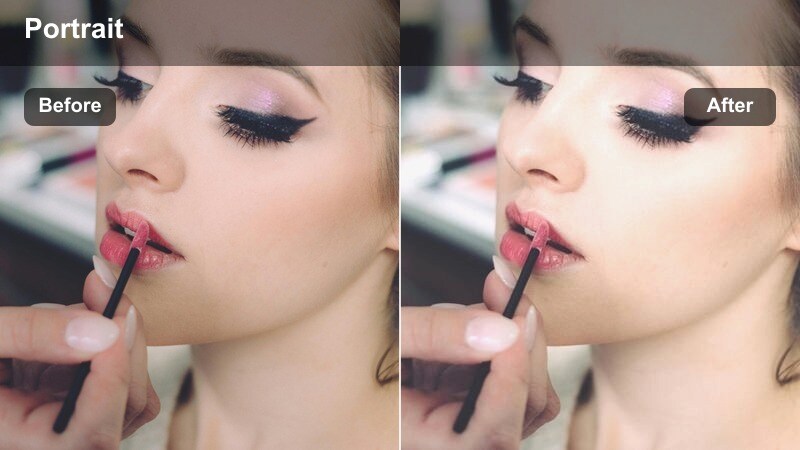
- Effect look: Creamy, softly diffused skin with gentle contrast and a subtle studio glow.
- Best for: Makeup tutorials, beauty product reviews, and close-up influencer portraits under softbox lighting.
- Editing tip: Lower clarity and add a touch of skin-smoothing to match the velvety softness of the filter without losing facial detail.
Soft Beauty Glow is tailored for beauty influencers who need smooth, flattering complexions that still look real on camera. In Filmora, apply this portrait video LUT to even out skin tones, soften transitions around the cheeks and jawline, and introduce a gentle glow that mimics high-end studio lighting without harsh edges.
Use it on close-up A-roll, product try-ons, and thumbnail shots where your face is the hero of the frame. After applying the filter, fine-tune exposure and white balance, then lightly adjust Filmoras skin-smoothing and clarity controls so pores and makeup details remain visible while the overall impression feels creamy and polished.
Match Your Influencer Portrait Style with AI Color Tools
Filmoras AI-driven color tools help you quickly adapt this Influencer Portrait Video LUT filter pack to your unique brand palette. You can automatically match colors between clips, then refine skin tones so every portrait feels consistent, even when you shoot on different days or in different locations.
From auto color matching to quick skin-tone refinements, these tools let you keep your portraits on-brand for sponsorships, product launches, and long-running series.
 secure download

See Influencer Portrait Filters in Action
Test different filters from this pack on the same clip to see how each mood changes your on-camera presence. In Filmora, you can duplicate your portrait clip on the timeline and apply a different influencer portrait video LUT to each version for fast A slash B comparisons.
Use split-screen previews or stacked layers to judge which look best fits your current campaign, whether you are highlighting makeup detail, wardrobe texture, or a specific brand color.
secure downloadBuild a Cohesive LUT and Filter Workflow
Combine this Influencer Portrait Video LUT filter pack with Filmoras base color correction tools to create a reliable workflow for every shoot. Correct exposure and white balance first, add your favorite LUT for overall toning, then drop a portrait filter on top to stylize skin and background.
Save your go-to stacks as presets inside Filmora so that recurring series like weekly Q and A sessions, sponsored reviews, or podcast-style recordings always share the same polished, recognizable look.
secure downloadGlam Magazine Finish
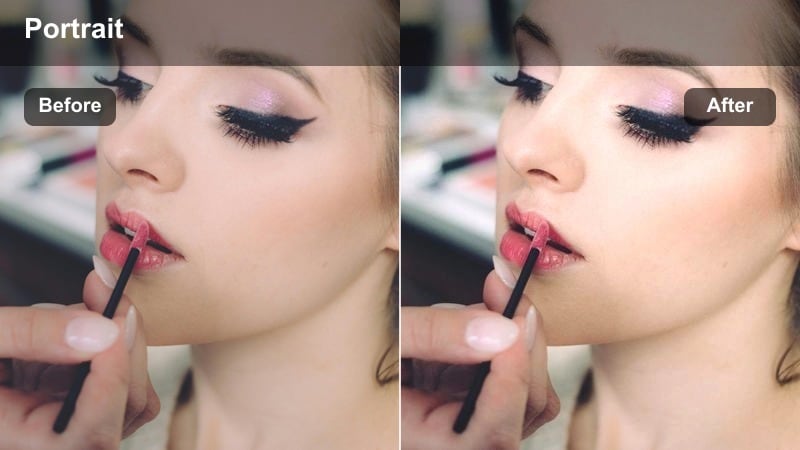
- Effect look: High-contrast, glossy portrait look with crisp details and rich midtones.
- Best for: Editorial-style fashion hauls, brand campaigns, and hero shots filmed in a controlled studio setup.
- Editing tip: Slightly decrease highlights and push midtone sharpening to keep the face crisp without blowing out reflective makeup.
Glam Magazine Finish is designed to give your influencer portraits the punchy, editorial vibe seen in fashion spreads and luxury campaigns. In Filmora, it boosts midtone richness and overall contrast so fabrics, accessories, and makeup catch the light in a stylish, high-end way.
Apply this LUT to hero shots, lookbooks, and brand intros where wardrobe structure and shine matter. Once the filter is on, adjust highlights and sharpening selectively around the face to maintain detail in reflective makeup or jewelry while keeping the background controlled and non-distracting.
Studio Neutral Skin
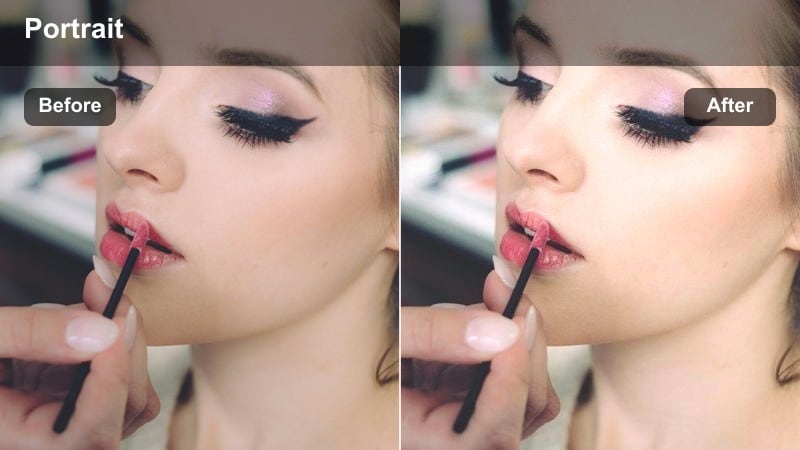
- Effect look: Balanced contrast with neutral, true-to-life skin tones and subtle color depth.
- Best for: Brand collaborations, product intros, and interview-style influencer portrait videos in studio setups.
- Editing tip: Use selective color to fine-tune reds and oranges in the skin range if your camera leans too warm or too cool.
Studio Neutral Skin focuses on accurate, trustworthy skin tones for content where product and brand colors must remain faithful. In Filmora, this filter gently polishes your portrait, adding a touch of depth and contrast without pushing hues into overly stylized territory.
Use it for sponsored spots, how-to explainers, and interview segments where clarity and professionalism are a priority. After applying the LUT, tweak Filmoras HSL or color correction panel around reds and oranges to nudge your complexion warmer or cooler while keeping logos, packaging, and backdrops consistent with brand guidelines.
Window Light and Home Studio Aesthetic
Cozy Window Glow
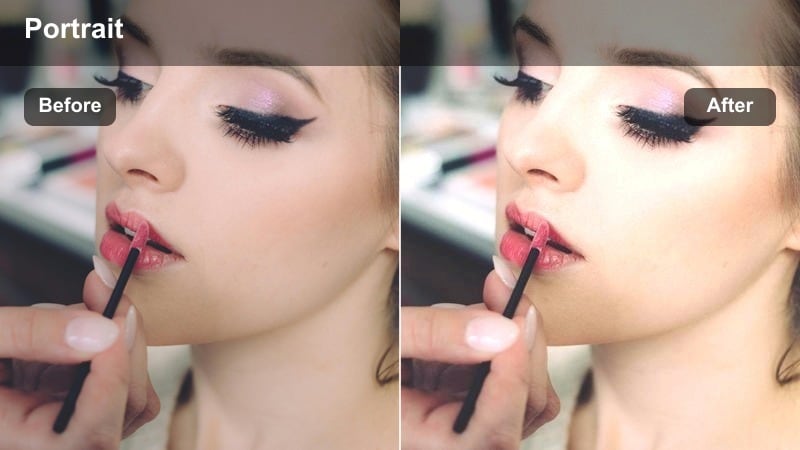
- Effect look: Warm, softly lifted shadows with a gentle glow around highlights from natural window light.
- Best for: Lifestyle vlogs, morning routines, and intimate storytelling clips shot near large windows.
- Editing tip: Raise shadows slightly while anchoring blacks so the image stays soft but does not look washed out.
Cozy Window Glow leans into the warmth and softness of natural light, making it perfect for relaxed, personal content filmed at home. When you apply this portrait video filter in Filmora, it brightens shadowed areas around the face and adds a subtle glow to highlights, ideal for bedside chats or coffee-by-the-window segments.
Use it on A-roll and B-roll captured near large windows or balcony doors to keep the atmosphere gentle and inviting. After applying, fine-tune the black point and contrast so your image retains depth while maintaining that airy, approachable feeling your audience expects from lifestyle and morning routine videos.
Clean Home Creator
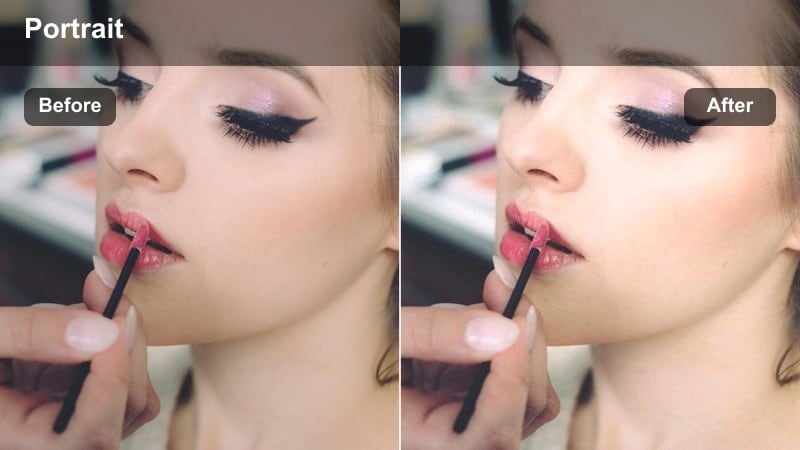
- Effect look: Bright, clean whites with soft contrast and subtle vibrance for decor and skin.
- Best for: Desk setups, home studio tours, and talking-head videos filmed in bright rooms.
- Editing tip: Use highlight recovery to keep white walls and backdrops from clipping while maintaining a fresh look.
Clean Home Creator is tuned to keep your home studio looking bright and modern without blowing out white walls, desks, or shelving. In Filmora, the filter enhances whites, gently lifts midtones, and adds a touch of vibrance so your face and key decor accents pop on camera.
Apply it to desk setups, plan-with-me sessions, and workspace reveals where viewers need to clearly see both you and your environment. After adding the LUT, adjust highlight recovery and exposure to avoid losing texture in white backgrounds while keeping your portrait fresh and inviting for social platforms.
Moody Living Room Portrait
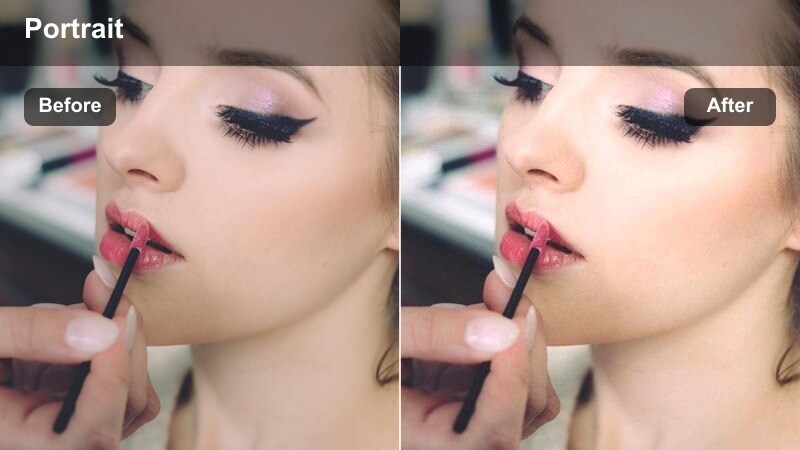
- Effect look: Muted highlights with rich shadows and a subtle cinematic tint for indoor scenes.
- Best for: Storytime videos, long-form commentary, and cinematic B-roll of influencers at home.
- Editing tip: Add a light vignette and reduce exposure slightly to emphasize the moody depth while keeping eyes visible.
Moody Living Room Portrait adds cinematic drama to your indoor content by deepening shadows and subtly muting highlights. In Filmora, this filter infuses your footage with a gentle color tint that feels filmic and personal, ideal for serious topics, storytime videos, or cozy, reflective vlogs.
Use it on sofa sit-downs or reading-nook segments where you want the room to feel intimate without losing facial clarity. After applying the LUT, fine-tune exposure and add a subtle vignette to pull attention toward your eyes, ensuring your expressions remain readable even in darker, more atmospheric setups.
Outdoor Influencer Portrait Shoots
Golden Hour Portrait
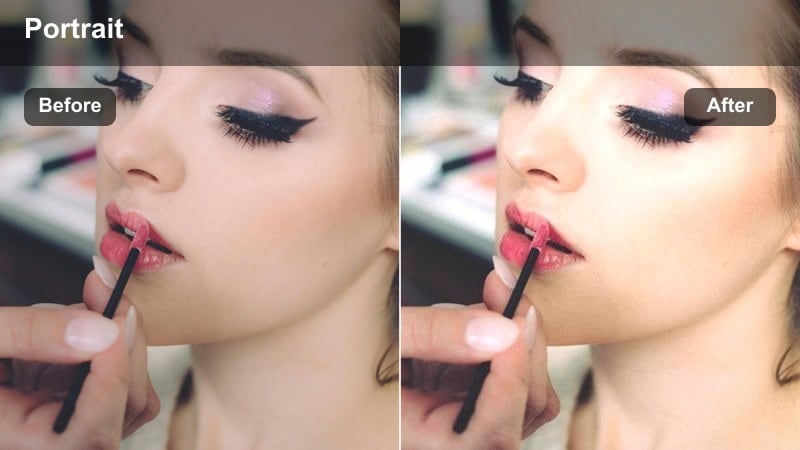
- Effect look: Warm highlights, soft flares, and slightly lifted shadows for sunset portrait sessions.
- Best for: Sunset outfit reveals, outdoor selfies, and cinematic influencer b-roll in open spaces.
- Editing tip: Increase saturation in oranges but protect reds so warm skin tones stay flattering and not overly intense.
Golden Hour Portrait enhances the natural warmth and softness of sunset light, giving your outdoor clips a dreamy, cinematic character. In Filmora, this filter boosts warm highlights and gently raises shadows to preserve detail in your face and wardrobe while keeping the overall frame glowing.
Use it for outfit transitions, slow-motion hair flips, or scenic walk-and-talks filmed shortly before sunset. Once applied, fine-tune saturation around orange tones and keep red channels controlled so skin stays flattering and does not drift toward oversaturated or sunburnt hues.
City Street Portrait
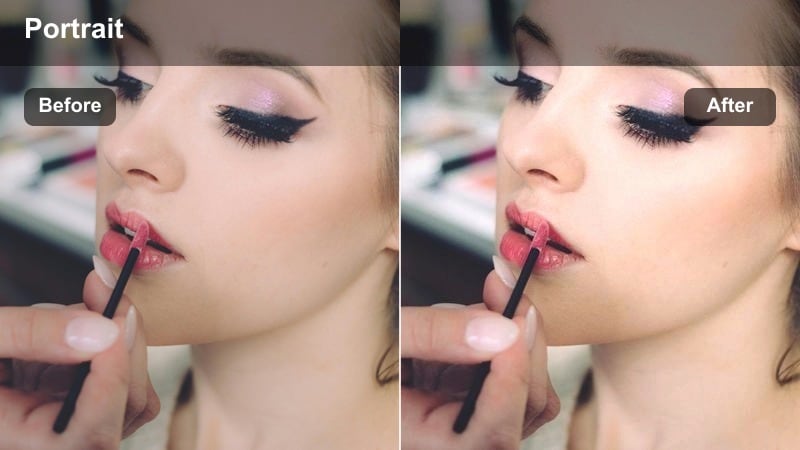
- Effect look: Punchy contrast, cool shadows, and clean skin tones against urban backgrounds.
- Best for: Street-style outfit videos, day-in-the-city vlogs, and urban influencer portraits.
- Editing tip: Drop saturation in blues slightly while keeping skin tone saturation higher to stand out from the city backdrop.
City Street Portrait is made for busy urban locations where you need the subject to stand out from concrete, glass, and traffic. In Filmora, the LUT adds coolness to shadows and extra contrast, sharpening the city environment while keeping skin tones bright and natural.
Apply it to crosswalk transitions, storefront showcases, or on-the-go vlog segments downtown. After adding the filter, use HSL controls to lower blue saturation and keep your skin tones slightly more saturated so your portrait remains the focal point amid signs, vehicles, and tall buildings.
Park Lifestyle Soft
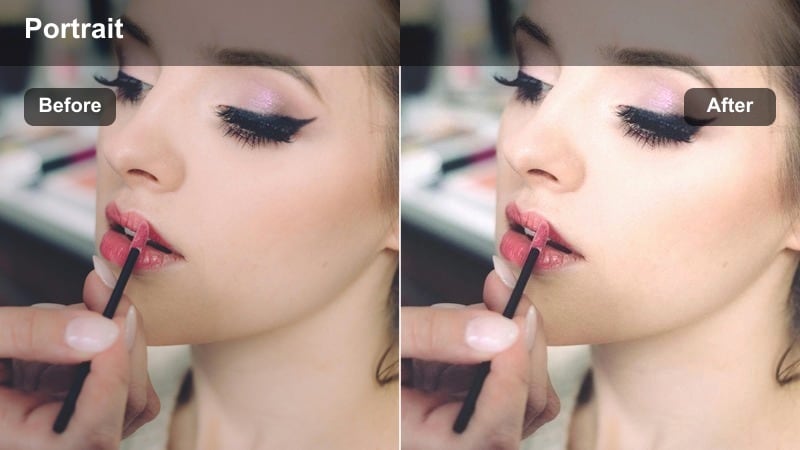
- Effect look: Gentle pastel toning with softened contrast and natural greens for outdoor parks.
- Best for: Casual picnic chats, jogging B-roll, and relaxed influencer portraits in open parks or pathways.
- Editing tip: Reduce green saturation a touch and increase luminance to keep foliage soft without overpowering the subject.
Park Lifestyle Soft introduces pastel toning and gentle contrast that flatters skin while taming strong greens in outdoor locations. In Filmora, the filter slightly mutes foliage and softens edges so your portrait feels calm, light, and lifestyle-focused rather than overly saturated.
Use it for picnics, wellness check-ins, and casual walk-through-the-park clips. After applying the LUT, fine-tune green luminance and saturation to keep trees and grass from drawing attention away from your face, ensuring the overall frame matches a soft, creator-friendly aesthetic suitable for reels and longer vlogs alike.
Night and Neon Creator Vibes
Neon Sign Portrait
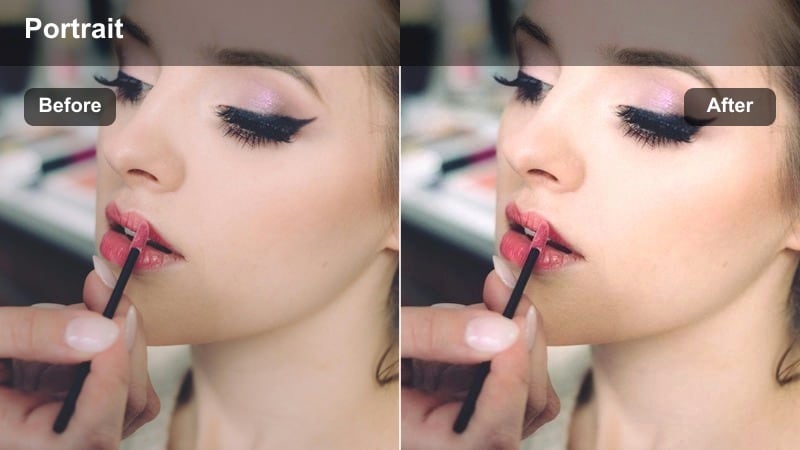
- Effect look: Deep contrast with saturated neon colors and smooth skin highlights in low light.
- Best for: Nightlife vlogs, creator meetups, and portrait shots near neon signs or LED billboards.
- Editing tip: Lower noise with a denoise filter and slightly lift shadows to retain facial detail in dark areas.
Neon Sign Portrait is built for creators who love shooting in nightlife districts, arcades, or neon-lit streets. In Filmora, this LUT deepens overall contrast, saturates neon hues, and smooths skin highlights so your face glows cleanly amid colorful reflections and dark surroundings.
Apply it to night portraits, B-roll of you walking past signs, or intros filmed outside venues. After using the filter, run Filmoras noise reduction on your clip and carefully lift shadows around the eyes and cheeks so your expressions remain clear, even when the background stays dramatically dark.
Cinematic Night Vlog
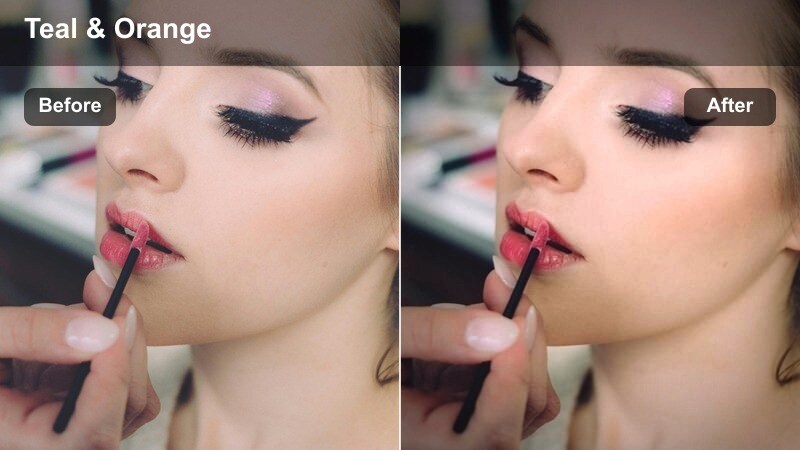
- Effect look: Subtle teal shadows, warm skin, and controlled highlights for cinematic night scenes.
- Best for: City night walks, rooftop talks, and cinematic storytelling where faces must stay readable.
- Editing tip: Expose slightly brighter in-camera, then use this filter to add contrast while keeping noise under control.
Cinematic Night Vlog balances stylized color grading with the need for clear, readable portraits in low light. In Filmora, it adds a subtle teal cast to shadows, warms up skin tones, and controls bright highlights from streetlights and cars, giving your night footage a filmic finish.
Use it for rooftop monologues, bridge walk-and-talks, and reflective night diaries filmed under ambient city light. Once the LUT is applied, adjust overall contrast and midtones so your face stays the visual anchor, keeping ISO noise manageable while still embracing the mood of nighttime cityscapes.
Creator Desk RGB
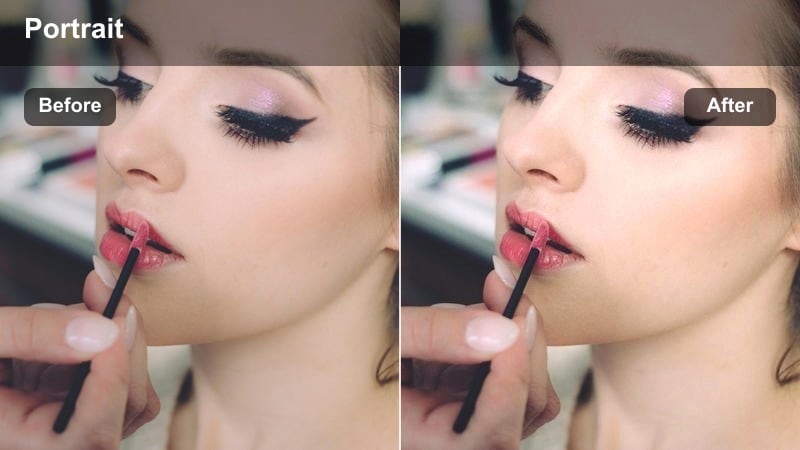
- Effect look: Cool-tinted shadows with vibrant RGB accent lights and polished facial highlights.
- Best for: Gaming streams, tech reviews, and influencer portraits at RGB-lit desk setups.
- Editing tip: Tone down saturation in blues and magentas if RGB strips overpower the face, then re-emphasize skin tones.
Creator Desk RGB is optimized for gaming and tech creators who film at LED-lit setups with multiple screens and RGB strips. In Filmora, the filter cools down shadows, boosts accent colors from your lights, and refines highlights on your face so you look sharp and intentional within a colorful environment.
Apply it to streaming intros, tech reviews, or reaction videos recorded at your desk. After using the LUT, adjust saturation in blue and magenta ranges so RGB lighting does not wash over skin, then use Filmoras color tools to gently bring back warmth and clarity in your complexion for a balanced, professional creator look.
Tips for Using Influencer Portrait Video Lut Filters in Filmora
- Shoot in a flat or neutral picture profile so these influencer portrait filters have more latitude to shape color and contrast.
- Keep your key light slightly above eye level to flatter facial features, then let the filter refine the mood.
- Batch-apply your chosen filter to all portrait clips in a video to keep the overall aesthetic consistent.
- Adjust filter intensity rather than stacking too many effects, especially for close-up influencer portraits.
- Always check skin tones on both mobile and desktop screens after applying filters to ensure they stay natural.
- Use masking tools to protect faces if you push background color or contrast heavily with a chosen filter.
With the Influencer Portrait Video LUT filter pack, you can give every portrait clip a polished, on-brand finish without spending hours in color grading.
Test a few styles across your studio, home, and outdoor shots, then save your favorite combinations as presets so your influencer content always looks cohesive and professional.
secure download