

 100% Security Verified | No Subscription Required | No Malware


 ChatGPT
 Perplexity
 Gemini
 Claude
 Grok
Grok
If your Instagram Reels food shots look flat or dull, the right vibrant filters can instantly turn everyday meals into scroll-stopping content. With Filmora, you can combine powerful color adjustments and LUT-style looks to create bright, appetizing tones that still feel natural on skin and table settings.
Below are 12 scene-based filter ideas designed specifically for Instagram Reels food LUTs with a vibrant tone. Use them as creative recipes in Filmora to match your brand aesthetic, from sunny brunches to neon street food nights.
In this article
Sunny Brunch and Café Table Reels
Citrus Pop Brunch
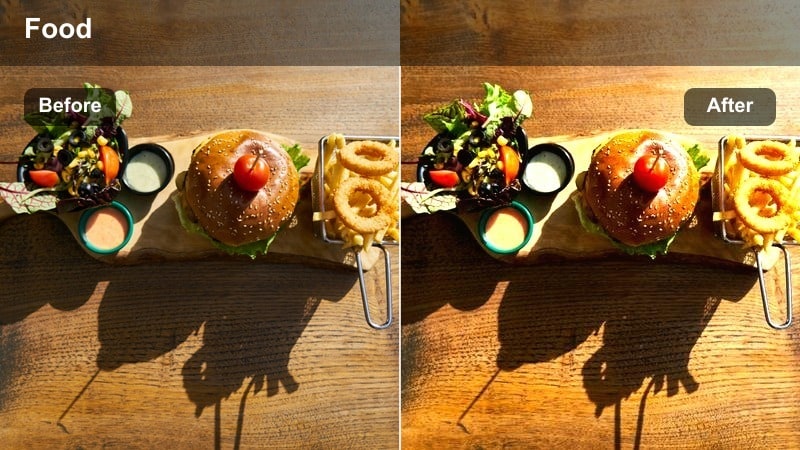
- Effect look: Punchy, high-saturation warmth that makes yellow and orange plates glow.
- Best for: Pancakes, waffles, smoothie bowls, and any breakfast spread near a window.
- Editing tip: Slightly reduce highlights to keep whipped cream and eggs from blowing out while keeping the saturation high.
Citrus Pop Brunch is ideal when you want brunch plates to feel sun-soaked and energetic without looking overcooked. In Filmora, start with a gentle warm white balance, then push saturation on yellows and oranges so citrus, mango, and golden pancakes stand out while maintaining clean whites on plates and linens.
Use masks to target the food area and apply a touch of extra vibrance only where the toppings and fruits sit. Add a subtle vignette and a bit of clarity on the center of the table, and your brunch Reel hook frame will look bright, juicy, and instantly tap-worthy in the Instagram feed.
Lock In a Consistent Vibrant Food Palette With AI
Filmora AI color tools help you quickly build a signature look for your Instagram Reels, so every brunch, lunch, and dessert clip shares the same vibrant yet appetizing tone. Let AI auto-balance exposure and white balance first, then fine-tune saturation for hero colors like reds, greens, and golden browns.
Once you love the result, save it as a preset so you can apply that palette to future food Reels in a click, keeping your grid cohesive while dramatically cutting grading time.
 secure download

Preview Filters Live for Instagram Reels Food Shots
Filmora real-time previews make it easy to compare different vibrant filters on the same brunch or dinner clip before you decide. You can drag and drop looks, adjust intensity, and scrub through your Reel to be sure sauces, fruits, and plates stay appetizing from the first frame to the last bite.
Layer extra tweaks like vignettes, sharpening, and HSL adjustments to fine-tune greens and reds so they stay rich but natural on a small phone screen.
secure download1000+ Video Filters and 3D LUTs for Food Reels
Filmora includes an extensive library of filters and 3D LUTs you can stack and customize to design your perfect food aesthetic. Combine cinematic LUTs with subtle color adjustments to create mouthwatering looks that work across brunch clips, kitchen how-tos, and night market Reels.
Once you find a combination that fits your brand, save it as a custom preset and reuse it on every new batch of food content to keep your Reels workflow fast and consistent.
secure downloadLatte Art Glow
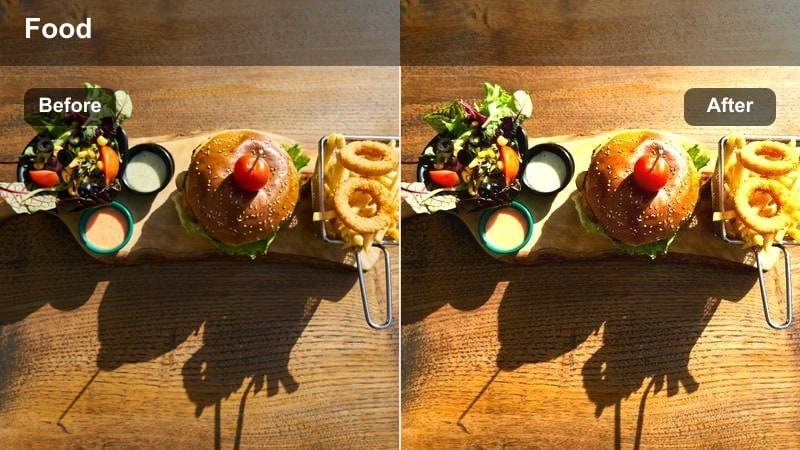
- Effect look: Soft, creamy contrast with boosted browns and golden foam highlights.
- Best for: Coffee Reels, latte art close-ups, and cozy café interiors.
- Editing tip: Increase local contrast or clarity on the cup area only to enhance micro-foam textures without making the whole frame harsh.
Latte Art Glow works best when you want coffee content to feel cozy and premium. In Filmora, warm up the midtones, subtly lift exposure, and add a gentle contrast curve so the crema and foam details stand out without crushing the shadows of the café background.
Use masking to isolate the cup, then add a little extra clarity and saturation to the coffee browns while keeping surrounding tables and decor slightly muted. This focuses attention on the pour and foam art, making every slow-motion swirl or latte heart look rich and inviting on Reels.
Fresh Bakery Bloom
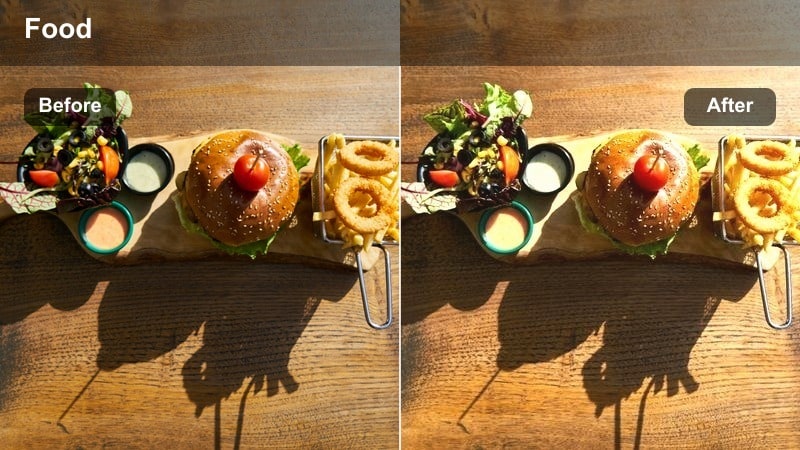
- Effect look: Bright, airy highlights with lifted shadows and subtle pastel vibrance.
- Best for: Croissants, pastries, and bread baskets on clean café counters.
- Editing tip: Lift shadows just enough to avoid muddy browns, then add a slight saturation boost to golden crusts only.
Fresh Bakery Bloom is designed for light-filled pastry counters where you want everything to feel soft, flaky, and fresh. In Filmora, raise the shadows, reduce strong contrast, and add a touch of pastel vibrance so the scene feels airy while croissants and tarts keep their golden edges.
Apply selective color adjustments on yellows and oranges to enhance crusts, and slightly pull back highlights to preserve icing and powdered sugar texture. This makes slow pans across pastry displays and top-down shots of bakery hauls look clean, modern, and highly shareable on Instagram Reels.
Home Kitchen Cooking and Prep Shots
Pan Sizzle Vibrance
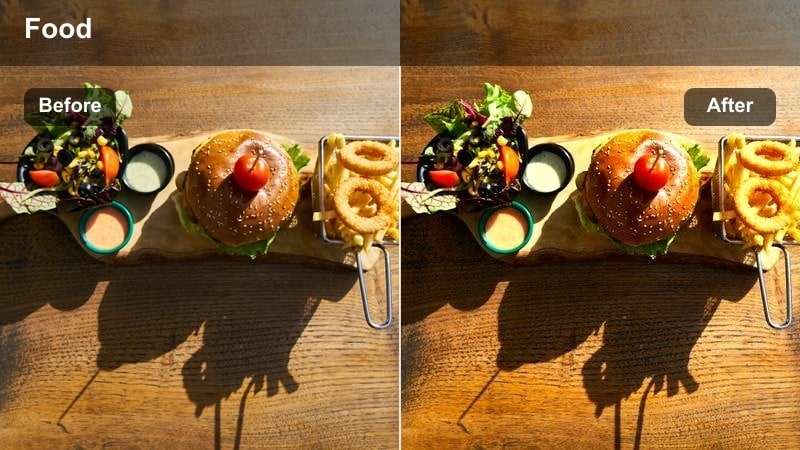
- Effect look: Deep contrast with rich saturation in reds, greens, and browns for stovetop scenes.
- Best for: Frying, sautéing, and close-up sizzle shots of meats and vegetables.
- Editing tip: Use a subtle sharpening pass on the pan area and reduce saturation slightly on reds to avoid unnatural meat tones.
Pan Sizzle Vibrance brings intensity to home-cooking Reels by emphasizing the color and texture of ingredients in a hot pan. In Filmora, push overall contrast, deepen blacks, and selectively boost greens and warm browns so vegetables and seared edges look bold against a darker stovetop background.
Use a mask over the pan and apply extra sharpening and vibrance there while gently taming reds with HSL controls to keep meats appetizing. Combine this look with quick cuts synced to audio hit points, and each sizzle, stir, and flip will feel dynamic and flavorful on Instagram Reels.
Cutting Board Crisp
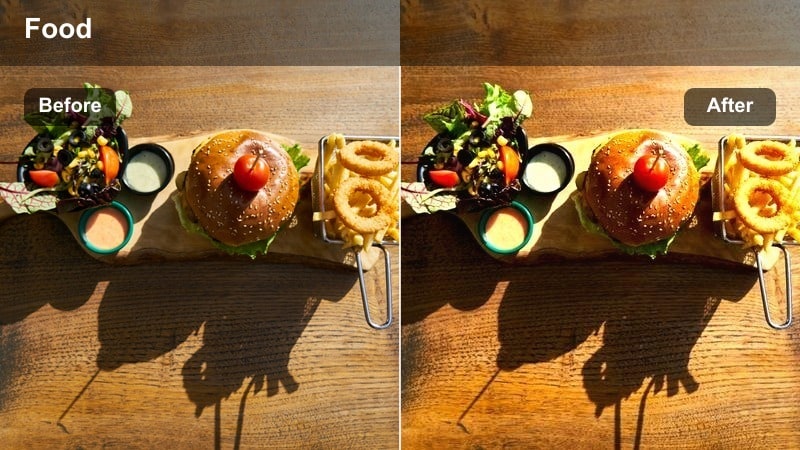
- Effect look: Clean, neutral whites with crisp edges and boosted greens for chopping scenes.
- Best for: Prep Reels showing chopping vegetables, herbs, and garnishes on a board.
- Editing tip: Slightly desaturate the background while selectively boosting green tones for herbs to guide the viewer's eye.
Cutting Board Crisp is perfect for recipe steps where you need viewers to clearly see each ingredient being prepped. In Filmora, keep white balance neutral, increase clarity and sharpness, and ensure cutting boards and counters remain true white or natural wood so colors do not shift between clips.
Then, selectively increase saturation and luminance in greens to make herbs, scallions, and leafy vegetables stand out in top-down shots. Use Filmora color match across clips in a single recipe Reel so transitions from whole ingredients to chopped pieces feel seamless and professional.
Sauce Drizzle Highlight
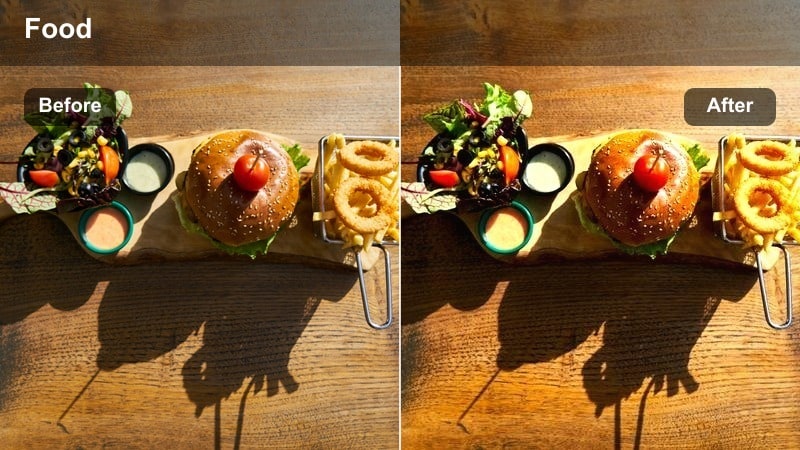
- Effect look: Glossy highlights with enhanced saturation on sauces and toppings.
- Best for: Slow-motion drizzles of sauces, glazes, syrups, and dressings.
- Editing tip: Slow down your footage and slightly reduce contrast to avoid harsh reflections while keeping the sauce glossy.
Sauce Drizzle Highlight is built for those dramatic pour shots that make viewers want to taste the screen. In Filmora, lower overall contrast just a bit, then raise highlights and saturation on warm tones so glazes, syrups, and dressings appear shiny and rich without turning into blown-out streaks.
Use speed ramping to slow the most satisfying part of the drizzle and add a soft vignette that pulls focus toward the stream of sauce. With a touch of sharpening on the drizzle area and synced audio beats, your topping shots will become the star moments of your food Reels.
Street Food and Night Market Vibes
Neon Street Bite
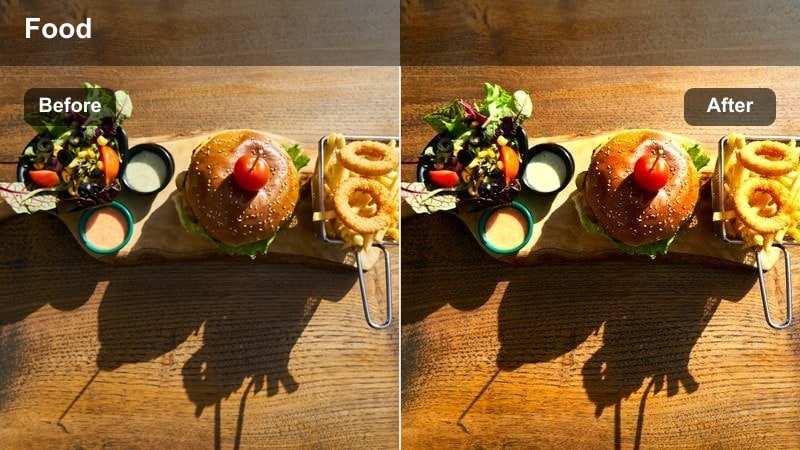
- Effect look: High saturation with bold contrast and slight magenta-blue tint in shadows.
- Best for: Street food shots under neon signs and colorful night market lights.
- Editing tip: Lift shadows slightly so food remains visible under harsh neon while keeping the background rich and moody.
Neon Street Bite gives night market Reels a stylized, urban feel while keeping the actual food appetizing. In Filmora, cool down your shadows with a slight magenta-blue shift, increase contrast, and add strong saturation so neon signs and background lights create a vivid ambiance.
Then, protect skin tones and food colors using HSL and skin-tone protection tools, keeping meats and toppings close to natural hues. Combine this look with quick whip-pan transitions between stalls, and your night food crawl will feel energetic, colorful, and immersive on Instagram.
Market Flame Boost
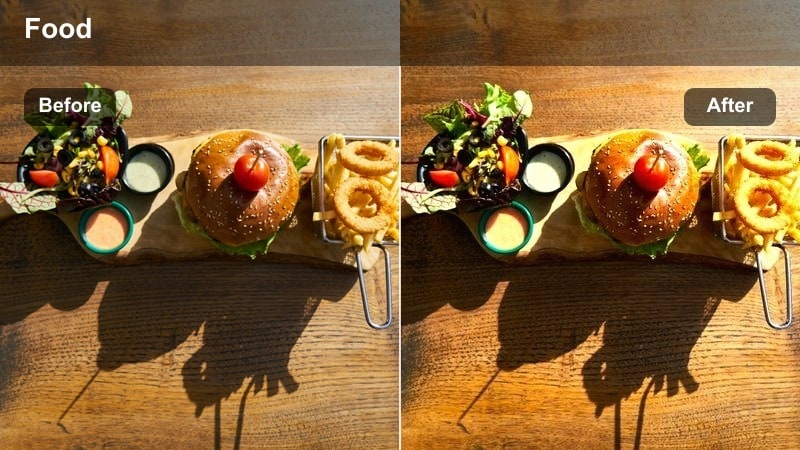
- Effect look: Warm, fiery highlights with deep shadows and saturated oranges and reds.
- Best for: Grill stations, open flames, and skewers cooking over charcoal at night.
- Editing tip: Lower exposure slightly and then boost warmth so flames stay detailed instead of turning into white blobs.
Market Flame Boost focuses on the drama of open flames and glowing coals in street food settings. In Filmora, start by pulling exposure down a notch, then push warmth and saturation on oranges and reds so fire and embers look intense while preserving the detail of each flicker.
Use this filter on both wide grill shots and tight close-ups of seared edges, and keep audio from sizzling and crackling intact for realism. When you cut between angles with the same warm, contrasty look applied, your grill Reels will feel cohesive and cinematic from start to finish.
Urban Snack Splash
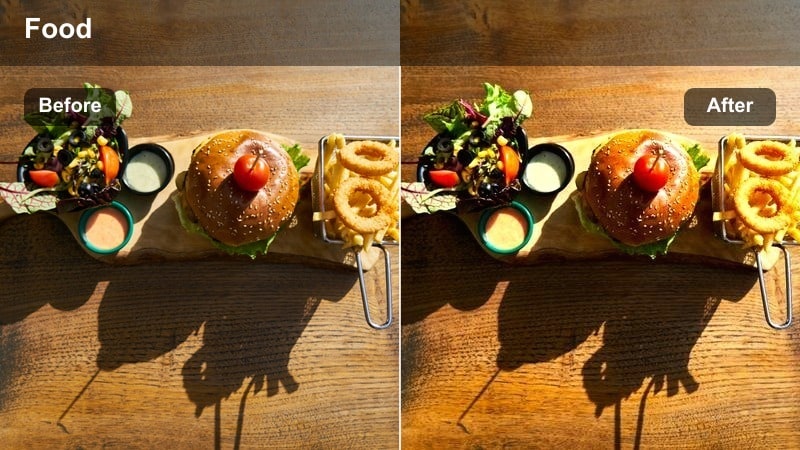
- Effect look: Punchy, colorful midtones with slightly cool shadows and bright highlights.
- Best for: Handheld bites of street snacks, drinks, and desserts against city backgrounds.
- Editing tip: Increase saturation on the food and cup while reducing saturation on city backgrounds to avoid distraction.
Urban Snack Splash is made for handheld point-of-view shots where you showcase snacks against a moving city backdrop. In Filmora, add punchy midtone contrast, brighten highlights, and cool the shadows slightly so the city feels modern while the food stays rich and inviting.
Use masks or AI selection to isolate the snack and cup, then boost saturation and sharpness there, leaving the background softly blurred and less saturated. This creates a clear subject against the busy urban environment, perfect for quick bites, drink reveals, and taste-test Reels on the go.
Final Plates and Overhead Food Spreads
Hero Plate Vivid
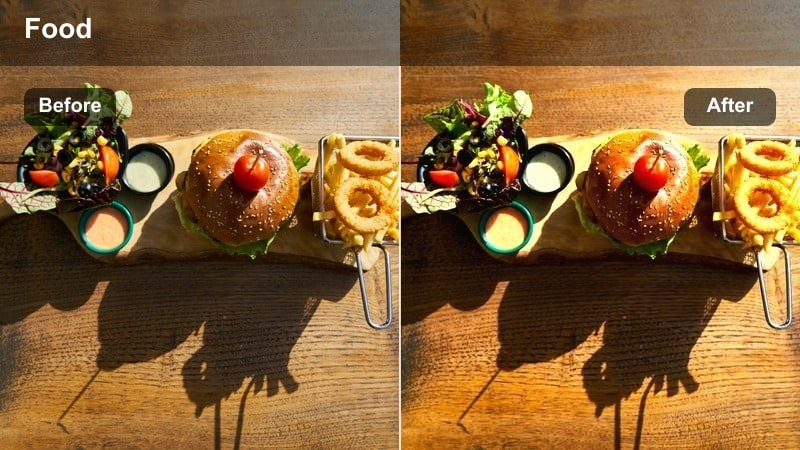
- Effect look: High clarity with vibrant midtones and balanced whites for hero shots.
- Best for: Single-plate hero shots for thumbnails, cover frames, and Reels hooks.
- Editing tip: Add micro-contrast and a subtle vignette to the center of the plate while preserving natural skin tones around it.
Hero Plate Vivid is designed to create the perfect hook frame for your Instagram Reel or cover image. In Filmora, prioritize balanced exposure and clean whites, then add clarity and midtone contrast so every garnish, sauce streak, and texture on the plate appears sharp and defined.
Apply a gentle vignette and slightly boost vibrance on the plate area while keeping surrounding hands and table elements realistic. You can freeze one vivid frame at the start of your Reel for half a second to grab attention in the feed before the motion begins.
Family Feast Vibrant
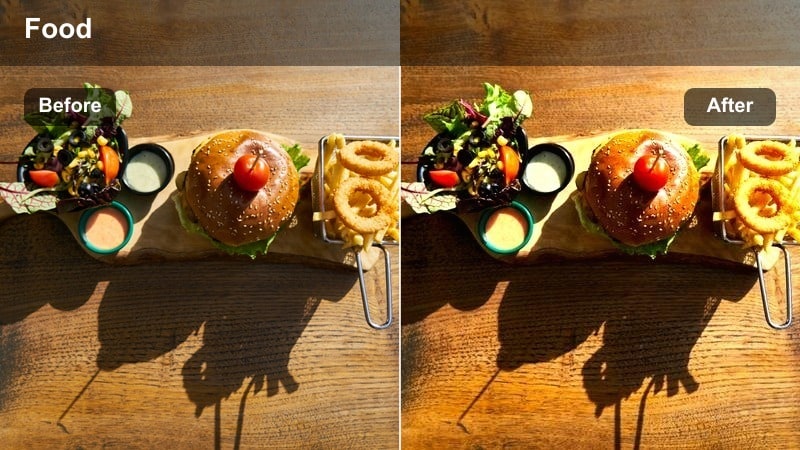
- Effect look: Even, bright exposure with strong but balanced saturation across multiple dishes.
- Best for: Overhead spreads of family-style meals, buffets, and shared platters.
- Editing tip: Avoid heavy vignettes; instead, add a gentle contrast curve and bump saturation uniformly so every dish looks inviting.
Family Feast Vibrant helps large table spreads look cohesive and colorful without any one plate dominating the frame. In Filmora, aim for even exposure, keep highlights under control, and apply a moderate saturation boost across the full image so all dishes look equally appetizing.
Skip strong vignettes and instead use a smooth S-curve for contrast that keeps details in both shadows and highlights. When filming, ask friends to reach for food at different moments, then speed up less important actions and keep key bites at normal speed to tell a lively, easy-to-follow story.
Minimal Plate Pop
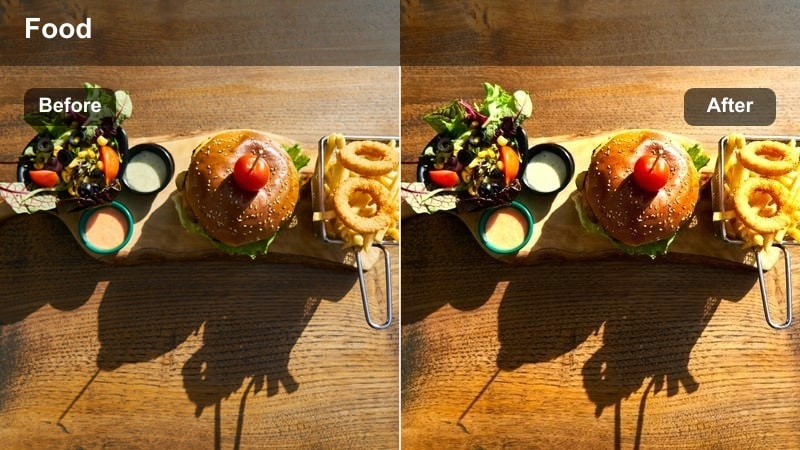
- Effect look: Clean, almost minimalist contrast with a pop of saturation on the main dish only.
- Best for: Modern plating on neutral backgrounds, especially for fine-dining style Reels.
- Editing tip: Mask the plate and increase saturation and contrast slightly there while keeping the background soft and low contrast.
Minimal Plate Pop is ideal for refined, restaurant-style dishes on neutral table settings or studio backdrops. In Filmora, keep overall contrast moderate and backgrounds slightly desaturated so the visual weight stays firmly on the plated food.
Use masking tools to isolate the plate, boosting saturation, sharpness, and micro-contrast just on the dish while leaving the rest of the frame soft. This minimalist look pairs perfectly with branded text overlays and sponsored ingredient callouts, making your collaborations feel polished and on-brand.
Tips for Using Instagram Reels Food Luts Vibrant Tone Filters in Filmora
- Shoot near natural light when possible, then use vibrant filters to enhance color instead of rescuing underexposed clips.
- Always double-check that reds and oranges stay appetizing; if they look too neon, slightly reduce saturation or shift the hue.
- Create two or three signature filter looks in Filmora for different scenarios like brunch, home cooking, and street food, then reuse them.
- Test your edited Reel on a phone screen before publishing because strong vibrance can look different on mobile versus desktop.
- Use masks and keyframes to apply extra vibrance only to the dish and keep backgrounds a bit softer for a cinematic feel.
With the right Instagram Reels food filters, you can turn everyday meals into bold, vibrant stories that stop the scroll while still looking genuinely delicious.
Start by choosing one or two Filmora looks from this guide, refine them to fit your style, and then save them as reusable presets so every new Reel is fast to grade and instantly on-brand.
secure download