

 100% Security Verified | No Subscription Required | No Malware


 ChatGPT
 Perplexity
 Gemini
 Claude
 Grok
Grok
These Instagram Reels portrait video LUT-style filters are designed to make faces pop in vertical format, balance skin tones, and keep your feed looking consistent without heavy manual grading.
Each filter below includes the ideal effect look, best use case, and an editing tip so content creators can quickly match the mood of their Instagram Reels portraits to their personal brand.
In this article
Warm Golden Hour Portrait Reels
Sunlit Soft Glow
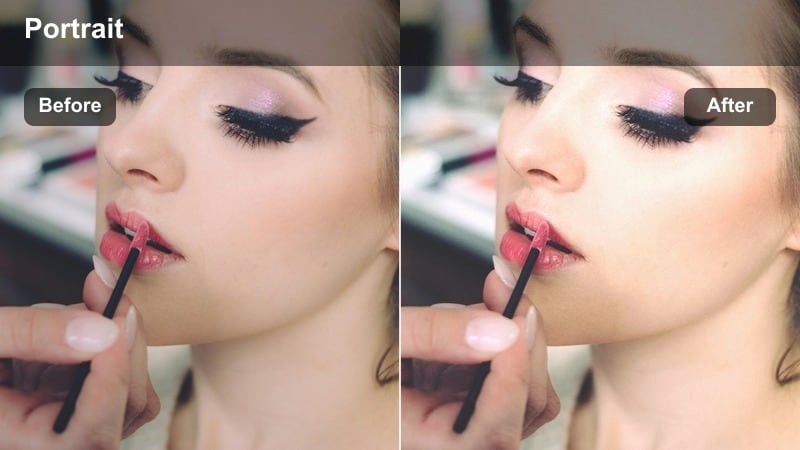
- Effect look: Gentle warm contrast with subtle bloom around highlights for a dreamy golden hour portrait feel.
- Best for: Outdoor Instagram Reels shot near windows or at sunset where you want the skin to look warm and softly flattered.
- Editing tip: Lower overall contrast slightly and add a touch of vignette to keep attention on the eyes in close-up vertical frames.
In Filmora, Sunlit Soft Glow works like a golden hour LUT for portrait-first Reels, wrapping your subject in warm, flattering tones while gently blooming the brightest areas. Apply it to backlit or side-lit faces to smooth transitions between highlights and shadows so cheeks and foreheads look radiant instead of harsh. It is especially effective on 9:16 clips where the face fills most of the frame and you want the light to feel soft and cinematic.
After applying the filter, fine-tune temperature and tint in Filmora to match your real lighting, then slightly lift midtones so facial features stay luminous on smaller phone screens. Use Filmora masks to keep the bloom mostly on the background or hair highlights while preserving detail around the eyes and lips. If deeper skin tones push too orange, subtly reduce orange and red saturation with HSL instead of cooling the whole clip, keeping the golden vibe intact.
Match Portrait LUT-Style Filters to Your Brand Colors with AI
Filmora's AI-driven color tools can analyze your existing Instagram grid and suggest portrait-friendly filter tweaks that align with your brand palette. This is ideal when you love a look like Sunlit Soft Glow but want the hues and saturation to echo the colors your followers already associate with your profile.
By combining these portrait filters with AI color matching, you keep skin tones flattering while ensuring every Reel reinforces a clear, cohesive visual identity. Subtle adjustments to background tones, wardrobe colors, and accent highlights can turn a generic LUT into a signature brand look.
 secure download

Preview Portrait Filters Live While Recording Reels
Use Filmora's real-time preview to test multiple portrait filter looks on your face before you record or batch edit vertical clips. Swapping through several LUT-style presets at once lets you see exactly how skin tones, contrast, and background color will play together in your final Reel.
Seeing your portrait live with different filters also helps you adjust your position, angle, and lighting on the spot. You can nudge your subject closer to a window, turn slightly toward a key light, or change backgrounds so the chosen filter has enough contrast and color to work with.
secure download1000+ Video Filters and 3D LUTs
Filmora includes a large collection of built-in video filters and 3D LUTs you can stack with these portrait looks for even more control. Start with a face-focused preset, then layer stylized filters for backgrounds, brand colors, or creative moods that match each Reel concept.
Once you build a combination you love, save it as a custom preset so you can color-grade new vertical clips in just a few clicks. This preset-first workflow keeps portrait corrections fast and consistent, even when you are editing batches of Reels every week.
secure downloadAmber City Haze
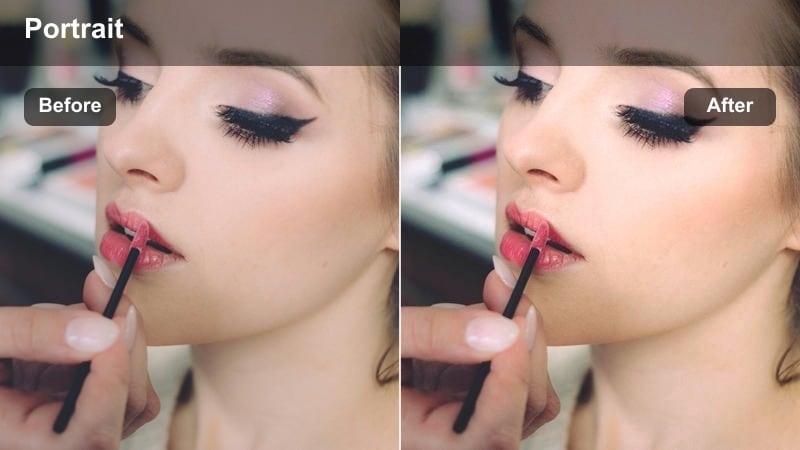
- Effect look: Muted contrast with amber highlights and a gentle haze that gives portraits a cinematic city-evening vibe.
- Best for: Handheld walking-and-talking Reels in urban streets during late afternoon or early night with mixed light sources.
- Editing tip: Add a tiny bit of clarity to facial features after applying the filter so eyes and lips stay sharp within the soft haze.
Amber City Haze in Filmora wraps city portraits in a soft, evening glow, muting harsh contrast while pushing highlights toward a warm amber tone. The gentle haze helps blend mixed lighting from storefronts, cars, and streetlamps so moving faces do not look patchy or overly sharp. It is ideal when you want your walking-and-talking Reels to feel cinematic but not overly stylized.
Apply the filter, then use Filmora's facial detail tools or light clarity adjustments around the eyes, brows, and mouth to keep expressions readable. If neon signs feel overpowering, selectively reduce saturation in specific hues via HSL so your skin tone stays the cleanest color in the frame. For shots that feel too foggy, slightly decrease bloom or use Dehaze while preserving the warm midtone glow on your subject.
Honey Portrait Pop
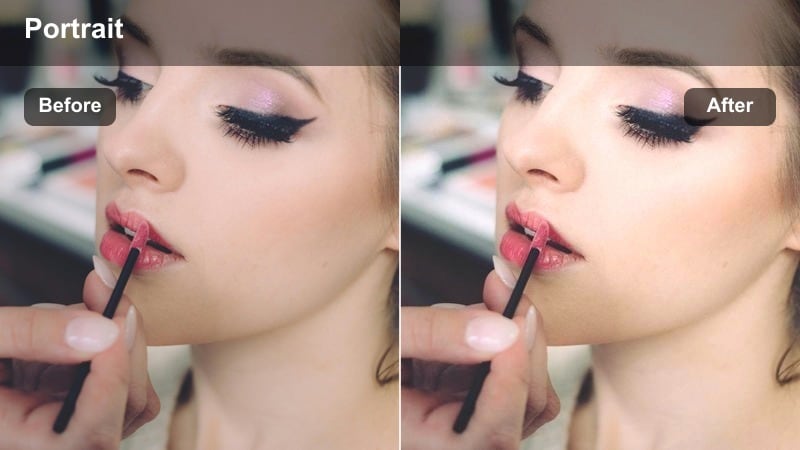
- Effect look: Rich honey-toned midtones with moderate contrast that make skin look smooth and vibrant without over-saturation.
- Best for: Face-forward talking-head Reels filmed indoors with soft window or ring light, especially for beauty and lifestyle content.
- Editing tip: Raise midtone brightness slightly to keep the face luminous in vertical framing, then pull back saturation in the background only.
Honey Portrait Pop is designed for polished, creator-style portrait Reels where the face is the star of the frame. In Filmora, it enriches midtones with a honey warmth that smooths and brightens skin while keeping contrast controlled enough for beauty, lifestyle, and product-focused content. The result is a vibrant but not cartoonish look that works well with makeup details and close-up shots.
Use this filter on clips lit by a softbox, ring light, or window, then gently increase midtone exposure so your face remains luminous in 9:16 compositions. If your background becomes too intense, add Filmora masks or selective color adjustments to desaturate walls, plants, or decor while keeping skin at full impact. For creators filming in multiple rooms, match white balance first, then apply Honey Portrait Pop to keep a consistent, warm portrait tone across all Reels.
Clean Daylight and Natural Skin Reels
Studio Neutral Skin
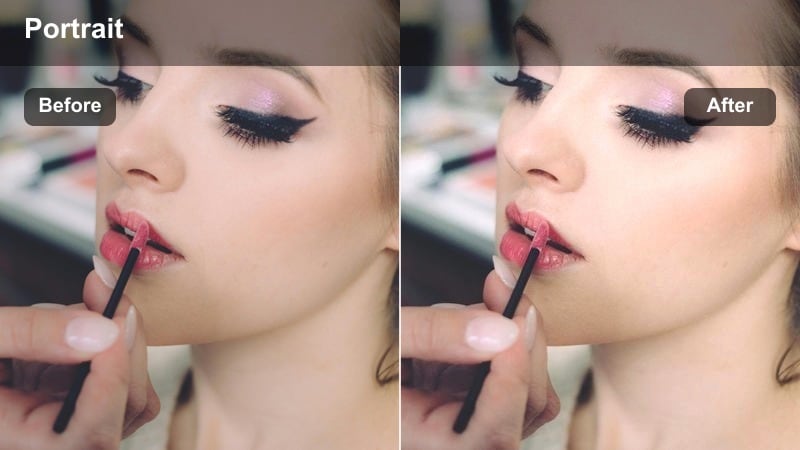
- Effect look: Balanced neutral contrast with true-to-life skin tones and a soft, studio-like clarity for professional Reels.
- Best for: Educational, coaching, and tutorial Reels filmed against clean backdrops where authenticity matters more than heavy stylization.
- Editing tip: Use selective sharpening only on the eyes and brows to keep the skin smooth while the face remains engaging in the vertical frame.
Studio Neutral Skin aims for accurate, trustworthy color that still looks subtly polished on camera. In Filmora, it keeps contrast and saturation close to natural while gently lifting clarity and brightness around facial features, giving your Reels a studio shot feel even if you are filming at home. This makes it ideal for educators, coaches, and experts who want authority without distracting color grading.
Apply the filter to your portrait clips, then use Filmora's detail enhancement or masking to add extra sharpness solely to key features like eyes and brows. Keep backgrounds desaturated and simple by reducing saturation or applying a soft blur behind you so the focus stays on your message. For a more premium vibe, combine this look with light noise reduction and a subtle film grain overlay to mimic a high-end camera sensor without losing realism.
Soft Window Light
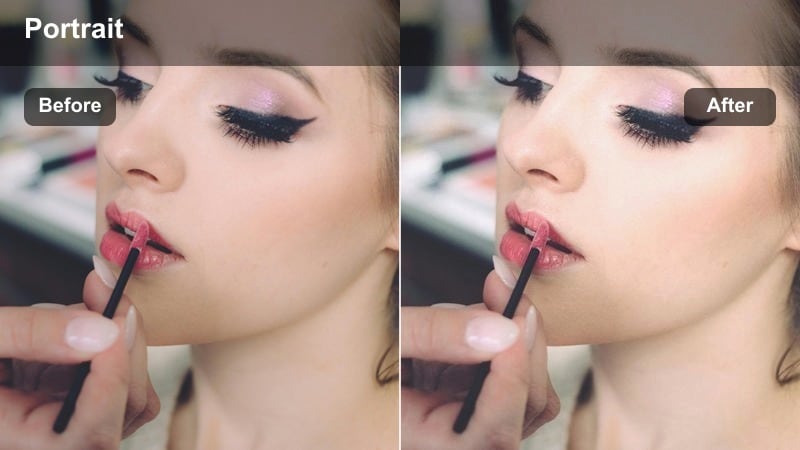
- Effect look: Low-contrast, airy tones that brighten faces while keeping detail, inspired by soft daylight from a large window.
- Best for: Casual storytelling or vlog-style portrait Reels filmed near windows or glass doors in apartments and offices.
- Editing tip: Lift shadows slightly and decrease blacks to prevent harsh lines on the face when your subject moves closer to the window.
Soft Window Light in Filmora recreates the feel of a giant softbox, brightening your face with gentle, low-contrast tones. It is perfect for laid-back storytelling Reels, day-in-the-life clips, or workspace vlogs filmed next to large windows, where the goal is a bright and approachable look rather than heavy color grading. The filter lifts the overall scene without flattening skin texture completely.
Once applied, adjust shadows and blacks to soften any harsh lines caused by direct sunlight or uneven exposure as you move around the frame. If highlights on your forehead or nose start clipping, pull down highlight roll-off and let midtones carry the brightness instead. You can also slightly desaturate background blues and greens so the airy daylight feel remains while viewers naturally focus on your expressions and gestures.
True Tone Vlog
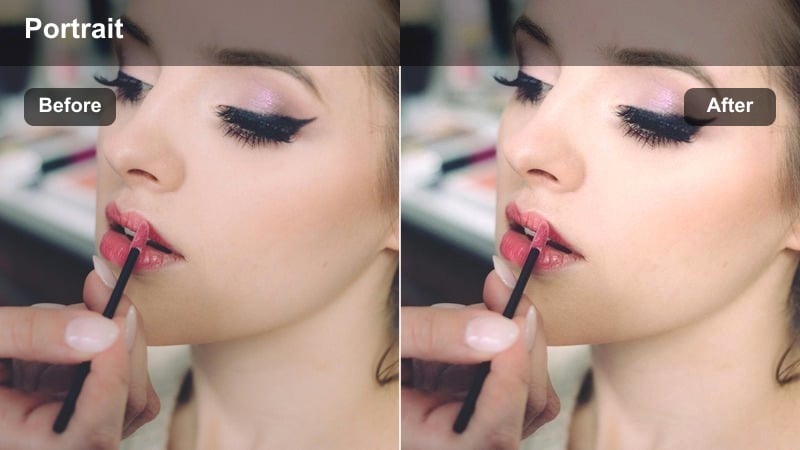
- Effect look: Natural color profile with a tiny lift in saturation and clarity focused on facial features for vlog-style honesty.
- Best for: Daily vlog Reels, behind-the-scenes clips, and unfiltered-style portrait updates around the city or at home.
- Editing tip: Keep stabilization smooth and add a slight vignette so the portrait remains centered and legible on smaller phone screens.
True Tone Vlog keeps your Reels close to real life while giving faces a subtle, flattering boost. In Filmora, it adds just enough saturation and clarity around the subject so your personality comes through on screen without looking overly filtered. This is a strong choice for candid updates, street vlogs, and BTS content where authenticity matters more than cinematic grading.
Apply the filter across all clips in a Reel first, then fine-tune exposure per shot to keep skin tones consistent as you move between rooms or outdoor locations. Use Filmora's stabilization on handheld footage and add a light vignette so your portrait remains readable, even on smaller or older phones. For multi-location vlogs, a quick white-balance reference on a neutral surface plus this filter will help your whole sequence feel cohesive.
Moody Urban and Night Portrait Reels
Neon City Portrait
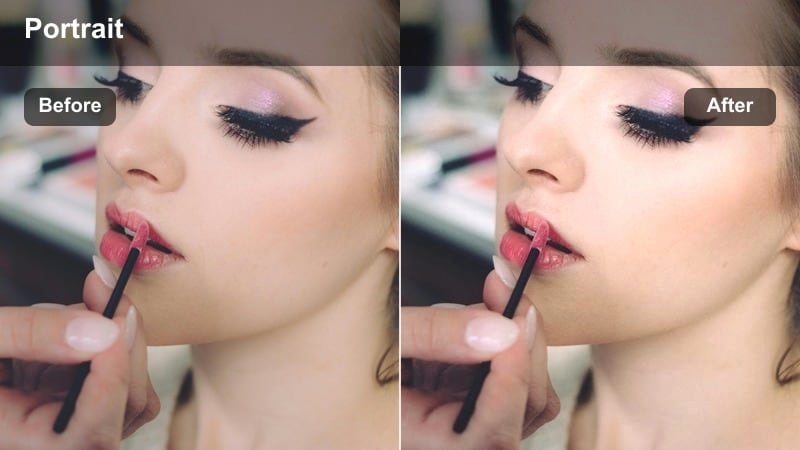
- Effect look: Deep contrast with cool shadows and controlled neon highlights that keep the face readable among city lights.
- Best for: Nighttime Instagram Reels filmed under neon signs, billboards, or colorful storefronts in busy streets.
- Editing tip: Reduce saturation in extreme blues and magentas so the neon stays stylish while the skin tone remains natural.
Neon City Portrait is built for night Reels where glowing signs and billboards dominate the background. In Filmora, it deepens shadows to add drama, cools down the darker areas, and reins in neon highlights so your face stays the clear focal point. The result is a modern, cyber-city look that feels cinematic but still lets audiences read your expressions.
Start by exposing for the face, then apply the filter and gently pull highlights down on neon areas so text and shapes remain legible without overpowering your portrait. Use HSL controls to tame intense blues and magentas, keeping skin tones relatively neutral while lights stay colorful. If the scene looks too dark on mobile, raise midtones slightly while leaving blacks rich to preserve the moody atmosphere.
Cinematic Subway Mood
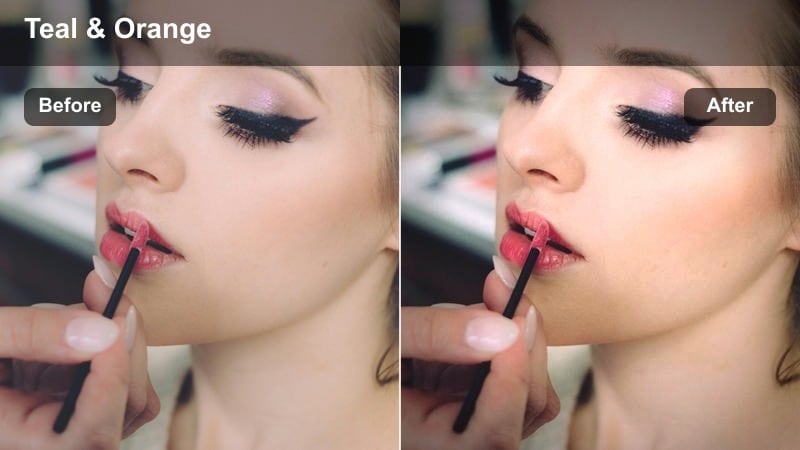
- Effect look: Muted greens and yellows with lifted shadows and a cinematic teal tint in the background, keeping skin warm and expressive.
- Best for: Portrait Reels filmed in subway stations, underground walkways, or dim transit hubs with mixed lighting.
- Editing tip: Use a subtle crop-in on jump cuts to maintain focus on the face when the background geometry is busy.
Cinematic Subway Mood transforms harsh underground lighting into something closer to a movie still. In Filmora, it tones down green and yellow casts, adds a teal shift to walls and distant elements, and gently lifts shadows so your subject does not disappear into the darkness. Skin is kept comparatively warm, creating a classic teal-and-warm cinematic split that suits narrative or moody Reels.
After applying the filter, soften highlights and reduce green saturation further if fluorescent lights still look harsh or sickly. Consider adding a slight crop and slow push-in on key lines of dialogue to keep attention locked on the face despite busy tunnel geometry. A light vignette plus subtle grain in Filmora will complete the cinematic feel, making the space look intentional rather than purely functional.
Rainy Window Gaze
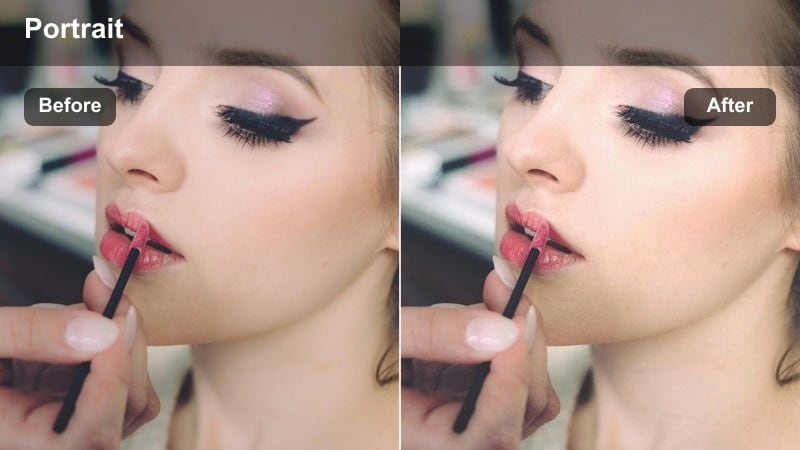
- Effect look: Cooler tones with soft low contrast and a gentle fade in blacks, giving portraits a reflective, melancholic city mood.
- Best for: Introspective storytelling Reels filmed indoors against rainy city windows or foggy glass.
- Editing tip: Drop saturation in the background and keep a bit more saturation on lips and eyes to hold emotional focus.
Rainy Window Gaze is tailored for emotional, reflective portrait Reels where the weather becomes part of the story. In Filmora, it cools down the overall tone, softens contrast, and fades blacks slightly to give your footage a nostalgic, introspective atmosphere. This works beautifully with rain-streaked windows, reflections, and slow, thoughtful delivery in vertical framing.
Once you apply the filter, selectively reduce background saturation so raindrops, city lights, and reflections do not compete with your expression. Maintain a touch more saturation in eyes and lips to anchor viewers emotionally, and use midtone-only contrast adjustments if the image becomes too flat. Adding gentle push-in keyframes or slow pan movements in Filmora can further emphasize the internal mood you are conveying across the Reel.
Stylized Creator and Social Media Portrait Reels
Creator Feed Consistent
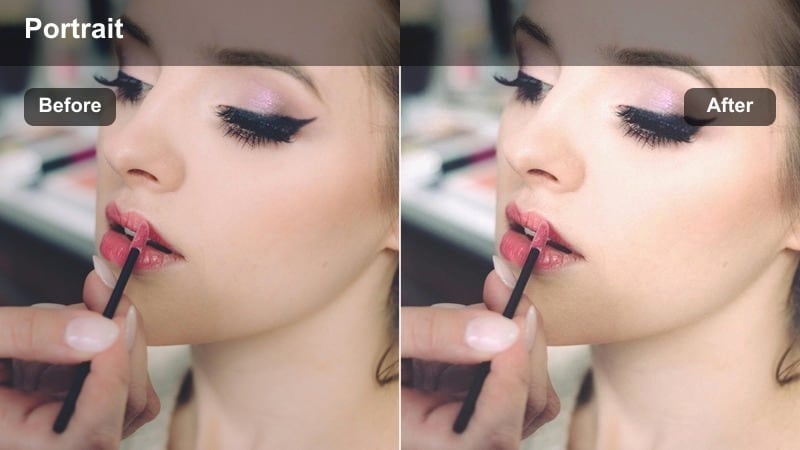
- Effect look: Soft contrast with slightly desaturated backgrounds and a gentle pastel push that keeps portraits on-brand across Reels.
- Best for: Creators who batch film portrait Reels in multiple city and indoor locations but want a cohesive feed aesthetic.
- Editing tip: Lock white balance during filming, then apply this filter to all clips before doing final exposure tweaks shot by shot.
Creator Feed Consistent focuses on building a recognizable color signature across your entire Instagram presence. In Filmora, it softens contrast, eases saturation in backgrounds, and nudges hues toward a pastel-leaning palette while keeping skin tones attractive and readable. This makes it easy to stitch clips from different days or locations into a single Reel that still looks unified in your grid.
Apply the filter to every clip in a project first, then adjust exposure and minor color shifts per shot to keep skin consistent from start to finish. Use Filmora's batch editing and presets to save this as your main portrait look and create slight indoor, outdoor, and night variants. Over time, sticking with this LUT-style treatment will help audiences recognize your content instantly as they scroll.
Viral Pop Portrait
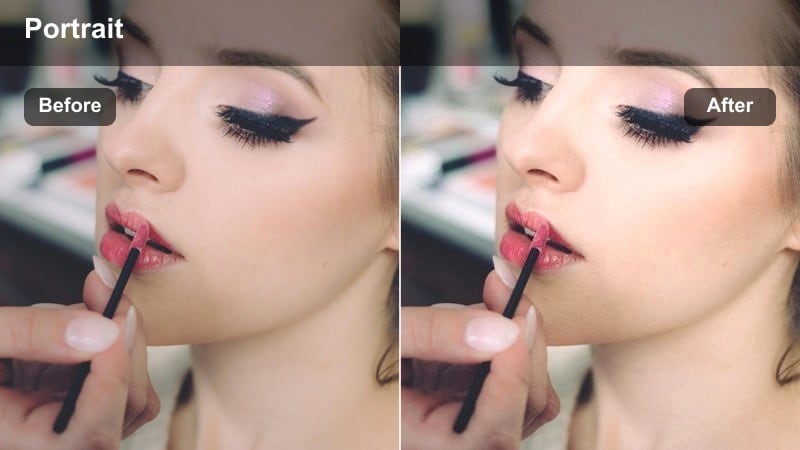
- Effect look: High saturation with crisp contrast and bright, punchy highlights that make portraits instantly grab attention on the Reels feed.
- Best for: Short, high-energy Reels with quick cuts, transitions, and expressive facial reactions filmed in lively city spots or studios.
- Editing tip: Protect skin by selectively reducing saturation in oranges, allowing bright clothing and signage to carry most of the pop.
Viral Pop Portrait is engineered for thumb-stopping energy on the Reels feed. In Filmora, it cranks up saturation, adds firm contrast, and brightens highlights so expressions and motion feel larger than life. This filter works best for fast-paced reaction clips, comedic bits, and bold transitions where you want instant visual impact in 9:16.
To keep the look stylish instead of overcooked, apply the filter, then selectively pull back orange saturation so skin stays natural while clothes, props, and signage carry most of the color punch. Keep shots short and dynamic, using Filmora's quick cuts and transitions to avoid viewer fatigue from prolonged high-saturation scenes. Watch for clipping in reds and pinks, and reduce vibrance slightly if lips or cheeks start losing detail.
Retro Story Frame
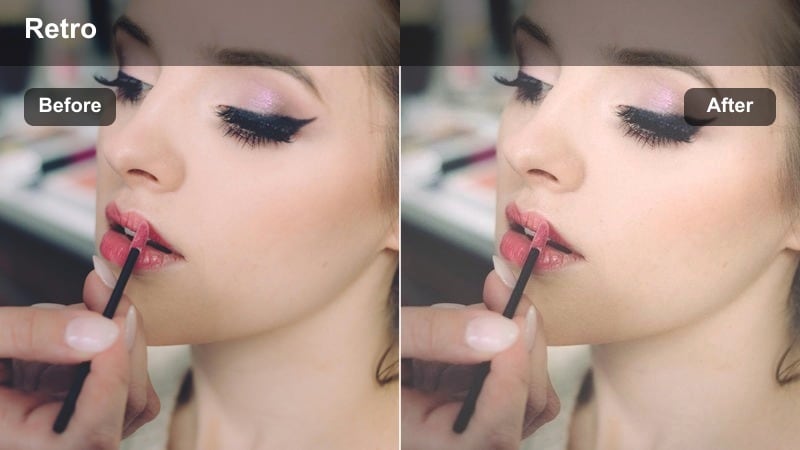
- Effect look: Faded contrast with subtle film-like grain and warm highlights, giving portraits a nostalgic social-story vibe.
- Best for: Storytime Reels, flashback narratives, or throwback clips filmed in apartments, stairwells, or old city buildings.
- Editing tip: Add a slight blur to the background only, leaving facial features sharp to sell the retro aesthetic without losing clarity.
Retro Story Frame channels the look of old photo albums and early social stories, with softened contrast and gentle warm highlights. In Filmora, this filter fades blacks a bit, mutes saturation, and layers in subtle grain so your portrait Reels feel like memories rather than live updates. It is especially effective for storytelling, confessions, and flashback-style edits set in older or textured environments.
Apply the filter, then use Filmora's blur or depth-of-field tools to soften backgrounds while keeping your face sharp, reinforcing the nostalgic aesthetic without sacrificing readability. You can add light frame borders or minimal light leaks to a few cuts, but keep them understated so the portrait remains the star. Slower camera moves and slightly longer-held expressions will help the grading feel intentional and cinematic rather than like a novelty effect.
Tips for Using Instagram Reels Portrait Video Luts Filters in Filmora
- Shoot vertical with your subject slightly off-center so portrait filters have room to show background context without stealing focus from the face.
- Lock exposure and white balance in-camera whenever possible; consistent capture makes every portrait filter look cleaner and more professional.
- Apply filters before heavy retouching so you can judge skin tone and detail with the final color mood already in place.
- Keep an eye on how your portraits look on older phones by exporting a draft Reel and checking brightness and contrast on a second device.
- Build a small toolkit of three go-to portrait filters for day, night, and moody storytelling instead of switching styles on every Reel.
Using the right Instagram Reels portrait video LUT-style filters can turn simple vertical clips into polished, cinematic portraits that feel intentional and on-brand. With Filmora, you can quickly test, tweak, and stack these looks until your skin tones, backgrounds, and overall
