

 100% Security Verified | No Subscription Required | No Malware


 ChatGPT
 Perplexity
 Gemini
 Claude
 Grok
Grok
These landscape video filters for Reels are designed to turn ordinary outdoor shots into cinematic scenery that stands out in the feed. Whether you film sunrise hikes, drone passes, or slow-motion river clips, the right filter can pull out color, depth, and mood in seconds.
Below you will find 12 ready-to-use landscape filters tailored for Instagram Reels and nature videographers. Each preset includes its core effect look, best use cases, and a quick editing tip so you can match the filter to your specific landscape shot in Filmora.
In this article
Warm Golden Hour Landscape Filters
Sunrise Trails Glow
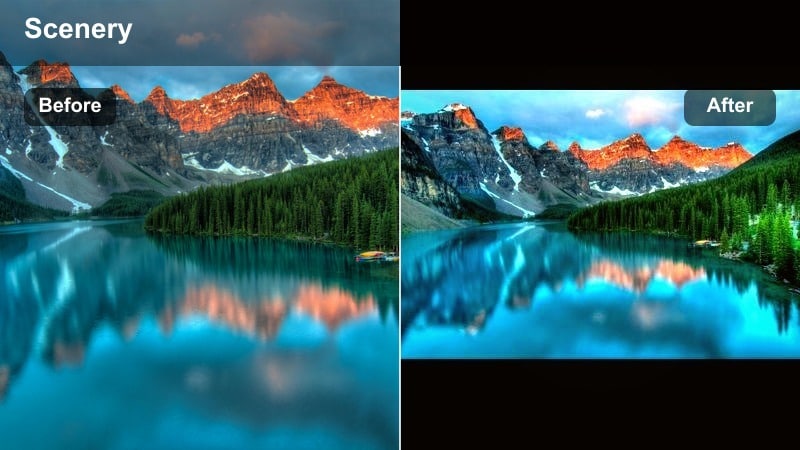
- Effect look: Soft golden warmth with lifted shadows and gentle highlight bloom that flatters early-morning trail footage.
- Best for: Hiking Reels shot at sunrise, backlit trees, warm misty fields, and handheld walking POV clips.
- Editing tip: Dial back contrast slightly if your original clip is already high in contrast to avoid losing detail in darker foliage.
Sunrise Trails Glow wraps your landscape footage in a soft, golden wash that brings out the warmth of first light without crushing shadows. Lifted blacks and a gentle bloom in the highlights help leaves, grass, and mist feel luminous, ideal for creators who want their early hikes or trail runs to look cozy and cinematic straight out of Filmora.
Inside Filmora, drop this filter onto vertical clips where the sun is just off-frame or peeking through trees to exaggerate the natural glow. If your camera already captured strong contrast, slightly reduce contrast and adjust shadows before applying the filter so you retain fine detail in tree trunks, rocks, and foreground plants while still getting that signature sunrise softness.
Use AI Tools in Filmora to Match Landscape Color Palettes
Filmora s AI-powered color tools help you quickly match the look of your favorite landscape Reels. You can analyze a reference clip or still frame and approximate its color palette, so your own sunrise, mountain, or coastal shots feel cohesive and professional.
Once you build a palette that fits your style, save it as a reusable preset. Future nature projects can start from this same cinematic base, and you only need minor tweaks per shot instead of grading from scratch every time.
 secure download

Preview Landscape Filters on Reels Footage in Real Time
Filmora lets you preview landscape video filters for Reels directly on your vertical clips, so you can see how each preset responds to sky gradients, foliage, water, and skin before you commit. This makes it easy to compare warm, cool, and vibrant looks side by side.
Cycle through multiple presets in the preview window, then fine-tune intensity, contrast, and saturation so your grade supports the story of the scene without overpowering natural details like clouds or reflections.
secure download1000+ Video Filters and 3D LUTs in Filmora
Beyond these specific landscape presets, Filmora includes a large library of video filters and 3D LUTs you can stack and customize. You can start from a cinematic scenery LUT, adjust HSL and curves, then save the result as your own landscape reel LUT for future projects.
This approach is perfect if you want a signature look across hiking series, mountain vlogs, or travel diaries, while still having the flexibility to adapt to different lighting conditions and seasons.
secure downloadGolden Ridge Haze
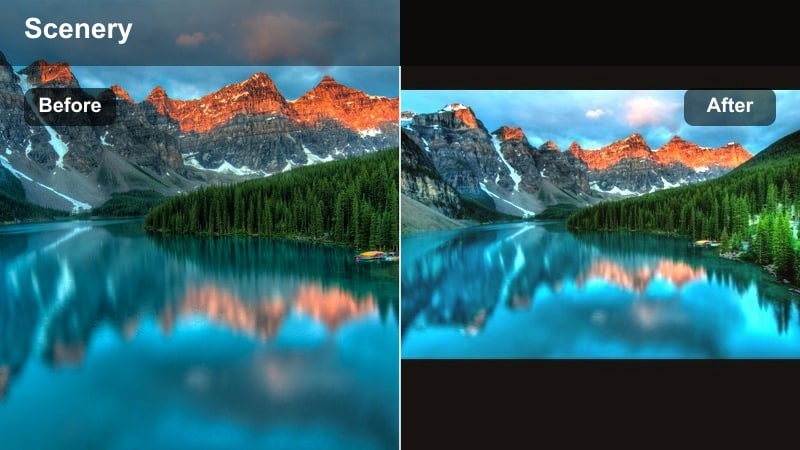
- Effect look: Dreamy golden overlay with subtle haze and reduced clarity in the background for a soft, romantic landscape finish.
- Best for: Wide mountain ridges at golden hour, telephoto shots of distant peaks, and slow push-ins on glowing horizons.
- Editing tip: Use keyframed opacity on the filter layer to gradually increase the haze as the sun appears in your frame for a cinematic reveal.
Golden Ridge Haze is built for sweeping vistas where you want the sun and atmosphere to feel like the star of the scene. By adding a soft haze and backing off clarity in the distance, it creates a layered, dreamy feel that works beautifully on telephoto shots of ridges and ranges.
In Filmora, place this filter on adjustment layers above your clips and keyframe its opacity as the sun moves across the frame. This allows you to start with a clean look and slowly introduce more haze and warmth, matching the emotional build of your Reels as the light intensifies.
Sunset Coast Amber
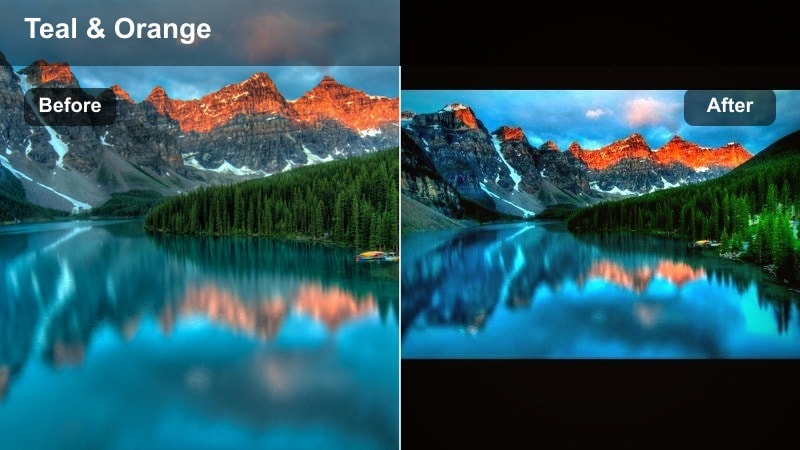
- Effect look: Rich amber highlights with subtle teal shadows, adding a cinematic color contrast to coastline and lake sunsets.
- Best for: Reels of waves, lakeside reflections, silhouettes of people against an orange sky, and drone passes over water at dusk.
- Editing tip: Lower saturation in the orange and yellow channels if skin tones in the foreground start to look overly tanned or cartoonish.
Sunset Coast Amber leans into the classic amber and teal palette, making sunsets over water feel intense and dramatic. The highlights push warm, while the shadows tilt teal, giving your coastal landscapes a high-impact, cinematic contrast that stands out in fast Reels feeds.
When grading in Filmora, watch the effect on people in your frame. Use HSL controls or masking to tame orange and yellow saturation on skin while leaving the sky and water richly stylized. This way, silhouettes and reflections stay believable yet still benefit from the striking amber-and-teal reel landscape filter look.
Cool Mountain and Forest Landscape Filters
Alpine Clarity
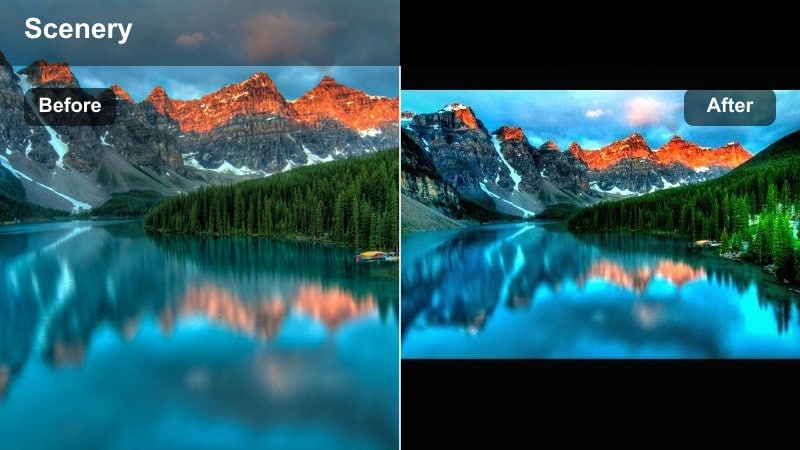
- Effect look: Clean, cool color grade that boosts midtone contrast and clarity, ideal for crisp mountain vistas and snowy peaks.
- Best for: High-altitude landscape Reels, panoramic mountain shots, glacier views, and winter hiking content.
- Editing tip: Reduce sharpness slightly if you filmed in harsh midday sun to avoid crunchy textures in rocks and snow.
Alpine Clarity is designed to make cold, high-altitude scenes feel razor sharp and refreshing. By lifting midtone contrast and gently cooling the overall balance, it makes ridgelines, snow caps, and rocky textures stand out without looking overly processed.
Apply this in Filmora to drone passes and tripod pans where you want every detail of the terrain visible. If you shot under hard midday light, pull back global sharpness and fine-tune highlights before applying the filter so snow and rock faces hold detail without turning harsh or noisy on mobile screens.
Evergreen Deep Forest
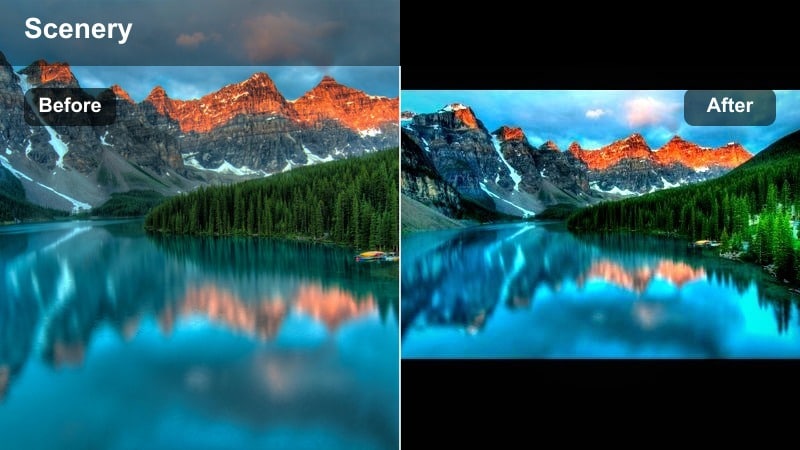
- Effect look: Moody greens with darkened shadows and a slight cyan shift, giving forests a dense, cinematic atmosphere.
- Best for: Dense forest paths, mossy rocks, waterfall trails, and overcast woodland Reels.
- Editing tip: Lift the blacks a touch if your forest footage has lots of detail in the shadows that you do not want to lose.
Evergreen Deep Forest adds depth and mystery to wooded landscapes by deepening greens and shadows while shifting the palette slightly toward cyan. The result is a dense, cinematic forest look that turns ordinary paths and streams into moody, story-ready scenes.
In Filmora, use this on clips shot under overcast skies or in naturally shaded trails, where the grade can lean into existing softness. If trunks, rocks, or underbrush contain important texture, gently raise blacks and use masks to keep critical details visible while the rest of the frame sinks into a rich, atmospheric darkness.
Misty Ridge Fade
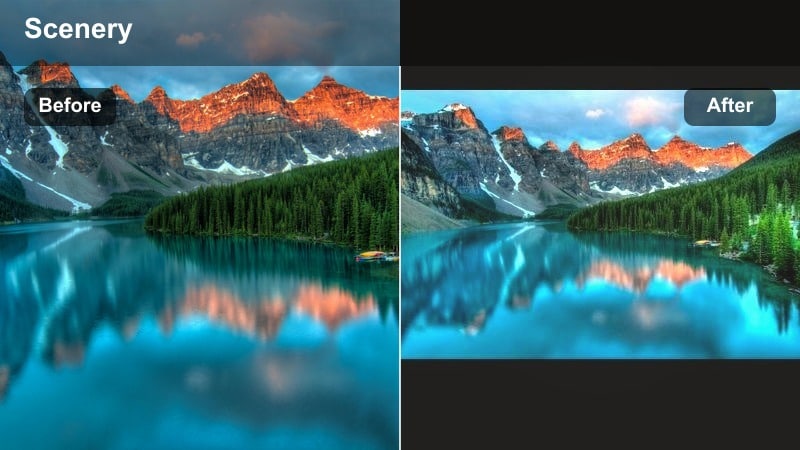
- Effect look: Soft, low-contrast cool grade with gentle fade in the blacks for foggy and overcast mountain days.
- Best for: Cloud-covered peaks, misty valley Reels, drizzly trail walks, and time-lapse fog movements.
- Editing tip: Lower the filter opacity on already flat footage to keep some contrast; otherwise, add a slight S-curve to reintroduce depth.
Misty Ridge Fade embraces low contrast and cool tones to highlight the softness of fog, clouds, and drizzle. The lifted blacks and gentle fade reduce harsh edges, which helps your Reels feel calm and dreamy instead of dark and muddy.
When editing in Filmora, this works particularly well on time-lapses and slow push-ins through mist. If your source footage is already very flat, lower the filter intensity or add a subtle S-curve in the color tools to restore just enough depth that the scene still reads clearly on smaller phone displays.
Vibrant Cinematic Scenery Filters
Vivid Valley Pop
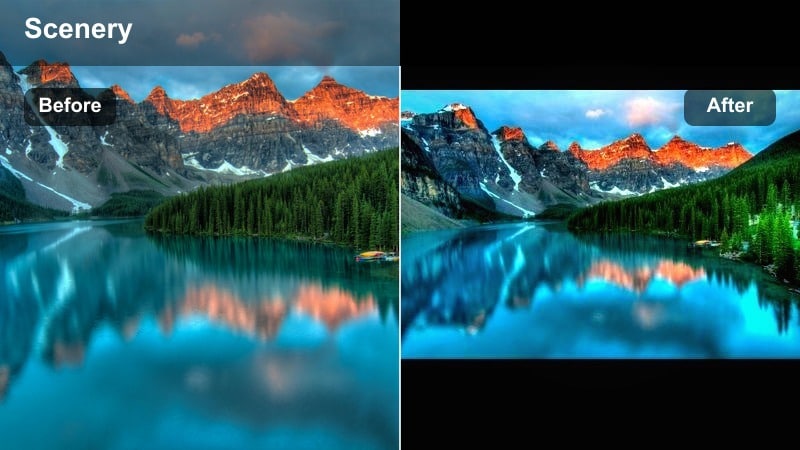
- Effect look: Punchy saturation and contrast that makes grass, flowers, and blue skies pop without pushing into unrealistic territory.
- Best for: Bright daytime valley shots, flower fields, farmland Reels, and sweeping drone passes over green landscapes.
- Editing tip: Use the filter at full strength only on well-exposed clips; reduce intensity on overexposed skies to prevent color banding.
Vivid Valley Pop is built for sunny days when color is already strong on location. It adds extra punch to greens and blues while controlling overall balance so your fields, hills, and skies look bold but still believable on Reels.
In Filmora, reserve full-strength use for properly exposed clips where the sky retains detail. If your highlights are close to clipping, decrease filter intensity or slightly lower exposure before applying, which helps prevent banding and keeps gradients in clouds and horizons smooth after Instagram compression.
Desert Dusk Cinema
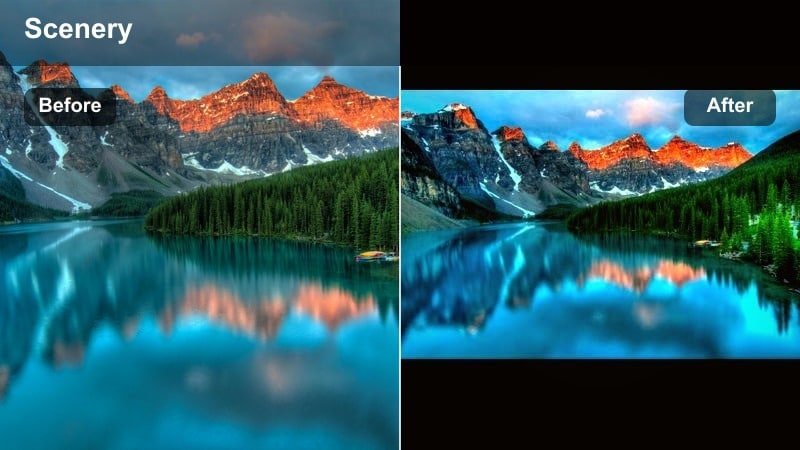
- Effect look: Warm magenta highlights with deep, earthy shadows that add cinematic drama to desert and canyon scenes.
- Best for: Canyon overlooks, rocky deserts, sunset dune walks, and drone reveals of red rock formations.
- Editing tip: Tame the magenta in the highlights if your sky starts to look too purple; a small tint adjustment can restore a natural dusk color.
Desert Dusk Cinema amplifies the reds and browns of canyons and dunes, layering in magenta-tinted highlights so golden hour rock formations feel rich and dramatic. Deep shadows emphasize shape and scale, ideal for Reels that showcase vast, sculpted landscapes.
When grading in Filmora, keep an eye on the sky and clouds. If they drift too far into purple, adjust the global tint slightly back toward green or selectively desaturate magentas in the highlights. This keeps your dusk colors cinematic while preserving a plausible, natural feel that audiences trust.
Coastal Turquoise Dream
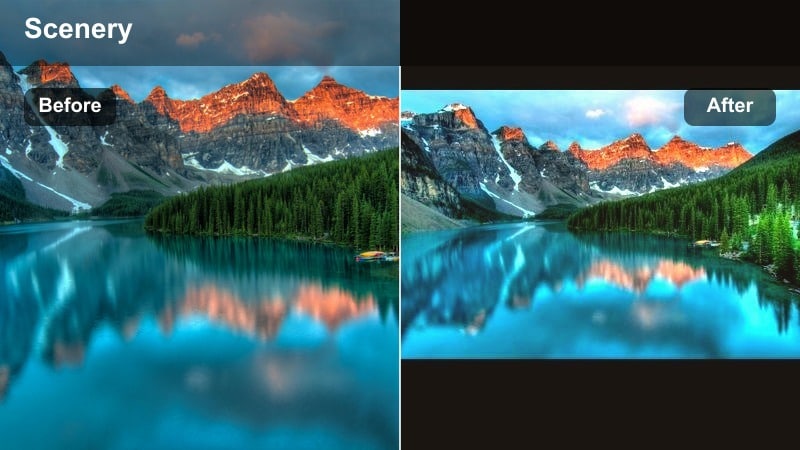
- Effect look: Bright, turquoise-tinted water with soft, warm skin tones and slightly lifted highlights for dreamy coastal shots.
- Best for: Beach Reels, cliffside ocean views, tropical lagoons, and paddle boarding or kayaking POV shots.
- Editing tip: Lower highlight exposure slightly to keep wave detail if you filmed in hard midday sun or on highly reflective water.
Coastal Turquoise Dream pushes ocean and lake water toward a clean, tropical turquoise while keeping skin tones pleasant and warm. The subtle lift in highlights adds a sunlit glow that works especially well for beach days and island travel content.
In Filmora, apply this to both aerial and handheld clips, then fine-tune exposure to protect texture in waves and reflections. If white foam or boats start picking up too much color, use HSL or luminance masks to hold their whites neutral so your Reels feel premium rather than overly filtered.
Cinematic Reels-Ready Landscape Filters
Cinema Scenery LUT Lite
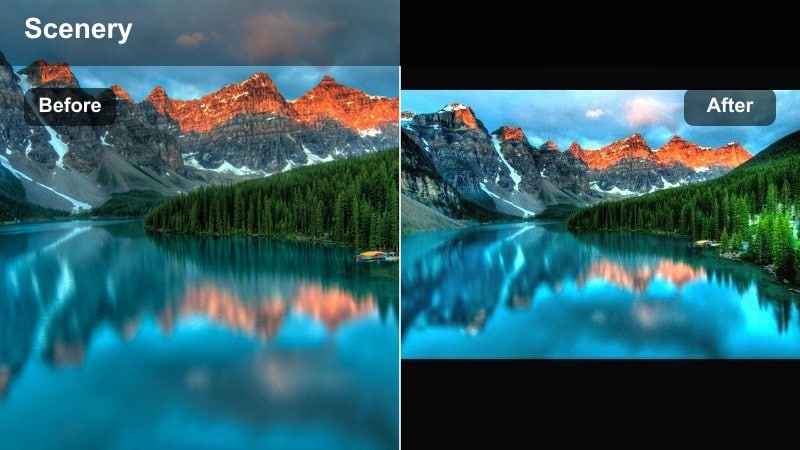
- Effect look: A subtle, film-inspired grade with slightly muted primaries and gentle contrast, made for quick landscape Reels edits.
- Best for: Mixed lighting outdoor clips, travel montage Reels, and any nature footage where you want a unified, cinematic style.
- Editing tip: Use this as a base, then stack a lighter exposure and saturation adjustment on top rather than pushing the filter to 100 percent.
Cinema Scenery LUT Lite is a versatile base grade that slightly mutes primary colors and refines contrast for a filmic feel. Because it is intentionally gentle, it works across a wide range of locations and lighting conditions without overwhelming your original footage.
In Filmora, apply it to an adjustment layer over your entire edit to instantly unify different clips in a Reel. From there, make small shot-specific tweaks to exposure or saturation instead of cranking the LUT strength, preserving detail while giving your whole landscape reel LUT a consistent identity.
Moody Travel Journal
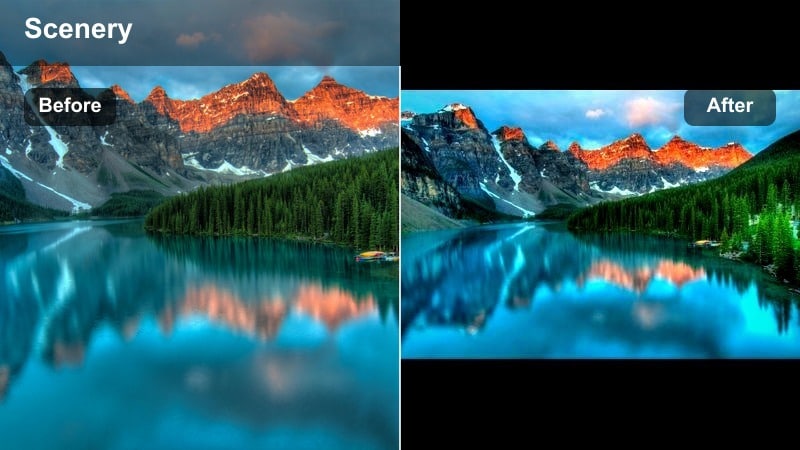
- Effect look: Muted colors, deep shadows, and a slight vignette that make landscapes feel like pages from a cinematic travel diary.
- Best for: Story-driven travel Reels, city-to-nature transitions, and slow-motion clips with strong silhouettes and shapes.
- Editing tip: Combine with slower playback speeds and gentle push-in zooms to emphasize the moody, reflective tone.
Moody Travel Journal prioritizes emotion over realism, pulling down saturation and deepening shadows to create a reflective, diary-like mood. The subtle vignette directs attention to your subject, whether that is a lone hiker, a cabin in the distance, or a dramatic skyline.
In Filmora, pair this filter with slower motion, crossfades, and music that matches the grade. Use it on sequences that bridge locations or mark turning points in your story, so the shift to a moodier palette feels intentional and supports your narrative rather than just changing color for its own sake.
Reels Nature Highlight
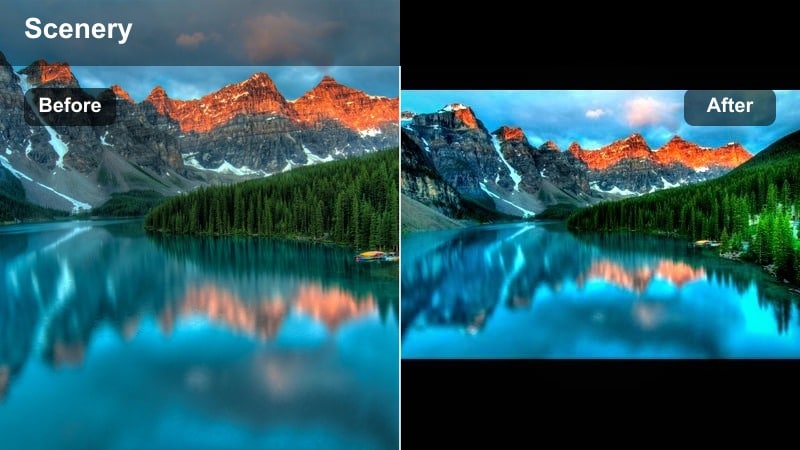
- Effect look: Balanced, bright landscape filter with slightly boosted highlights and clean whites to help Reels stand out on small screens.
- Best for: General nature videography for Instagram Reels, quick vertical clips, and mixed scenes with both people and landscapes.
- Editing tip: Crop and frame your subject centrally for mobile before applying the filter so the brightest parts guide the viewer s eye.
Reels Nature Highlight is tuned specifically for vertical, small-screen viewing. Slightly raised highlights and clean whites make your scenes appear fresh and bright, helping them pop in the Reels feed without requiring intense contrast or saturation.
In Filmora, set your aspect ratio to vertical and finalize your framing first, then apply this filter so its brightness is focused where it matters most. It works well as a go-to reels landscape filter for creators who mix people and scenery in the same clip, because it keeps skin tones clean while still giving the environment a polished, cinematic scenery reels finish.
Tips for Using Landscape Video Reels Filter Filters in Filmora
- Shoot in the flattest picture profile your camera allows so landscape filters have more dynamic range to work with in the grade.
- Bracket exposure for bright skies and darker foregrounds and choose the most balanced clip before applying strong cinematic filters.
- Use adjustment layers in Filmora to apply a single landscape filter across an entire Reel, then correct individual clips underneath as needed.
- Keep vertical framing in mind while shooting; leave space for titles so filters and text overlays do not fight for attention.
- Lower filter intensity for clips with people in the frame to keep skin tones believable while landscapes stay cinematic.
- Use masks to apply different filter strengths to sky, midground, and foreground for more professional-looking landscape Reels.
With the right landscape video filters for Reels, your hikes, sunsets, and mountain vistas can instantly feel cinematic without hours of manual color work.
Experiment with a few of these presets in Filmora, save your favorites as reusable looks, and then move on to more specialized mountain video filters to refine your style even further.
secure download