

 100% Security Verified | No Subscription Required | No Malware


 ChatGPT
 Perplexity
 Gemini
 Claude
 Grok
Grok
These Filmora presets are built for creative storytellers, night vloggers, and art-focused editors who want their TikTok videos to feel like moody, cinematic moments rather than quick clips.
Use these moody TikTok video filters to deepen shadows, soften highlights, and draw viewers into emotional short video effects that fit night walks, reflective edits, and carefully crafted cinematic mood pieces.
In this article
Moody City Nights and Gloomy Street Scenes
Midnight Grain
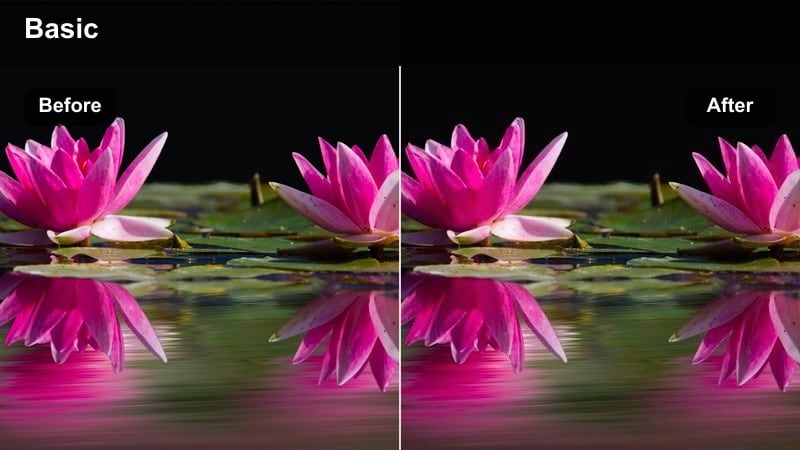
- Effect look: Muted blues with lifted blacks and subtle film grain for a soft but heavy night mood.
- Best for: Slow night walks under streetlights, quiet city corners, and whispered monologue vlogs.
- Editing tip: Lower contrast slightly and add a gentle vignette to keep focus on faces in darker frames.
Midnight Grain gives your moody TikTok video a soft, cinematic darkness without crushing detail. The lifted blacks keep shadows readable while muted blues and film grain create a nostalgic, late-night atmosphere that works especially well for handheld city walks and reflective storytelling.
In Filmora, apply this filter, then fine-tune contrast and vignette in the Color and Effects panels to guide attention toward your subject. For TikTok framing, center faces or silhouettes in the upper third of the frame so the grain and blues wrap around them, turning simple B-roll into an emotional short video effect.
Match Your Moody Look With AI-Powered Color Tuning
After applying a moody TikTok video filter, use Filmora s AI color tools to automatically fine-tune exposure, white balance, and skin tones without killing the vibe. The AI will quickly balance uneven lighting from street lamps, neon signs, or indoor bulbs so your look stays consistent across every shot.
This lets you keep dark tone video filters rich and cinematic while making sure important details, like eyes and expressions, still read clearly on mobile screens. It is especially helpful when mixing clips from different nights or locations into one cohesive TikTok edit.
 secure download

Preview Moody Filters on Real Night Footage
Before committing to one moody TikTok filter, test several presets on the same clip inside Filmora. Load sample footage of night walks, bus rides, or indoor reflections, then toggle different filters on and off to compare how each one shapes the story and emotion.
Watching before-and-after changes on real-world footage helps you quickly decide which preset matches your video s pacing and intensity, whether you are aiming for soft melancholy or high-contrast noir drama.
secure downloadCombine Filters With LUTs for Extra Depth
For creators who want an even more cinematic feel, combine Filmora s moody TikTok video filters with subtle 3D LUTs. Apply a gentle film-style LUT first to set the base color atmosphere, then layer your chosen filter on top to shape contrast and mood.
Keep LUT intensity low so your footage does not look overprocessed. Let the LUT add quiet color depth while the filter handles the main stylistic punch, especially for dark tone video filters and emotional short video effects.
secure downloadAlley Noir
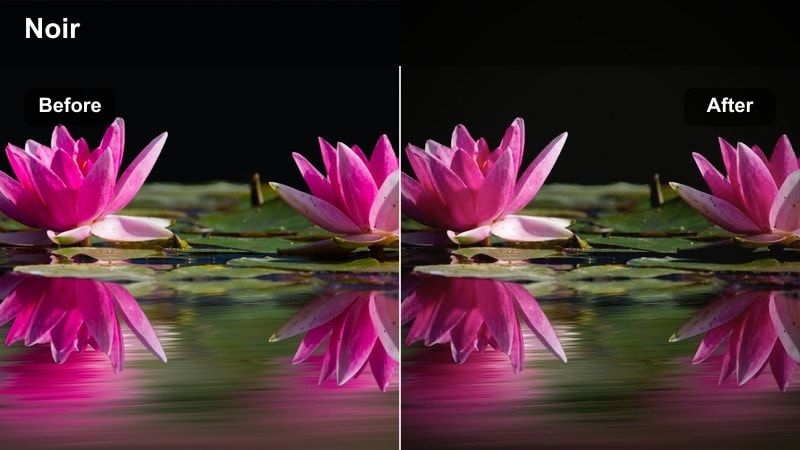
- Effect look: High-contrast dark tones with deep shadows and subtle green-tinted highlights.
- Best for: Cinematic mood pieces in narrow alleys, neon signs, and mysterious solo walks.
- Editing tip: Tilt the camera slightly off-level and slow your playback to 0.75x for a more unsettling noir feel.
Alley Noir pushes your moody TikTok filter into bolder territory with strong contrast and moody green highlights. It deepens shadows for a graphic, noir-inspired look while preserving just enough detail to keep faces and key props readable in low light.
Inside Filmora, pair this filter with slow motion and subtle camera tilts to emphasize tension. Use keyframed brightness or masks to lift only important areas like faces, leaving the rest of the frame in dramatic shadow for a cinematic TikTok aesthetic.
Empty Crosswalk
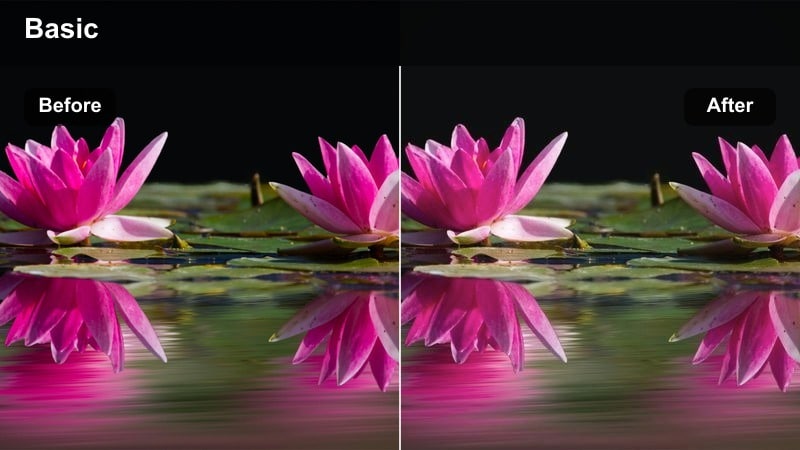
- Effect look: Desaturated colors with soft bloom around lights and a faint cyan cast in shadows.
- Best for: Lonely late-night city shots, empty intersections, and reflective walking POVs.
- Editing tip: Shoot slightly backlit so the streetlights flare gently and the bloom effect feels natural.
Empty Crosswalk softens your scene with gentle light bloom and lowered saturation, ideal for quiet city moments that feel suspended in time. The cyan-tinted shadows create a distant, lonely atmosphere that pairs well with slow POV walking shots and minimal dialogue.
In Filmora, apply this moody TikTok video filter to clips shot under streetlights, then lightly adjust exposure so light sources glow without clipping. Combine it with subtle fade-in and fade-out transitions to give your night walk edits a drifting, dreamlike progression.
Quiet Bedrooms and Reflective Indoor Moments
Lamp-Lit Soliloquy
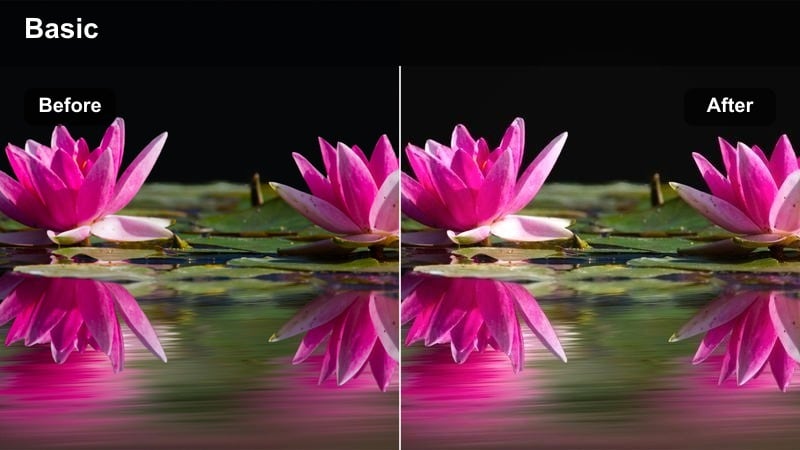
- Effect look: Warm lamp glow with slightly crushed blacks and softened skin tones.
- Best for: Talking-to-camera confessionals and late-night journaling clips shot near a bedside lamp.
- Editing tip: Frame your face half in shadow to let the warm side light carry most of the emotion.
Lamp-Lit Soliloquy wraps your subject in cozy, warm light while gently deepening surrounding shadows. The filter smooths skin tones and adds intimacy, making viewers feel like they are sitting in the room during late-night confessionals or journal-style TikToks.
Use Filmora to fine-tune this look by slightly reducing overall saturation while preserving warmth in oranges and yellows. Add slow zooms or push-ins using keyframes to subtly close the emotional distance between you and your audience as you speak.
Window Rain Thoughts
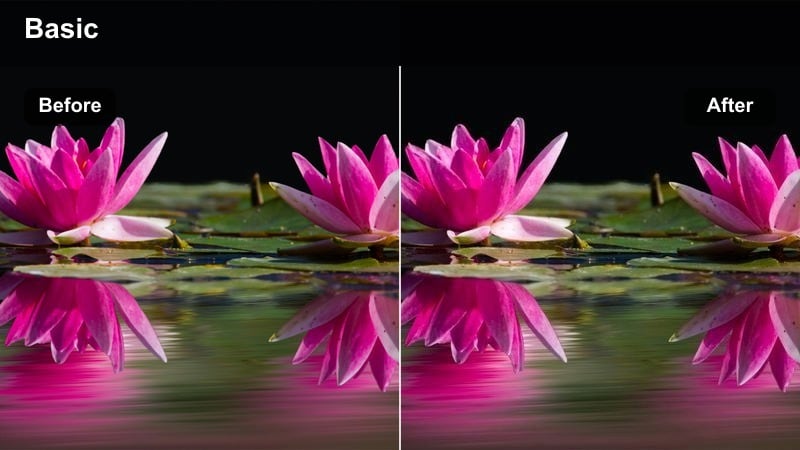
- Effect look: Cool, soft blues with lifted blacks and gentle blur on background highlights.
- Best for: Looking out the window, introspective voiceovers, and emotional lip-syncs.
- Editing tip: Slow down your clip and add subtle push-in keyframes to match the drifting, daydream feel.
Window Rain Thoughts cools your footage with soft blues and smooth highlight blur, ideal for introspective window scenes. The lifted blacks prevent the frame from feeling too heavy while the subtle softness suggests daydreaming or quiet overthinking.
Inside Filmora, layer this moody TikTok filter over clips with clear reflections or distant lights, then add gentle motion blur or stabilization to keep movement fluid. Combine it with a calm voiceover or slow track and use crossfades to transition between different angles of the same window moment.
Ceiling Shadow Drift
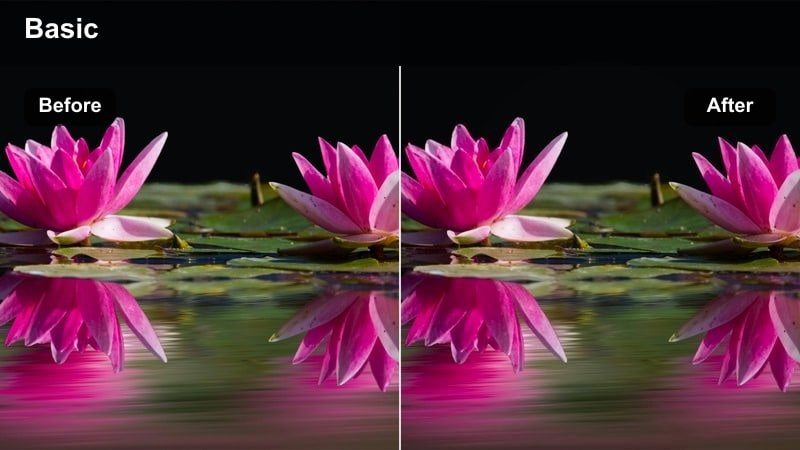
- Effect look: Dark, low-saturation tones with subtle vignette and slightly cooler midtones.
- Best for: POV shots lying in bed, ceiling fan shadows, and slow atmospheric B-roll.
- Editing tip: Stabilize handheld shots slightly so the drifting shadows feel hypnotic instead of shaky.
Ceiling Shadow Drift turns simple shots of ceilings and walls into quiet, introspective visuals. The cool midtones and gentle vignette help focus the viewer on drifting shadows and tiny movements, making it perfect B-roll for voiceovers about overthinking or insomnia.
Use Filmora s stabilization and speed controls to keep motion slow and smooth, then apply this filter to unify clips shot in different corners of your room. For stronger mood, layer in very low-volume ambient sounds and let each shot linger a little longer than usual before cutting.
Lonely Train Rides and Late-Night Transit Vibes
Subway Melancholy
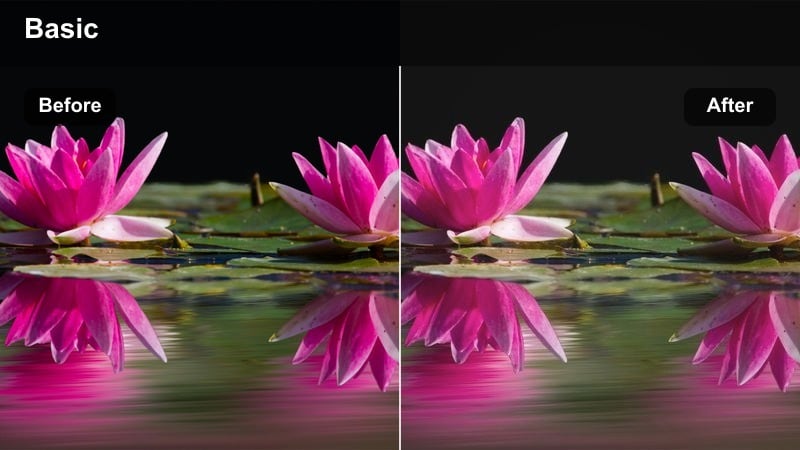
- Effect look: Faded colors with cyan shadows, yellowish highlights, and noticeable motion blur enhancement.
- Best for: Subway window reflections, seated POVs, and emotional storytelling on public transit.
- Editing tip: Cut on beats when the train jerks or lights flicker to sync natural motion with your music.
Subway Melancholy fades your color palette and emphasizes cool shadows and warm highlights to echo the harsh, mixed lighting of trains. It enhances motion blur slightly, turning streaking lights and passing tunnels into expressive visual elements instead of distractions.
In Filmora, apply this moody TikTok video filter to both reflection shots and exterior tunnel footage, then cut rhythmically to your soundtrack. Use split screens or overlays to combine your face with passing lights, creating layered emotional short video effects that feel like mini urban films.
Bus Stop Solitude
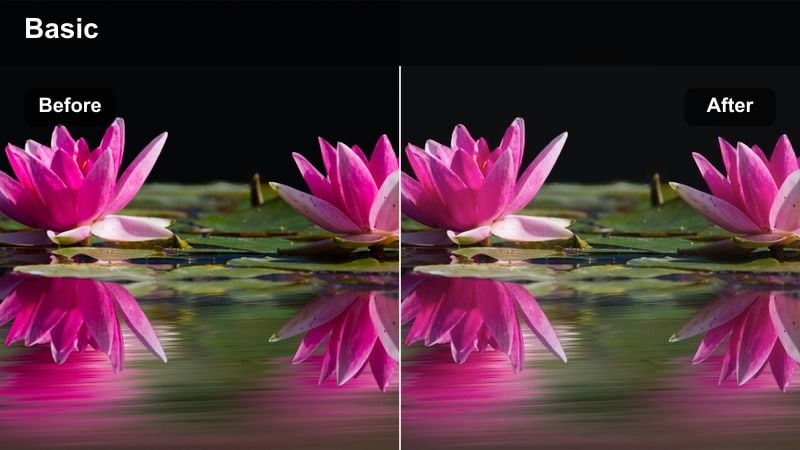
- Effect look: Soft desaturation with a gentle purple tint in shadows and minimal highlight clipping.
- Best for: Waiting at bus stops, empty platforms, and quiet scrolling moments between destinations.
- Editing tip: Hold long static shots and layer subtle text to create diary-style TikTok entries.
Bus Stop Solitude reduces saturation and adds a faint purple tone to shadows, perfect for capturing the stillness of waiting. Lights stay controlled, with minimal clipping, so the environment feels real while the color grade leans into quiet loneliness.
In Filmora, pair this filter with locked-off tripod or phone-on-bench shots, then add simple on-screen text for thoughts or timestamps. Keep transitions minimal and let your cuts be driven by shifts in body language or passing buses to maintain a reflective, diary-like style.
Late Uber Glow
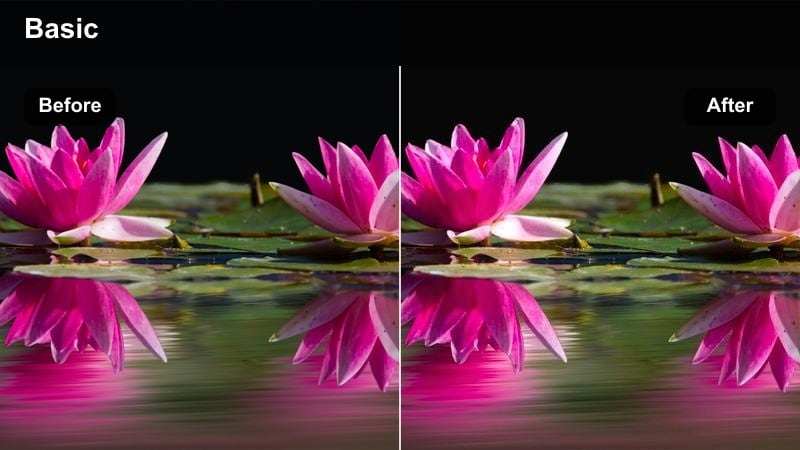
- Effect look: Golden interior highlights with cooler city lights outside and subtle halation around bright spots.
- Best for: Rideshare POVs, city streets rushing by, and voiceover storytelling from car interiors.
- Editing tip: Turn down saturation of red and orange slightly so traffic lights and brake lights do not overpower your face.
Late Uber Glow separates the warm, cozy cabin of a car from the cool, rushing city outside. Golden highlights and light halation give interior shots a cinematic intimacy, while cooler tones on passing streets keep movement and environment visually distinct.
Use Filmora to apply this filter across all clips from the same ride, then tweak HSL or color settings to gently tame oversaturated brake lights. Slow your footage slightly and add a quiet voiceover or captions to turn a simple ride home into a reflective moody TikTok video.
Cinematic MoodPieces and Poetic Visual Sequences
Monologue in Motion
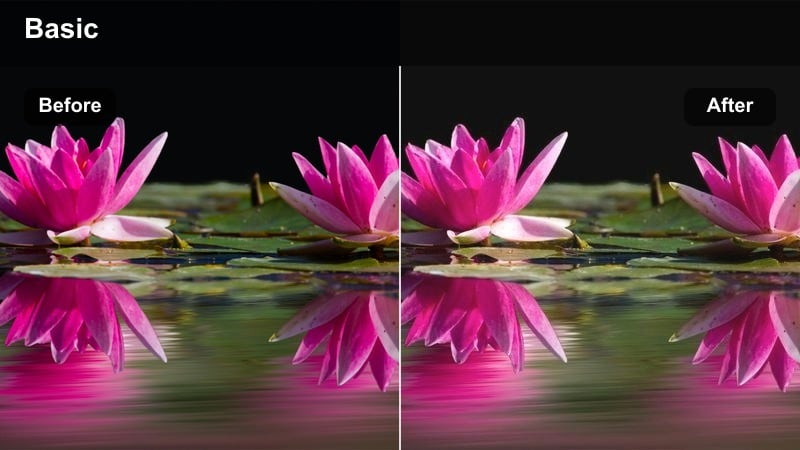
- Effect look: Soft contrast with warm midtones, subtle fade in blacks, and slight teal shift in dark areas.
- Best for: Walking monologues, moving poetry recitations, and emotional storytelling edits.
- Editing tip: Mix close-ups and wide shots with the same filter to build a short-film feeling in under a minute.
Monologue in Motion brings a classic teal-and-warm look to your night walks, keeping contrast soft so your expressions remain clear. The faded blacks and gentle teal shadows add cinematic polish without feeling too heavy or stylized for TikTok.
In Filmora, use this filter across multiple angles of the same walk, then cut between close-ups and wider shots to create a short-film structure. Add L-cuts and J-cuts so your voice carries smoothly over each transition, turning a simple speech into a polished, emotional sequence.
Memory Fragments
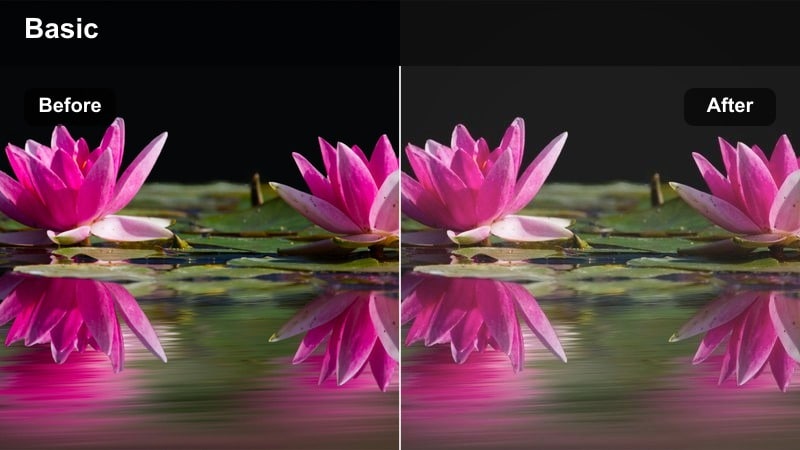
- Effect look: Hazy highlights, reduced clarity, and slightly faded colors to mimic distant memories.
- Best for: Flashback sequences, montage edits, and emotional short video effects with nostalgic themes.
- Editing tip: Cut quickly between brief details like hands, shoes, and skylines to build a fragmented memory feeling.
Memory Fragments softens edges and reduces clarity to create a dreamy, distant-memory aesthetic. Slightly faded colors and hazy highlights make everyday scenes feel like old recollections, ideal for flashbacks, nostalgia edits, or sequences about someone you miss.
In Filmora, combine this moody TikTok filter with fast cuts between small details instead of full scenes. Add subtle film grain or light leak overlays, and sync your cuts to gentle beats or lyric phrases to reinforce the sensation of memories flickering back in pieces.
Closing Credits Walk
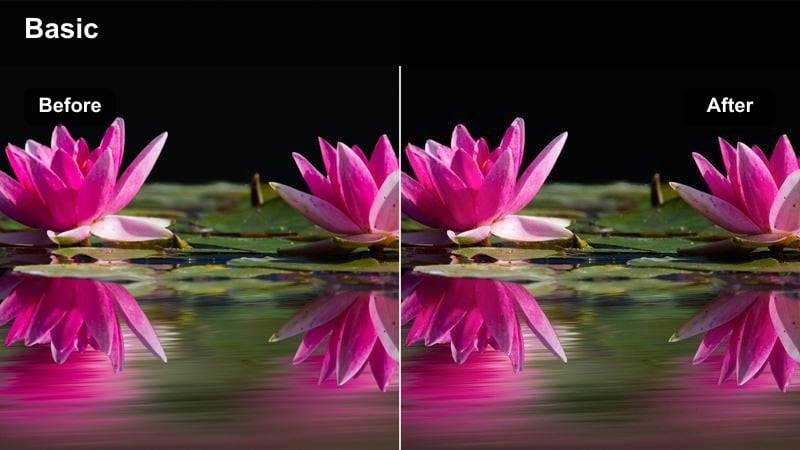
- Effect look: Darkened edges, slightly cooler overall tone, and gentle highlight roll-off for a film-end feel.
- Best for: Last shots of a vlog, end-of-night walks, and final reflective scenes in multi-part TikTok stories.
- Editing tip: Add slow upward or downward text credits and keep your last shot held for at least three seconds.
Closing Credits Walk is designed to end your TikTok story on a lingering, cinematic note. Darkened edges and cooler tones draw the eye toward the center of the frame, while smooth highlight roll-off keeps streetlights and signs from becoming too harsh.
In Filmora, apply this filter to your final shot and hold the clip for a few extra seconds, then add minimalist text credits or a final message. Use a slow fade to black to complete the film-like experience and encourage viewers to sit with the mood you have created.
Tips for Using Moody Tiktok Video Filters in Filmora
- Shoot slightly darker than usual so moody filters have room to lift shadows without blowing out highlights.
- Use slower camera moves and longer takes; moody looks feel stronger when the viewer has time to sit with each frame.
- Add subtle sound design or ambient noise to support the emotional tone your color and contrast are creating.
- Keep your color palette simple on set by avoiding loud clothing colors that can clash with dark tone video filters.
- Export a short test clip to TikTok drafts to see how each filter holds up under platform compression before finalizing.
- Apply one base filter across all clips first, then make small per-clip corrections in Filmora to keep the mood consistent.
- Experiment with aspect ratios, like 9:16 vertical framing, to maximize how your moody looks fill the TikTok screen.
- Combine visual filters with on-screen text and captions to reinforce the emotional story you are telling.
Moody TikTok video filters let creative storytellers, night vloggers, and art-focused editors turn everyday scenes into cinematic mood pieces that feel intentional and emotionally charged.
Experiment with different filters across night walks, reflective edits, and quiet transit rides, then in your next step explore warm TikTok video filters to contrast your darker visuals with softer, comforting tones.
secure download