

 100% Security Verified | No Subscription Required | No Malware


 ChatGPT
 Perplexity
 Gemini
 Claude
 Grok
Grok
Ocean Slate sits between teal and gray, bringing together the calm of the sea and the clarity of cool neutrals. It feels grounded, intelligent, and quietly confident, which makes it ideal for creators who want visuals that look modern without being loud. In video and design, Ocean Slate instantly adds a sense of polish, whether you are building a channel intro, cinematic title card, or clean YouTube thumbnail.
For editors and Filmora users, Ocean Slate color palettes work beautifully across thumbnails, intros, vlogs, talking head scenes, and cinematic B-roll. Below you will find ready-made Ocean Slate color combinations with HEX codes you can copy directly into your branding, overlays, and color grading workflows.
In this article
Calm And Minimal Ocean Slate Color Palettes
Harbor Mist Minimal
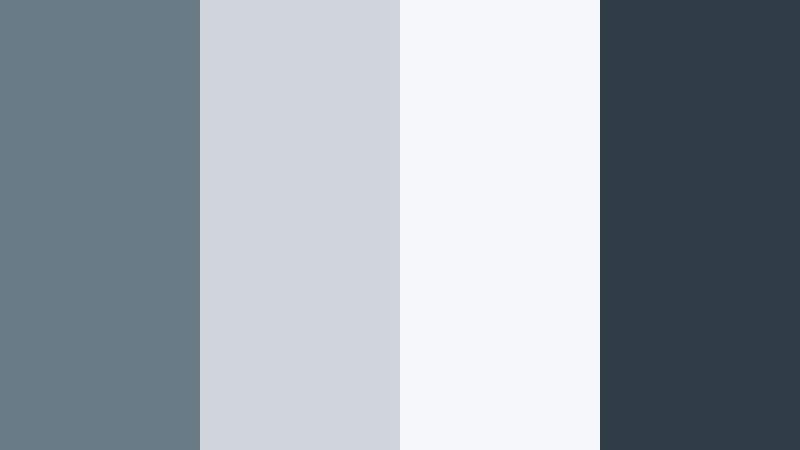
- HEX Codes: #6a7b88, #cfd5da, #f4f6f7, #2f3c46
- Mood: Calm, restrained, and modern with a soft coastal hush.
- Use for: Use for minimalist video titles, clean lower thirds, and tech explainer thumbnails.
Harbor Mist Minimal wraps deep Ocean Slate in layers of soft gray and nearly white tones. It feels like standing at a quiet harbor just after sunrise, with the world still muted and clear. The darker #2f3c46 anchors your design, while #f4f6f7 and #cfd5da keep everything airy and minimal.
This palette is perfect when you want your message, not the colors, to grab attention. Use the light shades for backgrounds in explainer videos, overlay lower thirds in #6a7b88, and reserve the darkest tone for key text or icons on thumbnails and title cards. It translates especially well to tech, productivity, and educational content where clarity matters.
Pro Tip: Build a Minimal Ocean Slate Look Across Your Edit in Filmora
To keep a Harbor Mist Minimal aesthetic consistent, treat Ocean Slate as your visual anchor across the entire project. In Filmora, you can pick one of these HEX codes for titles, lower thirds, and simple shapes, then reuse it through your presets so intros, B-roll captions, and end screens all feel part of the same calm visual world.
Create a simple style guide inside Filmora: one Ocean Slate shade for headings, a lighter gray for subtitles, and a near-white background for panels. Save these as custom presets so any new video you edit can instantly match your Harbor Mist Minimal branding without re-building each element from scratch.
AI Color Palette
You can capture this Harbor Mist Minimal look from a still frame or mood board and apply it across your whole video using Filmora's AI Color Palette feature. Import a reference image with your Ocean Slate tones and let the AI map its contrast and color balance onto other clips, so A-roll, B-roll, and cutaways share the same calm, coastal mood.
Filmora's AI Color Palette feature is especially helpful when you mix camera sources or stock footage. Instead of grading every shot by hand, you can quickly harmonize them to your chosen Ocean Slate palette and then fine-tune only the clips that need extra attention.
 secure download

HSL, Color Wheels & Curves
Once your palette is in place, use Filmora's HSL, color wheels, and curves to refine your Ocean Slate tones. Slightly desaturate the blues in your shadows to keep them neutral, then lift the midtones to preserve the clean, minimal feeling. A gentle S-curve can add contrast without crushing your soft grays.
If you want a more cinematic Harbor Mist Minimal look, use the color wheels to tint shadows toward teal and highlights toward a subtle warm gray. This split-toning approach keeps Ocean Slate at the center while adding depth, as shown in Filmora's tutorials on color correction and grading with curves and wheels on YouTube.
secure download1000+ Video Filters & 3D LUTs
To speed up your workflow, you can lean on Filmora's library instead of building every Ocean Slate look from scratch. Filmora's video filters and 3D LUTs make it easy to test subtle matte, clean corporate, or soft cinematic grades that complement the Harbor Mist Minimal palette.
Apply a base LUT that suits your camera, then stack light filters to gently cool shadows or lift highlights into your preferred gray. Adjust the intensity slider so the filter enhances your Ocean Slate aesthetic rather than overpowering it, keeping your channel look consistent and professional.
secure downloadSlate Studio Neutrals
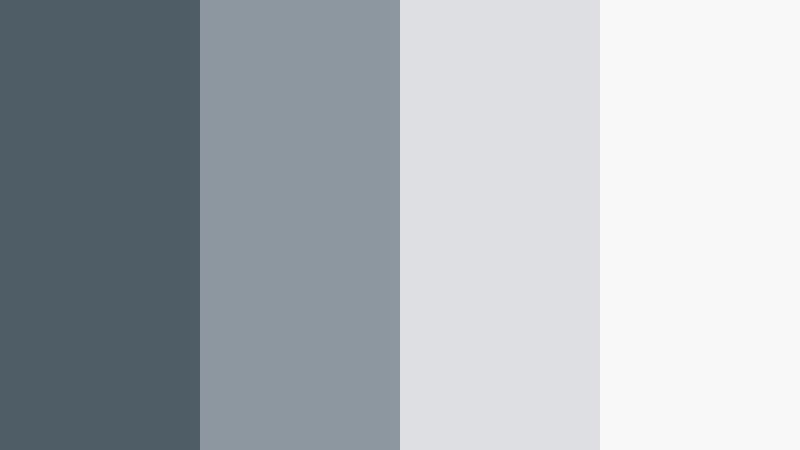
- HEX Codes: #4f5e66, #8d979f, #dedfe3, #f8f8f8
- Mood: Professional, neutral, and quietly confident.
- Use for: Use for channel branding, UI overlays, and productivity vlog graphics.
Slate Studio Neutrals uses Ocean Slate as a backbone and softens it with versatile studio grays. #4f5e66 feels solid and reliable, while #f8f8f8 and #dedfe3 keep layouts bright and easy to read. Together they create a neutral set that works across almost any niche.
Use the darker Ocean Slate tone for headlines and key icons, mid grays for panels and UI overlays, and the lightest shade for clean backgrounds. This palette is ideal for productivity vlogs, software tutorials, and personal branding that needs to look polished on thumbnails, channel art, and on-screen graphics.
Foggy Breakwater
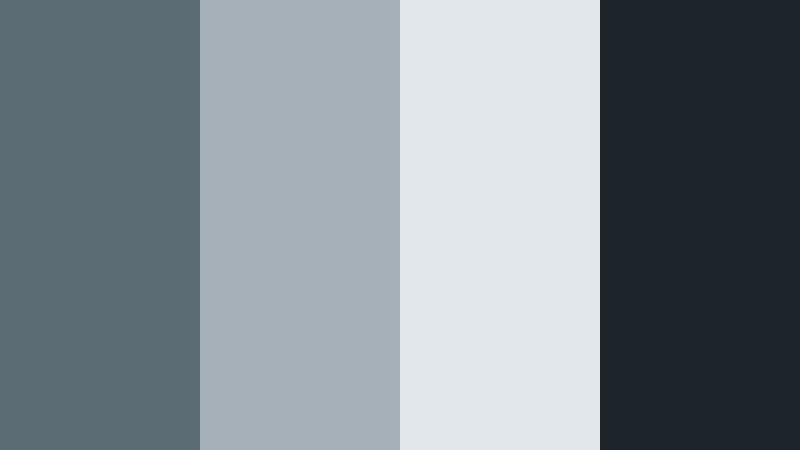
- HEX Codes: #5b6c75, #a5b0b8, #e2e7ec, #1e252a
- Mood: Moody yet tranquil, like a misty shoreline morning.
- Use for: Use for cinematic intros, subtle cinematic LUT look boards, and moody travel video titles.
Foggy Breakwater leans into desaturated blues and grays, framing Ocean Slate with a soft haze. #1e252a adds depth and contrast, while #e2e7ec and #a5b0b8 wash over the design like light fog. The result is introspective and filmic without feeling heavy.
Use this palette for travel vlogs, reflective storytelling, or documentary-style openers. Place titles in the darker shades over misty landscape shots, and let the lighter tones guide lower thirds and chapter markers. On thumbnails, a gradient from #1e252a to #e2e7ec can create a cinematic poster effect that stands out gently in the feed.
Concrete Loft Horizon
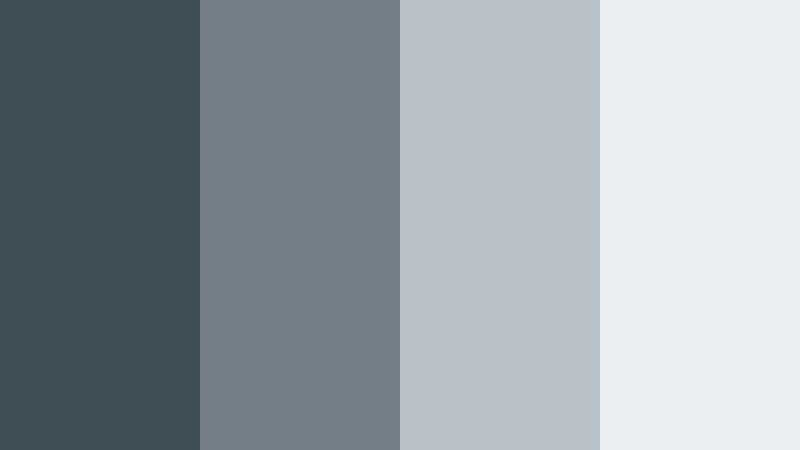
- HEX Codes: #3f4d55, #757f87, #b9c0c6, #eceff1
- Mood: Urban, airy, and design forward.
- Use for: Use for architecture reels, design portfolio showcases, and lifestyle channel branding.
Concrete Loft Horizon combines Ocean Slate with cool concrete hues, evoking an open loft with huge windows and city views. #3f4d55 provides a strong structural base, while #eceff1 adds brightness and air. The mids (#757f87 and #b9c0c6) create soft steps between dark and light, perfect for layering text and panels.
This is a strong palette for architecture reels, design walkthroughs, and lifestyle channels focused on interiors and urban life. Use the darker tones for captions on bright footage, and reserve the lightest color for background cards, title screens, and clean end slates.
Nordic Tide Simplicity
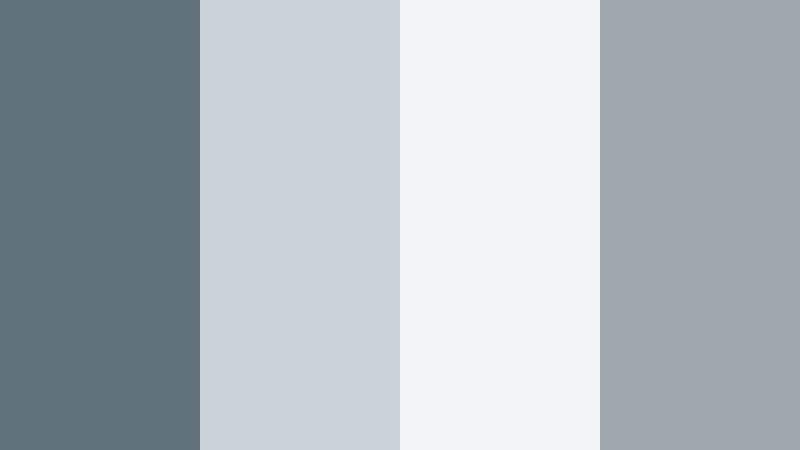
- HEX Codes: #60727c, #cbd3d8, #f2f4f5, #9ea7ad
- Mood: Scandinavian calm with a gentle maritime edge.
- Use for: Use for slow living vlogs, minimal product shots, and subtle on screen text.
Nordic Tide Simplicity blends soft Nordic neutrals with Ocean Slate to create a light, hygge-inspired palette. #60727c adds just enough depth, while #f2f4f5 and #cbd3d8 keep the frame bright and breathable. #9ea7ad bridges the gap between dark and light, keeping gradients and overlays smooth.
For slow living vlogs, quiet morning routines, and minimal product shots, use the lighter tones for backgrounds and subtle frames. Ocean Slate can highlight delicate typography, buttons, or price tags in product segments, keeping your visuals warm, understated, and easy on the eyes.
Cinematic And Moody Ocean Slate Color Palettes
Midnight Docklights
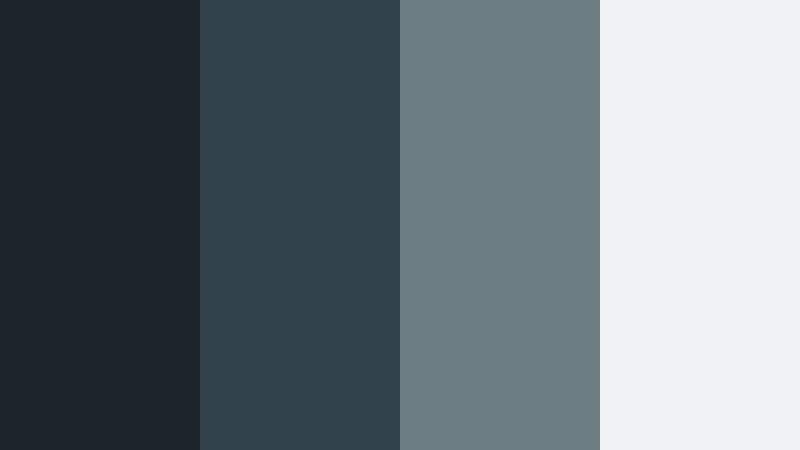
- HEX Codes: #1b252b, #31424a, #6c7c83, #f0f2f3
- Mood: Cinematic, tense, and quietly dramatic.
- Use for: Use for thriller style trailers, gaming montages, and dramatic storytime intros.
Midnight Docklights surrounds Ocean Slate with deep blues and soft highlights that feel like a quiet harbor at night. #1b252b and #31424a provide shadowy depth, while #6c7c83 and #f0f2f3 act as glints of light on the water. The contrast is cinematic but not harsh.
This palette suits thriller-style trailers, gaming montages, and dramatic personal stories. Keep scenes mostly in the darker hues and use the lightest tone sparingly for text, UI elements, and logo reveals. On thumbnails, a dark background with sharp white or light gray text instantly hints at mystery and tension.
Stormfront Horizon
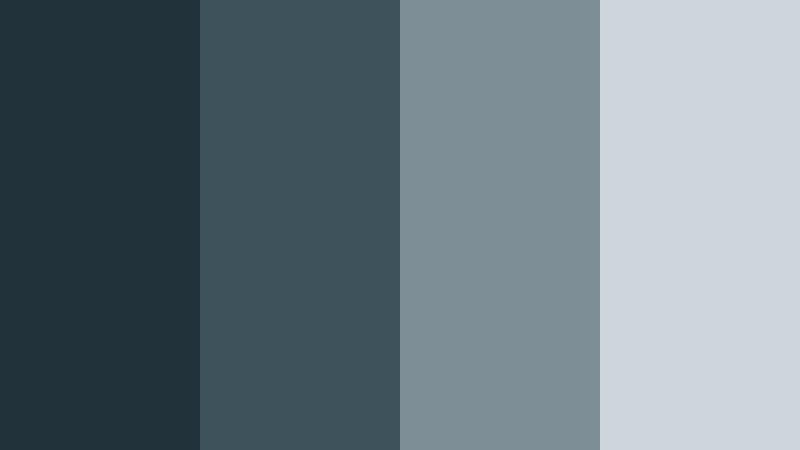
- HEX Codes: #22323a, #3e525c, #7e8e97, #cfd6db
- Mood: Brooding and atmospheric with a hint of approaching energy.
- Use for: Use for travel films, drone shots over water, and documentary style openers.
Stormfront Horizon layers storm cloud tones around Ocean Slate to build a sense of approaching energy. #22323a and #3e525c define moody shadows, while #7e8e97 and #cfd6db act as brighter clouds and mist. The palette feels serious and atmospheric but still comfortable to watch.
Use it for drone footage over the ocean, moody cityscapes, or documentary intros. Grade your footage slightly cooler to match these hues, and place titles in the lighter shades over darker backgrounds. For thumbnails, a diagonal split between #22323a and #cfd6db with Ocean Slate text can suggest motion and weather change at a glance.
Abyssal Echo
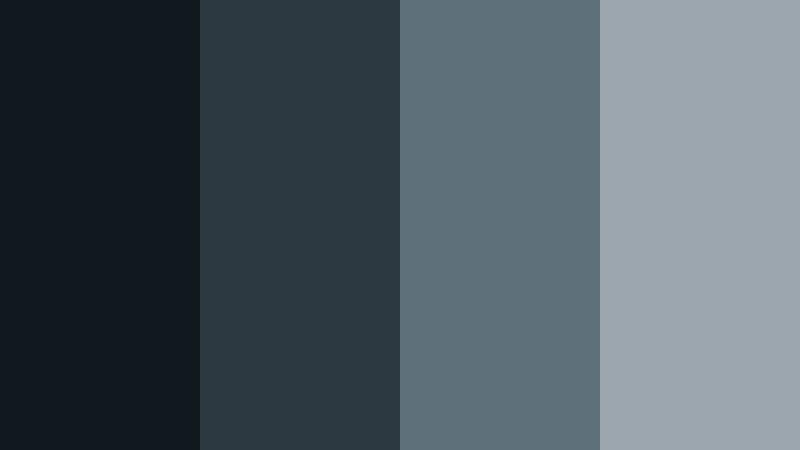
- HEX Codes: #12191e, #2c3941, #5e707a, #9ba6ae
- Mood: Deep, mysterious, and immersive like underwater shadows.
- Use for: Use for sci fi titles, ambient music visuals, and experimental short films.
Abyssal Echo pushes Ocean Slate into deeper, more mysterious territory. #12191e and #2c3941 create inky spaces that feel like underwater caverns, while #5e707a and #9ba6ae bring in just enough light to keep details visible. It is immersive and slightly surreal.
Apply this palette to sci-fi title sequences, ambient music loops, or experimental short films where mood matters more than realism. Use the darkest shades for backgrounds and vignettes, with lighter tones highlighting typography, waveform visuals, or motion graphic accents.
Harbor Noir Drama
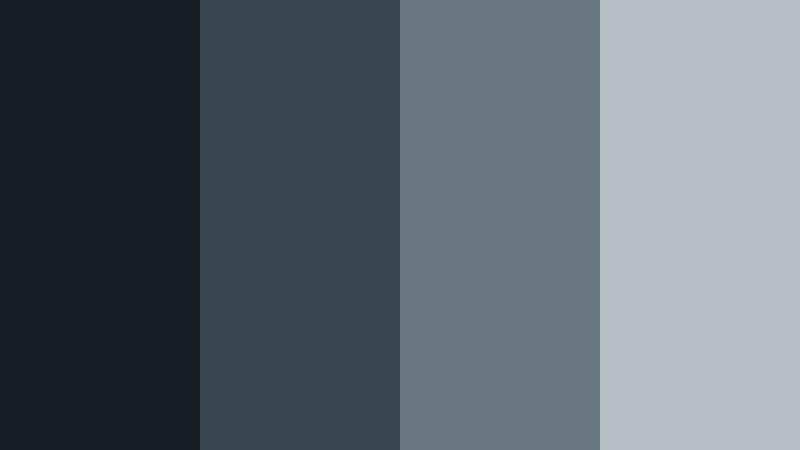
- HEX Codes: #181f24, #37454e, #697880, #b7c0c6
- Mood: Retro noir with a cool maritime twist.
- Use for: Use for narrative shorts, character driven vlogs, and stylized commentary videos.
Harbor Noir Drama merges classic noir shadows with cool maritime Ocean Slate. #181f24 sets a nearly black base, while #37454e and #697880 introduce depth and structure. #b7c0c6 adds a soft luminosity reminiscent of foggy streetlamps.
This palette is ideal for character-driven vlogs, narrative shorts, and stylized commentary. Shoot with strong contrast or add a film noir inspired grade, then overlay titles in #b7c0c6 or #697880 for readability. For thumbnails, silhouettes against a dark background with Ocean Slate text immediately signal drama and intrigue.
Twilight Channel Fade
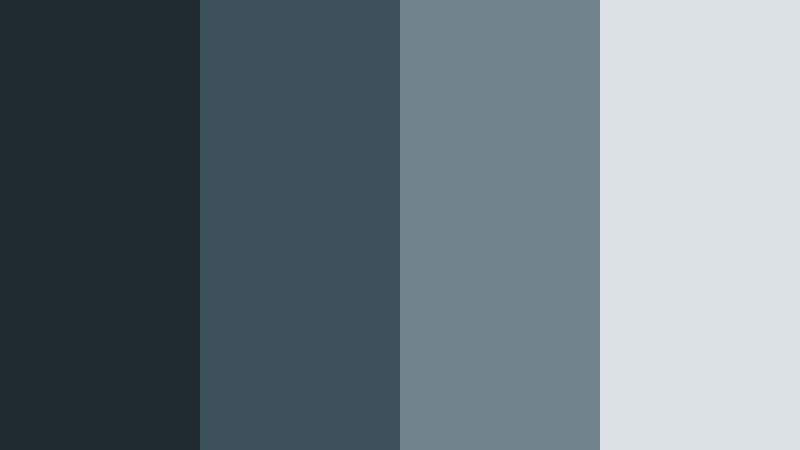
- HEX Codes: #1f2930, #3d515c, #6f838d, #dbe1e5
- Mood: Reflective, cinematic, and softly melancholic.
- Use for: Use for outro screens, reflective voiceovers, and emotional montage sequences.
Twilight Channel Fade wraps Ocean Slate in gentle twilight gradients. #1f2930 and #3d515c mimic the deepening sky, while #6f838d and #dbe1e5 bring in a soft evening glow. The palette feels nostalgic and cinematic without slipping into heavy gloom.
It is a strong choice for outro screens, emotional montage sequences, and reflective voiceovers. Use a gradient from #1f2930 to #dbe1e5 as a background for end cards, placing key CTAs in one of the midtones. In thumbnails, pair a dimmed frame from your video with a Twilight overlay and Ocean Slate typography to signal a more thoughtful or personal story.
Fresh And Modern Ocean Slate Color Palettes
Tidal Mint Pop
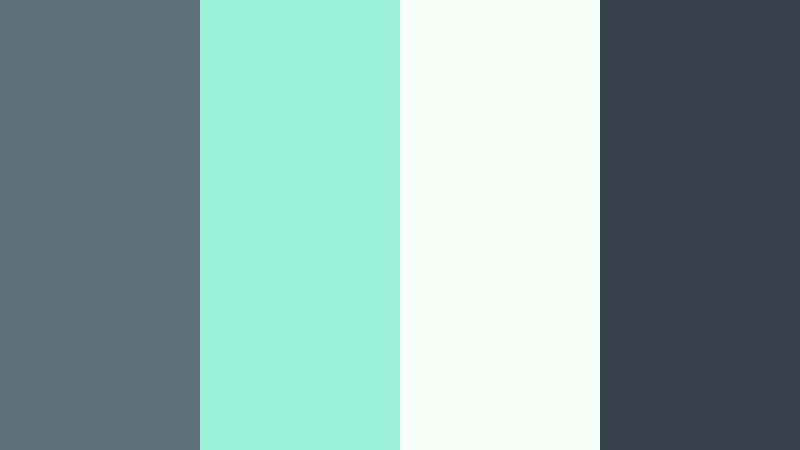
- HEX Codes: #5f727c, #9df2da, #f5fff9, #35444c
- Mood: Fresh, crisp, and slightly playful.
- Use for: Use for upbeat channel trailers, lifestyle vlogs, and wellness brand intros.
Tidal Mint Pop pairs grounded Ocean Slate with bright mint and airy off-white. #35444c and #5f727c stabilize the palette, while #9df2da and #f5fff9 add an energizing, healthy feel. The overall effect is clean, modern, and a bit playful.
This palette is excellent for wellness, fitness, and lifestyle content. Use the mint as an accent for buttons, icons, and highlight text, while keeping most backgrounds in the lighter tones. Ocean Slate can shape your logo, main title text, and consistent lower third strip across shorts, Reels, and full-length videos.
Coastal Startup Surge

- HEX Codes: #53646f, #00a4b9, #f3f7f9, #ffa94d
- Mood: Innovative, energetic, and entrepreneurial.
- Use for: Use for SaaS explainer videos, pitch decks, and bold YouTube thumbnails.
Coastal Startup Surge injects lively aqua and warm accent orange into a base of Ocean Slate. #53646f keeps things grounded and professional, #00a4b9 communicates innovation, #f3f7f9 lightens the canvas, and #ffa94d adds a confident, clickable highlight.
Use this palette for SaaS explainers, product launches, and pitch-style content. Let Ocean Slate and aqua define your brand bars, shapes, and main text. Reserve #ffa94d for CTAs like Subscribe, Download, or Start Free Trial on thumbnails, end screens, and lower thirds so the eye naturally moves to your action points.
Marina Neon Accent
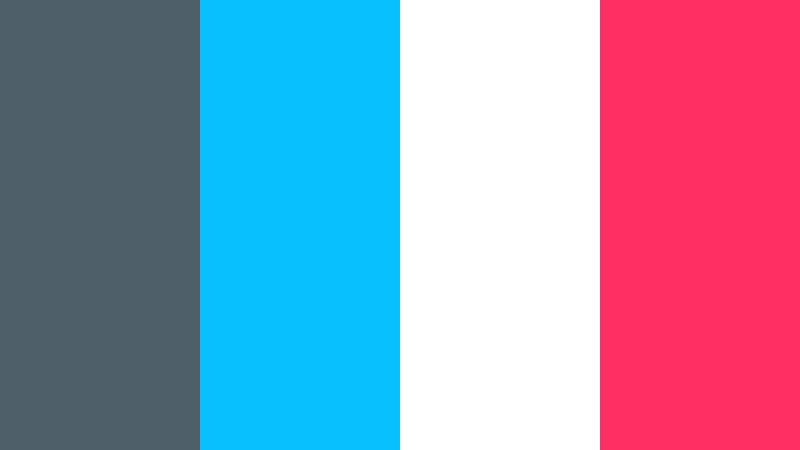
- HEX Codes: #4e5f69, #09c0ff, #ffffff, #ff2e63
- Mood: Edgy, digital, and attention grabbing.
- Use for: Use for gaming overlays, music visualizers, and trend driven short form content.
Marina Neon Accent balances cool Ocean Slate with electric cyan and hot pink. #4e5f69 centers the palette, #ffffff keeps readability high, while #09c0ff and #ff2e63 punch through the frame with strong digital energy. It feels modern, bold, and made for the algorithm era.
This is a powerful choice for gaming overlays, music visualizers, and short-form edits on TikTok, Shorts, or Reels. Use the neon accents for key shapes, animated strokes, and notification-style pop-ups, while Ocean Slate handles panels and steady UI elements. White text ensures clarity even when neon accents are intense.
Soft Coastal Pastels
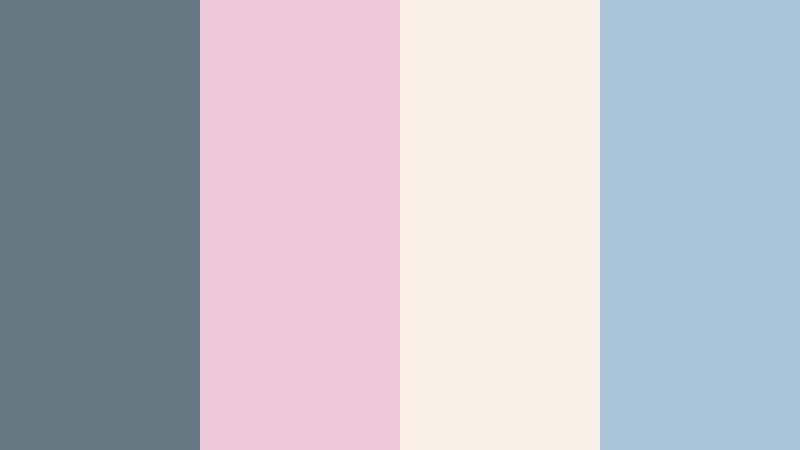
- HEX Codes: #657780, #f0c9d8, #f7f1e8, #a7c7d9
- Mood: Gentle, dreamy, and approachable.
- Use for: Use for aesthetic vlogs, morning routines, and lighthearted creator intros.
Soft Coastal Pastels tempers Ocean Slate with pastel blush and sky tones. #657780 anchors your visuals, #f0c9d8 adds a warm, friendly blush, #a7c7d9 introduces a soft sky blue, and #f7f1e8 keeps everything light and approachable. The palette feels dreamy yet still polished.
Use it for aesthetic vlogs, cozy morning routines, study content, or creator intros that aim to feel safe and welcoming. Let the pastels fill backgrounds and decorative elements like doodles, while Ocean Slate is reserved for text and structural borders so your visuals stay readable and cohesive.
Digital Sail Streamline

- HEX Codes: #566973, #2dbed3, #f5f8fa, #ffcf5b
- Mood: Streamlined, optimistic, and tech savvy.
- Use for: Use for app demos, tutorial overlays, and branded motion lower thirds.
Digital Sail Streamline pairs Ocean Slate with bright cyan and a friendly yellow accent. #566973 feels steady and trustworthy, #2dbed3 signals modern tech, #f5f8fa offers a clean screen-like background, and #ffcf5b adds a hint of optimism without becoming too loud.
This palette works well for app demos, how-to videos, and channels that live at the intersection of tech and lifestyle. Use Ocean Slate for top bars and side panels, cyan for active states or progress elements, and yellow sparingly to draw attention to important steps or CTAs. Together, the colors make tutorials feel clear, current, and visually organized.
Tips for Creating Ocean Slate Color Palettes
When you build your own Ocean Slate color palettes for video and design, focus on balance, readability, and how the colors will behave on different screens and in moving footage.
- Pair Ocean Slate with at least one light neutral for backgrounds so text and overlays remain readable on mobile and desktop.
- Add a single strong accent color (like mint, orange, or neon pink) and use it sparingly for CTAs, buttons, and key icons.
- Check contrast between your Ocean Slate tones and any text color using simple contrast tools to ensure accessibility.
- Test your palette on both bright and dark footage; adjust saturation and brightness in Filmora to keep skin tones natural.
- Keep brand elements consistent by reusing the same HEX codes for logos, lower thirds, and end screens across all videos.
- Use gradients that move from dark Ocean Slate to light gray or off-white to create smooth backgrounds for titles and thumbnails.
- Create separate variants of your palette for light mode and dark mode overlays, then save them as presets in your editor.
- When color grading, push overall footage slightly cooler so Ocean Slate feels intentional, but avoid over-saturating blues that can look artificial.
Ocean Slate is versatile enough to feel calm, cinematic, or energetic depending on how you pair it with neutrals and accents. The palettes above give you ready-made options for minimal branding, dramatic storytelling, and fresh, modern channels, all built around this adaptable teal-gray base.
Try dropping these HEX codes into your titles, thumbnail templates, and Filmora color grading presets. Once you see how consistent color shapes mood and brand identity, you can refine each palette to match your niche, from slow living to startup tech.
Most importantly, experiment in Filmora: test different filters, LUTs, and AI Color Palette options until your Ocean Slate aesthetic feels like a natural extension of your voice and content style.
secure download