

 100% Security Verified | No Subscription Required | No Malware


 ChatGPT
 Perplexity
 Gemini
 Claude
 Grok
Grok
This Personal Vlog Lifestyle LUT filter collection is built for content creators who want their daily videos to look polished, cinematic, and cohesive without spending hours on color work.
From soft morning light to cozy evenings and cinematic city walks, these filters are tuned to the typical scenes of lifestyle vlogs so you can drop them onto your clips in Filmora and keep your editing flow fast and consistent.
In this article
Slow Mornings at Home
Soft Window Glow
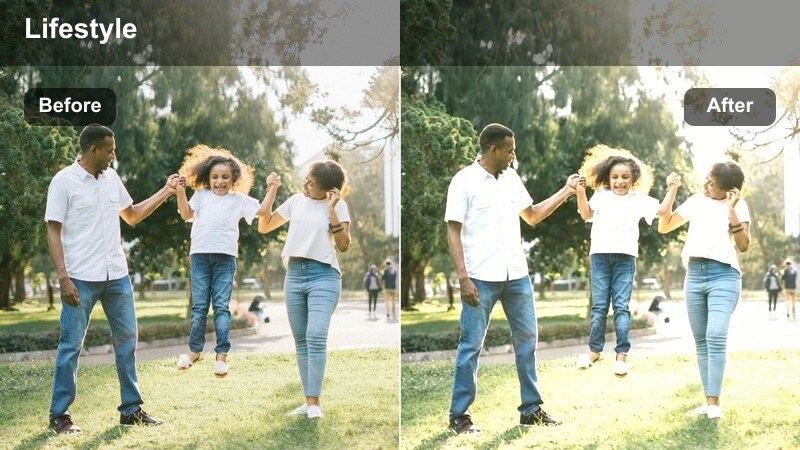
- Effect look: Gentle brightening with soft contrast and slightly warm highlights for airy, inviting mornings.
- Best for: Talking-to-camera intros near a window, coffee rituals, bed-making, and morning skincare shots.
- Editing tip: Lower the intensity for already bright rooms and slightly bump exposure instead of contrast to keep skin tones flattering.
Soft Window Glow is designed to make natural light feel even more flattering, especially when you are filming personal vlog intros or slow morning clips. The filter adds a touch of warmth and softness to highlights so your bedroom, kitchen, or living room looks bright without harsh contrast or crunchy textures.
In Filmora, drop this lifestyle LUT on your morning sequence, then fine-tune exposure per clip so your skin tone stays consistent as you move from room to room. If you shift between darker corners and bright windows, keep contrast low and use Filmoras tone controls to gently lift shadows rather than cranking gain, preserving that cozy, airy aesthetic.
Speed Up Your Color Workflow with AI-Powered Adjustments
Pair these Personal Vlog Lifestyle LUT filters with Filmoras AI color tools to quickly balance exposure and white balance before you fine-tune your creative look. Let AI handle the technical groundwork so you can focus on styling your vlog aesthetic.
Once your base correction is in place, apply your favorite lifestyle filter across the timeline to keep every episode visually cohesive, from morning routines to night wind-downs.
 secure download

Preview Lifestyle Filters in Real Time
Use Filmoras instant preview to cycle through different lifestyle filters on a few key clips like your vlog intro, a city walking shot, and your evening routine. Seeing a quick before-and-after on varied scenes makes it easier to choose one or two filters that match your personal brand.
Once you find a filter that works across multiple lighting situations, apply it as a base for the whole video, then adjust intensity per clip to keep everything looking natural.
secure downloadBuild a Signature Vlog Look with Filters and LUTs
Combine these lifestyle filters with Filmora LUT presets to build a signature color style that feels unique but is still fast to apply. A soft filter plus a subtle LUT can add depth, film-like character, and a recognizable mood across all your vlogs.
After stacking your favorite combo, save it as a custom preset in Filmora so every new project starts with your personal vlog lifestyle LUT look in a single click.
secure downloadLinen & Latte
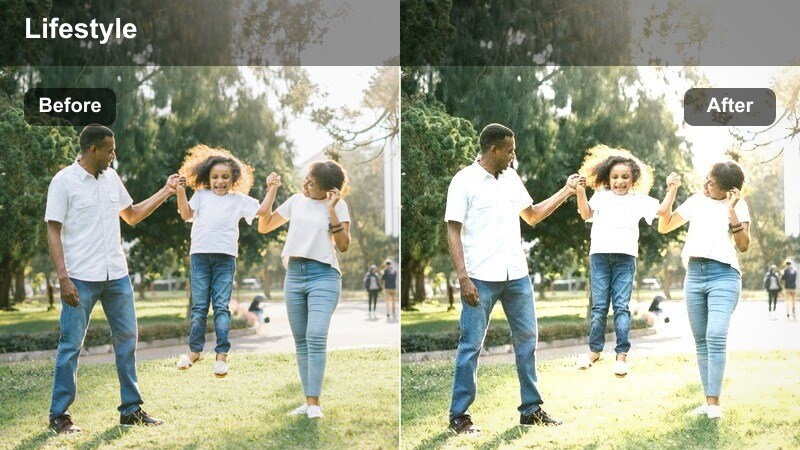
- Effect look: Muted, creamy highlights with reduced saturation and warm beige tones for a minimalist lifestyle feel.
- Best for: Bed shots, coffee close-ups, journaling scenes, and neutral-toned home decor vlogs.
- Editing tip: Use Filmoras color wheels to slightly cool the shadows if your space is very yellow, keeping the creamy mood without looking orange.
Linen & Latte leans into warm neutrals and gentle contrast, perfect for creators whose personal vlogs revolve around minimal decor, cozy beds, and soft-toned outfits. It pulls back strong saturation so whites, beiges, and tans look creamy and cohesive instead of flat or washed out.
In Filmora, apply this filter as a base grade across your vlog whenever you want a neutral lifestyle brand look. If your room lights or walls run very yellow, use the color wheels to cool the shadows slightly, keeping the overall warmth while preventing skin tones and backgrounds from tipping too orange.
Fresh Start Clean
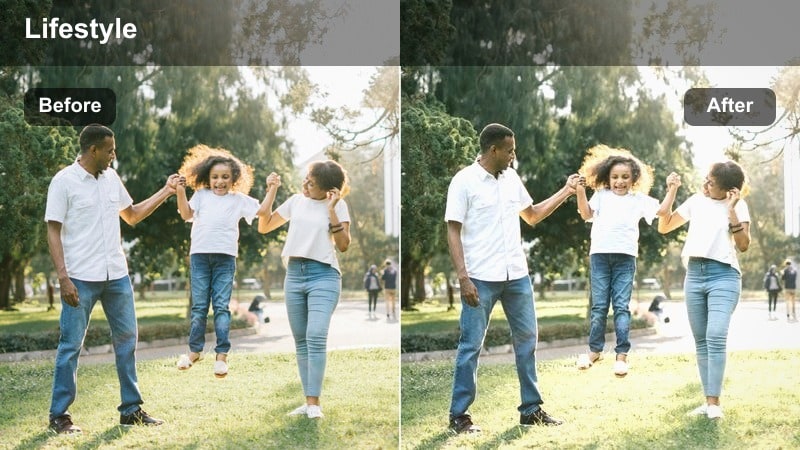
- Effect look: Crisp whites, gentle cool shift, and boosted clarity for tidy, minimal morning routines.
- Best for: Bathroom skincare scenes, closet organization, and cleaning montages with white or light interiors.
- Editing tip: Dial back sharpness on close-up skin shots and use Filmoras skin smoothing sparingly to keep the look natural.
Fresh Start Clean is tuned to make white and light-colored interiors feel modern and bright without blowing out details. It adds a subtle cool shift that is ideal for bathrooms, wardrobes, and kitchen counters, helping your morning routines look crisp and organized on camera.
When editing in Filmora, enable this filter for skincare and cleaning sequences, then check your highlights using scopes to avoid clipping on sinks, tiles, or mirrors. If your whites start to feel too harsh, reduce highlight levels and slightly raise shadows instead of dropping overall exposure so the scene stays fresh but balanced.
Daily Errands and City Walks
City Soft Neutral
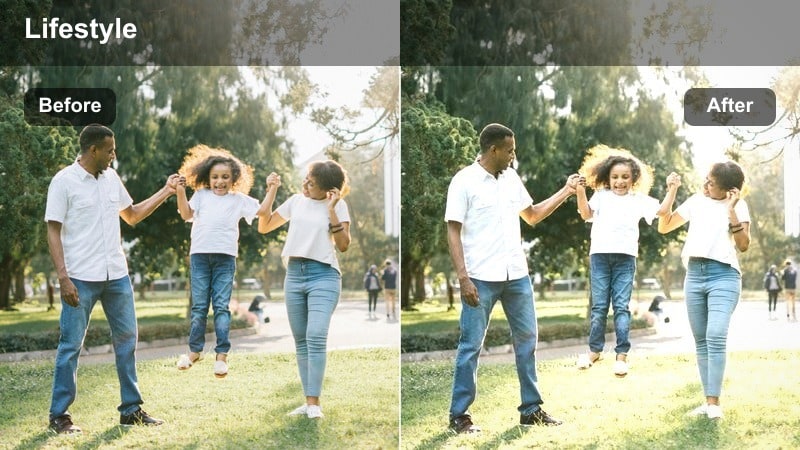
- Effect look: Soft contrast with slightly desaturated colors and gentle warmth to flatter street and cafe scenes.
- Best for: Sidewalk walking shots, quick b-roll of storefronts, commute clips, and casual city errands.
- Editing tip: Stabilize handheld clips in Filmora before applying the filter to avoid drawing attention to jitter in smoother, muted scenes.
City Soft Neutral is crafted for everyday city footage, softening contrast and pulling saturation back just enough to feel cinematic but still true to life. It tames busy backgrounds and mixed lighting so your walking shots, storefront b-roll, and casual check-ins feel cohesive from clip to clip.
In Filmora, run stabilization on your handheld street shots first, then apply this LUT to keep the motion smooth and the colors gently polished. The softened contrast directs attention to your movement and storytelling rather than harsh edges, making your urban lifestyle vlogs look relaxed and watchable.
Commuter Fade
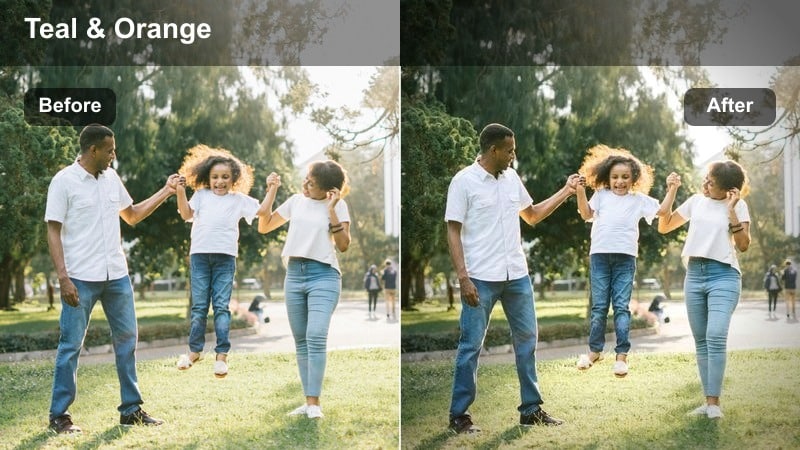
- Effect look: Slightly matte shadows with subtle teal in cooler areas and warm midtones for stylized transit scenes.
- Best for: Train rides, bus windows, escalator shots, and quick POV clips moving through the city.
- Editing tip: Use Filmoras vignette very lightly with this filter to draw attention toward the center of the frame without making scenes look too dark.
Commuter Fade introduces a soft cinematic style to your transit footage, flattening the deepest blacks slightly and adding a hint of teal to cooler regions. This creates that dreamy in-transit feel for train windows, escalators, and fast city POVs while keeping skin and midtones pleasantly warm.
Apply it in Filmora to the clips that connect locations in your vlog, such as subway rides or bus views, and consider adding a very subtle vignette to center the viewers eye. Combined with slow push-ins or sideways tracking shots, the matte shadows and gentle color shift make even simple commutes feel intentional and story-driven.
Corner Café Glow
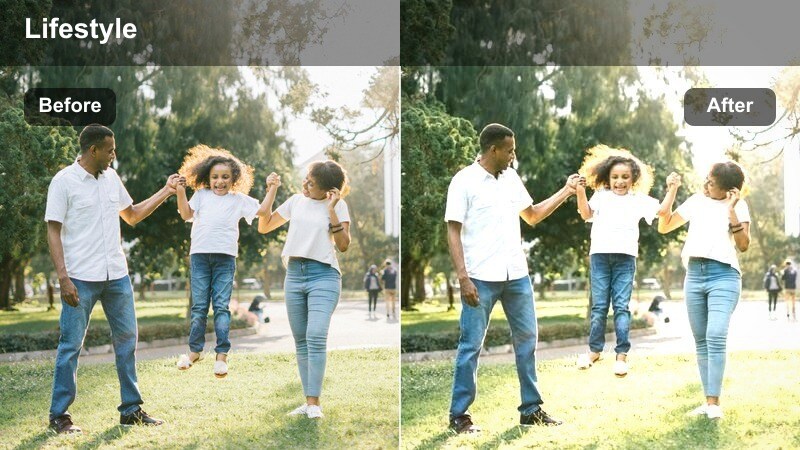
- Effect look: Warm glow on highlights with rich midtones and slightly lifted shadows for cozy city stops.
- Best for: Cafe check-ins, laptop work sessions, window seating shots, and hanging out with friends in urban spaces.
- Editing tip: Reduce warmth slightly if your cafe already uses orange bulbs, and add a tiny bit of Filmora film grain for a subtle analog feel.
Corner Café Glow is tailored to coffee shop scenes, giving window light and lamp light a warm, inviting sheen while keeping shadows softly lifted. It enriches midtones so wooden tables, lattes, and cozy outfits look vivid without overpowering your face on camera.
In Filmora, use this LUT on your study sessions, work-from-cafe clips, or friend catch-ups and gently reduce the overall warmth if the location uses intense orange bulbs. A touch of film grain and slightly lowered midtone saturation in the background keeps the analog vibe while ensuring your skin tones remain the focus.
Cozy Evenings and Night Routines
Golden Lamp Hour
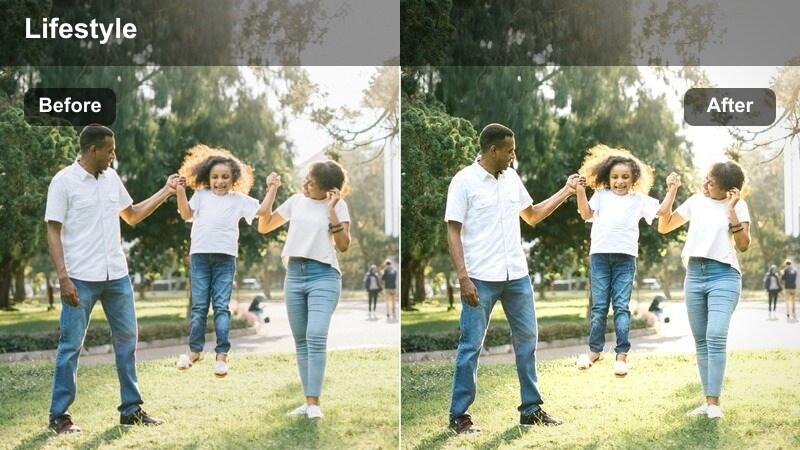
- Effect look: Deep, warm glow from lamps with softened highlights and subtle contrast for intimate indoor evenings.
- Best for: Night routines, living room chill scenes, reading shots, and wind-down conversation to camera.
- Editing tip: Raise exposure slightly before adding this filter to low-light clips so the warmth feels intentional, not noisy.
Golden Lamp Hour amplifies the cozy feel of lamp-lit rooms by deepening warmth and smoothing highlight roll-off, creating an intimate evening atmosphere. It works especially well for couch chats, reading scenes, and end-of-day reflections where you want the room to feel safe and cinematic without over-brightening the background.
When editing in Filmora, gently increase exposure or lift shadows before applying this LUT so the added warmth does not emphasize sensor noise in dark areas. Use light denoising on the noisiest clips and avoid pushing blacks too high, letting some corners stay naturally dark to preserve the restful, nighttime mood.
Midnight Minimal
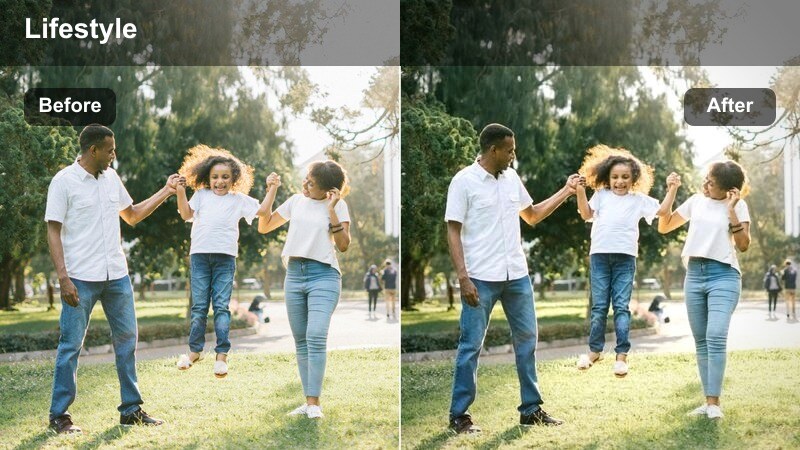
- Effect look: Cooler shadows with softened highlights and slightly reduced saturation for calm late-night moods.
- Best for: Desk work at night, screen reflections, quiet talking clips, and closing vlog segments.
- Editing tip: Use Filmoras keyframing to slowly lower saturation over your final clips when using this filter to signal the end of the day.
Midnight Minimal cools down shadows and mutes saturation to create a focused, reflective late-night tone. It works well for desk work, editing sessions, and quiet pieces-to-camera where you want a calm, almost introspective mood rather than energetic color.
In Filmora, place this LUT toward the end of your timeline and consider keyframing slight saturation decreases or exposure dips to visually signal that the day is ending. Pair it with slower cuts and softer background music so your personal vlog winds down gracefully without needing explicit narration.
Stringlight Haze
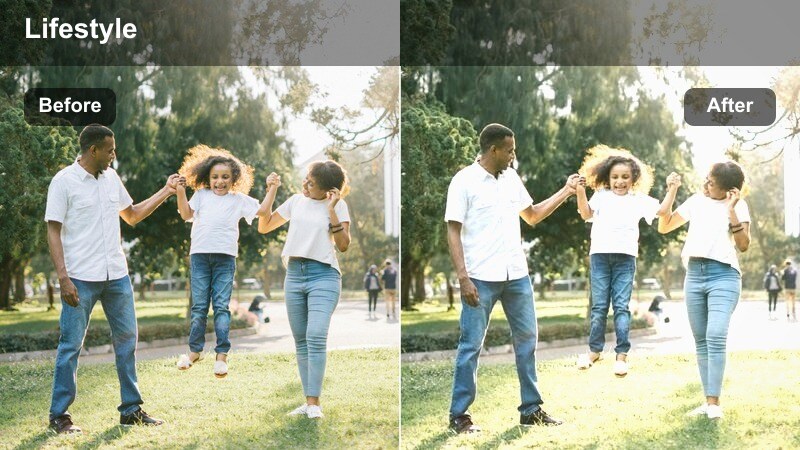
- Effect look: Soft, slightly hazy highlights with gentle bloom around light sources and warm mids.
- Best for: Bedrooms with fairy lights, balcony evenings, and cozy couch shots with warm practical lights.
- Editing tip: Avoid over-sharpening clips with this filter; let the natural glow stay soft for a dreamy feel.
Stringlight Haze is built to enhance small, warm light sources such as fairy lights, candles, or balcony bulbs, adding a subtle bloom and haze to highlights. The effect gives your evening vlogs a dreamy, romantic layer while keeping mids warm and flattering for skin tones.
Apply it inside Filmora to any clip where practical lights are visible in frame, then resist the urge to boost sharpness or clarity too much, which can fight the glow. You can also add a gentle zoom-in or slow camera movement to emphasize the floating, dreamy atmosphere around those light points.
Weekend Outings and Personal Moments
Weekend Soft Film
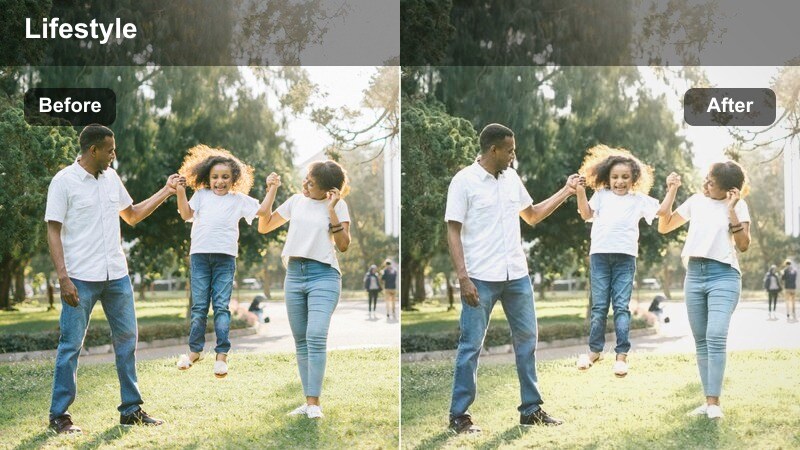
- Effect look: Gentle fade in blacks, soft highlight roll-off, and a hint of grain for a nostalgic vlog-film hybrid.
- Best for: Weekend walks, day trips, park hangouts, and unplanned clips from your phone or camera.
- Editing tip: Mix in Filmoras subtle film grain and use slower cuts to lean into the relaxed, nostalgic vibe.
Weekend Soft Film adds a light fade to blacks and softens highlights for that relaxed, slightly nostalgic film-like character. It is forgiving across different cameras, making spur-of-the-moment phone clips blend smoothly with DSLR or mirrorless footage in your weekend vlogs.
Inside Filmora, apply this LUT to all clips from your day trip or park hangout, then sprinkle in a subtle layer of film grain for extra texture. If certain shots appear sharper or more clinical than others, lower clarity or sharpness on those specific clips so the whole sequence feels consistently soft and intentional.
Confession Corner
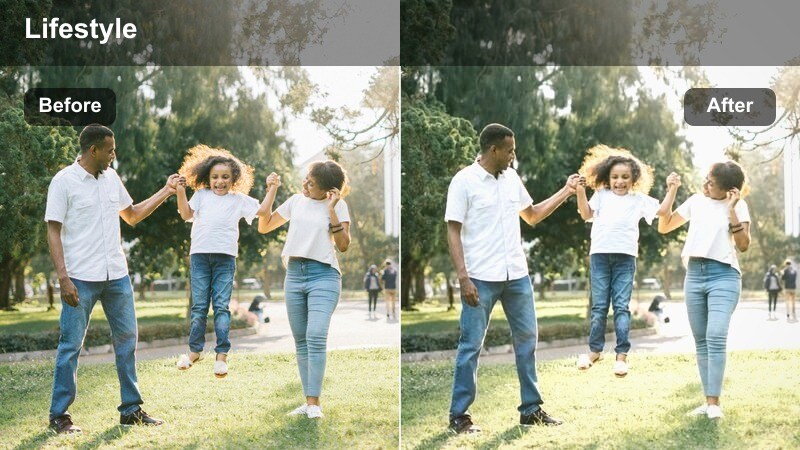
- Effect look: Balanced contrast with gentle focus on skin tones and slightly darker, neutral backgrounds for emotional segments.
- Best for: Sit-down chats, honest updates, and Q&A segments filmed in a corner or on the couch.
- Editing tip: Use Filmoras background blur or shallow depth-of-field overlays lightly so the viewer stays focused on your expression.
Confession Corner is optimized for intimate sit-down segments, keeping skin tones natural while letting backgrounds fall a little darker and more neutral. This subtle separation helps your audience connect with your expressions and words during Q&As, life updates, or more emotional moments.
In Filmora, place this LUT on your talking-head sections and, if needed, add a light background blur or vignette to reduce distractions behind you. Avoid heavy transitions or flashy overlays; let the balanced contrast and natural colors of this filter support your storytelling without overshadowing it.
Sunset City Edges
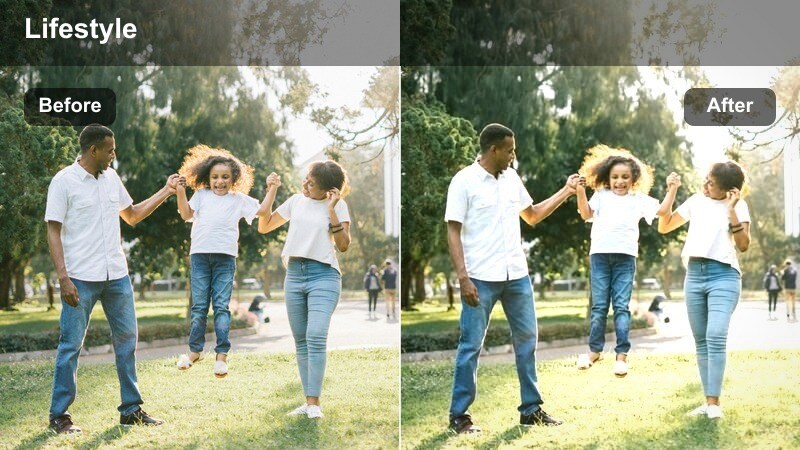
- Effect look: Rich golden highlights with preserved detail and slightly cool shadows for contrasty golden-hour city shots.
- Best for: Rooftop moments, balcony views, skyline b-roll, and golden-hour walking clips.
- Editing tip: Expose for the sky when filming, then use this filter in Filmora to lift your face slightly without blowing out the sunset.
Sunset City Edges is tuned specifically for golden-hour cityscapes, enhancing warm highlights while holding onto detail in clouds and buildings. The slightly cooled shadows create pleasing color contrast, making your balcony views, rooftop moments, and skyline walks feel dramatic and cinematic.
When editing in Filmora, apply this LUT to underexposed or properly exposed sunset clips, then use gradient masks to selectively lift your face or foreground. This workflow preserves the rich colors and shapes in the sky while still keeping you visible, so your lifestyle vlogs close out with striking, professional-looking golden-hour shots.
Tips for Using Personal Vlog Lifestyle Lut Filters in Filmora
- Choose one or two lifestyle filters as your main channel staples instead of changing the look drastically in every episode.
- Lightly correct exposure and white balance in Filmora before adding a LUT or filter to get more consistent, predictable results.
- Test your favorite filter on morning, city, and evening clips in the same project to ensure it works across different lighting conditions.
- Reduce filter intensity on close-up, skin-heavy shots so faces stay natural, detailed, and flattering.
- Use Filmoras AI and tone tools to quickly even out brightness between clips before applying your personal vlog lifestyle LUT.
- Save customized versions of these LUT filters as presets inside Filmora so you can apply your signature look in one click.
- Combine a soft lifestyle LUT with subtle film grain or vignette effects to add character without overwhelming your footage.
- Revisit your presets every few months and tweak them as your real-life spaces, lighting, or camera gear changes.
With the right Personal Vlog Lifestyle LUT filters, your everyday clips can instantly feel more cinematic, cohesive, and on-brand without complicated color grading. From slow mornings to late-night desk sessions, you can give each part of your routine a polished look that still feels authentic.
Explore these presets inside Filmora, tweak them to match your real-life spaces, and turn your daily routines into lifestyle vlogs that look as good as they feel to live. Once you have built a signature combination, save it as a preset so every new vlog starts with your personal vlog lifestyle LUT look already in place.
secure downloadNext: Cooking Vlog Cinematic LUT Pack for Food and Kitchen Scenes
