

 100% Security Verified | No Subscription Required | No Malware


 ChatGPT
 Perplexity
 Gemini
 Claude
 Grok
Grok
These portrait video filters for TikTok are built for face-cam content, GRWM clips, and close-up reactions where skin, eyes, and color need to look clean and on-trend without heavy over-editing.
Use these styles as fast presets for viral edits and get ready with me clips, then tweak intensity and color to keep your videos consistent across TikTok, Reels, and Shorts.
In this article
Soft Glow Portrait Filters for Clean, Subtle Beauty
Soft Skin Glow
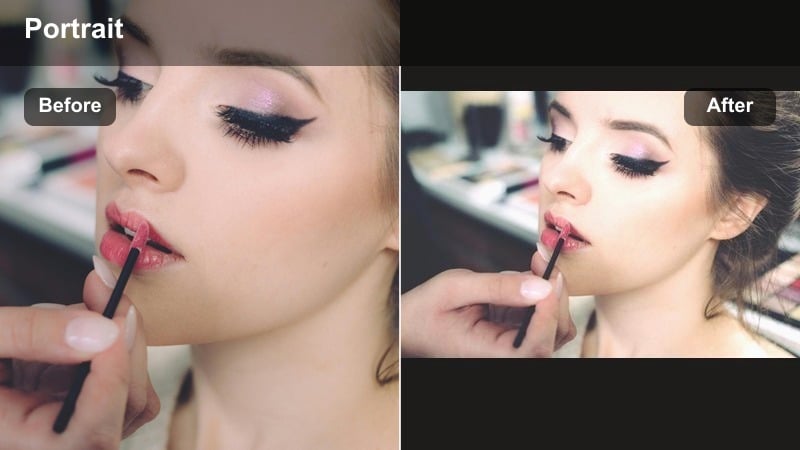
- Effect look: Gentle skin smoothing with a low-contrast, creamy finish that flatters most skin tones while keeping facial details visible.
- Best for: Chatty GRWM intros, morning routine vlogs, and softly lit bedroom clips where you want skin to look rested and even.
- Editing tip: Lower the filter intensity if you lose texture around the nose and eyes, then add a tiny bit of clarity to brows and lashes to bring features back.
A subtle glow filter that evens skin and adds a soft-focus vibe without erasing real-life texture works perfectly when you are shooting handheld GRWM content or casual check-ins. In Filmora, Soft Skin Glow style filters help you balance a creamy finish with natural pores so your face looks refreshed, not plastic.
Drop your clip into Filmora, apply a soft glow filter, and fine-tune intensity on the face with portrait masking so hair, brows, and lashes stay crisp. Combine light skin smoothing with slightly raised exposure and lowered contrast to get that TikTok-ready softness while still looking like yourself on every clip.
Match Filters to Your Portrait Lighting Automatically
Use Filmora s AI-driven color tools to detect your face in the frame and automatically balance contrast, exposure, and skin tones before you apply any portrait video filters for TikTok. This gives you a clean, even base so subtle glow effects and trendy color grades sit better on your footage.
Once the AI has evened out your base image, your favorite TikTok portrait filter or viral beauty effect will look more consistent across different lighting setups and shooting locations. That means your GRWM, storytime, and close-up reaction videos can share the same signature look with far less manual tweaking.
 secure download

Preview Portrait Filters on Real TikTok Scenarios
Filmora lets you preview soft glow, neon, and cinematic portrait looks on sample GRWM and storytime clips, so you can see how each filter treats skin texture, eye detail, and room lighting before you commit. This makes it easy to match a filter to your TikTok sound, script, and overall vibe.
Switch quickly between presets like Trendy Pop Colors or Glass Skin Glow in the filter panel and compare how they look on your face in real time. You can then adjust exposure, contrast, and sharpening on top to lock in a polished, scroll-stopping portrait style.
secure downloadSave Your Signature Portrait Look as a Reusable Preset
After you mix portrait video filters, color tweaks, and sharpening controls until your TikTok portrait feels on-brand, Filmora lets you save that combo as a custom preset or export it as a LUT. This keeps your GRWM, viral edits, and close-up reactions visually unified with almost no extra work.
Apply your saved preset to any new clip in a single click, then make minor adjustments for lighting or background changes. Over time, this consistent portrait treatment becomes part of your recognizable TikTok style and helps new viewers instantly recognize your content.
secure downloadCloudy Morning Skin
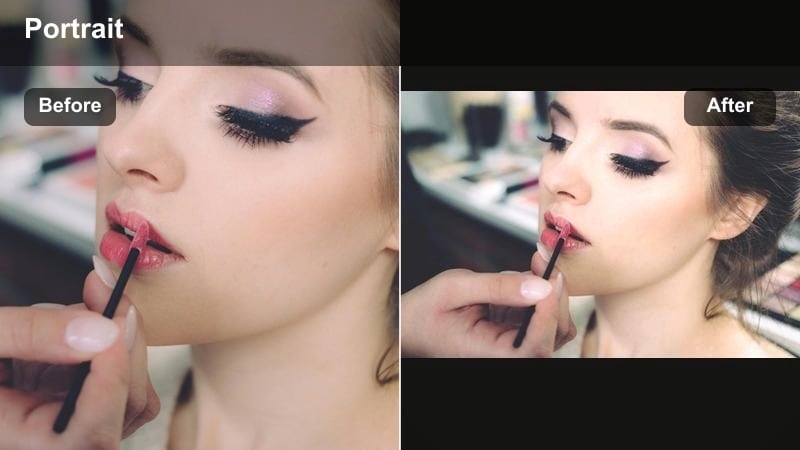
- Effect look: Low-saturation, cool-toned portrait look that mimics overcast daylight with soft highlights and muted color.
- Best for: Early morning GRWM, skincare routines, and calm aesthetic vlogs where you want a quiet, cozy mood.
- Editing tip: Drop saturation slightly and lift shadows to avoid muddy tones, then add a tiny blue or teal tint in the midtones to match the cool vibe.
Cloudy Morning Skin gives your footage an overcast-day softness that feels calm and cozy, ideal for slow morning routines and skincare check-ins. It gently mutes saturated colors so your skin and eyes stay the visual focus without loud backgrounds distracting viewers.
In Filmora, combine this look with a small blue or teal midtone shift and a touch of lifted shadows to mimic diffused window light. Use portrait masking to keep your face slightly brighter than the room, and pair it with slower cuts and softer music to sell that quiet-morning TikTok aesthetic.
Cream Blur Portrait
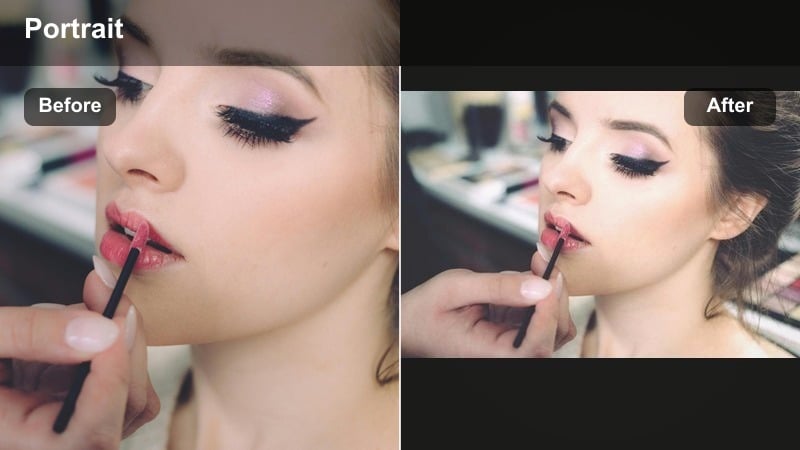
- Effect look: Creamy skin tones with a subtle background blur and gently lifted highlights for a dreamy, polished face-cam style.
- Best for: Storytime TikToks, whisper-style rants, and selfie camera clips where you sit close to the lens.
- Editing tip: Use portrait background blur lightly so hair edges stay clean, and add a bit of warmth to avoid looking washed out on pale walls.
Cream Blur Portrait simulates a shallow depth of field, separating you from the background while keeping your facial features soft and inviting. It works especially well for storytime and whisper videos where you want your audience locked onto your expression.
Inside Filmora, enable portrait background blur and adjust radius until the room softens but hairlines and lashes remain clear. Add a touch of warmth and a slight highlight lift on the face so your skin feels glowy, then keep transitions minimal to maintain that dreamy, intimate TikTok vibe.
Trendy Color Pop Filters for Viral Portrait Energy
Trendy Pop Colors
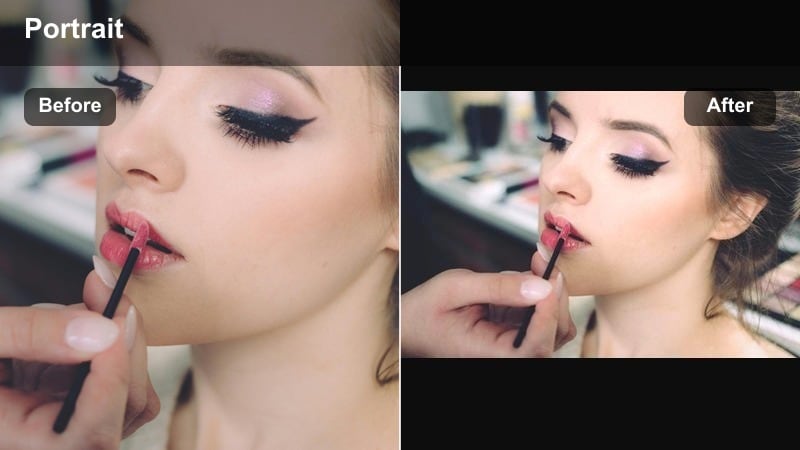
- Effect look: Punchy color contrast with bright mids and clean whites that makes eyes, blush, and outfit colors snap on small screens.
- Best for: Fast-paced viral edits, outfit transitions, and lip-syncs where bold color is part of the hook.
- Editing tip: Boost vibrance more than saturation so skin stays natural while your clothes, nails, and background decor pop.
Trendy Pop Colors is built for high-energy TikToks where outfits, nails, and makeup do most of the talking. It increases color punch and midtone brightness so your portrait stays crystal clear even on small screens and fast scrolls.
In Filmora, raise vibrance instead of global saturation, then use HSL controls to keep skin tones anchored while pushing cooler hues harder. Pair the filter with on-beat zooms, speed ramps, and quick cuts so the motion energy matches your newly boosted color palette.
Neon Accent Portrait
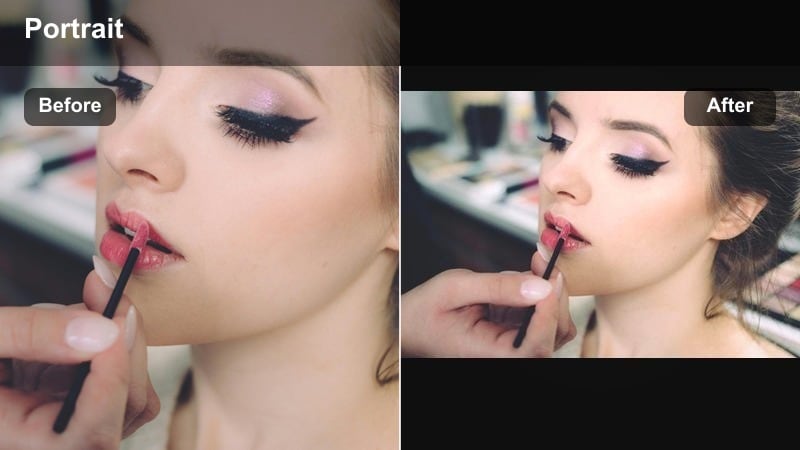
- Effect look: High-saturation neon accents on specific hues like pink, cyan, and purple while keeping skin moderately natural.
- Best for: TikToks with LED strips, gaming setups, and bold makeup looks that rely on bright, glowing colors.
- Editing tip: Choose one or two accent colors to push hard and slightly desaturate everything else so the neon areas become the focal point.
Neon Accent Portrait amplifies LED strips, RGB peripherals, and colorful makeup so your frame glows without turning your face into a cartoon. It emphasizes specific neon hues while leaving skin relatively neutral for a balanced yet dramatic look.
Use Filmora s HSL and color controls to decide which tones you want to amp up, like magenta or cyan, and then slightly mute competing colors. Combine the filter with a mild vignette and lower global exposure so your neon accents stay defined, not blown out, especially in darker gaming or studio setups.
Pastel Pop Portrait
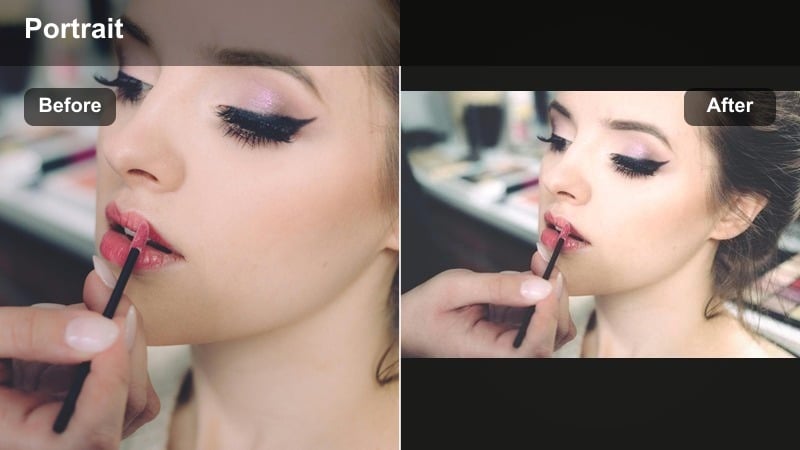
- Effect look: Soft pastel color shift with slightly lifted blacks, making backgrounds look dreamy while skin stays lightly warm and bright.
- Best for: Aesthetic GRWM, outfit-of-the-day transitions, and room makeovers in bright natural light.
- Editing tip: Lift blacks gently and use split toning to add pastel teal to shadows and peach to highlights for a cohesive soft color story.
Pastel Pop Portrait gives your videos a cotton-candy, soft-aesthetic finish, perfect for bright bedrooms, wardrobe hauls, and sunny room tours. The lifted blacks reduce harsh contrast so everything feels airy while your skin keeps a soft, flattering warmth.
In Filmora, start by raising black levels slightly, then apply subtle teal toning to shadows and peach to highlights using color wheels or split toning. Record against light walls or daylight windows, and let the filter smooth the overall palette into a cohesive pastel vibe across multiple TikToks and Reels.
Beauty-Focused Face Filters That Still Look Real
Viral Beauty Soft Touch
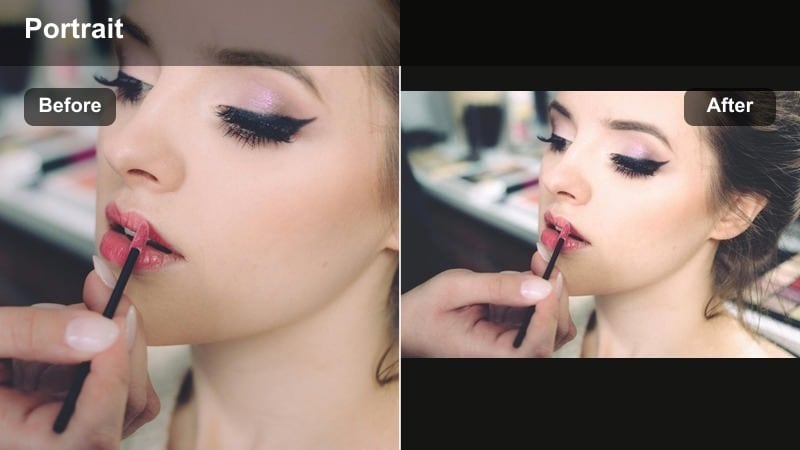
- Effect look: Light skin smoothing, brightened under-eyes, and a micro-contrast boost around eyes and lips for that polished, camera-ready face.
- Best for: Talking-to-camera advice, quick transitions, and before and after beauty reveals.
- Editing tip: Keep smoothing under 50 percent and add a gentle vignette so your face stays the focus instead of the background clutter.
Viral Beauty Soft Touch is designed to clean up minor imperfections while preserving personality, ideal for advice-style face cams and transformation reveals. It lightly smooths skin and brightens key areas such as under-eyes, giving you a rested, camera-ready appearance.
Within Filmora, apply a beauty filter at low intensity and then boost micro-contrast around eyes and lips to sharpen expressions. Add a subtle vignette to dim distracting edges of the frame, and keep facial enhancement strength moderate so your expressions and micro-movements remain believable on TikTok.
Glass Skin Glow
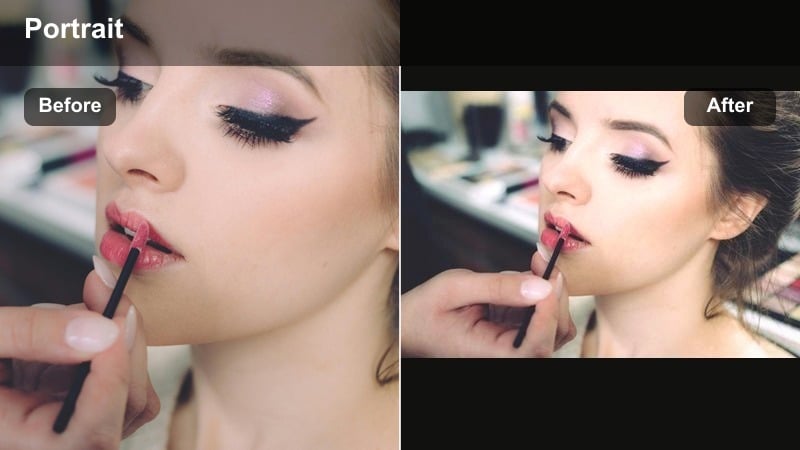
- Effect look: High shine, reflective highlights on cheeks and nose with a slightly cooler white balance that mimics viral glass skin aesthetics.
- Best for: Skincare demos, product close-ups, and after-routine reveal shots that flex hydration and glow.
- Editing tip: Increase specular highlights carefully and lower texture only on cheeks to avoid sweaty or oily-looking shine on the whole face.
Glass Skin Glow heightens sheen on the high points of your face so moisturized, dewy skin really stands out in skincare and GRWM content. It is ideal when you want serums, oils, and hydrating products to look glossy and satisfying on camera.
In Filmora, cool your white balance slightly and selectively lift highlights on cheeks, brow bones, and the bridge of the nose. Reduce texture just in those zones to keep glow smooth, then control shine in the T-zone with local adjustments so the look stays glassy, not greasy.
Blush Focus Portrait
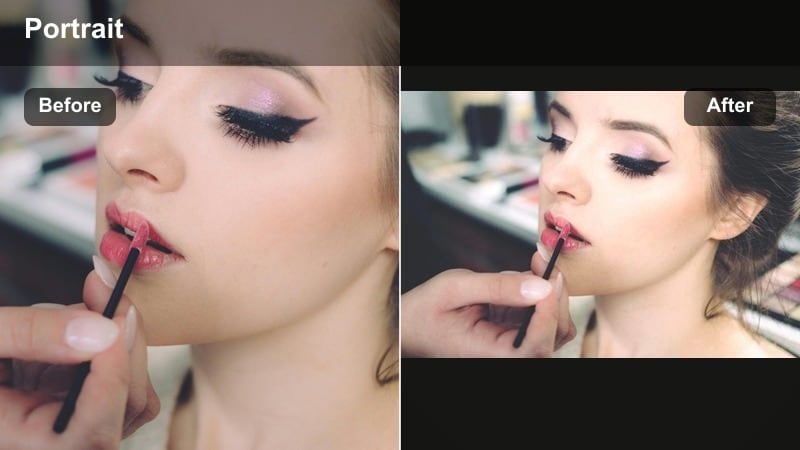
- Effect look: Subtle skin smoothing with a gentle pink lift to cheeks and nose plus a hint of saturation to lips for a soft flushed look.
- Best for: Blush and contour routines, cold girl makeup trends, and cozy close-up story clips.
- Editing tip: Warm up midtones slightly and keep reds from clipping by lowering saturation in the deepest red areas while pushing luminance higher.
Blush Focus Portrait celebrates rosy cheeks and nose tips, making it perfect for cold girl trends, winter vlogs, and any content where flush is the star. The filter adds a soft pink emphasis and gentle lip saturation that reads cute and lively on TikTok.
Use Filmora s color tools to warm midtones, target reds, and raise their luminance while dialing back saturation in the deepest areas so you do not clip. Combine this with a light skin smooth and perhaps a pastel background filter to lean fully into a cozy, storybook portrait style.
Cinematic Portrait Filters for Storytime and Hooks
Cinematic Teal & Skin
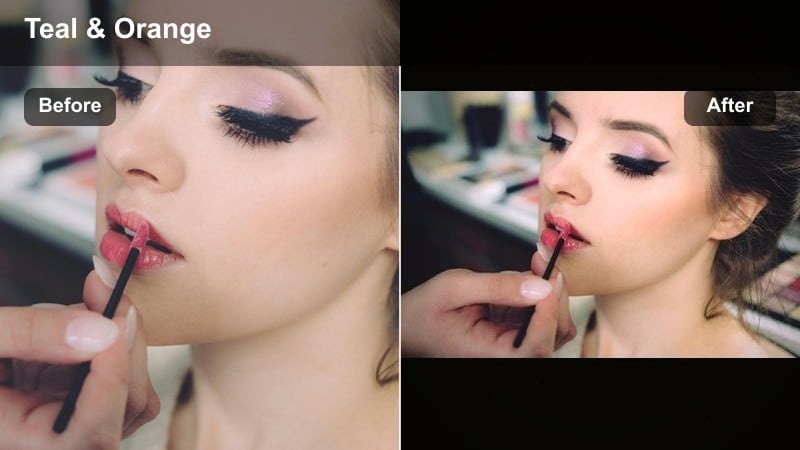
- Effect look: Classic teal shadows with warm skin tones and medium contrast that give storytime clips a movie-style color grade.
- Best for: Storytime TikToks, reaction videos, and cinematic monologues filmed in bedrooms or studios.
- Editing tip: Push teal into shadows only and keep highlight tones neutral so your eyes and skin remain the brightest, warmest part of the frame.
Cinematic Teal and Skin brings that classic film-grade contrast between cool shadows and warm skin, making storytimes and commentary feel more intentional and high-end. Bedroom and studio backgrounds take on a teal wash while your face stays warm and emotionally readable.
In Filmora, push teal into shadows via color wheels or LUTs, keeping midtones and highlights closer to neutral or slightly warm. Add medium contrast and a mild vignette, then use portrait masking to ensure your skin avoids heavy color shifts so the cinematic look feels professional instead of gimmicky.
Moody Shadow Portrait
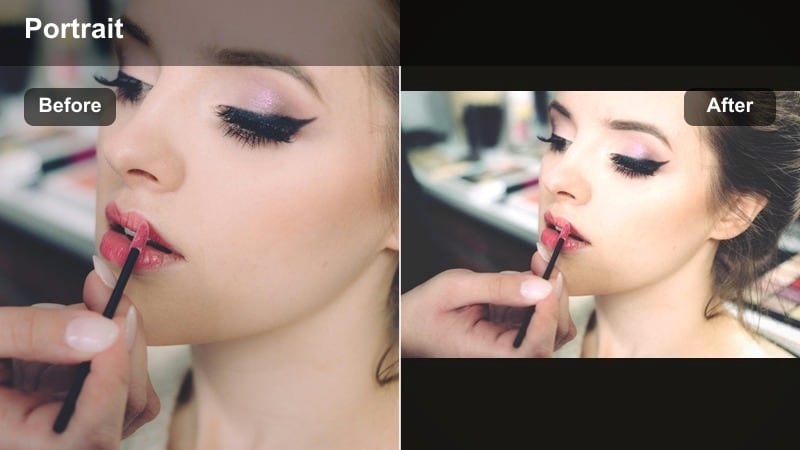
- Effect look: Deeper blacks, soft highlights, and desaturated colors with a subtle warm tint on skin for a dramatic, moody feel.
- Best for: Serious storytimes, confessions, commentary videos, and emotional hooks that benefit from drama.
- Editing tip: Drop exposure slightly, then raise shadow detail just on your face so your expression stays readable while the edges of the frame fall dark.
Moody Shadow Portrait is made for heavy, emotional, or serious TikTok moments where you want intimate focus on your expression. It deepens blacks and mutes overall color while keeping skin lightly warm so the shot feels cinematic and personal.
In Filmora, lower overall exposure and saturation, then selectively brighten your face using masks so your eyes and mouth stay visible. Shape the light by adding a soft vignette and carefully controlling black levels so hair detail does not disappear entirely into the background.
Retro Warm Portrait
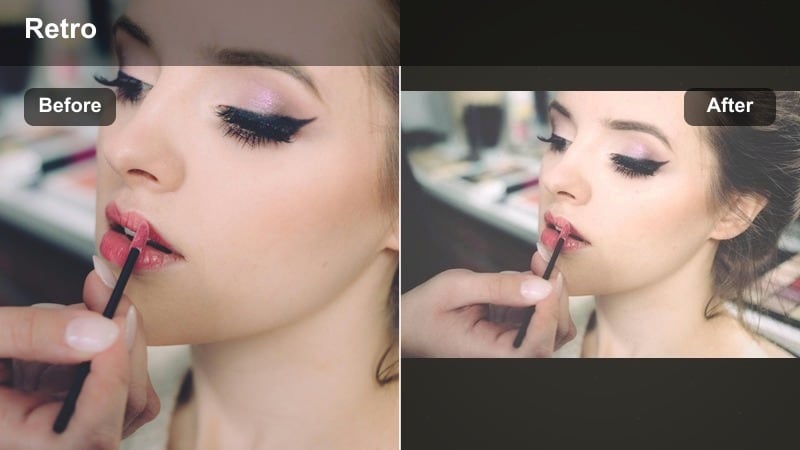
- Effect look: Warm, slightly faded tones with a hint of grain and gentle halation around highlights for a nostalgic, retro-inspired portrait.
- Best for: Nostalgia edits, photo-dump style TikToks, and casual storytimes with vintage aesthetics.
- Editing tip: Add a small amount of film grain and lower saturation a touch, then warm the midtones to keep skin looking sun-kissed, not orange.
Retro Warm Portrait lends your videos a film-inspired, slightly faded warmth that fits throwback clips, memory dumps, and cozy narratives. The subtle grain and halation around highlights add texture that feels more analog than digital.
In Filmora, slightly reduce saturation, warm midtones, and add a touch of film grain for authenticity. Keep wardrobe and background colors simple so the vintage palette and grain stand out, and consider pairing with quick zooms or frame shakes to mimic handheld camcorder nostalgia on TikTok.
Tips for Using Portrait Tiktok Trendy Filters in Filmora
- Record in soft, even lighting so portrait filters enhance your features instead of fighting harsh shadows.
- Keep filter intensity lower than you think; subtle changes look more professional and age better on your feed.
- Use separate sharpening or detail tools on eyes and brows if skin-softening filters reduce clarity too much.
- Match your filter to the mood of the sound or script so color, contrast, and story all feel aligned.
- Batch edit several TikToks with the same portrait preset to create a recognizable, branded look across your account.
- Test each filter on both front and rear camera footage inside Filmora to see how it behaves with different sharpness and noise levels.
- Save your favorite portrait combinations as presets so you can apply them in one click to GRWM, reactions, and storytime clips.
Portrait video filters for TikTok work best when they support your story, not replace it, so choose styles that match how you actually look and feel on camera. Balanced glow, clean color, and gentle enhancements keep your audience focused on your personality and message.
Build a small stack of go-to soft glow, color pop, and cinematic filters, then reuse them across viral edits and get ready with me clips to keep your content fast to make and instantly on-brand. With Filmora handling presets, AI color, and portrait masking, you can stay consistent even as trends change.
secure download