

 100% Security Verified | No Subscription Required | No Malware


 ChatGPT
 Perplexity
 Gemini
 Claude
 Grok
Grok
These Restaurant Dining Scene LUT filters are tailored for creators who film in cafes, bistros, and fine-dining spots, helping you fix mixed lighting and highlight appetizing table moments in seconds.
Whether you are shooting date-night ambience, busy brunch rushes, or cozy corner tables, these presets give your restaurant footage a polished, cinematic vibe with minimal tweaking in Filmora.
In this article
Warm Evening Ambience in Restaurants
Golden Candle Glow
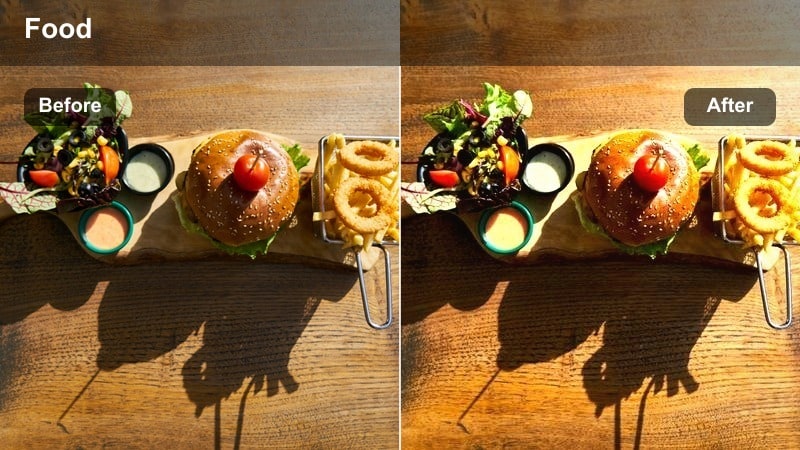
- Effect look: Soft golden warmth that enhances candlelight and skin tones for intimate dining scenes.
- Best for: Romantic dinners, wine bars, and low-light restaurant b-roll.
- Editing tip: Lower contrast slightly if faces look too shiny under strong table lamps, and add a hint of vignette to focus on the couple or table.
Golden Candle Glow wraps your restaurant footage in a soft golden cast that flatters skin tones and makes candle flames look rich instead of harsh. It smooths out color shifts from mixed bulbs and adds a gentle roll-off to highlights so table lamps and reflective glassware do not clip aggressively.
In Filmora, apply this LUT to your evening clips, then fine-tune the exposure and contrast to keep faces natural while preserving the cozy darkness around the frame. Add a subtle vignette and a touch of film grain to heighten the date-night feel for couples, wine bars, or intimate tasting menus.
AI-Assisted Restaurant Color Matching
Filmora AI tools help you keep the look of your Restaurant Dining Scene LUT filters consistent as you move between bright entrances, warm dining rooms, and darker bar corners. Instead of manually tweaking every shot, you can quickly align color and exposure across your entire sequence.
Use AI color matching to take a well-graded reference clip and automatically harmonize other shots filmed under mixed lighting so your restaurant vlog feels cohesive from the first appetizer to the final dessert.
 secure download

See Restaurant Filters in Action
To quickly find your signature restaurant look, drop a mini sequence into Filmora that includes an entrance shot, a table conversation, and a few food or service cutaways. Then preview these Restaurant Dining Scene LUT filters side by side to see how each one handles skin tones, table textures, and room ambience.
Comparing presets in real time makes it easier to decide which LUT should lead your series and which ones work better for b-roll, chef segments, or bar scenes.
secure downloadBuild a Reusable Restaurant LUT Toolkit
Filmora includes 1000 plus video filters and 3D LUTs you can combine with sharpening, grain, and vignette settings to create custom restaurant presets. Once you dial in a look that works for brunch, date nights, or tasting menus, save it so you can apply the same style in a single click on future edits.
Over time you can develop a branded toolkit of restaurant filters, using different LUT combinations for intros, ambience pans, talking-head reviews, and high-energy service montages while keeping the overall look consistent.
secure downloadAmber Table Talk
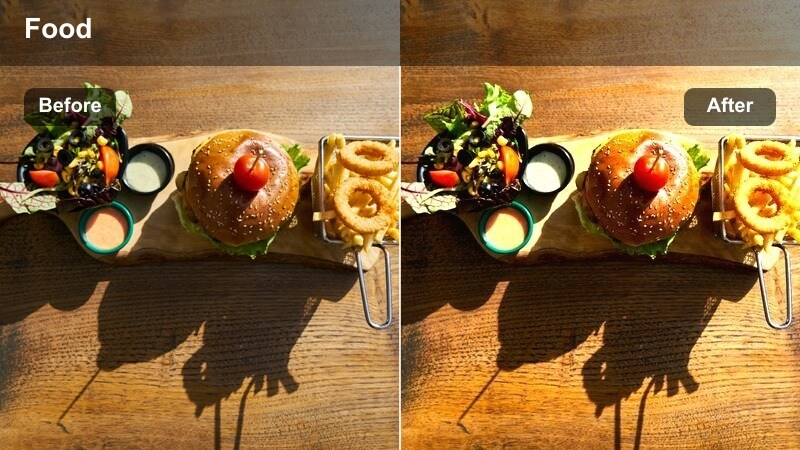
- Effect look: Amber-tinted tones that deepen wood textures and soften background clutter around the table.
- Best for: Dialogue at the table, interviews with chefs, and host-led restaurant reviews.
- Editing tip: Boost midtones to bring out faces, and slightly desaturate reds to avoid overly warm skin in tight close-ups.
Amber Table Talk leans into warm, amber hues that make wooden tables and interiors feel rich while gently blurring visual distractions in the background. It helps pull attention to faces and hands at the table so your audience focuses on conversation instead of busy decor.
In Filmora, use this LUT on talking-head segments, chef interviews, or review-style sit-downs, then fine-tune midtones to keep skin tones lively but natural. Pair it with tighter framing and a mild vignette so the dialogue at the table remains the clear focal point of your restaurant video.
Evening Service Glow
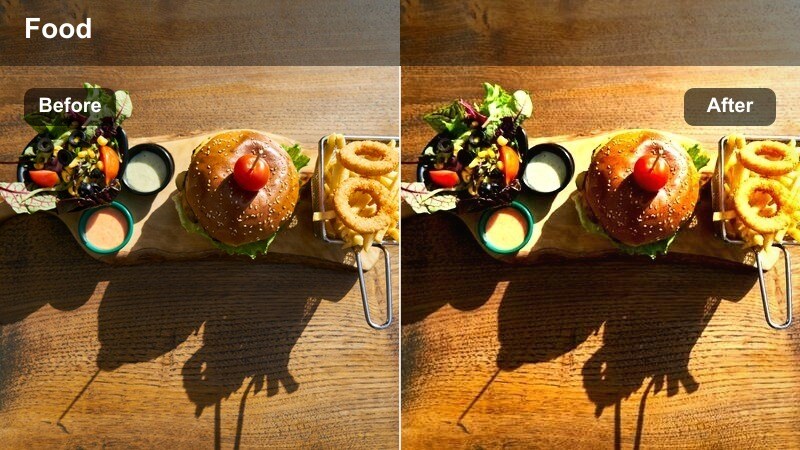
- Effect look: Balanced warm highlight glow with clean shadows that preserves detail in dim restaurant interiors.
- Best for: Waitstaff serving dishes, walkthroughs of the dining room, and wide ambience shots.
- Editing tip: Increase clarity sparingly to keep glassware and cutlery crisp without making noise in dark corners stand out.
Evening Service Glow adds a gentle warm sheen to highlights while keeping shadows controlled so you can see both guests and staff clearly in low light. It is designed to preserve detail in dark corners, banquettes, and ceiling areas where noise can easily creep in.
Apply this LUT in Filmora to wide shots of the dining room, servers in motion, and b-roll of plates being delivered, then tweak clarity and sharpness just enough to make glassware and table settings sparkle. Use it as your go-to look for evening ambience sequences that bridge service moments and guest reactions.
Daytime Brunch and Café Moments
Bright Brunch Breeze
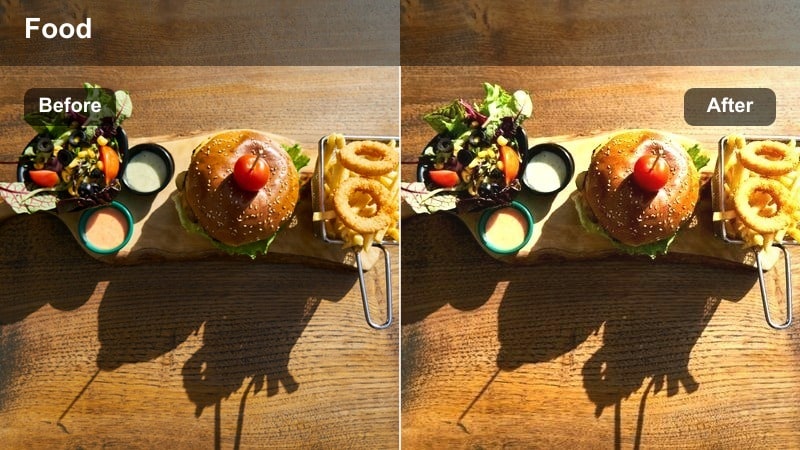
- Effect look: Clean, bright tones with subtle pastel highlights that suit airy brunch and café interiors.
- Best for: Daytime brunch scenes, latte chats, and sunlit table setups near large windows.
- Editing tip: Pull down the whites slightly if your windows blow out, and add mild saturation to keep plates and drinks looking lively.
Bright Brunch Breeze enhances natural daylight, giving your café and brunch footage a crisp, airy feel with soft pastel highlights. It helps control the contrast between bright windows and interior seating so your subjects do not get lost in backlight.
In Filmora, use this LUT on any daytime sequence near big windows, then adjust whites and exposure to keep exterior views from clipping. Boost saturation gently on food and drinks so your brunch plates, pastries, and latte art stay vibrant without overpowering the relaxed atmosphere.
Urban Café Soft
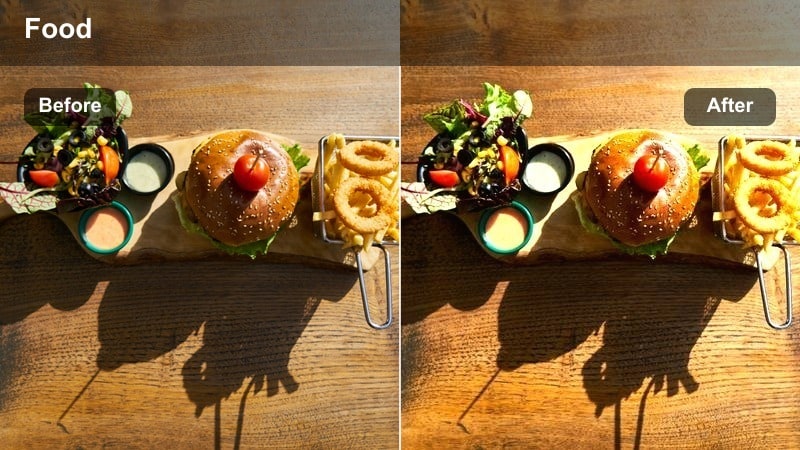
- Effect look: Muted contrast with gentle warmth that flatters concrete, brick, and modern café interiors.
- Best for: Coffee shop vlogs, laptop work sessions, and casual dining scenes in trendy spots.
- Editing tip: Dial in a slight fade in the shadows for a relaxed, lifestyle look without losing detail in the decor.
Urban Café Soft lowers contrast and adds a touch of warmth to concrete, brick, and industrial design elements, giving your city café footage a calm, lifestyle aesthetic. It softens harsh edges and bright reflections so the space feels inviting rather than stark.
Apply this LUT in Filmora to sequences of people working on laptops, casual meetups, or solo coffee moments, then introduce a subtle shadow fade to reinforce the laid-back vibe. Mix wide shots of the interior with close-ups of hands, mugs, and decor while keeping this filter on all clips for a cohesive, Instagram-ready look.
Sunny Window Corner
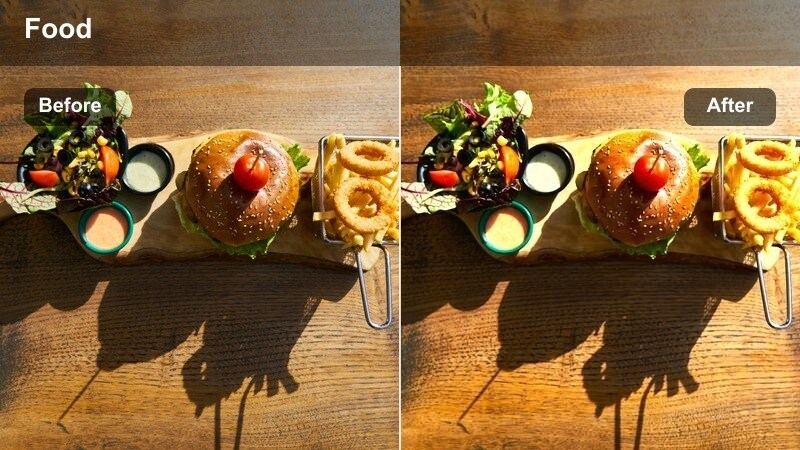
- Effect look: Warm highlights and lifted shadows built for backlit tables beside big windows.
- Best for: Corner table vlogs, reading or working shots, and natural light restaurant reviews.
- Editing tip: Use Filmora's vignette to reduce distraction from bright windows and keep attention on your subject at the table.
Sunny Window Corner is tuned for strongly backlit setups, lifting shadows while keeping highlights warm and pleasant. It protects detail in your subject so they do not turn into silhouettes when seated next to large, sunlit windows.
Use this LUT in Filmora whenever you film corner tables, reading shots, or laptop work by a window, then add a gentle vignette to pull attention toward the person and their plate. Slight exposure tweaks will help you balance outdoor brightness with the cozy interior mood for a natural, sun-soaked restaurant look.
Moody Fine Dining and Tasting Menus
Deep Cellar Tones
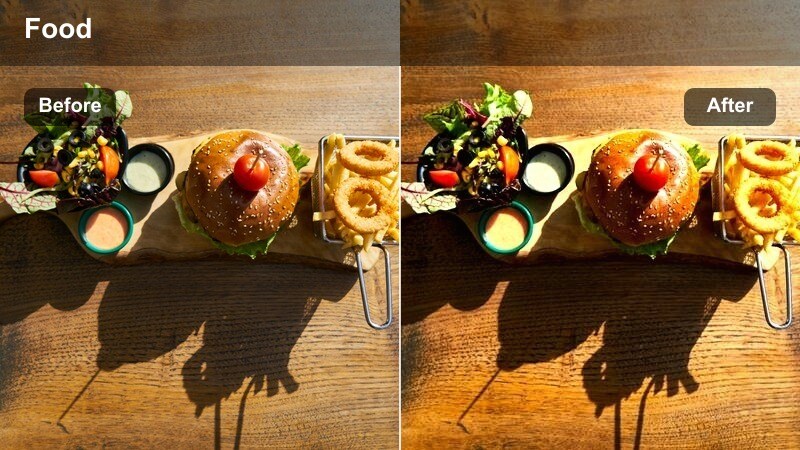
- Effect look: Rich, low-key contrast with deep shadows and subtle cool highlights for upscale interiors.
- Best for: Fine dining tasting menus, wine pairing segments, and chef's table coverage.
- Editing tip: Keep exposure slightly lower and protect shadows to avoid grainy noise, letting the LUT shape the depth and mood.
Deep Cellar Tones emphasizes rich shadows and controlled highlights, giving your fine dining footage a cinematic, cellar-like atmosphere. Cool accents in the highlights complement dark woods, wine racks, and minimal lighting so the space feels luxurious and intentional.
In Filmora, apply this LUT to tasting menu progressions, wine pairings, or chef's table shots and keep overall exposure on the darker side. Avoid lifting shadows too far; instead, let the LUT carve depth into the frame while you add slow, deliberate cuts that match the refined tone of the restaurant.
Velvet Night Dining
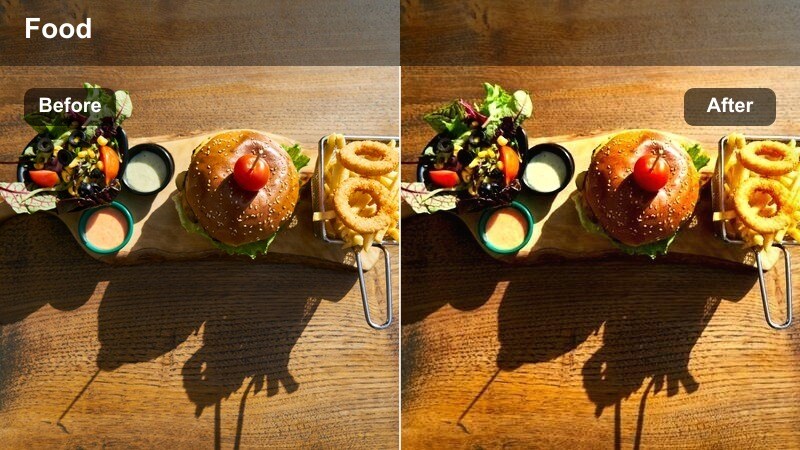
- Effect look: Smooth, slightly desaturated tones with gentle highlight roll-off that suit elegant evening meals.
- Best for: Date nights, anniversary dinners, and hotel restaurant scenes after dark.
- Editing tip: Reduce saturation in yellows to prevent table lamps from dominating the scene, then increase sharpness a touch on key details.
Velvet Night Dining softens colors and rolls off highlights smoothly so evening restaurant scenes feel polished and romantic rather than noisy or overly bright. Slight desaturation keeps table lamps and wall sconces from turning the whole frame yellow.
Use this LUT in Filmora for close-ups of couples, special occasion dinners, or elegant hotel restaurants, then dial back yellow saturation further if fixtures still distract from faces. Add a small bump in sharpness on eyes, jewelry, or glasses to keep important details crisp within the soft, velvety overall look.
Chef's Pass Spotlight
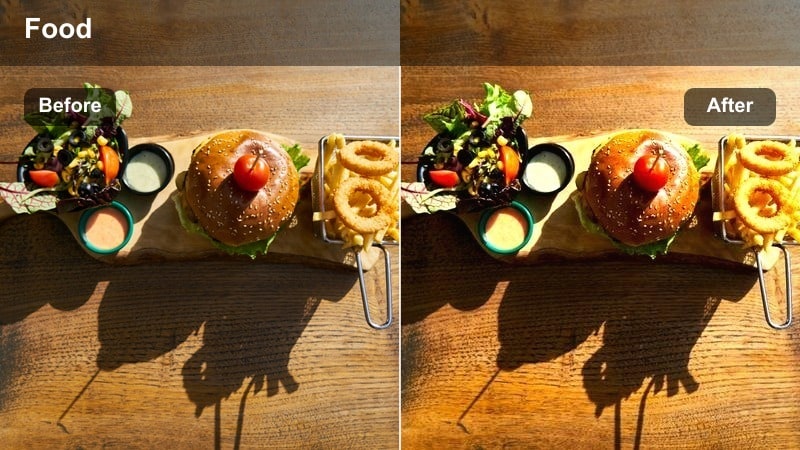
- Effect look: Focused, high-contrast look with crisp highlights on plates and the pass area while keeping the dining room subdued.
- Best for: Shots of dishes being plated, waiters collecting orders, and behind-the-scenes near the kitchen pass.
- Editing tip: Add a touch of sharpening and raise highlights slightly to make steam, sauces, and reflections pop on the pass.
Chef's Pass Spotlight boosts contrast and highlight intensity around the pass so plated dishes, steam, and stainless steel surfaces stand out dramatically. It lets the background fall slightly darker, emphasizing the craft and speed of service.
In Filmora, use this LUT for kitchen pass sequences, plating montages, and handoffs to servers, then add mild sharpening and highlight adjustments to accentuate textures in sauces and garnishes. Intercut these shots with dining room reactions to build a dynamic connection between the kitchen's energy and the guests' experience.
Bustling Service and Restaurant B-Roll
Service Rush Energy
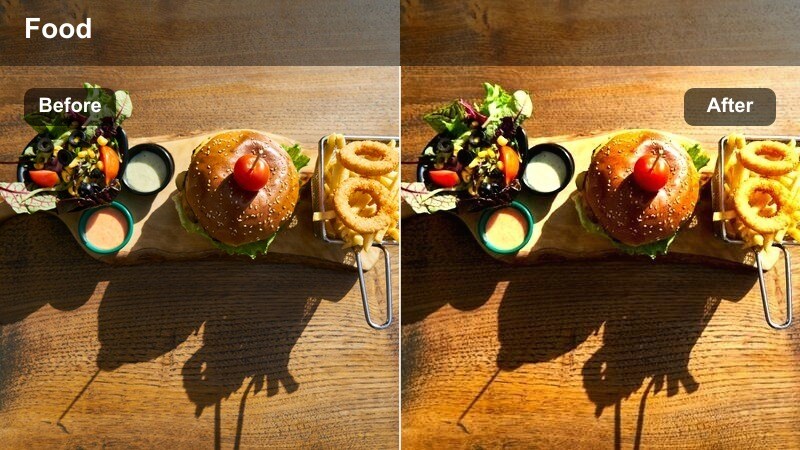
- Effect look: Punchy contrast and vibrant midtones that highlight movement and crowd energy without oversaturating.
- Best for: Busy dinner rush, servers weaving through tables, and bustling bar scenes.
- Editing tip: Use higher shutter speeds for crisp motion, then apply this filter and add a touch of motion blur in post for controlled energy.
Service Rush Energy amps up midtones and contrast to convey the buzz of a packed dining room, lively bar, or peak-hour service. It gives guests, plates, and staff a more vivid presence on screen without pushing colors into an unnatural, oversaturated territory.
In Filmora, apply this LUT to handheld or fast-moving clips of doors swinging, drinks being poured, and servers weaving through crowds. Combine the look with snappy cuts, optional motion blur, and upbeat music to build energetic montage sequences that capture the chaos and charm of a full restaurant.
Host Welcome Warm
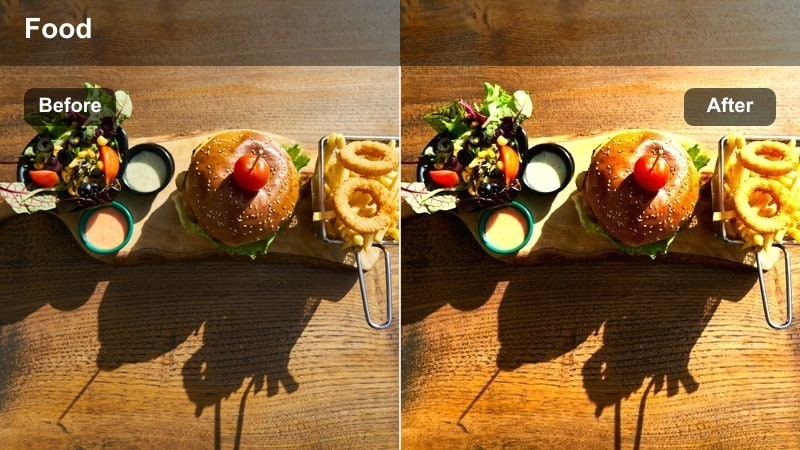
- Effect look: Inviting warmth with softened contrast tuned for entrances and host stand interactions.
- Best for: Restaurant intros, greeting guests at the door, and walkthrough starts for review videos.
- Editing tip: Keep camera at eye level for more welcoming compositions and slightly reduce sharpness to avoid harshness on faces.
Host Welcome Warm adds a friendly glow to doorways, host stands, and entrance areas so your audience feels immediately invited into the space. Softened contrast flatters faces and uniforms even under mixed or overhead lighting at the front of house.
In Filmora, use this LUT on your intro shots, walkthrough openings, and any segment where you or the host speak directly to camera. Maintain eye-level framing and reduce sharpness slightly if needed so skin textures remain gentle, creating a consistent, welcoming first impression across your restaurant series.
Ambient Room Pan
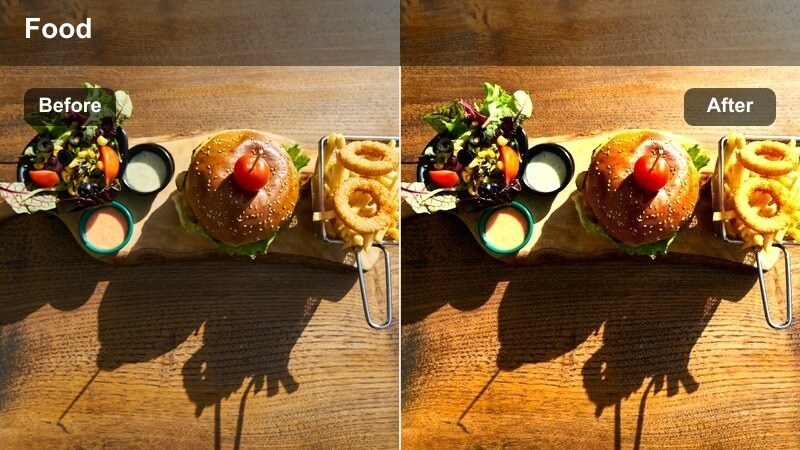
- Effect look: Balanced, neutral color grade with gentle saturation and even exposure for slow pans across the dining room.
- Best for: Establishing shots, slow pans across tables, and filler b-roll between scenes.
- Editing tip: Use a stabilizer or tripod for smooth camera movement, then apply this filter and add a light vignette to frame the room.
Ambient Room Pan offers a neutral, evenly exposed look that works across most restaurant lighting setups, making it ideal for establishing shots and slow walk-throughs. Gentle saturation keeps decor, guests, and table setups looking natural while avoiding strong stylistic shifts.
Apply this LUT in Filmora to wide pans and static ambience clips you plan to use as transitions or scene breaks. Pair it with stabilized camera moves and a subtle vignette so viewers can quickly read the layout of the room and feel the overall vibe before you cut into tighter conversations or food close-ups.
Tips for Using Restaurant Dining Scene Lut Filters in Filmora
- Shoot a quick white balance reference in each dining area so your Restaurant Dining Scene LUT filters stay consistent when you move between rooms.
- Record extra b-roll of entrances, menus, and table setups; these shots take Filmora filters especially well and help you cover jump cuts in dialogue.
- Test each LUT on both wide shots and close-ups to confirm that skin tones, table surfaces, and wall colors all remain natural across angles.
- If restaurant lighting is extremely mixed, slightly lower overall saturation or use Filmora color correction before applying a strong warm LUT.
- Place ambience clips on a separate timeline track so you can push those shots with more stylized filters while keeping talking-head footage cleaner.
- Save combinations of LUT plus grain, vignette, and sharpness as custom presets in Filmora to speed up grading on recurring restaurant locations.
- Use Filmora AI color matching to quickly align clips from different cameras or rooms so your chosen Restaurant Dining Scene LUT looks uniform.
Restaurant Dining Scene LUT filters in Filmora give content creators a fast way to tame tricky indoor lighting and craft a consistent visual mood across brunch, dinner, and fine dining footage.
Experiment with a few of these presets on your next dining vlog, then save your favorites as custom looks so every new restaurant video feels instantly on-brand.
secure download