

 100% Security Verified | No Subscription Required | No Malware


 ChatGPT
 Perplexity
 Gemini
 Claude
 Grok
Grok
The Pastel Landscape Filter: Soft Dreamy Nature preset is designed for Instagram users who want their travel scenery to feel light, airy, and cinematic without heavy editing. It softens harsh sunlight, lifts shadows, and adds a gentle pastel wash that flatters blue skies, green hills, and beach horizons.
Use these Filmora filter ideas to turn everyday landscape photos into cohesive pastel travel stories. From dreamy mountain views to soft seaside sunsets, you will find looks that keep your feed consistent while staying natural and easy to edit on the go.
In this article
Soft Sky Pastel Filters for Dreamy Horizons
Cotton Sky Wash
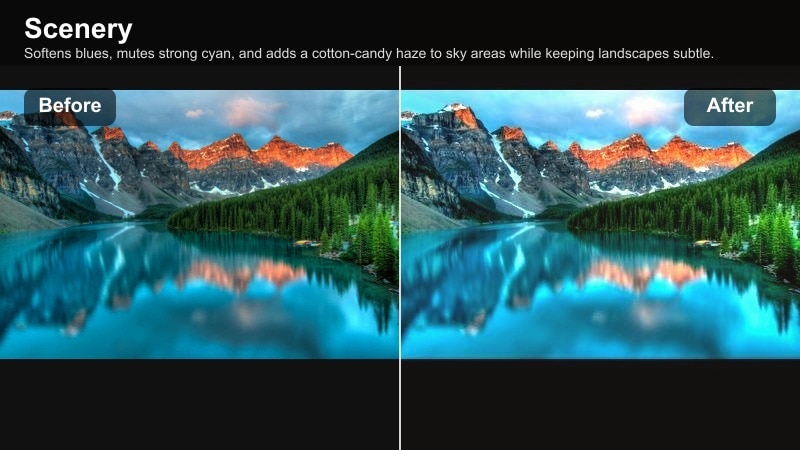
- Effect look: Softens blues, mutes strong cyan, and adds a cotton-candy haze to sky areas while keeping landscapes subtle.
- Best for: Bright noon sky photos, open fields, coastal viewpoints, and aerial shots with big sky detail.
- Editing tip: Lower contrast slightly and raise highlights for extra glow, then reduce saturation of blue to avoid oversaturated skies.
Cotton Sky Wash is ideal when harsh midday light makes your sky look too intense or distracting. In Filmora, this pastel landscape filter gently rolls strong blues into a softer cotton hue so your horizons feel clean and soothing instead of neon and noisy.
Apply it to wide travel shots with lots of sky, then fine-tune exposure and highlight levels so clouds stay bright but not blown out. The subtle pastel wash keeps the land natural while giving your Instagram scenery a soft, airy signature that works across reels, stories, and static posts.
Build a Consistent Pastel Landscape Palette with AI
Filmora s AI-powered color tools help you keep the Cotton Sky Wash vibe consistent across all your travel clips and photos. Instead of manually matching every scene, you can quickly harmonize skies, foliage, and horizons so your grid looks curated rather than random.
Analyze a favorite pastel edit, then let AI suggest similar color balance and softness for new shots from beaches, mountains, or city rooftops. This workflow gives you a unified pastel landscape look while saving time on repetitive adjustments.
Open Filmora and let AI suggest color matches for your favorite pastel landscape style.
 secure download

Preview Soft Pastel Scenery Filters in Real Time
With Filmora s filter panel, you can test Cotton Sky Wash alongside other dreamy nature filters in real time. As you scrub through your travel clips, you will see how each preset treats skies, clouds, and foregrounds before you commit.
Try layering a soft sky filter with gentle pastel foliage or haze, adjusting the intensity slider until the horizon, land, and subject feel balanced. This keeps your edits light and cinematic rather than overprocessed.
Drag a Pastel Landscape filter onto a test clip and adjust intensity while you play back your travel footage.
secure downloadTurn Your Favorite Pastel Look into a Reusable LUT
Once you perfect a soft sky combination you love, Filmora lets you save it as a LUT so it is always one click away. You can then apply that same pastel landscape filter to new travel clips and photos for instant consistency.
This is especially useful on long trips where light changes constantly but you want your Instagram aesthetic to stay unified. A custom pastel LUT keeps skies soft, shadows gentle, and colors cohesive from the first sunrise to the last city rooftop shot.
Save your favorite pastel edit as a LUT preset so every new landscape stays on-brand for your Instagram feed.
secure downloadBlush Horizon Glow
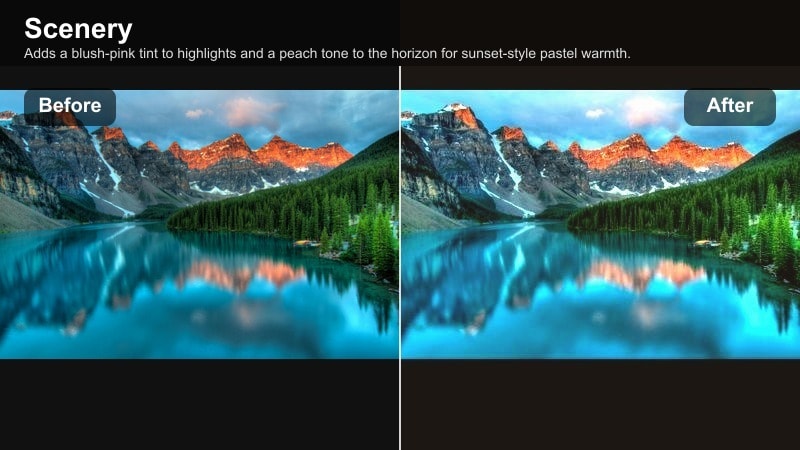
- Effect look: Adds a blush-pink tint to highlights and a peach tone to the horizon for sunset-style pastel warmth.
- Best for: Beach sunsets, golden hour cityscapes, and warm mountain overlooks with visible horizon lines.
- Editing tip: Increase warmth slightly and fade the blacks for a soft film-like glow, then reduce clarity to keep edges dreamy.
Blush Horizon Glow wraps your horizons in a romantic peach and pink warmth, mimicking the look of a gentle, pastel sunset. It is especially effective on scenes where the skyline is clearly visible, from seaside edges to layered mountain ranges.
In Filmora, combine the filter with a small clarity reduction and lifted blacks to create a subtle filmic fade. This keeps your silhouettes soft and cinematic while the blush tint unifies sky, clouds, and reflections for cohesive aesthetic travel shots.
Misty Sky Fade
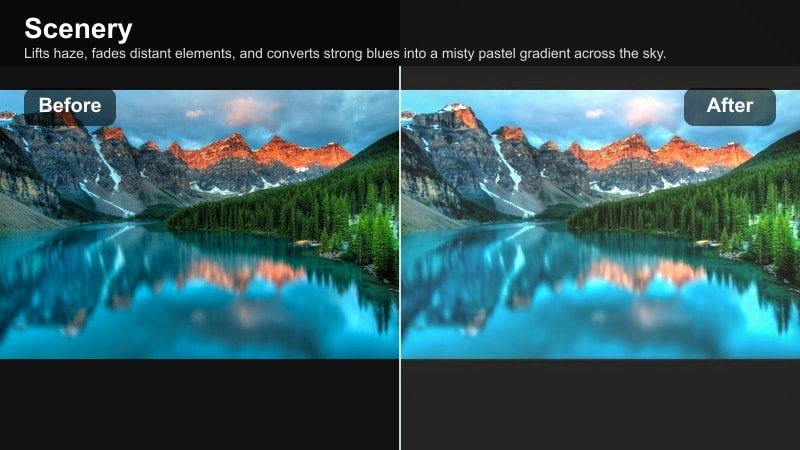
- Effect look: Lifts haze, fades distant elements, and converts strong blues into a misty pastel gradient across the sky.
- Best for: Foggy mountains, lakeside mornings, and city skylines viewed through soft haze or atmospheric mist.
- Editing tip: Decrease dehaze slightly and raise exposure in the highlights to exaggerate the dreamy mist effect.
Misty Sky Fade leans into natural fog and morning haze, turning potentially dull conditions into atmospheric pastel scenes. Instead of fighting the softness, this filter brightens highlights and mutes aggressive blues, giving your horizons a gentle gradient.
Use it in Filmora on misty lakes, distant skylines, or low-contrast mountain ranges. By slightly lifting exposure and reducing dehaze, you will create a dreamy, layered look where the eye drifts softly from foreground to background.
Dreamy Nature Filters for Pastel Landscapes
Sage Field Softener
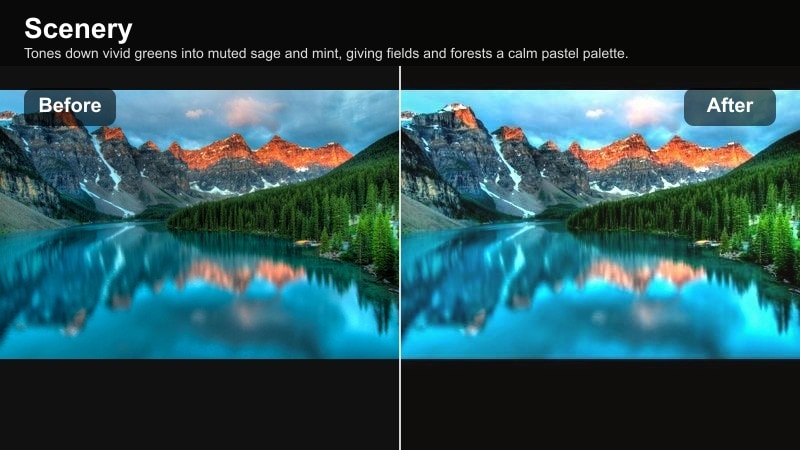
- Effect look: Tones down vivid greens into muted sage and mint, giving fields and forests a calm pastel palette.
- Best for: Countryside fields, rolling hills, forest paths, and garden scenery with heavy green foliage.
- Editing tip: Shift green hue slightly toward yellow and drop green saturation to smooth out patchy, intense grass colors.
Sage Field Softener is perfect when raw footage makes grass and trees look neon or overly saturated. The filter relaxes greens into gentle sage and mint tones so wide pastoral scenes feel calm and editorial instead of chaotic.
Inside Filmora, nudge the green hue toward yellow and pull back saturation until the landscape looks cohesive. This gives your Instagram feed a minimal, modern feel, while still keeping enough color for fields, hills, and nature trails to feel alive.
Pearl Forest Matte
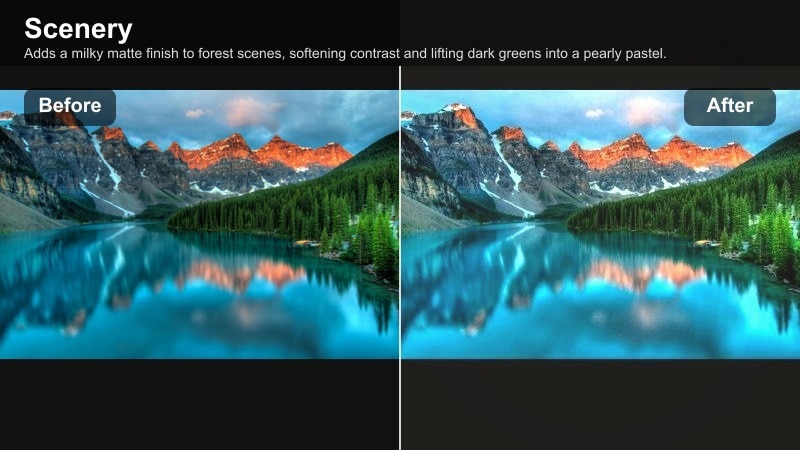
- Effect look: Adds a milky matte finish to forest scenes, softening contrast and lifting dark greens into a pearly pastel.
- Best for: Shaded woodland trails, riverbanks, and tree-lined parks with complex shadows and highlights.
- Editing tip: Lift blacks and lower overall contrast, then add a touch of warmth to avoid a flat or cold forest look.
Pearl Forest Matte is tailored for dense forests where deep shadows and bright patches of light can look harsh on camera. The filter lifts blacks and evens out contrast, turning busy woodland scenes into smooth, pearly pastels.
Apply it in Filmora to shaded trails or riverside paths, then introduce a small warmth adjustment so trunks and leaves do not turn too gray. The result is a gentle, misty forest look that fits perfectly with soft sky and coastal pastel styles.
Dream Meadow Glow
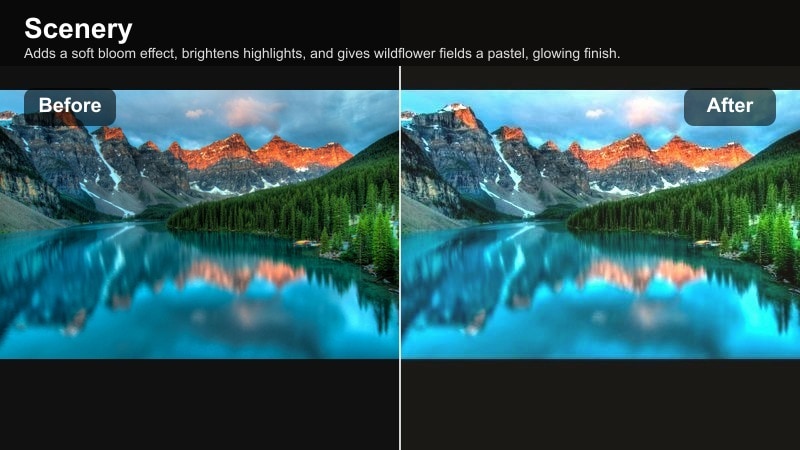
- Effect look: Adds a soft bloom effect, brightens highlights, and gives wildflower fields a pastel, glowing finish.
- Best for: Wildflower meadows, lavender fields, and open landscapes with many small colorful details.
- Editing tip: Slightly blur the background with Filmora’s effects and keep the subject sharp for an ethereal depth.
Dream Meadow Glow is designed for detail-rich scenes like wildflower fields and lavender rows that you want to feel dreamy rather than busy. The subtle bloom softens highlights and lifts colors into a pastel palette that feels romantic and cinematic.
In Filmora, pair this filter with selective focus or background blur so your subject stays crisp against a glowing field. The combination is ideal for Instagram portraits, outfit posts, and reels where scenery and subject share the spotlight.
Soft Pastel Filters for Coastal and Beach Scenery
Seafoam Pastel Crest
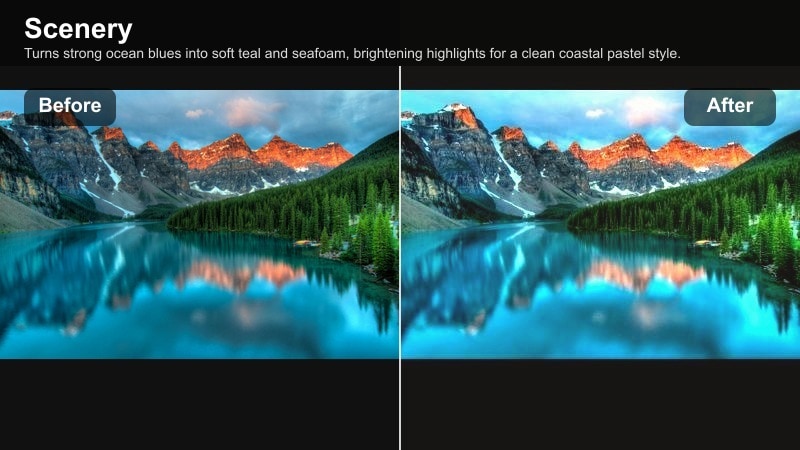
- Effect look: Turns strong ocean blues into soft teal and seafoam, brightening highlights for a clean coastal pastel style.
- Best for: Beach shorelines, cliffs over turquoise water, island travel photos, and boat deck scenes.
- Editing tip: Lower saturation of deep blue and increase luminance of aqua to emphasize light, creamy wave textures.
Seafoam Pastel Crest is ideal whenever ocean water appears too dark or electric blue on camera. This filter softens the palette into teal and seafoam, highlighting the bright crests of waves and giving your beach content a minimal, airy feel.
Use Filmora s HSL tools to pull down deep blue saturation while lifting aqua luminance, so the water reads as soft pastel without losing texture. The result is a clean, modern coastal aesthetic that pairs well with neutral outfits and simple compositions.
Shell Sand Softlight
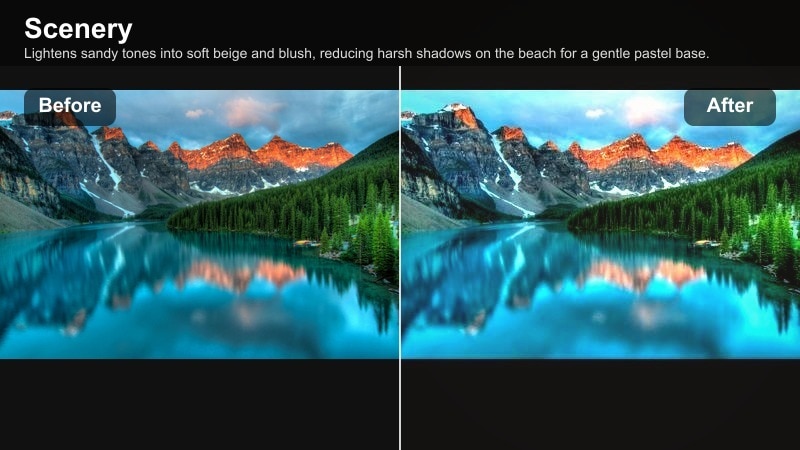
- Effect look: Lightens sandy tones into soft beige and blush, reducing harsh shadows on the beach for a gentle pastel base.
- Best for: Beach walks, towel flatlays, seaside cafes, and barefoot shoreline portraits in bright sunlight.
- Editing tip: Reduce contrast and add a subtle warm tint to midtones so skin and sand blend smoothly in soft light.
Shell Sand Softlight turns bright, contrast-heavy sand into a smooth pastel foundation for your coastal shots. It lightens yellows and browns into shell and blush tones, which is especially flattering for minimal flatlays and lifestyle photos on the shore.
In Filmora, lower overall contrast and warm the midtones so skin tones and sand feel part of one gentle palette. Recover highlights where needed to keep grain and footprints visible, and let the softened sand act as clean negative space for text or overlays.
Pastel Pier Evening
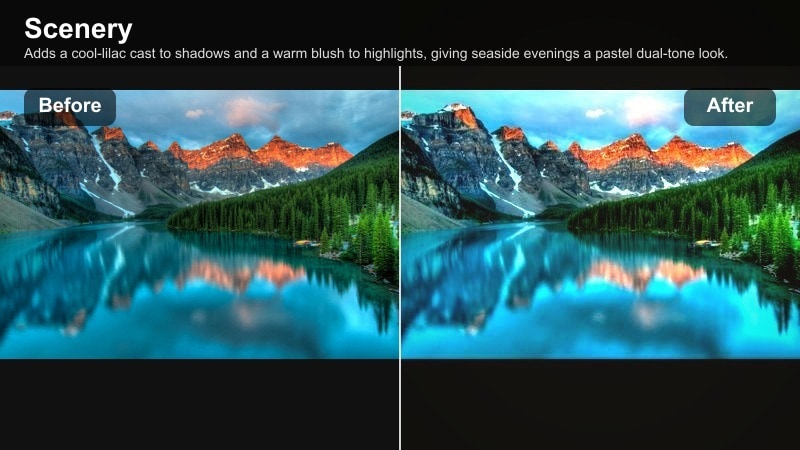
- Effect look: Adds a cool-lilac cast to shadows and a warm blush to highlights, giving seaside evenings a pastel dual-tone look.
- Best for: Harbor views, piers at dusk, ferris wheels, and boardwalk scenes with mixed natural and artificial light.
- Editing tip: Split-tone shadows slightly cool and highlights slightly warm, then soften clarity so lights glow instead of glare.
Pastel Pier Evening captures the magic of blue hour by tinting shadows with lilac and highlights with blush. This dual-tone approach makes pier lights, reflections, and skies look cohesive and dreamy, even when you have a mix of street lamps and fading daylight.
Use Filmora to fine-tune split-toning, cooling only the shadows and gently warming bright areas. Reduce clarity a touch so point lights bloom instead of spiking, creating nostalgic, cinematic evening content ready for reels or carousels.
Soft Pastel Filters for Urban Scenery and Travel
Rooftop Pastel Haze
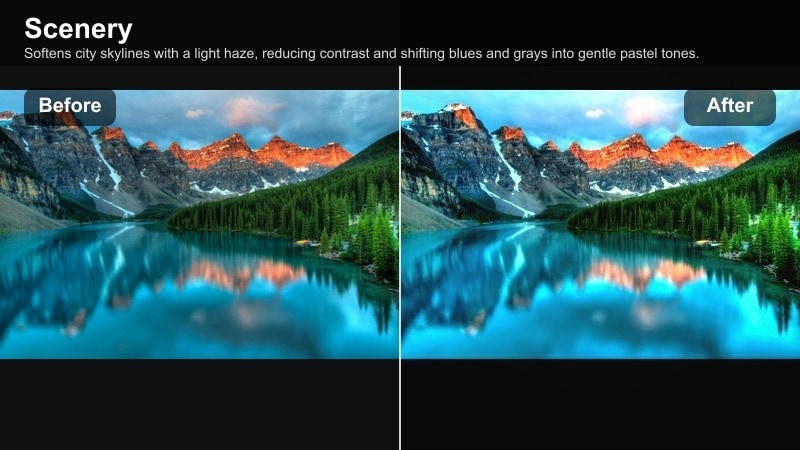
- Effect look: Softens city skylines with a light haze, reducing contrast and shifting blues and grays into gentle pastel tones.
- Best for: Rooftop views, hotel balconies, and skyline shots during bright or slightly overcast days.
- Editing tip: Lift shadows and reduce clarity just enough to smooth building edges without losing the city silhouette.
Rooftop Pastel Haze is made for skyline shots that feel too sharp or contrasty for a soft aesthetic feed. The filter wraps distant buildings in a light haze and turns hard blues and grays into pastel tones that read better on small screens.
In Filmora, gently raise shadows and lower clarity until the city edge softens while the silhouette stays recognizable. The resulting look works beautifully behind portraits, coffee shots on balconies, and sweeping rooftop pans in reels.
Old Town Pastel Streets
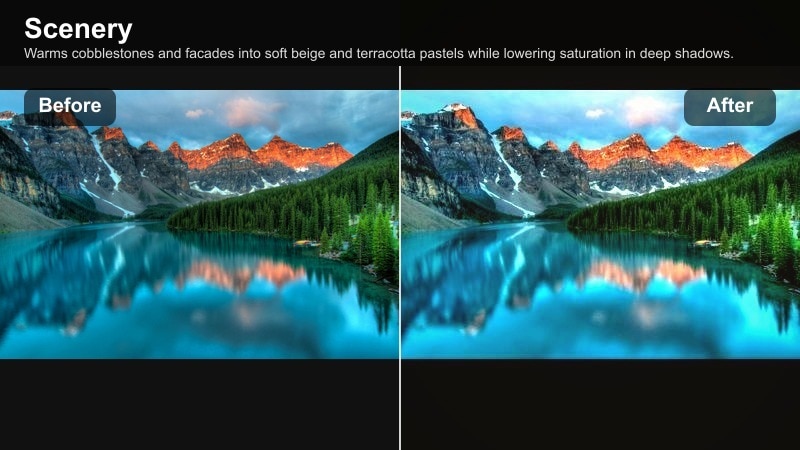
- Effect look: Warms cobblestones and facades into soft beige and terracotta pastels while lowering saturation in deep shadows.
- Best for: Historic alleys, colorful old town streets, cafes, and window details during travel walks.
- Editing tip: Increase warmth and add a slight fade to blacks for a travel postcard feel without oversaturating building colors.
Old Town Pastel Streets transforms historic alleys and plazas into romantic, postcard-ready scenes. It softens strong wall colors into muted terracotta and beige, and tames deep shadows so streets look warm and inviting rather than harsh.
Apply it in Filmora during your city walks, tilting warmth up just enough to keep skin and stone natural. A small fade on blacks adds nostalgic character, making even crowded tourist lanes feel calm and story-driven in your Instagram gallery.
City Lake Pastel Reflect
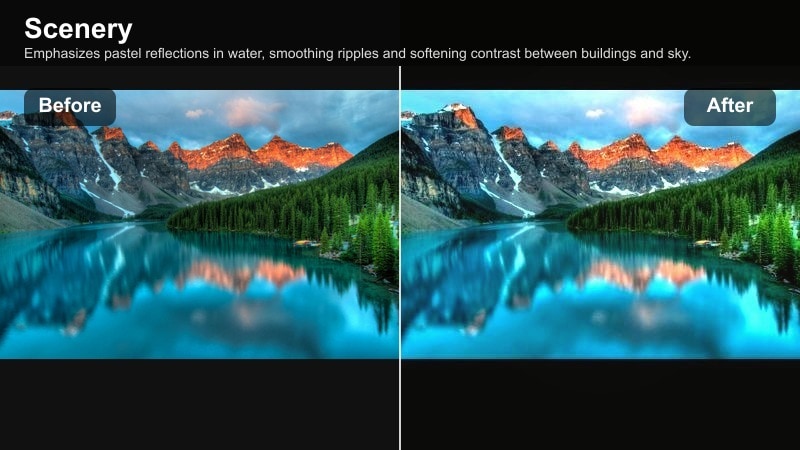
- Effect look: Emphasizes pastel reflections in water, smoothing ripples and softening contrast between buildings and sky.
- Best for: Lakeside cities, riverfront skylines, and park ponds with visible building reflections.
- Editing tip: Add a touch of vignette and slightly blur the reflection area to create a painterly pastel effect in the water.
City Lake Pastel Reflect is tailored for urban water scenes where reflections are the main story. The filter softens ripples, blends colors from buildings and sky, and shifts the overall mood toward calm, dreamy pastels.
In Filmora, add a light vignette and a touch of blur to the reflection zone to create a painterly effect. This makes mirrored skylines feel like impressionist artwork, perfect for reels, timelapses, or stills that anchor your city travel highlights.
Tips for Using Scenery Pastel Soft Filters in Filmora
- Shoot slightly underexposed in bright landscapes so Filmora s pastel filters have more highlight detail to work with.
- Avoid heavy sharpening; soft scenery filters look best when edges stay gentle and cinematic.
- Use leading lines like roads, shorelines, or fences to guide the eye through pastel landscapes in carousels.
- Keep one or two brand colors recurring, like teal water or blush skies, to unify your Instagram grid.
- Mix wide scenic shots with closer detail frames using the same pastel filter for a richer travel story.
- Reduce saturation in neon signs, billboards, or bright clothing so they do not clash with soft pastel tones.
- When editing vertical reels, leave negative space in the sky for overlays and text without cluttering the scene.
Soft pastel landscape filters are an easy way to turn everyday scenery into dreamy, shareable travel content, especially when you want your Instagram grid to stay gentle, airy, and cohesive.
Experiment with Filmora s pastel presets, then fine-tune skies, foliage, and city details so every horizon, field, and rooftop view feels like part of the same calm, dreamy nature story.
secure downloadNext: Try a scenery vintage filter for nostalgic travel vibes
